wheel RENAULT SCENIC 2018 Owner's Manual
[x] Cancel search | Manufacturer: RENAULT, Model Year: 2018, Model line: SCENIC, Model: RENAULT SCENIC 2018Pages: 364, PDF Size: 10.43 MB
Page 157 of 364
2.37
DRIVER CORRECTION DEVICES AND AIDS (3/5)
Electronic stability control
ESC with understeer control
and traction control
Electronic stability control ESC
This system helps you to keep control
of the vehicle in critical driving condi-
tions (avoiding an obstacle, loss of grip
on a bend, etc.).
Operating principle
A sensor in the steering wheel detects
the direction selected by the driver.
Other sensors throughout the vehicle
measure the actual direction.
The system compares the direction se-
lected by the driver and the actual di-
rection of the vehicle and corrects this
as necessary by applying the brakes
selectively and/or acting on the engine
power. If the system is triggered, the
indicator light flashes on the in-
strument panel. Understeer control
This system optimises the action of the
ESC in the case of pronounced under-
steer (loss of front axle road holding).
Traction control
This system helps to limit wheelspin of
the drive wheels and to control the ve-
hicle when pulling away accelerating or
decelerating.
Operating principle
Using the wheel sensors, the system
measures and compares the speed of
the drive wheels at all times and slows
down their over-rotation. If a wheel is
starting to slip, the system brakes au-
tomatically until the drive supplied be-
comes compatible with the level of grip
under the wheel again.
The system also adjusts the engine
speed to the grip available under the
wheels, independently of the pressure
exerted on the accelerator pedal.
Operating faults
When the system detects an operat-
ing fault the message “Check ESC” and
warning light
© and appear
on the instrument panel.
In this case, the ESC and traction con-
trol system are deactivated. Consult an
authorised dealer.
Page 161 of 364
2.41
Special features
When the vehicle speed:
– is less than 27.9 mph (45 km/h) ap-
proximately, the warning and brak-
ing are activated at the same time;
– is between about 27.9 mph
(45 km/h) and 48 mph (80 km/h)
approximately, the warning is acti-
vated. Braking will only be triggered if
the vehicle preceding you is moving.
Braking is not activated for stationary
vehicles;
– is between about 48 mph (80 km/h)
and 99.2 mph (160 km/h) , the warn-
ing and braking are only triggered if
the vehicle preceding you is moving.
The warning and braking are not ac-
tivated for stationary vehicles;
– is above 99.2 mph (160 km/h), the
system is not active.
ACTIVE EMERGENCY BRAKING (2/7)
Detection of vehicles
Operation
When driving (speed between about
4.34 and 99.2 mph (7 and 160 km/h)), if
there is a risk of collision with the vehi-
cle in front, the system:
– warns you of a collision risk:
– the warning light
\b is dis-
played in red on the instrument
panel, accompanied by a beep;
or
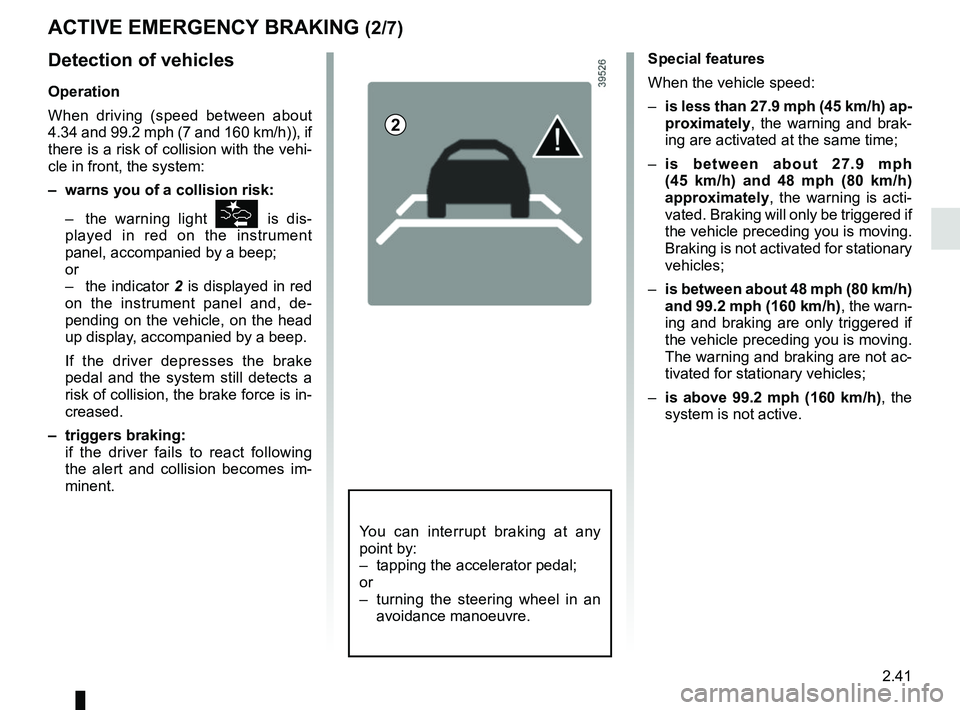
– the indicator 2 is displayed in red
on the instrument panel and, de-
pending on the vehicle, on the head
up display, accompanied by a beep.
If the driver depresses the brake
pedal and the system still detects a
risk of collision, the brake force is in-
creased.
– triggers braking:
if the driver fails to react following the alert and collision becomes im-
minent.
2
You can interrupt braking at any
point by:
– tapping the accelerator pedal;
or
– turning the steering wheel in an avoidance manoeuvre.
Page 164 of 364
2.44
ACTIVE EMERGENCY BRAKING (5/7)
Conditions for non-activation
of the system
The system cannot be activated:
– when the gear lever is in neutral;
– when the parking brake is activated;
– while cornering.
As a general rule, if the driver shows
signs of attention (action on the steering
wheel, pedals etc.), the system delays
its operation or does not activate.
Operating faults
When the system detects an operating
fault, the
\b warning light lights up
on the instrument panel, with the mes-
sage “Active braking disconnected”.
Consult an approved dealer
Temporarily not available
When the system detects a tempo-
rary unavailability, the
\b warning
light lights up on the instrument panel
accompanied by the message “Active
braking: sensor blind” or, depending on
the vehicle, “Radar-camera: no visibil-
ity”.
The possible causes are:
– the system is temporarily blinded (glare from the sun, dipped beam
headlights, bad weather conditions
etc.). The system will be operational
again when visibility conditions are
better;
– the system is temporarily disrupted (for example: windscreen obscured
by dirt, ice, snow etc.). In this case,
park the vehicle and switch off the
engine. Clean the windscreen. When
you next start the engine, the warn-
ing light and the message go out;
– if this is not the case, this may arise from another cause; contact an
Approved Dealer.
Page 165 of 364

Active emergency braking
This function is an additional driving aid. This function is not under any circumstances intended to replace the due\
care
and attention")
2.45
ACTIVE EMERGENCY BRAKING (6/7)
Active emergency braking
This function is an additional driving aid. This function is not under any circumstances intended to replace the due\
care
and attention of the driver, who should at all times be in control of the vehicle. The triggering of this function may be
delayed or prevented when the system detects clear signs of control of t\
he vehicle by the driver (action on the steer-
ing wheel, pedals etc.).
System servicing/repairs
– In the event of an impact, the radar-camera alignment may be changed, an\
d its operation may consequently be affected. Deactivate the function, then consult an authorised dealer.
– Any work in the area where the radar-camera is located (repairs, replac\
ements, windscreen modifications etc.) must be car- ried out by a qualified professional.
Only an authorised dealer is qualified to service the system.
In the event of system disturbance
Some conditions can disturb or damage the operation of the system, such \
as:
– a complex environment (metal bridge, tunnel etc.);
– poor weather conditions (snow, hail, black ice etc.);
– poor visibility (night, fog etc.);
– poor contrast between the object (vehicle, pedestrian etc.) and the su\
rrounding area (e.g. pedestrian dressed in white lo- cated in a snowy area etc.);
– being dazzled (glaring sun, lights of vehicles travelling in the opposi\
te direction etc.);
– windscreen obscured (by dirt, ice, snow, condensation etc.).
Risk of inadvertent braking.
Page 166 of 364

Limitation of the system operation
– A vehicle travelling in the opposite direction will not trigger any alert\
or any action on the system operation.
– The ra")
2.46
ACTIVE EMERGENCY BRAKING (7/7)
Limitation of the system operation
– A vehicle travelling in the opposite direction will not trigger any alert\
or any action on the system operation.
– The radar-camera area on the windscreen should be kept clean and free of\
any modifications in order to ensure the
proper operation of the system.
– The system cannot respond to small vehicles such as motorbikes or bicycl\
es as effectively as to other vehicles.
– The system may not operate properly when the road surface is slippery (\
rain, snow, black ice etc.).
– To ensure correct operation, the system needs to distinguish the complete\
outline of the pedestrian. So the system cannot detect:
– pedestrians in the darkness or in poor lighting conditions;
– partially visible pedestrians:
– pedestrians less than approximately 80 cm tall;
– pedestrians carrying large objects;
– ...
Deactivating the function
You must disable the function if:
– the brake lights are not functioning;
– the area of the radar-camera has been damaged (on the windscreen side o\
r the interior rear-view mirror side);
– the vehicle is being towed (breakdowns);
– the windscreen is cracked or distorted (do not carry out repairs on thi\
s area of the windscreen; have it changed by an Authorised Dealer).
Halting the function
You can halt the active braking function at any time by tapping the accel\
erator pedal or by turning the steering wheel in a avo id-
ance manoeuvre.
In the event of the system behaving abnormally, deactivate it and consult an authorised dealer.
Page 168 of 364
2.48
The function is set to notify the
driver if:
– speed is between about 43.4 mph (70 km/h) and 124 mph (200 km/h);
and
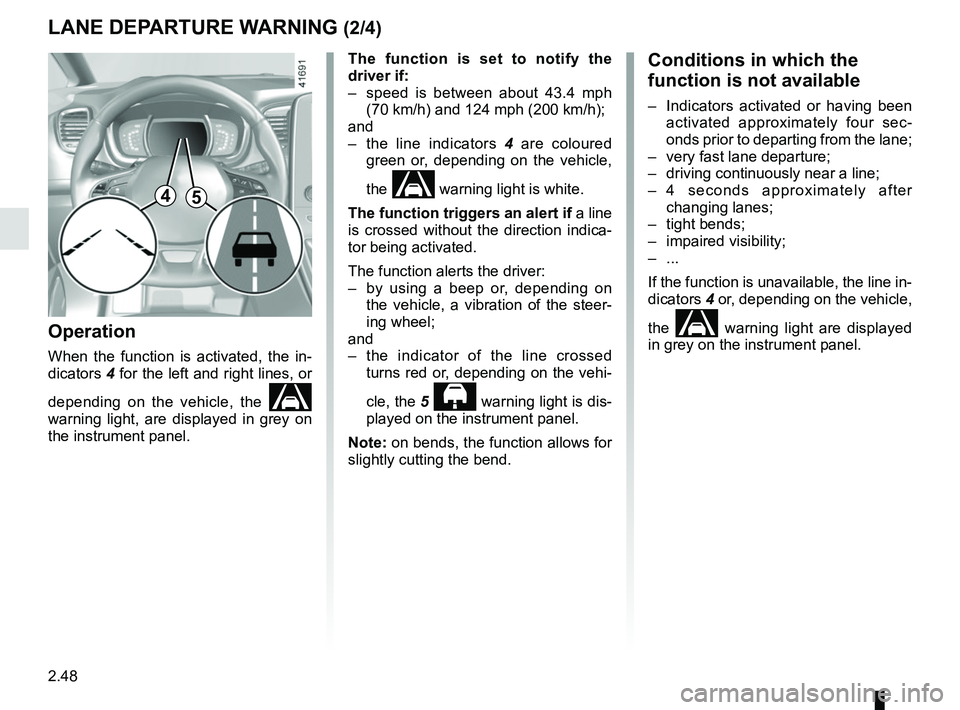
– the line indicators 4 are coloured
green or, depending on the vehicle,
the
warning light is white.
The function triggers an alert if a line
is crossed without the direction indica-
tor being activated.
The function alerts the driver:
– by using a beep or, depending on the vehicle, a vibration of the steer-
ing wheel;
and
– the indicator of the line crossed turns red or, depending on the vehi-
cle, the 5
warning light is dis-
played on the instrument panel.
Note: on bends, the function allows for
slightly cutting the bend.
Operation
When the function is activated, the in-
dicators 4 for the left and right lines, or
depending on the vehicle, the
warning light, are displayed in grey on
the instrument panel.
LANE DEPARTURE WARNING (2/4)
Conditions in which the
function is not available
– Indicators activated or having been activated approximately four sec-
onds prior to departing from the lane;
– very fast lane departure;
– driving continuously near a line;
– 4 seconds approximately after changing lanes;
– tight bends;
– impaired visibility;
– ...
If the function is unavailable, the line in-
dicators 4 or, depending on the vehicle,
the
warning light are displayed
in grey on the instrument panel.
45
Page 169 of 364
2.49
LANE DEPARTURE WARNING (3/4)
2
– “sensitivity”: adjust the sensitivity level for line detection. To do this,
select:
– “Low”: line detected when cross-
ing;
– “Average”: line detected on ap-
proach;
– “high”: line detected nearby.
Vehicles fitted with the “Lane keep-
ing assist” function:
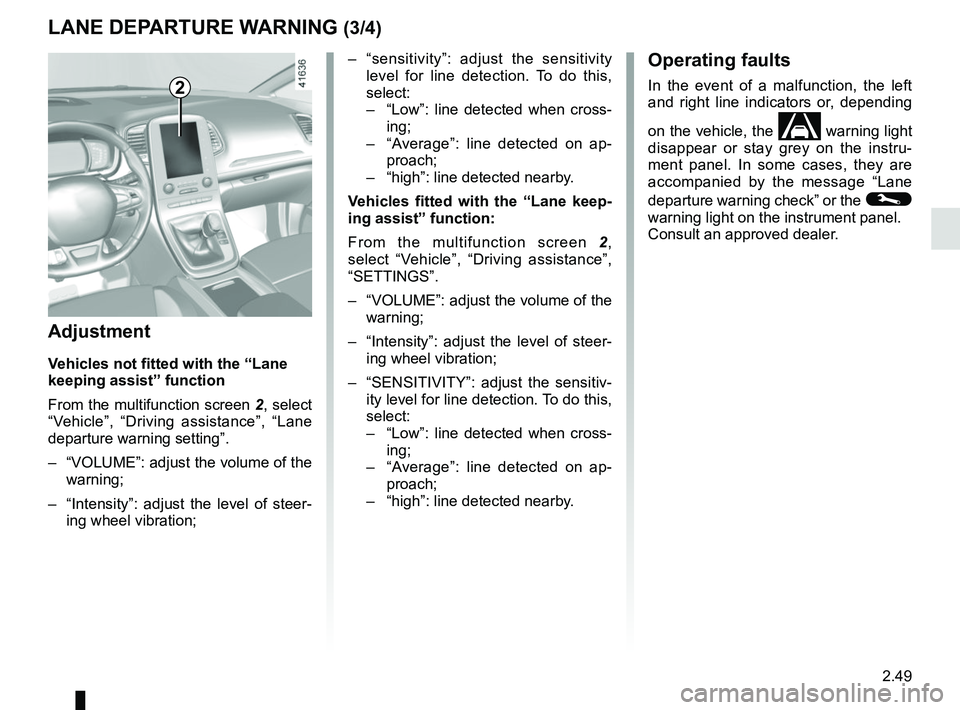
From the multifunction screen 2,
select “Vehicle”, “Driving assistance”,
“SETTINGS”.
– “VOLUME”: adjust the volume of the warning;
– “Intensity”: adjust the level of steer- ing wheel vibration;
– “SENSITIVITY”: adjust the sensitiv- ity level for line detection. To do this,
select:
– “Low”: line detected when cross-
ing;
– “Average”: line detected on ap-
proach;
– “high”: line detected nearby.
Adjustment
Vehicles not fitted with the “Lane
keeping assist” function
From the multifunction screen 2, select
“Vehicle”, “Driving assistance”, “Lane
departure warning setting”.
– “VOLUME”: adjust the volume of the warning;
– “Intensity”: adjust the level of steer- ing wheel vibration;
Operating faults
In the event of a malfunction, the left
and right line indicators or, depending
on the vehicle, the
warning light
disappear or stay grey on the instru-
ment panel. In some cases, they are
accompanied by the message “Lane
departure warning check” or the
©
warning light on the instrument panel.
Consult an approved dealer.
Page 172 of 364
2.52
LANE KEEPING ASSIST (2/4)
Activation/deactivation
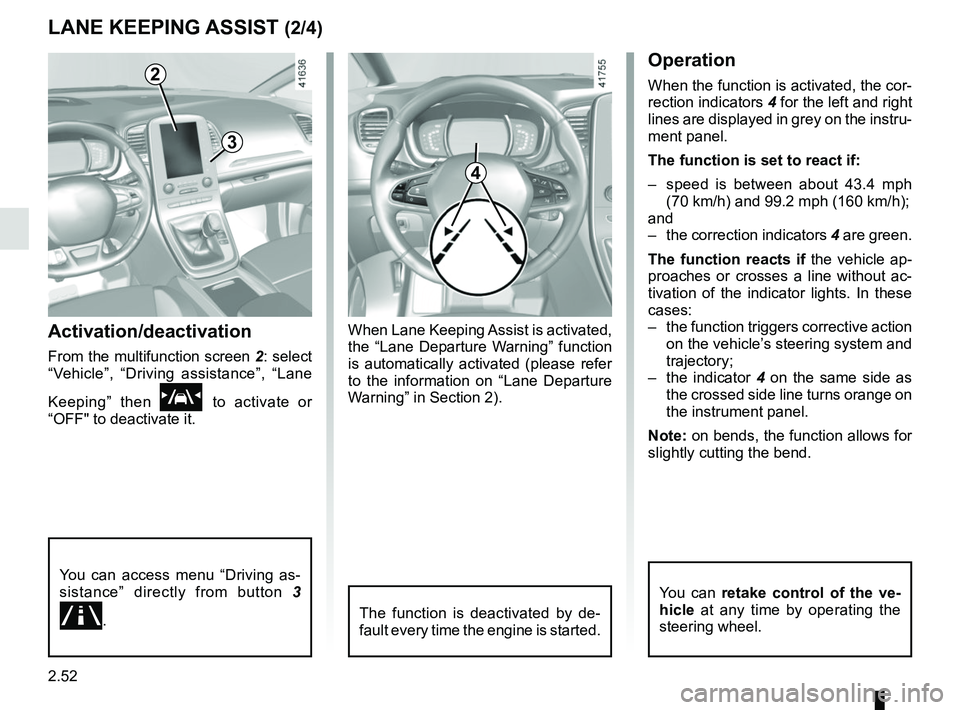
From the multifunction screen 2: select
“Vehicle”, “Driving assistance”, “Lane
Keeping” then
\f to activate or
“OFF" to deactivate it.
2
You can access menu “Driving as-
sistance” directly from button 3
.
3
4
Operation
When the function is activated, the cor-
rection indicators 4 for the left and right
lines are displayed in grey on the instru-
ment panel.
The function is set to react if:
– speed is between about 43.4 mph (70 km/h) and 99.2 mph (160 km/h);
and
– the correction indicators 4 are green.
The function reacts if the vehicle ap-
proaches or crosses a line without ac-
tivation of the indicator lights. In these
cases:
– the function triggers corrective action on the vehicle’s steering system and
trajectory;
– the indicator 4 on the same side as
the crossed side line turns orange on
the instrument panel.
Note: on bends, the function allows for
slightly cutting the bend.
The function is deactivated by de-
fault every time the engine is started.
You can retake control of the ve-
hicle at any time by operating the
steering wheel.
When Lane Keeping Assist is activated,
the “Lane Departure Warning” function
is automatically activated (please refer
to the information on “Lane Departure
Warning” in Section 2).
Page 173 of 364
2.53
– only one line is detected;
– very fast lane departure;
– driving continuously near a line;
– impaired visibility;
– 4 seconds approximately after changing lanes;
– during tight bends;
– the lane width is too narrow;
– ...
When the function is unavailable, the
correction indicators are displayed in
grey on the instrument panel.
LANE KEEPING ASSIST (3/4)
Adjustment
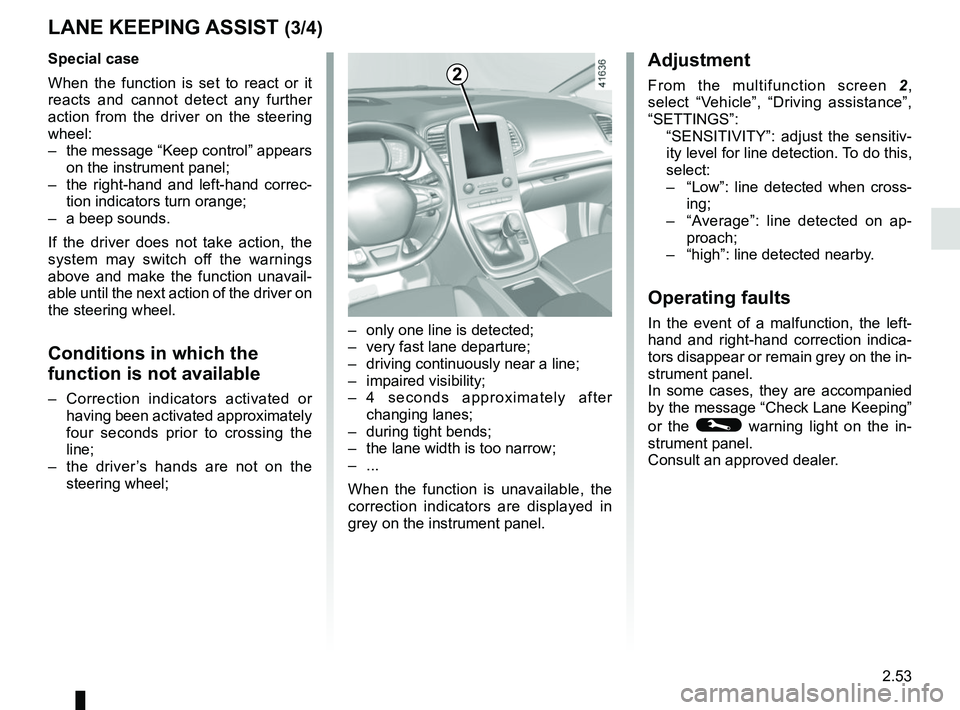
From the multifunction screen 2,
select “Vehicle”, “Driving assistance”,
“SETTINGS”:
“SENSITIVITY”: adjust the sensitiv- ity level for line detection. To do this,
select:
– “Low”: line detected when cross-
ing;
– “Average”: line detected on ap-
proach;
– “high”: line detected nearby.
Operating faults
In the event of a malfunction, the left-
hand and right-hand correction indica-
tors disappear or remain grey on the in-
strument panel.
In some cases, they are accompanied
by the message “Check Lane Keeping”
or the
© warning light on the in-
strument panel.
Consult an approved dealer.
2Special case
When the function is set to react or it
reacts and cannot detect any further
action from the driver on the steering
wheel:
– the message “Keep control” appears on the instrument panel;
– the right-hand and left-hand correc- tion indicators turn orange;
– a beep sounds.
If the driver does not take action, the
system may switch off the warnings
above and make the function unavail-
able until the next action of the driver on
the steering wheel.
Conditions in which the
function is not available
– Correction indicators activated or having been activated approximately
four seconds prior to crossing the
line;
– the driver’s hands are not on the steering wheel;
Page 182 of 364
2.62
FATIGUE DETECTION WARNING (1/2)
The fatigue detection warning is a func-
tion which is useful on monotonous
roads (motorways, high-speed roads
etc.).
It analyses driver behaviour and takes
account of events to inform you of any
risk of fatigue, such as:
– steering wheel movement;
– driver actions on other devices (indi-cators, windscreen washer, etc.);
– time spent driving without stopping;
– ...
This function is an addi-
tional driving aid in case of
risk of fatigue. The function
does not take the place of
the driver.
Under no circumstances should this
function replace the driver’s care or
responsibility whilst driving.
Activation/deactivation
Vehicles fitted with a navigation
system
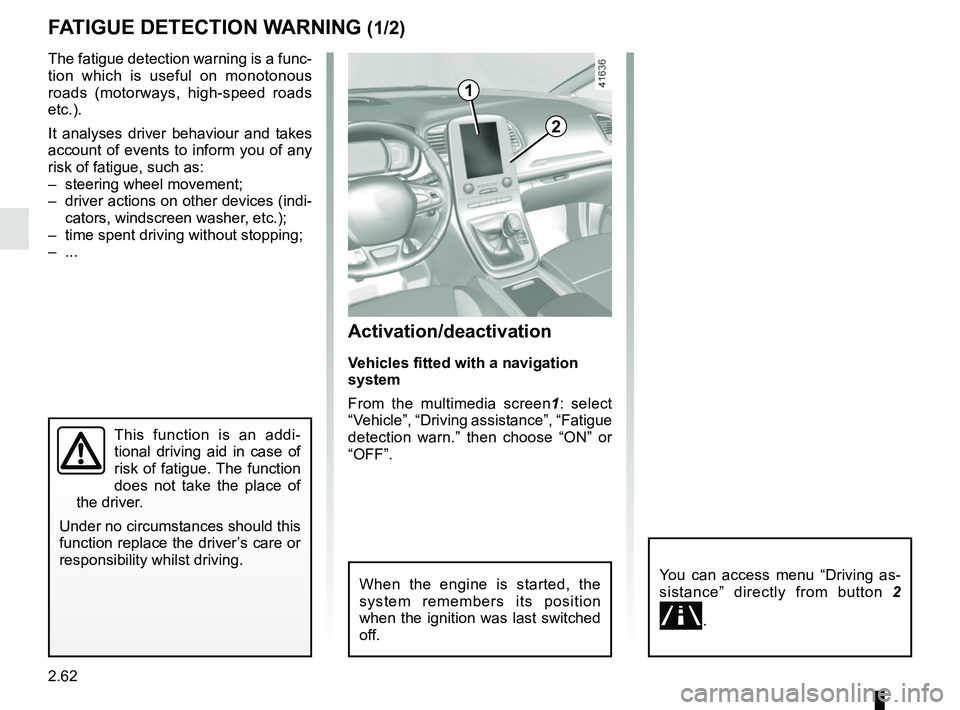
From the multimedia screen1 : select
“Vehicle”, “Driving assistance”, “Fatigue
detection warn.” then choose “ON” or
“OFF”.
You can access menu “Driving as-
sistance” directly from button 2
.
2
1
When the engine is started, the
system remembers its position
when the ignition was last switched
off.