display RENAULT TRAFIC 2018 User Guide
[x] Cancel search | Manufacturer: RENAULT, Model Year: 2018, Model line: TRAFIC, Model: RENAULT TRAFIC 2018Pages: 298, PDF Size: 8.05 MB
Page 97 of 298
1.91
ON-BOARD COMPUTER: general information (2/2)
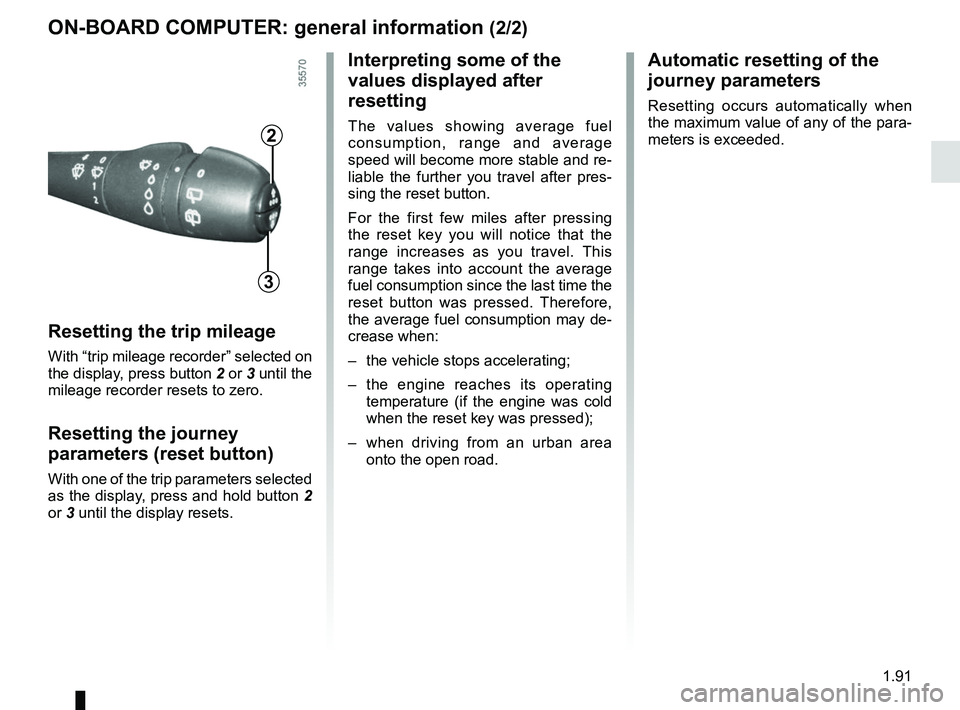
Resetting the trip mileage
With “trip mileage recorder” selected on
the display, press button 2 or 3 until the
mileage recorder resets to zero.
Resetting the journey
parameters (reset button)
With one of the trip parameters selected
as the display, press and hold button 2
or 3 until the display resets.
Interpreting some of the
values displayed after
resetting
The values showing average fuel
consumption, range and average
speed will become more stable and re-
liable the further you travel after pres-
sing the reset button.
For the first few miles after pressing
the reset key you will notice that the
range increases as you travel. This
range takes into account the average
fuel consumption since the last time the
reset button was pressed. Therefore,
the average fuel consumption may de-
crease when:
– the vehicle stops accelerating;
– the engine reaches its operating
temperature (if the engine was cold
when the reset key was pressed);
– when driving from an urban area
onto the open road.
Automatic resetting of the
journey parameters
Resetting occurs automatically when
the maximum value of any of the para-
meters is exceeded.
2
3
Page 98 of 298

The display of information shown below DEPENDS ON THE VEHICLE EQUIPMENT \
AND COUNTRY.
Examples of selectionsInterpreting the display selected
101778 km
a)")
1.92
ON-BOARD COMPUTER: trip settings (1/4)
The display of information shown below DEPENDS ON THE VEHICLE EQUIPMENT \
AND COUNTRY.
Examples of selectionsInterpreting the display selected
101778 km
a) Total mileage and trip mileage recorder.
112.4 km
FUEL USED
b) Journey parameters. Fuel used.
Fuel consumed since the last reset.
8L
AVERAGE c) Average fuel consumption since the last reset.
The value is displayed after having travelled at least 400 metres since \
the last
reset.
5.8 L/100
CURRENT
d) Current fuel consumption.
This value is displayed after a speed of approximately 20 mph (30 km/h)\
is reached.
7.4 L/100
Page 99 of 298

The display of information shown below DEPENDS ON THE VEHICLE EQUIPMENT \
AND COUNTRY.
Examples of selectionsInterpreting the display selected
RANGE
e) Est")
1.93
ON-BOARD COMPUTER: trip settings (2/4)
The display of information shown below DEPENDS ON THE VEHICLE EQUIPMENT \
AND COUNTRY.
Examples of selectionsInterpreting the display selected
RANGE
e) Estimated range with remaining fuel.
The value is displayed after driving 400 metres.
541 km
DISTANCE
f) Distance travelled since last reset.
522 km
AVERAGE
g) Average speed since the last reset.
The value is displayed after driving 400 metres.
89.4 km/h
Page 100 of 298

Examples of selectionsInterpreting the display selected
On-board comp")
1.94
The display of information shown below DEPENDS ON THE VEHICLE EQUIPMENT \
AND COUNTRY.
ON-BOARD COMPUTER: trip settings (3/4)
Examples of selectionsInterpreting the display selected
On-board computer with distance before
next service message (cntd.)
h) Mileage before serviceWith the ignition switched on and the engine not running ,
when the message “SERVICE INTERVALS” is displayed, press
button 2 or 3 for around 5 seconds to display the mileage before
the next service (distance or time remaining before the next oil
change). When the range approaches its limit, there are several
possible scenarios:
– distance/time remaining less than 900 miles (1,500 km) or
one month : the message “Service due in” is displayed ac-
companied by the nearest term (distance or time);
– range equal to 0 km/miles or service date reached: the
message “SERVICE REQUIRED” is displayed accompanied
by warning light
©.
The vehicle requires an oil change as soon as possible.
SERVICE
INTERVALS
OIL CHANGE IN
30 000 km / 24 MO
SERVICE DUE IN
300 km / 24 DAYS
SERVICE REQUIRED
Depending on the vehicle, the mileage before an oil change varies accord\
ing to the driving style (frequent driving at low speed ,
door-to-door journeys, extensive use at idling speed, towing a trailer, etc.). The distance remaining until the next oil change can
therefore decrease more quickly in some cases than the actual distance t\
ravelled.
Resetting: To reset the mileage before the next oil change, display the remaining ra\
nge (distance and time), then press and hold
button 2 or 3 for approximately 10 seconds until the display shows the mileage before\
oil change without flashing.
Page 101 of 298

Examples of selectionsInterpreting the display selected
TYRE PRESSURE")
1.95
The display of information shown below DEPENDS ON THE VEHICLE EQUIPMENT \
AND COUNTRY.
ON-BOARD COMPUTER: trip settings (4/4)
Examples of selectionsInterpreting the display selected
TYRE PRESSURE SET
i) Reset the tyre pressure.Please refer to the information on the “Tyre pressure loss warning” in Section 2.
SPEED LIMITER
j) Cruise control/speed limiter programmed speed.Refer to the information on the “Speed limiter” and “Cruise con\
trol” in Section 2.
90 km/h
CRUISE CONTROL 90 km/h
k) Clock and temperature.Please refer to the information on the “Clock and exterior temperatur\
e” in Section 1.
13° 16:30
NO MESSAGE
MEMORISED l) Trip log. Successive display:
– information messages (passenger airbag OFF etc.);
– operating fault messages (check the injection system, etc.).
ADBLUE 62%
m) Percentage volume of remaining additives. Refer to the information on “Additive tank” in Section 1.
Page 102 of 298
1.96
TRIP COMPUTER AND WARNING SYSTEM: information messages
Examples of messagesInterpreting the display selected
« PARKING BRAKE ON » Indicates that the parking brake has been applied.
« BATTERY LOW
START ENGINE » Indicates that the vehicle must be started to recharge the battery (e.g\
. after the engine has been
switched off for some time whilst listening to the radio).
« TOP UP OIL LEVEL » Indicates that the oil level needs adjusting.
« AUTO DOOR LOCK OFF » Indicates that the automatic door locking while driving is deactivated.
« STEERING WHEEL NOT LOCKED » Indicates that the steering column has not been locked.
These can help in the vehicle starting phase, or give information about \
a selection or a driving status.
Examples of information messages are given in the following pages.
Page 103 of 298

1.97
TRIP COMPUTER AND WARNING SYSTEM: operating fault messages
These appear with the © warning light and mean that you should drive very carefully to an author\
ised dealer as
soon as possible. If you fail to follow this recommendation, you risk da\
maging your vehicle.
They disappear when the display selection key is pressed or after severa\
l seconds and are stored in the computer log. The
© warning light stays on. Examples of operating fault messages are given \
in the following pages.
Examples of messages Interpreting the display selected
« CLEAN DIESEL FILTER » Indicates the presence of water in the diesel filter; contact an approve\
d Dealer
as soon as possible.
« CHECK VEHICLE » Indicates a fault in one of the pedal sensors, battery management system\
or oil
level sensor.
« CHECK AIRBAG » Indicates a fault in the restraint system in addition to the seat belts.\
In the event
of an accident, it is possible that they may not be triggered.
« Check antipollution system » – Indicates a fault in the vehicle’s emission control system.
– Indicates a fault in the emissions reduction system when it is accompani\
ed
by the
warning light. Refer to the information on «Additive tank» in
Section 1.
Page 104 of 298
1.98
TRIP COMPUTER AND WARNING SYSTEM: warning message
These appear with the ® warning light and require you to stop immediately, for your own safety, as soon as traffic
conditions allow. Stop your engine and do not restart it. Contact an approved Dealer.
Examples of warning messages are given in the following pages. Note: the messages appear on the display either individually
or alternately (when there are several messages to be displayed), and \
may be accompanied by a warning light and/or a beep.
Examples of messages Interpreting the display selected
« GEAR BOX RISK OF BREAKAGE » Indicates an injection fault, the vehicle’s engine has overheated or there is a serious engine fault.
« Braking system fault » Indicates a fault in the braking system.
« BATTERY CHARGING FAULT » Indicates a fault in the vehicle battery charging circuit (alternator e\
tc.).
« PUNCTURE « Indicates that at least one wheel is punctured or severely underinflated\
.
Page 105 of 298
1.99
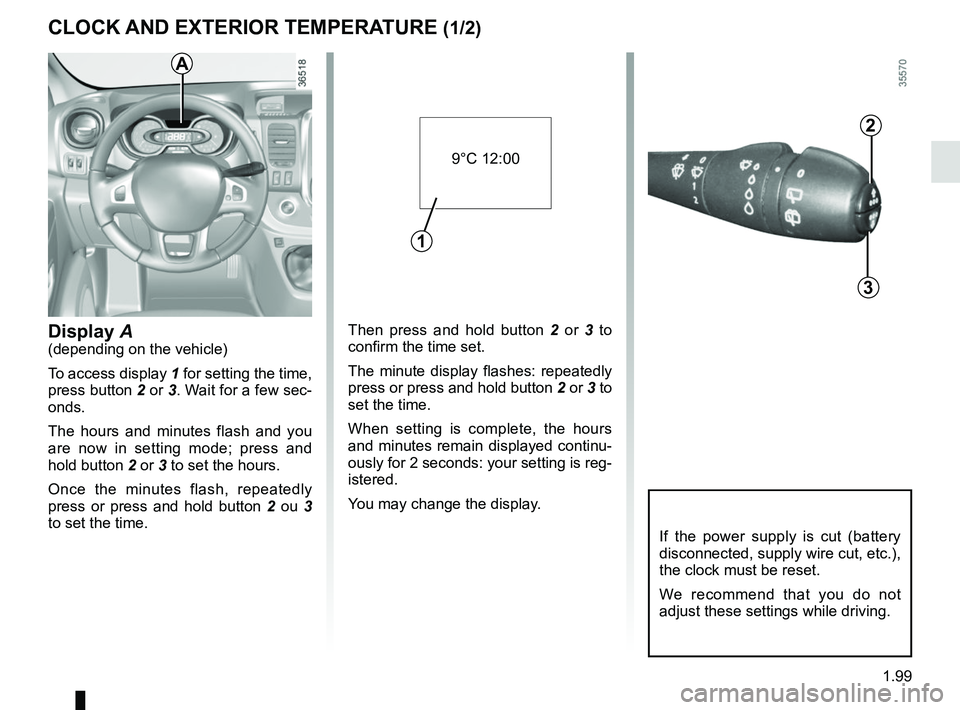
Then press and hold button 2 or 3 to
confirm the time set.
The minute display flashes: repeatedly
press or press and hold button 2 or 3 to
set the time.
When setting is complete, the hours
and minutes remain displayed continu-
ously for 2 seconds: your setting is reg-
istered.
You may change the display.Display A(depending on the vehicle)
To access display 1 for setting the time,
press button 2 or 3. Wait for a few sec-
onds.
The hours and minutes flash and you
are now in setting mode; press and
hold button 2 or 3 to set the hours.
Once the minutes flash, repeatedly
press or press and hold button 2 ou 3
to set the time.
CLOCK AND EXTERIOR TEMPERATURE (1/2)
2
3
If the power supply is cut (battery
disconnected, supply wire cut, etc.),
the clock must be reset.
We recommend that you do not
adjust these settings while driving.
9°C 12:00
1
A
Page 106 of 298
1.100
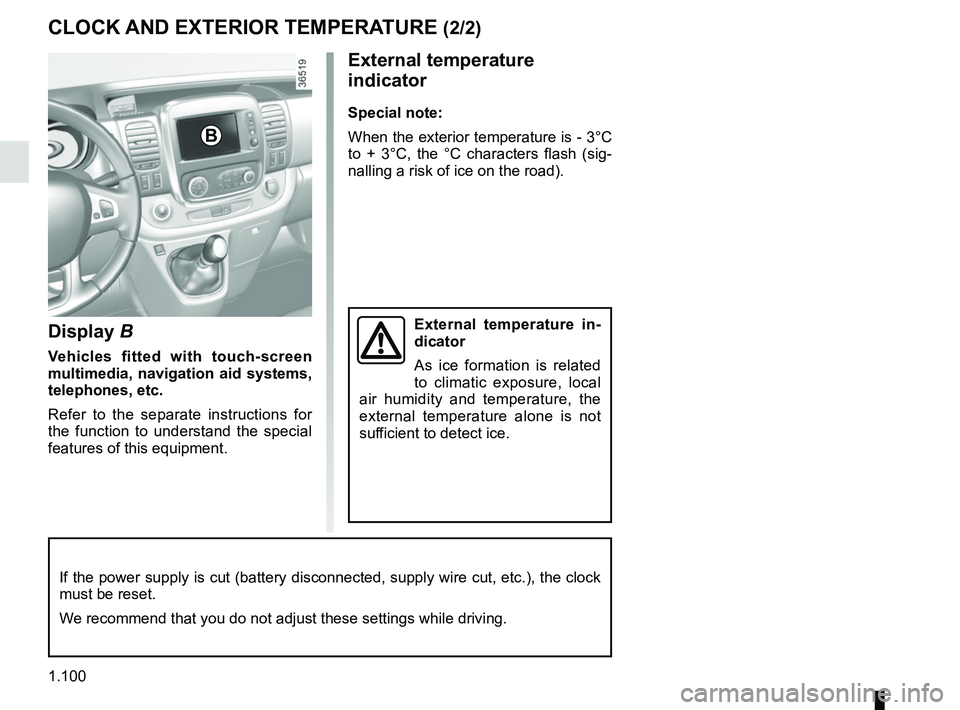
Display B
Vehicles fitted with touch-screen
multimedia, navigation aid systems,
telephones, etc.
Refer to the separate instructions for
the function to understand the special
features of this equipment.
External temperature
indicator
Special note:
When the exterior temperature is - 3°C
to + 3°C, the °C characters flash (sig-
nalling a risk of ice on the road).
External temperature in-
dicator
As ice formation is related
to climatic exposure, local
air humidity and temperature, the
external temperature alone is not
sufficient to detect ice.
CLOCK AND EXTERIOR TEMPERATURE (2/2)
If the power supply is cut (battery disconnected, supply wire cut, etc.\
), the clock
must be reset.
We recommend that you do not adjust these settings while driving.
B