ignition RENAULT TWINGO 2009 2.G Electrical Equipment - Access Safety User Guide
[x] Cancel search | Manufacturer: RENAULT, Model Year: 2009, Model line: TWINGO, Model: RENAULT TWINGO 2009 2.GPages: 43, PDF Size: 0.2 MB
Page 25 of 43
82D-25
MR-413-X44-82D000$700_eng.mif
V1
ACCESS/SAFETY
Fault finding - Conformity check82D
SUB-FUNCTION: PROTECTION (CONTINUED 2)
NOTESOnly carry out this conformity check after a complete check with the diagnostic tool
(fault reading and configuration checks).
Application condition: engine stopped, + after ignition feed present.
Computer Order FunctionParameter or Status
checked or ActionDisplay and
NotesFault finding
UCH (see 87B,
Passenger
compartment
connection unit)9
InjectionET229:Injection
immobiliser
codePROGRAMMED
NOT
PROGRAMMED
UNDETERMINEDIn the event of a fault, refer
to the interpretation of
status ET229 (see 87B,
Passenger compartment
connection unit).
10 ET250:InjectionNOT
PROTECTED
PROTECTEDIn the event of a fault, refer
to the interpretation of
status ET250
(see 17B, Petrol
injection, Conformity
check, Protection)
(see 13B, Diesel
injection, Conformity
check, Protection)
(see 87B, Passenger
compartment
connection unit).
11Starter actuatorET239:Ignition switch
positionINACTIVE
+ ACCESSORIES
+ after ignition
feed.
+ START FEEDIn the event of a fault, refer
to the interpretation of
status ET239 (see 87B,
Passenger compartment
connection unit).
Page 26 of 43
82D-26
MR-413-X44-82D000$700_eng.mif
V1
ACCESS/SAFETY
Fault finding - Conformity check82D
SUB-FUNCTION: PROTECTION (CONTINUED 3)
NOTESOnly carry out this conformity check after a complete check with the diagnostic tool
(fault reading and configuration checks).
Application condition: engine stopped, + after ignition feed present.
Computer Order FunctionParameter or Status
checked or ActionDisplay and Notes Fault finding
Diesel
Injection
(see 13B,
Diesel
Injection)1Computer + after
ignition feedET001:Computer +
after ignition
feedPRESENT
Indicates + after ignition
computer feed.
PRESENT/ABSENTIn the event of a fault,
use the interpretation
of faults DF047
"Computer feed
voltage" and DF015
"Main relay control
circuit ".
2Engine
immobiliserET003:Engine
immobiliser INACTIVE
- INACTIVE: The
injection computer has
recognised the
immobiliser code
transmitted by the UCH.
- ACTIVE: The injection
computer has not
recognised the
immobiliser code
transmitted by the UCH.If ACTIVE, use the
"help" for ET003 on
the tool.
3Code
programmedET006:Code
programmedYES
States whether the
immobiliser code has
been programmed by the
computer or not.
YES: Code programmed
NO: Code not
programmed into the
injection computerIf NO, test the
multiplex network.
4StartingET076:StartingAUTHORISED
Indicates whether or not
starting has been
authorised by the
injection
AUTHORISED: injection
authorises starting.
PROHIBITED: Injection
does not authorise
startingIf PROHIBITED,
carry out a complete
fault finding
procedure on the
preheating system.
Page 27 of 43
82D-27
MR-413-X44-82D000$700_eng.mif
V1
ACCESS/SAFETY
Fault finding - Conformity check82D
SUB-FUNCTION: PROTECTION (CONTINUED 4)
NOTESOnly carry out this conformity check after a complete check with the diagnostic tool
(fault reading and configuration checks).
Application condition: engine stopped, + after ignition feed present.
Computer Order FunctionParameter or Status
checked or ActionDisplay and Notes Fault finding
Petrol
Injection
(see 17B,
Petrol
Injection)1Computer +
after ignition
feedET001:Computer +
after ignition
feedPRESENT
Indicates + after
ignition computer feed.
PRESENT/ABSENTIn the event of a
fault, use the
interpretation of
faults DF047
"Computer feed
voltage" and
DF015 "Main relay
control circuit".
2Engine
immobiliserET003:Engine
immobiliser INACTIVE
- INACTIVE: The
injection computer has
recognised the
immobiliser code
transmitted by the UCH.
- ACTIVE: The injection
computer has not
recognised the
immobiliser code
transmitted by the UCH.If ACTIVE, use "the
help" for ET003 on
the tool.
3Code
programmedET341:Immobiliser
code
programmedYES
States whether the
immobiliser code has
been programmed by
the computer or not.
YES: Code programmed
NO: Code not
programmed into the
injection computerIn the event of a
fault, refer to the
interpretation of
status ET341
"Immobiliser code
programmed".
4StartingET076:StartingAUTHORISED
Indicates whether or not
starting has been
authorised by the
injection
AUTHORISED: injection
authorises starting.
PROHIBITED: Injection
does not authorise
startingIf PROHIBITED,
carry out a complete
fault finding
procedure on the
preheating system.
Page 28 of 43
82D-28
MR-413-X44-82D000$700_eng.mif
V1
ACCESS/SAFETY
Fault finding - Conformity check82D
SUB-FUNCTION: STARTING
NOTESOnly carry out this conformity check after a complete check with the diagnostic tool
(fault reading and configuration checks).
Application condition: engine stopped, + after ignition feed present.
Computer Order FunctionParameter or Status
checked or ActionDisplay and
NotesFault finding
UCH (see 87B,
Passenger
compartment
connection
unit)1
EngineET239:Ignition switch
positionINACTIVE
+ ACCESSORIES
+ after ignition
feed.
+ START FEEDIn the event of a fault, refer to the
interpretation of status ET239
(see 87B, Passenger
compartment
connection unit).
And (see 17B, Petrol Injection,
Conformity check, Protection)
(see 13B, Diesel Injection,
Conformity check,
Protection).
2ET142:Engine
operating phaseSTOPPED
STARTING
RUNNING
STALLEDIn the event of a fault, refer to the
interpretation of status ET142
(see 87B, Passenger
compartment
connection unit).
And (see 17B, Petrol Injection,
Conformity check, Protection)
(see 13B, Diesel Injection,
Conformity check,
Protection).
3PR025:Engine speed0 rpmIn the event of a fault, carry out a
fault finding on the multiplex
network (see 88B).
And (see 17B, Petrol Injection,
Conformity check, Protection)
(see 13B, Diesel Injection,
Conformity check,
Protection).
Page 29 of 43
82D-29
MR-413-X44-82D000$700_eng.mif
V1
ACCESS/SAFETY
Fault finding - Conformity check82D
SUB-FUNCTION: STARTING (CONTINUED):1
NOTESOnly carry out this conformity check after a complete check with the diagnostic tool
(fault reading and configuration checks).
Application condition: engine stopped, + after ignition feed present.
Computer Order FunctionParameter or Status
checked or ActionDisplay and Notes Fault finding
Diesel
Injection
(see 13B,
Diesel
Injection)1EngineET038:Engine– NOT RUNNING
– RUNNINGNONE
2StartingET076:StartingAUTHORISED
Indicates whether or not
starting has been
authorised by the
injection
AUTHORISED: injection
authorises starting.
PROHIBITED: Injection
does not authorise
startingIf PROHIBITED, carry out
a complete fault finding
procedure on the
preheating system.
3AirbagET077:Impact
detectedNO
YES (impact stored by
the injection computer).If ET077 is YES:
Switch off the ignition for
10 seconds, then switch it
back on, so the engine can
be restarted. Then clear
any faults.
Page 30 of 43
82D-30
MR-413-X44-82D000$700_eng.mif
V1
ACCESS/SAFETY
Fault finding - Conformity check82D
SUB-FUNCTION: STARTING (CONTINUED 2)
NOTESOnly carry out this conformity check after a complete check with the diagnostic tool
(fault reading and configuration checks).
Application condition: engine stopped, + after ignition feed present.
Computer Order FunctionParameter or Status
checked or ActionDisplay and Notes Fault finding
Petrol
Injection
(see 17B,
Petrol
Injection)1EngineET038:Engine– NOT RUNNING
– RUNNINGNONE
2ET048:Actuator
relay control– ACTIVE
– INACTIVEIn the event of a fault,
consult the interpretation of
status ET048 "Actuator
control relay".
3StartingET076:StartingAUTHORISED
Indicates whether or not
starting has been
authorised by the
injection
AUTHORISED: injection
authorises starting.
PROHIBITED: Injection
does not authorise
startingIf PROHIBITED, carry out a
complete fault finding
procedure on the
preheating system.
4AirbagET077:Impact
detectedNO
YES (impact stored by
the injection computer).If ET077 is YES:
Switch off the ignition for
10 seconds, then switch it
back on, so the engine can
be restarted. Then clear
any faults.
Page 31 of 43
82D-31
MR-413-X44-82D000$800_eng.mif
V1
82D
ACCESS/SAFETY
Fault finding - Customer complaints
NOTESOnly consult these customer complaints after a complete check with the
diagnostic tool.
ACCESS82D
FAULT WITH LOCKING AND UNLOCKING WITH
THE RADIOFREQUENCY KEY CONTROLALP 20
TAILGATE OPENING PROBLEM ALP 21
CENTRAL LOCKING/UNLOCKING FAULT ON
ONE OR MORE DOOR(S)ALP 22
RENAULT ANTI-INTRUDER DEVICE
FUNCTION FAULTALP 23
OPENING FROM THE INSIDE NOT POSSIBLE ALP 24
PROTECTION - STARTING82D
STARTING PROTECTION (VEHICLE DOES NOT START
WHEN IGNITION KEY TURNED)ALP 25
MR-413-X44-82D000$800_eng.mif
Page 32 of 43
82D-32
MR-413-X44-82D000$900_eng.mif
V1
82D
ACCESS/SAFETY
Fault finding - Fault Finding Chart
*RF: radio frequency
*CPE: Electric central door locking
ALP 20 Fault locking and unlocking with the radio frequency key switch
NOTESOnly check this customer complaint after performing a complete check with the diagnostic
tool.
In particular, check the operation of statuses ET186 "Short press on door closing
button", ET189 "Short press on door opening button", ET045 "RF* signal received",
ET181 "Key allocated to vehicle", ET240 "Key frequency (in MHz), ET044 "CPE*
button", ET463 "Door(s) or tailgate" and commands AC004 "Central door locking"
and AC005 "Central door unlocking".
Check the following conformities:
CF009 "Deadlocking" with LC003 "Deadlocking" (depending on equipment).
CF108 "Renault Anti-Intruder Device" with LC040 "Renault Anti-Intruder Device".
CF192 Central door locking with LC093 Central door locking.
CF195 "Type of key" with LC097 "Type of key" is "Standard".
Check the correct operation of status ET463 "Door(s) or tailgate".
Check that all doors are correctly closed.
Check that + after ignition feed is not present.
Press the button to check that status ET193 "RF*
signal of key allocated to vehicle" changes to
"Present".
NO
YES
AFTER REPAIRCarry out a complete check with the diagnostic tool.
UCH_V44_ALP20
MR-413-X44-82D000$900_eng.mif
Page 33 of 43
82D-33
MR-413-X44-82D000$900_eng.mif
V1
ACCESS/SAFETY
Fault finding - Fault Finding Chart82D
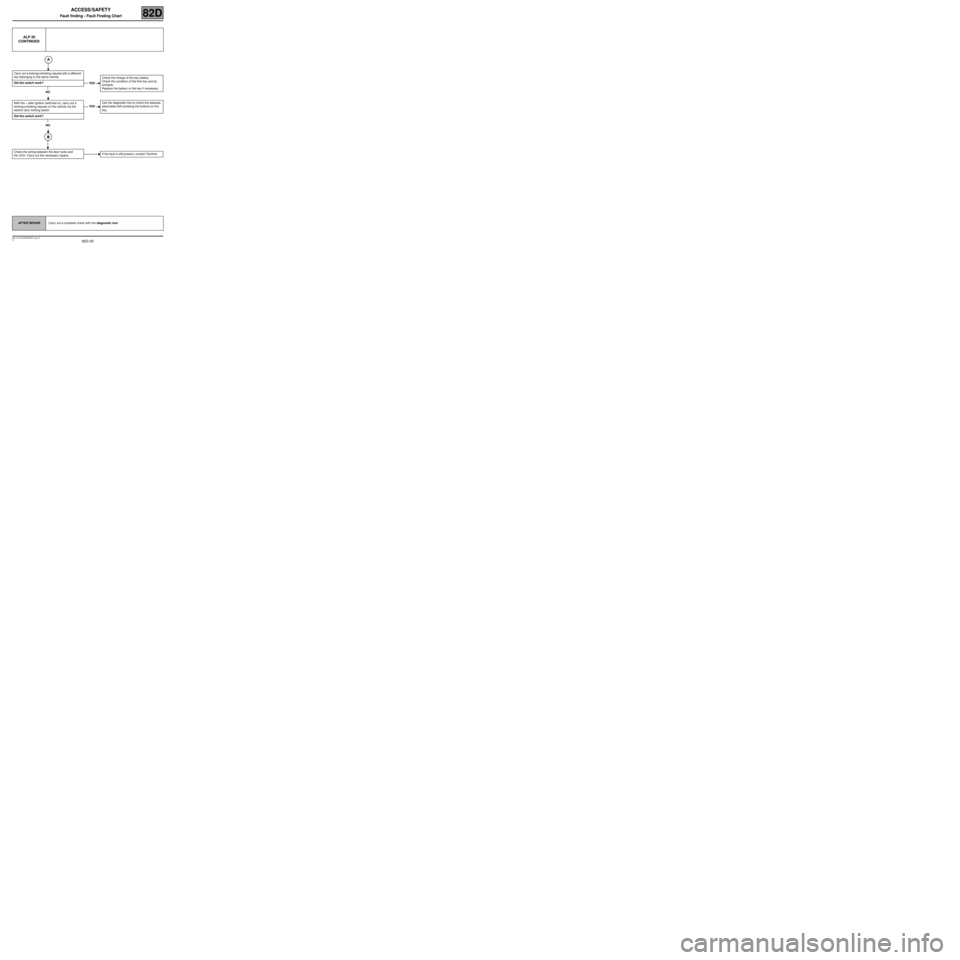
ALP 20
CONTINUED
Carry out a locking/unlocking request with a different
key belonging to the same vehicle.
Did the switch work?
NO
With the + after ignition switched on, carry out a
locking/unlocking request on the vehicle via the
electric door locking switch.
Did the switch work?
NO
Check the wiring between the door locks and
the UCH. Carry out the necessary repairs.
YESCheck the charge of the key battery
Check the condition of the first key and its
contacts.
Replace the battery or the key if necessary.
YESUse the diagnostic tool to check the statuses
associated with pressing the buttons on the
key.
If the fault is still present, contact Techline.
AFTER REPAIRCarry out a complete check with the diagnostic tool.
Page 41 of 43
82D-41
MR-413-X44-82D000$900_eng.mif
V1
ACCESS/SAFETY
Fault finding - Fault Finding Chart82D
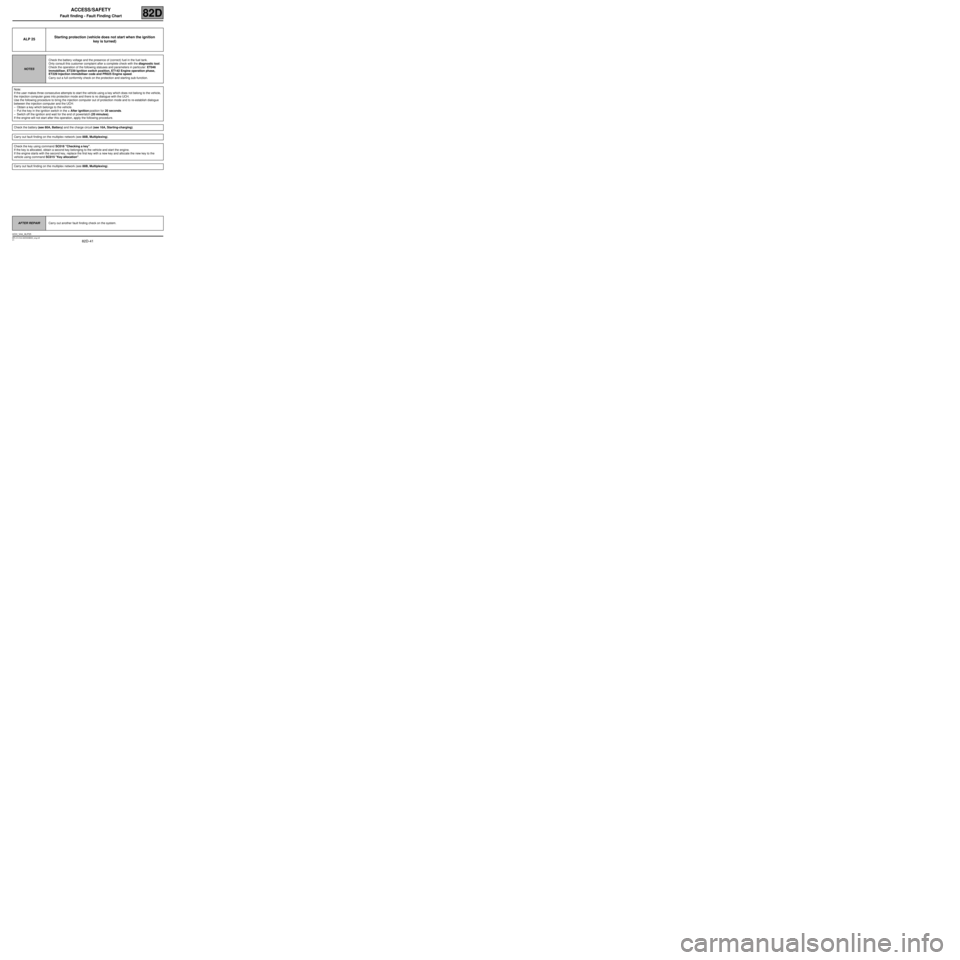
ALP 25Starting protection (vehicle does not start when the ignition
key is turned)
NOTESCheck the battery voltage and the presence of (correct) fuel in the fuel tank.
Only consult this customer complaint after a complete check with the diagnostic tool.
Check the operation of the following statuses and parameters in particular: ET046
Immobiliser, ET239 Ignition switch position, ET142 Engine operation phase,
ET229 Injection immobiliser code and PR025 Engine speed.
Carry out a full conformity check on the protection and starting sub-function.
Note:
If the user makes three consecutive attempts to start the vehicle using a key which does not belong to the vehicle,
the injection computer goes into protection mode and there is no dialogue with the UCH.
Use the following procedure to bring the injection computer out of protection mode and to re-establish dialogue
between the injection computer and the UCH:
–Obtain a key which belongs to the vehicle.
–Put the key in the ignition switch in the + After ignition position for 20 seconds.
–Switch off the ignition and wait for the end of powerlatch (20 minutes).
If the engine will not start after this operation, apply the following procedure.
Check the battery (see 80A, Battery) and the charge circuit (see 16A, Starting-charging).
Carry out fault finding on the multiplex network (see 88B, Multiplexing).
Check the key using command SC018 "Checking a key".
If the key is allocated, obtain a second key belonging to the vehicle and start the engine.
If the engine starts with the second key, replace the first key with a new key and allocate the new key to the
vehicle using command SC015 "Key allocation".
Carry out fault finding on the multiplex network (see 88B, Multiplexing).
AFTER REPAIRCarry out another fault finding check on the system.
UCH_V44_ALP25