ignition SAAB 9-3 2000 User Guide
[x] Cancel search | Manufacturer: SAAB, Model Year: 2000, Model line: 9-3, Model: SAAB 9-3 2000Pages: 236, PDF Size: 10.85 MB
Page 54 of 236
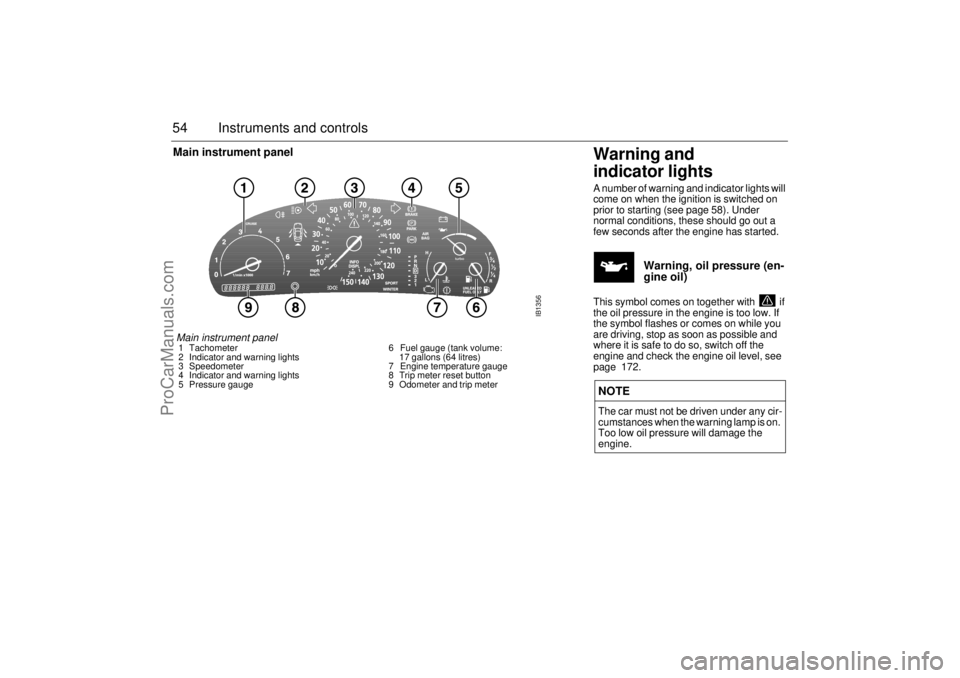
54 Instruments and controlsMain instrument panel
Warning and
indicator lightsA number of warning and indicator lights will
come on when the ignition is switched on
prior to starting (see page 58). Under
normal conditions, these should go out a
few seconds after the engine has started.
Warning, oil pressure (en-
gine oil)
This symbol comes on together with if
the oil pressure in the engine is too low. If
the symbol flashes or comes on while you
are driving, stop as soon as possible and
where it is safe to do so, switch off the
engine and check the engine oil level, see
page 172. NOTEThe car must not be driven under any cir-
cumstances when the warning lamp is on.
Too low oil pressure will damage the
engine.
IB1356
Main instrument panel 1 Tachometer
2 Indicator and warning lights
3 Speedometer
4 Indicator and warning lights
5 Pressure gauge 6 Fuel gauge (tank volume:
17 gallons (64 litres)
7 Engine temperature gauge
8 Trip meter reset button
9 Odometer and trip meter
ProCarManuals.com
Page 55 of 236
55 Instruments and controls
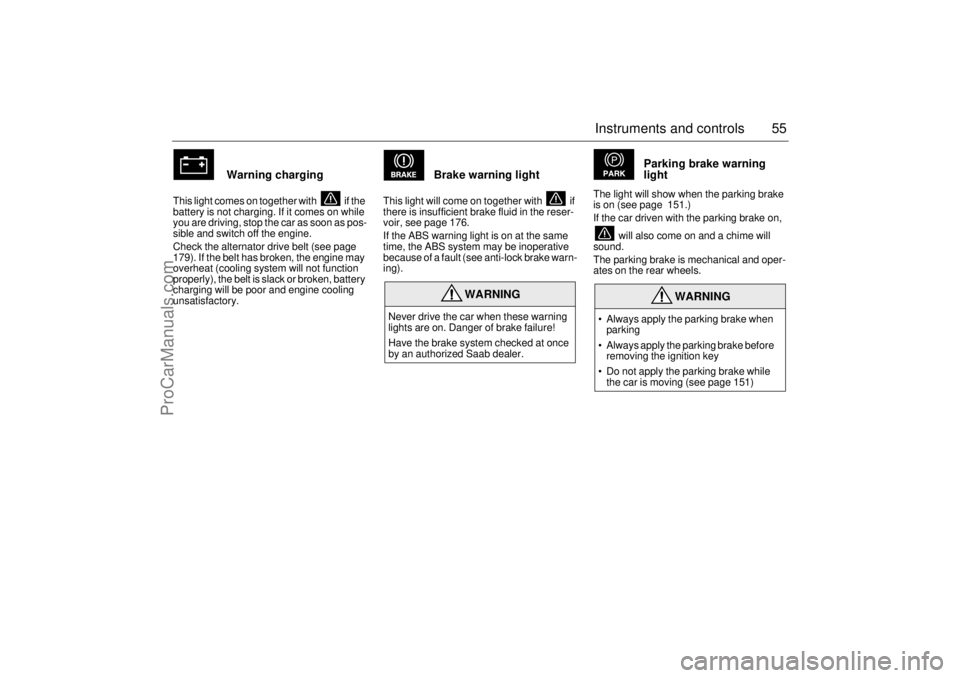
Warning charging
This light comes on together with if the
battery is not charging. If it comes on while
you are driving, stop the car as soon as pos-
sible and switch off the engine.
Check the alternator drive belt (see page
179). If the belt has broken, the engine may
overheat (cooling system will not function
properly), the belt is slack or broken, battery
charging will be poor and engine cooling
unsatisfactory.
Brake warning light
This light will come on together with if
there is insufficient brake fluid in the reser-
voir, see page 176.
If the ABS warning light is on at the same
time, the ABS system may be inoperative
because of a fault (see anti-lock brake warn-
ing).
Parking brake warning
light
The light will show when the parking brake
is on (see page 151.)
If the car driven with the parking brake on,
will also come on and a chime will
sound.
The parking brake is mechanical and oper-
ates on the rear wheels.
WARNING
Never drive the car when these warning
lights are on. Danger of brake failure!
Have the brake system checked at once
by an authorized Saab dealer.
WARNING
• Always apply the parking brake when
parking
Always apply the parking brake before
removing the ignition key
Do not apply the parking brake while
the car is moving (see page 151)
ProCarManuals.com
Page 56 of 236
56 Instruments and controls
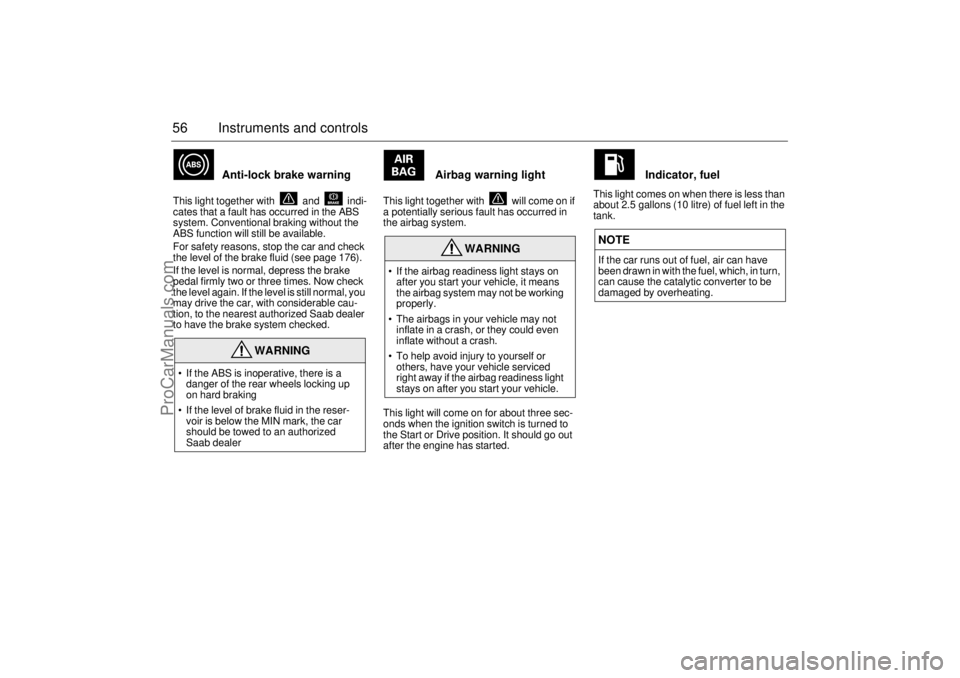
Anti-lock brake warning
This light together with and indi-
cates that a fault has occurred in the ABS
system. Conventional braking without the
ABS function will still be available.
For safety reasons, stop the car and check
the level of the brake fluid (see page 176).
If the level is normal, depress the brake
pedal firmly two or three times. Now check
the level again. If the level is still normal, you
may drive the car, with considerable cau-
tion, to the nearest authorized Saab dealer
to have the brake system checked.
Airbag warning light
This light together with will come on if
a potentially serious fault has occurred in
the airbag system.
This light will come on for about three sec-
onds when the ignition switch is turned to
the Start or Drive position. It should go out
after the engine has started.
Indicator, fuel
This light comes on when there is less than
about 2.5 gallons (10 litre) of fuel left in the
tank.
WARNING
If the ABS is inoperative, there is a
danger of the rear wheels locking up
on hard braking
If the level of brake fluid in the reser-
voir is below the MIN mark, the car
should be towed to an authorized
Saab dealer
WARNING
If the airbag readiness light stays on
after you start your vehicle, it means
the airbag system may not be working
properly.
The airbags in your vehicle may not
inflate in a crash, or they could even
inflate without a crash.
To help avoid injury to yourself or
others, have your vehicle serviced
right away if the airbag readiness light
stays on after you start your vehicle.
NOTEIf the car runs out of fuel, air can have
been drawn in with the fuel, which, in turn,
can cause the catalytic converter to be
damaged by overheating.
ProCarManuals.com
Page 57 of 236
57 Instruments and controls
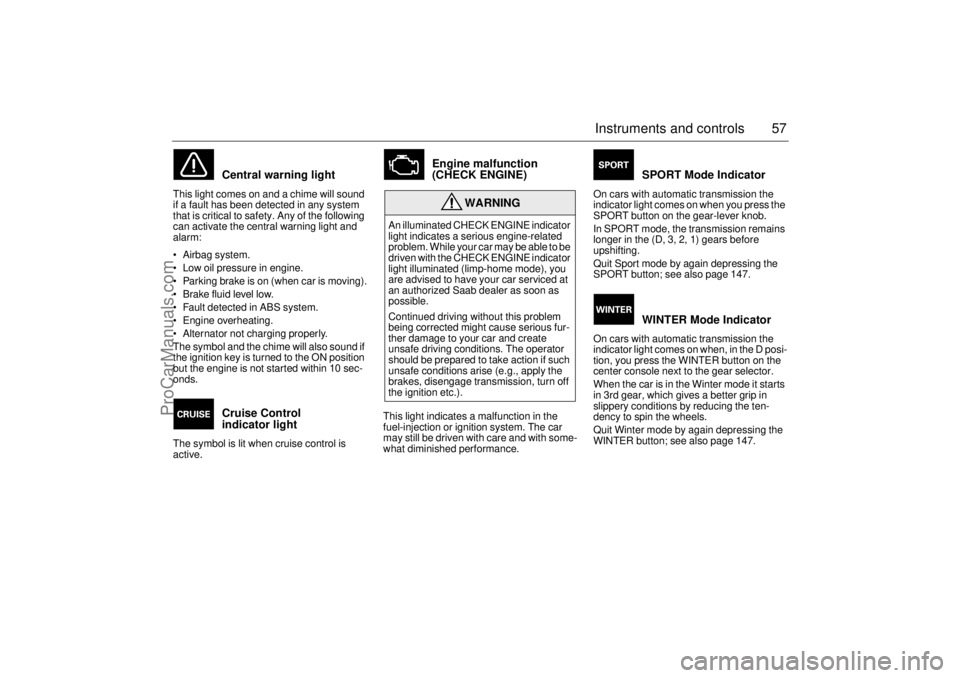
Central warning light
This light comes on and a chime will sound
if a fault has been detected in any system
that is critical to safety. Any of the following
can activate the central warning light and
alarm:
Airbag system.
Low oil pressure in engine.
Parking brake is on (when car is moving).
Brake fluid level low.
Fault detected in ABS system.
Engine overheating.
Alternator not charging properly.
The symbol and the chime will also sound if
the ignition key is turned to the ON position
but the engine is not started within 10 sec-
onds.
Cruise Control
indicator light
The symbol is lit when cruise control is
active.
Engine malfunction
(CHECK ENGINE)
This light indicates a malfunction in the
fuel-injection or ignition system. The car
may still be driven with care and with some-
what diminished performance.
SPORT Mode Indicator
On cars with automatic transmission the
indicator light comes on when you press the
SPORT button on the gear-lever knob.
In SPORT mode, the transmission remains
longer in the (D, 3, 2, 1) gears before
upshifting.
Quit Sport mode by again depressing the
SPORT button; see also page 147.
WINTER Mode Indicator
On cars with automatic transmission the
indicator light comes on when, in the D posi-
tion, you press the WINTER button on the
center console next to the gear selector.
When the car is in the Winter mode it starts
in 3rd gear, which gives a better grip in
slippery conditions by reducing the ten-
dency to spin the wheels.
Quit Winter mode by again depressing the
WINTER button; see also page 147.
WARNING
An illuminated CHECK ENGINE indicator
light indicates a serious engine-related
problem. While your car may be able to be
driven with the CHECK ENGINE indicator
light illuminated (limp-home mode), you
are advised to have your car serviced at
an authorized Saab dealer as soon as
possible.
Continued driving without this problem
being corrected might cause serious fur-
ther damage to your car and create
unsafe driving conditions. The operator
should be prepared to take action if such
unsafe conditions arise (e.g., apply the
brakes, disengage transmission, turn off
the ignition etc.).
ProCarManuals.com
Page 58 of 236
58 Instruments and controls
CHECK message
indicator
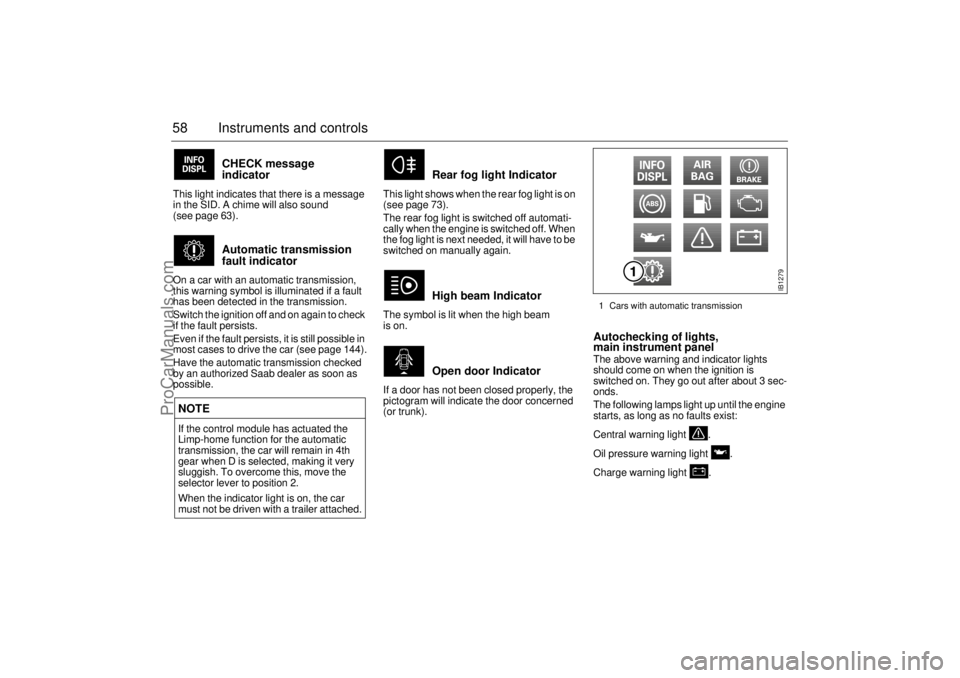
This light indicates that there is a message
in the SID. A chime will also sound
(see page 63).
Automatic transmission
fault indicator
On a car with an automatic transmission,
this warning symbol is illuminated if a fault
has been detected in the transmission.
Switch the ignition off and on again to check
if the fault persists.
Even if the fault persists, it is still possible in
most cases to drive the car (see page 144).
Have the automatic transmission checked
by an authorized Saab dealer as soon as
possible.
Rear fog light Indicator
This light shows when the rear fog light is on
(see page 73).
The rear fog light is switched off automati-
cally when the engine is switched off. When
the fog light is next needed, it will have to be
switched on manually again.
High beam Indicator
The symbol is lit when the high beam
is on.
Open door Indicator
If a door has not been closed properly, the
pictogram will indicate the door concerned
(or trunk).
Autochecking of lights,
main instrument panel The above warning and indicator lights
should come on when the ignition is
switched on. They go out after about 3 sec-
onds.
The following lamps light up until the engine
starts, as long as no faults exist:
Central warning light .
Oil pressure warning light .
Charge warning light .
NOTEIf the control module has actuated the
Limp-home function for the automatic
transmission, the car will remain in 4th
gear when D is selected, making it very
sluggish. To overcome this, move the
selector lever to position 2.
When the indicator light is on, the car
must not be driven with a trailer attached.
IB1279
1 Cars with automatic transmission
ProCarManuals.com
Page 59 of 236
59 Instruments and controls
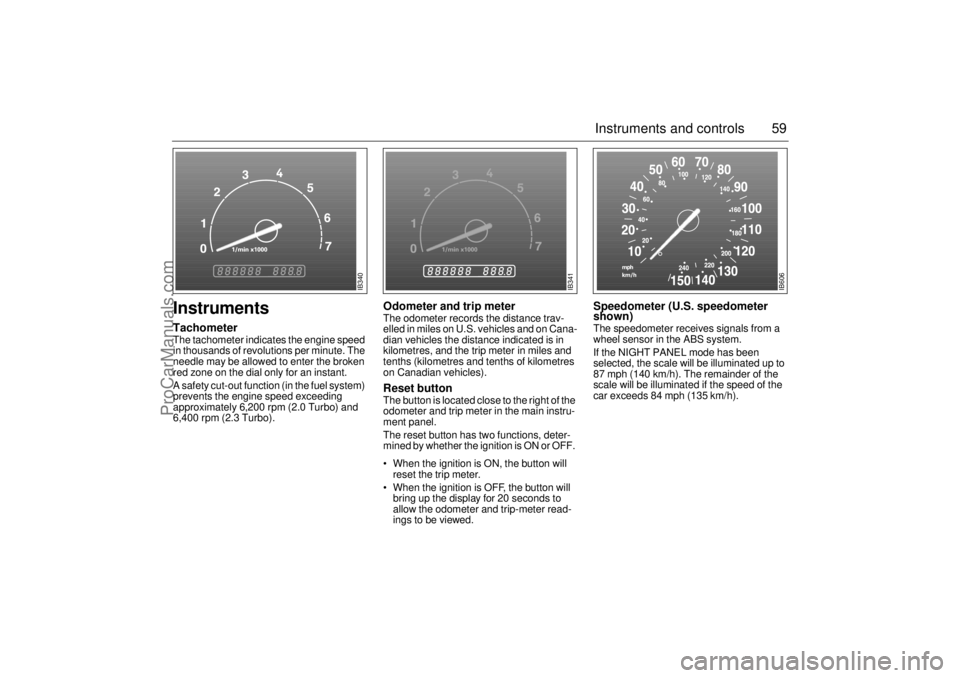
Instruments TachometerThe tachometer indicates the engine speed
in thousands of revolutions per minute. The
needle may be allowed to enter the broken
red zone on the dial only for an instant.
A safety cut-out function (in the fuel system)
prevents the engine speed exceeding
approximately 6,200 rpm (2.0 Turbo) and
6,400 rpm (2.3 Turbo).
Odometer and trip meterThe odometer records the distance trav-
elled in miles on U.S. vehicles and on Cana-
dian vehicles the distance indicated is in
kilometres, and the trip meter in miles and
tenths (kilometres and tenths of kilometres
on Canadian vehicles). Reset button The button is located close to the right of the
odometer and trip meter in the main instru-
ment panel.
The reset button has two functions, deter-
mined by whether the ignition is ON or OFF.
When the ignition is ON, the button will
reset the trip meter.
When the ignition is OFF, the button will
bring up the display for 20 seconds to
allow the odometer and trip-meter read-
ings to be viewed.
Speedometer (U.S. speedometer
shown)The speedometer receives signals from a
wheel sensor in the ABS system.
If the NIGHT PANEL mode has been
selected, the scale will be illuminated up to
87 mph (140 km/h). The remainder of the
scale will be illuminated if the speed of the
car exceeds 84 mph (135 km/h).
IB340
IB341
IB606
ProCarManuals.com
Page 63 of 236

63 Instruments and controls
CHECK messages When the engine is started, CHECKING will
appear on the display for about four sec-
onds, while the SID checks are being per-
formed.
When a CHECK message is generated
while the car is being driven, a chime will
sound, INFO DISPL will illuminate on the
main instrument panel, and the message
will appear on the SID. The number of mes-
sages that can be displayed by the SID
varies with the specification of the car.
If more than one CHECK message has
been generated, the
+ symbol will appear to
the left of the text on the display. The mes-
sages appear in order of priority.
If a new fault occurs while another message
is being displayed, the message relating to
the new one will appear for 10 seconds,
after which the display will return to the ear-
lier one.
Press CLEAR once to acknowledge a mes-
sage, whereupon it will be cleared from the
display. It will not be displayed again before
the ignition has been switched off and then
on again. The following CHECK messages may be
displayed:
1 This message cannot be removed by pressing
CLEAR. Press the brake pedal to clear.
2 This message will be displayed approxi-
mately 600 miles (1,000 km) before the next
scheduled service is due, or when 365 days
have elapsed since the last service. The
message should be cleared at the time of that
service (see the Saab Warranties & Service
Record Booklet).
If you have carried out the service yourself,
you can clear the message by pressing
CLEAR once. Reset by pressing CLEAR for
at least eight seconds, until ”SERVICE”
appears on the display and a chime sounds.
Night Panel To improve night-driving conditions inside
the car, the Night Panel mode can be
selected. In this mode, the amount of infor-
mation displayed is reduced, and only the
most important instruments and displays
will be illuminated.
When the Night Panel button is pressed,
only the speedometer will be illuminated (up
to the 87 mph or 140-km/h graduation), all
the other instruments illumination will be
extinguished and their needles moved to
zero. Both the SID and the ACC displays will
be extinguished and the backlighting for
switches and other controls will be dimmed.
Note: All indicator and warning lights,
together with the display of CHECK mes-
sages, will operate as normal.
The following conditions will wake up the
respective displays in the Night-Panel
mode:
Adjusting of the Audio System, SID or
ACC (display comes on for ten seconds).
CHECK message generated in the SID.
High engine revs cause the rev counter to
be illuminated until the engine speed has
fallen again.
If the quantity of fuel remaining falls below
4 gallons (15 liters), the fuel gauge will be
illuminated.
If the engine temperature rises above nor-
mal, the temperature gauge will be illumi-
nated. Display shows: See
page
TEST BRAKE LIGHTS
1)
183
BRAKE LIGHT FAILURE 183
FRONT LIGHT FAILURE 181
REAR LIGHT FAILURE 183
FOG LIGHT FAILURE 183
WASHER FLUID LEVEL LOW 180
FILL COOLANT FLUID 174
TIGHTEN FUEL FILLER CAP 138
KEY NOT ACCEPTED 39
REPLACE KEY BATTERY 39
SERVICE THEFT ALARM 39
TRANSMISSION OVERHEAT-
ING 144
TIME FOR SERVICE
2)
212
ProCarManuals.com
Page 68 of 236

68 Instruments and controlsResetting values
To reset the values, press CLR for at least
four seconds.
The following functions will be reset
simultaneously:
Estimated range on remaining fuel
(function based on a fuel consumption of
28 mpg)
Average fuel consumption
Average speed
Arrival time (function based on current
speed)
Programmed values for DIST, ALARM and
SPD W will not be reset (see the respective
function).
CHECK messages When the engine is started, CHECKING will
appear on the display for about four sec-
onds, while the SID checks are being per-
formed.
When a CHECK message is generated
while the car is being driven, a chime will
sound, INFO DISPL will illuminate on the
main instrument panel, and the message
will appear on the SID. The number of mes-
sages that can be displayed by the SID
varies with the specification of the car.
If more than one CHECK message has
been generated, the
+ symbol will appear to
the left of the text on the display. The mes-
sages appear in order of priority.
If a new fault occurs while another message
is being displayed, the message relating to
the new one will appear for 10 seconds,
after which the display will return to the ear-
lier one.
Press CLR once to acknowledge a mes-
sage, whereupon it will be cleared from the
display. It will not be displayed again before
the ignition has been switched off and then
on again. The following CHECK messages may be
displayed:
1 This message cannot be removed by pressing
CLR. Press the brake pedal to clear.
2 This message will be displayed approximately
600 miles (1,000 km) before the next sched-
uled service is due, or when 365 days have
elapsed since the last service. The message
should be cleared at the time of that service
(see the Saab Warranties & Service Record
Booklet).
If you have carried out the service yourself, you
can clear the message by pressing CLR once.
Reset by pressing CLR for at least eight sec-
onds, until ”SERVICE” appears on the display
and a chime sounds. Display shows: See
page
TEST BRAKE LIGHTS
1)
183
BRAKE LIGHT FAILURE 183
FRONT LIGHT FAILURE 181
REAR LIGHT FAILURE 183
FOG LIGHT FAILURE 184
WASHER FLUID LEVEL LOW 180
TIGHTEN FUEL FILLER CAP 138
FILL COOLANT FLUID 174
KEY NOT ACCEPTED 39
REPLACE KEY BATTERY 39
SERVICE THEFT ALARM 39
TRANSMISSION OVERHEAT-
ING 144
TIME FOR SERVICE
2)
212
ProCarManuals.com
Page 71 of 236
71 Instruments and controls
SwitchesThe parking lights and daytime running
lights come on automatically when the igni-
tion switch is in the ON position.
Note to owners in the U.S.: If you do not
want Daytime Running Lights, this feature
can be disconnected: switch off the engine
and remove fuse No. 15 (see page 189).
Note to owners in Canada: Daytime Run-
ning Lights must not be disconnected as
they are a Canadian Federal legal require-
ment.
The parking lights can be switched on
regardless of the position of the ignition
switch. Do not use parking lights when driv-
ing.
Note:
The lighting switch must be in parking or
headlight position to operate the rear fog
light (see page 73).The headlights come on when the ignition
switch is in the OFF, ON or START posi-
tions. Note that they go off again when the
ignition switch is turned to LOCK.
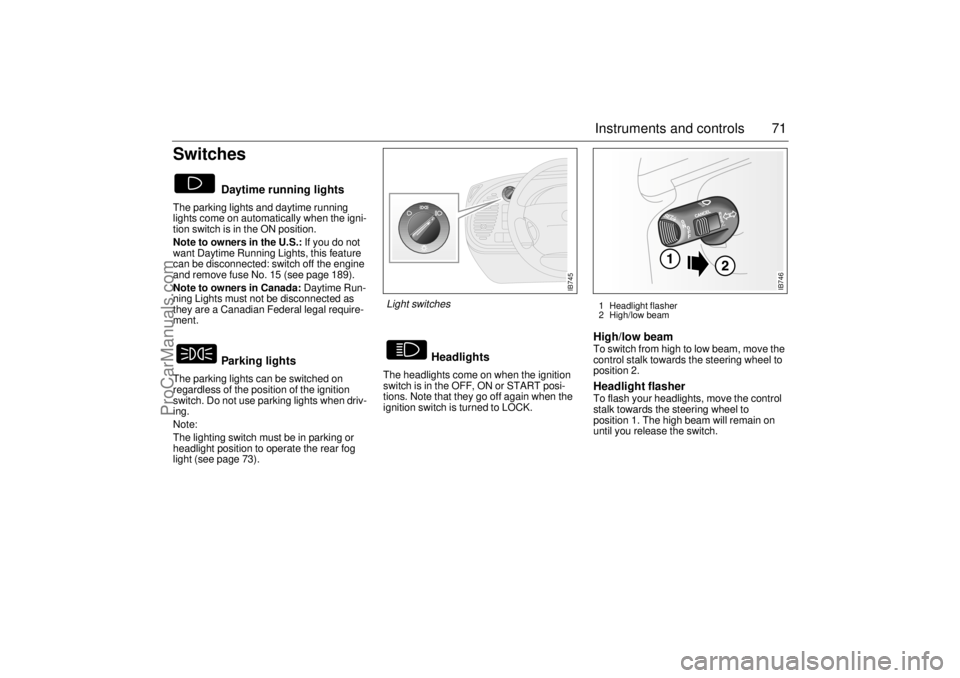
High/low beam To switch from high to low beam, move the
control stalk towards the steering wheel to
position 2. Headlight flasher To flash your headlights, move the control
stalk towards the steering wheel to
position 1. The high beam will remain on
until you release the switch.
Daytime running lights
Parking lights
Headlights
IB745
Light switches
1 Headlight flasher
2 High/low beam
IB746
ProCarManuals.com
Page 72 of 236
72 Instruments and controlsCourtesy Headlamp Feature A delay function allows the headlights to
remain on low beam for about 30 seconds
after the driver’s door has been closed.
To activate this function, switch off the igni-
tion, remove the key, open the driver’s door
and pull the high/low beam control stalk
towards the steering wheel like you are
flashing the high beam, see page 71. The
low beam headlights will now come on
immediately after the driver’s door has been
closed and will remain on for about
30 seconds.
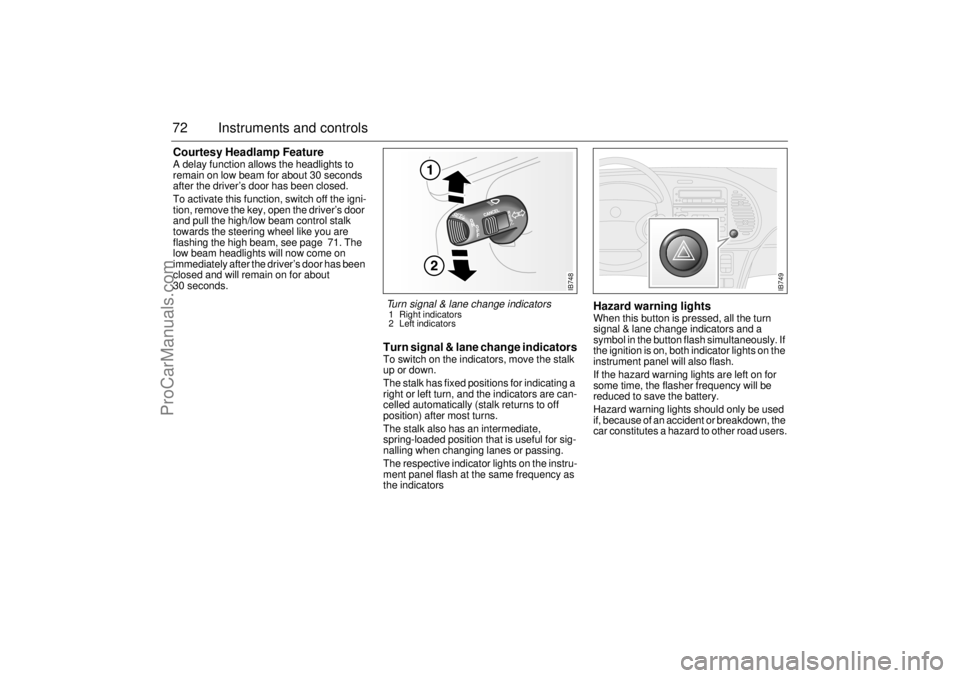
Turn signal & lane change indicatorsTo switch on the indicators, move the stalk
up or down.
The stalk has fixed positions for indicating a
right or left turn, and the indicators are can-
celled automatically (stalk returns to off
position) after most turns.
The stalk also has an intermediate,
spring-loaded position that is useful for sig-
nalling when changing lanes or passing.
The respective indicator lights on the instru-
ment panel flash at the same frequency as
the indicators
Hazard warning lightsWhen this button is pressed, all the turn
signal & lane change indicators and a
symbol in the button flash simultaneously. If
the ignition is on, both indicator lights on the
instrument panel will also flash.
If the hazard warning lights are left on for
some time, the flasher frequency will be
reduced to save the battery.
Hazard warning lights should only be used
if, because of an accident or breakdown, the
car constitutes a hazard to other road users.
IB748
Turn signal & lane change indicators 1 Right indicators
2 Left indicators
IB749
ProCarManuals.com