ignition SAAB 9-3 2000 Owner's Manual
[x] Cancel search | Manufacturer: SAAB, Model Year: 2000, Model line: 9-3, Model: SAAB 9-3 2000Pages: 236, PDF Size: 10.85 MB
Page 73 of 236
73 Instruments and controls
Back-UpThe back-up lights come on automatically
when reverse gear is engaged or selected
with the ignition switched on.
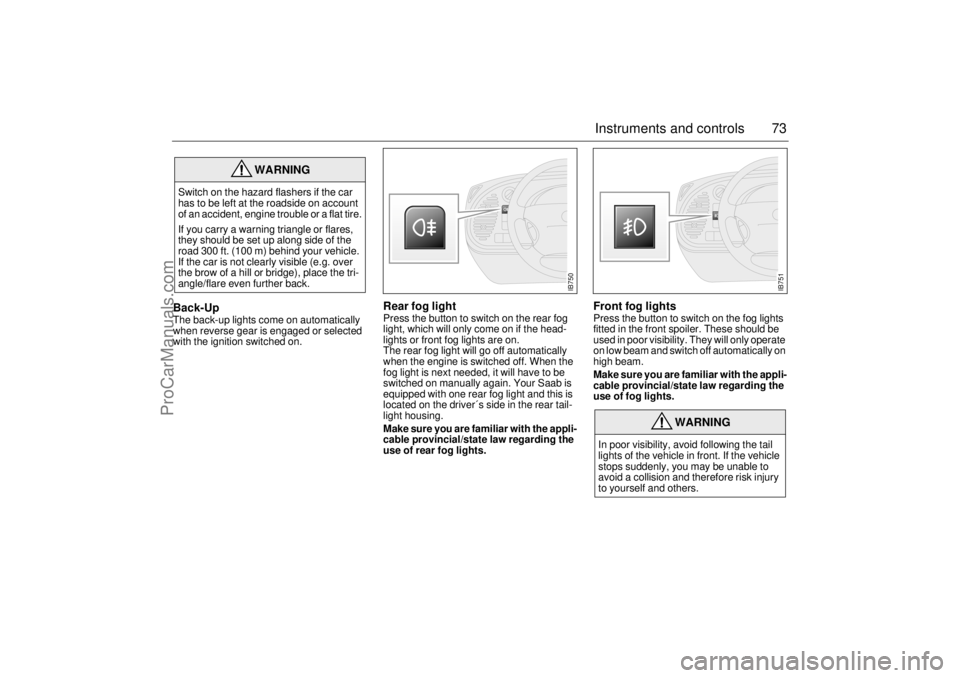
Rear fog lightPress the button to switch on the rear fog
light, which will only come on if the head-
lights or front fog lights are on.
The rear fog light will go off automatically
when the engine is switched off. When the
fog light is next needed, it will have to be
switched on manually again. Your Saab is
equipped with one rear fog light and this is
located on the driver´s side in the rear tail-
light housing.
Make sure you are familiar with the appli-
cable provincial/state law regarding the
use of rear fog lights.
Front fog lights Press the button to switch on the fog lights
fitted in the front spoiler. These should be
used in poor visibility. They will only operate
on low beam and switch off automatically on
high beam.
Make sure you are familiar with the appli-
cable provincial/state law regarding the
use of fog lights.
WARNING
Switch on the hazard flashers if the car
has to be left at the roadside on account
of an accident, engine trouble or a flat tire.
If you carry a warning triangle or flares,
they should be set up along side of the
road 300 ft. (100 m) behind your vehicle.
If the car is not clearly visible (e.g. over
the brow of a hill or bridge), place the tri-
angle/flare even further back.
WARNING
In poor visibility, avoid following the tail
lights of the vehicle in front. If the vehicle
stops suddenly, you may be unable to
avoid a collision and therefore risk injury
to yourself and others.
IB750
IB751
ProCarManuals.com
Page 74 of 236
74 Instruments and controlsInstrument lightingThe brightness of the instrument lighting
can be varied by means of the dimmer
switch adjacent to the headlight switch, the
ignition switch shall be in position ON. (See
also Night panel on page 69).
In daylight or other equally bright light, the
instrument and switch illumination is auto-
matically extinguished.
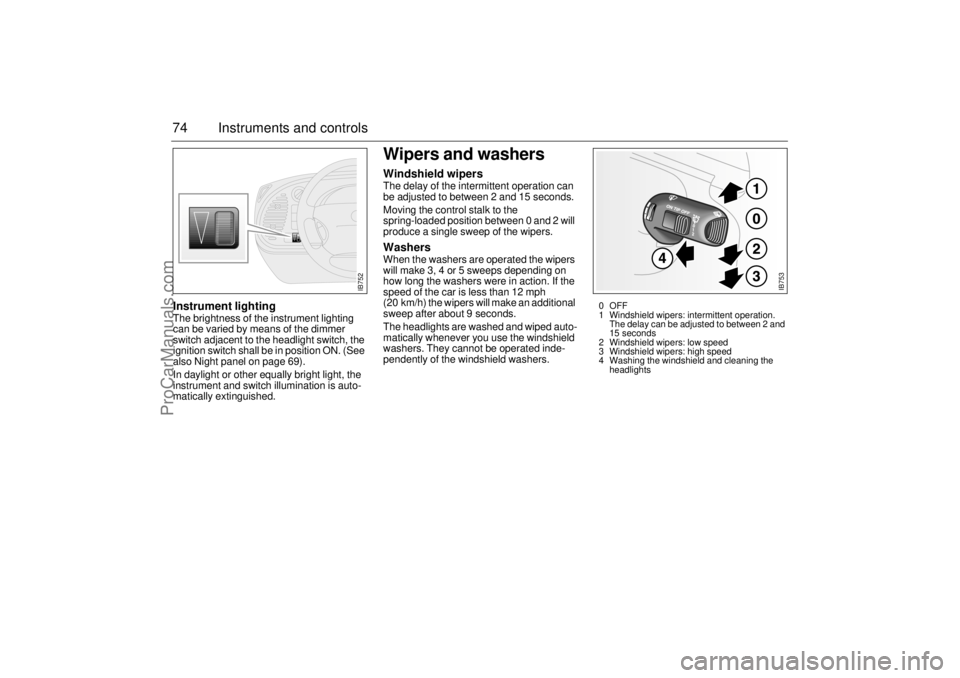
Wipers and washersWindshield wipersThe delay of the intermittent operation can
be adjusted to between 2 and 15 seconds.
Moving the control stalk to the
spring-loaded position between 0 and 2 will
produce a single sweep of the wipers. WashersWhen the washers are operated the wipers
will make 3, 4 or 5 sweeps depending on
how long the washers were in action. If the
speed of the car is less than 12 mph
(20 km/h) the wipers will make an additional
sweep after about 9 seconds.
The headlights are washed and wiped auto-
matically whenever you use the windshield
washers. They cannot be operated inde-
pendently of the windshield washers.
IB752
IB753
0OFF
1 Windshield wipers: intermittent operation.
The delay can be adjusted to between 2 and
15 seconds
2 Windshield wipers: low speed
3 Windshield wipers: high speed
4 Washing the windshield and cleaning the
headlights
ProCarManuals.com
Page 82 of 236
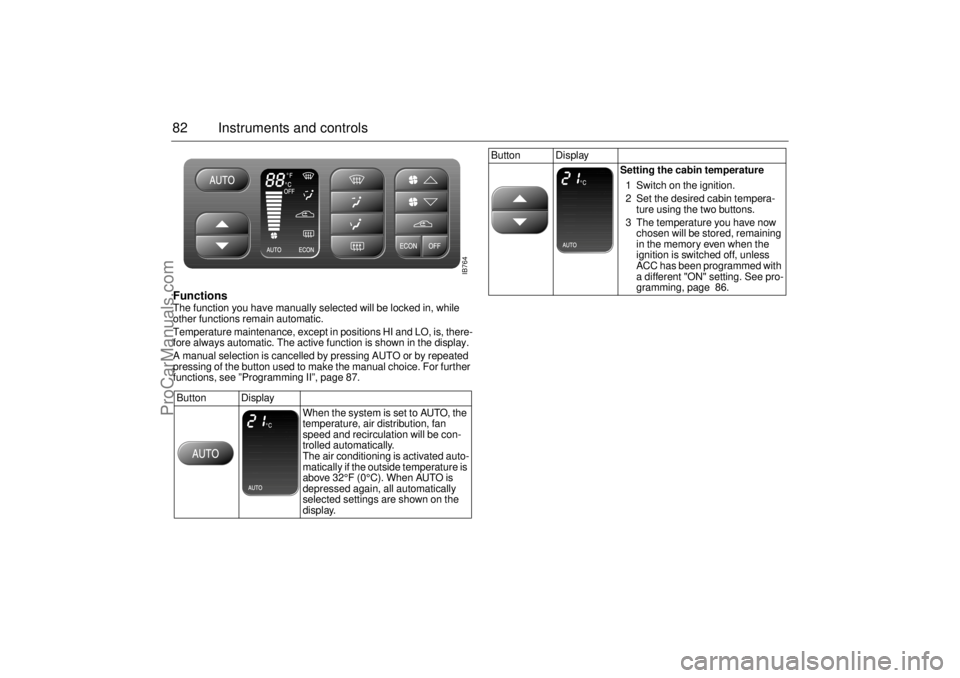
82 Instruments and controlsFunctions The function you have manually selected will be locked in, while
other functions remain automatic.
Temperature maintenance, except in positions HI and LO, is, there-
fore always automatic. The active function is shown in the display.
A manual selection is cancelled by pressing AUTO or by repeated
pressing of the button used to make the manual choice. For further
functions, see ”Programming II”, page 87.
Button Display
When the system is set to AUTO, the
temperature, air distribution, fan
speed and recirculation will be con-
trolled automatically.
The air conditioning is activated auto-
matically if the outside temperature is
above 32°F (0°C). When AUTO is
depressed again, all automatically
selected settings are shown on the
display.
Button Display
Setting the cabin temperature
1 Switch on the ignition.
2 Set the desired cabin tempera-
ture using the two buttons.
3 The temperature you have now
chosen will be stored, remaining
in the memory even when the
ignition is switched off, unless
ACC has been programmed with
a different "ON" setting. See pro-
gramming, page 86.
IB764
ProCarManuals.com
Page 86 of 236
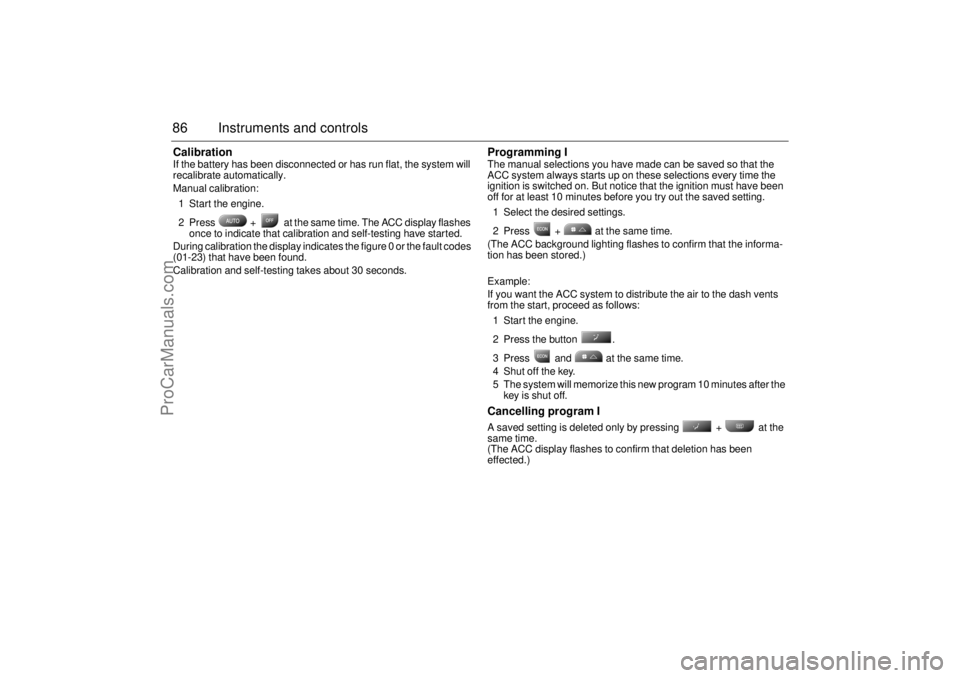
86 Instruments and controlsCalibrationIf the battery has been disconnected or has run flat, the system will
recalibrate automatically.
Manual calibration:
1 Start the engine.
2 Press + at the same time. The ACC display flashes
once to indicate that calibration and self-testing have started.
During calibration the display indicates the figure 0 or the fault codes
(01-23) that have been found.
Calibration and self-testing takes about 30 seconds.
Programming IThe manual selections you have made can be saved so that the
ACC system always starts up on these selections every time the
ignition is switched on. But notice that the ignition must have been
off for at least 10 minutes before you try out the saved setting.
1 Select the desired settings.
2 Press + at the same time.
(The ACC background lighting flashes to confirm that the informa-
tion has been stored.)
Example:
If you want the ACC system to distribute the air to the dash vents
from the start, proceed as follows:
1 Start the engine.
2 Press the button .
3 Press and at the same time.
4 Shut off the key.
5 The system will memorize this new program 10 minutes after the
key is shut off.Cancelling program I A saved setting is deleted only by pressing + at the
same time.
(The ACC display flashes to confirm that deletion has been
effected.)
ProCarManuals.com
Page 87 of 236
87 Instruments and controls
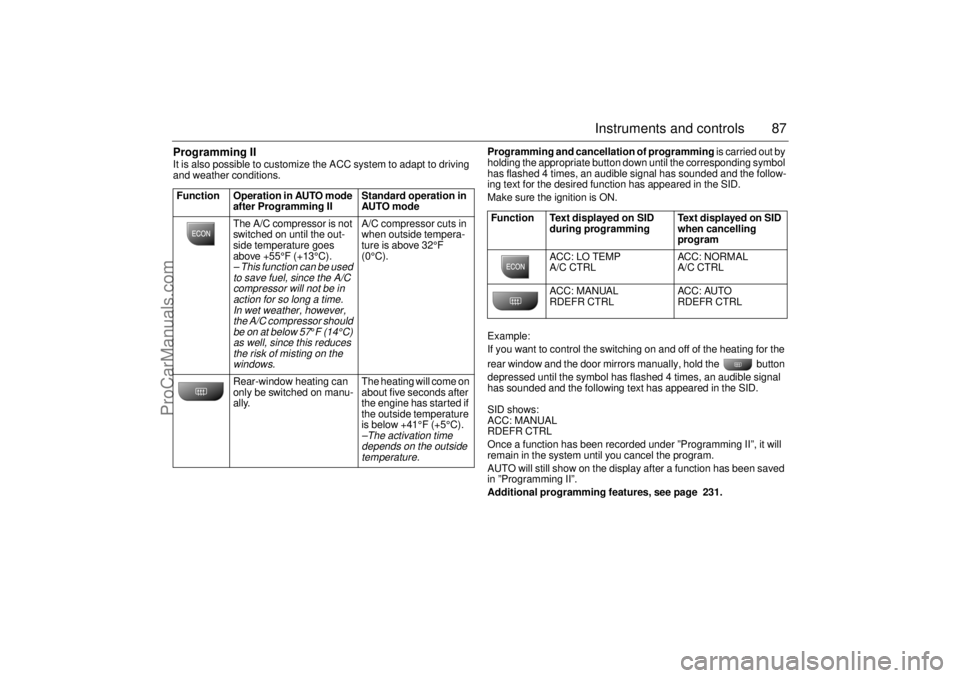
Programming II It is also possible to customize the ACC system to adapt to driving
and weather conditions. Programming and cancellation of programming is carried out by
holding the appropriate button down until the corresponding symbol
has flashed 4 times, an audible signal has sounded and the follow-
ing text for the desired function has appeared in the SID.
Make sure the ignition is ON.
Example:
If you want to control the switching on and off of the heating for the
rear window and the door mirrors manually, hold the button
depressed until the symbol has flashed 4 times, an audible signal
has sounded and the following text has appeared in the SID.
SID shows:
ACC: MANUAL
RDEFR CTRL
Once a function has been recorded under ”Programming II”, it will
remain in the system until you cancel the program.
AUTO will still show on the display after a function has been saved
in ”Programming II”.
Additional programming features, see page 231. Function Operation in AUTO mode
after Programming II Standard operation in
AUTO mode
The A/C compressor is not
switched on until the out-
side temperature goes
above +55°F (+13°C).
– This function can be used
to save fuel, since the A/C
compressor will not be in
action for so long a time.
In wet weather, however,
the A/C compressor should
be on at below 57
°F (14°C)
as well, since this reduces
the risk of misting on the
windows.
A/C compressor cuts in
when outside tempera-
ture is above 32°F
(0°C).
Rear-window heating can
only be switched on manu-
ally. The heating will come on
about five seconds after
the engine has started if
the outside temperature
is below +41°F (+5°C).–The activation time
depends on the outside
temperature.
Function Text displayed on SID
during programming Text displayed on SID
when cancelling
program
ACC: LO TEMP
A/C CTRL ACC: NORMAL
A/C CTRL
ACC: MANUAL
RDEFR CTRL ACC: AUTO
RDEFR CTRL
ProCarManuals.com
Page 88 of 236
88 Instruments and controlsUseful tips: If the ACC system is not functioning
satisfactorily the following should be tried
before you take the car to an authorized
Saab dealer.
If the indication AUTO does not light up
after starting (the ignition must have been
switched off for at least 10 minutes): See
Cancelling programming of ACC.
If you think that the ACC system is not
functioning satisfactorily you should:
1. Check that the cigarette lighter plug is
in its socket (since if the socket is empty
heated air can flow out and affect the
cabin sensor).
2. Recalibrate: See the section headed
Calibration.
If the battery has been disconnected or
has died, the ACC system should be reca-
librated: See Calibration.
Programmed settings are not deleted if the
battery has been disconnected. Extinguishing the lighting in ACC See section Night Panel, page 63.
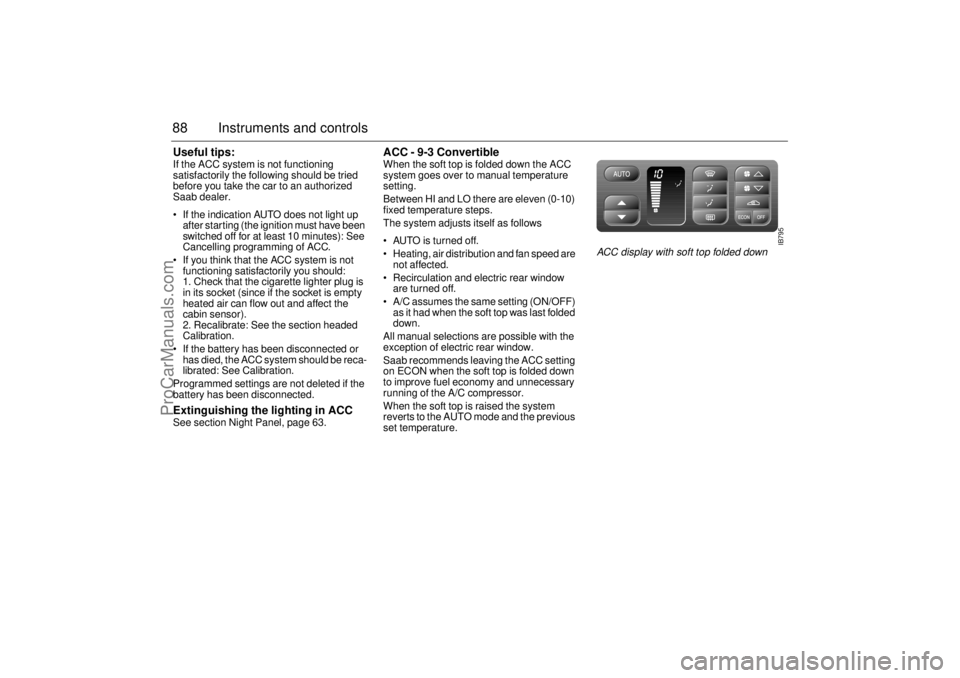
ACC - 9-3 Convertible When the soft top is folded down the ACC
system goes over to manual temperature
setting.
Between HI and LO there are eleven (0-10)
fixed temperature steps.
The system adjusts itself as follows
AUTO is turned off.
Heating, air distribution and fan speed are
not affected.
Recirculation and electric rear window
are turned off.
A/C assumes the same setting (ON/OFF)
as it had when the soft top was last folded
down.
All manual selections are possible with the
exception of electric rear window.
Saab recommends leaving the ACC setting
on ECON when the soft top is folded down
to improve fuel economy and unnecessary
running of the A/C compressor.
When the soft top is raised the system
reverts to the AUTO mode and the previous
set temperature.
IB795
ACC display with soft top folded down
ProCarManuals.com
Page 91 of 236
91 Saab 9-3 Audio System
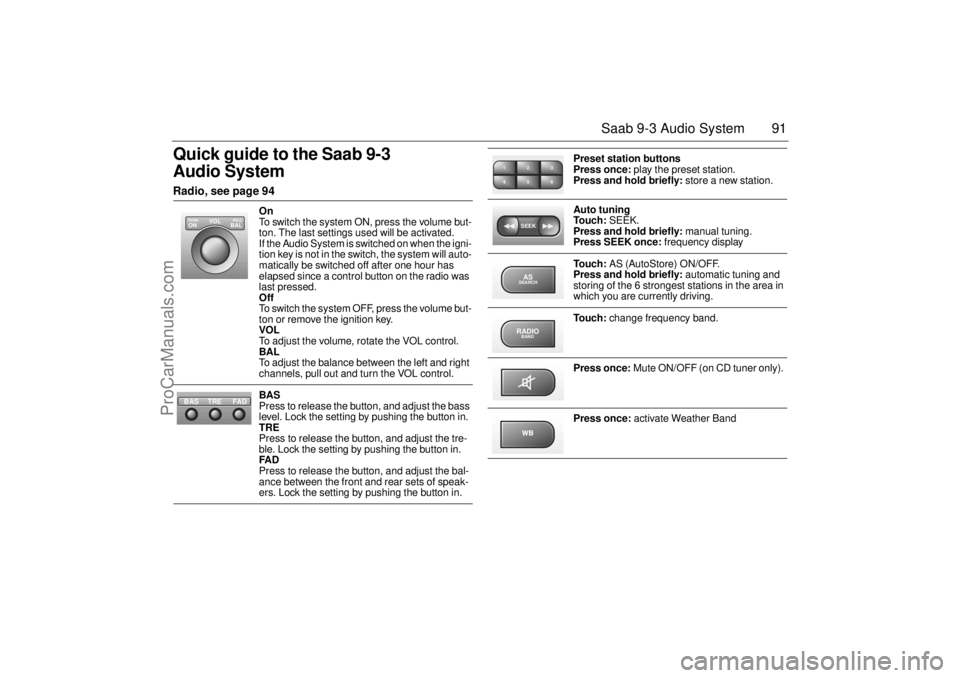
Quick guide to the Saab 9-3
Audio System Radio, see page 94
On
To switch the system ON, press the volume but-
ton. The last settings used will be activated.
If the Audio System is switched on when the igni-
tion key is not in the switch, the system will auto-
matically be switched off after one hour has
elapsed since a control button on the radio was
last pressed.
Off
To switch the system OFF, press the volume but-
ton or remove the ignition key.
VOL
To adjust the volume, rotate the VOL control.
BAL
To adjust the balance between the left and right
channels, pull out and turn the VOL control.
BAS
Press to release the button, and adjust the bass
level. Lock the setting by pushing the button in.
TRE
Press to release the button, and adjust the tre-
ble. Lock the setting by pushing the button in.
FAD
Press to release the button, and adjust the bal-
ance between the front and rear sets of speak-
ers. Lock the setting by pushing the button in.
VOL
BAL ON
PULL PUSH
TREFAD BAS
Preset station buttons
Press once: play the preset station.
Press and hold briefly: store a new station.
Auto tuning
To u c h : SEEK.
Press and hold briefly: manual tuning.
Press SEEK once: frequency display
To u c h : AS (AutoStore) ON/OFF.
Press and hold briefly: automatic tuning and
storing of the 6 strongest stations in the area in
which you are currently driving.
To u c h : change frequency band.
Press once: Mute ON/OFF (on CD tuner only).
Press once: activate Weather Band
2 13
5 46SEEKASSEARCHRADIOBAND
ProCarManuals.com
Page 93 of 236
93 Saab 9-3 Audio System
Sound controls ON/OFF The Audio System will come on:
• When the volume control is pressed.
When the ignition is switched ON, if the
Audio System was on when the ignition
key was last removed.
The Audio System will be switched off:
When the volume control is pressed.
When the ignition key is removed.
One hour after the ignition was switched
OFF, if the ignition key has not been
removed.
When one hour has elapsed since a con-
trol button was pressed if the Audio
system was switched on when the
ignition key was not in the switch. VOL - Volume
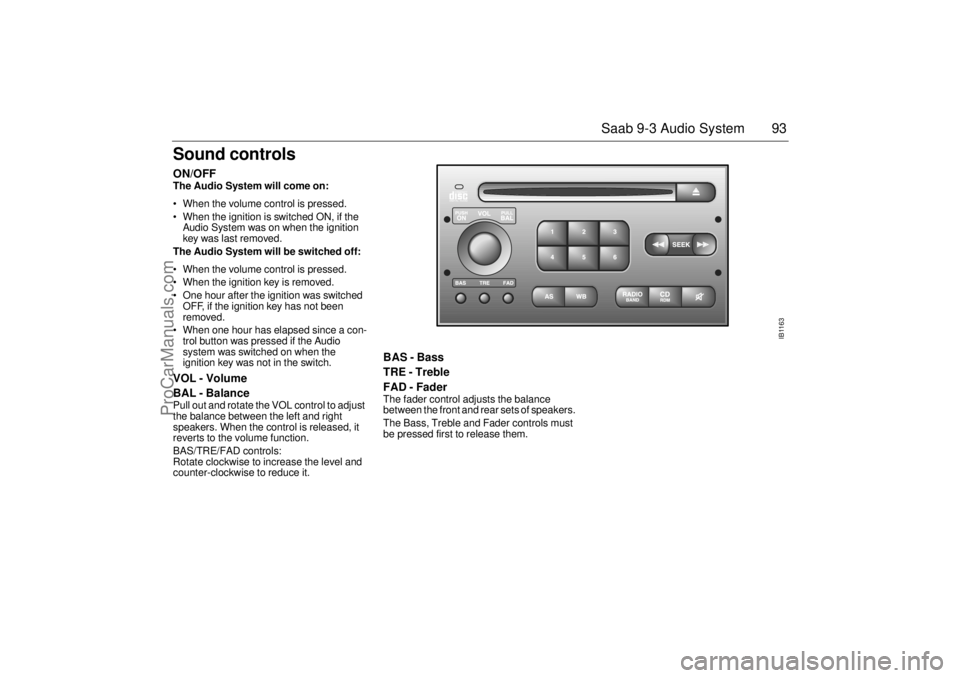
BAL - Balance Pull out and rotate the VOL control to adjust
the balance between the left and right
speakers. When the control is released, it
reverts to the volume function.
BAS/TRE/FAD controls:
Rotate clockwise to increase the level and
counter-clockwise to reduce it.
BAS - Bass
TRE - Treble
FAD - Fader The fader control adjusts the balance
between the front and rear sets of speakers.
The Bass, Treble and Fader controls must
be pressed first to release them.
IB1163
ProCarManuals.com
Page 109 of 236
109 Saab 9-3 Audio System
Installation of car phone
(option)
Provision has been made on certain vari-
ants of the Saab 9-3 for the installation of a
hands-free car phone.
Installation must be done by an authorized
Saab dealer.
A car-phone cradle is available as an acces-
sory.
Your Saab dealer has details of which
phones are suitable for the installation.
Provision for hands-free phone (Con-
vertible, only if Saab 9-3 Audio System is
fitted)
Car phone connects to car’s circuitry.
Coaxial cable for external antenna is pre-
run.
Microphone for hands-free phone use
incorporated in overhead panel at front
(not Convertible).
Audio System mute functions when
phone activated.
Phone conversation amplified through
Audio System speakers. "TELEPHONE" appears on the SID when
phone is in use.
Volume level for ongoing conversation
can be adjusted by volume controls on
steering wheel or on audio-system mod-
ule. See also ”Volume-preset mode”,
page 104.
If the sound is a bit fuzzy, adjust by means
of the volume control on the
phone set
.
Phone battery is charging when ignition is
ON and phone in its cradle.
Please refer to the instructions supplied with
the phone for details of how to make and
receive calls.
OnStar System (US Only Option)
Your car may be equipped with OnStar, a
vehicle telematics system for communica-
tion and navigation. Please consult the sep-
arate owner’s manual for OnStar provided
in your document organizer.
WARNING
To prevent crashes while using a cell
phone:
Do not use the cell phone in distracting
traffic situations. Turn it off if traffic is
heavy.
Dial sensibly, at a stoplight or safely off
the road.
Consider installing hands-free or
speaker phone.
Avoid stressful and intense phone
conversations.NOTEThe A-pillar area (area beside the wind-
shield) and the headlining of your Saab
contain padding designed to reduce head
injuries. No modifications to these areas
should be made unless done by your
authorized Saab dealer.
ProCarManuals.com
Page 116 of 236
116 Interior equipment, trunkElectrically adjustable front seats
(certain variants)Both seats can be operated from outside
when one of the front doors is opened, to
improve access to the car.
For safety reasons, if the door is closed, the
seat can only be adjusted when the ignition
is ON.
Note, that both front seats can be adjusted
up to 30 seconds after the door has been
closed.
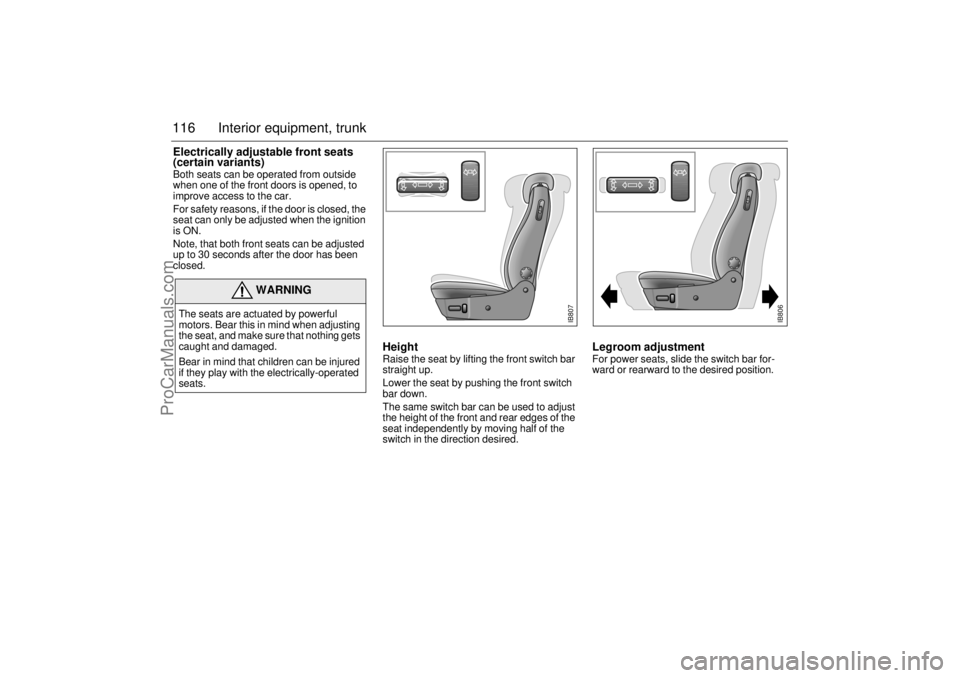
Height Raise the seat by lifting the front switch bar
straight up.
Lower the seat by pushing the front switch
bar down.
The same switch bar can be used to adjust
the height of the front and rear edges of the
seat independently by moving half of the
switch in the direction desired.
Legroom adjustment For power seats, slide the switch bar for-
ward or rearward to the desired position.
WARNING
The seats are actuated by powerful
motors. Bear this in mind when adjusting
the seat, and make sure that nothing gets
caught and damaged.
Bear in mind that children can be injured
if they play with the electrically-operated
seats.
IB807
IB806
ProCarManuals.com