wheel SAAB 9-3 2000 User Guide
[x] Cancel search | Manufacturer: SAAB, Model Year: 2000, Model line: 9-3, Model: SAAB 9-3 2000Pages: 236, PDF Size: 10.85 MB
Page 56 of 236
56 Instruments and controls
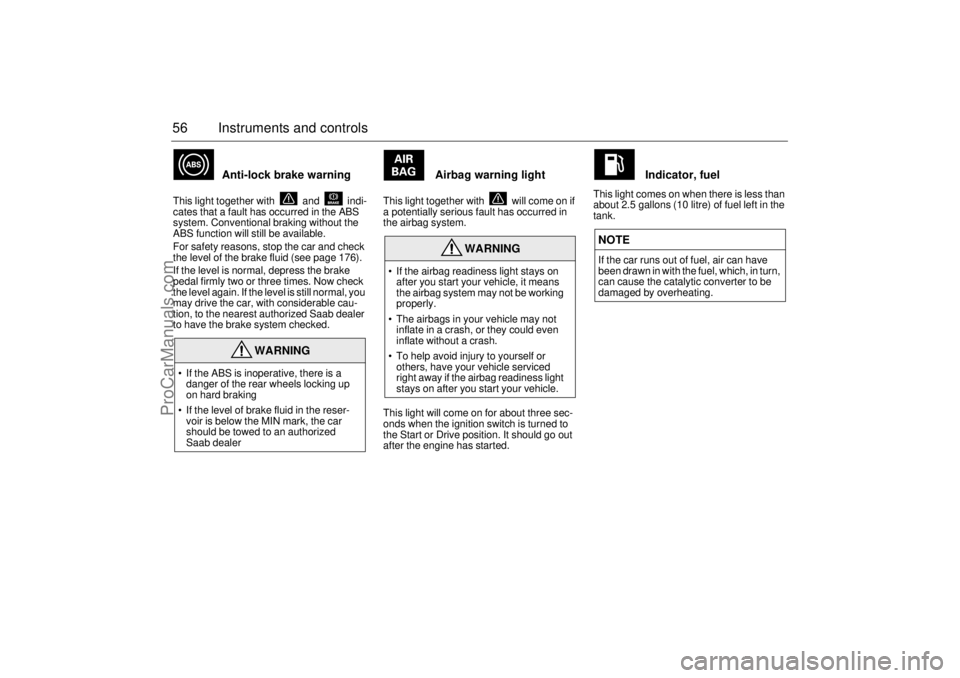
Anti-lock brake warning
This light together with and indi-
cates that a fault has occurred in the ABS
system. Conventional braking without the
ABS function will still be available.
For safety reasons, stop the car and check
the level of the brake fluid (see page 176).
If the level is normal, depress the brake
pedal firmly two or three times. Now check
the level again. If the level is still normal, you
may drive the car, with considerable cau-
tion, to the nearest authorized Saab dealer
to have the brake system checked.
Airbag warning light
This light together with will come on if
a potentially serious fault has occurred in
the airbag system.
This light will come on for about three sec-
onds when the ignition switch is turned to
the Start or Drive position. It should go out
after the engine has started.
Indicator, fuel
This light comes on when there is less than
about 2.5 gallons (10 litre) of fuel left in the
tank.
WARNING
If the ABS is inoperative, there is a
danger of the rear wheels locking up
on hard braking
If the level of brake fluid in the reser-
voir is below the MIN mark, the car
should be towed to an authorized
Saab dealer
WARNING
If the airbag readiness light stays on
after you start your vehicle, it means
the airbag system may not be working
properly.
The airbags in your vehicle may not
inflate in a crash, or they could even
inflate without a crash.
To help avoid injury to yourself or
others, have your vehicle serviced
right away if the airbag readiness light
stays on after you start your vehicle.
NOTEIf the car runs out of fuel, air can have
been drawn in with the fuel, which, in turn,
can cause the catalytic converter to be
damaged by overheating.
ProCarManuals.com
Page 57 of 236
57 Instruments and controls
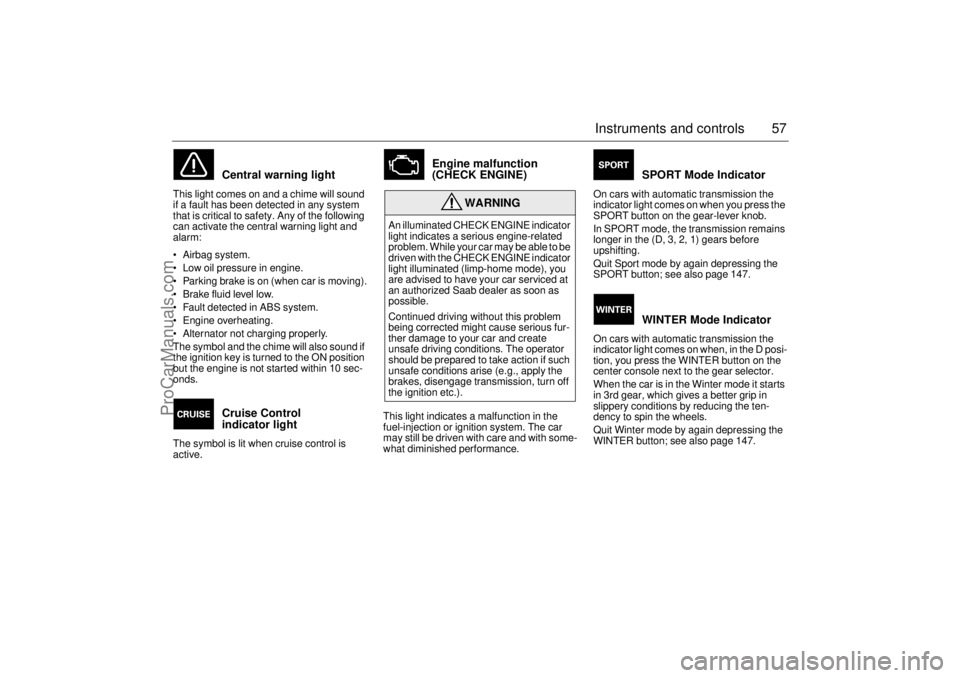
Central warning light
This light comes on and a chime will sound
if a fault has been detected in any system
that is critical to safety. Any of the following
can activate the central warning light and
alarm:
Airbag system.
Low oil pressure in engine.
Parking brake is on (when car is moving).
Brake fluid level low.
Fault detected in ABS system.
Engine overheating.
Alternator not charging properly.
The symbol and the chime will also sound if
the ignition key is turned to the ON position
but the engine is not started within 10 sec-
onds.
Cruise Control
indicator light
The symbol is lit when cruise control is
active.
Engine malfunction
(CHECK ENGINE)
This light indicates a malfunction in the
fuel-injection or ignition system. The car
may still be driven with care and with some-
what diminished performance.
SPORT Mode Indicator
On cars with automatic transmission the
indicator light comes on when you press the
SPORT button on the gear-lever knob.
In SPORT mode, the transmission remains
longer in the (D, 3, 2, 1) gears before
upshifting.
Quit Sport mode by again depressing the
SPORT button; see also page 147.
WINTER Mode Indicator
On cars with automatic transmission the
indicator light comes on when, in the D posi-
tion, you press the WINTER button on the
center console next to the gear selector.
When the car is in the Winter mode it starts
in 3rd gear, which gives a better grip in
slippery conditions by reducing the ten-
dency to spin the wheels.
Quit Winter mode by again depressing the
WINTER button; see also page 147.
WARNING
An illuminated CHECK ENGINE indicator
light indicates a serious engine-related
problem. While your car may be able to be
driven with the CHECK ENGINE indicator
light illuminated (limp-home mode), you
are advised to have your car serviced at
an authorized Saab dealer as soon as
possible.
Continued driving without this problem
being corrected might cause serious fur-
ther damage to your car and create
unsafe driving conditions. The operator
should be prepared to take action if such
unsafe conditions arise (e.g., apply the
brakes, disengage transmission, turn off
the ignition etc.).
ProCarManuals.com
Page 59 of 236
59 Instruments and controls
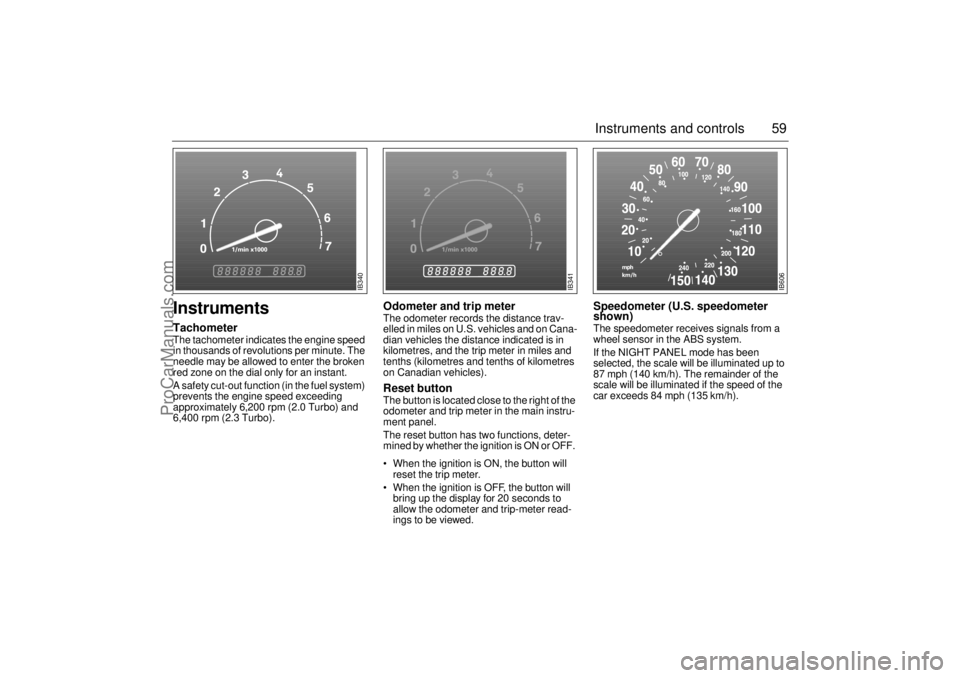
Instruments TachometerThe tachometer indicates the engine speed
in thousands of revolutions per minute. The
needle may be allowed to enter the broken
red zone on the dial only for an instant.
A safety cut-out function (in the fuel system)
prevents the engine speed exceeding
approximately 6,200 rpm (2.0 Turbo) and
6,400 rpm (2.3 Turbo).
Odometer and trip meterThe odometer records the distance trav-
elled in miles on U.S. vehicles and on Cana-
dian vehicles the distance indicated is in
kilometres, and the trip meter in miles and
tenths (kilometres and tenths of kilometres
on Canadian vehicles). Reset button The button is located close to the right of the
odometer and trip meter in the main instru-
ment panel.
The reset button has two functions, deter-
mined by whether the ignition is ON or OFF.
When the ignition is ON, the button will
reset the trip meter.
When the ignition is OFF, the button will
bring up the display for 20 seconds to
allow the odometer and trip-meter read-
ings to be viewed.
Speedometer (U.S. speedometer
shown)The speedometer receives signals from a
wheel sensor in the ABS system.
If the NIGHT PANEL mode has been
selected, the scale will be illuminated up to
87 mph (140 km/h). The remainder of the
scale will be illuminated if the speed of the
car exceeds 84 mph (135 km/h).
IB340
IB341
IB606
ProCarManuals.com
Page 71 of 236
71 Instruments and controls
SwitchesThe parking lights and daytime running
lights come on automatically when the igni-
tion switch is in the ON position.
Note to owners in the U.S.: If you do not
want Daytime Running Lights, this feature
can be disconnected: switch off the engine
and remove fuse No. 15 (see page 189).
Note to owners in Canada: Daytime Run-
ning Lights must not be disconnected as
they are a Canadian Federal legal require-
ment.
The parking lights can be switched on
regardless of the position of the ignition
switch. Do not use parking lights when driv-
ing.
Note:
The lighting switch must be in parking or
headlight position to operate the rear fog
light (see page 73).The headlights come on when the ignition
switch is in the OFF, ON or START posi-
tions. Note that they go off again when the
ignition switch is turned to LOCK.
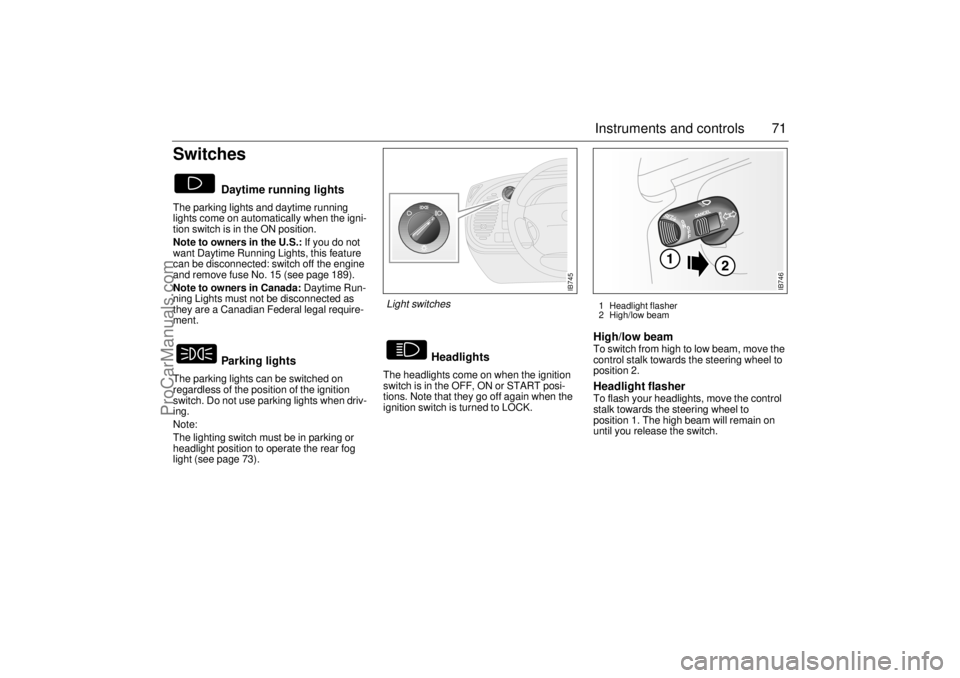
High/low beam To switch from high to low beam, move the
control stalk towards the steering wheel to
position 2. Headlight flasher To flash your headlights, move the control
stalk towards the steering wheel to
position 1. The high beam will remain on
until you release the switch.
Daytime running lights
Parking lights
Headlights
IB745
Light switches
1 Headlight flasher
2 High/low beam
IB746
ProCarManuals.com
Page 72 of 236
72 Instruments and controlsCourtesy Headlamp Feature A delay function allows the headlights to
remain on low beam for about 30 seconds
after the driver’s door has been closed.
To activate this function, switch off the igni-
tion, remove the key, open the driver’s door
and pull the high/low beam control stalk
towards the steering wheel like you are
flashing the high beam, see page 71. The
low beam headlights will now come on
immediately after the driver’s door has been
closed and will remain on for about
30 seconds.
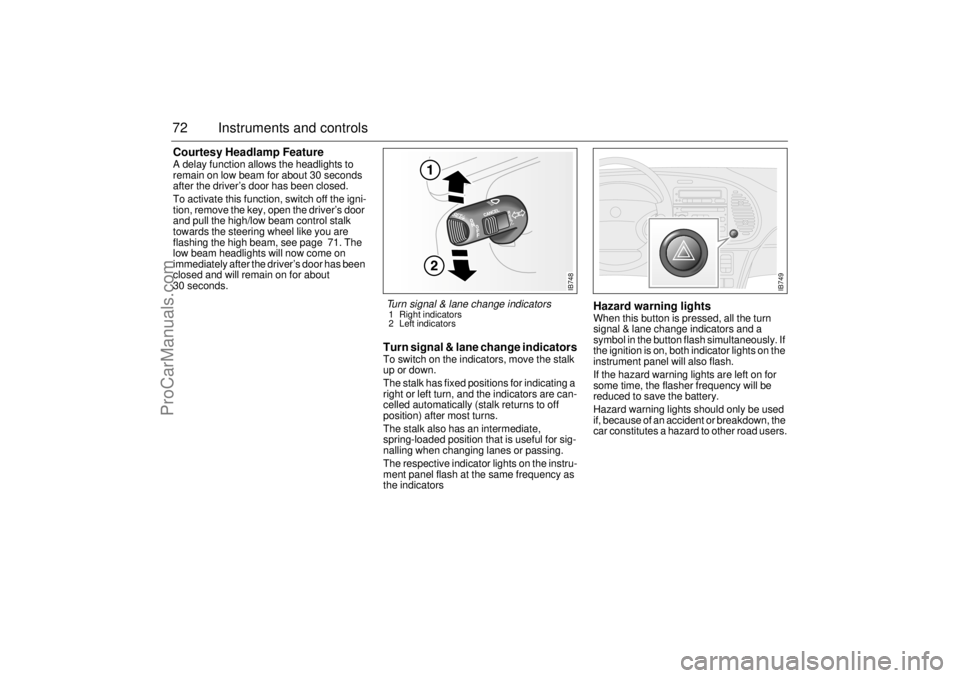
Turn signal & lane change indicatorsTo switch on the indicators, move the stalk
up or down.
The stalk has fixed positions for indicating a
right or left turn, and the indicators are can-
celled automatically (stalk returns to off
position) after most turns.
The stalk also has an intermediate,
spring-loaded position that is useful for sig-
nalling when changing lanes or passing.
The respective indicator lights on the instru-
ment panel flash at the same frequency as
the indicators
Hazard warning lightsWhen this button is pressed, all the turn
signal & lane change indicators and a
symbol in the button flash simultaneously. If
the ignition is on, both indicator lights on the
instrument panel will also flash.
If the hazard warning lights are left on for
some time, the flasher frequency will be
reduced to save the battery.
Hazard warning lights should only be used
if, because of an accident or breakdown, the
car constitutes a hazard to other road users.
IB748
Turn signal & lane change indicators 1 Right indicators
2 Left indicators
IB749
ProCarManuals.com
Page 89 of 236
89 Saab 9-3 Audio System
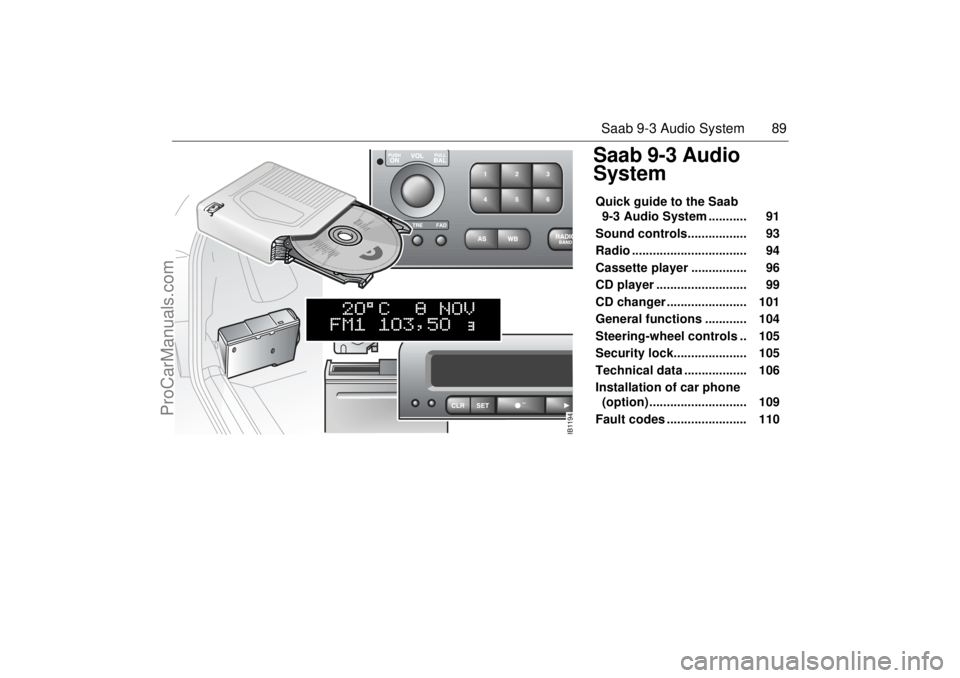
Saab 9-3 Audio
SystemQuick guide to the Saab
9-3 Audio System ........... 91
Sound controls................. 93
Radio ................................. 94
Cassette player ................ 96
CD player .......................... 99
CD changer ....................... 101
General functions ............ 104
Steering-wheel controls .. 105
Security lock..................... 105
Technical data .................. 106
Installation of car phone
(option) ............................ 109
Fault codes ....................... 110
IB1194
ProCarManuals.com
Page 105 of 236
105 Saab 9-3 Audio System
Steering-wheel
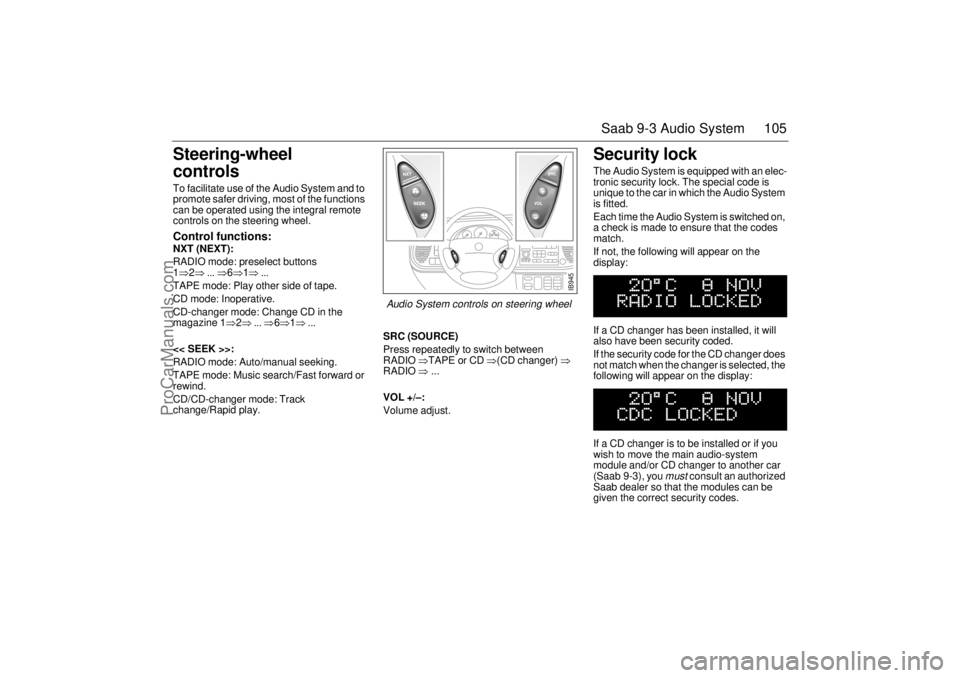
controls To facilitate use of the Audio System and to
promote safer driving, most of the functions
can be operated using the integral remote
controls on the steering wheel. Control functions: NXT (NEXT):
RADIO mode: preselect buttons
1⇒2⇒ ... ⇒6⇒1⇒ ...
TAPE mode: Play other side of tape.
CD mode: Inoperative.
CD-changer mode: Change CD in the
magazine 1⇒2⇒ ... ⇒6⇒1⇒ ...
<< SEEK >>:
RADIO mode: Auto/manual seeking.
TAPE mode: Music search/Fast forward or
rewind.
CD/CD-changer mode: Track
change/Rapid play.SRC (SOURCE)
Press repeatedly to switch between
RADIO ⇒TAPE or CD ⇒(CD changer) ⇒
RADIO ⇒ ...
VOL +/–:
Volume adjust.
Security lock The Audio System is equipped with an elec-
tronic security lock. The special code is
unique to the car in which the Audio System
is fitted.
Each time the Audio System is switched on,
a check is made to ensure that the codes
match.
If not, the following will appear on the
display:
If a CD changer has been installed, it will
also have been security coded.
If the security code for the CD changer does
not match when the changer is selected, the
following will appear on the display:
If a CD changer is to be installed or if you
wish to move the main audio-system
module and/or CD changer to another car
(Saab 9-3), you
must
consult an authorized
Saab dealer so that the modules can be
given the correct security codes.
IB945
Audio System controls on steering wheel
ProCarManuals.com
Page 109 of 236
109 Saab 9-3 Audio System
Installation of car phone
(option)
Provision has been made on certain vari-
ants of the Saab 9-3 for the installation of a
hands-free car phone.
Installation must be done by an authorized
Saab dealer.
A car-phone cradle is available as an acces-
sory.
Your Saab dealer has details of which
phones are suitable for the installation.
Provision for hands-free phone (Con-
vertible, only if Saab 9-3 Audio System is
fitted)
Car phone connects to car’s circuitry.
Coaxial cable for external antenna is pre-
run.
Microphone for hands-free phone use
incorporated in overhead panel at front
(not Convertible).
Audio System mute functions when
phone activated.
Phone conversation amplified through
Audio System speakers. "TELEPHONE" appears on the SID when
phone is in use.
Volume level for ongoing conversation
can be adjusted by volume controls on
steering wheel or on audio-system mod-
ule. See also ”Volume-preset mode”,
page 104.
If the sound is a bit fuzzy, adjust by means
of the volume control on the
phone set
.
Phone battery is charging when ignition is
ON and phone in its cradle.
Please refer to the instructions supplied with
the phone for details of how to make and
receive calls.
OnStar System (US Only Option)
Your car may be equipped with OnStar, a
vehicle telematics system for communica-
tion and navigation. Please consult the sep-
arate owner’s manual for OnStar provided
in your document organizer.
WARNING
To prevent crashes while using a cell
phone:
Do not use the cell phone in distracting
traffic situations. Turn it off if traffic is
heavy.
Dial sensibly, at a stoplight or safely off
the road.
Consider installing hands-free or
speaker phone.
Avoid stressful and intense phone
conversations.NOTEThe A-pillar area (area beside the wind-
shield) and the headlining of your Saab
contain padding designed to reduce head
injuries. No modifications to these areas
should be made unless done by your
authorized Saab dealer.
ProCarManuals.com
Page 111 of 236
111 Interior equipment, trunk
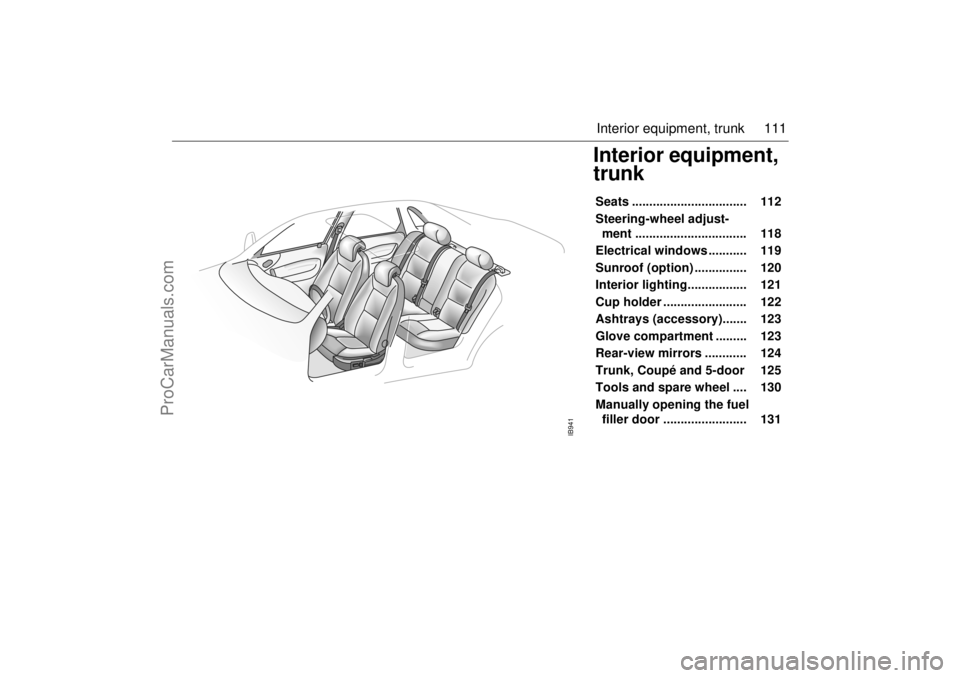
Interior equipment,
trunkSeats ................................. 112
Steering-wheel adjust-
ment ................................ 118
Electrical windows ........... 119
Sunroof (option) ............... 120
Interior lighting................. 121
Cup holder ........................ 122
Ashtrays (accessory)....... 123
Glove compartment ......... 123
Rear-view mirrors ............ 124
Trunk, Coupé and 5-door 125
Tools and spare wheel .... 130
Manually opening the fuel
filler door ........................ 131
IB941
ProCarManuals.com
Page 112 of 236
112 Interior equipment, trunkSeatsThe following seat adjustments can be
made to achieve a comfortable driving
position:
• Height (driver´s seat).
Legroom.
Backrest rake angle.
Lumbar support.
Head-restraint height.
We recommend that adjustments to the
driver’s seat be performed in the following
order:
1 Height.
2 Legroom.
3 Backrest rake angle.
Lastly, adjust the steering wheel (see
page 118). Side airbags (SRS)See page 27.
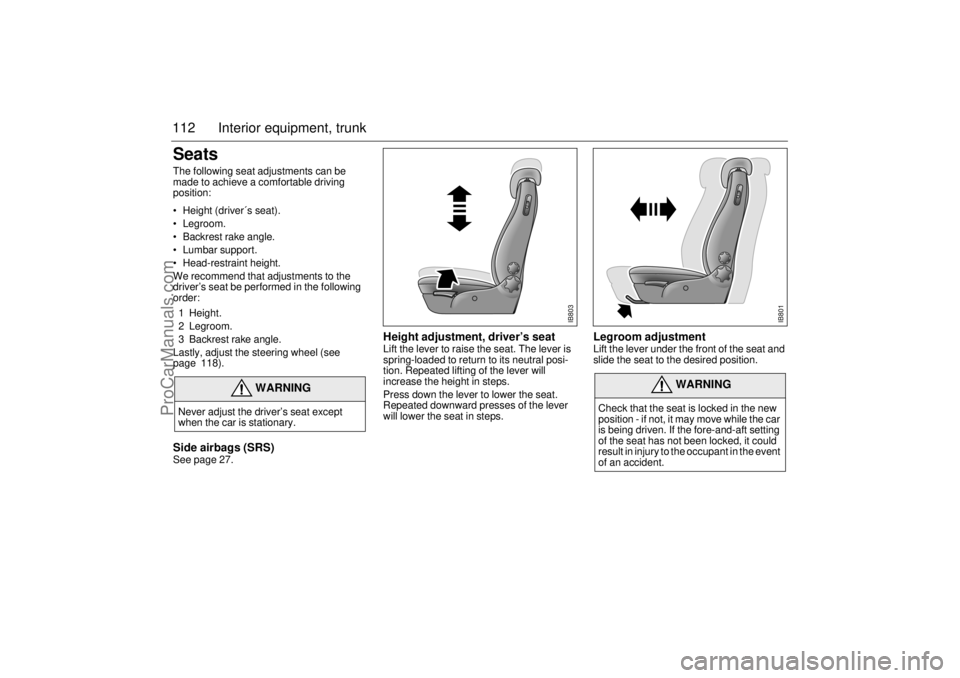
Height adjustment, driver’s seat Lift the lever to raise the seat. The lever is
spring-loaded to return to its neutral posi-
tion. Repeated lifting of the lever will
increase the height in steps.
Press down the lever to lower the seat.
Repeated downward presses of the lever
will lower the seat in steps.
Legroom adjustment Lift the lever under the front of the seat and
slide the seat to the desired position.
WARNING
Never adjust the driver’s seat except
when the car is stationary.
WARNING
Check that the seat is locked in the new
position - if not, it may move while the car
is being driven. If the fore-and-aft setting
of the seat has not been locked, it could
result in injury to the occupant in the event
of an accident.
IB803
IB801
ProCarManuals.com