display SAAB 9-3 2000 Owner's Manual
[x] Cancel search | Manufacturer: SAAB, Model Year: 2000, Model line: 9-3, Model: SAAB 9-3 2000Pages: 236, PDF Size: 10.85 MB
Page 86 of 236
86 Instruments and controlsCalibrationIf the battery has been disconnected or has run flat, the system will
recalibrate automatically.
Manual calibration:
1 Start the engine.
2 Press + at the same time. The ACC display flashes
once to indicate that calibration and self-testing have started.
During calibration the display indicates the figure 0 or the fault codes
(01-23) that have been found.
Calibration and self-testing takes about 30 seconds.
Programming IThe manual selections you have made can be saved so that the
ACC system always starts up on these selections every time the
ignition is switched on. But notice that the ignition must have been
off for at least 10 minutes before you try out the saved setting.
1 Select the desired settings.
2 Press + at the same time.
(The ACC background lighting flashes to confirm that the informa-
tion has been stored.)
Example:
If you want the ACC system to distribute the air to the dash vents
from the start, proceed as follows:
1 Start the engine.
2 Press the button .
3 Press and at the same time.
4 Shut off the key.
5 The system will memorize this new program 10 minutes after the
key is shut off.Cancelling program I A saved setting is deleted only by pressing + at the
same time.
(The ACC display flashes to confirm that deletion has been
effected.)
ProCarManuals.com
Page 87 of 236
87 Instruments and controls
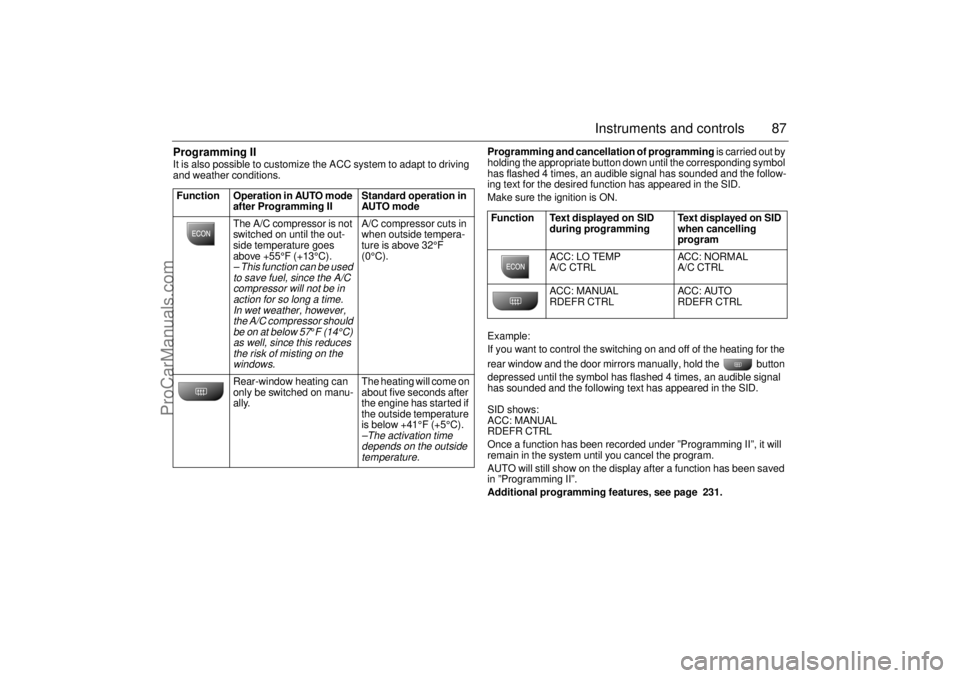
Programming II It is also possible to customize the ACC system to adapt to driving
and weather conditions. Programming and cancellation of programming is carried out by
holding the appropriate button down until the corresponding symbol
has flashed 4 times, an audible signal has sounded and the follow-
ing text for the desired function has appeared in the SID.
Make sure the ignition is ON.
Example:
If you want to control the switching on and off of the heating for the
rear window and the door mirrors manually, hold the button
depressed until the symbol has flashed 4 times, an audible signal
has sounded and the following text has appeared in the SID.
SID shows:
ACC: MANUAL
RDEFR CTRL
Once a function has been recorded under ”Programming II”, it will
remain in the system until you cancel the program.
AUTO will still show on the display after a function has been saved
in ”Programming II”.
Additional programming features, see page 231. Function Operation in AUTO mode
after Programming II Standard operation in
AUTO mode
The A/C compressor is not
switched on until the out-
side temperature goes
above +55°F (+13°C).
– This function can be used
to save fuel, since the A/C
compressor will not be in
action for so long a time.
In wet weather, however,
the A/C compressor should
be on at below 57
°F (14°C)
as well, since this reduces
the risk of misting on the
windows.
A/C compressor cuts in
when outside tempera-
ture is above 32°F
(0°C).
Rear-window heating can
only be switched on manu-
ally. The heating will come on
about five seconds after
the engine has started if
the outside temperature
is below +41°F (+5°C).–The activation time
depends on the outside
temperature.
Function Text displayed on SID
during programming Text displayed on SID
when cancelling
program
ACC: LO TEMP
A/C CTRL ACC: NORMAL
A/C CTRL
ACC: MANUAL
RDEFR CTRL ACC: AUTO
RDEFR CTRL
ProCarManuals.com
Page 88 of 236
88 Instruments and controlsUseful tips: If the ACC system is not functioning
satisfactorily the following should be tried
before you take the car to an authorized
Saab dealer.
If the indication AUTO does not light up
after starting (the ignition must have been
switched off for at least 10 minutes): See
Cancelling programming of ACC.
If you think that the ACC system is not
functioning satisfactorily you should:
1. Check that the cigarette lighter plug is
in its socket (since if the socket is empty
heated air can flow out and affect the
cabin sensor).
2. Recalibrate: See the section headed
Calibration.
If the battery has been disconnected or
has died, the ACC system should be reca-
librated: See Calibration.
Programmed settings are not deleted if the
battery has been disconnected. Extinguishing the lighting in ACC See section Night Panel, page 63.
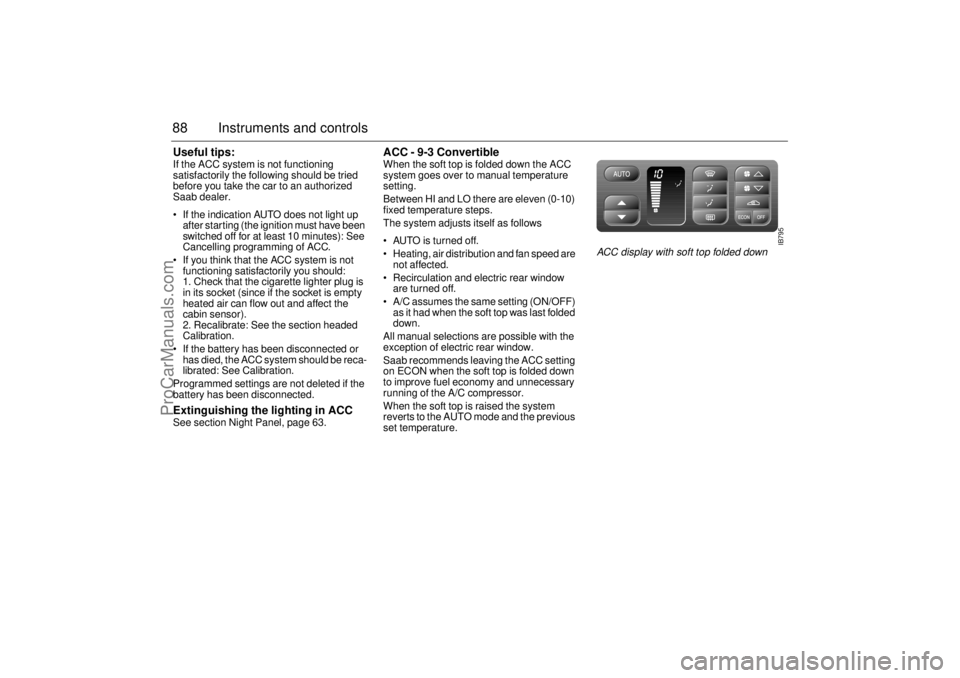
ACC - 9-3 Convertible When the soft top is folded down the ACC
system goes over to manual temperature
setting.
Between HI and LO there are eleven (0-10)
fixed temperature steps.
The system adjusts itself as follows
AUTO is turned off.
Heating, air distribution and fan speed are
not affected.
Recirculation and electric rear window
are turned off.
A/C assumes the same setting (ON/OFF)
as it had when the soft top was last folded
down.
All manual selections are possible with the
exception of electric rear window.
Saab recommends leaving the ACC setting
on ECON when the soft top is folded down
to improve fuel economy and unnecessary
running of the A/C compressor.
When the soft top is raised the system
reverts to the AUTO mode and the previous
set temperature.
IB795
ACC display with soft top folded down
ProCarManuals.com
Page 90 of 236
90 Saab 9-3 Audio SystemSaab 9-3 Audio SystemThe Saab 9-3 Audio System comes in two
levels, Premium and Prestige. They are
specially adapted to the cabin space in the
Saab 9-3.
The Saab 9-3 Audio System consists of a
main unit with a radio and a cassette player.
There is a also a CD player and a CD
changer for 6 CD discs available as an
accessory.
The Premium Audio System has two loud-
speakers at the front and two at the rear.
Output is 4x20 watts.
The Prestige Audio System 3 has two addi-
tional loudspeakers. They are mounted in
the front doors and reproduce bass tones
below 200 Hz. These subwoofers have their
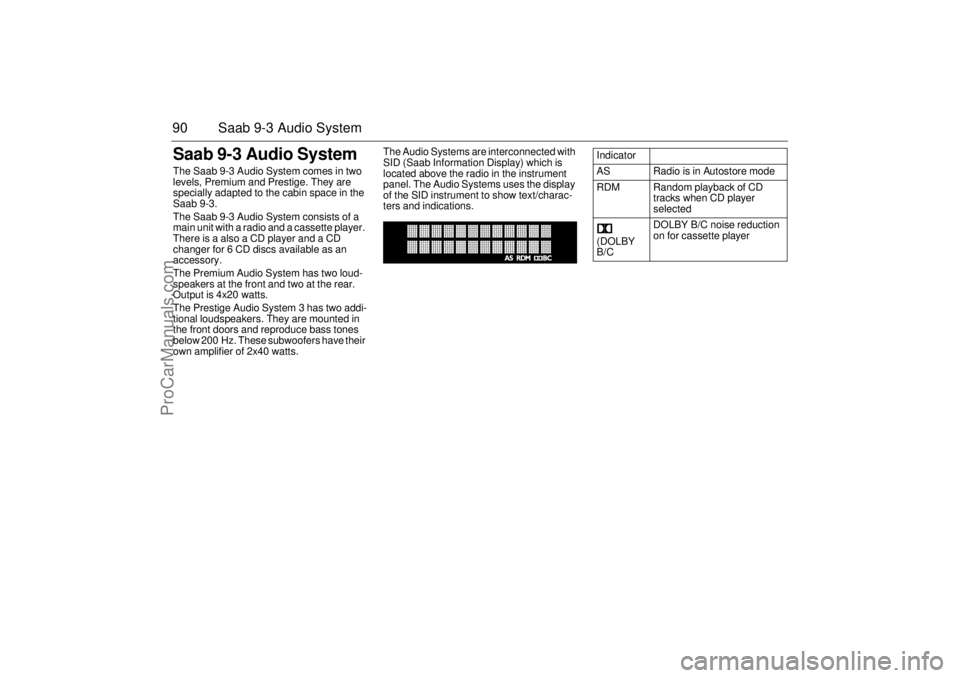
own amplifier of 2x40 watts. The Audio Systems are interconnected with
SID (Saab Information Display) which is
located above the radio in the instrument
panel. The Audio Systems uses the display
of the SID instrument to show text/charac-
ters and indications.
Indicator
AS Radio is in Autostore mode
RDM Random playback of CD
tracks when CD player
selected
(DOLBY
B/CDOLBY B/C noise reduction
on for cassette player
ProCarManuals.com
Page 91 of 236
91 Saab 9-3 Audio System
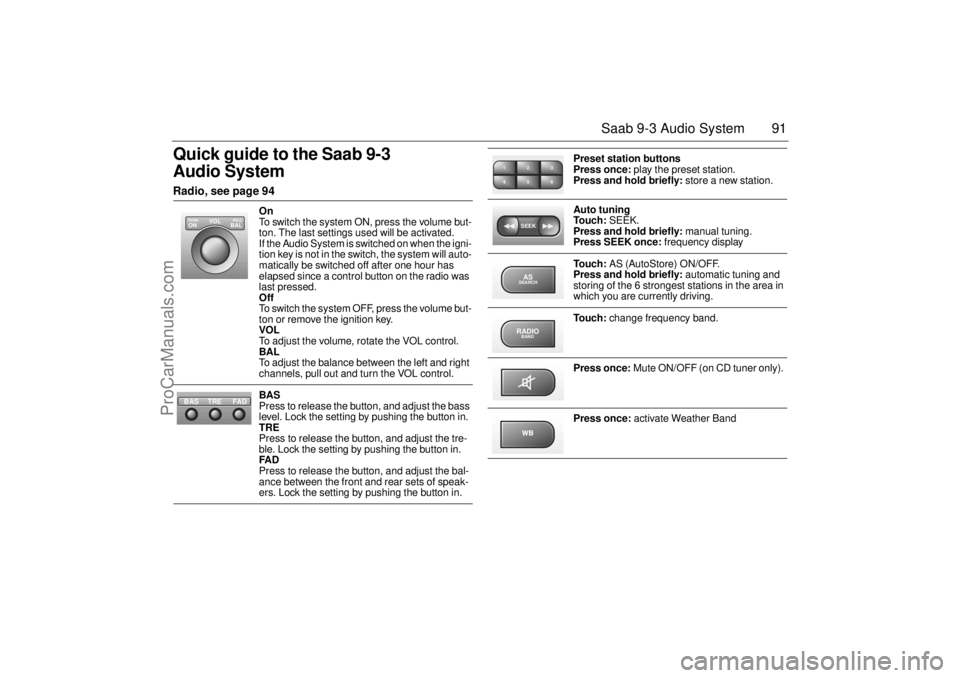
Quick guide to the Saab 9-3
Audio System Radio, see page 94
On
To switch the system ON, press the volume but-
ton. The last settings used will be activated.
If the Audio System is switched on when the igni-
tion key is not in the switch, the system will auto-
matically be switched off after one hour has
elapsed since a control button on the radio was
last pressed.
Off
To switch the system OFF, press the volume but-
ton or remove the ignition key.
VOL
To adjust the volume, rotate the VOL control.
BAL
To adjust the balance between the left and right
channels, pull out and turn the VOL control.
BAS
Press to release the button, and adjust the bass
level. Lock the setting by pushing the button in.
TRE
Press to release the button, and adjust the tre-
ble. Lock the setting by pushing the button in.
FAD
Press to release the button, and adjust the bal-
ance between the front and rear sets of speak-
ers. Lock the setting by pushing the button in.
VOL
BAL ON
PULL PUSH
TREFAD BAS
Preset station buttons
Press once: play the preset station.
Press and hold briefly: store a new station.
Auto tuning
To u c h : SEEK.
Press and hold briefly: manual tuning.
Press SEEK once: frequency display
To u c h : AS (AutoStore) ON/OFF.
Press and hold briefly: automatic tuning and
storing of the 6 strongest stations in the area in
which you are currently driving.
To u c h : change frequency band.
Press once: Mute ON/OFF (on CD tuner only).
Press once: activate Weather Band
2 13
5 46SEEKASSEARCHRADIOBAND
ProCarManuals.com
Page 94 of 236
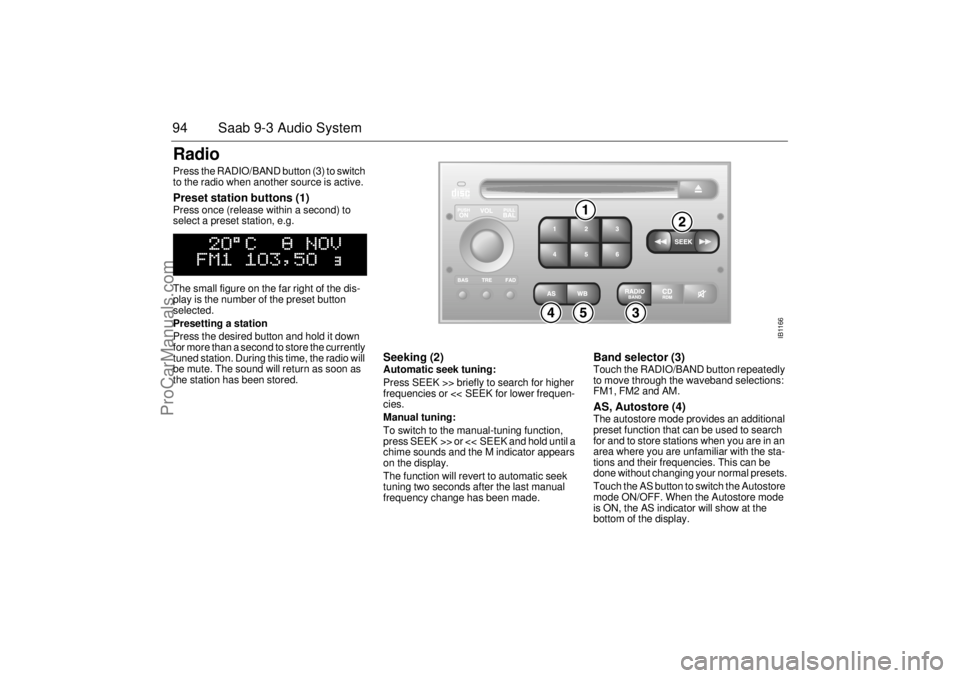
94 Saab 9-3 Audio SystemRadio Press the RADIO/BAND button (3) to switch
to the radio when another source is active. Preset station buttons (1) Press once (release within a second) to
select a preset station, e.g.
The small figure on the far right of the dis-
play is the number of the preset button
selected.
Presetting a station
Press the desired button and hold it down
for more than a second to store the currently
tuned station. During this time, the radio will
be mute. The sound will return as soon as
the station has been stored.
Seeking (2) Automatic seek tuning:
Press SEEK >> briefly to search for higher
frequencies or << SEEK for lower frequen-
cies.
Manual tuning:
To switch to the manual-tuning function,
press SEEK >> or << SEEK and hold until a
chime sounds and the M indicator appears
on the display.
The function will revert to automatic seek
tuning two seconds after the last manual
frequency change has been made.
Band selector (3) Touch the RADIO/BAND button repeatedly
to move through the waveband selections:
FM1, FM2 and AM. AS, Autostore (4) The autostore mode provides an additional
preset function that can be used to search
for and to store stations when you are in an
area where you are unfamiliar with the sta-
tions and their frequencies. This can be
done without changing your normal presets.
Touch the AS button to switch the Autostore
mode ON/OFF. When the Autostore mode
is ON, the AS indicator will show at the
bottom of the display.
IB1166
ProCarManuals.com
Page 95 of 236
95 Saab 9-3 Audio System
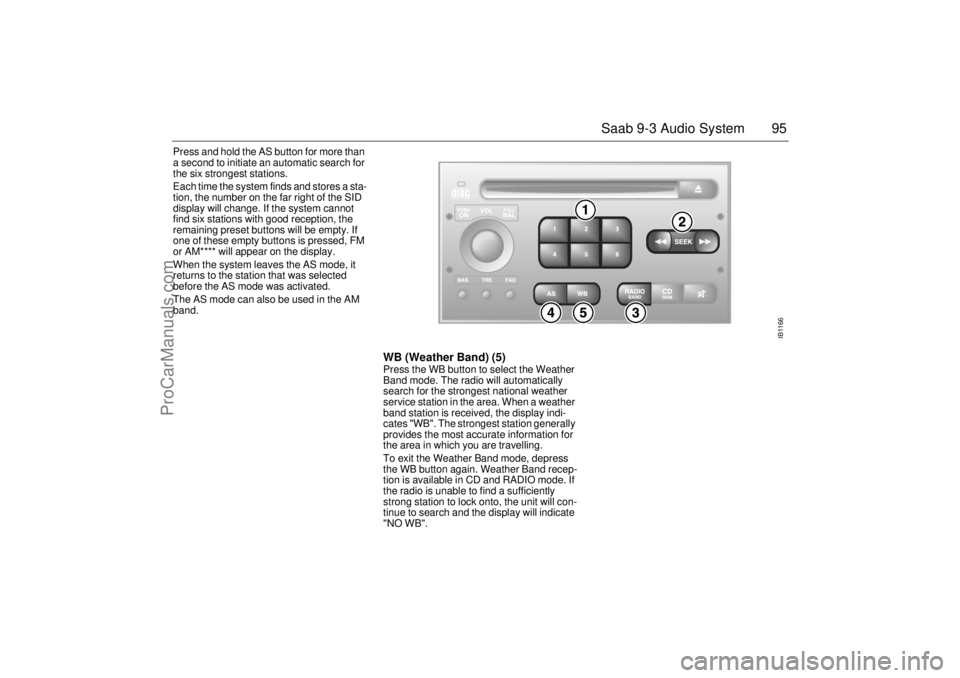
Press and hold the AS button for more than
a second to initiate an automatic search for
the six strongest stations.
Each time the system finds and stores a sta-
tion, the number on the far right of the SID
display will change. If the system cannot
find six stations with good reception, the
remaining preset buttons will be empty. If
one of these empty buttons is pressed, FM
or AM**** will appear on the display.
When the system leaves the AS mode, it
returns to the station that was selected
before the AS mode was activated.
The AS mode can also be used in the AM
band.
WB (Weather Band) (5)Press the WB button to select the Weather
Band mode. The radio will automatically
search for the strongest national weather
service station in the area. When a weather
band station is received, the display indi-
cates "WB". The strongest station generally
provides the most accurate information for
the area in which you are travelling.
To exit the Weather Band mode, depress
the WB button again. Weather Band recep-
tion is available in CD and RADIO mode. If
the radio is unable to find a sufficiently
strong station to lock onto, the unit will con-
tinue to search and the display will indicate
"NO WB".
IB1166
ProCarManuals.com
Page 96 of 236
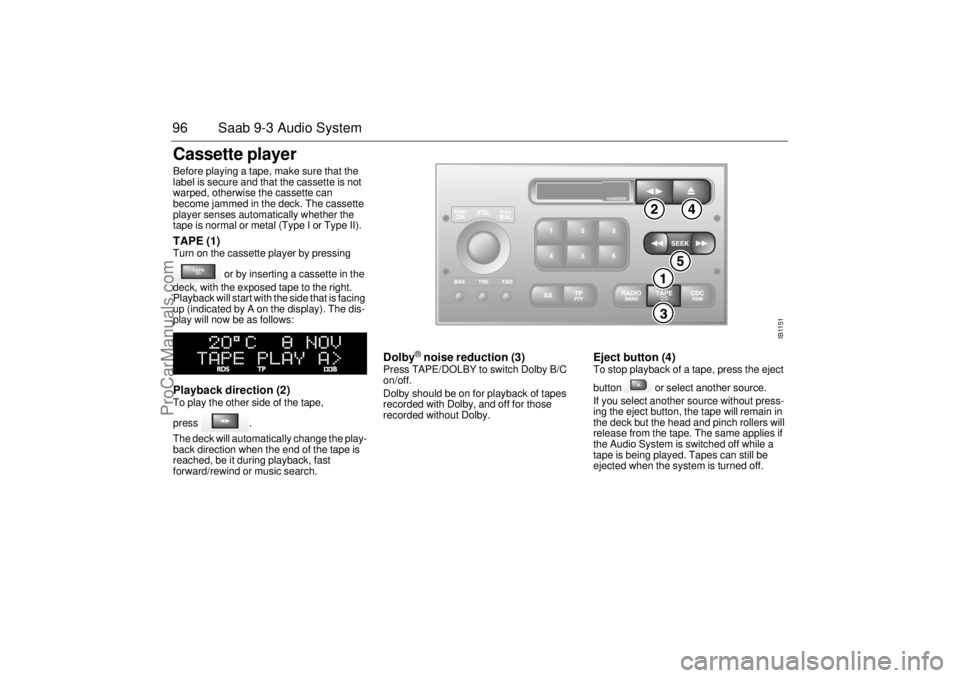
96 Saab 9-3 Audio SystemCassette player Before playing a tape, make sure that the
label is secure and that the cassette is not
warped, otherwise the cassette can
become jammed in the deck. The cassette
player senses automatically whether the
tape is normal or metal (Type I or Type II). TAPE (1) Turn on the cassette player by pressing
or by inserting a cassette in the
deck, with the exposed tape to the right.
Playback will start with the side that is facing
up (indicated by A on the display). The dis-
play will now be as follows: Playback direction (2) To play the other side of the tape,
press .
The deck will automatically change the play-
back direction when the end of the tape is
reached, be it during playback, fast
forward/rewind or music search.
Dolby
® noise reduction (3)
Press TAPE/DOLBY to switch Dolby B/C
on/off.
Dolby should be on for playback of tapes
recorded with Dolby, and off for those
recorded without Dolby.
Eject button (4) To stop playback of a tape, press the eject
button or select another source.
If you select another source without press-
ing the eject button, the tape will remain in
the deck but the head and pinch rollers will
release from the tape. The same applies if
the Audio System is switched off while a
tape is being played. Tapes can still be
ejected when the system is turned off.
TAPE
IB1151
ProCarManuals.com
Page 97 of 236
97 Saab 9-3 Audio System
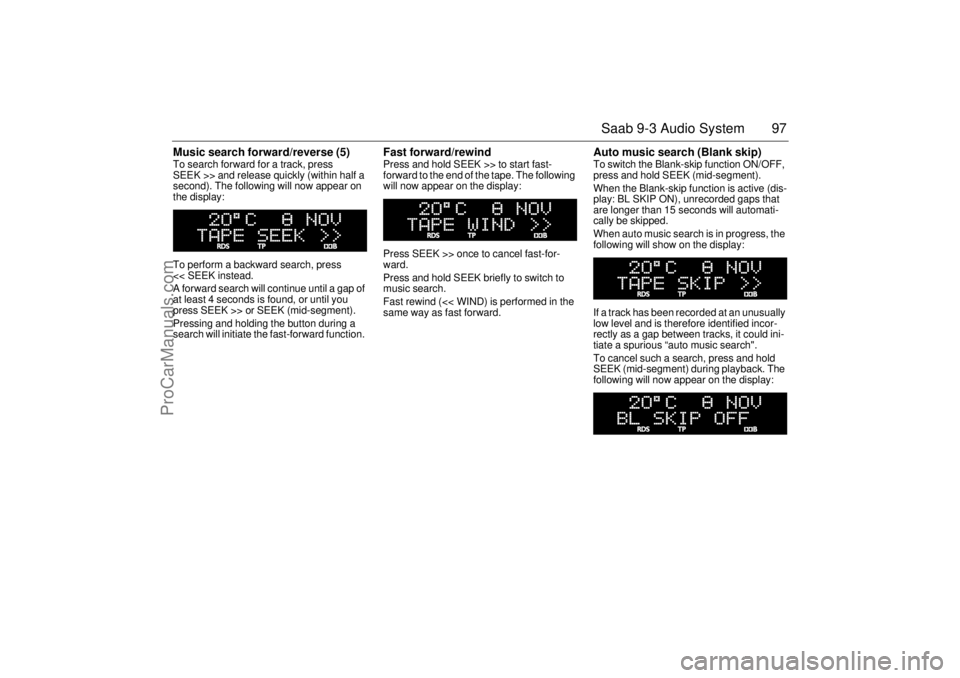
Music search forward/reverse (5) To search forward for a track, press
SEEK >> and release quickly (within half a
second). The following will now appear on
the display:
To perform a backward search, press
<< SEEK instead.
A forward search will continue until a gap of
at least 4 seconds is found, or until you
press SEEK >> or SEEK (mid-segment).
Pressing and holding the button during a
search will initiate the fast-forward function.
Fast forward/rewind Press and hold SEEK >> to start fast-
forward to the end of the tape. The following
will now appear on the display:
Press SEEK >> once to cancel fast-for-
ward.
Press and hold SEEK briefly to switch to
music search.
Fast rewind (<< WIND) is performed in the
same way as fast forward.
Auto music search (Blank skip) To switch the Blank-skip function ON/OFF,
press and hold SEEK (mid-segment).
When the Blank-skip function is active (dis-
play: BL SKIP ON), unrecorded gaps that
are longer than 15 seconds will automati-
cally be skipped.
When auto music search is in progress, the
following will show on the display:
If a track has been recorded at an unusually
low level and is therefore identified incor-
rectly as a gap between tracks, it could ini-
tiate a spurious “auto music search".
To cancel such a search, press and hold
SEEK (mid-segment) during playback. The
following will now appear on the display:
ProCarManuals.com
Page 98 of 236
98 Saab 9-3 Audio SystemType II (metal) tapes The cassette has an automatic tape-type
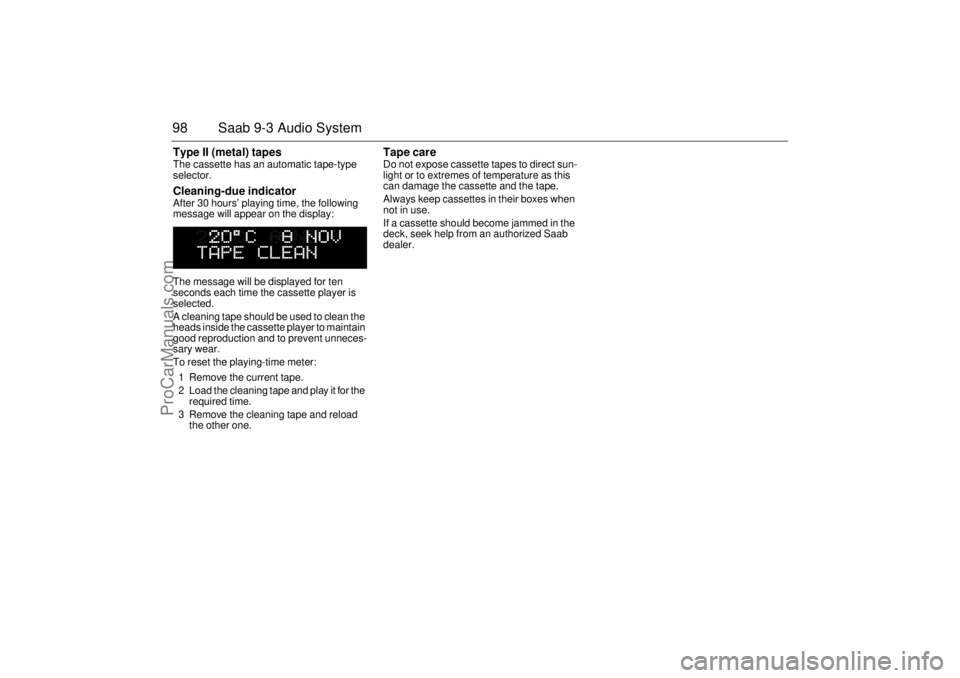
selector. Cleaning-due indicator After 30 hours’ playing time, the following
message will appear on the display:
The message will be displayed for ten
seconds each time the cassette player is
selected.
A cleaning tape should be used to clean the
heads inside the cassette player to maintain
good reproduction and to prevent unneces-
sary wear.
To reset the playing-time meter:
1 Remove the current tape.
2 Load the cleaning tape and play it for the
required time.
3 Remove the cleaning tape and reload
the other one.
Tape care Do not expose cassette tapes to direct sun-
light or to extremes of temperature as this
can damage the cassette and the tape.
Always keep cassettes in their boxes when
not in use.
If a cassette should become jammed in the
deck, seek help from an authorized Saab
dealer.
ProCarManuals.com