lock SAAB 9-3 2000 Owner's Guide
[x] Cancel search | Manufacturer: SAAB, Model Year: 2000, Model line: 9-3, Model: SAAB 9-3 2000Pages: 236, PDF Size: 10.85 MB
Page 55 of 236
55 Instruments and controls
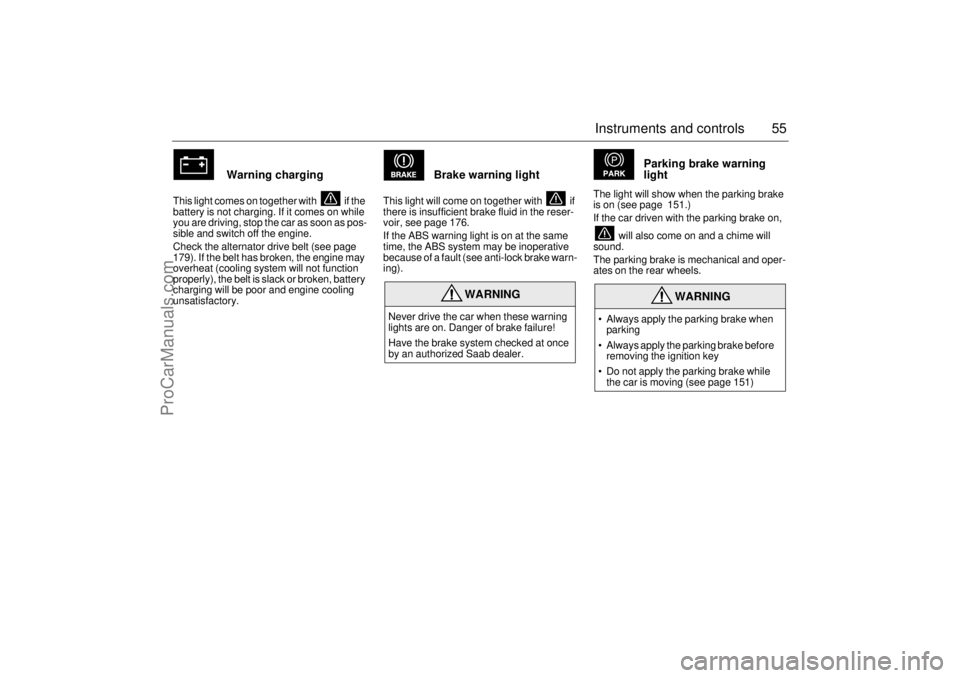
Warning charging
This light comes on together with if the
battery is not charging. If it comes on while
you are driving, stop the car as soon as pos-
sible and switch off the engine.
Check the alternator drive belt (see page
179). If the belt has broken, the engine may
overheat (cooling system will not function
properly), the belt is slack or broken, battery
charging will be poor and engine cooling
unsatisfactory.
Brake warning light
This light will come on together with if
there is insufficient brake fluid in the reser-
voir, see page 176.
If the ABS warning light is on at the same
time, the ABS system may be inoperative
because of a fault (see anti-lock brake warn-
ing).
Parking brake warning
light
The light will show when the parking brake
is on (see page 151.)
If the car driven with the parking brake on,
will also come on and a chime will
sound.
The parking brake is mechanical and oper-
ates on the rear wheels.
WARNING
Never drive the car when these warning
lights are on. Danger of brake failure!
Have the brake system checked at once
by an authorized Saab dealer.
WARNING
• Always apply the parking brake when
parking
Always apply the parking brake before
removing the ignition key
Do not apply the parking brake while
the car is moving (see page 151)
ProCarManuals.com
Page 56 of 236
56 Instruments and controls
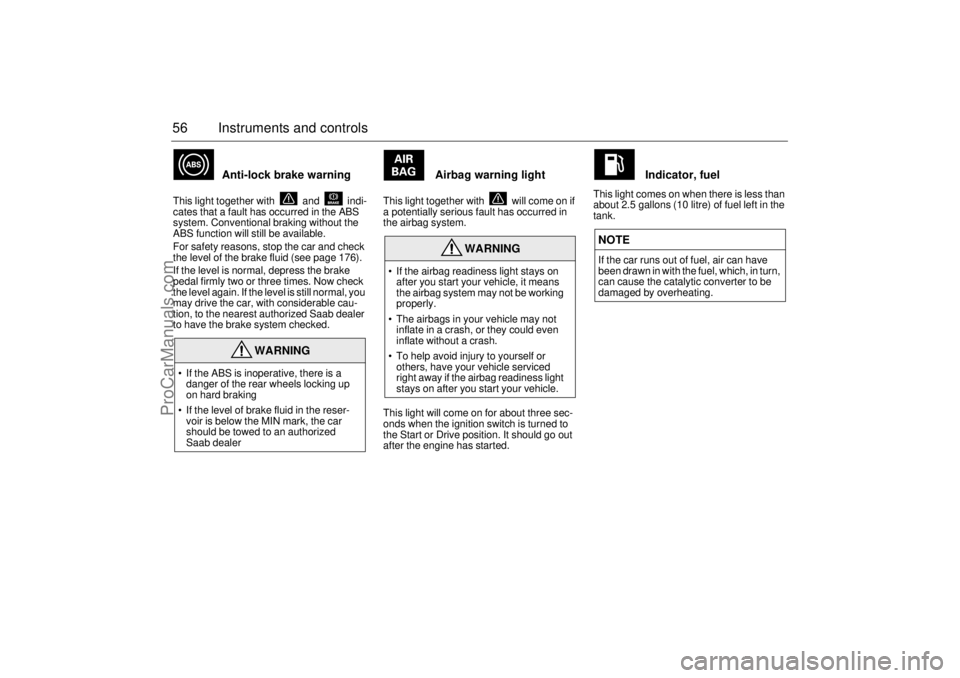
Anti-lock brake warning
This light together with and indi-
cates that a fault has occurred in the ABS
system. Conventional braking without the
ABS function will still be available.
For safety reasons, stop the car and check
the level of the brake fluid (see page 176).
If the level is normal, depress the brake
pedal firmly two or three times. Now check
the level again. If the level is still normal, you
may drive the car, with considerable cau-
tion, to the nearest authorized Saab dealer
to have the brake system checked.
Airbag warning light
This light together with will come on if
a potentially serious fault has occurred in
the airbag system.
This light will come on for about three sec-
onds when the ignition switch is turned to
the Start or Drive position. It should go out
after the engine has started.
Indicator, fuel
This light comes on when there is less than
about 2.5 gallons (10 litre) of fuel left in the
tank.
WARNING
If the ABS is inoperative, there is a
danger of the rear wheels locking up
on hard braking
If the level of brake fluid in the reser-
voir is below the MIN mark, the car
should be towed to an authorized
Saab dealer
WARNING
If the airbag readiness light stays on
after you start your vehicle, it means
the airbag system may not be working
properly.
The airbags in your vehicle may not
inflate in a crash, or they could even
inflate without a crash.
To help avoid injury to yourself or
others, have your vehicle serviced
right away if the airbag readiness light
stays on after you start your vehicle.
NOTEIf the car runs out of fuel, air can have
been drawn in with the fuel, which, in turn,
can cause the catalytic converter to be
damaged by overheating.
ProCarManuals.com
Page 64 of 236
64 Instruments and controls If the speed of the car exceeds 84 mph
(135 km/h), the entire speedometer will
be illuminated.
In cars with automatic transmission, if the
selector lever is moved from D to position
3, 2 or 1, the selector indication on the
main instrument panel will be illuminated.
To restore the displays and lighting to the
normal mode, press the Night-Panel button. Setting the date1 Use or to select TEMP/DATE.
2 Press the CLEAR button and for at
least one second (year starts to flash
and a chime sounds).
3 Set the year using or .
4 Touch CLEAR.
5 Set the month in the same way.
6 Touch CLEAR.
7 Set the day in the same way.
8 Press CLEAR to save the date setting.
Units and language versions The SID has four sets of units:
CHECK messages can be displayed in six
language options: English, Swedish,
German, French, Italian and Spanish. Selecting units and language 1 Depress the CLEAR button and at
the same time for 4 seconds until an
audible signal sounds.
2 Select the required units with or .
3 Briefly depress the CLEAR button.
4 Press or to select the required
language.
5 Briefly depress the CLEAR button.
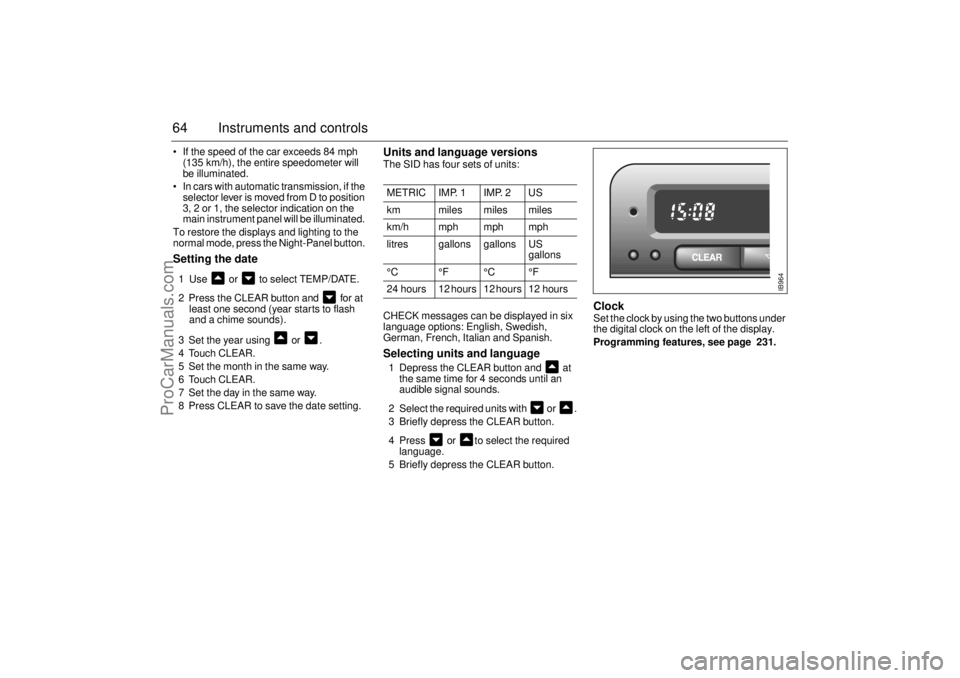
Clock Set the clock by using the two buttons under
the digital clock on the left of the display.
Programming features, see page 231.
METRIC IMP. 1 IMP. 2 US
km miles miles miles
km/h mph mph mph
litres gallons gallons US
gallons
°C °F °C °F
24 hours 12 hours 12 hours 12 hours
IB964
ProCarManuals.com
Page 70 of 236
70 Instruments and controlsSelecting units and language 1 Press the CLR and SET buttons at the
same time for 4 seconds until an audible
signal sounds.
2 Press or to select the required
units.
3 Touch SET.
4 Press or to select the required
language.
5 Touch SET.
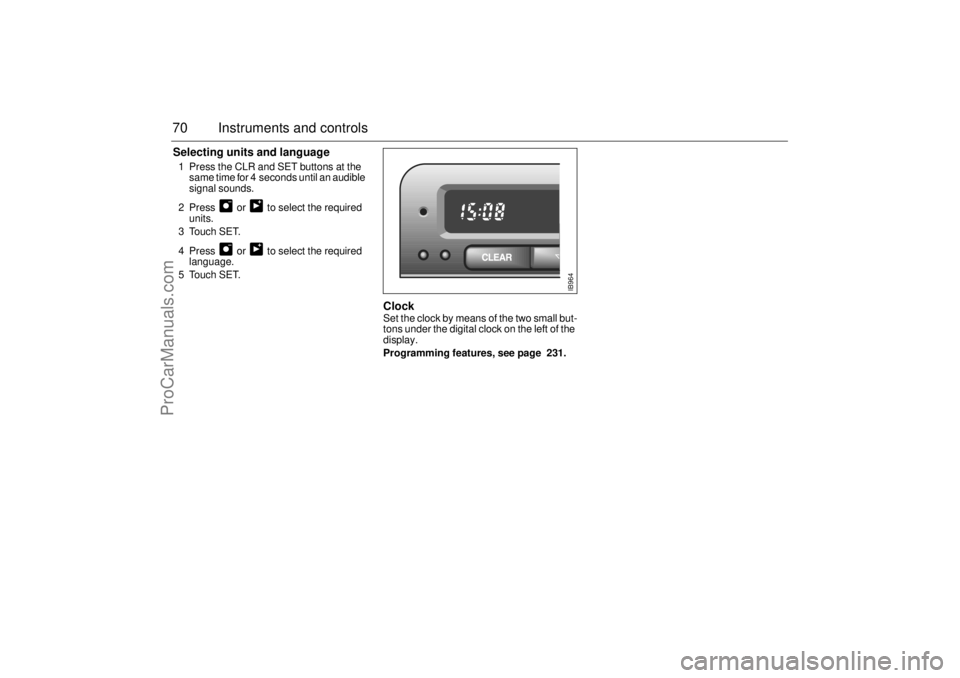
Clock Set the clock by means of the two small but-
tons under the digital clock on the left of the
display.
Programming features, see page 231.
IB964
ProCarManuals.com
Page 71 of 236
71 Instruments and controls
SwitchesThe parking lights and daytime running
lights come on automatically when the igni-
tion switch is in the ON position.
Note to owners in the U.S.: If you do not
want Daytime Running Lights, this feature
can be disconnected: switch off the engine
and remove fuse No. 15 (see page 189).
Note to owners in Canada: Daytime Run-
ning Lights must not be disconnected as
they are a Canadian Federal legal require-
ment.
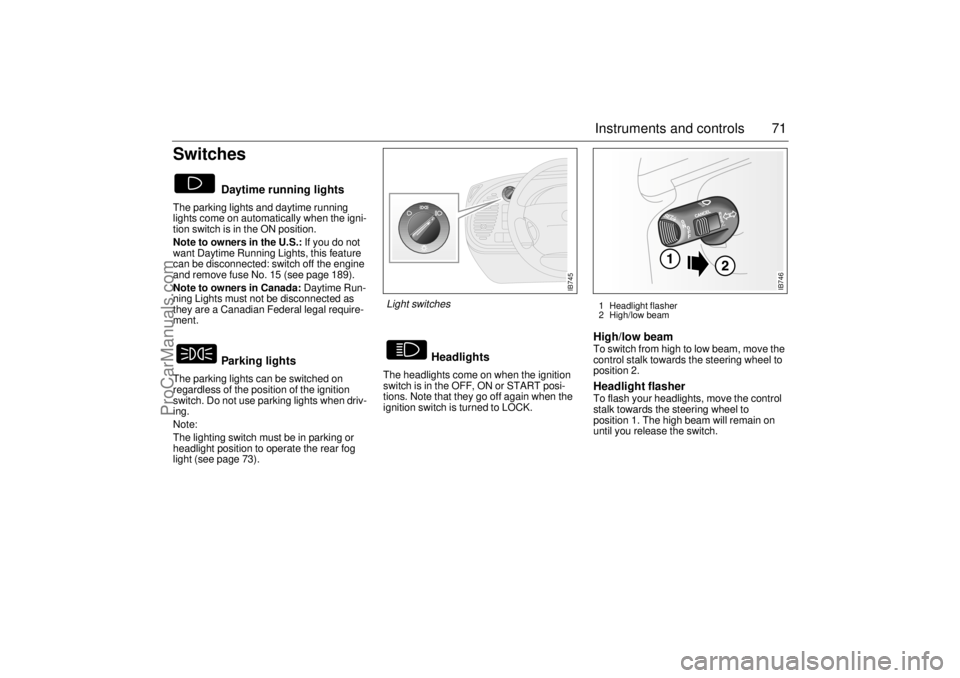
The parking lights can be switched on
regardless of the position of the ignition
switch. Do not use parking lights when driv-
ing.
Note:
The lighting switch must be in parking or
headlight position to operate the rear fog
light (see page 73).The headlights come on when the ignition
switch is in the OFF, ON or START posi-
tions. Note that they go off again when the
ignition switch is turned to LOCK.
High/low beam To switch from high to low beam, move the
control stalk towards the steering wheel to
position 2. Headlight flasher To flash your headlights, move the control
stalk towards the steering wheel to
position 1. The high beam will remain on
until you release the switch.
Daytime running lights
Parking lights
Headlights
IB745
Light switches
1 Headlight flasher
2 High/low beam
IB746
ProCarManuals.com
Page 82 of 236
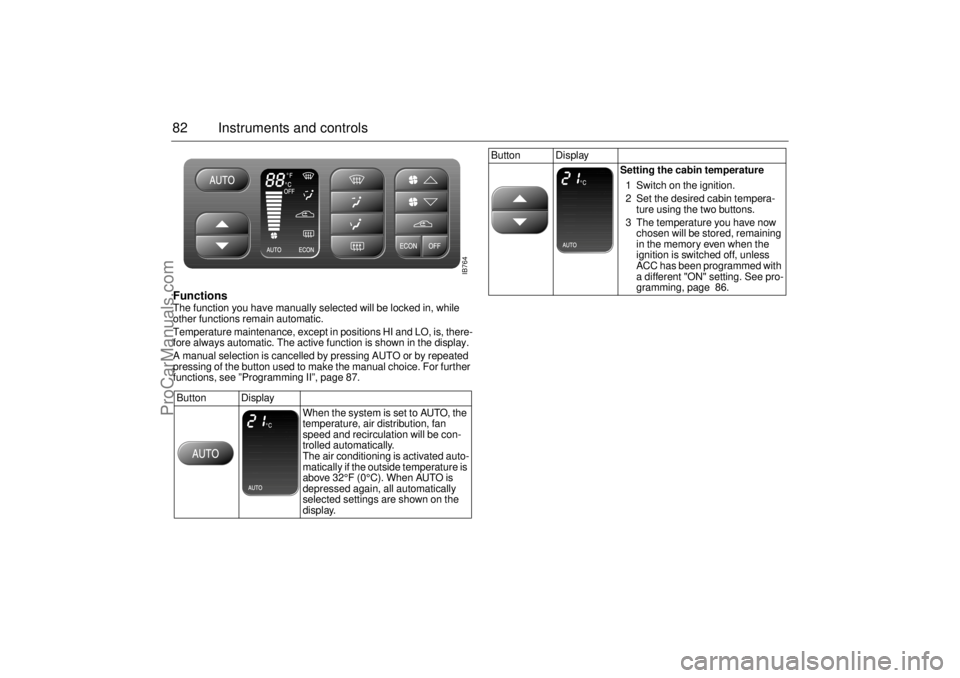
82 Instruments and controlsFunctions The function you have manually selected will be locked in, while
other functions remain automatic.
Temperature maintenance, except in positions HI and LO, is, there-
fore always automatic. The active function is shown in the display.
A manual selection is cancelled by pressing AUTO or by repeated
pressing of the button used to make the manual choice. For further
functions, see ”Programming II”, page 87.
Button Display
When the system is set to AUTO, the
temperature, air distribution, fan
speed and recirculation will be con-
trolled automatically.
The air conditioning is activated auto-
matically if the outside temperature is
above 32°F (0°C). When AUTO is
depressed again, all automatically
selected settings are shown on the
display.
Button Display
Setting the cabin temperature
1 Switch on the ignition.
2 Set the desired cabin tempera-
ture using the two buttons.
3 The temperature you have now
chosen will be stored, remaining
in the memory even when the
ignition is switched off, unless
ACC has been programmed with
a different "ON" setting. See pro-
gramming, page 86.
IB764
ProCarManuals.com
Page 89 of 236
89 Saab 9-3 Audio System
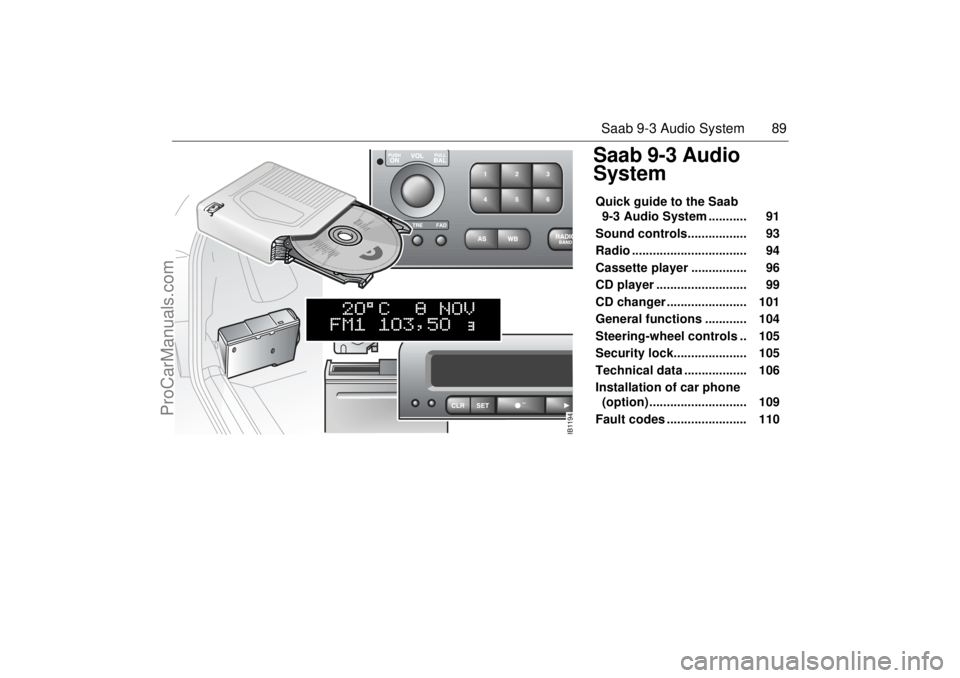
Saab 9-3 Audio
SystemQuick guide to the Saab
9-3 Audio System ........... 91
Sound controls................. 93
Radio ................................. 94
Cassette player ................ 96
CD player .......................... 99
CD changer ....................... 101
General functions ............ 104
Steering-wheel controls .. 105
Security lock..................... 105
Technical data .................. 106
Installation of car phone
(option) ............................ 109
Fault codes ....................... 110
IB1194
ProCarManuals.com
Page 91 of 236
91 Saab 9-3 Audio System
Quick guide to the Saab 9-3
Audio System Radio, see page 94
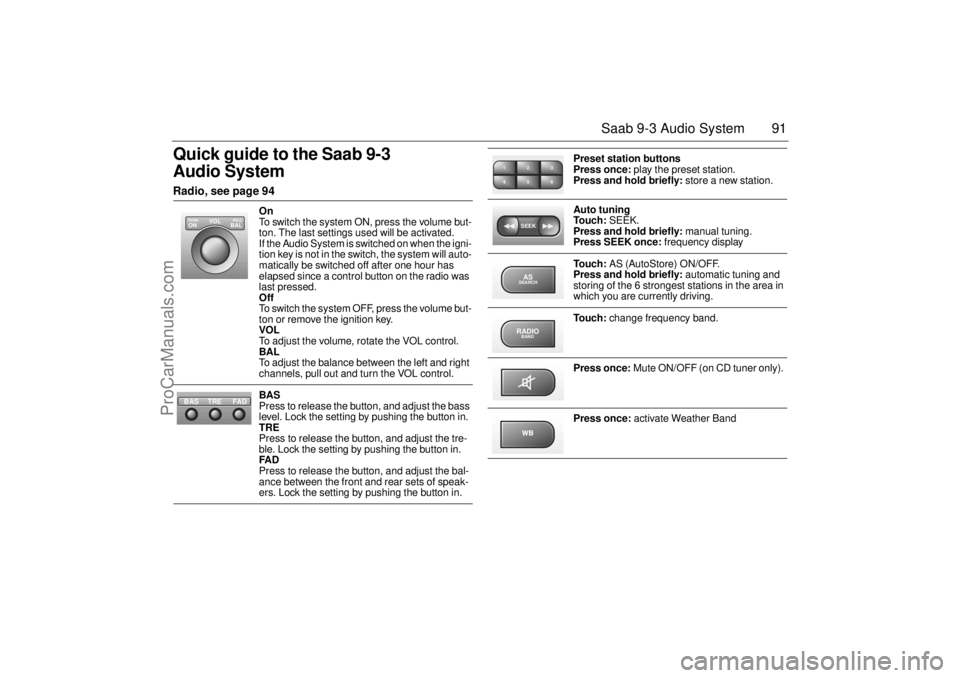
On
To switch the system ON, press the volume but-
ton. The last settings used will be activated.
If the Audio System is switched on when the igni-
tion key is not in the switch, the system will auto-
matically be switched off after one hour has
elapsed since a control button on the radio was
last pressed.
Off
To switch the system OFF, press the volume but-
ton or remove the ignition key.
VOL
To adjust the volume, rotate the VOL control.
BAL
To adjust the balance between the left and right
channels, pull out and turn the VOL control.
BAS
Press to release the button, and adjust the bass
level. Lock the setting by pushing the button in.
TRE
Press to release the button, and adjust the tre-
ble. Lock the setting by pushing the button in.
FAD
Press to release the button, and adjust the bal-
ance between the front and rear sets of speak-
ers. Lock the setting by pushing the button in.
VOL
BAL ON
PULL PUSH
TREFAD BAS
Preset station buttons
Press once: play the preset station.
Press and hold briefly: store a new station.
Auto tuning
To u c h : SEEK.
Press and hold briefly: manual tuning.
Press SEEK once: frequency display
To u c h : AS (AutoStore) ON/OFF.
Press and hold briefly: automatic tuning and
storing of the 6 strongest stations in the area in
which you are currently driving.
To u c h : change frequency band.
Press once: Mute ON/OFF (on CD tuner only).
Press once: activate Weather Band
2 13
5 46SEEKASSEARCHRADIOBAND
ProCarManuals.com
Page 93 of 236
93 Saab 9-3 Audio System
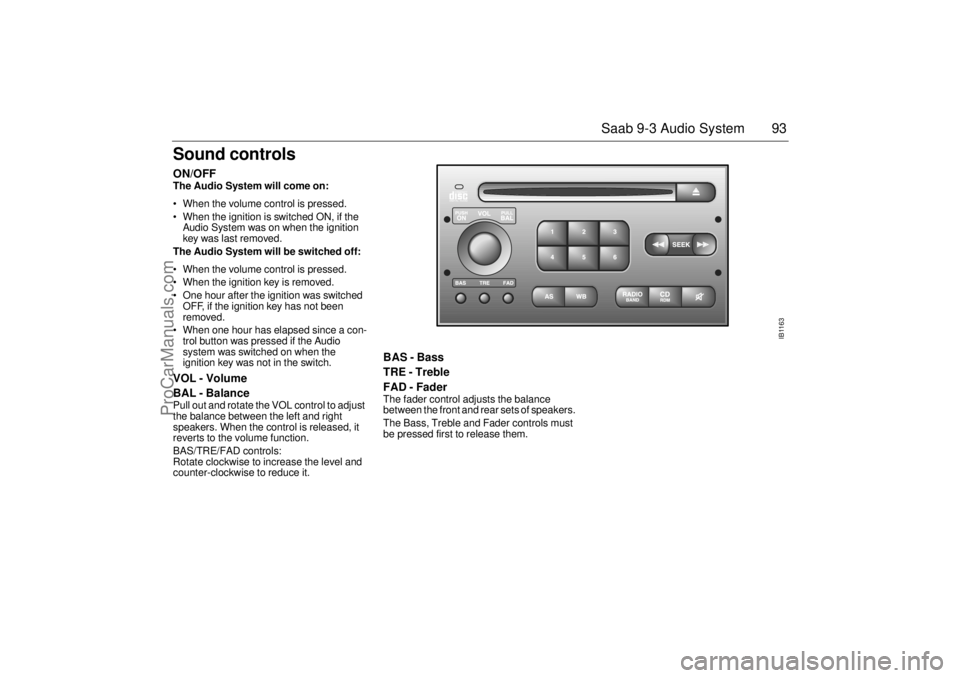
Sound controls ON/OFF The Audio System will come on:
• When the volume control is pressed.
When the ignition is switched ON, if the
Audio System was on when the ignition
key was last removed.
The Audio System will be switched off:
When the volume control is pressed.
When the ignition key is removed.
One hour after the ignition was switched
OFF, if the ignition key has not been
removed.
When one hour has elapsed since a con-
trol button was pressed if the Audio
system was switched on when the
ignition key was not in the switch. VOL - Volume
BAL - Balance Pull out and rotate the VOL control to adjust
the balance between the left and right
speakers. When the control is released, it
reverts to the volume function.
BAS/TRE/FAD controls:
Rotate clockwise to increase the level and
counter-clockwise to reduce it.
BAS - Bass
TRE - Treble
FAD - Fader The fader control adjusts the balance
between the front and rear sets of speakers.
The Bass, Treble and Fader controls must
be pressed first to release them.
IB1163
ProCarManuals.com
Page 95 of 236
95 Saab 9-3 Audio System
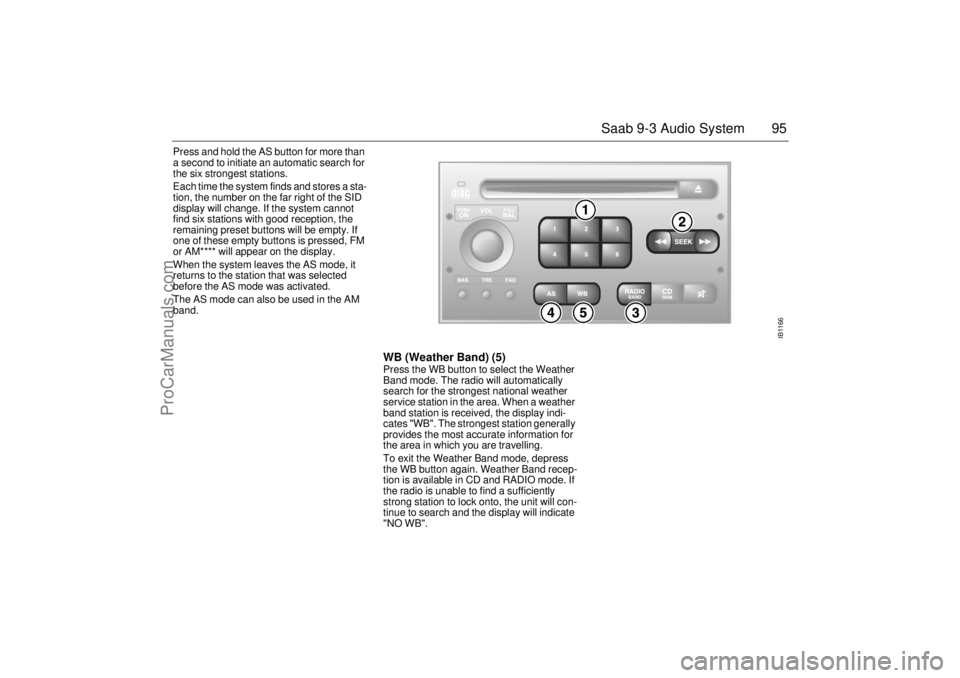
Press and hold the AS button for more than
a second to initiate an automatic search for
the six strongest stations.
Each time the system finds and stores a sta-
tion, the number on the far right of the SID
display will change. If the system cannot
find six stations with good reception, the
remaining preset buttons will be empty. If
one of these empty buttons is pressed, FM
or AM**** will appear on the display.
When the system leaves the AS mode, it
returns to the station that was selected
before the AS mode was activated.
The AS mode can also be used in the AM
band.
WB (Weather Band) (5)Press the WB button to select the Weather
Band mode. The radio will automatically
search for the strongest national weather
service station in the area. When a weather
band station is received, the display indi-
cates "WB". The strongest station generally
provides the most accurate information for
the area in which you are travelling.
To exit the Weather Band mode, depress
the WB button again. Weather Band recep-
tion is available in CD and RADIO mode. If
the radio is unable to find a sufficiently
strong station to lock onto, the unit will con-
tinue to search and the display will indicate
"NO WB".
IB1166
ProCarManuals.com