warning SAAB 9-3 2000 Service Manual
[x] Cancel search | Manufacturer: SAAB, Model Year: 2000, Model line: 9-3, Model: SAAB 9-3 2000Pages: 236, PDF Size: 10.85 MB
Page 65 of 236
65 Instruments and controls
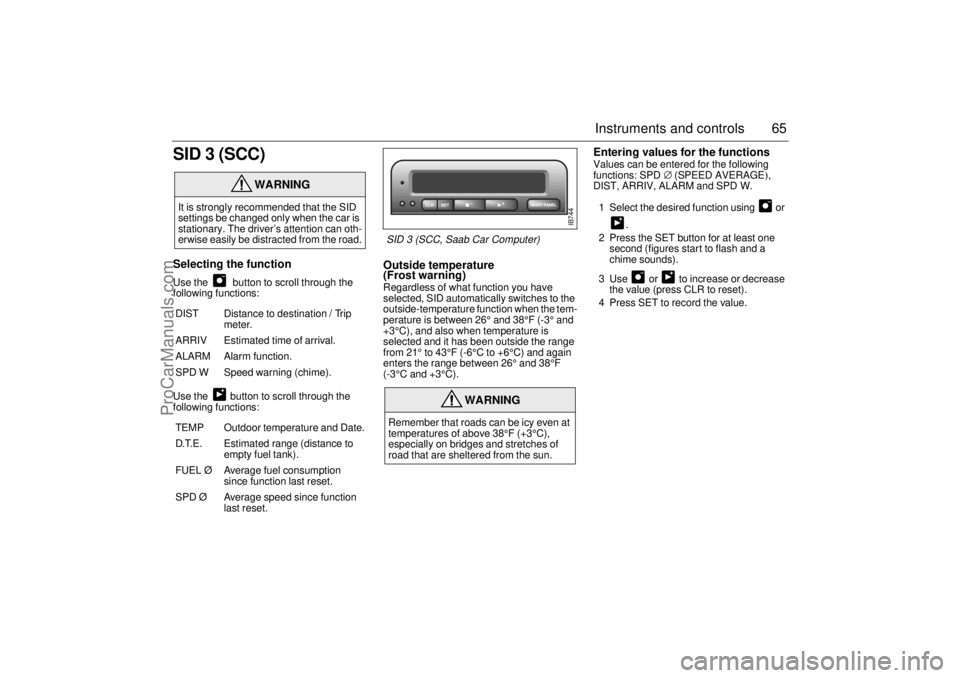
SID 3 (SCC)Selecting the function Use the button to scroll through the
following functions:
Use the button to scroll through the
following functions:
Outside temperature
(Frost warning) Regardless of what function you have
selected, SID automatically switches to the
outside-temperature function when the tem-
perature is between 26° and 38°F (-3° and
+3°C), and also when temperature is
selected and it has been outside the range
from 21° to 43°F (-6°C to +6°C) and again
enters the range between 26° and 38°F
(-3°C and +3°C).
Entering values for the functions Values can be entered for the following
functions: SPD∅ (SPEED AVERAGE),
DIST, ARRIV, ALARM and SPD W.
1 Select the desired function using or
.
2 Press the SET button for at least one
second (figures start to flash and a
chime sounds).
3 Use or to increase or decrease
the value (press CLR to reset).
4 Press SET to record the value.
WARNING
It is strongly recommended that the SID
settings be changed only when the car is
stationary. The driver’s attention can oth-
erwise easily be distracted from the road.
DIST Distance to destination / Trip
meter.
ARRIV Estimated time of arrival.
ALARM Alarm function.
SPD W Speed warning (chime).
TEMP Outdoor temperature and Date.
D.T.E. Estimated range (distance to
empty fuel tank).
FUEL Ø Average fuel consumption
since function last reset.
SPD Ø Average speed since function
last reset.
WARNING
Remember that roads can be icy even at
temperatures of above 38°F (+3°C),
especially on bridges and stretches of
road that are sheltered from the sun.
IB744
SID 3 (SCC, Saab Car Computer)
ProCarManuals.com
Page 66 of 236
66 Instruments and controlsSetting the date1 Use to select TEMP/DATE.
2 Press the SET button for at least one
second (year starts to flash and a chime
sounds).
3 Set the year using or .
4 Touch SET.
5 Set the month in the same way.
6 Touch SET.
7 Set the day in the same way.
8 Press SET to save the date setting.
Turning the Alarm and Speed
warning on or off 1 Select the Alarm or Speed-warning
function.
2 Press SET to turn on the function.
Press CLR to turn off the function.
When either function is on, an asterisk
* will
be visible on the far right of the display. The
function will be visible even if another func-
tion has been selected.
The Alarm and Speed-warning settings will
not be cancelled when the engine is
switched off.
When the Alarm has been set to come on at
a specified time, it will only be activated
once – it will not come on at the same time
every day. Press SET to turn it on again.
The Alarm will continue to beep for one
minute if not switched off.
Calculation of arrival time and
average speed The settings must be made before the jour-
ney is started.
Calculation of arrival time:
1 Select DIST using the button.
2 Hold SET until display starts flashing.
3 Set the destination distance using or
.
4 Press SET to store settings.
When ARRIV is selected during the journey,
the arrival time based on the average speed
over the past 20 minutes will be displayed.
Press DIST and the distance remaining to
the destination will be displayed in the same
way.
After the distance to destination has
decreased to zero, the DIST will function as
a trip meter (see ”Using DIST as a trip
meter”). The starting value for the trip meter
will be the last distance set in the DIST
function.
Example: The DIST setting was 100 miles.
Once 100 miles (160 km) has been cov-
ered, the DIST will start to function as a trip
meter, the initial reading of which will be
100 miles (160 km).
ProCarManuals.com
Page 69 of 236

69 Instruments and controls
Night panelTo improve night-driving conditions inside
the car, the Night Panel mode can be
selected. In this mode, the amount of infor-
mation displayed is reduced, and only the
most important instruments and displays
will be illuminated.
When the Night Panel button is pressed,
only the speedometer will be illuminated (up
to the 87-mph or 140-km/h graduation), all
the other instruments illumination will be
extinguished and their needles moved to
zero. Both the SID and the ACC displays will
be extinguished and the backlighting for
switches and other controls will be dimmed.
Note: All indicator and warning lights,
together with the display of CHECK mes-
sages, will operate as normal. The following conditions will wake up the
respective displays in the Night-Panel
mode:
Setting of the Audio System, SID or ACC
(display comes on for ten seconds).
CHECK message generated in the SID.
High engine revs cause the rev counter to
be illuminated until the engine speed has
fallen again.
If the quantity of fuel remaining falls below
4 gallons (15 liters), the fuel gauge will be
illuminated.
If the engine temperature rises above nor-
mal, the temperature gauge will be illumi-
nated.
If the speed of the car exceeds 84 mph
(135 km/h), the entire speedometer will
be illuminated.
In cars with automatic transmission, if the
selector lever is moved from D to position
3, 2 or 1, the selector indication on the
main instrument panel will be illuminated.
To restore the displays and lighting to the
normal mode, press the Night-Panel button.
Units and language versions The SID has four sets of units:
CHECK messages can be displayed in six
language options: English, Swedish,
German, French, Italian and Spanish. METRIC IMP. 1 IMP. 2 US
km miles miles miles
km/h mph mph mph
litres gallons gallons US
gallons
°C °F °C °F
24 hours 12 hours 12 hours 12 hours
ProCarManuals.com
Page 72 of 236
72 Instruments and controlsCourtesy Headlamp Feature A delay function allows the headlights to
remain on low beam for about 30 seconds
after the driver’s door has been closed.
To activate this function, switch off the igni-
tion, remove the key, open the driver’s door
and pull the high/low beam control stalk
towards the steering wheel like you are
flashing the high beam, see page 71. The
low beam headlights will now come on
immediately after the driver’s door has been
closed and will remain on for about
30 seconds.
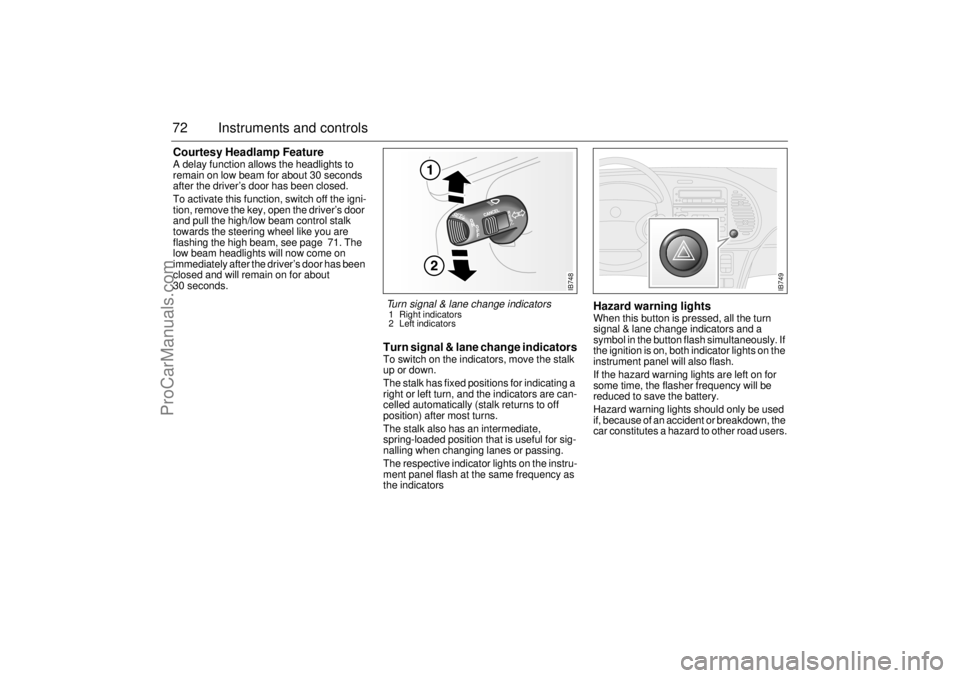
Turn signal & lane change indicatorsTo switch on the indicators, move the stalk
up or down.
The stalk has fixed positions for indicating a
right or left turn, and the indicators are can-
celled automatically (stalk returns to off
position) after most turns.
The stalk also has an intermediate,
spring-loaded position that is useful for sig-
nalling when changing lanes or passing.
The respective indicator lights on the instru-
ment panel flash at the same frequency as
the indicators
Hazard warning lightsWhen this button is pressed, all the turn
signal & lane change indicators and a
symbol in the button flash simultaneously. If
the ignition is on, both indicator lights on the
instrument panel will also flash.
If the hazard warning lights are left on for
some time, the flasher frequency will be
reduced to save the battery.
Hazard warning lights should only be used
if, because of an accident or breakdown, the
car constitutes a hazard to other road users.
IB748
Turn signal & lane change indicators 1 Right indicators
2 Left indicators
IB749
ProCarManuals.com
Page 73 of 236
73 Instruments and controls
Back-UpThe back-up lights come on automatically
when reverse gear is engaged or selected
with the ignition switched on.
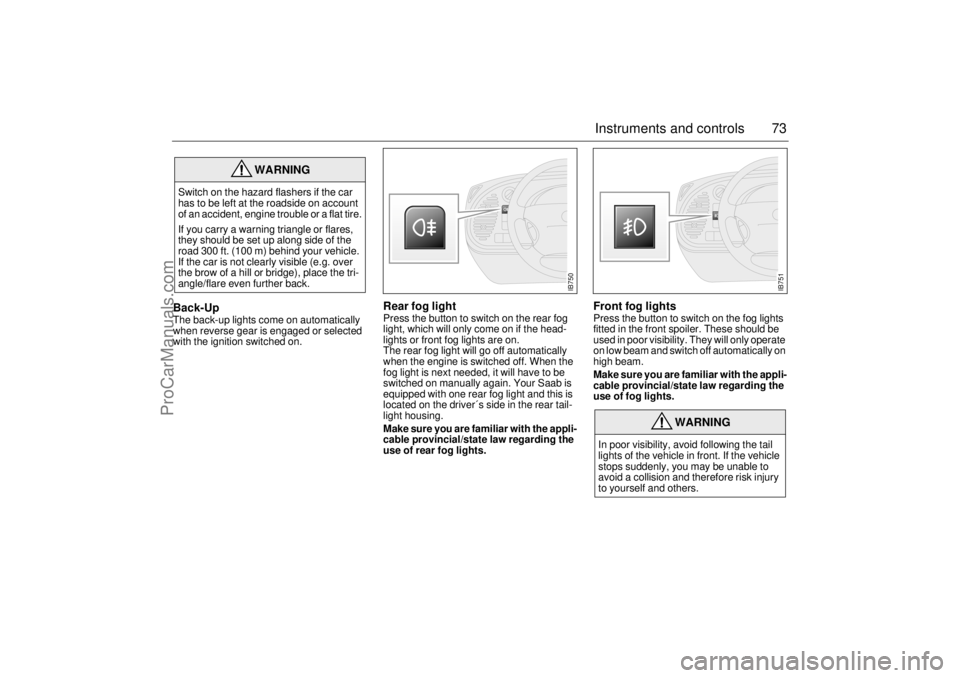
Rear fog lightPress the button to switch on the rear fog
light, which will only come on if the head-
lights or front fog lights are on.
The rear fog light will go off automatically
when the engine is switched off. When the
fog light is next needed, it will have to be
switched on manually again. Your Saab is
equipped with one rear fog light and this is
located on the driver´s side in the rear tail-
light housing.
Make sure you are familiar with the appli-
cable provincial/state law regarding the
use of rear fog lights.
Front fog lights Press the button to switch on the fog lights
fitted in the front spoiler. These should be
used in poor visibility. They will only operate
on low beam and switch off automatically on
high beam.
Make sure you are familiar with the appli-
cable provincial/state law regarding the
use of fog lights.
WARNING
Switch on the hazard flashers if the car
has to be left at the roadside on account
of an accident, engine trouble or a flat tire.
If you carry a warning triangle or flares,
they should be set up along side of the
road 300 ft. (100 m) behind your vehicle.
If the car is not clearly visible (e.g. over
the brow of a hill or bridge), place the tri-
angle/flare even further back.
WARNING
In poor visibility, avoid following the tail
lights of the vehicle in front. If the vehicle
stops suddenly, you may be unable to
avoid a collision and therefore risk injury
to yourself and others.
IB750
IB751
ProCarManuals.com
Page 104 of 236
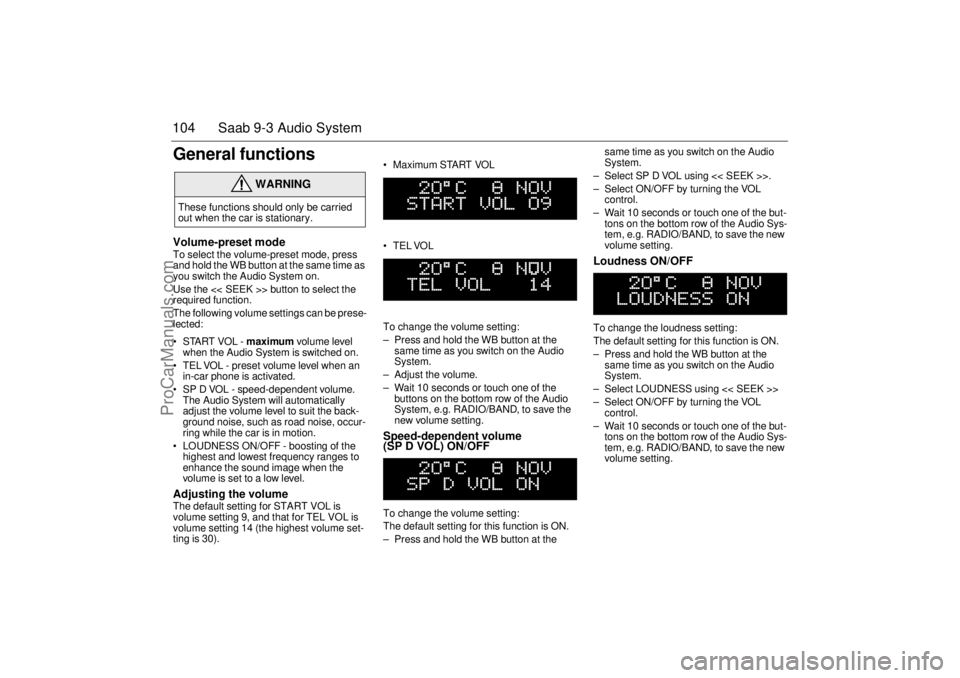
104 Saab 9-3 Audio SystemGeneral functionsVolume-preset modeTo select the volume-preset mode, press
and hold the WB button at the same time as
you switch the Audio System on.
Use the << SEEK >> button to select the
required function.
The following volume settings can be prese-
lected:
STARTVOL - maximum volume level
when the Audio System is switched on.
TEL VOL - preset volume level when an
in-car phone is activated.
SP D VOL - speed-dependent volume.
The Audio System will automatically
adjust the volume level to suit the back-
ground noise, such as road noise, occur-
ring while the car is in motion.
LOUDNESS ON/OFF - boosting of the
highest and lowest frequency ranges to
enhance the sound image when the
volume is set to a low level. Adjusting the volume The default setting for START VOL is
volume setting 9, and that for TEL VOL is
volume setting 14 (the highest volume set-
ting is 30). Maximum START VOL
TELVOL
To change the volume setting:
– Press and hold the WB button at the
same time as you switch on the Audio
System.
– Adjust the volume.
– Wait 10 seconds or touch one of the
buttons on the bottom row of the Audio
System, e.g. RADIO/BAND, to save the
new volume setting.
Speed-dependent volume
(SP D VOL) ON/OFF To change the volume setting:
The default setting for this function is ON.
– Press and hold the WB button at the same time as you switch on the Audio
System.
– Select SP D VOL using << SEEK >>.
– Select ON/OFF by turning the VOL
control.
– Wait 10 seconds or touch one of the but-
tons on the bottom row of the Audio Sys-
tem, e.g. RADIO/BAND, to save the new
volume setting.
Loudness ON/OFF To change the loudness setting:
The default setting for this function is ON.
– Press and hold the WB button at the
same time as you switch on the Audio
System.
– Select LOUDNESS using << SEEK >>
– Select ON/OFF by turning the VOL
control.
– Wait 10 seconds or touch one of the but-
tons on the bottom row of the Audio Sys-
tem, e.g. RADIO/BAND, to save the new
volume setting.
WARNING
These functions should only be carried
out when the car is stationary.
ProCarManuals.com
Page 109 of 236
109 Saab 9-3 Audio System
Installation of car phone
(option)
Provision has been made on certain vari-
ants of the Saab 9-3 for the installation of a
hands-free car phone.
Installation must be done by an authorized
Saab dealer.
A car-phone cradle is available as an acces-
sory.
Your Saab dealer has details of which
phones are suitable for the installation.
Provision for hands-free phone (Con-
vertible, only if Saab 9-3 Audio System is
fitted)
Car phone connects to car’s circuitry.
Coaxial cable for external antenna is pre-
run.
Microphone for hands-free phone use
incorporated in overhead panel at front
(not Convertible).
Audio System mute functions when
phone activated.
Phone conversation amplified through
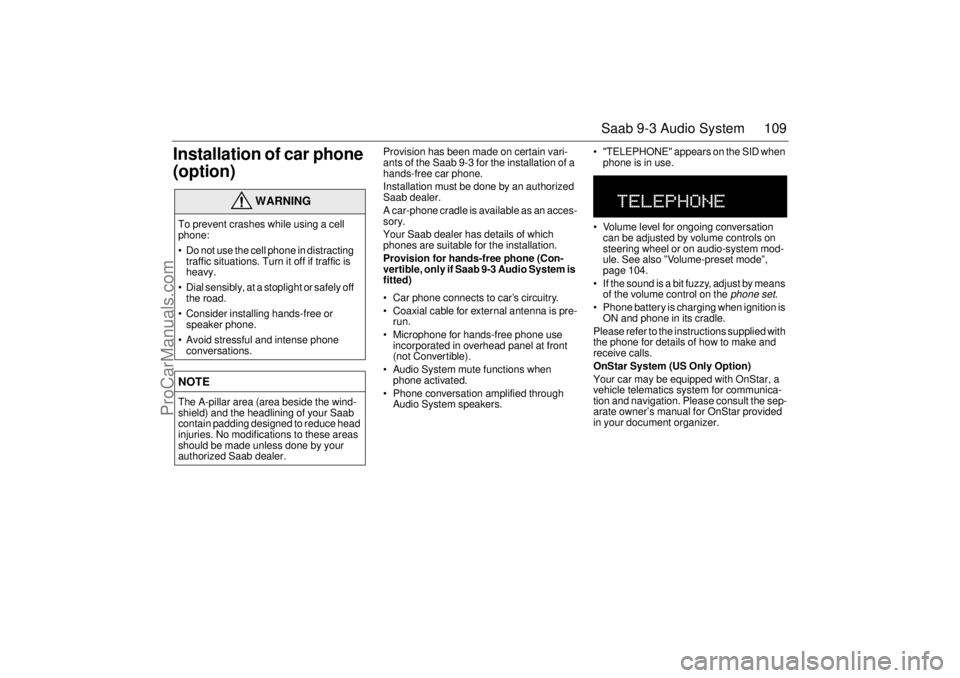
Audio System speakers. "TELEPHONE" appears on the SID when
phone is in use.
Volume level for ongoing conversation
can be adjusted by volume controls on
steering wheel or on audio-system mod-
ule. See also ”Volume-preset mode”,
page 104.
If the sound is a bit fuzzy, adjust by means
of the volume control on the
phone set
.
Phone battery is charging when ignition is
ON and phone in its cradle.
Please refer to the instructions supplied with
the phone for details of how to make and
receive calls.
OnStar System (US Only Option)
Your car may be equipped with OnStar, a
vehicle telematics system for communica-
tion and navigation. Please consult the sep-
arate owner’s manual for OnStar provided
in your document organizer.
WARNING
To prevent crashes while using a cell
phone:
Do not use the cell phone in distracting
traffic situations. Turn it off if traffic is
heavy.
Dial sensibly, at a stoplight or safely off
the road.
Consider installing hands-free or
speaker phone.
Avoid stressful and intense phone
conversations.NOTEThe A-pillar area (area beside the wind-
shield) and the headlining of your Saab
contain padding designed to reduce head
injuries. No modifications to these areas
should be made unless done by your
authorized Saab dealer.
ProCarManuals.com
Page 110 of 236
110 Saab 9-3 Audio SystemMobile phones and
communications radios Mobile phones and communications radios
that do not have a separate external
antenna radiate an electromagnetic field
inside the car.
Saab therefore recommends that a car
phone/radio transmitter should always be
connected to an external antenna.
An external antenna also provides
improved transmission/reception and a
greater range.
Mobile phones and communications radios
that are not supplied as standard equipment
by Saab can interfere with the car’s electri-
cal system and cause misleading fault
codes to be generated.
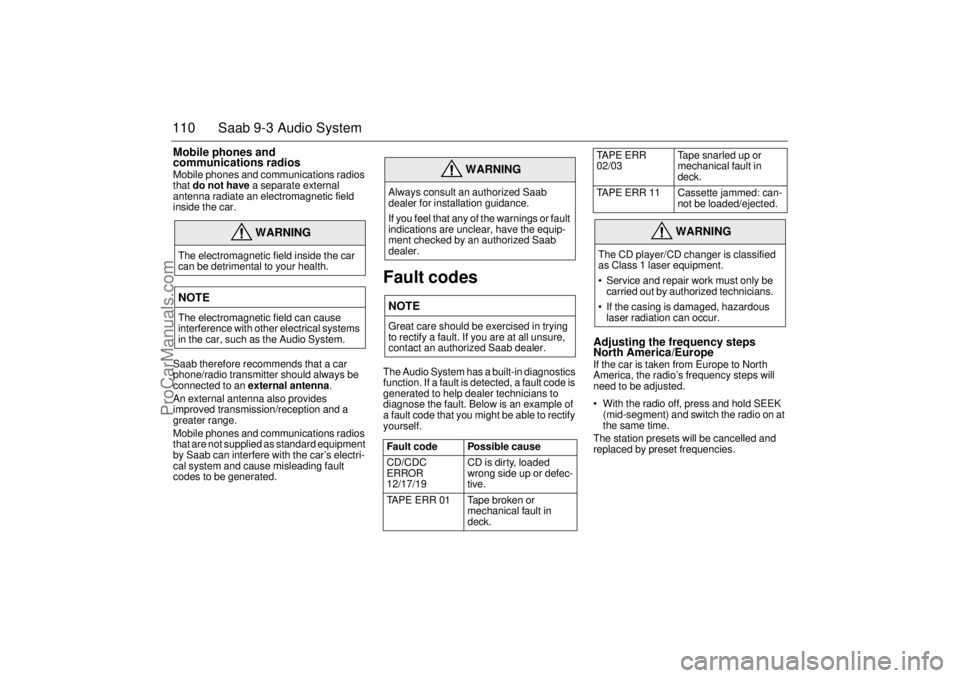
Fault codesThe Audio System has a built-in diagnostics
function. If a fault is detected, a fault code is
generated to help dealer technicians to
diagnose the fault. Below is an example of
a fault code that you might be able to rectify
yourself.
Adjusting the frequency steps
North America/Europe If the car is taken from Europe to North
America, the radio’s frequency steps will
need to be adjusted.
With the radio off, press and hold SEEK
(mid-segment) and switch the radio on at
the same time.
The station presets will be cancelled and
replaced by preset frequencies.
WARNING
The electromagnetic field inside the car
can be detrimental to your health. NOTEThe electromagnetic field can cause
interference with other electrical systems
in the car, such as the Audio System.
WARNING
Always consult an authorized Saab
dealer for installation guidance.
If you feel that any of the warnings or fault
indications are unclear, have the equip-
ment checked by an authorized Saab
dealer. NOTEGreat care should be exercised in trying
to rectify a fault. If you are at all unsure,
contact an authorized Saab dealer.
Fault code Possible cause
CD/CDC
ERROR
12/17/19 CD is dirty, loaded
wrong side up or defec-
tive.
TAPE ERR 01 Tape broken or
mechanical fault in
deck.
TAPE ERR
02/03Tape snarled up or
mechanical fault in
deck.
TAPE ERR 11 Cassette jammed: can-
not be loaded/ejected.
WARNING
The CD player/CD changer is classified
as Class 1 laser equipment.
Service and repair work must only be
carried out by authorized technicians.
If the casing is damaged, hazardous
laser radiation can occur.
ProCarManuals.com
Page 112 of 236
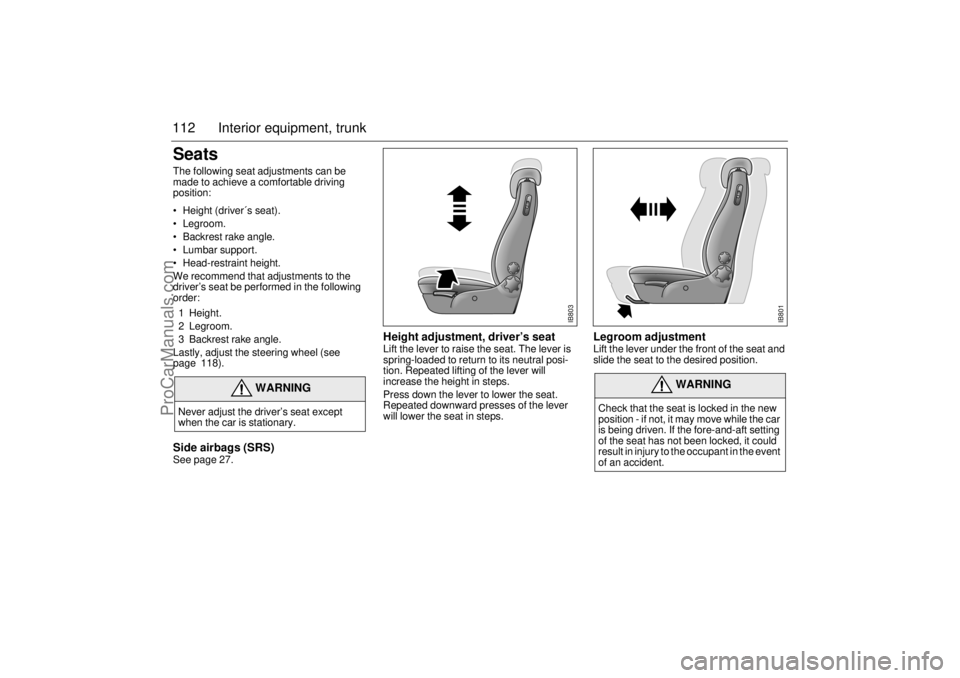
112 Interior equipment, trunkSeatsThe following seat adjustments can be
made to achieve a comfortable driving
position:
• Height (driver´s seat).
Legroom.
Backrest rake angle.
Lumbar support.
Head-restraint height.
We recommend that adjustments to the
driver’s seat be performed in the following
order:
1 Height.
2 Legroom.
3 Backrest rake angle.
Lastly, adjust the steering wheel (see
page 118). Side airbags (SRS)See page 27.
Height adjustment, driver’s seat Lift the lever to raise the seat. The lever is
spring-loaded to return to its neutral posi-
tion. Repeated lifting of the lever will
increase the height in steps.
Press down the lever to lower the seat.
Repeated downward presses of the lever
will lower the seat in steps.
Legroom adjustment Lift the lever under the front of the seat and
slide the seat to the desired position.
WARNING
Never adjust the driver’s seat except
when the car is stationary.
WARNING
Check that the seat is locked in the new
position - if not, it may move while the car
is being driven. If the fore-and-aft setting
of the seat has not been locked, it could
result in injury to the occupant in the event
of an accident.
IB803
IB801
ProCarManuals.com
Page 113 of 236
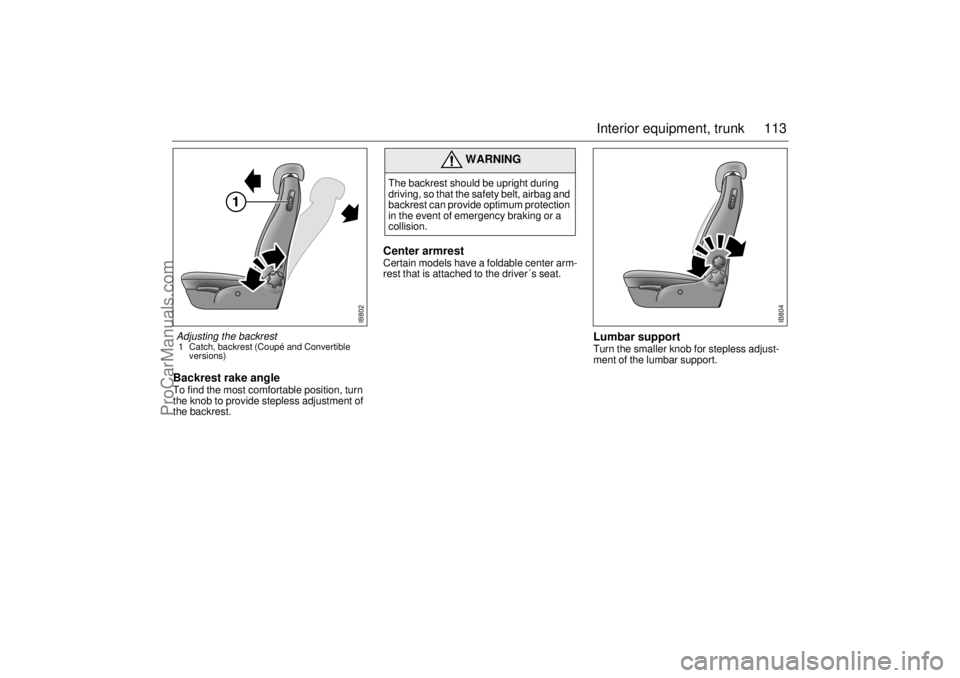
113 Interior equipment, trunk
Backrest rake angle To find the most comfortable position, turn
the knob to provide stepless adjustment of
the backrest.
Center armrestCertain models have a foldable center arm-
rest that is attached to the driver´s seat.
Lumbar supportTurn the smaller knob for stepless adjust-
ment of the lumbar support.
WARNING
The backrest should be upright during
driving, so that the safety belt, airbag and
backrest can provide optimum protection
in the event of emergency braking or a
collision.
IB802
Adjusting the backrest 1 Catch, backrest (Coupé and Convertible
versions)
IB804
ProCarManuals.com