wheel SAAB 9-3 2002 Owner's Manual
[x] Cancel search | Manufacturer: SAAB, Model Year: 2002, Model line: 9-3, Model: SAAB 9-3 2002Pages: 256, PDF Size: 11.55 MB
Page 116 of 256

116 OnStar - TelematicsConcierge servicesFrom the simple to the extraordinary,
OnStar Concierge is always ready to help.
Whether it’s tickets to that ”hard-to-get”
play, or even complete planning of your next
vacation, OnStar Concierge can make all
the arrangements you need — at home or
on the road. There is no additional cost to
you for the efforts of the OnStar Concierge.
You will not pay more than retail value for
goods and services, or current market value
for tickets, specialty items or unique ser-
vices. For your convenience, they will bill
your credit card for any purchases and/or
shipping you authorize.
Additional ServicesPersonal CallingAs an OnStar Safety and Security Plan or
Premium Services Plan subscriber, you
have access to OnStar Personal Calling.
OnStar Personal Calling provides you with
a nationwide wireless phone service in your
Saab that you can activate simply by press-
ing a button and using your voice. You can
use Personal Calling in your Saab to place
or to receive calls. The voice-activated
system will dial the number. Your party will
answer through your stereo speakers.
With OnStar Personal Calling, you can
enjoy the simplicity of a one-touch wireless
connection. Whether you are placing or
receiving a call, once you press the button,
you never have to take your hands off the
wheel or your eyes off the road. The ease of
the hands-free communication service
allows you to enjoy an even greater level of
safety, security and convenience while driv-
ing.
This new service is not yet available in all
areas. Complete availability in the U.S. is
anticipated in 2001*. For system limitations
and details, call OnStar at
1-800-ONSTAR-7.* Availability in Canada was undetermined at time of
publication. Please contact your local dealer in Canada.
Signing Up for Personal CallingAs an OnStar subscriber, the Personal Call-
ing capability is already built into your
Saab’s OnStar hardware. In order to use
this service, an OnStar advisor must set up
your cellular account. You must also pro-
vide a credit card in order to establish your
prepaid cellular account. Usage charges
will be deducted from this prepaid account
of ”units.” Units are easily replenished using
the credit card on file at OnStar. Once you
sign up for OnStar Personal Calling, you will
be given your own personal phone number
that others can use to call into your Saab. To sign up for Personal Calling,
simply Press the OnStar button in your Saab.
Inform the advisor that you would like to
sign up for Personal Calling.
The advisor will set up your account.
You will need to provide account and
credit card information.
ProCarManuals.com
Page 119 of 256

119 OnStar - Telematics
Contact OnStar
You will need your OnStar Personal Identi-
fication Number (PIN) to authorize the
charge to your credit card on file.
If you are not in your Saab, you may call an
OnStar Advisor at 1-888-4-ONSTAR
(1-888-466-7827) to request unit replenish-
ment.
Security/Locking your SystemYou can set up a four-digit Personal Secu-
rity Code to ensure that unauthorized
people do not use the calling capability of
your system. With security set to ON, the
system will not allow any personal calls. You
must turn security OFF before calls can be
made.
Volume ControlThe volume of the audio portion of Personal
Calling is controlled with your steering
wheel volume control or with the radio
volume knob. 1Press the
OnStar
White dot
buttonOnStar will respond
”Ready”
2 Say ”Units” OnStar will respond
”Verify or Add”
3 Say ”Add” You will be connected to
OnStar for replenish-
ment
1 Press the OnStar
White dot buttonOnStar will
respond ”Ready”
2 Say ”Security” OnStar will
respond ”Enter
Four-Digit Security
Code”
3 Say the 1st Digit OnStar will repeat
the digit
4 Say the 2nd Digit OnStar will repeat
the digit
5 Say the 3rd Digit OnStar will repeat
the digit
6 Say the 4th Digit OnStar reply
”Security (code # #
# #) is now
ON/OFF”
ProCarManuals.com
Page 123 of 256
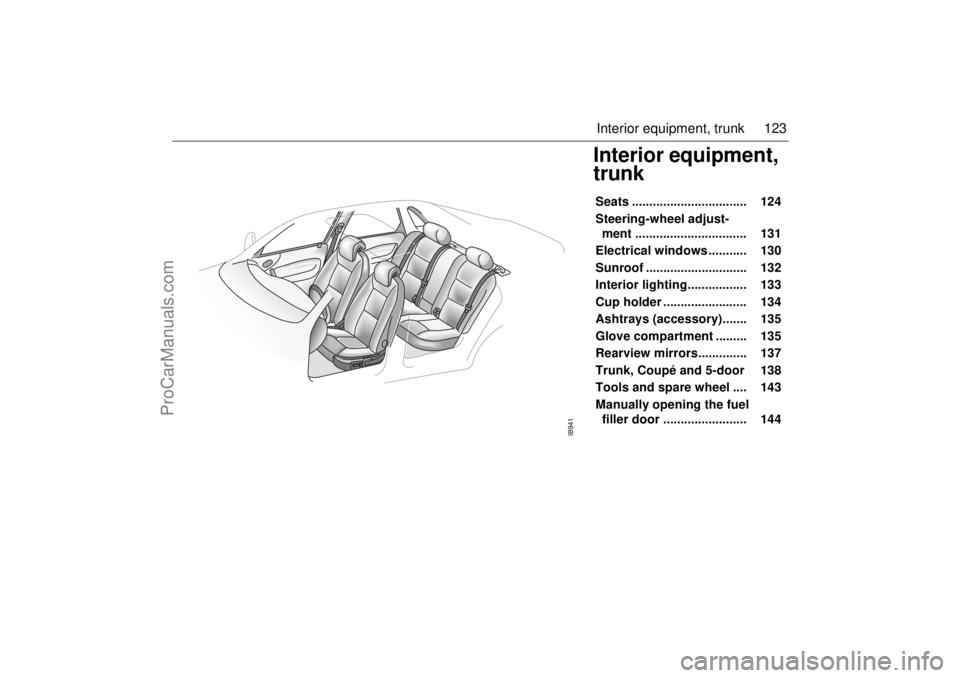
123 Interior equipment, trunk
Interior equipment,
trunkSeats ................................. 124
Steering-wheel adjust-
ment ................................ 131
Electrical windows ........... 130
Sunroof ............................. 132
Interior lighting................. 133
Cup holder ........................ 134
Ashtrays (accessory)....... 135
Glove compartment ......... 135
Rearview mirrors.............. 137
Trunk, Coupé and 5-door 138
Tools and spare wheel .... 143
Manually opening the fuel
filler door ........................ 144
IB941
ProCarManuals.com
Page 124 of 256
124 Interior equipment, trunkSeatsThe following seat adjustments can be
made to achieve a comfortable driving
position:
• Height (driver´s seat)
Legroom
Backrest rake angle
Lumbar support
Head-restraint height
We recommend that adjustments to the
driver’s seat be performed in the following
order:
1 Height
2 Legroom
3 Backrest rake angle
Lastly, adjust the steering wheel (see
page 131). Side airbags (SRS)See page 30.Head restraintSee page 18.
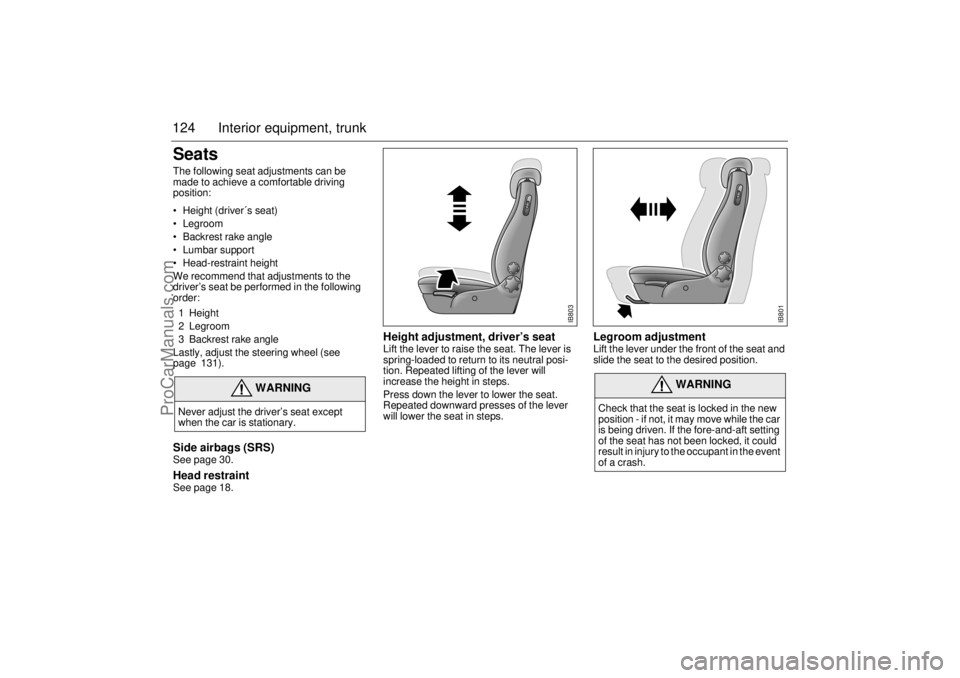
Height adjustment, driver’s seat Lift the lever to raise the seat. The lever is
spring-loaded to return to its neutral posi-
tion. Repeated lifting of the lever will
increase the height in steps.
Press down the lever to lower the seat.
Repeated downward presses of the lever
will lower the seat in steps.
Legroom adjustment Lift the lever under the front of the seat and
slide the seat to the desired position.
WARNING
Never adjust the driver’s seat except
when the car is stationary.
WARNING
Check that the seat is locked in the new
position - if not, it may move while the car
is being driven. If the fore-and-aft setting
of the seat has not been locked, it could
result in injury to the occupant in the event
of a crash.
IB803
IB801
ProCarManuals.com
Page 131 of 256
131 Interior equipment, trunk
Child safety: rear windows
(ON/OFF) The window switches on the rear doors can
be rendered inoperative by the ON/OFF
switch in the panel on the center console.
When the switch is ON, the rear side win-
dows can be operated by the switch on each
rear door. The rear door switches have an
integrated indicator lamp that indicates
when the switches are operational.
When the switch is OFF, the rear side win-
dows can only be operated from the panel
on the center console. The indicator lamps
are extinguished when the switches are not
operational.
Steering-wheel
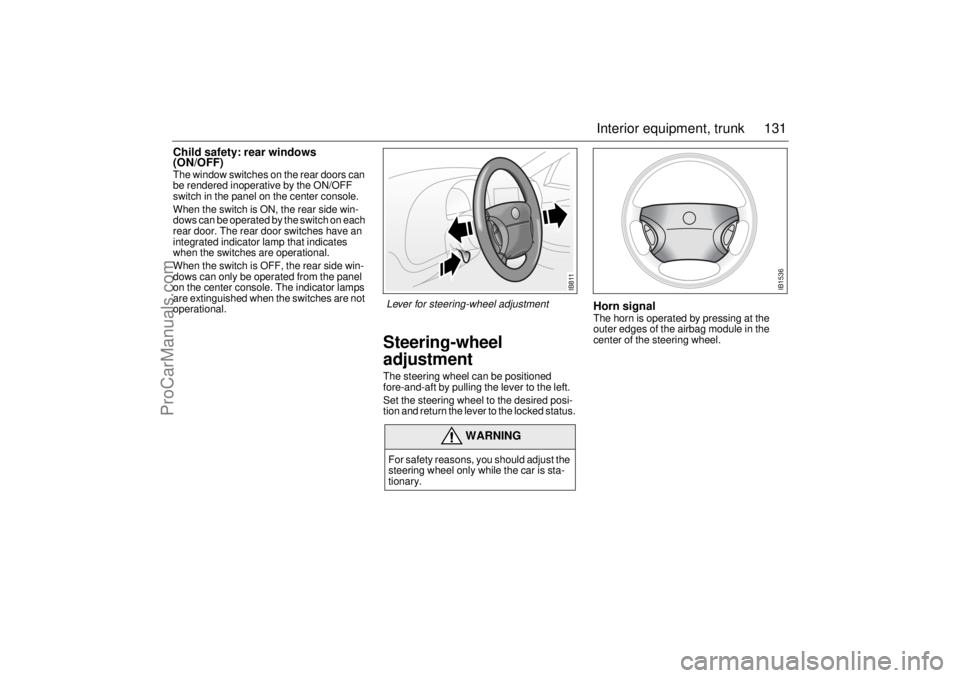
adjustmentThe steering wheel can be positioned
fore-and-aft by pulling the lever to the left.
Set the steering wheel to the desired posi-
tion and return the lever to the locked status.
Horn signalThe horn is operated by pressing at the
outer edges of the airbag module in the
center of the steering wheel.
WARNING
For safety reasons, you should adjust the
steering wheel only while the car is sta-
tionary.
IB811
IB1536
Lever for steering-wheel adjustment
ProCarManuals.com
Page 143 of 256
143 Interior equipment, trunk
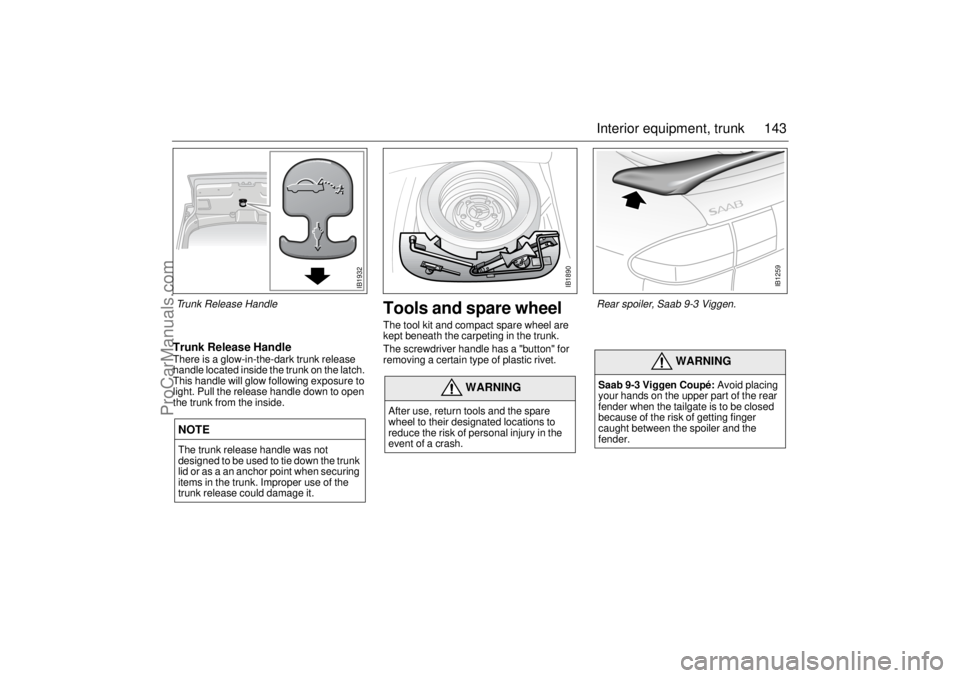
Trunk Release HandleThere is a glow-in-the-dark trunk release
handle located inside the trunk on the latch.
This handle will glow following exposure to
light. Pull the release handle down to open
the trunk from the inside.
Tools and spare wheelThe tool kit and compact spare wheel are
kept beneath the carpeting in the trunk.
The screwdriver handle has a "button" for
removing a certain type of plastic rivet.
NOTEThe trunk release handle was not
designed to be used to tie down the trunk
lid or as a an anchor point when securing
items in the trunk. Improper use of the
trunk release could damage it.
WARNING
After use, return tools and the spare
wheel to their designated locations to
reduce the risk of personal injury in the
event of a crash.
WARNING
Saab 9-3 Viggen Coupé: Avoid placing
your hands on the upper part of the rear
fender when the tailgate is to be closed
because of the risk of getting finger
caught between the spoiler and the
fender.
IB1890
IB1259
Rear spoiler, Saab 9-3 Viggen.
IB1932
Trunk Release Handle
ProCarManuals.com
Page 145 of 256
145 Starting and driving
IB943
Starting and driving
Ignition switch ................. 146
Starting the engine .......... 147
Important considerations
for driving....................... 148
Refueling .......................... 151
Engine Break-in Period... 155
Manual transmission ...... 155
Automatic transmission . 156
Cruise Control ................. 163
Braking ............................. 164
Traction Control System 166
Parking ............................. 168
Economical motoring ..... 170 Driving in cold weather ... 171
Driving in hot weather ..... 173
Towing a trailer ................ 173
Driving with a roof rack
load .................................. 176
Driving with the trunk lid
open ................................ 179
Driving in deep water....... 179
Towing the car.................. 179
Jump starting ................... 181
Driving considerations
with compact spare
wheel/tire fitted............... 184
For long trips .................... 184
ProCarManuals.com
Page 149 of 256
149 Starting and driving
2 Stopping the engine
Do not rev the engine immediately
before switching it off - stop the engine
when it is idling.
3 Regulating the charging pressure
The system is optimized for fuel with an
octane rating of AON 90. For cars with
205 hp engines and the Viggen, the
system is optimized for AON 93. One of
the advantages of the system is that it
enables the engine to be run safely on
lower-grade fuel, although not lower
than AON 87. However, engine perfor-
mance will fall off slightly, and heavy
loading should be avoided. For best
performance you should use the rec-
ommended grade of fuel, AON 90
(205 hp engine and Viggen AON 93).
The maximum boost pressure is
adjusted automatically to the knocking
or pinging tendency of the engine.
Occasional, short-lived knocking when
the engine is under a heavy load is per-
fectly normal; the extent will depend on
the grade of fuel in the tank.
Isolated instances of knocking are
more likely to occur with low-octane
fuel. This controlled form of knocking,
followed by a reduction in the boost
pressure, is a sign that the wastegate is
functioning and is perfectly safe for the
engine.Saab 9-3 Viggen: The Saab 9-3 Viggen has
a high-performance engine which means
that a certain amount of care should be
exercised, in particular when accelerating in
the lower gears. This is especially important
when the road surface is slippery to avoid
the driving wheels from losing their grip.
Limp-homeThe car’s engine management system has
a diagnostics function that, once the engine
has been switched off, checks a number of
internal functions. If a throttle valve fault is
detected, the engine management system
will initiate limp-home mode for the valve.
This means, for example, that idling speed
regulation will be impaired, the cruise con-
trol system will be inoperative, and the
capacity of the A/C compressor will be lim-
ited.
When starting the car in limp-home mode at
temperatures below 32°F (0°C), depress
the accelerator slightly.
If the diagnosis function detects any faults in
the engine management system, the
“Engine malfunction (CHECK ENGINE)
“ indicator in the main instrument panel
will light up (see page 63). The car should
be checked as soon as possible at an
authorized Saab dealer.
NOTEIf constant knocking occurs every time a
load is put on the engine, this indicates a
malfunction in the system.
Have the car checked without delay by an
authorized Saab dealer. NOTEIf the engine is being run with the car on a
rolling road or dynamometer, longer than
for a standard state emission inspection,
to ensure adequate cooling, air must be
blown into the engine compartment and
under the car at a rate equivalent to the
ram-air effect that would be obtained at
the corresponding road speed.
ProCarManuals.com
Page 161 of 256

161 Starting and driving
If the gear selector lever is moved from position D to 1, a
change-down to 3rd gear will occur at about 110 mph (180 km/h).
A change-down to 2nd gear will occur at about 75 mph (120 km/h)
and to 1st gear at about 40 mph (65 km/h).
When position 1 is selected, all the other gears will be locked out.
Manual gear-changing is not recommended on slippery roads.
If one of the drive wheels spins excessively, the engine torque will
be reduced to avoid damaging the transmission.
Adaptive gear-change patternsAdaptive gear-change patterns are selected automatically depend-
ing on the engine load. This function applies in the Normal and Sport
modes.
The change occurs at a higher rotation speed and the gear remains
engaged for a longer period, if the control module senses that the
load does not drop. These change patterns avoid unnecessary gear
changes when, for example, driving on long inclines with a trailer,
and to prevent overheating of the transmission oil. This function cuts
in automatically if the oil becomes too hot, to protect the transmis-
sion from damage, and lowers the oil temperature.
The adaptive change pattern function is not activated at speeds over
93 mph (150 km/h). If a pattern is in operation when this speed is
exceeded, it will be maintained until the control module senses that
a more suitable one can be activated.
The adaptive gear-change pattern function is deselected when:
Winter mode is selected.
The engine is switched off.
The load is reduced by so much that this function is no longer
required.
“Automatic transmission fault indicator” appears on the
main instrument panel, see page 159.
NOTE Do not move the selector to position 3 at speeds in excess of
90 mph (150 km/h).
Do not move the selector to position 2 at speeds in excess of
70 mph (110 km/h).
ProCarManuals.com
Page 162 of 256
162 Starting and drivingThe SPORT and WINTER modes
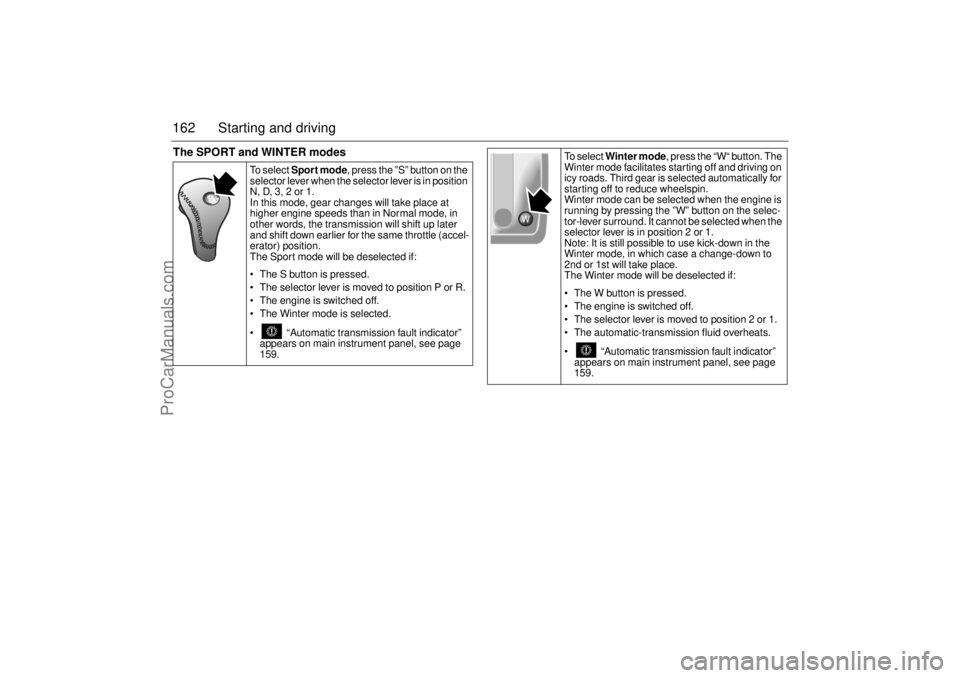
To s e l e c t Sport mode, press the ”S” button on the
selector lever when the selector lever is in position
N, D, 3, 2 or 1.
In this mode, gear changes will take place at
higher engine speeds than in Normal mode, in
other words, the transmission will shift up later
and shift down earlier for the same throttle (accel-
erator) position.
The Sport mode will be deselected if:
The S button is pressed.
The selector lever is moved to position P or R.
The engine is switched off.
The Winter mode is selected.
“Automatic transmission fault indicator”
appears on main instrument panel, see page
159.
To select Winter mode, press the “W“ button. The
Winter mode facilitates starting off and driving on
icy roads. Third gear is selected automatically for
starting off to reduce wheelspin.
Winter mode can be selected when the engine is
running by pressing the ”W” button on the selec-
tor-lever surround. It cannot be selected when the
selector lever is in position 2 or 1.
Note: It is still possible to use kick-down in the
Winter mode, in which case a change-down to
2nd or 1st will take place.
The Winter mode will be deselected if:
The W button is pressed.
The engine is switched off.
The selector lever is moved to position 2 or 1.
The automatic-transmission fluid overheats.
“Automatic transmission fault indicator”
appears on main instrument panel, see page
159.
ProCarManuals.com