lights SAAB 9-3 2004 User Guide
[x] Cancel search | Manufacturer: SAAB, Model Year: 2004, Model line: 9-3, Model: SAAB 9-3 2004Pages: 288, PDF Size: 23.54 MB
Page 73 of 288
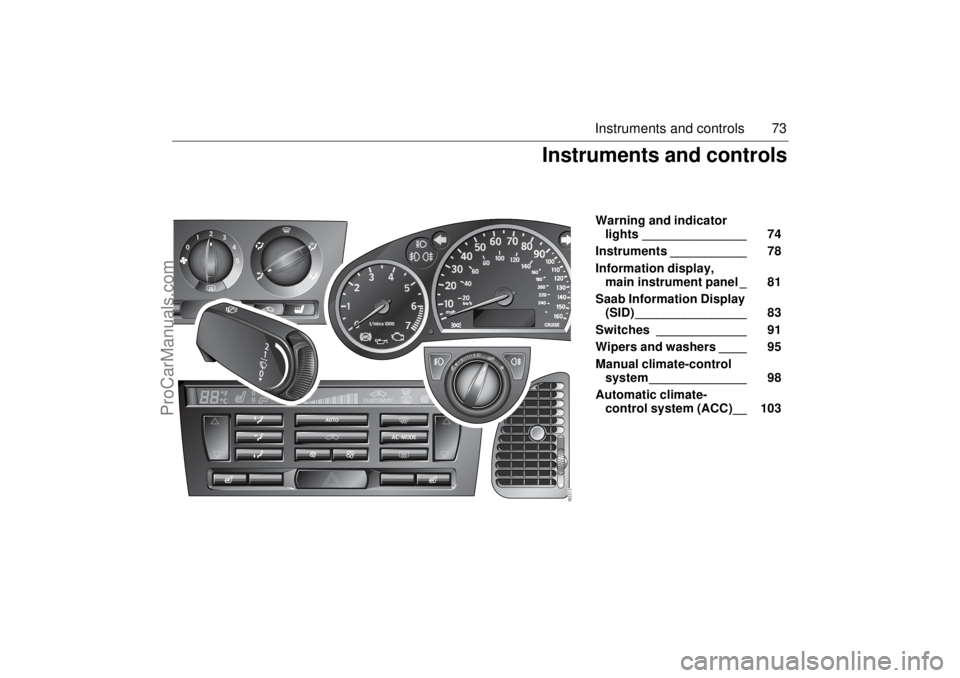
73 Instruments and controls
Warning and indicator
lights _______________ 74
Instruments ___________ 78
Information display,
main instrument panel _ 81
Saab Information Display
(SID) ________________ 83
Switches _____________ 91
Wipers and washers ____ 95
Manual climate-control
system ______________ 98
Automatic climate-
control system (ACC)__ 103
Instruments and controls
ProCarManuals.com
Page 74 of 288
74 Instruments and controls
Warning and indicator
lightsThe following warning and indicate lights
are found on the main instrument panel.This warning light illuminates when a fault
arises in the antilock brake system.
The following message is shown on the
Saab Information Display (SID):
The brake system will continue to function
but without ABS modulation.
Antilock braking warningAntilock brake malfunction.
Contact Saab dealer.
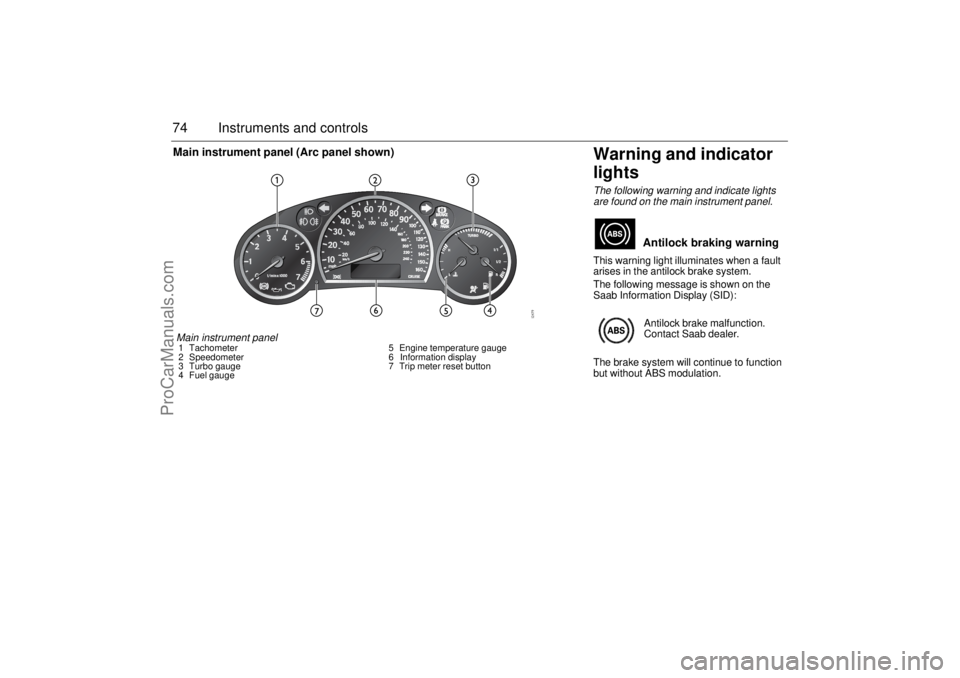
Main instrument panel1 Tachometer
2 Speedometer
3 Turbo gauge
4 Fuel gauge5 Engine temperature gauge
6 Information display
7 Trip meter reset buttonMain instrument panel (Arc panel shown)
ProCarManuals.com
Page 76 of 288

76 Instruments and controlsThis light shows when the high beam is on
(see page 92).
This light indicates when the front fog lights
are on (see page 93).
The front fog lights are switched off auto-
matically when the engine is switched off.
When the fog lights are next needed, they
will have to be switched on manually.This light should come on briefly when you
turn the ignition key to ON. If it doesn´t come
on, have it fixed so it will be ready to warn
you if there is a problem. This light indicates
when the brake fluid level is too low (see
page 200).
The following message is shown on the
Saab Information Display (SID):For safety reasons, stop the car and check
the level of the brake fluid (see page 200).
If the level is normal, depress the brake
pedal firmly two or three times. Now check
the level again. If the level is still normal, you
may drive the car, with considerable cau-
tion, to the nearest Saab dealer to have the
brake system checked.
The brake system provides Electronic
Brakeforce Distribution (EBD). This distrib-
utes the brake pressure between the front
and rear wheels, in such a way as to achieve
optimum braking performance irrespective
of the car’s load.
If a fault arises in the EBD function, the ,
and lights will come on. Also, the fol-
lowing message will appear on the Saab
Information Display (SID):
If this is the case, drive carefully and contact
a Saab dealer as soon as possible. Refer to
Brake warning light on page 76, Antilock
braking warning on page 74 and TCS OFF
or ESP OFF indicator (certain variants only)
on page 82.
High beam Indicator
Front fog lights (option)
Brake warning lightBrake fluid level low.
Make a safe stop.
Contact Saab dealer.
WARNING
Never drive the car if these two lights
are on at the same time. Danger of
brake failure!
If the level of brake fluid in the reser-
voir is below the MIN mark, the vehicle
should be transported on a recovery
vehicle.
Have the brake system checked
immediately at a Saab dealer.
Brake malfunction.
Make a safe stop.
Contact Saab dealer.
ProCarManuals.com
Page 78 of 288

78 Instruments and controlsThis light comes on when there is less than
about 2.5 gallons (10 litre) of fuel left in the
tank.
This light indicates that the headlights or
parking lights are on.
This light comes on when the system is
engaged.
Autochecking of lights, main
instrument panelThe warning and indicator lights shown
above should come on when the ignition
switch is turned to ON. They should go out
after about 4 seconds once the engine has
started or after the fault-free self-diagnosis
of each system or function.
InstrumentsTachometerThe tachometer displays the engine speed
in thousands of revolutions per minute.
A protective function (interruption of the fuel
supply) limits the engine speed within the
red zone.
Indicator, fuel
NOTICE
If the car runs out of fuel, air can be drawn
in with the fuel, which, in turn, can cause
the catalytic converter to be damaged by
overheating.
Headlight and parking
light indicator
Cruise control indicator
light
ProCarManuals.com
Page 82 of 288
82 Instruments and controlsCars with automatic transmission:
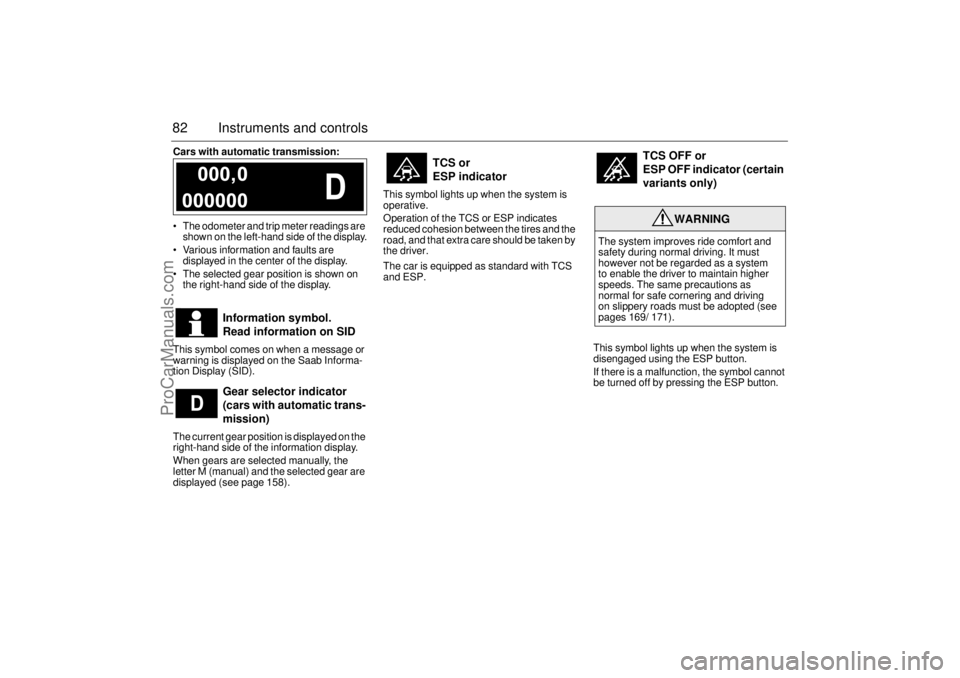
The odometer and trip meter readings are
shown on the left-hand side of the display.
Various information and faults are
displayed in the center of the display.
The selected gear position is shown on
the right-hand side of the display.
This symbol comes on when a message or
warning is displayed on the Saab Informa-
tion Display (SID).
The current gear position is displayed on the
right-hand side of the information display.
When gears are selected manually, the
letter M (manual) and the selected gear are
displayed (see page 158).This symbol lights up when the system is
operative.
Operation of the TCS or ESP indicates
reduced cohesion between the tires and the
road, and that extra care should be taken by
the driver.
The car is equipped as standard with TCS
and ESP.
This symbol lights up when the system is
disengaged using the ESP button.
If there is a malfunction, the symbol cannot
be turned off by pressing the ESP button.
Information symbol.
Read information on SID
Gear selector indicator
(cars with automatic trans-
mission)
TCS or
ESP indicator
TCS OFF or
ESP OFF indicator (certain
variants only)
WARNING
The system improves ride comfort and
safety during normal driving. It must
however not be regarded as a system
to enable the driver to maintain higher
speeds. The same precautions as
normal for safe cornering and driving
on slippery roads must be adopted (see
pages 169/ 171).
ProCarManuals.com
Page 87 of 288

87 Instruments and controls
Calculating the requisite average speed
(What average speed do I need to maintain
to get to my destination in time?)
This function should be used before starting
out a journey.
To calculate the requisite average speed,
the distance must first be given.
First, set the distance under Dist.
1 Then use the INFO dial to select the
Arriv function.
2 Press and hold the INFO dial until given
audible confirmation.
3 Turn the INFO dial to set the estimated
time of arrival.
4 Press the INFO dial to finish setup.
The average speed (Speed Ø) will be
shown for 10 seconds.
This average speed will be updated during
the journey.Setting the date
1 Select the Date function using the
INFO dial.
2 Press and hold the INFO dial until given
audible confirmation.
3 Turn the INFO dial to set the year.
4 Press the INFO dial.
5 Turn the INFO dial to set the month.
6 Press the INFO dial.
7 Turn the INFO dial to set the day.
8 Confirm the setting by pressing the
INFO dial.
NIGHTPANELTo improve night-driving conditions inside
the car, the Night Panel mode can be
selected. In this mode, the amount of infor-
mation displayed is reduced, and only the
most important instruments and displays
will be illuminated.
When the NIGHTPANEL button is pressed,
only the speedometer will be illuminated.
All other instrument lighting will be switched
off and the needles drop to zero.
Note: All indicator and warning lights and
messages will operate normally if required.
Temp (when the outside temperature falls
or rises to between 26 and 38°F (–3 and
+3°C)) and D.T.E. (when the remaining fuel
is only sufficient for approx. 80 miles
(50 km) of driving) are even shown in Night
Panel model.
ProCarManuals.com
Page 91 of 288

91 Instruments and controls
SwitchesThe parking lights and daytime running
lights come on automatically when the igni-
tion switch is in the ON position.
High beam can not be activated in this posi-
tion but headlight flasher can.
The parking lights can be turned on irre-
spective of the position of the ignition
switch. If the parking lights are on and the
driver’s door is opened, a reminder to turn
them off will sound.
Do not use the parking lights alone while
driving.
The parking lights may be used in combina-
tion with the front fog lights (see page 93).
Low beam headlights are turned on when
the ignition switch is turned to ON and
turned off when the switch is turned back to
LOCK.
Headlight levelling(cars with Bi-Xenon headlights)
Cars with Bi-Xenon headlights are
equipped with an automatic headlight level-
ling system, with self-calibrates each time
the vehicle is started.
If a fault arises in the automatic headlight
levelling system, the headlights will be
angled down to avoid dazzling drivers in
oncoming traffic. Adjust your speed accord-
ingly as the range of the headlights will be
reduced. Check fuse 20 in the engine bay
fuse box (see page 227).
A fault in the system will produce the follow-
ing message on the Saab Information Dis-
play (SID):
Special equipment is required for adjusting
the basic headlight alignment.
Daytime Running Lights
Parking lights
Headlights
Headlight levelling
malfunction.
Contact Saab dealer.
Light switches
ProCarManuals.com
Page 92 of 288
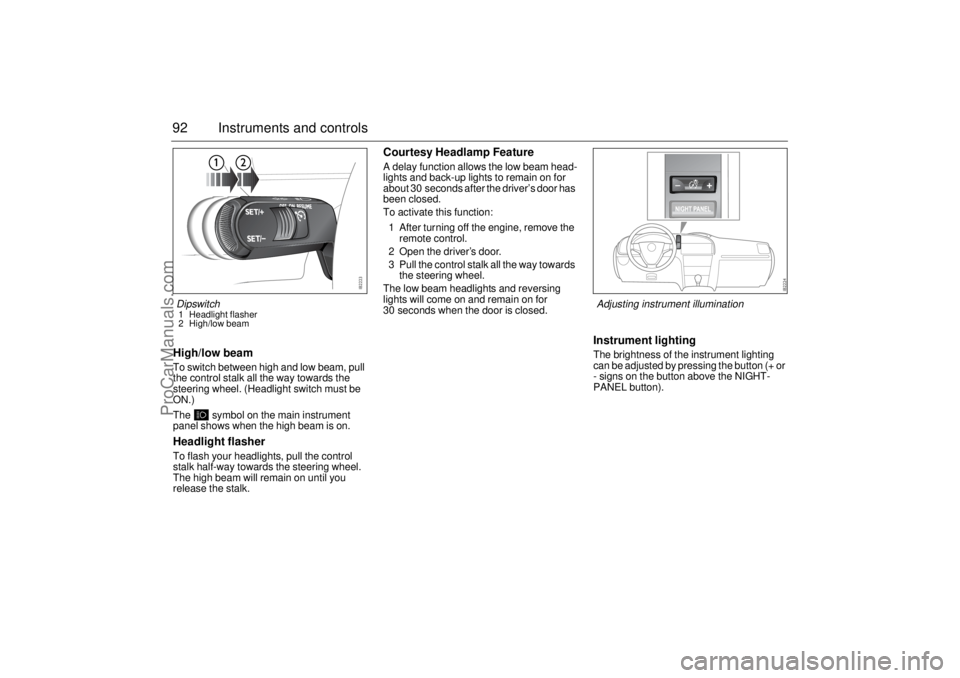
92 Instruments and controlsHigh/low beamTo switch between high and low beam, pull
the control stalk all the way towards the
steering wheel. (Headlight switch must be
ON.)
The symbol on the main instrument
panel shows when the high beam is on.Headlight flasherTo flash your headlights, pull the control
stalk half-way towards the steering wheel.
The high beam will remain on until you
release the stalk.
Courtesy Headlamp FeatureA delay function allows the low beam head-
lights and back-up lights to remain on for
about 30 seconds after the driver’s door has
been closed.
To activate this function:
1 After turning off the engine, remove the
remote control.
2 Open the driver’s door.
3 Pull the control stalk all the way towards
the steering wheel.
The low beam headlights and reversing
lights will come on and remain on for
30 seconds when the door is closed.
Instrument lightingThe brightness of the instrument lighting
can be adjusted by pressing the button (+ or
- signs on the button above the NIGHT-
PANEL button).
Dipswitch1 Headlight flasher
2 High/low beam
Adjusting instrument illumination
ProCarManuals.com
Page 93 of 288
93 Instruments and controls
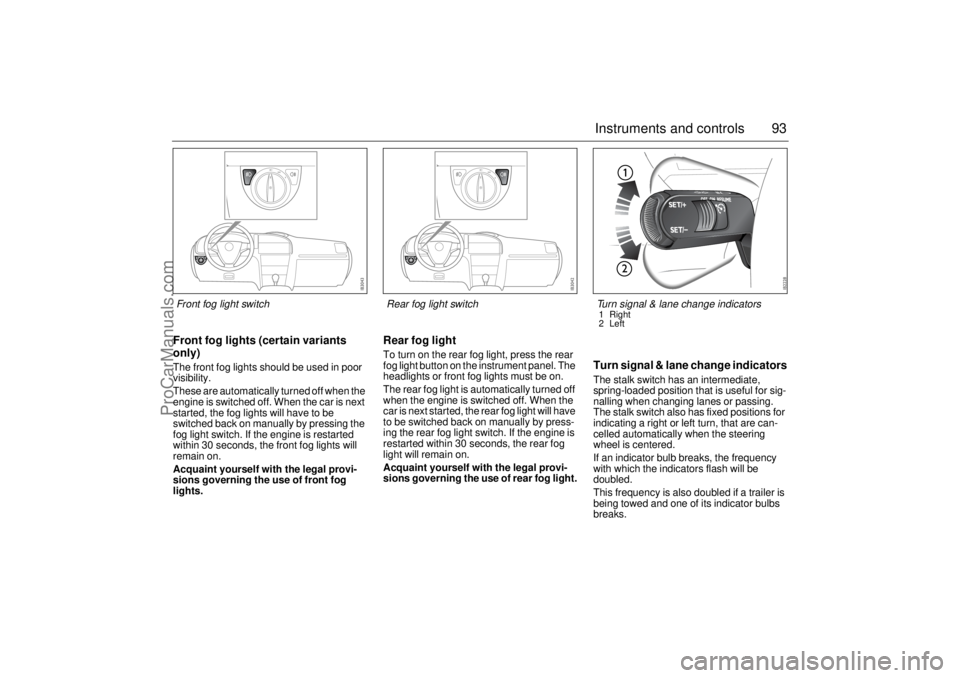
Front fog lights (certain variants
only)The front fog lights should be used in poor
visibility.
These are automatically turned off when the
engine is switched off. When the car is next
started, the fog lights will have to be
switched back on manually by pressing the
fog light switch. If the engine is restarted
within 30 seconds, the front fog lights will
remain on.
Acquaint yourself with the legal provi-
sions governing the use of front fog
lights.
Rear fog lightTo turn on the rear fog light, press the rear
fog light button on the instrument panel. The
headlights or front fog lights must be on.
The rear fog light is automatically turned off
when the engine is switched off. When the
car is next started, the rear fog light will have
to be switched back on manually by press-
ing the rear fog light switch. If the engine is
restarted within 30 seconds, the rear fog
light will remain on.
Acquaint yourself with the legal provi-
sions governing the use of rear fog light.
Turn signal & lane change indicatorsThe stalk switch has an intermediate,
spring-loaded position that is useful for sig-
nalling when changing lanes or passing.
The stalk switch also has fixed positions for
indicating a right or left turn, that are can-
celled automatically when the steering
wheel is centered.
If an indicator bulb breaks, the frequency
with which the indicators flash will be
doubled.
This frequency is also doubled if a trailer is
being towed and one of its indicator bulbs
breaks.
Front fog light switch
Rear fog light switch
Turn signal & lane change indicators1 Right
2 Left
ProCarManuals.com
Page 94 of 288
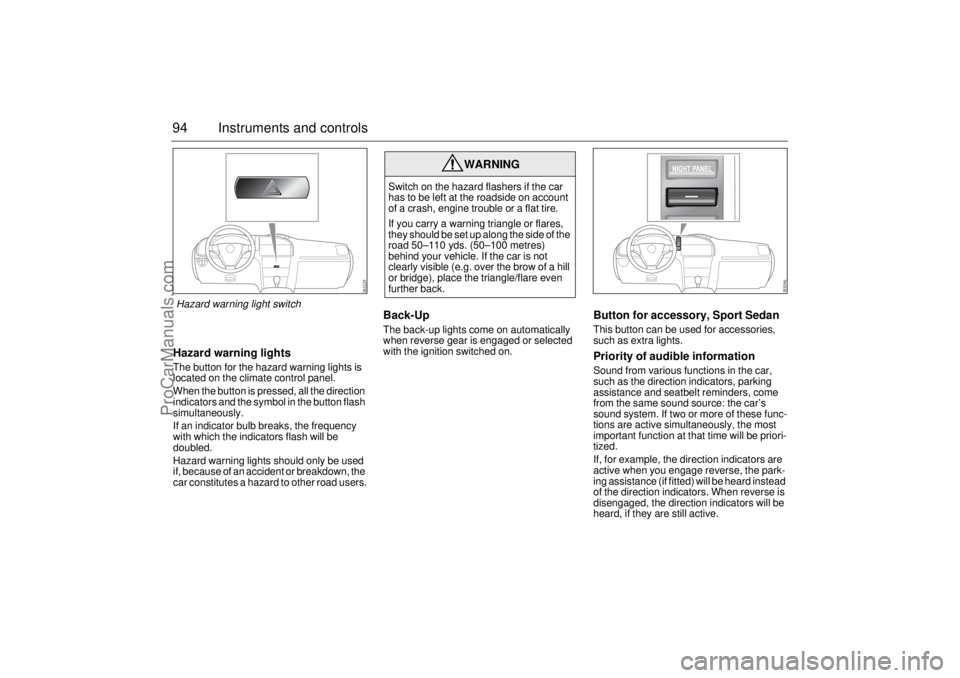
94 Instruments and controlsHazard warning lightsThe button for the hazard warning lights is
located on the climate control panel.
When the button is pressed, all the direction
indicators and the symbol in the button flash
simultaneously.
If an indicator bulb breaks, the frequency
with which the indicators flash will be
doubled.
Hazard warning lights should only be used
if, because of an accident or breakdown, the
car constitutes a hazard to other road users.
Back-Up The back-up lights come on automatically
when reverse gear is engaged or selected
with the ignition switched on.
Button for accessory, Sport SedanThis button can be used for accessories,
such as extra lights.Priority of audible informationSound from various functions in the car,
such as the direction indicators, parking
assistance and seatbelt reminders, come
from the same sound source: the car’s
sound system. If two or more of these func-
tions are active simultaneously, the most
important function at that time will be priori-
tized.
If, for example, the direction indicators are
active when you engage reverse, the park-
ing assistance (if fitted) will be heard instead
of the direction indicators. When reverse is
disengaged, the direction indicators will be
heard, if they are still active.
WARNING
Switch on the hazard flashers if the car
has to be left at the roadside on account
of a crash, engine trouble or a flat tire.
If you carry a warning triangle or flares,
they should be set up along the side of the
road 50–110 yds. (50–100 metres)
behind your vehicle. If the car is not
clearly visible (e.g. over the brow of a hill
or bridge), place the triangle/flare even
further back.
Hazard warning light switch
ProCarManuals.com