ignition SAAB 9-3 2005 Owner's Manual
[x] Cancel search | Manufacturer: SAAB, Model Year: 2005, Model line: 9-3, Model: SAAB 9-3 2005Pages: 292, PDF Size: 23 MB
Page 84 of 292
82 Instruments and controlsThis light indicates that the headlights or
parking lights are on.
This light comes on when the system is
engaged.
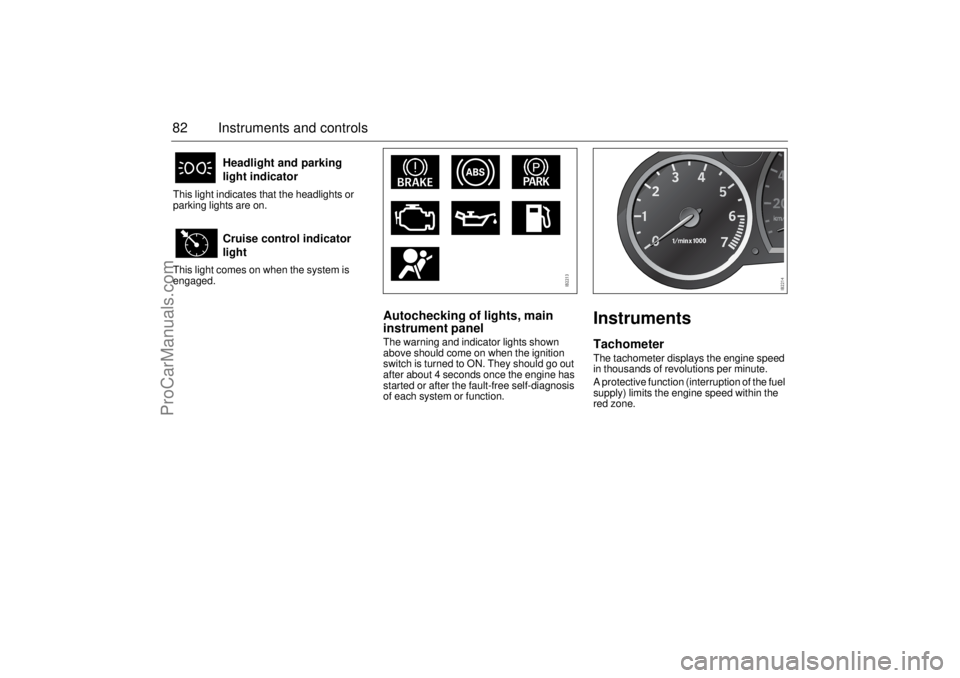
Autochecking of lights, main
instrument panelThe warning and indicator lights shown
above should come on when the ignition
switch is turned to ON. They should go out
after about 4 seconds once the engine has
started or after the fault-free self-diagnosis
of each system or function.
InstrumentsTachometerThe tachometer displays the engine speed
in thousands of revolutions per minute.
A protective function (interruption of the fuel
supply) limits the engine speed within the
red zone.
Headlight and parking
light indicator
Cruise control indicator
light
ProCarManuals.com
Page 85 of 292
83 Instruments and controls
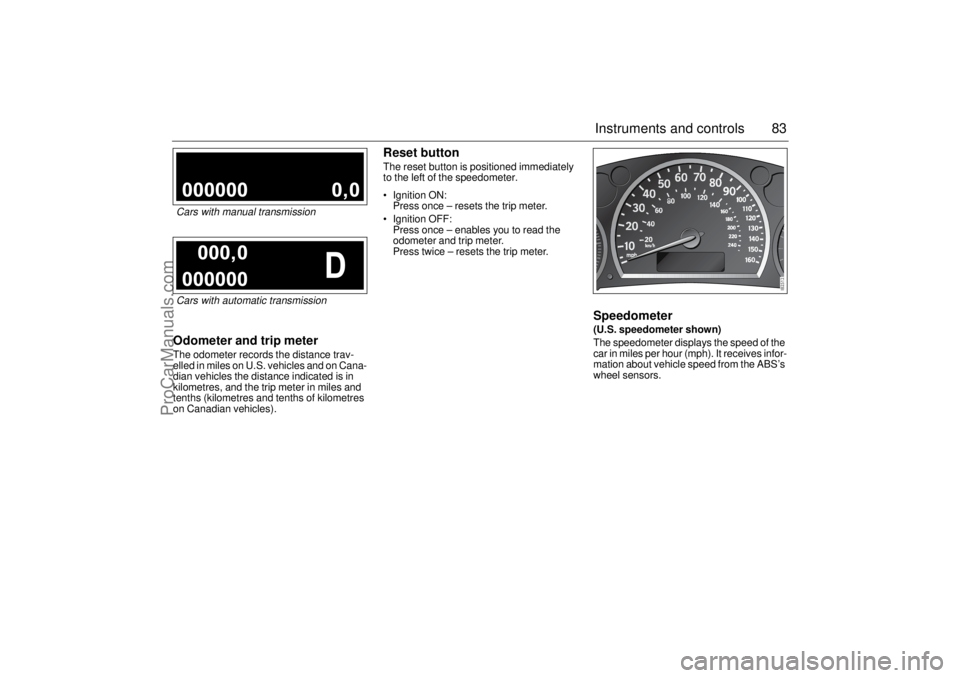
Odometer and trip meterThe odometer records the distance trav-
elled in miles on U.S. vehicles and on Cana-
dian vehicles the distance indicated is in
kilometres, and the trip meter in miles and
tenths (kilometres and tenths of kilometres
on Canadian vehicles).
Reset buttonThe reset button is positioned immediately
to the left of the speedometer.
Ignition ON:
Press once – resets the trip meter.
Ignition OFF:
Press once – enables you to read the
odometer and trip meter.
Press twice – resets the trip meter.
Speedometer (U.S. speedometer shown)
The speedometer displays the speed of the
car in miles per hour (mph). It receives infor-
mation about vehicle speed from the ABS’s
wheel sensors.
Cars with manual transmissionCars with automatic transmission
ProCarManuals.com
Page 94 of 292
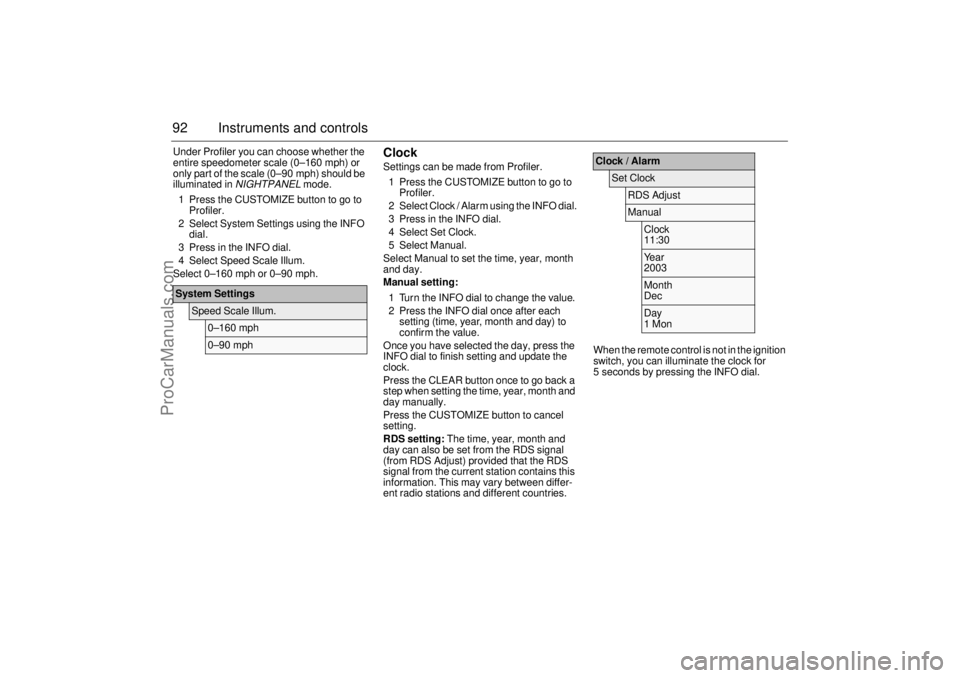
92 Instruments and controlsUnder Profiler you can choose whether the
entire speedometer scale (0–160 mph) or
only part of the scale (0–90 mph) should be
illuminated in
NIGHTPANEL
mode.
1 Press the CUSTOMIZE button to go to
Profiler.
2 Select System Settings using the INFO
dial.
3 Press in the INFO dial.
4 Select Speed Scale Illum.
Select 0–160 mph or 0–90 mph.
ClockSettings can be made from Profiler.
1 Press the CUSTOMIZE button to go to
Profiler.
2 Select Clock / Alarm using the INFO dial.
3 Press in the INFO dial.
4 Select Set Clock.
5 Select Manual.
Select Manual to set the time, year, month
and day.
Manual setting:
1 Turn the INFO dial to change the value.
2 Press the INFO dial once after each
setting (time, year, month and day) to
confirm the value.
Once you have selected the day, press the
INFO dial to finish setting and update the
clock.
Press the CLEAR button once to go back a
step when setting the time, year, month and
day manually.
Press the CUSTOMIZE button to cancel
setting.
RDS setting: The time, year, month and
day can also be set from the RDS signal
(from RDS Adjust) provided that the RDS
signal from the current station contains this
information. This may vary between differ-
ent radio stations and different countries.When the remote control is not in the ignition
switch, you can illuminate the clock for
5 seconds by pressing the INFO dial.
System Settings
Speed Scale Illum.
0–160 mph0–90 mph
Clock / Alarm
Set Clock
RDS AdjustManual
Clock
11:30Year
2003Month
DecDay
1 Mon
ProCarManuals.com
Page 98 of 292
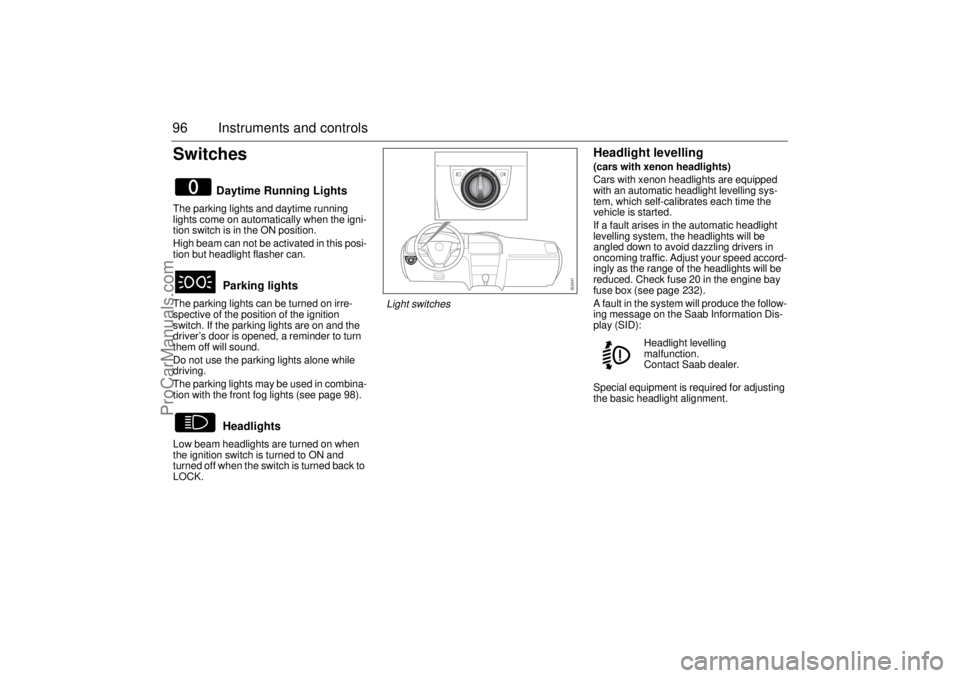
96 Instruments and controlsSwitchesThe parking lights and daytime running
lights come on automatically when the igni-
tion switch is in the ON position.
High beam can not be activated in this posi-
tion but headlight flasher can.
The parking lights can be turned on irre-
spective of the position of the ignition
switch. If the parking lights are on and the
driver’s door is opened, a reminder to turn
them off will sound.
Do not use the parking lights alone while
driving.
The parking lights may be used in combina-
tion with the front fog lights (see page 98).
Low beam headlights are turned on when
the ignition switch is turned to ON and
turned off when the switch is turned back to
LOCK.
Headlight levelling(cars with xenon headlights)
Cars with xenon headlights are equipped
with an automatic headlight levelling sys-
tem, which self-calibrates each time the
vehicle is started.
If a fault arises in the automatic headlight
levelling system, the headlights will be
angled down to avoid dazzling drivers in
oncoming traffic. Adjust your speed accord-
ingly as the range of the headlights will be
reduced. Check fuse 20 in the engine bay
fuse box (see page 232).
A fault in the system will produce the follow-
ing message on the Saab Information Dis-
play (SID):
Special equipment is required for adjusting
the basic headlight alignment.
Daytime Running Lights
Parking lights
Headlights
Headlight levelling
malfunction.
Contact Saab dealer.
Light switches
ProCarManuals.com
Page 101 of 292
99 Instruments and controls
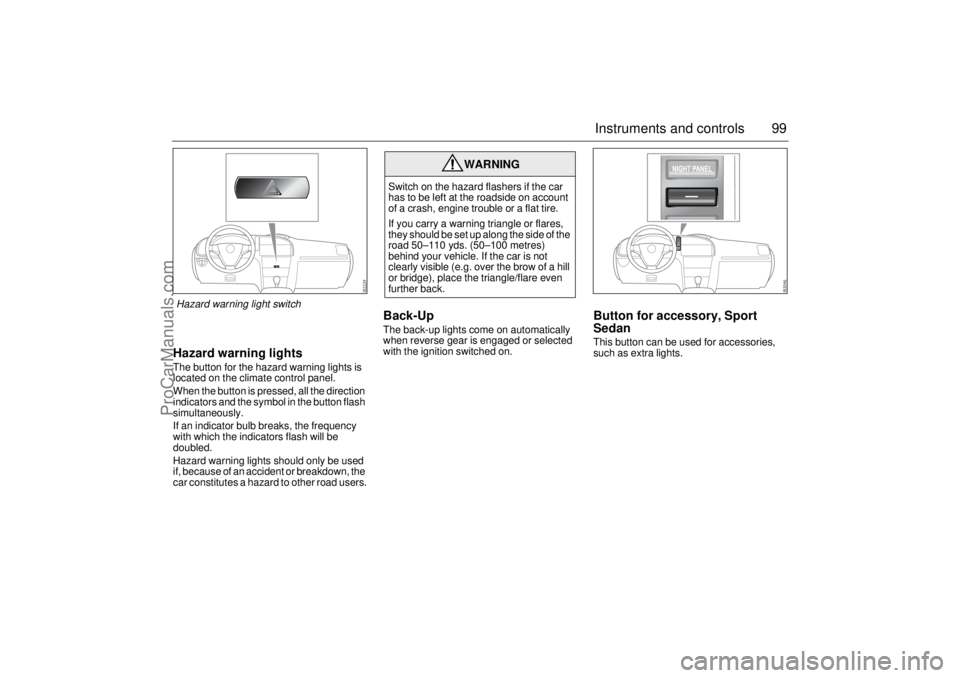
Hazard warning lightsThe button for the hazard warning lights is
located on the climate control panel.
When the button is pressed, all the direction
indicators and the symbol in the button flash
simultaneously.
If an indicator bulb breaks, the frequency
with which the indicators flash will be
doubled.
Hazard warning lights should only be used
if, because of an accident or breakdown, the
car constitutes a hazard to other road users.
Back-Up The back-up lights come on automatically
when reverse gear is engaged or selected
with the ignition switched on.
Button for accessory, Sport
SedanThis button can be used for accessories,
such as extra lights.
WARNING
Switch on the hazard flashers if the car
has to be left at the roadside on account
of a crash, engine trouble or a flat tire.
If you carry a warning triangle or flares,
they should be set up along the side of the
road 50–110 yds. (50–100 metres)
behind your vehicle. If the car is not
clearly visible (e.g. over the brow of a hill
or bridge), place the triangle/flare even
further back.
Hazard warning light switch
ProCarManuals.com
Page 102 of 292
100 Instruments and controlsPriority of audible informationSound from various functions in the car,
such as the direction indicators, parking
assistance and seatbelt reminders, come
from the same sound source: the car’s
sound system. If two or more of these func-
tions are active simultaneously, the most
important function at that time will be priori-
tized.
If, for example, the direction indicators are
active when you engage reverse, the park-
ing assistance (if fitted) will be heard instead
of the direction indicators. When reverse is
disengaged, the direction indicators will be
heard, if they are still active.
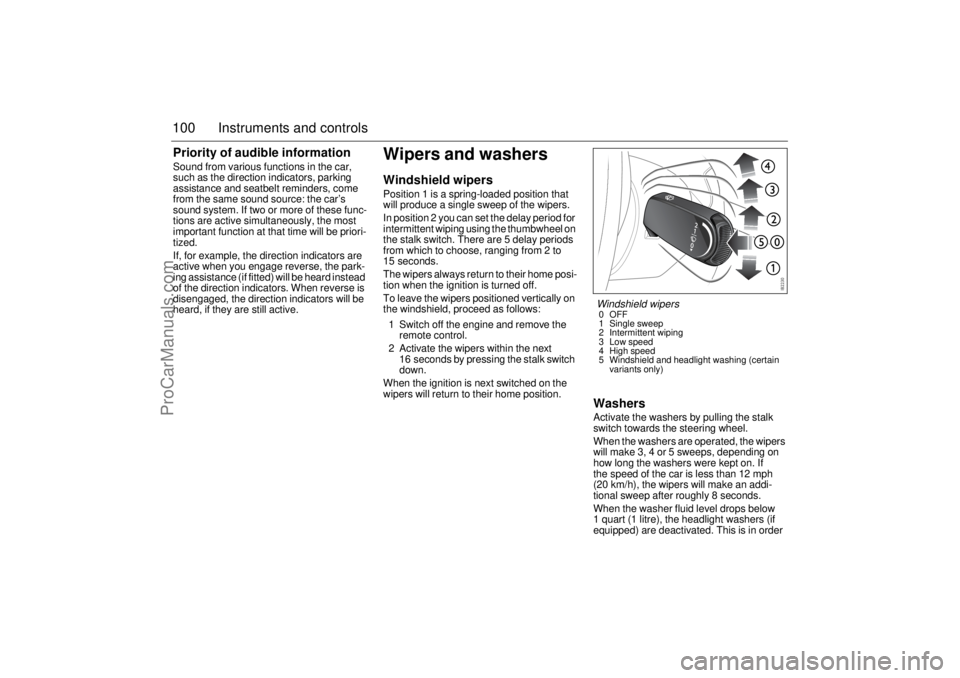
Wipers and washersWindshield wipersPosition 1 is a spring-loaded position that
will produce a single sweep of the wipers.
In position 2 you can set the delay period for
intermittent wiping using the thumbwheel on
the stalk switch. There are 5 delay periods
from which to choose, ranging from 2 to
15 seconds.
The wipers always return to their home posi-
tion when the ignition is turned off.
To leave the wipers positioned vertically on
the windshield, proceed as follows:
1 Switch off the engine and remove the
remote control.
2 Activate the wipers within the next
16 seconds by pressing the stalk switch
down.
When the ignition is next switched on the
wipers will return to their home position.
WashersActivate the washers by pulling the stalk
switch towards the steering wheel.
When the washers are operated, the wipers
will make 3, 4 or 5 sweeps, depending on
how long the washers were kept on. If
the speed of the car is less than 12 mph
(20 km/h), the wipers will make an addi-
tional sweep after roughly 8 seconds.
When the washer fluid level drops below
1 quart (1 litre), the headlight washers (if
equipped) are deactivated. This is in order Windshield wipers0OFF
1 Single sweep
2 Intermittent wiping
3 Low speed
4 High speed
5 Windshield and headlight washing (certain
variants only)
ProCarManuals.com
Page 103 of 292
101 Instruments and controls
to prioritize the windshield. The following
message is displayed on the SID:
To prevent the smell of washer fluid from
entering the car, recirculation can be acti-
vated automatically while the windshield is
washed. The recirculation symbol will how-
ever not light up. This function is optional;
contact a Saab dealer. This automatic recir-
culation is the factory default setting as long
as the system is working in full "AUTO"
mode with no customized settings.
Headlight washers(certain variants only)
The headlights are washed at the same time
as the windshield if the headlights are on.
The headlights are washed every fifth time
the windshield washers are used or if two
(2) minutes have elapsed since the wind-
shield was last washed.
The headlight washers are not activated at
speeds in excess of 125 mph (200 km/h).
Rain sensor(option)
The rain sensor automatically controls the
windshield wipers. The sensor is located on
the windshield beside the rearview mirror.
The system varies the frequency of wiping
between single sweeps and continuous
wiping, depending on the amount of pre-
cipitation.
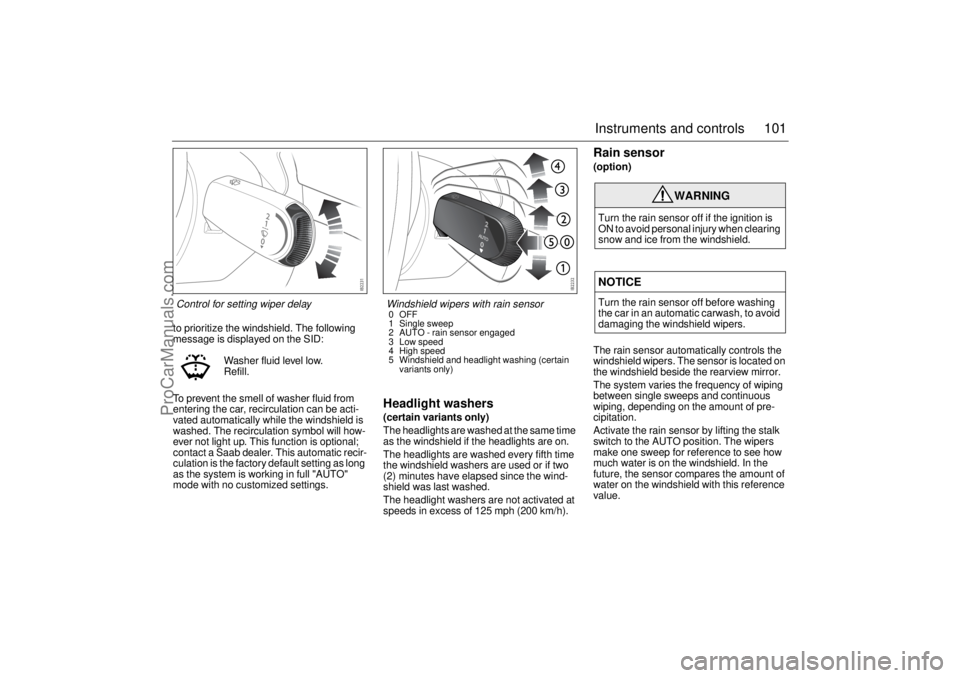
Activate the rain sensor by lifting the stalk
switch to the AUTO position. The wipers
make one sweep for reference to see how
much water is on the windshield. In the
future, the sensor compares the amount of
water on the windshield with this reference
value. Washer fluid level low.
Refill.
WARNING
Turn the rain sensor off if the ignition is
ON to avoid personal injury when clearing
snow and ice from the windshield.NOTICETurn the rain sensor off before washing
the car in an automatic carwash, to avoid
damaging the windshield wipers.
Control for setting wiper delay
Windshield wipers with rain sensor0OFF
1 Single sweep
2 AUTO - rain sensor engaged
3 Low speed
4 High speed
5 Windshield and headlight washing (certain
variants only)
ProCarManuals.com
Page 125 of 292
123 Interior equipment
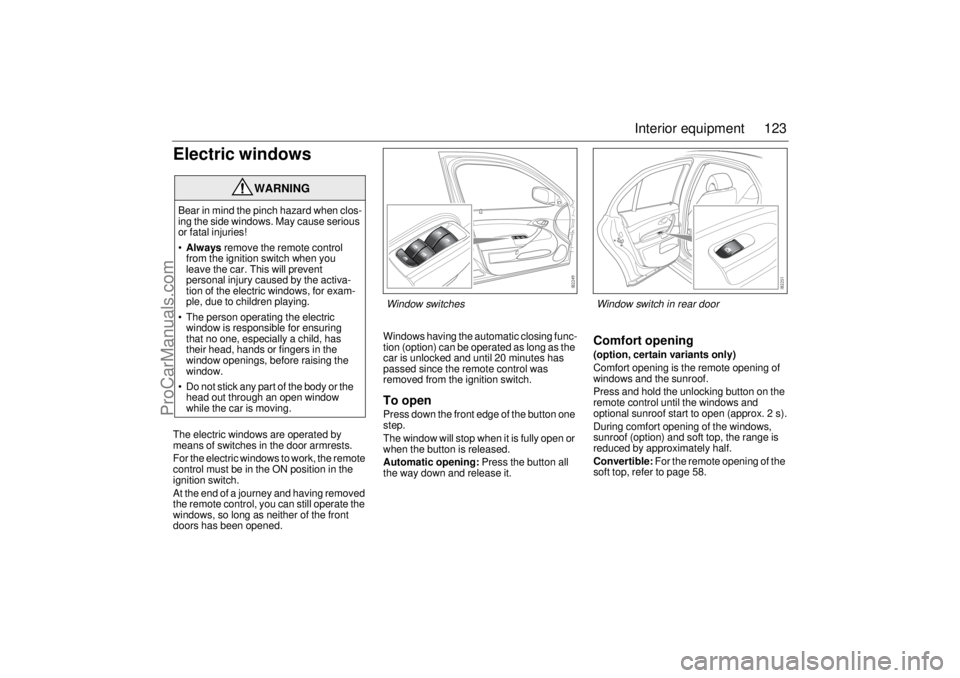
Electric windowsThe electric windows are operated by
means of switches in the door armrests.
For the electric windows to work, the remote
control must be in the ON position in the
ignition switch.
At the end of a journey and having removed
the remote control, you can still operate the
windows, so long as neither of the front
doors has been opened.Windows having the automatic closing func-
tion (option) can be operated as long as the
car is unlocked and until 20 minutes has
passed since the remote control was
removed from the ignition switch.
To openPress down the front edge of the button one
step.
The window will stop when it is fully open or
when the button is released.
Automatic opening: Press the button all
the way down and release it.
Comfort opening(option, certain variants only)
Comfort opening is the remote opening of
windows and the sunroof.
Press and hold the unlocking button on the
remote control until the windows and
optional sunroof start to open (approx. 2 s).
During comfort opening of the windows,
sunroof (option) and soft top, the range is
reduced by approximately half.
Convertible: For the remote opening of the
soft top, refer to page 58.
WARNING
Bear in mind the pinch hazard when clos-
ing the side windows. May cause serious
or fatal injuries!
Always remove the remote control
from the ignition switch when you
leave the car. This will prevent
personal injury caused by the activa-
tion of the electric windows, for exam-
ple, due to children playing.
The person operating the electric
window is responsible for ensuring
that no one, especially a child, has
their head, hands or fingers in the
window openings, before raising the
window.
Do not stick any part of the body or the
head out through an open window
while the car is moving.
Window switches
Window switch in rear door
ProCarManuals.com
Page 126 of 292
124 Interior equipmentTo closeRaise the front edge of the button one step.
The window will stop when it is fully closed
or when the button is released.
Automatic closing (option, certain vari-
ants only): Raise the button all the way and
release it. If the window does not close auto-
matically, refer to Calibration on page 125.
Pinch protection(if equipped)
On certain model variants, the electric win-
dows are equipped with pinch protection.
This is activated if something gets trapped
between the window pane and door frame
when the window is closed. The window will
stop and lower slightly.
Temporary overriding the pinch protec-
tion
If dirt, ice or similar create so much resis-
tance that the pinch protection cuts in, the
pinch protection can be temporarily disen-
gaged and the window closed.
1 Make sure the ignition is ON.
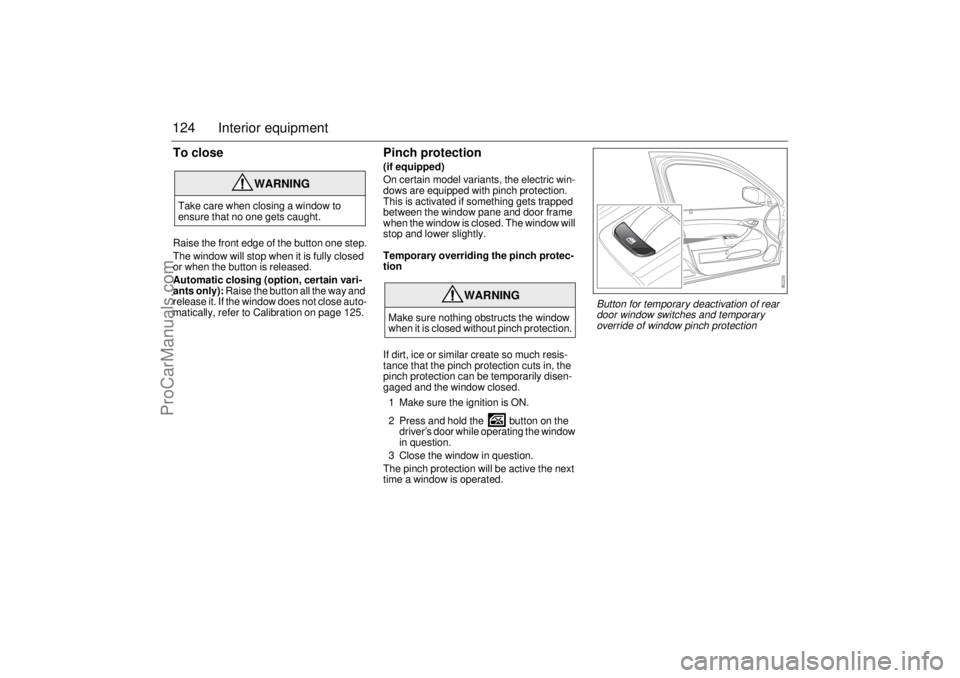
2 Press and hold the button on the
driver’s door while operating the window
in question.
3 Close the window in question.
The pinch protection will be active the next
time a window is operated.
WARNING
Take care when closing a window to
ensure that no one gets caught.
WARNING
Make sure nothing obstructs the window
when it is closed without pinch protection.
Button for temporary deactivation of rear
door window switches and temporary
override of window pinch protection
ProCarManuals.com
Page 128 of 292
126 Interior equipmentSunroof(optional)
The sunroof is operated by the control in the
roof console. For the sunroof to work, the
remote control must be in the ON position in
the ignition switch.
If the car is equipped with windows having
the automatic closing function, the sunroof
can be opened and closed so long as the car
is unlocked until 20 minutes has passed
since the remote control was removed from
the ignition switch.
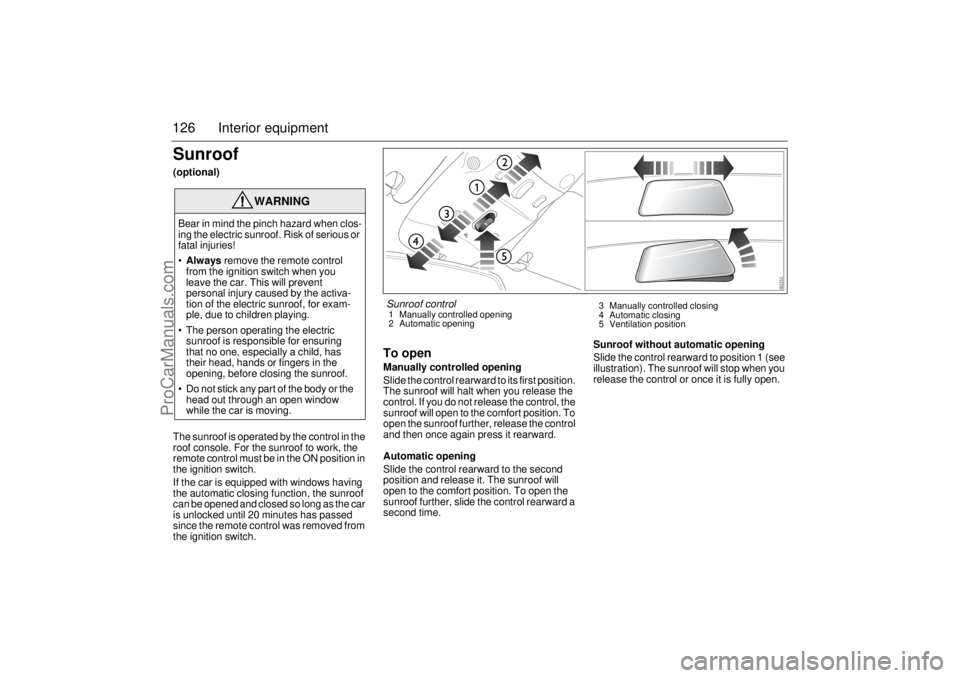
To openManually controlled opening
Slide the control rearward to its first position.
The sunroof will halt when you release the
control. If you do not release the control, the
sunroof will open to the comfort position. To
open the sunroof further, release the control
and then once again press it rearward.
Automatic opening
Slide the control rearward to the second
position and release it. The sunroof will
open to the comfort position. To open the
sunroof further, slide the control rearward a
second time.Sunroof without automatic opening
Slide the control rearward to position 1 (see
illustration). The sunroof will stop when you
release the control or once it is fully open.
WARNING
Bear in mind the pinch hazard when clos-
ing the electric sunroof. Risk of serious or
fatal injuries!
Always remove the remote control
from the ignition switch when you
leave the car. This will prevent
personal injury caused by the activa-
tion of the electric sunroof, for exam-
ple, due to children playing.
The person operating the electric
sunroof is responsible for ensuring
that no one, especially a child, has
their head, hands or fingers in the
opening, before closing the sunroof.
Do not stick any part of the body or the
head out through an open window
while the car is moving.
Sunroof control1 Manually controlled opening
2 Automatic opening3 Manually controlled closing
4 Automatic closing
5 Ventilation position
ProCarManuals.com