door lock SAAB 9-3 2006 User Guide
[x] Cancel search | Manufacturer: SAAB, Model Year: 2006, Model line: 9-3, Model: SAAB 9-3 2006Pages: 318, PDF Size: 28.05 MB
Page 58 of 318
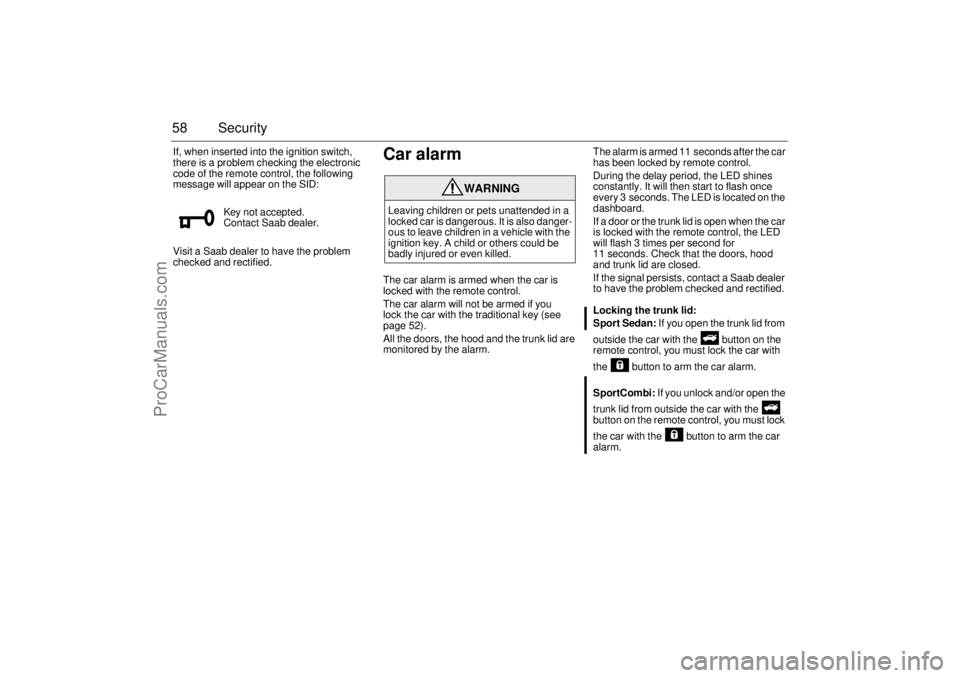
58 SecurityIf, when inserted into the ignition switch,
there is a problem checking the electronic
code of the remote control, the following
message will appear on the SID:
Visit a Saab dealer to have the problem
checked and rectified.
Car alarmThe car alarm is armed when the car is
locked with the remote control.
The car alarm will not be armed if you
lock the car with the traditional key (see
page 52).
All the doors, the hood and the trunk lid are
monitored by the alarm.The alarm is armed 11 seconds after the car
has been locked by remote control.
During the delay period, the LED shines
constantly. It will then start to flash once
every 3 seconds. The LED is located on the
dashboard.
If a door or the trunk lid is open when the car
is locked with the remote control, the LED
will flash 3 times per second for
11 seconds. Check that the doors, hood
and trunk lid are closed.
If the signal persists, contact a Saab dealer
to have the problem checked and rectified.
Locking the trunk lid:
Sport Sedan: If you open the trunk lid from
outside the car with the button on the
remote control, you must lock the car with
the button to arm the car alarm.
SportCombi: If you unlock and/or open the
trunk lid from outside the car with the
button on the remote control, you must lock
the car with the button to arm the car
alarm. Key not accepted.
Contact Saab dealer.
WARNING
Leaving children or pets unattended in a
locked car is dangerous. It is also danger-
ous to leave children in a vehicle with the
ignition key. A child or others could be
badly injured or even killed.
93U S M 06.book Page 58 Friday, February 18, 2005 1:15 PM
ProCarManuals.com
Page 59 of 318

59 Security
To avoid any inconvenience, make sure that
anyone using the car is familiar with how the
car alarm and the locking system work.
If the alarm has been tripped since the car
was last locked, the Saab Information Dis-
play (SID) will display:
If a fault arises in the car alarm system, the
Saab Information Display (SID) will display:
Arming the car alarmThe alarm is armed when all doors, the hood
and the trunk lid are closed and you lock the
car with the remote control.
What trips the alarm?The alarm will be tripped if:
a door, the hood or the trunk lid is opened
somebody tries to hotwire the carSignals when the alarm is trippedIf the alarm is triggered, the following alarm
signals will be set off:
all direction indicators flash for 5 minutes.
the horn sounds for 30-second intervals
with 10-second breaks (max. 10 cycles).
The signals can vary between markets
and due to legal and insurance require-
ments. Alarm has been triggered
since being armed.
Theft protection failure.
Contact Saab dealer.
93U S M 06.book Page 59 Friday, February 18, 2005 1:15 PM
ProCarManuals.com
Page 60 of 318
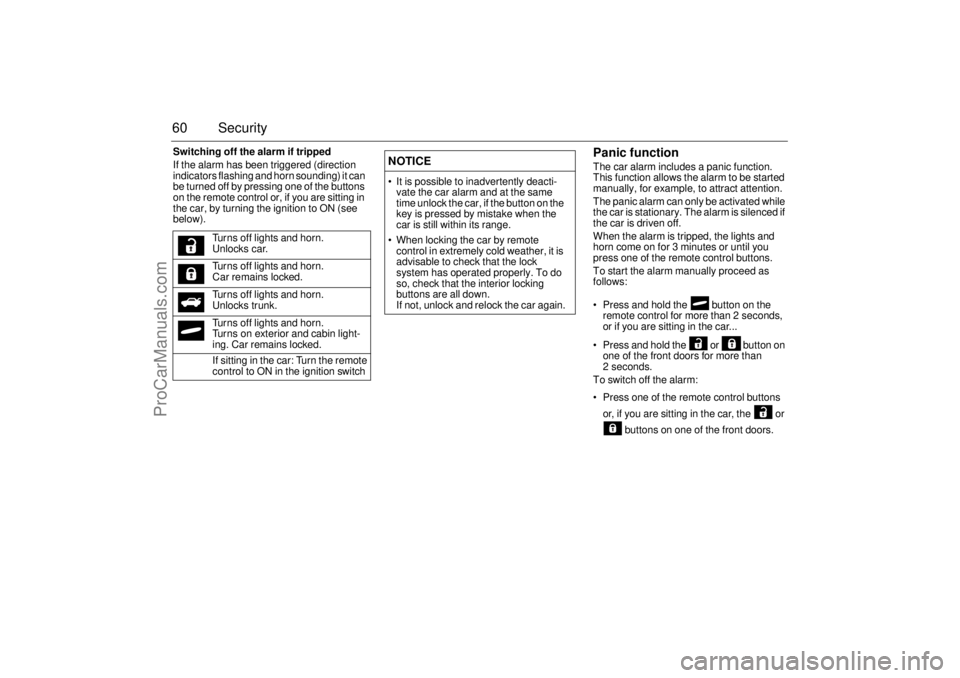
60 SecuritySwitching off the alarm if tripped
If the alarm has been triggered (direction
indicators flashing and horn sounding) it can
be turned off by pressing one of the buttons
on the remote control or, if you are sitting in
the car, by turning the ignition to ON (see
below).
Panic functionThe car alarm includes a panic function.
This function allows the alarm to be started
manually, for example, to attract attention.
The panic alarm can only be activated while
the car is stationary. The alarm is silenced if
the car is driven off.
When the alarm is tripped, the lights and
horn come on for 3 minutes or until you
press one of the remote control buttons.
To start the alarm manually proceed as
follows:
Press and hold the button on the
remote control for more than 2 seconds,
or if you are sitting in the car...
Press and hold the or button on
one of the front doors for more than
2 seconds.
To switch off the alarm:
Press one of the remote control buttons
or, if you are sitting in the car, the or
buttons on one of the front doors. Turns off lights and horn.
Unlocks car.
Turns off lights and horn.
Car remains locked.
Turns off lights and horn.
Unlocks trunk.
Turns off lights and horn.
Turns on exterior and cabin light-
ing. Car remains locked.
If sitting in the car: Turn the remote
control to ON in the ignition switch
NOTICE It is possible to inadvertently deacti-
vate the car alarm and at the same
time unlock the car, if the button on the
key is pressed by mistake when the
car is still within its range.
When locking the car by remote
control in extremely cold weather, it is
advisable to check that the lock
system has operated properly. To do
so, check that the interior locking
buttons are all down.
If not, unlock and relock the car again.
93U S M 06.book Page 60 Friday, February 18, 2005 1:15 PM
ProCarManuals.com
Page 62 of 318

62 SecurityQuick guide, LED and Saab Information Display
(SID) messagesActivity LED signal
Arming (delay period) Illuminates for 11 s.
Alarm armed Flashes once every 3 s.
Disarming Extinguishes.
Alarm not armed Off.
A door, the hood or the tailgate is
open or opened during the delay
period.Flashes for 11 s then flashes
once every 3 s.
Car immobilized but not locked. Off.
Change of status of immobilizer
system, valid remote control
inserted or removed from ignition
switch.Double-flashes for 3 s.
SID message Reason/action
Key not accepted.
Contact Saab dealer.Error when remote control
inserted into ignition switch.
Remote control battery
low. Replace battery.Battery needs replacing.
See page 56.
2: standard key
Key No: 1Check of the number of remote
controls programmed for your
car. See page 55.
Alarm has been triggered
since being armed.The alarm has been tripped
since the car was last locked.
Immobilizer failure.
Try starting again.
Contact Saab dealer.Error when immobilizer code
checked.
93U S M 06.book Page 62 Friday, February 18, 2005 1:15 PM
ProCarManuals.com
Page 80 of 318

80 9-3 ConvertibleCalibrating front electric
windows with pinch protection3The window lifts should be calibrated if auto-
matic closing does not work or if the battery
has been disconnected. The pinch protec-
tion will not work if the windows are not
calibrated.
Perform calibration as follows:
1 Make sure the soft top is raised.
2 Make sure the doors are closed.
3 Let the engine idle.
4 Press and hold the soft top button up
until a chime sounds.
During calibration, the four windows will
be raised and lowered several times.
If calibration fails twice in a row, have the car
checked and rectified. We recommend that
you contact a Saab dealer.
Interior lightingThe interior lighting consists of a front roof
light, two front reading lights, footwell light-
ing and courtesy lighting in the doors. The
light switches are located in the roof con-
sole.
The cabin lighting comes on:
When a door is opened and the ignition is
OFF.
When the remote control is removed from
the ignition switch.
The lighting goes out:
When the car is locked.
When the ignition is turned on.
Approx. 20 s after closing all doors.
The lights are dimmed out gradually.
If a door is left open with the ignition OFF,
the interior lighting goes out automatically
after 5 min so as not to drain the battery.
The interior lighting can be switched off
completely.
1 Open the driver’s door.
2 Turn off the cabin lighting with the center
button, see illustration.
This is canceled when the ignition switch is
turned to position ON or when the car is
locked with the remote control.
Front interior lighting - Convertible1 Left-hand reading light
2 Cabin light
3 Right-hand reading light
93U S M 06.book Page 80 Friday, February 18, 2005 1:15 PM
ProCarManuals.com
Page 94 of 318
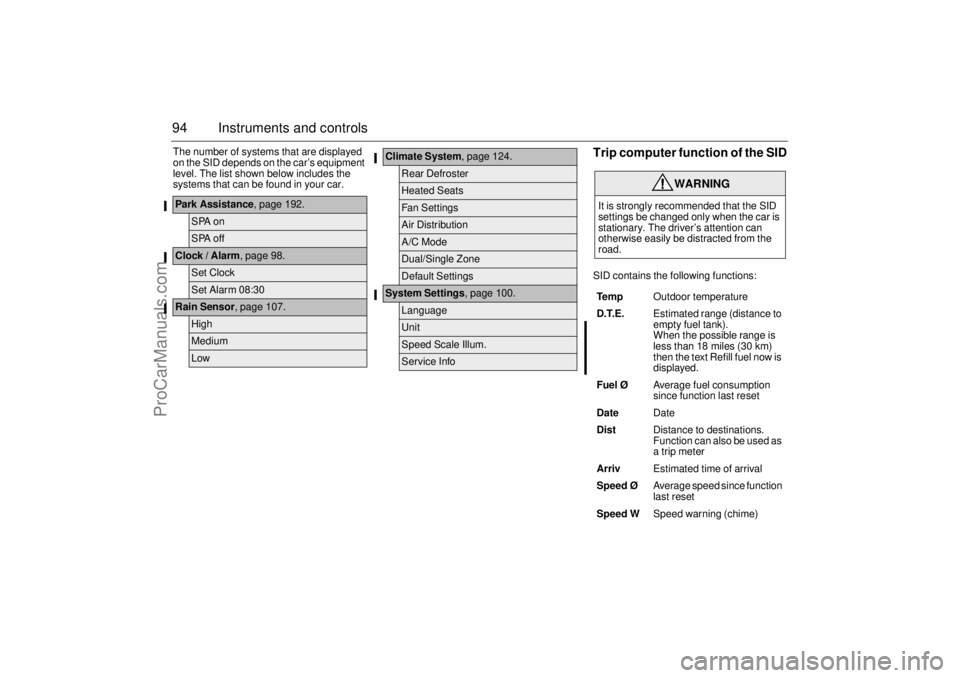
94 Instruments and controlsThe number of systems that are displayed
on the SID depends on the car’s equipment
level. The list shown below includes the
systems that can be found in your car.
Trip computer function of the SIDSID contains the following functions:
Park Assistance, page 192.
SPA onSPA off
Clock / Alarm, page 98.
Set ClockSet Alarm 08:30
Rain Sensor, page 107.
HighMediumLow
Climate System, page 124.
Rear DefrosterHeated SeatsFan SettingsAir DistributionA/C ModeDual/Single ZoneDefault Settings
System Settings, page 100.
LanguageUnitSpeed Scale Illum.Service Info
WARNING
It is strongly recommended that the SID
settings be changed only when the car is
stationary. The driver’s attention can
otherwise easily be distracted from the
road.
Te m pOutdoor temperature
D.T.E. Estimated range (distance to
empty fuel tank).
When the possible range is
less than 18 miles (30 km)
then the text Refill fuel now is
displayed.
Fuel ØAverage fuel consumption
since function last reset
DateDate
DistDistance to destinations.
Function can also be used as
a trip meter
ArrivEstimated time of arrival
Speed Ø Average speed since function
last reset
Speed WSpeed warning (chime)
93U S M 06.book Page 94 Friday, February 18, 2005 1:15 PM
ProCarManuals.com
Page 95 of 318
95 Instruments and controls
When the engine is started, the function that
was selected when the engine was
switched off is displayed, with the following
exceptions:
Te m p is displayed if the outside tempera-
ture is between 26 and 38°F (–3 and
+3°C).
D.T.E is displayed if less than or equal to
30 miles (50 km).
Outdoor temperature
The Temp function is always activated
(even in
NIGHTPANEL
mode) if the outdoor
temperature rises or falls to between 26 and
38°F (–3 and +3°C).
If the temperature sensor, located under the
front bumper, is covered by snow or ice,
temperature readings will be unreliable.
For how to set the year, month and day,
refer to Clock on page 98.Setting values
1 Select one of the functions using the
INFO dial.
Speed W (preset to 55 mph (90 km/h)
Dist (preset to 100 miles (100 km) if not
previously set)
Speed Ø
Arriv
2 Press and hold the INFO dial until given
audible confirmation.
3 Turn the INFO dial to change the value.
(Press CLEAR to reset the value.)
4 Press the INFO dial to finish setup.
Using DIST as a trip meter
1 Select Dist using the INFO dial.
2 Press and hold the CLEAR button for
approx. 1 second.
An arrow will now appear on the right-hand
side of the display, indicating that the trip
meter is running.Resetting a single function
1 Select the function you wish to reset with
the INFO dial.
Fuel Ø
SpeedØ
Tr i p (Dist used as trip meter)
2 Press and hold the CLEAR button for
approx. 1 second.
The selected function will now be reset.
Resetting the trip computer
1 Select one of the functions using the
INFO dial.
Fuel Ø
SpeedØ
D.T.E.
Arriv
Tr i p (Dist used as trip meter)
2 Press and hold the CLEAR button
(approx. 3 seconds) until audible confir-
mation is given.
WARNING
Remember that roads can be icy even at
temperatures of above 38°F (+3°C),
especially on bridges and stretches of
road that are sheltered from the sun.93U S M 06.book Page 95 Friday, February 18, 2005 1:15 PM
ProCarManuals.com
Page 102 of 318

102 Instruments and controlsSwitchesThe parking lights and daytime running
lights come on automatically when the igni-
tion switch is in the ON position.
High beam can not be activated in this posi-
tion but headlight flasher can.
The parking lights can be turned on irre-
spective of the position of the ignition
switch. If the parking lights are on and the
driver’s door is opened, a reminder to turn
them off will sound.
Do not use the parking lights alone while
driving.
The parking lights may be used in combina-
tion with the front fog lights (see page 104).
Low beam headlights are turned on when
the ignition switch is turned to ON and
turned off when the switch is turned back to
LOCK.
Headlight levelling3Cars with xenon headlights are equipped
with an automatic headlight levelling sys-
tem, which self-calibrates each time the
vehicle is started.
If a fault arises in the automatic headlight
levelling system, the headlights will be
angled down to avoid dazzling drivers in
oncoming traffic. Adjust your speed accord-
ingly as the range of the headlights will be
reduced. Check fuse 20 in the engine bay
fuse box (see page 252).
A fault in the system will produce the follow-
ing message on the Saab Information Dis-
play (SID):
Special equipment is required for adjusting
the basic headlight alignment.
Daytime Running Lights
Parking lights
Headlights
Headlight levelling
malfunction.
Contact Saab dealer.
Light switches
93U S M 06.book Page 102 Friday, February 18, 2005 1:15 PM
ProCarManuals.com
Page 129 of 318
129 Interior equipment
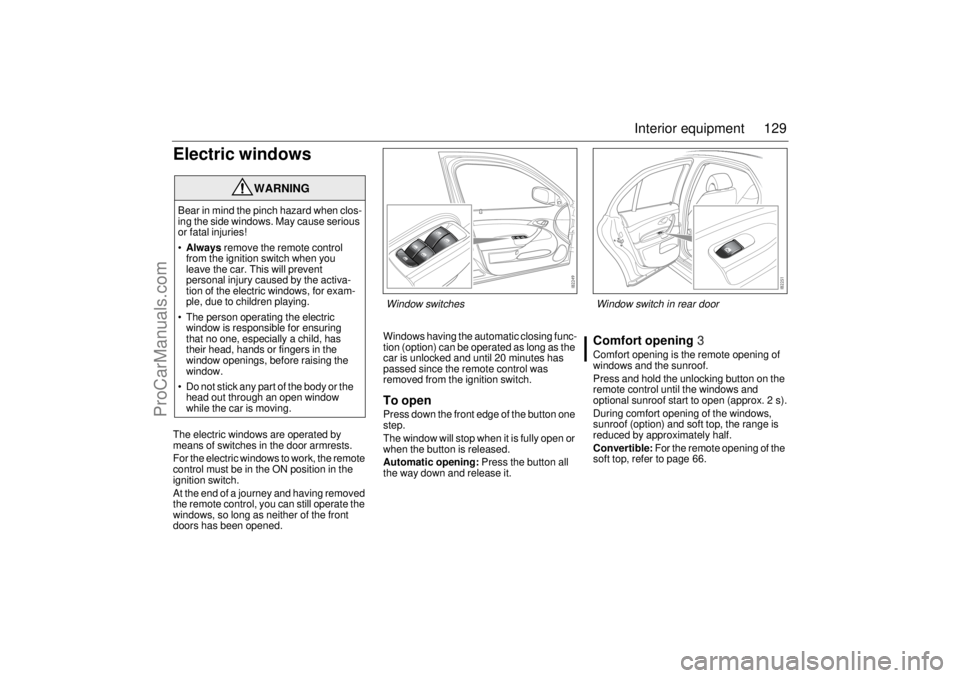
Electric windowsThe electric windows are operated by
means of switches in the door armrests.
For the electric windows to work, the remote
control must be in the ON position in the
ignition switch.
At the end of a journey and having removed
the remote control, you can still operate the
windows, so long as neither of the front
doors has been opened.Windows having the automatic closing func-
tion (option) can be operated as long as the
car is unlocked and until 20 minutes has
passed since the remote control was
removed from the ignition switch.
To openPress down the front edge of the button one
step.
The window will stop when it is fully open or
when the button is released.
Automatic opening: Press the button all
the way down and release it.
Comfort opening3Comfort opening is the remote opening of
windows and the sunroof.
Press and hold the unlocking button on the
remote control until the windows and
optional sunroof start to open (approx. 2 s).
During comfort opening of the windows,
sunroof (option) and soft top, the range is
reduced by approximately half.
Convertible: For the remote opening of the
soft top, refer to page 66.
WARNING
Bear in mind the pinch hazard when clos-
ing the side windows. May cause serious
or fatal injuries!
Always remove the remote control
from the ignition switch when you
leave the car. This will prevent
personal injury caused by the activa-
tion of the electric windows, for exam-
ple, due to children playing.
The person operating the electric
window is responsible for ensuring
that no one, especially a child, has
their head, hands or fingers in the
window openings, before raising the
window.
Do not stick any part of the body or the
head out through an open window
while the car is moving.
Window switches
Window switch in rear door
93U S M 06.book Page 129 Friday, February 18, 2005 1:15 PM
ProCarManuals.com
Page 136 of 318
136 Interior equipmentReprogramming a single button
To program a device to the garage opener
using a button previously trained, follow
these steps:
1 Press and hold the desired button. DO
NOT release the button.
2 The indicator light will begin to flash after
20 seconds. Without releasing the
button, proceed with "Programming" -
step 3.
Erasing the three buttons
To erase programming from the three but-
tons (individual buttons cannot be erased
but can be "reprogrammed" as outlined
below), follow the step noted:
Press and hold the two outer buttons until
the indicator light begins to flash-after
20 seconds. Release both buttons. Do
not hold for longer that 30 seconds. The
garage opener is now in the train (or
learning) mode and can be programmed
at any time beginning with "Programming"
- step 3.Opening a garage door
To operate, simply press and release the
programmed button. Activation will now
occur for the trained device (i.e. garage door
opener, gate operator, security system,
entry door lock, home/office lighting, etc.).
For convenience, the hand-held transmitter
of the device may also be used at any time.
AutodimmingPress button 5 briefly to switch autodimming
on or off. When autodimming is switched on,
a 1 is displayed briefly in the compass win-
dow. A 0 indicates that autodimming is
switched off. See page 133 for a description
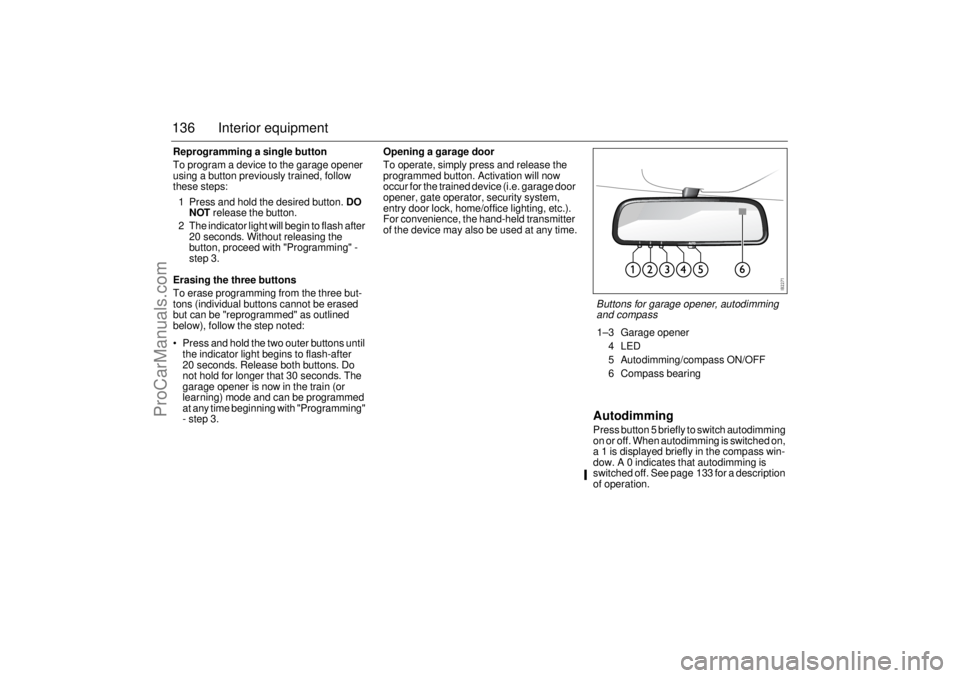
of operation.Buttons for garage opener, autodimming
and compass1–3 Garage opener
4LED
5 Autodimming/compass ON/OFF
6 Compass bearing
93U S M 06.book Page 136 Friday, February 18, 2005 1:15 PM
ProCarManuals.com