ignition SAAB 9-3 2007 Owner's Manual
[x] Cancel search | Manufacturer: SAAB, Model Year: 2007, Model line: 9-3, Model: SAAB 9-3 2007Pages: 304, PDF Size: 26.16 MB
Page 85 of 304
85 Instruments and controls
The brake system provides Electronic
Brakeforce Distribution (EBD). This distrib-
utes the brake pressure between the front
and rear wheels, in such a way as to achieve
optimum braking performance irrespective
of the car’s load.
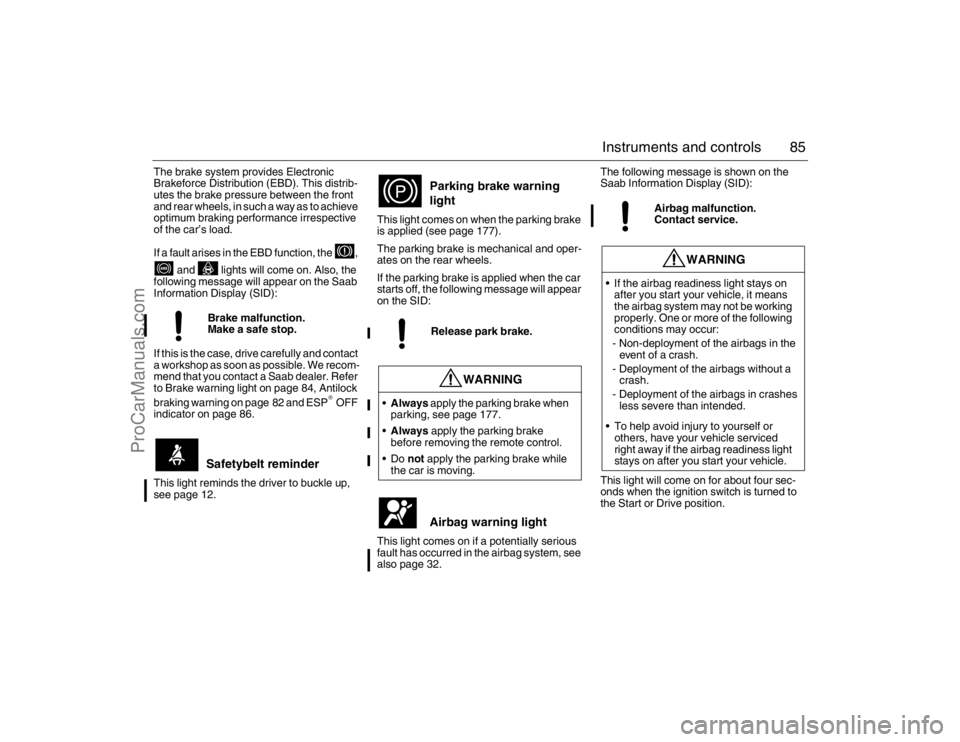
If a fault arises in the EBD function, the ,
and lights will come on. Also, the
following message will appear on the Saab
Information Display (SID):
If this is the case, drive carefully and contact
a workshop as soon as possible. We recom-
mend that you contact a Saab dealer. Refer
to Brake warning light on page 84, Antilock
braking warning on page 82 and ESP
® OFF
indicator on page 86.
This light reminds the driver to buckle up,
see page 12.This light comes on when the parking brake
is applied (see page 177).
The parking brake is mechanical and oper-
ates on the rear wheels.
If the parking brake is applied when the car
starts off, the following message will appear
on the SID:
This light comes on if a potentially serious
fault has occurred in the airbag system, see
also page 32.The following message is shown on the
Saab Information Display (SID):
This light will come on for about four sec-
onds when the ignition switch is turned to
the Start or Drive position. Brake malfunction.
Make a safe stop.
Safetybelt reminder
Parking brake warning
lightRelease park brake.
WARNING
Always apply the parking brake when
parking, see page 177.
Always apply the parking brake
before removing the remote control.
not apply the parking brake while
the car is moving.
Airbag warning light
Airbag malfunction.
Contact service.
WARNING
If the airbag readiness light stays on
after you start your vehicle, it means
the airbag system may not be working
properly. One or more of the following
conditions may occur:
- Non-deployment of the airbags in the
event of a crash.
- Deployment of the airbags without a
crash.
- Deployment of the airbags in crashes
less severe than intended.
To help avoid injury to yourself or
others, have your vehicle serviced
right away if the airbag readiness light
stays on after you start your vehicle.
93_U S _M 07.book Page 85 W ednesday, April 12, 2006 9:30 AM
ProCarManuals.com
Page 87 of 304
87 Instruments and controls
Autochecking of lights, main
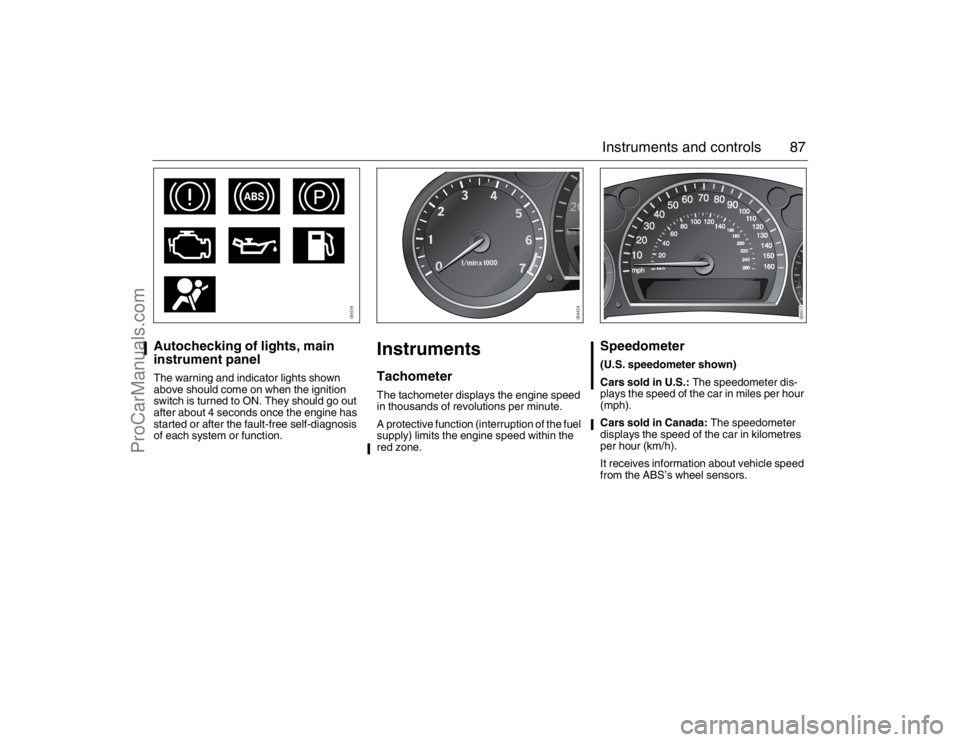
instrument panelThe warning and indicator lights shown
above should come on when the ignition
switch is turned to ON. They should go out
after about 4 seconds once the engine has
started or after the fault-free self-diagnosis
of each system or function.
InstrumentsTachometerThe tachometer displays the engine speed
in thousands of revolutions per minute.
A protective function (interruption of the fuel
supply) limits the engine speed within the
red zone.
Speedometer (U.S. speedometer shown)
Cars sold in U.S.: The speedometer dis-
plays the speed of the car in miles per hour
(mph).
Cars sold in Canada: The speedometer
displays the speed of the car in kilometres
per hour (km/h).
It receives information about vehicle speed
from the ABS’s wheel sensors.
93_U S _M 07.book Page 87 W ednesday, April 12, 2006 9:30 AM
ProCarManuals.com
Page 97 of 304
97 Instruments and controls
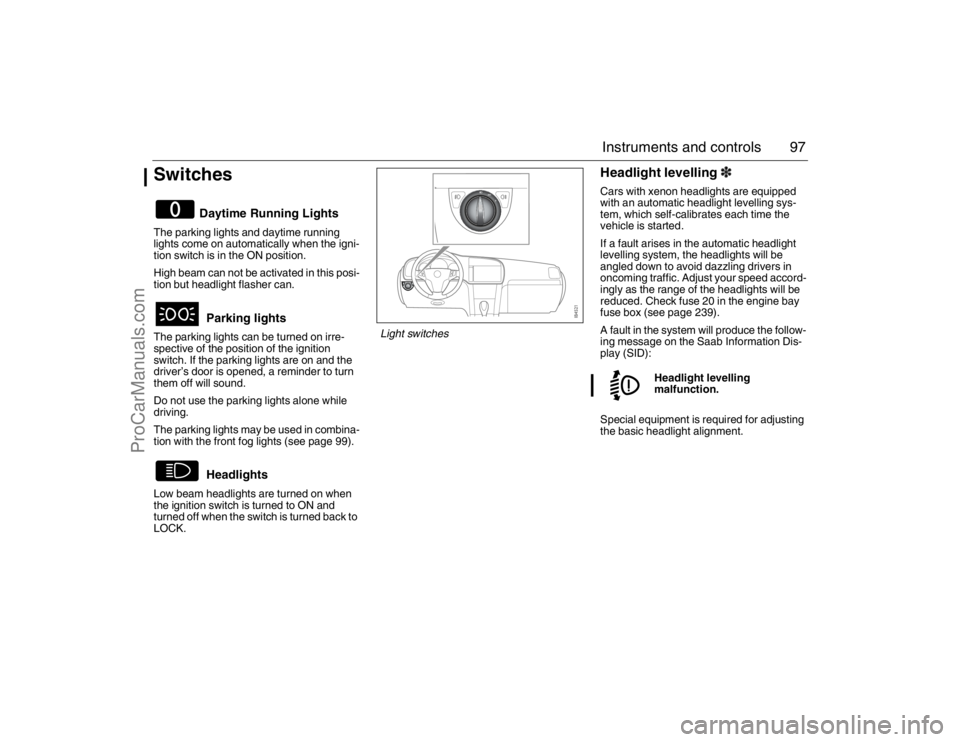
SwitchesThe parking lights and daytime running
lights come on automatically when the igni-
tion switch is in the ON position.
High beam can not be activated in this posi-
tion but headlight flasher can.
The parking lights can be turned on irre-
spective of the position of the ignition
switch. If the parking lights are on and the
driver’s door is opened, a reminder to turn
them off will sound.
Do not use the parking lights alone while
driving.
The parking lights may be used in combina-
tion with the front fog lights (see page 99).
Low beam headlights are turned on when
the ignition switch is turned to ON and
turned off when the switch is turned back to
LOCK.
Headlight levelling3Cars with xenon headlights are equipped
with an automatic headlight levelling sys-
tem, which self-calibrates each time the
vehicle is started.
If a fault arises in the automatic headlight
levelling system, the headlights will be
angled down to avoid dazzling drivers in
oncoming traffic. Adjust your speed accord-
ingly as the range of the headlights will be
reduced. Check fuse 20 in the engine bay
fuse box (see page 239).
A fault in the system will produce the follow-
ing message on the Saab Information Dis-
play (SID):
Special equipment is required for adjusting
the basic headlight alignment.
Daytime Running Lights
Parking lights
Headlights
Headlight levelling
malfunction.
Light switches
93_U S _M 07.book Page 97 W ednesday, April 12, 2006 9:30 AM
ProCarManuals.com
Page 101 of 304
101 Instruments and controls
Back-Up The back-up lights come on automatically
when reverse gear is engaged or selected
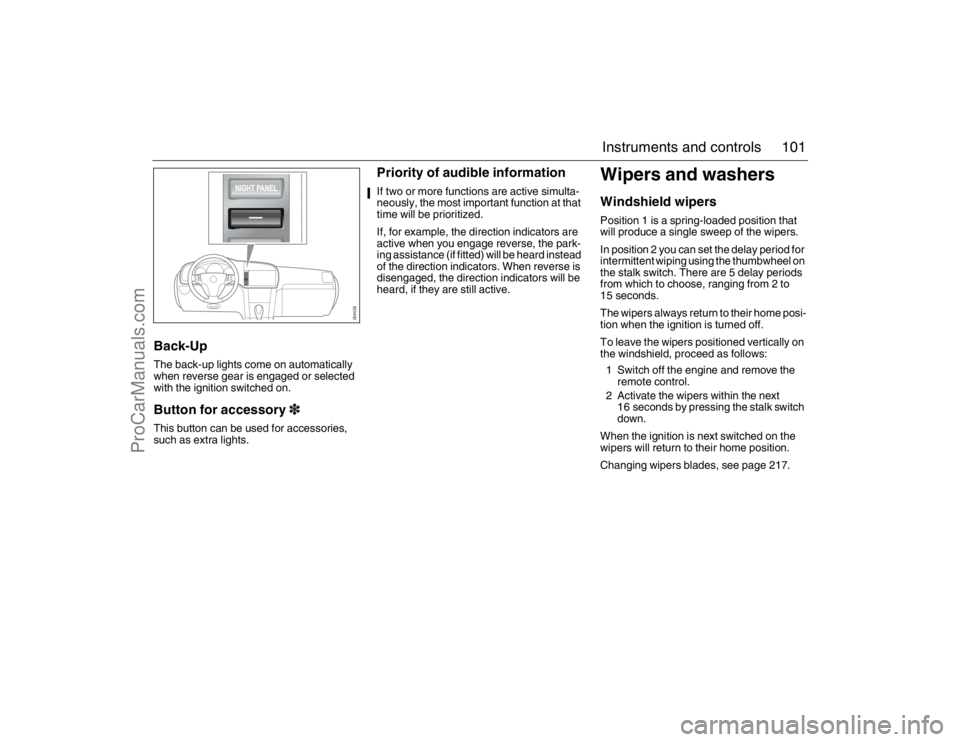
with the ignition switched on.Button for accessory3This button can be used for accessories,
such as extra lights.
Priority of audible informationIf two or more functions are active simulta-
neously, the most important function at that
time will be prioritized.
If, for example, the direction indicators are
active when you engage reverse, the park-
ing assistance (if fitted) will be heard instead
of the direction indicators. When reverse is
disengaged, the direction indicators will be
heard, if they are still active.
Wipers and washersWindshield wipersPosition 1 is a spring-loaded position that
will produce a single sweep of the wipers.
In position 2 you can set the delay period for
intermittent wiping using the thumbwheel on
the stalk switch. There are 5 delay periods
from which to choose, ranging from 2 to
15 seconds.
The wipers always return to their home posi-
tion when the ignition is turned off.
To leave the wipers positioned vertically on
the windshield, proceed as follows:
1 Switch off the engine and remove the
remote control.
2 Activate the wipers within the next
16 seconds by pressing the stalk switch
down.
When the ignition is next switched on the
wipers will return to their home position.
Changing wipers blades, see page 217.
93_U S _M 07.book Page 101 W ednesday, April 12, 2006 9:30 AM
ProCarManuals.com
Page 103 of 304
103 Instruments and controls
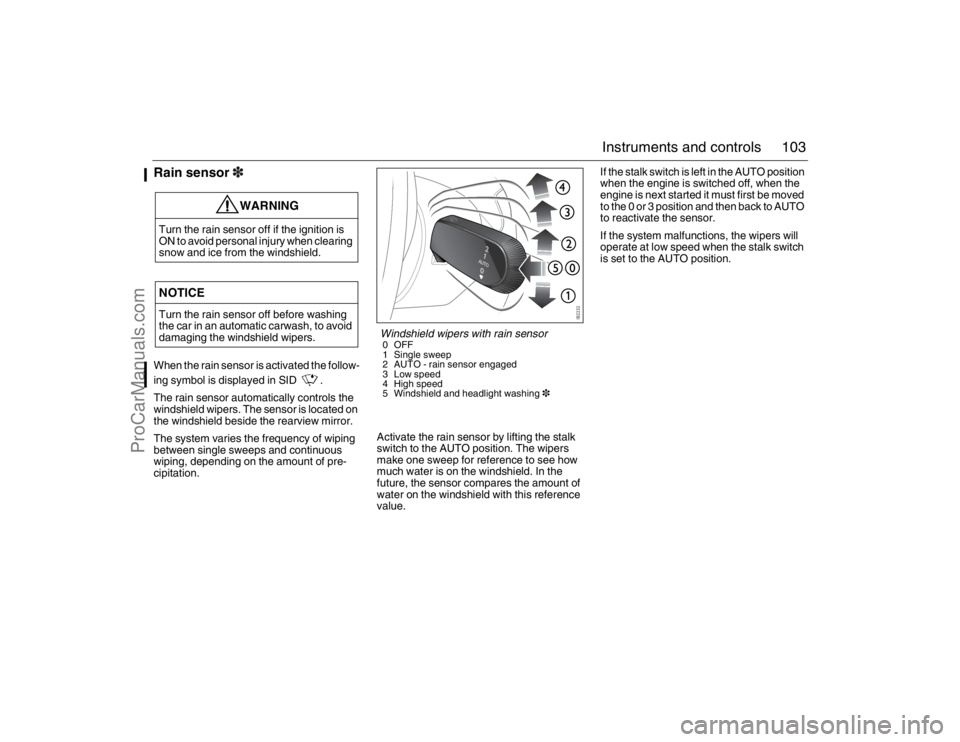
Rain sensor3When the rain sensor is activated the follow-
ing symbol is displayed in SID .
The rain sensor automatically controls the
windshield wipers. The sensor is located on
the windshield beside the rearview mirror.
The system varies the frequency of wiping
between single sweeps and continuous
wiping, depending on the amount of pre-
cipitation.Activate the rain sensor by lifting the stalk
switch to the AUTO position. The wipers
make one sweep for reference to see how
much water is on the windshield. In the
future, the sensor compares the amount of
water on the windshield with this reference
value.If the stalk switch is left in the AUTO position
when the engine is switched off, when the
engine is next started it must first be moved
to the 0 or 3 position and then back to AUTO
to reactivate the sensor.
If the system malfunctions, the wipers will
operate at low speed when the stalk switch
is set to the AUTO position.
WARNING
Turn the rain sensor off if the ignition is
ON to avoid personal injury when clearing
snow and ice from the windshield.NOTICETurn the rain sensor off before washing
the car in an automatic carwash, to avoid
damaging the windshield wipers.
Windshield wipers with rain sensor0OFF
1 Single sweep
2 AUTO - rain sensor engaged
3 Low speed
4 High speed
5 Windshield and headlight washing3
93_U S _M 07.book Page 103 W ednesday, April 12, 2006 9:30 AM
ProCarManuals.com
Page 108 of 304
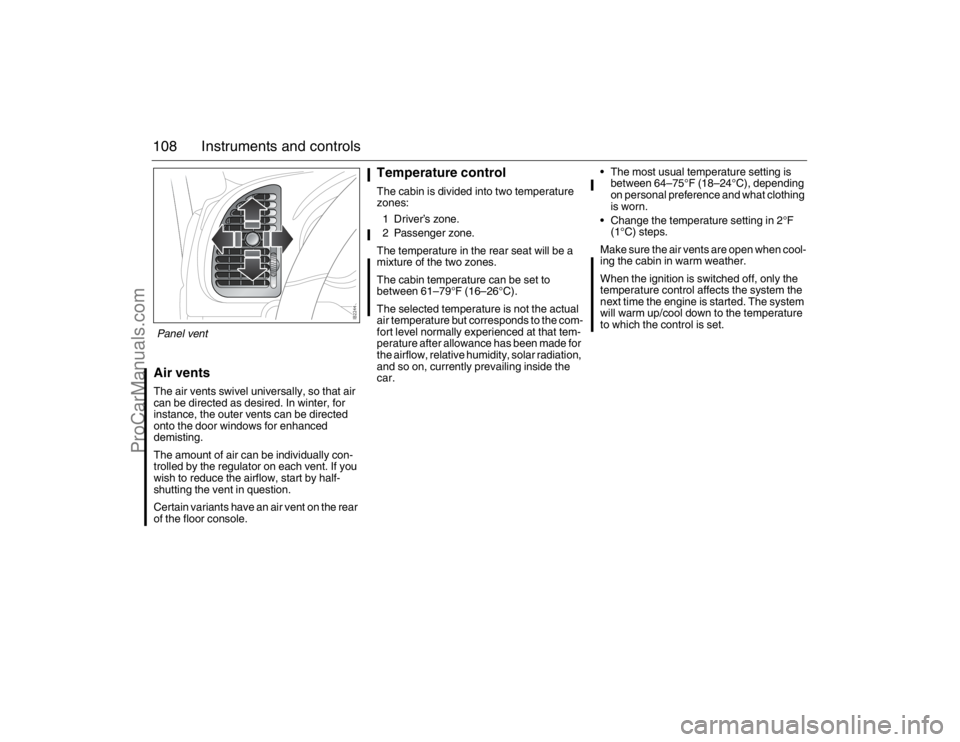
108 Instruments and controlsAir ventsThe air vents swivel universally, so that air
can be directed as desired. In winter, for
instance, the outer vents can be directed
onto the door windows for enhanced
demisting.
The amount of air can be individually con-
trolled by the regulator on each vent. If you
wish to reduce the airflow, start by half-
shutting the vent in question.
Certain variants have an air vent on the rear
of the floor console.
Temperature controlThe cabin is divided into two temperature
zones:
1 Driver’s zone.
2 Passenger zone.
The temperature in the rear seat will be a
mixture of the two zones.
The cabin temperature can be set to
between 61–79°F (16–26°C).
The selected temperature is not the actual
air temperature but corresponds to the com-
fort level normally experienced at that tem-
perature after allowance has been made for
the airflow, relative humidity, solar radiation,
and so on, currently prevailing inside the
car. The most usual temperature setting is
between 64–75°F (18–24°C), depending
on personal preference and what clothing
is worn.
Change the temperature setting in 2°F
(1°C) steps.
Make sure the air vents are open when cool-
ing the cabin in warm weather.
When the ignition is switched off, only the
temperature control affects the system the
next time the engine is started. The system
will warm up/cool down to the temperature
to which the control is set.
Panel vent93_U S _M 07.book Page 108 W ednesday, April 12, 2006 9:30 AM
ProCarManuals.com
Page 119 of 304
119 Interior equipment
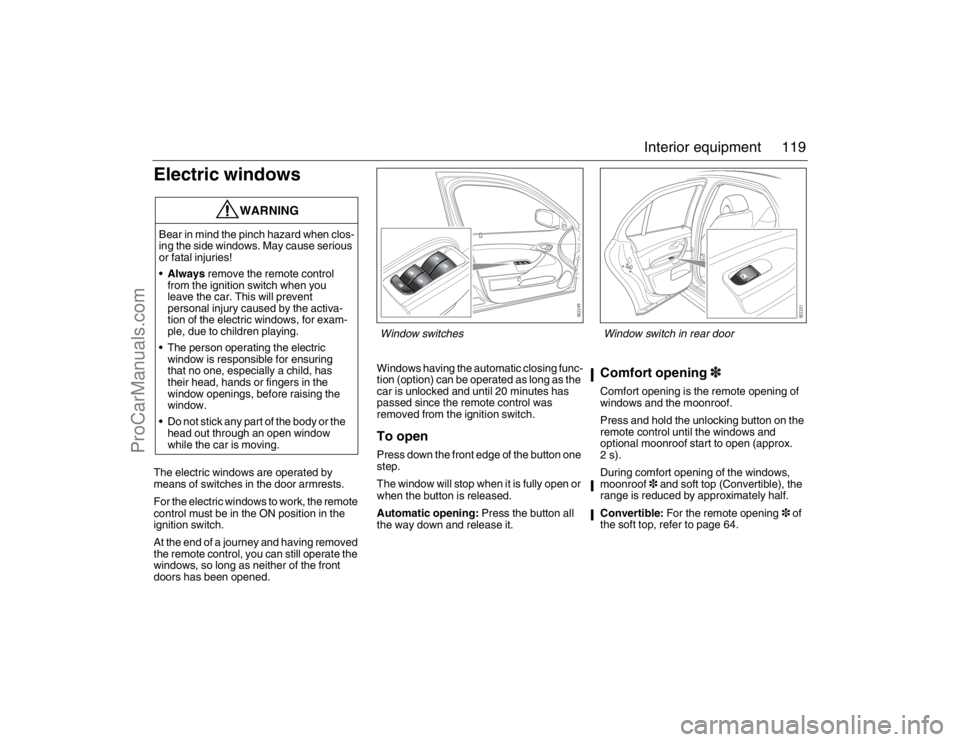
Electric windowsThe electric windows are operated by
means of switches in the door armrests.
For the electric windows to work, the remote
control must be in the ON position in the
ignition switch.
At the end of a journey and having removed
the remote control, you can still operate the
windows, so long as neither of the front
doors has been opened.Windows having the automatic closing func-
tion (option) can be operated as long as the
car is unlocked and until 20 minutes has
passed since the remote control was
removed from the ignition switch.
To openPress down the front edge of the button one
step.
The window will stop when it is fully open or
when the button is released.
Automatic opening: Press the button all
the way down and release it.
Comfort opening3Comfort opening is the remote opening of
windows and the moonroof.
Press and hold the unlocking button on the
remote control until the windows and
optional moonroof start to open (approx.
2s).
During comfort opening of the windows,
moonroof3 and soft top (Convertible), the
range is reduced by approximately half.
Convertible: For the remote opening3 of
the soft top, refer to page 64.
WARNING
Bear in mind the pinch hazard when clos-
ing the side windows. May cause serious
or fatal injuries!
Always remove the remote control
from the ignition switch when you
leave the car. This will prevent
personal injury caused by the activa-
tion of the electric windows, for exam-
ple, due to children playing.
The person operating the electric
window is responsible for ensuring
that no one, especially a child, has
their head, hands or fingers in the
window openings, before raising the
window.
Do not stick any part of the body or the
head out through an open window
while the car is moving.
Window switches
Window switch in rear door
93_U S _M 07.book Page 119 W ednesday, April 12, 2006 9:30 AM
ProCarManuals.com
Page 120 of 304
120 Interior equipmentTo closeRaise the front edge of the button one step.
The window will stop when it is fully closed
or when the button is released.
Automatic closing3: Raise the button all
the way and release it. If the window does
not close automatically, refer to Calibration
on page 121.
Pinch protection3On certain model variants, the front electric
windows are equipped with pinch protec-
tion. This is activated if something gets
trapped between the window pane and door
frame when the window is closed. The
window will stop and lower slightly.
Temporary overriding the pinch protec-
tion
If dirt, ice or similar create so much resis-
tance that the pinch protection cuts in (the
window cannot be closed), the pinch protec-
tion can be temporarily disengaged and the
window closed.
1 Make sure the ignition is ON.
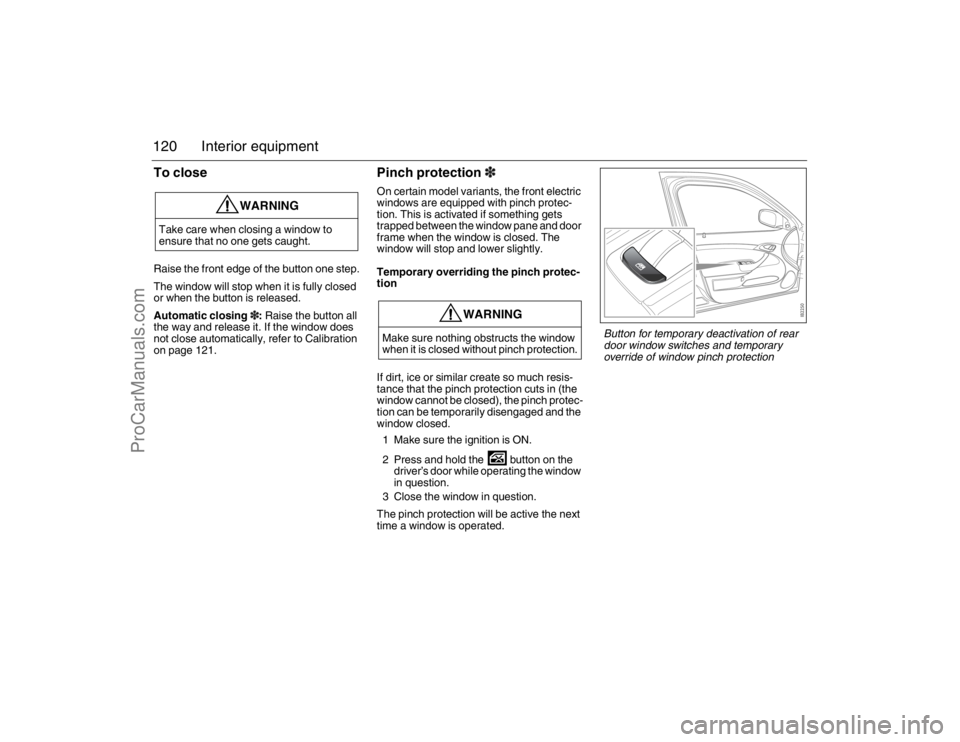
2 Press and hold the button on the
driver’s door while operating the window
in question.
3 Close the window in question.
The pinch protection will be active the next
time a window is operated.
WARNING
Take care when closing a window to
ensure that no one gets caught.
WARNING
Make sure nothing obstructs the window
when it is closed without pinch protection.
Button for temporary deactivation of rear
door window switches and temporary
override of window pinch protection
93_U S _M 07.book Page 120 W ednesday, April 12, 2006 9:30 AM
ProCarManuals.com
Page 124 of 304
124 Interior equipmentInterior rearview mirror with
garage opener, autodimming
function and compass3
Retain your original garage door opener
(transmitter) for future programming proce-
dures (i.e., new vehicle purchase). It is also
suggested that upon the sale of the vehicle,
the programmed garage opener buttons be
erased for security purposes, see
page 126.Preparations for first-time programming
Before programming the garage opener for
the first time, you must delete any factory
codes.
Press and hold the two outer buttons until
the indicator light begins to flash-after
20 seconds. Release both buttons. Do not
hold for longer that 30 seconds. The garage
opener is now in the train (or learning) mode
and can be programmed at any time begin-
ning with "Programming" - step 2.
Programming
The garage opener can record and store the
frequencies of three different remote con-
trols.
The battery in the remote control should be
fairly new for programming to work well.
Do not repeat "Programming" - step two
to train additional devices to a second or
third button. Begin with "Programming" -
step three.
1 Turn the ignition ON.
2 Press and hold the two outer buttons
(buttons one and three) - releasing only
when the indicator light begins to flash
(after 20 seconds). Do not hold the
buttons for longer than 30 seconds and
do not repeat step two to program a
second and/or third hand-held transmit-
ter to the remaining two buttons.
3 Position the end of your hand-held
transmitter 1-3 inches (5-14 cm) away
WARNING
Make sure that people and objects are out
of the way of moving door or gate to
prevent potential harm or damage.
When programming the garage opener,
you may be operating a garage door or
gate operator. Therefore it is advised to
park outside of the garage.
Do not use the garage opener with any
garage door opener that lacks the safety
stop and reverse feature as required by
federal safety standards. (This includes
any garage door opener model manufac-
tured before April 1, 1982.). A garage
door opener which cannot detect an
object, signaling the door to stop and
reverse, does not meet current federal
safety standards. Using a garage door
opener without these features increases
risk of serious injury or death.
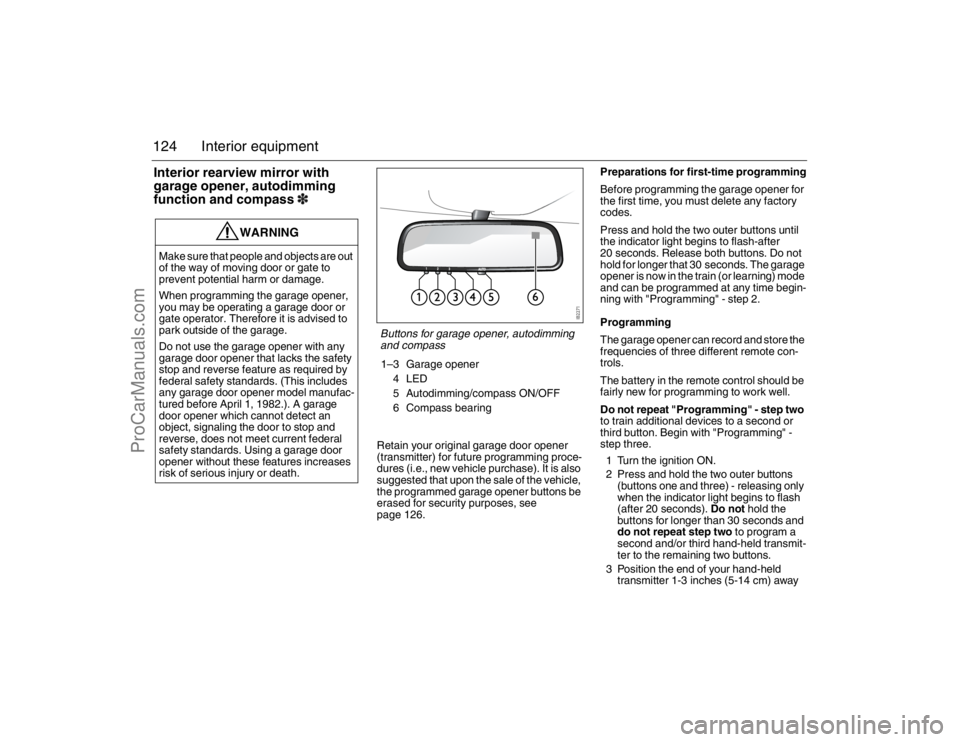
Buttons for garage opener, autodimming
and compass1–3 Garage opener
4LED
5 Autodimming/compass ON/OFF
6 Compass bearing
93_U S _M 07.book Page 124 W ednesday, April 12, 2006 9:30 AM
ProCarManuals.com
Page 128 of 304
128 Interior equipmentMoonroof3The moonroof is operated by the control in
the roof console. For the moonroof to work,
the remote control must be in the ON posi-
tion in the ignition switch.
If the car is equipped with windows having
the automatic closing function, the moon-
roof can be opened and closed so long as
the car is unlocked until 20 minutes has
passed since the remote control was
removed from the ignition switch.
To openManually controlled opening
Slide the control rearward to its first position.
The moonroof will halt when you release the
control. If you do not release the control, the
moonroof will open to the comfort position.
To open the moonroof further, release the
control and then once again press it rear-
ward.
Automatic opening
Slide the control rearward to the second
position and release it. The moonroof will
open to the comfort position. To open the
moonroof further, slide the control rearward
a second time.Moonroof without automatic opening
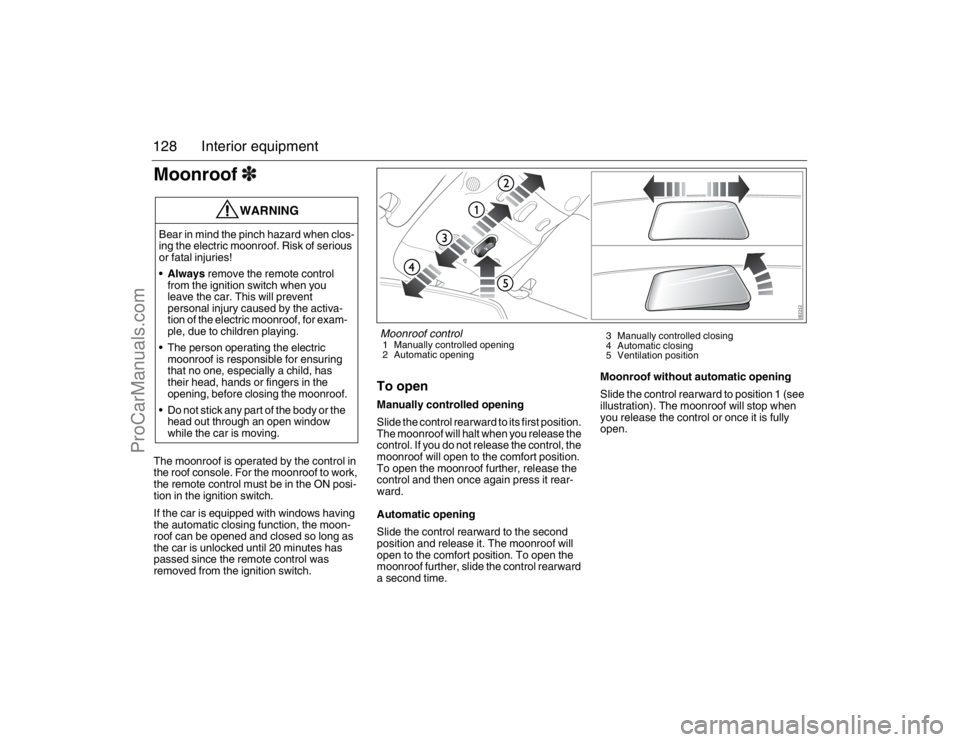
Slide the control rearward to position 1 (see
illustration). The moonroof will stop when
you release the control or once it is fully
open.
WARNING
Bear in mind the pinch hazard when clos-
ing the electric moonroof. Risk of serious
or fatal injuries!
Always remove the remote control
from the ignition switch when you
leave the car. This will prevent
personal injury caused by the activa-
tion of the electric moonroof, for exam-
ple, due to children playing.
The person operating the electric
moonroof is responsible for ensuring
that no one, especially a child, has
their head, hands or fingers in the
opening, before closing the moonroof.
Do not stick any part of the body or the
head out through an open window
while the car is moving.
Moonroof control1 Manually controlled opening
2 Automatic opening3 Manually controlled closing
4 Automatic closing
5 Ventilation position
93_U S _M 07.book Page 128 W ednesday, April 12, 2006 9:30 AM
ProCarManuals.com