steering SAAB 9-3 2007 Owner's Manual
[x] Cancel search | Manufacturer: SAAB, Model Year: 2007, Model line: 9-3, Model: SAAB 9-3 2007Pages: 304, PDF Size: 26.16 MB
Page 98 of 304
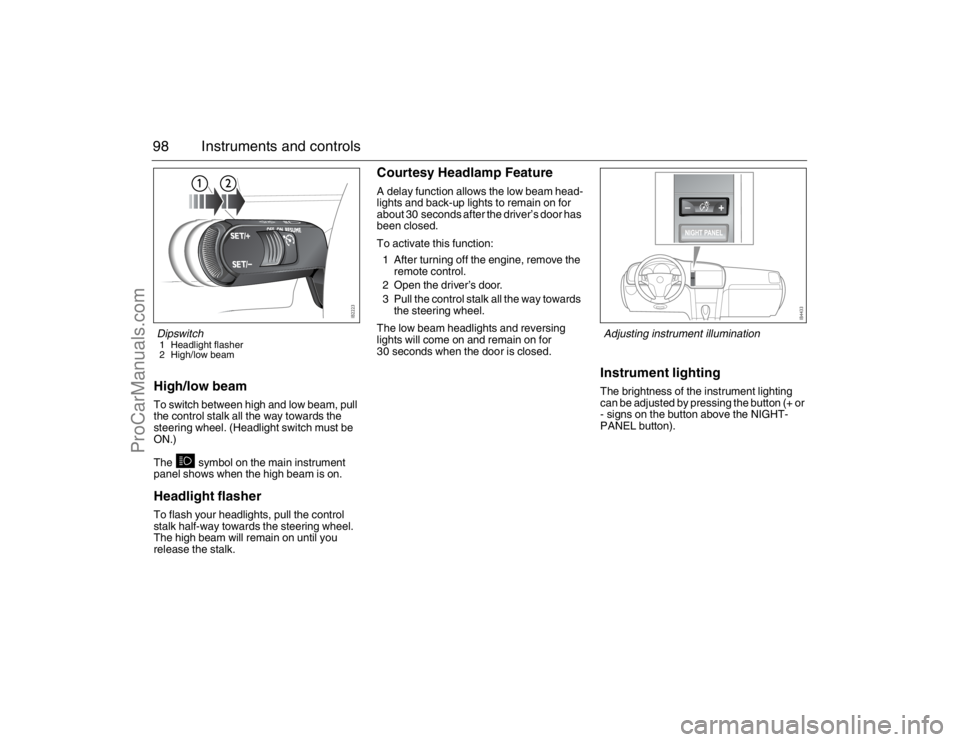
98 Instruments and controlsHigh/low beamTo switch between high and low beam, pull
the control stalk all the way towards the
steering wheel. (Headlight switch must be
ON.)
The symbol on the main instrument
panel shows when the high beam is on.Headlight flasherTo flash your headlights, pull the control
stalk half-way towards the steering wheel.
The high beam will remain on until you
release the stalk.
Courtesy Headlamp FeatureA delay function allows the low beam head-
lights and back-up lights to remain on for
about 30 seconds after the driver’s door has
been closed.
To activate this function:
1 After turning off the engine, remove the
remote control.
2 Open the driver’s door.
3 Pull the control stalk all the way towards
the steering wheel.
The low beam headlights and reversing
lights will come on and remain on for
30 seconds when the door is closed.
Instrument lightingThe brightness of the instrument lighting
can be adjusted by pressing the button (+ or
- signs on the button above the NIGHT-
PANEL button).
Dipswitch1 Headlight flasher
2 High/low beam
Adjusting instrument illumination
93_U S _M 07.book Page 98 W ednesday, April 12, 2006 9:30 AM
ProCarManuals.com
Page 100 of 304
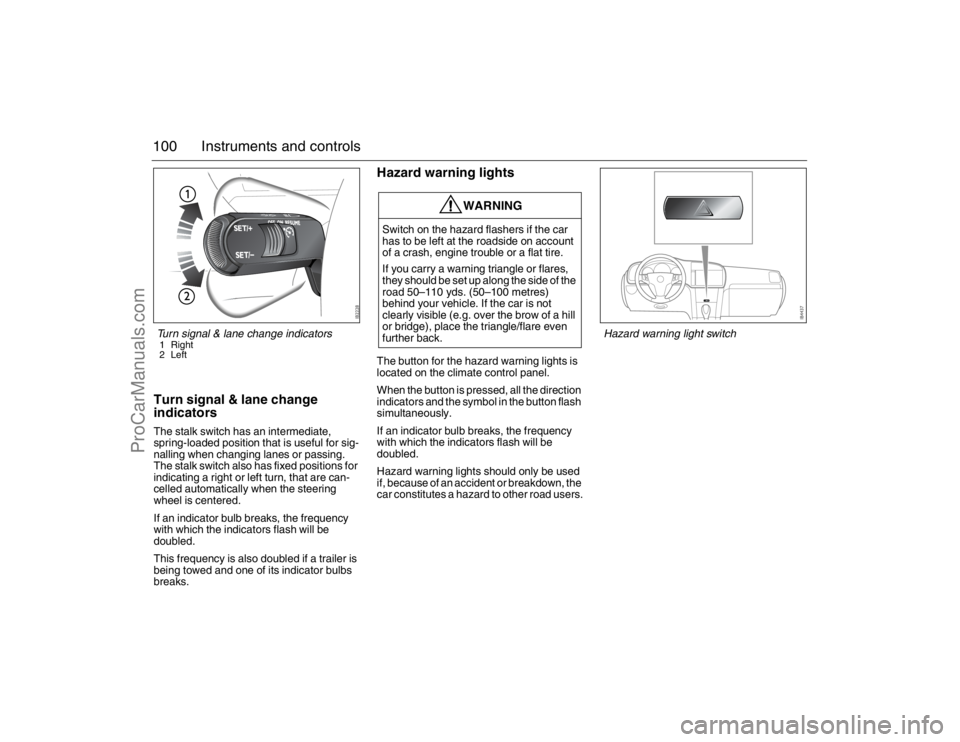
100 Instruments and controlsTurn signal & lane change
indicatorsThe stalk switch has an intermediate,
spring-loaded position that is useful for sig-
nalling when changing lanes or passing.
The stalk switch also has fixed positions for
indicating a right or left turn, that are can-
celled automatically when the steering
wheel is centered.
If an indicator bulb breaks, the frequency
with which the indicators flash will be
doubled.
This frequency is also doubled if a trailer is
being towed and one of its indicator bulbs
breaks.
Hazard warning lightsThe button for the hazard warning lights is
located on the climate control panel.
When the button is pressed, all the direction
indicators and the symbol in the button flash
simultaneously.
If an indicator bulb breaks, the frequency
with which the indicators flash will be
doubled.
Hazard warning lights should only be used
if, because of an accident or breakdown, the
car constitutes a hazard to other road users.
WARNING
Switch on the hazard flashers if the car
has to be left at the roadside on account
of a crash, engine trouble or a flat tire.
If you carry a warning triangle or flares,
they should be set up along the side of the
road 50–110 yds. (50–100 metres)
behind your vehicle. If the car is not
clearly visible (e.g. over the brow of a hill
or bridge), place the triangle/flare even
further back.
Turn signal & lane change indicators1 Right
2 Left
Hazard warning light switch
93_U S _M 07.book Page 100 W ednesday, April 12, 2006 9:30 AM
ProCarManuals.com
Page 102 of 304
102 Instruments and controls
WashersActivate the washers by pulling the stalk
switch towards the steering wheel.
When the washers are operated, the wipers
will make 3, 4 or 5 sweeps, depending on
how long the washers were kept on. If
the speed of the car is less than 12 mph
(20 km/h), the wipers will make an addi-
tional sweep after roughly 8 seconds.When the washer fluid level drops below
1 quart (1 litre), the headlight washers (if
equipped) are deactivated. This is in order
to prioritize the windshield. The following
message is displayed on the SID:
Headlight washers3The headlights are washed at the same time
as the windshield if the headlights are on.
The headlights are washed every fifth time
the windshield washers are used or if two
(2) minutes have elapsed since the wind-
shield was last washed.
The headlight washers are not activated at
speeds in excess of 125 mph (200 km/h).Washer fluid level low.
Refill.
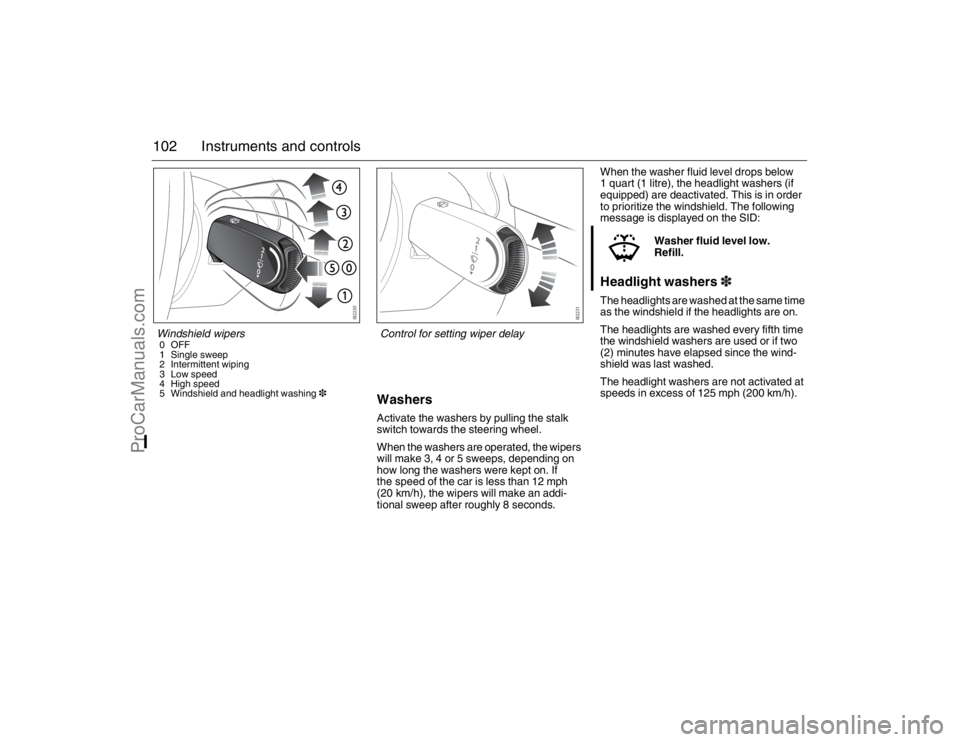
Windshield wipers0OFF
1 Single sweep
2 Intermittent wiping
3 Low speed
4 High speed
5 Windshield and headlight washing3
Control for setting wiper delay
93_U S _M 07.book Page 102 W ednesday, April 12, 2006 9:30 AM
ProCarManuals.com
Page 104 of 304
104 Instruments and controlsAdjusting sensitivity
The sensitivity of the rain sensor can be
adjusted under Settings. If you increase the
sensitivity, the wipers will make one sweep
for reference.
1 Select Settings using the steering
wheel controls, or .
2 Press and hold the SET button until
given audible confirmation.
3 Select Rain Sensor.
4 Press the SET button.
5 Select the sensitivity.
6 Confirm this selection by pressing the
SET button.
Go back/modify using the CLR-button.The sensitivity of the sensor is also affected
by the amount of daylight. The sensor is
somewhat more sensitive at night. This
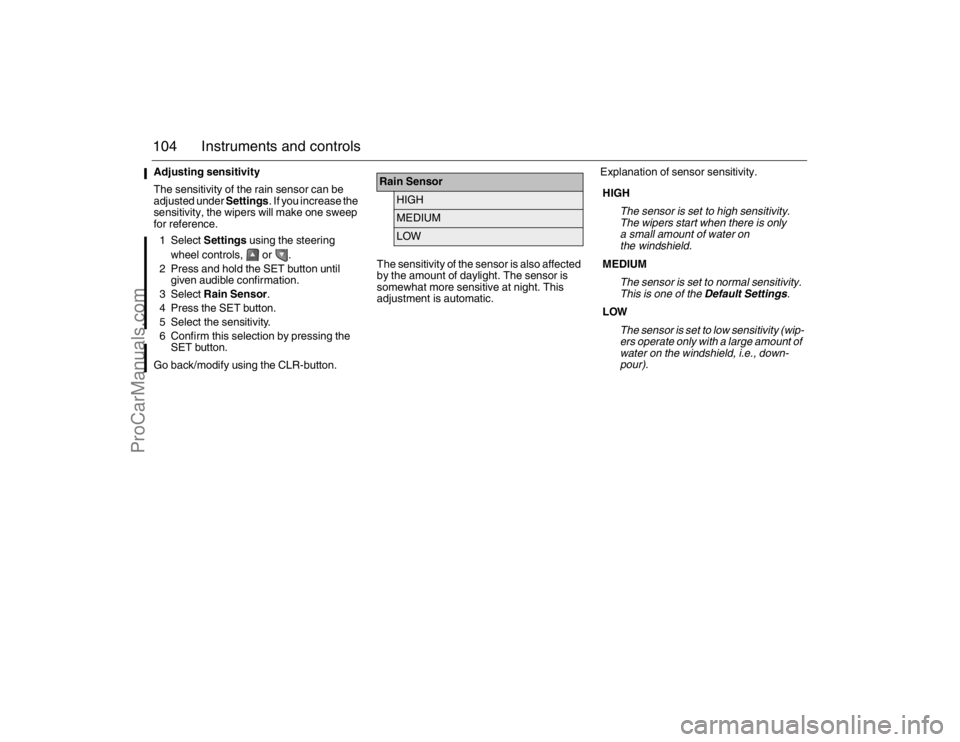
adjustment is automatic.Explanation of sensor sensitivity.
Rain Sensor
HIGHMEDIUMLOW
HIGH
The sensor is set to high sensitivity.
The wipers start when there is only
a small amount of water on
the windshield.
MEDIUM
The sensor is set to normal sensitivity.
This is one of the Default Settings.
LOW
The sensor is set to low sensitivity (wip-
ers operate only with a large amount of
water on the windshield, i.e., down-
pour).
93_U S _M 07.book Page 104 W ednesday, April 12, 2006 9:30 AM
ProCarManuals.com
Page 114 of 304
114 Instruments and controlsACC- ConvertibleWhen the soft top is folded, several func-
tions in the ACC-system is effected.
The system adjusts itself as follows:
xxAUTO goes out.
Heating, air distribution and fan speed are
not affected.
Recirculation and rear window heating
are cut out.
The A/C compressor is switched off (man-
ual activation is possible by pressing the
AC button).
All manual selections are possible with the
exception of rear window heating and
defroster function.
When the soft top is raised, the system
reverts to the AUTO mode and the set tem-
perature.
Note: When the soft top or all the windows
are open in a hot, humid climate, turning the
air conditioning on manually can cause con-
densation to form on cold surfaces, such as
the air ducts.
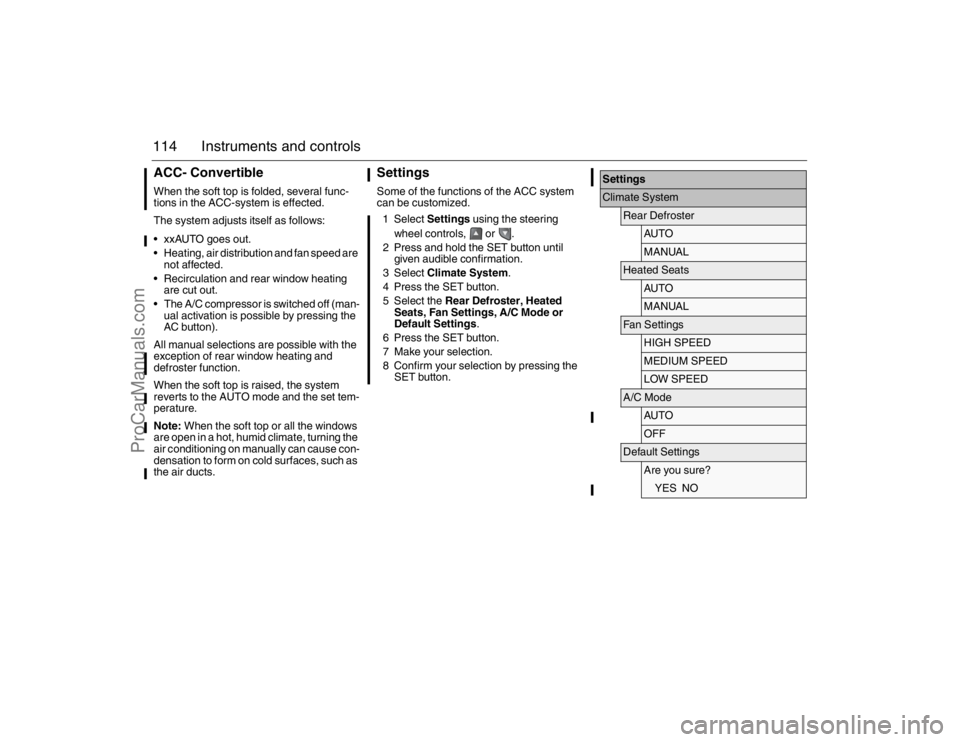
SettingsSome of the functions of the ACC system
can be customized.
1 Select Settings using the steering
wheel controls, or .
2 Press and hold the SET button until
given audible confirmation.
3 Select Climate System.
4 Press the SET button.
5 Select the Rear Defroster, Heated
Seats, Fan Settings, A/C Mode or
Default Settings.
6 Press the SET button.
7 Make your selection.
8 Confirm your selection by pressing the
SET button.
SettingsClimate System
Rear Defroster
AU TOMANUAL
Heated Seats
AU TOMANUAL
Fan Settings
HIGH SPEEDMEDIUM SPEEDLOW SPEED
A/C Mode
AU TOOFF
Default Settings
Are you sure?YES NO
93_U S _M 07.book Page 114 W ednesday, April 12, 2006 9:30 AM
ProCarManuals.com
Page 117 of 304
117 Interior equipment
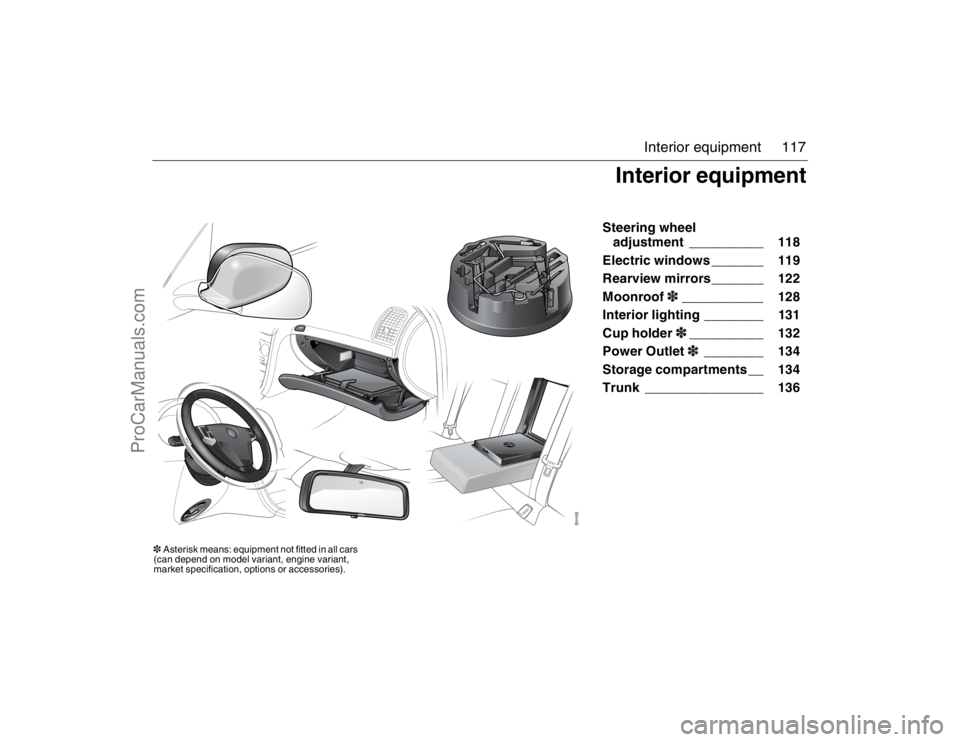
Steering wheel
adjustment __________ 118
Electric windows _______ 119
Rearview mirrors_______ 122
Moonroof3___________ 128
Interior lighting ________ 131
Cup holder3__________ 132
Power Outlet3________ 134
Storage compartments __ 134
Trunk ________________ 136
Interior equipment
3Asterisk means: equipment not fitted in all cars
(can depend on model variant, engine variant,
market specification, options or accessories).93_U S _M 07.book Page 117 W ednesday, April 12, 2006 9:30 AM
ProCarManuals.com
Page 118 of 304
118 Interior equipmentSteering wheel
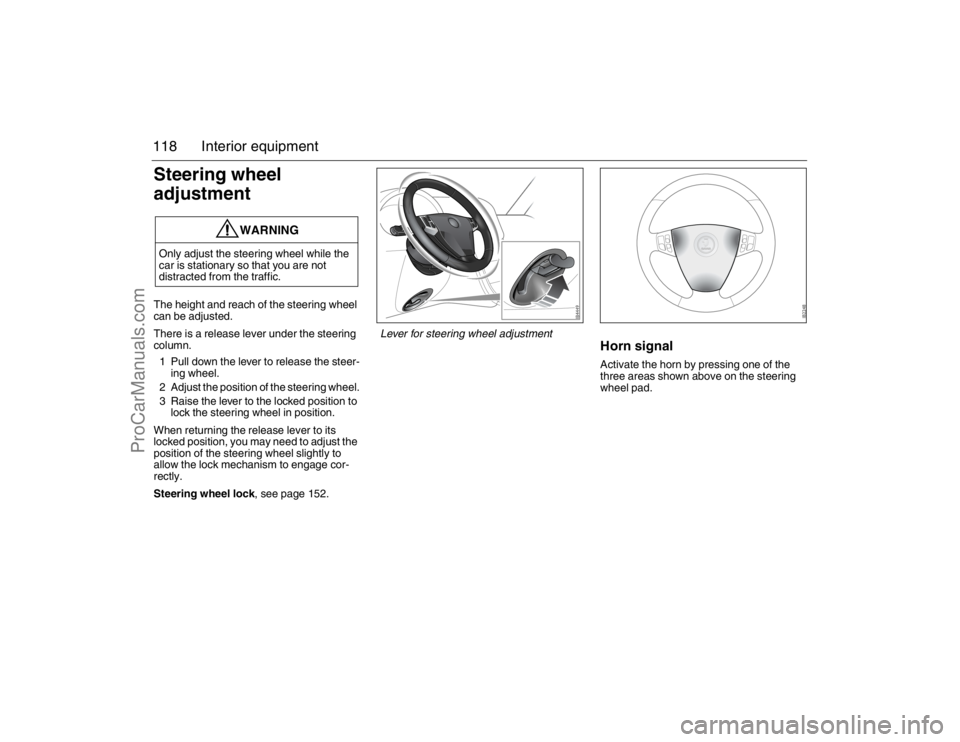
adjustmentThe height and reach of the steering wheel
can be adjusted.
There is a release lever under the steering
column.
1 Pull down the lever to release the steer-
ing wheel.
2 Adjust the position of the steering wheel.
3 Raise the lever to the locked position to
lock the steering wheel in position.
When returning the release lever to its
locked position, you may need to adjust the
position of the steering wheel slightly to
allow the lock mechanism to engage cor-
rectly.
Steering wheel lock, see page 152.
Horn signalActivate the horn by pressing one of the
three areas shown above on the steering
wheel pad.
WARNING
Only adjust the steering wheel while the
car is stationary so that you are not
distracted from the traffic.
Lever for steering wheel adjustment
93_U S _M 07.book Page 118 W ednesday, April 12, 2006 9:30 AM
ProCarManuals.com
Page 149 of 304
149 Starting and driving
Ignition switch ________ 150
Steering wheel lock ____ 152
Starting the engine ____ 152
Important considerations
for driving __________ 154
Refueling ____________ 157
Engine Break-in Period _ 161
Manual transmission___ 162
Automatic
transmission3______ 163
Cruise control ________ 169
Braking ______________ 170
Traction Control System
(TCS) ______________ 173
Electronic Stability
Program (ESP
®)3___ 175
Parking brake_________ 177
Parking ______________ 177
Saab Parking
Assistance3________ 180 Economical driving _____ 183
Driving in cold weather__ 185
Driving in hot climates __ 187
Towing a trailer3______ 188
Driving with a roof rack
load ________________ 192
Driving with a load _____ 194
Driving with the trunk lid
open________________ 194
Driving in deep water ___ 194
Driving at night ________ 195
Towing the car _________ 195
Jump starting _________ 198
For long trips __________ 200
Starting and driving
3Asterisk means: equipment not fitted in all cars
(can depend on model variant, engine variant,
market specification, options or accessories).93_U S _M 07.book Page 149 W ednesday, April 12, 2006 9:30 AM
ProCarManuals.com
Page 150 of 304
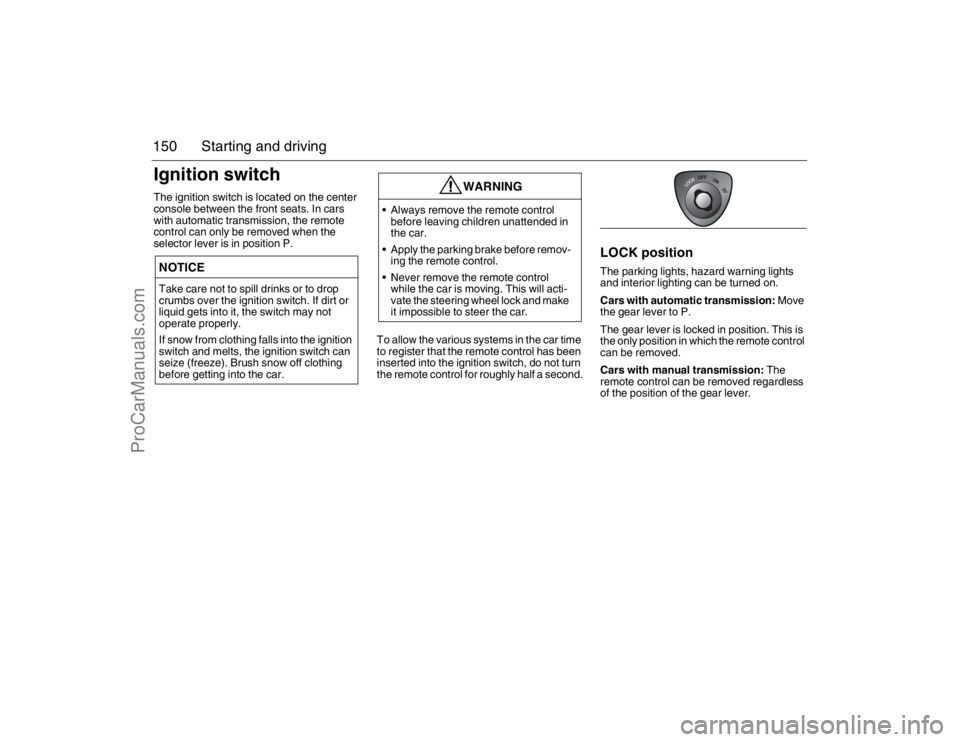
150 Starting and drivingIgnition switchThe ignition switch is located on the center
console between the front seats. In cars
with automatic transmission, the remote
control can only be removed when the
selector lever is in position P.
To allow the various systems in the car time
to register that the remote control has been
inserted into the ignition switch, do not turn
the remote control for roughly half a second.
LOCK positionThe parking lights, hazard warning lights
and interior lighting can be turned on.
Cars with automatic transmission: Move
the gear lever to P.
The gear lever is locked in position. This is
the only position in which the remote control
can be removed.
Cars with manual transmission: The
remote control can be removed regardless
of the position of the gear lever.
NOTICETake care not to spill drinks or to drop
crumbs over the ignition switch. If dirt or
liquid gets into it, the switch may not
operate properly.
If snow from clothing falls into the ignition
switch and melts, the ignition switch can
seize (freeze). Brush snow off clothing
before getting into the car.
WARNING
Always remove the remote control
before leaving children unattended in
the car.
Apply the parking brake before remov-
ing the remote control.
Never remove the remote control
while the car is moving. This will acti-
vate the steering wheel lock and make
it impossible to steer the car.
93_U S _M 07.book Page 150 W ednesday, April 12, 2006 9:30 AM
ProCarManuals.com
Page 152 of 304
152 Starting and drivingSteering wheel lockThe steering wheel lock is electronic. The
lock engages when the remote control is
removed from the ignition and unlocks when
the remote control is inserted. A click can be
heard when the steering wheel lock locks
and unlocks.
If the car is parked with one front wheel
touching the curb, for example, you may
need to turn the steering wheel slightly
when you insert the remote control to allow
the steering wheel lock to unlock. If you do
not succeed on first attempt you must
remove the remote control before trying
again. Turn the steering wheel and insert
the remote control into the ignition switch.
If the steering wheel lock does not disen-
gage it will not be possible to turn the remote
control in the ignition switch.
The following message is shown on the SID:If a fault arises affecting the steering wheel
lock, the following message will be
displayed on the SID:
If the steering wheel lock malfunctions while
the remote control is in the ignition switch,
this may prevent the removal of the remote
control or prevent the car from being
restarted once the engine has been
switched off.
If you have to leave the car, lock the car by
pressing down the lock buttons on the
doors. Lock the front left door from outside
with the traditional key (see page 50). The
car is now locked but the alarm is inactive.
Starting the engine
Pull out key, turn
steering wheel. Restart.
Steering lock malfunc.
Make a safe stop.
WARNING
When starting the engine:
- Sit down in the driver’s seat.
- Depress the clutch pedal fully (M/T). If
the gear lever is not in the neutral posi-
tion, the clutch pedal must be fully
depressed or the car will jump
forwards or backwards, which may
cause a crash.
- Never start the car from outside the
vehicle, e.g. through a window that is
down. This could lead to serious
personal injury.
Cars with automatic transmission:
select position P to remove the ignition
key. The key can only be removed in
this gear position.
Carbon monoxide (CO) is a colorless,
odorless, poisonous gas. Be alert to
the danger of CO – always open the
garage doors before starting the
engine in the garage.
Do not rest or sleep in the car when
parked with the engine running. There
is a risk of depressing the accelerator
which could lead to engine damage.
There is also a danger of CO poison-
ing if the exhaust system is leaking.
93_U S _M 07.book Page 152 W ednesday, April 12, 2006 9:30 AM
ProCarManuals.com