steering wheel SAAB 9-3 2009 User Guide
[x] Cancel search | Manufacturer: SAAB, Model Year: 2009, Model line: 9-3, Model: SAAB 9-3 2009Pages: 304, PDF Size: 44.31 MB
Page 45 of 304
45 Safety
Frequently asked questions on
function of the airbagDo you still need to wear a safety belt if air-
bags are fitted?
Yes, always! The airbag system compo-
nents merely supplement the car’s normal
safety system. Moreover, the front airbags
will only be actuated in a moderate to severe
frontal, or near-frontal crash, which means,
of course, that they provide no protection in
minor frontal crashes, major rear- or side-
crashes or if the car rolls over.
The safety belts help to reduce the sideway
movement of the body in a crash.
But they also ensure that, if a crash occurs
in which the airbags are inflated, the airbag
will make the optimum contact with the
occupant, i.e. square on from the front. If the
occupant meets the airbag in an offset posi-
tion, the protection afforded will be reduced.
In addition, airbags provide no protection
against a secondary impact occurring in the
same incident. So there is no doubt about
the benefit of wearing safety belts at all
times.
Do not sit too close to the airbag: it needs
room to inflate.
The airbag inflates very quickly and power-
fully in order to protect an adult, before they
are thrown forward, in a serious frontal
crash.How do I position the seat to leave room for
the airbag to inflate?
Don’t have your seat too far forward.
Recline the seat back to increase the dis-
tance between you and the airbag. For short
drivers, special accessory pedal extensions
are available through your Saab dealer.
Airbags inflate extremely rapidly and with
great force – to be fast enough to protect an
adult in the seat.
When do the airbags in the steering wheel
and passenger side of the dash board
inflate?
The airbag will only be inflated under certain
predetermined conditions in a moderate to
severe frontal, or near-frontal crash,
depending on such factors as the force and
angle of the impact, the speed of the car on
impact, and the resistance to deformation of
the impacting object.
The airbag can only be activated once in the
same incident.
Do not attempt to drive the car after an
airbag has been inflated, even if it is possi-
ble.
What won’t trigger the airbag?
The airbag will not be activated in all frontal
crashes. For instance, if the car has hit
something relatively soft and yielding (e.g. a The car's impact protection consists of
several different safety features
including the airbags, safety belts,
steering wheel, seats and dashboard.
These parts are co-ordinated with
each other to provide optimum protec-
tion in the event of a collision, so never
install an airbag from one car into
another.
There is no guarantee that it would
then work satisfactorily in the event of
a collision.
All work involving the scrapping or
replacement of airbags or belt preten-
sioners must be carried out by autho-
rized personnel only.
93_US_MY09.book Page 45 Tuesday, April 15, 2008 10:30 AM
ProCarManuals.com
Page 50 of 304
50 SecurityLocking/unlocking the carRemote locking and unlocking also control
the car alarm.
Remote locking
Press the button once:
SportSedan: all doors locked.
SportCombi: all doors and tailgate locked.
The hazard warning lights will flash once to
confirm.Remote unlocking
Pressing the button once: the driver´s
door is unlocked.
Pressing a second time:
SportSedan: the rest of the doors are
unlocked.
SportCombi: the rest of the doors and tail-
gate are unlocked.
The hazard warning lights will flash twice to
confirm.
Saab Information Display (SID), see
page 89.
Intermittent malfunctioning
Equipment in the vicinity of the car that uses
the same frequency as the remote control
may cause interference to the remote con-
trol signal. In this case, retry from another
angle and aim at the receiver located by the
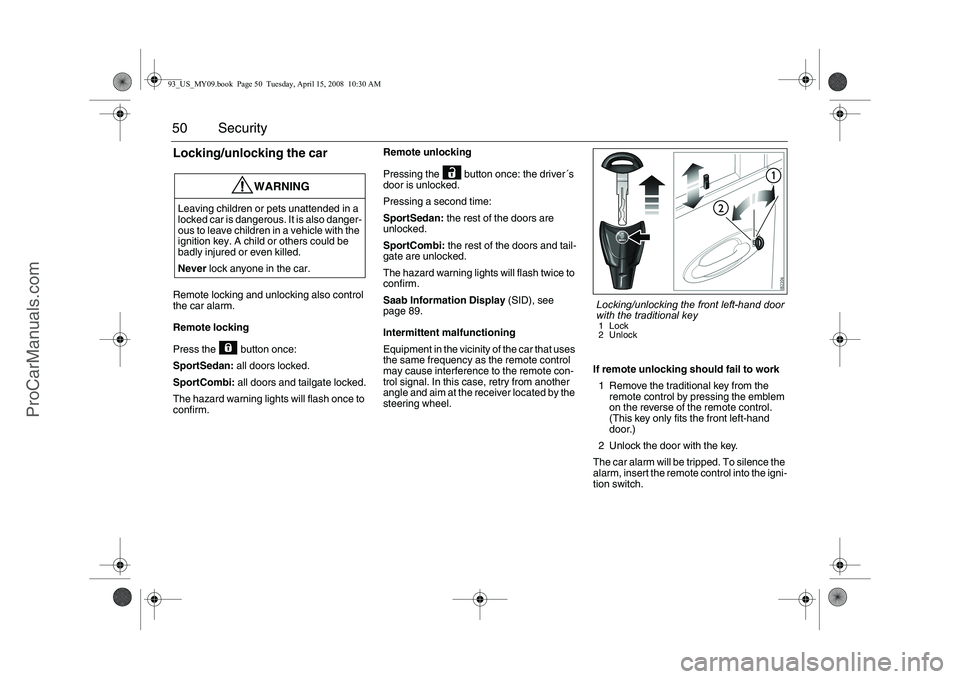
steering wheel.If remote unlocking should fail to work
1 Remove the traditional key from the
remote control by pressing the emblem
on the reverse of the remote control.
(This key only fits the front left-hand
door.)
2 Unlock the door with the key.
The car alarm will be tripped. To silence the
alarm, insert the remote control into the igni-
tion switch.
WARNING
Leaving children or pets unattended in a
locked car is dangerous. It is also danger-
ous to leave children in a vehicle with the
ignition key. A child or others could be
badly injured or even killed.
Never lock anyone in the car.
Locking/unlocking the front left-hand door
with the traditional key1Lock
2 Unlock
93_US_MY09.book Page 50 Tuesday, April 15, 2008 10:30 AM
ProCarManuals.com
Page 51 of 304
51 Security
Locking a car with dead batteryThe steering wheel lock requires sufficient
battery voltage to lock and unlock. If the bat-
tery voltage drops below a certain level
while the remote control is in the ignition
switch, you will not be able to remove the
remote control.
If you must leave the car, proceed as
follows:
1 Lock the car by pressing down the lock
buttons on the doors.
2 Lock the front left door from outside with
the traditional key (see page 50). The
car is now locked but the car alarm will
remain inactive.
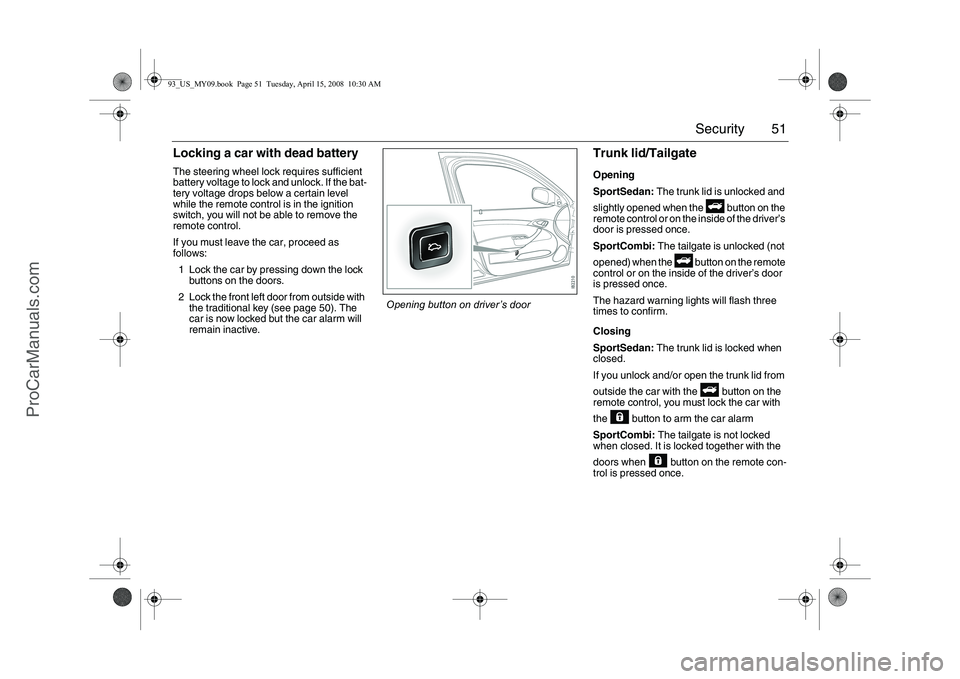
Trunk lid/TailgateOpening
SportSedan: The trunk lid is unlocked and
slightly opened when the button on the
remote control or on the inside of the driver’s
door is pressed once.
SportCombi: The tailgate is unlocked (not
opened) when the button on the remote
control or on the inside of the driver’s door
is pressed once.
The hazard warning lights will flash three
times to confirm.
Closing
SportSedan: The trunk lid is locked when
closed.
If you unlock and/or open the trunk lid from
outside the car with the button on the
remote control, you must lock the car with
the button to arm the car alarm
SportCombi: The tailgate is not locked
when closed. It is locked together with the
doors when button on the remote con-
trol is pressed once.
Opening button on driver’s door
93_US_MY09.book Page 51 Tuesday, April 15, 2008 10:30 AM
ProCarManuals.com
Page 91 of 304
91 Instruments and controls
When the engine is started, the function that
was selected when the engine was
switched off is displayed, with the following
exceptions:
Temp is displayed if the outside tempera-
ture is between 26 and 38°F (–3 and
+3°C).
D.T.E. is displayed if less than or equal to
30 miles (50 km).
Outdoor temperature
The Temp function is always activated
(even in NIGHTPANEL mode) if the outdoor
temperature rises or falls to between 26 and
38 °F (–3 and +3 °C).
If the temperature sensor, located under the
front bumper, is covered by snow or ice,
temperature readings will be unreliable.Setting values
1 Select one of the functions using the
steering wheel controls, or .
Dist (preset to 100 miles (100 km) if not
previously set)
Speed Ø
Speed W (preset to 55 mph (90 km/h).
2 Press and hold the SET button until
given audible confirmation.
3 Use the steering wheel controls to select
the value. (Press CLR to reset the
value.)
4 Press the SET button to finish setup.
Using DIST as a trip meter
1Select Dist using the steering wheel
controls, or .
2 Press and hold the CLR button for
approx. 1 second.
An arrow will now appear on the right-hand
side of the display, indicating that the trip
meter is running.Resetting a single function
1 Select the function you wish to reset
using the steering wheel controls, or
.
FuelØ
Speed Ø
Tr i p (Dist used as trip meter).
2 Press and hold the CLR button for
approx. 1 second.
The selected function will now be reset.
WARNING
Remember that roads can be icy even at
temperatures of above 38°F (+3°C),
especially on bridges and stretches of
road that are sheltered from the sun.93_US_MY09.book Page 91 Tuesday, April 15, 2008 10:30 AM
ProCarManuals.com
Page 92 of 304
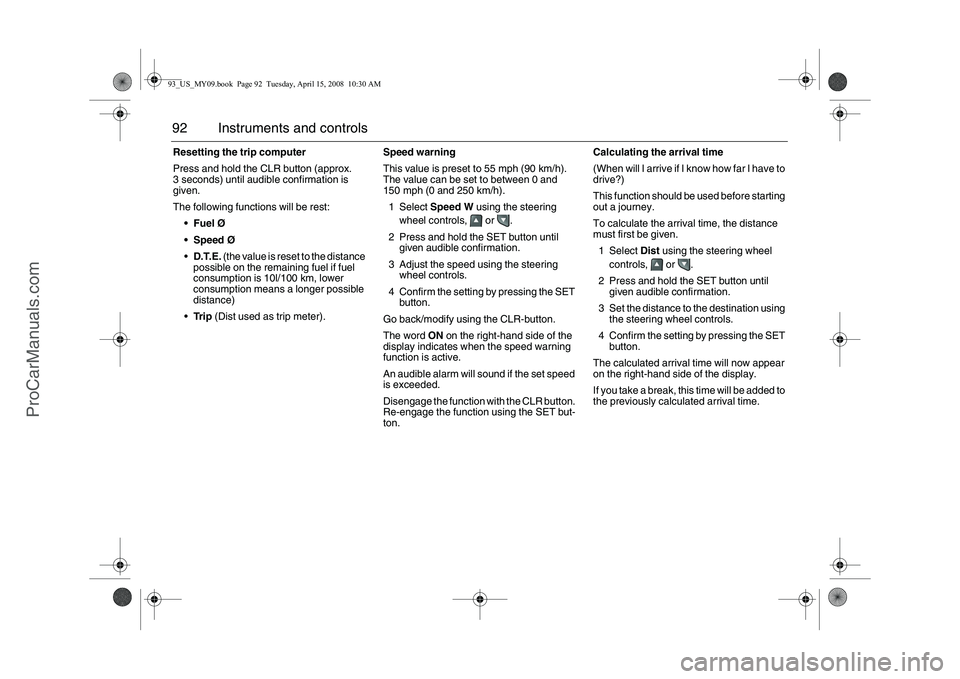
92 Instruments and controlsResetting the trip computer
Press and hold the CLR button (approx.
3 seconds) until audible confirmation is
given.
The following functions will be rest:
FuelØ
Speed Ø
D.T.E. (the value is reset to the distance
possible on the remaining fuel if fuel
consumption is 10l/100 km, lower
consumption means a longer possible
distance)
Tr i p (Dist used as trip meter).Speed warning
This value is preset to 55 mph (90 km/h).
The value can be set to between 0 and
150 mph (0 and 250 km/h).
1Select Speed W using the steering
wheel controls, or .
2 Press and hold the SET button until
given audible confirmation.
3 Adjust the speed using the steering
wheel controls.
4 Confirm the setting by pressing the SET
button.
Go back/modify using the CLR-button.
The word ON on the right-hand side of the
display indicates when the speed warning
function is active.
An audible alarm will sound if the set speed
is exceeded.
Disengage the function with the CLR button.
Re-engage the function using the SET but-
ton.Calculating the arrival time
(When will I arrive if I know how far I have to
drive?)
This function should be used before starting
out a journey.
To calculate the arrival time, the distance
must first be given.
1Select Dist using the steering wheel
controls, or .
2 Press and hold the SET button until
given audible confirmation.
3 Set the distance to the destination using
the steering wheel controls.
4 Confirm the setting by pressing the SET
button.
The calculated arrival time will now appear
on the right-hand side of the display.
If you take a break, this time will be added to
the previously calculated arrival time.93_US_MY09.book Page 92 Tuesday, April 15, 2008 10:30 AM
ProCarManuals.com
Page 93 of 304
93 Instruments and controls
You can check the distance left by selecting
Dist. At the same time you can check the
calculated time of arrival.
After the distance to destination has
decreased to zero, Dist will function as a trip
meter (see Using DIST as a trip meter). The
starting value for the trip meter will be the
last distance set for the Dist function.
Example: The Dist function is set to
100 miles. After the count-down has
reached 0 miles, Dist will act as a trip meter
beginning at 100 miles.Calculating the arrival time if a specified
average speed is maintained
(When will I arrive if I know how far I have to
drive and know what my average speed will
be?)
This function should be used before starting
out a journey.
First, set the distance under Dist.
1 Then select Speed Ø function.
2 Press and hold the SET button until
given audible confirmation.
3 Set the estimated average speed using
the steering wheel controls.
4 Confirm the setting by pressing the SET
button.
The distance and the calculated time of
arrival is now displayed.
The time of arrival is updated during the
journey based on the average speed since
Dist was set. The speed of the car must
exceed 12 mph (20 km/h).
By selecting Dist during the journey, you
can see how much distance is left to travel.
When Dist reaches zero it acts as a trip
meter. The trip meter starts from the dis-
tance that was set previously.
NIGHTPANELTo improve night-driving conditions inside
the car, the Night Panel mode can be
selected. In this mode, the amount of infor-
mation displayed is reduced, and only the
most important instruments and displays
will be illuminated.
When the NIGHTPANEL button is pressed,
only the speedometer will be illuminated.
All other instrument lighting will be switched
off and the needles drop to zero.
Note: All indicator and warning lights and
messages will operate normally if required.
Temp (when the outside temperature falls
or rises to between 26 and 38 °F (–3 and
+3 °C)) and D.T.E. (when the remaining fuel
is only sufficient for approx. 80 miles
(50 km) of driving) are even shown in Night
Panel model.
93_US_MY09.book Page 93 Tuesday, April 15, 2008 10:30 AM
ProCarManuals.com
Page 94 of 304
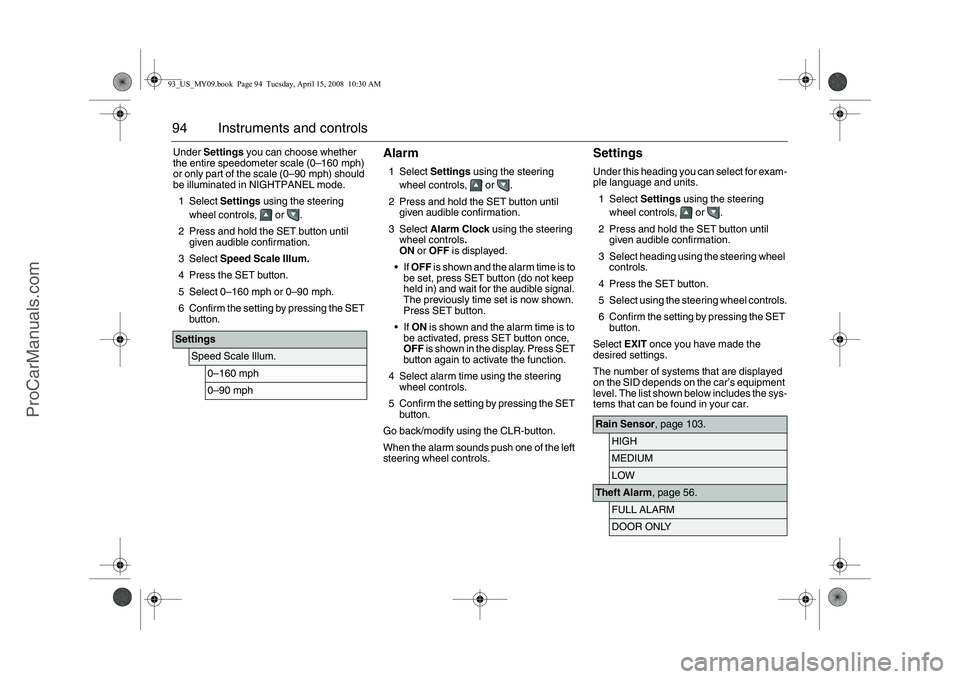
94 Instruments and controlsUnder Settings you can choose whether
the entire speedometer scale (0–160 mph)
or only part of the scale (0–90 mph) should
be illuminated in NIGHTPANEL mode.
1Select Settings using the steering
wheel controls, or .
2 Press and hold the SET button until
given audible confirmation.
3Select Speed Scale Illum.
4 Press the SET button.
5 Select 0–160 mph or 0–90 mph.
6 Confirm the setting by pressing the SET
button.
Alarm1Select Settings using the steering
wheel controls, or .
2 Press and hold the SET button until
given audible confirmation.
3Select Alarm Clock using the steering
wheel controls.
ON or OFF is displayed.
If OFF is shown and the alarm time is to
be set, press SET button (do not keep
held in) and wait for the audible signal.
The previously time set is now shown.
Press SET button.
If ON is shown and the alarm time is to
be activated, press SET button once,
OFF is shown in the display. Press SET
button again to activate the function.
4 Select alarm time using the steering
wheel controls.
5 Confirm the setting by pressing the SET
button.
Go back/modify using the CLR-button.
When the alarm sounds push one of the left
steering wheel controls.
SettingsUnder this heading you can select for exam-
ple language and units.
1Select Settings using the steering
wheel controls, or .
2 Press and hold the SET button until
given audible confirmation.
3 Select heading using the steering wheel
controls.
4 Press the SET button.
5 Select using the steering wheel controls.
6 Confirm the setting by pressing the SET
button.
Select EXIT once you have made the
desired settings.
The number of systems that are displayed
on the SID depends on the car’s equipment
level. The list shown below includes the sys-
tems that can be found in your car.
Settings
Speed Scale Illum.
0–160 mph0–90 mph
Rain Sensor, page 103.
HIGHMEDIUMLOW
Theft Alarm, page 56.
FULL ALARMDOOR ONLY
93_US_MY09.book Page 94 Tuesday, April 15, 2008 10:30 AM
ProCarManuals.com
Page 96 of 304
96 Instruments and controls
Resetting the service indication
Reset the service indication in accordance
with the following:
1 Turn the ignition switch to the ON posi-
tion, the engine must be switched off.
2Select Settings using the steering
wheel controls, or .
3 Press and hold the SET button until
given audible confirmation.
4Select Time for Service.
5 Press the SET button.
6 To the question Reset Service Ind?
select YES (Press CLR button to undo).ClockAdjustments can be made in the Infotain-
ment system.
See separate Manual. Unit
Select the desired group of units.
Next Service: xx%
The SID includes two mutually inde-
pendent counters, one for the main
service and one for the intermediate
service. When a service is carried out,
e.g. intermediate service, the counter is
reset for the intermediate service. The
counter for the other service type, main
service, continues unaffected. This
means that once a service has been
carried out, the counter may show e.g.
47% even though a service has just
been carried out. The percentage
refers, then, to the other service type.
MAIN
Main services are carried out at specific
meter settings. This interval varies
depending on market and engine var-
iant. Contact a workshop for more infor-
mation. We recommend that you con-
tact an authorised Saab workshop.INTERMEDIATE
The intermediate service, on the other
hand, is carried out depending on the
number of cold starts and the climate
conditions in which the car is driven, for
example. This is why the interval for
this type of service varies.
MAIN & INTERMED
A combined service is carried out when
the counters of both service types are
close to one another.
Time for Service.
A service indication must only be reset
after the service has been performed.
TCS/ESP
Select whether the system shall be on
or off. The car has either TCS or ESP.
93_US_MY09.book Page 96 Tuesday, April 15, 2008 10:30 AM
ProCarManuals.com
Page 99 of 304
99 Instruments and controls
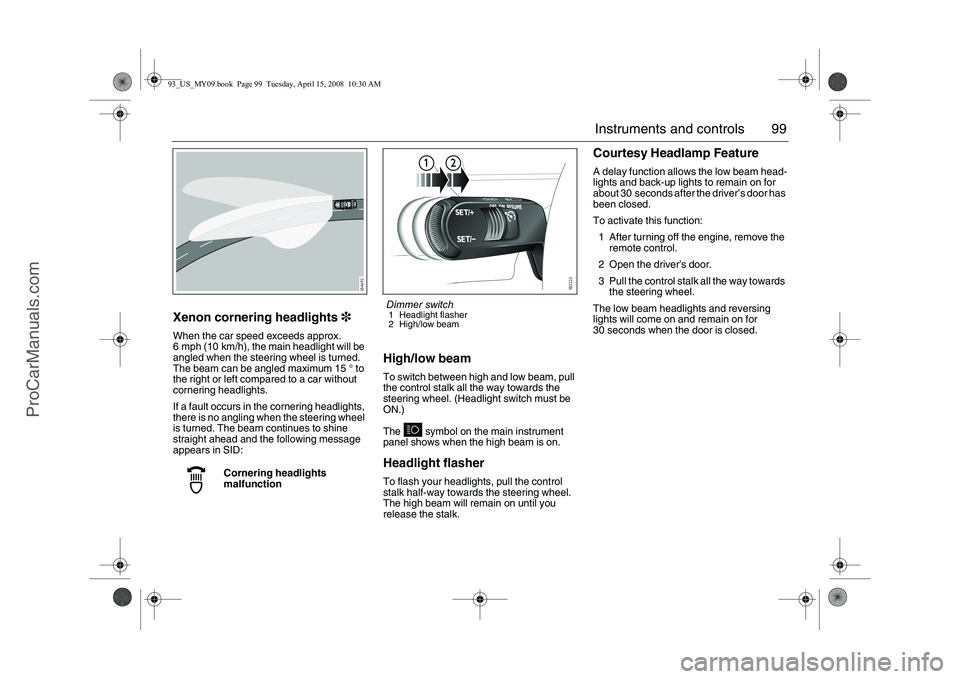
Xenon cornering headlights3When the car speed exceeds approx.
6 mph (10 km/h), the main headlight will be
angled when the steering wheel is turned.
The beam can be angled maximum 15 ° to
the right or left compared to a car without
cornering headlights.
If a fault occurs in the cornering headlights,
there is no angling when the steering wheel
is turned. The beam continues to shine
straight ahead and the following message
appears in SID:
High/low beamTo switch between high and low beam, pull
the control stalk all the way towards the
steering wheel. (Headlight switch must be
ON.)
The symbol on the main instrument
panel shows when the high beam is on.Headlight flasherTo flash your headlights, pull the control
stalk half-way towards the steering wheel.
The high beam will remain on until you
release the stalk.
Courtesy Headlamp FeatureA delay function allows the low beam head-
lights and back-up lights to remain on for
about 30 seconds after the driver’s door has
been closed.
To activate this function:
1 After turning off the engine, remove the
remote control.
2 Open the driver’s door.
3 Pull the control stalk all the way towards
the steering wheel.
The low beam headlights and reversing
lights will come on and remain on for
30 seconds when the door is closed.
Cornering headlights
malfunction
Dimmer switch1 Headlight flasher
2 High/low beam
93_US_MY09.book Page 99 Tuesday, April 15, 2008 10:30 AM
ProCarManuals.com
Page 101 of 304
101 Instruments and controls
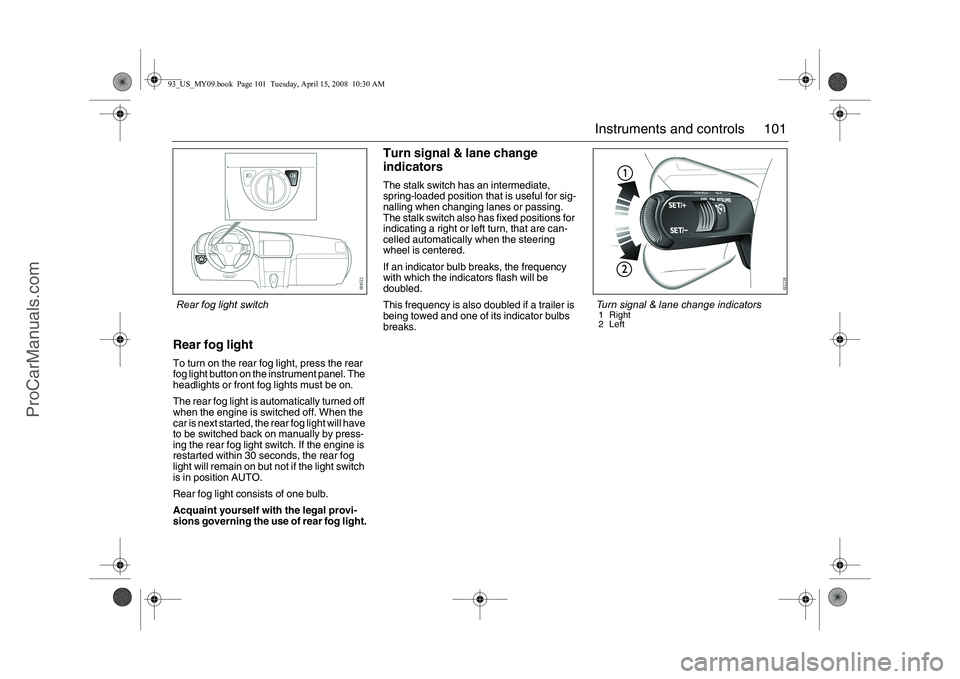
Rear fog lightTo turn on the rear fog light, press the rear
fog light button on the instrument panel. The
headlights or front fog lights must be on.
The rear fog light is automatically turned off
when the engine is switched off. When the
car is next started, the rear fog light will have
to be switched back on manually by press-
ing the rear fog light switch. If the engine is
restarted within 30 seconds, the rear fog
light will remain on but not if the light switch
is in position AUTO.
Rear fog light consists of one bulb.
Acquaint yourself with the legal provi-
sions governing the use of rear fog light.
Turn signal & lane change
indicatorsThe stalk switch has an intermediate,
spring-loaded position that is useful for sig-
nalling when changing lanes or passing.
The stalk switch also has fixed positions for
indicating a right or left turn, that are can-
celled automatically when the steering
wheel is centered.
If an indicator bulb breaks, the frequency
with which the indicators flash will be
doubled.
This frequency is also doubled if a trailer is
being towed and one of its indicator bulbs
breaks.
Turn signal & lane change indicators1 Right
2Left
Rear fog light switch93_US_MY09.book Page 101 Tuesday, April 15, 2008 10:30 AM
ProCarManuals.com