wheel SAAB 9-5 2000 User Guide
[x] Cancel search | Manufacturer: SAAB, Model Year: 2000, Model line: 9-5, Model: SAAB 9-5 2000Pages: 256, PDF Size: 14.24 MB
Page 53 of 256
53 Instruments and controls
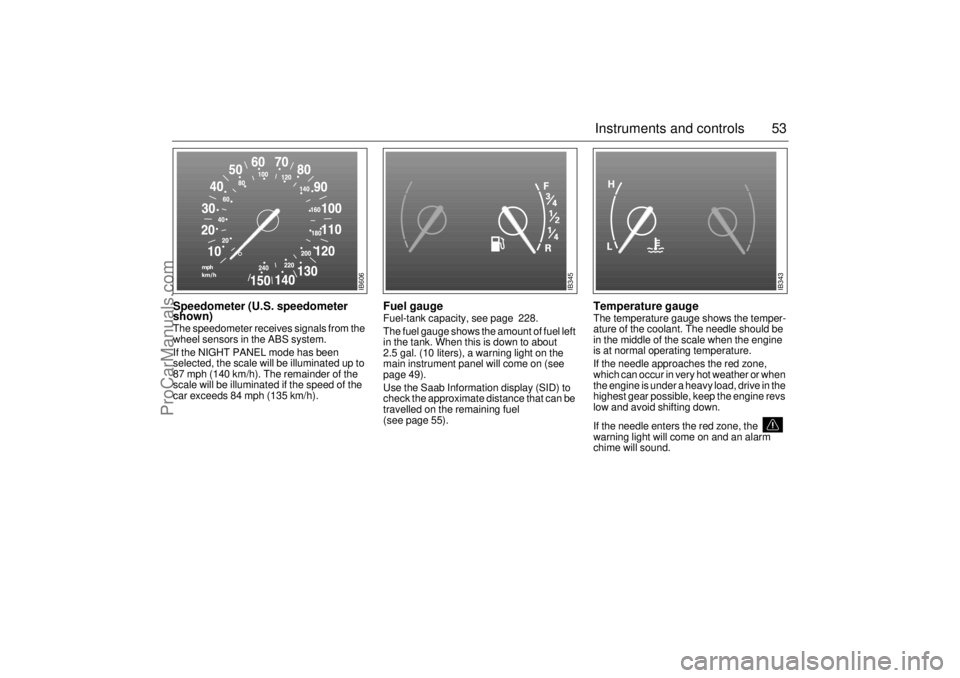
Speedometer (U.S. speedometer
shown)The speedometer receives signals from the
wheel sensors in the ABS system.
If the NIGHT PANEL mode has been
selected, the scale will be illuminated up to
87 mph (140 km/h). The remainder of the
scale will be illuminated if the speed of the
car exceeds 84 mph (135 km/h).
Fuel gauge Fuel-tank capacity, see page 228.
The fuel gauge shows the amount of fuel left
in the tank. When this is down to about
2.5 gal. (10 liters), a warning light on the
main instrument panel will come on (see
page 49).
Use the Saab Information display (SID) to
check the approximate distance that can be
travelled on the remaining fuel
(see page 55).
Temperature gauge The temperature gauge shows the temper-
ature of the coolant. The needle should be
in the middle of the scale when the engine
is at normal operating temperature.
If the needle approaches the red zone,
which can occur in very hot weather or when
the engine is under a heavy load, drive in the
highest gear possible, keep the engine revs
low and avoid shifting down.
If the needle enters the red zone, the
warning light will come on and an alarm
chime will sound.
IB606
IB345
IB343
ProCarManuals.com
Page 77 of 256
77 Saab 9-5 Audio System
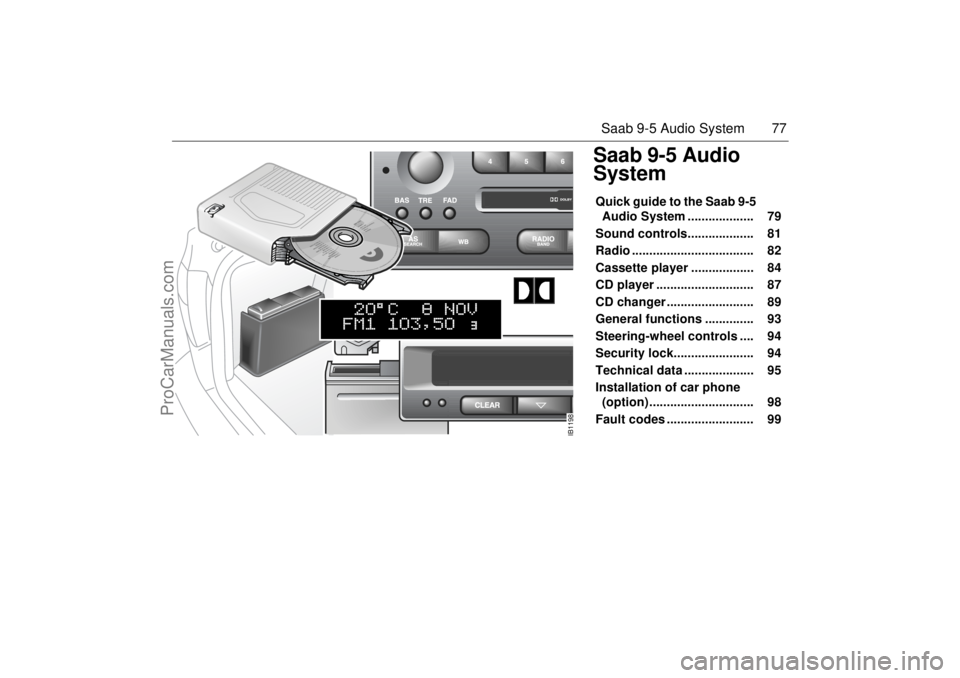
Saab 9-5 Audio
SystemQuick guide to the Saab 9-5
Audio System ................... 79
Sound controls................... 81
Radio ................................... 82
Cassette player .................. 84
CD player ............................ 87
CD changer ......................... 89
General functions .............. 93
Steering-wheel controls .... 94
Security lock....................... 94
Technical data .................... 95
Installation of car phone
(option) .............................. 98
Fault codes ......................... 99
IB1198
ProCarManuals.com
Page 94 of 256
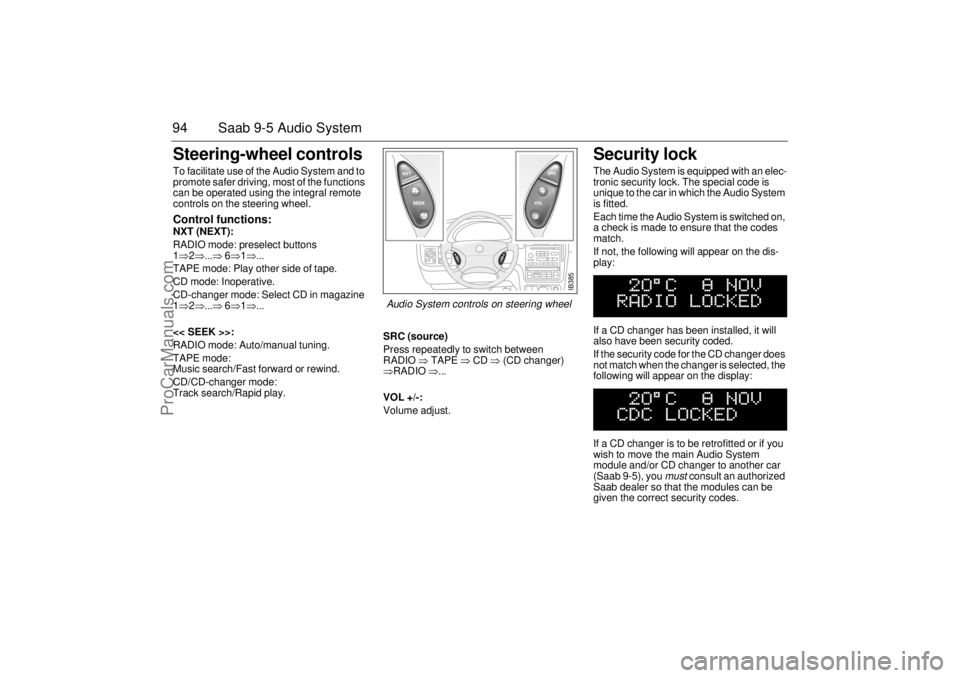
94 Saab 9-5 Audio SystemSteering-wheel controls To facilitate use of the Audio System and to
promote safer driving, most of the functions
can be operated using the integral remote
controls on the steering wheel. Control functions: NXT (NEXT):
RADIO mode: preselect buttons
1⇒2⇒...⇒ 6⇒1⇒...
TAPE mode: Play other side of tape.
CD mode: Inoperative.
CD-changer mode: Select CD in magazine
1⇒2⇒...⇒ 6⇒1⇒...
<< SEEK >>:
RADIO mode: Auto/manual tuning.
TAPE mode:
Music search/Fast forward or rewind.
CD/CD-changer mode:
Track search/Rapid play.SRC (source)
Press repeatedly to switch between
RADIO ⇒ TAPE ⇒ CD ⇒ (CD changer)
⇒RADIO ⇒...
VOL +/-:
Volume adjust.
Security lock The Audio System is equipped with an elec-
tronic security lock. The special code is
unique to the car in which the Audio System
is fitted.
Each time the Audio System is switched on,
a check is made to ensure that the codes
match.
If not, the following will appear on the dis-
play:
If a CD changer has been installed, it will
also have been security coded.
If the security code for the CD changer does
not match when the changer is selected, the
following will appear on the display:
If a CD changer is to be retrofitted or if you
wish to move the main Audio System
module and/or CD changer to another car
(Saab 9-5), you
must
consult an authorized
Saab dealer so that the modules can be
given the correct security codes.
IB385
Audio System controls on steering wheel
ProCarManuals.com
Page 98 of 256
98 Saab 9-5 Audio SystemSources of AM interference AM reception is prone to interference, e.g.
from electrical systems on other vehicles,
high-tension power lines and lightning. Adjusting the frequency steps North
America/Europe If the car is taken from Europe to North
America, the radio’s frequency steps can be
adjusted.
Press and hold SEEK (mid-segment) and
switch the radio on at the same time.
The preset stations will be cancelled and
replaced by default frequencies.
Installation of car phone
(option)Provision has been made on the Saab 9-5
for the installation of a hands-free car
phone.
A car-phone mount is available as an acces-
sory.
Your Saab dealer has details of proper
phone installation procedures. Provision for hands-free phone
Car phone connects to car’s circuitry.
Microphone for hands-free phone use
incorporated in overhead panel at front.
Audio System mute function when phone
activated.
Phone conversation amplified through
Audio System speakers.
TELEPHONE appears on the SID when
phone in use.
Volume level for ongoing conversation
can be adjusted by volume controls on
steering wheel or on Audio System
module (see also ”Volume-preset mode”,
page 93).
If the sound is distorted, adjust by means
of the volume control on
telephone set
.
Phone battery charging when phone is in
its cradle.
Please refer to the instructions supplied with
the phone for details of how to make and
receive calls. In order to fully utilize the
hands-free function, certain circuits must be
available from the telephone to be installed.
Your authorized Saab dealer has this infor-
mation available.
WARNING
To prevent crashes while using a cell
phone:
Don’t use the phone in distracting traf-
fic situations. Turn it off if traffic is
heavy.
Dial sensibly, at a stoplight or safely off
the road.
Consider installing hands-free or
speaker phone.
Avoid stressful and intense phone
conversations.NOTEThe A-pillar area (area beside the wind-
shield) and the headlining of your Saab
contain padding designed to reduce head
injuries. No modifications to these areas
should be made unless done by your
authorized Saab dealer.
IB392
ProCarManuals.com
Page 101 of 256
101 Interior equipment and trunk
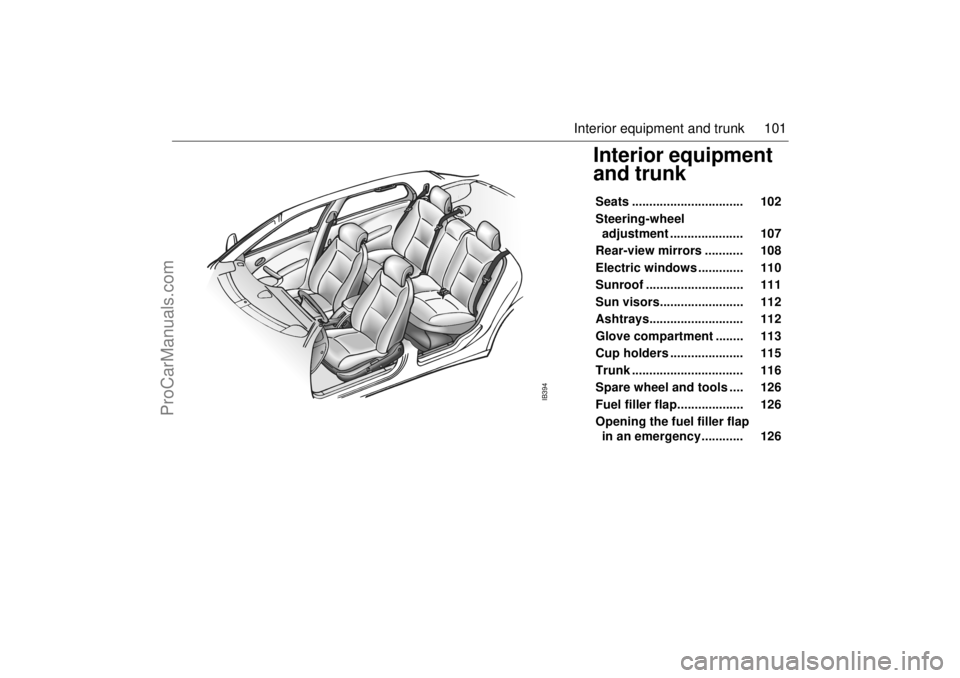
Interior equipment
and trunk Seats ................................ 102
Steering-wheel
adjustment ..................... 107
Rear-view mirrors ........... 108
Electric windows ............. 110
Sunroof ............................ 111
Sun visors........................ 112
Ashtrays........................... 112
Glove compartment ........ 113
Cup holders ..................... 115
Trunk ................................ 116
Spare wheel and tools .... 126
Fuel filler flap................... 126
Opening the fuel filler flap
in an emergency............ 126
IB394
ProCarManuals.com
Page 102 of 256
102 Interior equipment and trunkSeats Both front seats are electrically operated.
On certain models the driver´s seat is
equipped with a memory function.
To facilitate getting into the car, both seats
can be adjusted when either of the front
doors is open.
For safety reasons, if the door is closed, the
seat can only be adjusted when the ignition
is ON.
Note, however, that both seats can be
adjusted for 30 seconds after both doors
have been closed. The following seat adjustments can be
made to achieve a comfortable driving
position:
Height.
Legroom.
Backrest rake angle.
Lumbar support.
Head-restraint height.
We recommend that adjustments to the
driver’s seat be performed in the following
order:
1Height.
2 Legroom.
3 Seat tilt angle.
4 Backrest rake angle.
Lastly, adjust the steering wheel (see page
107).
Side airbags (see page 28).
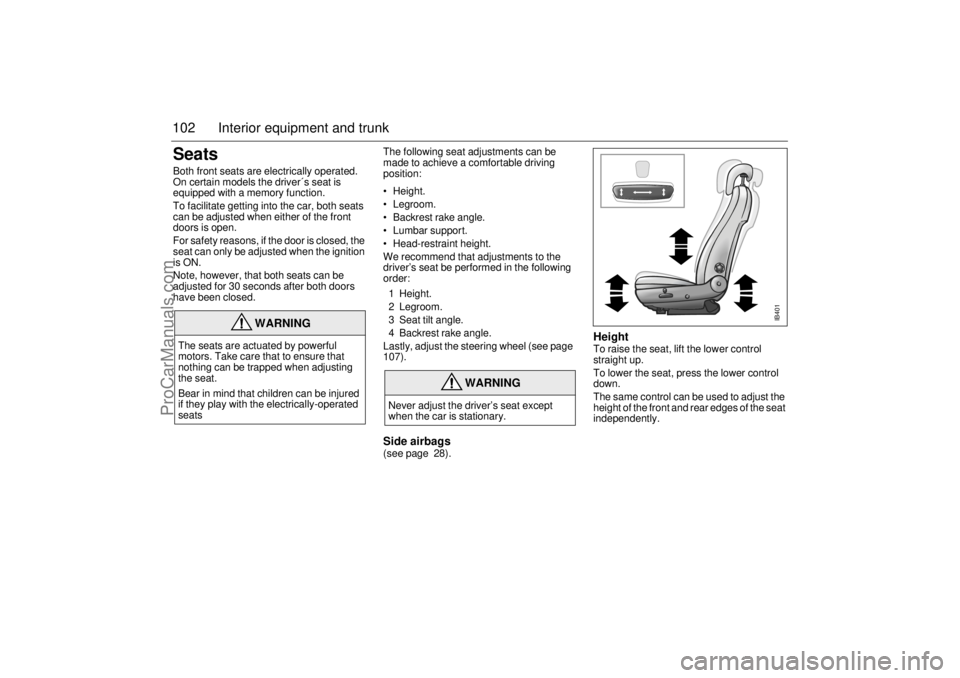
Height To raise the seat, lift the lower control
straight up.
To lower the seat, press the lower control
down.
The same control can be used to adjust the
height of the front and rear edges of the seat
independently.
WARNING
The seats are actuated by powerful
motors. Take care that to ensure that
nothing can be trapped when adjusting
the seat.
Bear in mind that children can be injured
if they play with the electrically-operated
seats
WARNING
Never adjust the driver’s seat except
when the car is stationary.
IB401
ProCarManuals.com
Page 103 of 256
103 Interior equipment and trunk
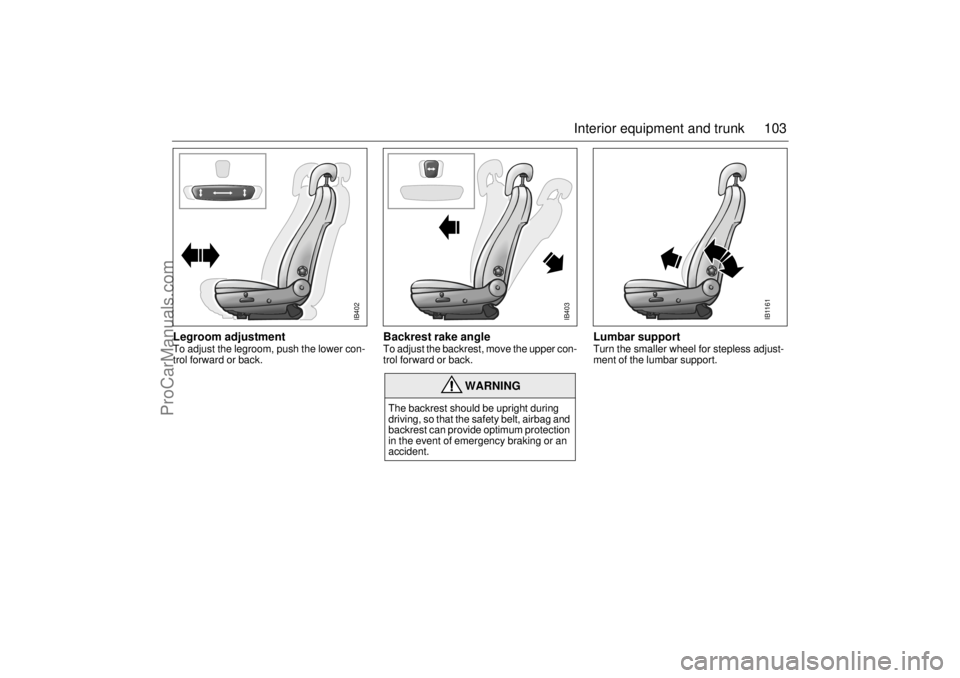
Legroom adjustment To adjust the legroom, push the lower con-
trol forward or back.
Backrest rake angle To adjust the backrest, move the upper con-
trol forward or back.
Lumbar supportTurn the smaller wheel for stepless adjust-
ment of the lumbar support.
WARNING
The backrest should be upright during
driving, so that the safety belt, airbag and
backrest can provide optimum protection
in the event of emergency braking or an
accident.
IB403
IB402
IB1161
ProCarManuals.com
Page 107 of 256
107 Interior equipment and trunk
Steering-wheel
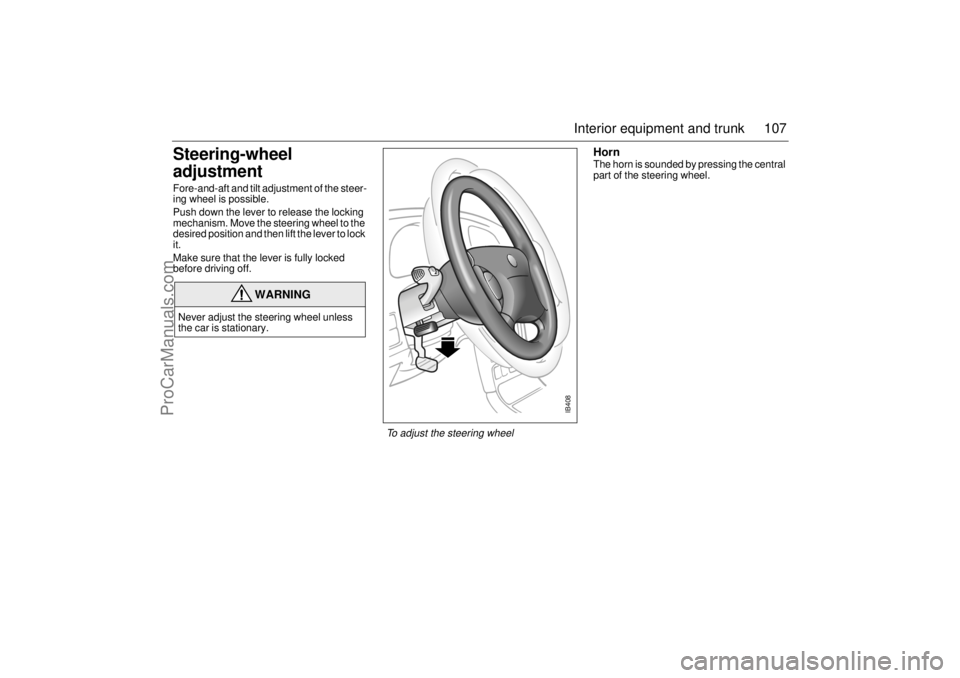
adjustment Fore-and-aft and tilt adjustment of the steer-
ing wheel is possible.
Push down the lever to release the locking
mechanism. Move the steering wheel to the
desired position and then lift the lever to lock
it.
Make sure that the lever is fully locked
before driving off.
HornThe horn is sounded by pressing the central
part of the steering wheel.
WARNING
Never adjust the steering wheel unless
the car is stationary.
IB408
To adjust the steering wheel
ProCarManuals.com
Page 124 of 256

124 Interior equipment and trunkSliding floor (accessory)
The function of the sliding floor is to facilitate
loading and unloading.
Securing loads, see page 118.
When the car is parked and the floor is
pulled out, it can bear the weight of two
people (maximum 440 lbs./200 kg).
The maximum load that can be anchored by
anchorage straps and cargo bolts is
170 lbs./80 kg.Setting up
1 Lift up the floor.
2 Fold out the support wheels.
3 Set the floor down on the support
wheels.
WARNING
To avoid personal injury take note of the
following:
Do not leave children unsupervised
when the sliding floor is drawn out.
Be aware of the risk of pinching when
handling the sliding floor.
Never drive the car with the sliding
floor pulled out.
Always use the car’s regular cargo
anchoring when transporting a cargo.
Provide protection on sharp edges to
prevent damage to the anchoring
straps.
The sliding floor must not be changed
or modified in any way.
Put the sliding floor in the folded- down
position when it is not in use.
IB1220
Setting up the sliding floor
ProCarManuals.com
Page 125 of 256

125 Interior equipment and trunk
Loading/Unloading
1 Lift the handle and pull out the sliding
floor to the outer locking position. Make
sure that the floor is locked correctly.
2 Put on the cargo, but make sure that it
does not cover the handle.
3 Lift the handle and push in the floor to
the inner locking position. Make sure
that the floor is locked correctly.
4 Tie down the load with Saab’s load
straps according to the instructions, see
page 121.When the floor is not in use
1 Lift up the floor.
2 Fold down the support wheels.
3 Lay down the sliding floor and make sure
that it is locked in its lower position.
IB1221
Loading
IB1222
Folding down the sliding floor
ProCarManuals.com