CD changer SAAB 9-5 2000 Owners Manual
[x] Cancel search | Manufacturer: SAAB, Model Year: 2000, Model line: 9-5, Model: SAAB 9-5 2000Pages: 256, PDF Size: 14.24 MB
Page 77 of 256
77 Saab 9-5 Audio System
Saab 9-5 Audio
SystemQuick guide to the Saab 9-5
Audio System ................... 79
Sound controls................... 81
Radio ................................... 82
Cassette player .................. 84
CD player ............................ 87
CD changer ......................... 89
General functions .............. 93
Steering-wheel controls .... 94
Security lock....................... 94
Technical data .................... 95
Installation of car phone
(option) .............................. 98
Fault codes ......................... 99
IB1198
ProCarManuals.com
Page 78 of 256
78 Saab 9-5 Audio SystemTo get the best out of your Saab 9-5 Audio
System, we recommend that you read
through this entire section.
The Saab 9-5 Audio System is available in
two versions: Premium on the 9-5 and Pres-
tige on the 9-5 SE (Prestige system is also
available as an option on the 9-5 S model.)
Both models have been specially matched
to the Saab 9-5 cabin.
The two models are comprised of a radio,
CD player and cassette player.
A six-disc CD changer for installation in the
luggage compartment is available as a
dealer-installed accessory/option.
The Premium model has seven speakers:
three mounted in the fascia (the center
speaker further enhances the overall sound
image) and one in each door.
The Prestige model (Harman/Kardon) has
nine speakers (9-5 Wagon has eight speak-
ers): three mounted in the fascia (the center
speaker further enhances the sound
image), one in each door and two subwoof-
ers in the rear window shelf (9-5 Wagon:
one subwoofer in the luggage compart-
ment). The subwoofers enhance reproduc-
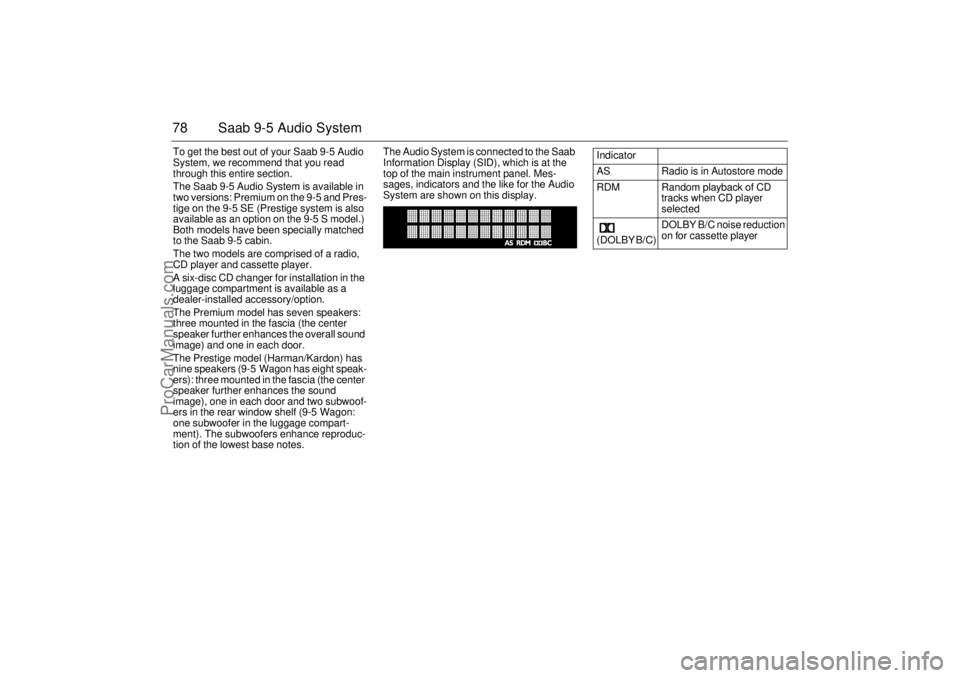
tion of the lowest base notes.The Audio System is connected to the Saab
Information Display (SID), which is at the
top of the main instrument panel. Mes-
sages, indicators and the like for the Audio
System are shown on this display.
Indicator
AS Radio is in Autostore mode
RDM Random playback of CD
tracks when CD player
selected
(DOLBY B/C) DOLBY B/C noise reduction
on for cassette player
ProCarManuals.com
Page 80 of 256
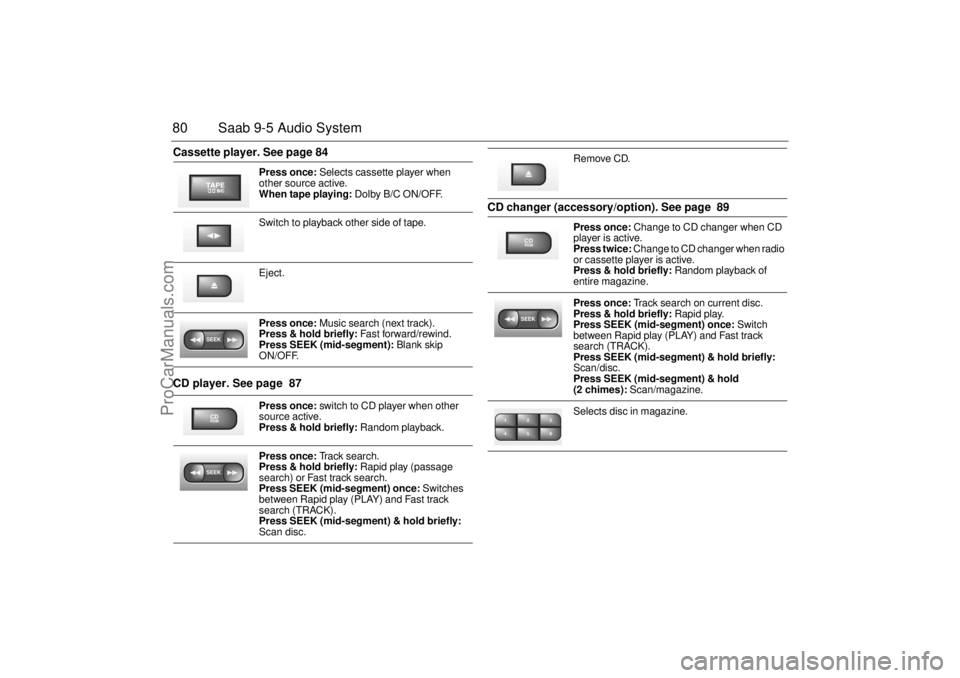
80 Saab 9-5 Audio SystemCassette player. See page 84
CD player. See page 87 CD changer (accessory/option). See page 89
Press once: Selects cassette player when
other source active.
When tape playing: Dolby B/C ON/OFF.
Switch to playback other side of tape.
Eject.
Press once: Music search (next track).
Press & hold briefly: Fast forward/rewind.
Press SEEK (mid-segment): Blank skip
ON/OFF.
Press once: switch to CD player when other
source active.
Press & hold briefly: Random playback.
Press once: Track search.
Press & hold briefly: Rapid play (passage
search) or Fast track search.
Press SEEK (mid-segment) once: Switches
between Rapid play (PLAY) and Fast track
search (TRACK).
Press SEEK (mid-segment) & hold briefly:
Scan disc.
SEEKCDRDMSEEK
Remove CD.
Press once: Change to CD changer when CD
player is active.
Press twice: Change to CD changer when radio
or cassette player is active.
Press & hold briefly: Random playback of
entire magazine.
Press once: Track search on current disc.
Press & hold briefly: Rapid play.
Press SEEK (mid-segment) once: Switch
between Rapid play (PLAY) and Fast track
search (TRACK).
Press SEEK (mid-segment) & hold briefly:
Scan/disc.
Press SEEK (mid-segment) & hold
(2 chimes): Scan/magazine.
Selects disc in magazine.
CDRDMSEEK2 13
5 46
ProCarManuals.com
Page 89 of 256
89 Saab 9-5 Audio System
CD changer(accessory)Important! Always keep the sliding cover
closed to keep dust out of the CD changer,
so that it will continue to provide satisfactory
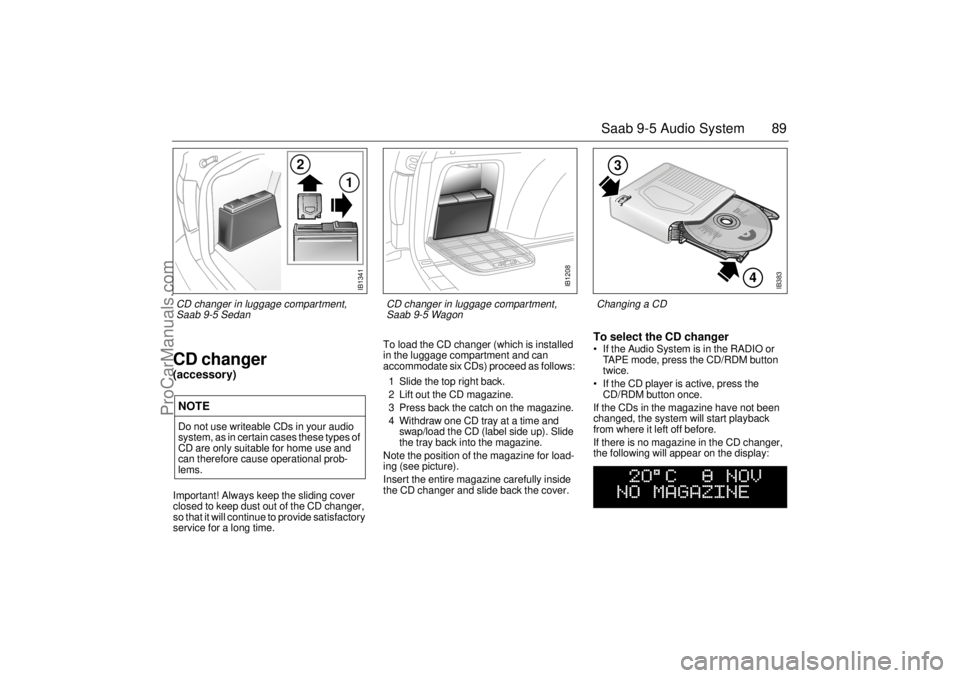
service for a long time. To load the CD changer (which is installed
in the luggage compartment and can
accommodate six CDs) proceed as follows:
1 Slide the top right back.
2 Lift out the CD magazine.
3 Press back the catch on the magazine.
4 Withdraw one CD tray at a time and
swap/load the CD (label side up). Slide
the tray back into the magazine.
Note the position of the magazine for load-
ing (see picture).
Insert the entire magazine carefully inside
the CD changer and slide back the cover.
To select the CD changer If the Audio System is in the RADIO or
TAPE mode, press the CD/RDM button
twice.
If the CD player is active, press the
CD/RDM button once.
If the CDs in the magazine have not been
changed, the system will start playback
from where it left off before.
If there is no magazine in the CD changer,
the following will appear on the display:
NOTEDo not use writeable CDs in your audio
system, as in certain cases these types of
CD are only suitable for home use and
can therefore cause operational prob-
lems.
IB383
4
3
Changing a CD
IB1341
2
1
CD changer in luggage compartment,
Saab 9-5 Sedan
IB1208
CD changer in luggage compartment,
Saab 9-5 Wagon
ProCarManuals.com
Page 90 of 256
90 Saab 9-5 Audio SystemIf the magazine in the CD changer is empty,
the following will appear on the display:
If the CD changer is activated right after a
magazine has been loaded, the following
will appear on the display:
The CD number will change as each CD is
played.
After a magazine has been loaded, play-
back will start with the first track on the first
CD when the CD changer is selected, and
the following will appear on the display:
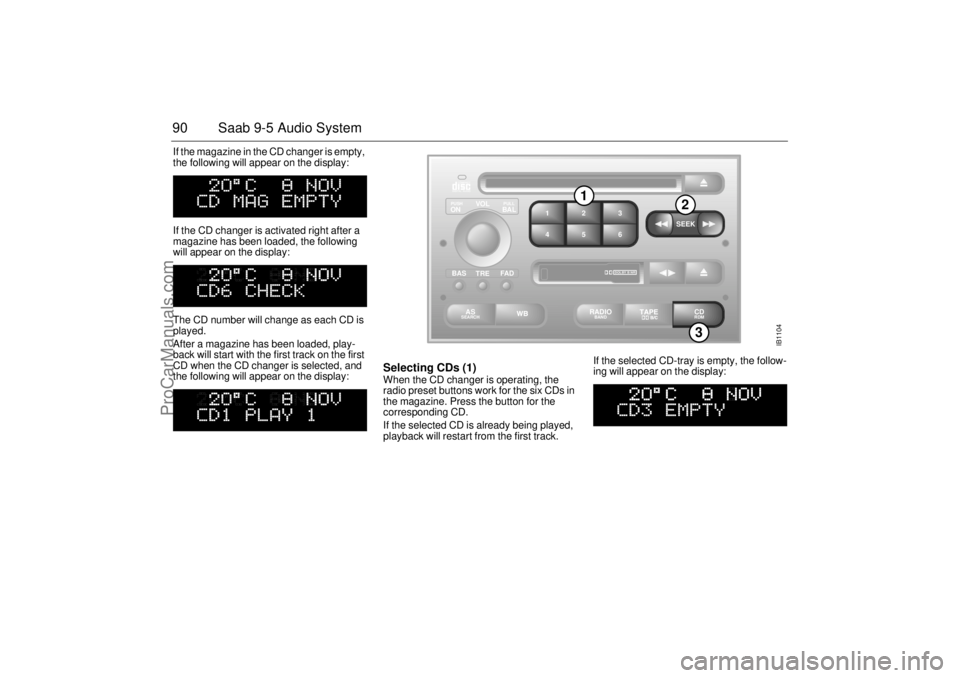
Selecting CDs (1) When the CD changer is operating, the
radio preset buttons work for the six CDs in
the magazine. Press the button for the
corresponding CD.
If the selected CD is already being played,
playback will restart from the first track. If the selected CD-tray is empty, the follow-
ing will appear on the display:
IB1104
VOL
TREBAL ON
FA D BAS
PULL PUSH
CDRDM
RADIO BAND
ASSEARCH
2 13
5 46
DOLBY B NR
SEEK
3
1
2
ProCarManuals.com
Page 92 of 256

92 Saab 9-5 Audio SystemSCAN Scanning the current CD:
To start the SCAN function, which enables
you to hear a sample of each track on the
disc, press and hold SEEK (mid-segment).
The display shows that SCAN is in progress
and which track is currently being sampled.
For instance, if you started SCAN while
playing track one, the following display will
appear:
The sample playback starts 30 seconds
after the start of the track and lasts for 8 sec-
onds.
When all the tracks on the disc have been
scanned, the system will revert to playback
of the track that was playing when SCAN
was selected.
Press any segment of the SEEK button
during scanning to play the current track
from the beginning and simultaneously
cancel the SCAN function. Scanning the entire magazine:
Press and hold SEEK (mid-segment - two
chimes) to start a scan of the entire maga-
zine. A message similar to the following will
appear on the display:
The sample playback starts 30 seconds
after the beginning of the first track on each
CD and lasts for 8 seconds.
After the first track of each CD has been
sampled, the CD changer will revert to play-
back of the track that was playing when
SCAN was selected.
Press any segment of the SEEK button
during scanning to play the current track
from the beginning and simultaneously
cancel the SCAN function.
Random playback (RDM) (3) Press and hold the CD/RDM button to
select/deselect random playback of the
CDs in the magazine. When this function is
selected, RDM will appear at the bottom of
the display.
Press (SEEK) >> once to move from the
current track to the next during random play-
back.
Press << (SEEK) once to repeat the current
track during random playback.
Pressing and holding << (SEEK) or
>> (SEEK) will start Rapid play.
To stop playback from the CD changer,
simply select once to move from the current
track to the next during random playback
(RADIO/TAPE/ CD). The CD changer will
now enter stand-by mode.
ProCarManuals.com
Page 94 of 256
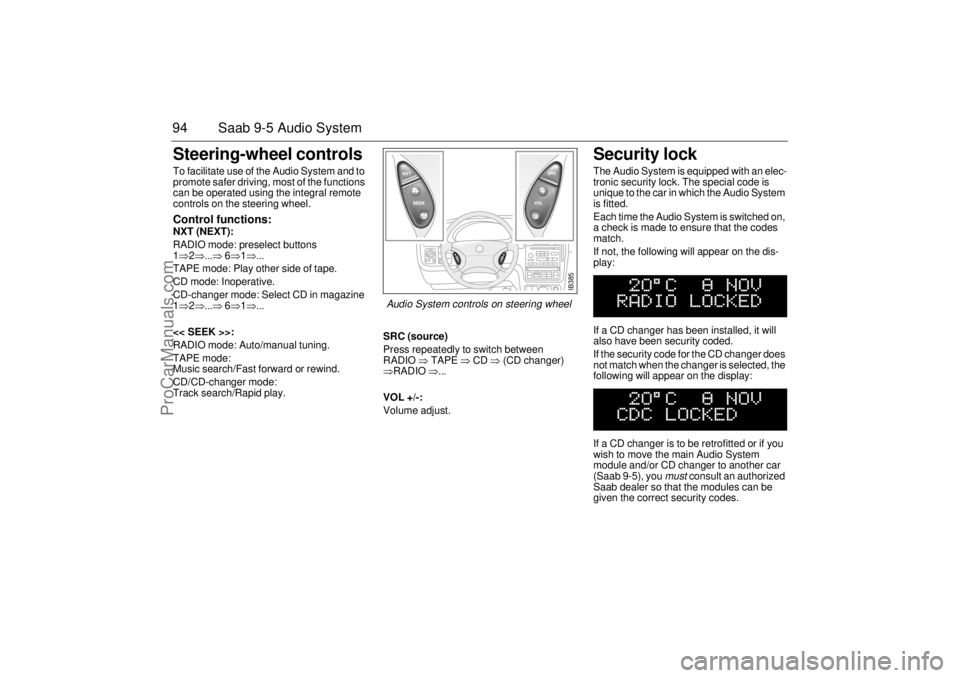
94 Saab 9-5 Audio SystemSteering-wheel controls To facilitate use of the Audio System and to
promote safer driving, most of the functions
can be operated using the integral remote
controls on the steering wheel. Control functions: NXT (NEXT):
RADIO mode: preselect buttons
1⇒2⇒...⇒ 6⇒1⇒...
TAPE mode: Play other side of tape.
CD mode: Inoperative.
CD-changer mode: Select CD in magazine
1⇒2⇒...⇒ 6⇒1⇒...
<< SEEK >>:
RADIO mode: Auto/manual tuning.
TAPE mode:
Music search/Fast forward or rewind.
CD/CD-changer mode:
Track search/Rapid play.SRC (source)
Press repeatedly to switch between
RADIO ⇒ TAPE ⇒ CD ⇒ (CD changer)
⇒RADIO ⇒...
VOL +/-:
Volume adjust.
Security lock The Audio System is equipped with an elec-
tronic security lock. The special code is
unique to the car in which the Audio System
is fitted.
Each time the Audio System is switched on,
a check is made to ensure that the codes
match.
If not, the following will appear on the dis-
play:
If a CD changer has been installed, it will
also have been security coded.
If the security code for the CD changer does
not match when the changer is selected, the
following will appear on the display:
If a CD changer is to be retrofitted or if you
wish to move the main Audio System
module and/or CD changer to another car
(Saab 9-5), you
must
consult an authorized
Saab dealer so that the modules can be
given the correct security codes.
IB385
Audio System controls on steering wheel
ProCarManuals.com
Page 95 of 256

95 Saab 9-5 Audio System
Technical data
These specifications comply with the new IHF Standard
Since the policy at Saab is one of continual improvement, we retain the right to alter
specifications and design without prior notice.
Dolby noise reduction is produced under licence from Dolby Laboratories Licensing
Corporation
”Dolby” and the double-D symbol are trademarks of Dolby Laboratories Licens-
ing Corporation
Changes or modifications not expressly approved by the manufacturer for compliance
could void the user´s authority to operate the equipment.
Tone controls
Bass ______________________ ±10 dB at 100 Hz
Treble _____________________ ±10 dB at 10,000 Hz
Power output
Premium __________________ 150 W
110 W at 1% THD (total har-
monic distortion) and 13.5 V
Prestige __________________ 200 W
150 W at 1% THD (total har-
monic distortion) and 13.5 V
Radio module
Radio system _______________ PLL dual-synthesizer tuner
Number of presets:
FM ______________________ 3 x 6
AM ______________________ 2 x 6
Frequency range:
FM ______________________ 87.9 – 107.9 MHz
MW ______________________ 530 – 1710 kHz
WB ______________________ 162.40 – 162.55 MHz
Tuning steps:
Automatic seek tuning: _______ FM 200 kHz
AM 10 kHz
WB 50 kHz
Manual tuning: _____________ FM 200 kHz
AM 10 kHzFrequency range (FM) ________ 40-15000 Hz
±1 dB
Distortion (FM) ______________ < 0.5%
Cassette player
Fast forward/rewind __________ < 120 seconds (C-60)
Frequency range _____________ 40 – 16000 Hz
±2 dB
Wow and flutter ______________ 0.2% WRMS
Signal-to-noise ratio __________ 45 dB
Dolby B/C NR effect __________ 8/16 dB
CD player and CD changer
1-bit system and 8 x oversampling
Frequency range _____________ 20-20000 Hz
±0.5 dB
Distortion __________________ < 0.008%
Dynamics __________________ > 80 dB (1 kHz)
CD-changer capacity __________ 6 discs
ProCarManuals.com
Page 100 of 256
100 Saab 9-5 Audio System
OnStar System (US Option only)Your vehicle may be equipped with OnStar,
a vehicle telematics communications and
navigation system. See the separate
OnStar owner’s manual supplied in your
vehicle’s document organizer.
WARNING
The CD player/CD changer is classified
as Class 1 laser equipment
Service and repair work must only be
carried out by authorized technicians.
If the casing is damaged, hazardous
laser radiation can occur. NOTEAll work on the Audio System must be
carried out by an authorized Saab dealer.
ProCarManuals.com
Page 227 of 256
227 Specifications
Trailer:
Luggage compartment
Volume (SAE):
9-5 Sedan _______________________ 15.9 cu.ft.
(450 litres)
9-5 Wagon, rear seat upright ________ 31.4 cu. ft.
(890 litres)
9-5 Wagon, rear seat folded _________ 73.0 cu. ft.
(2067 litres)
Maximum permissible luggage-compart-
ment load:
At curb weight + 4 passengers at 154 lbs.
(70 kg) _________________________ 176 lbs (80 kg)
Luggage compartment, length, 9-5 Sedan:
Rear seat upright _________________ 43.0 in (1092 mm)
Rear seat folded down _____________ 67.5 in (1714 mm)
Luggage compartment, length, 9-5 Wagon:
Rear seat upright _________________ 42.8 in (1087 mm)
Rear seat folded __________________ 61.2 in (1732 mm)
WARNING
The GVW and maximum axle loads must not be exceeded. Note
that if some accessories (e.g. towbar, CD changer) are fitted, the
available load capacity is reduced by the weight of these.
When carrying a load in the luggage compartment, make sure that
it is tied down securely, particularly when part or all of the rear seat
is folded down.
Maximum towing speed, trailer with brakes 60 mph (100 km/h)
Trailer with brakes _________________ Maximum weight:
2000 lbs (900 kg)
Trailer without brakes ______________ Maximum weight:
1000 lbs (450 kg)
Maximum load on ball hitch __________ 165 lbs (75 kg)
The above speed and weight restrictions are those specified by
Saab Automobile.
Note that local restrictions may apply to trailer speeds and
weights (see page 152).
ProCarManuals.com