display SAAB 9-5 2001 Owner's Manual
[x] Cancel search | Manufacturer: SAAB, Model Year: 2001, Model line: 9-5, Model: SAAB 9-5 2001Pages: 272, PDF Size: 14.83 MB
Page 89 of 272
89 Saab 9-5 Audio System
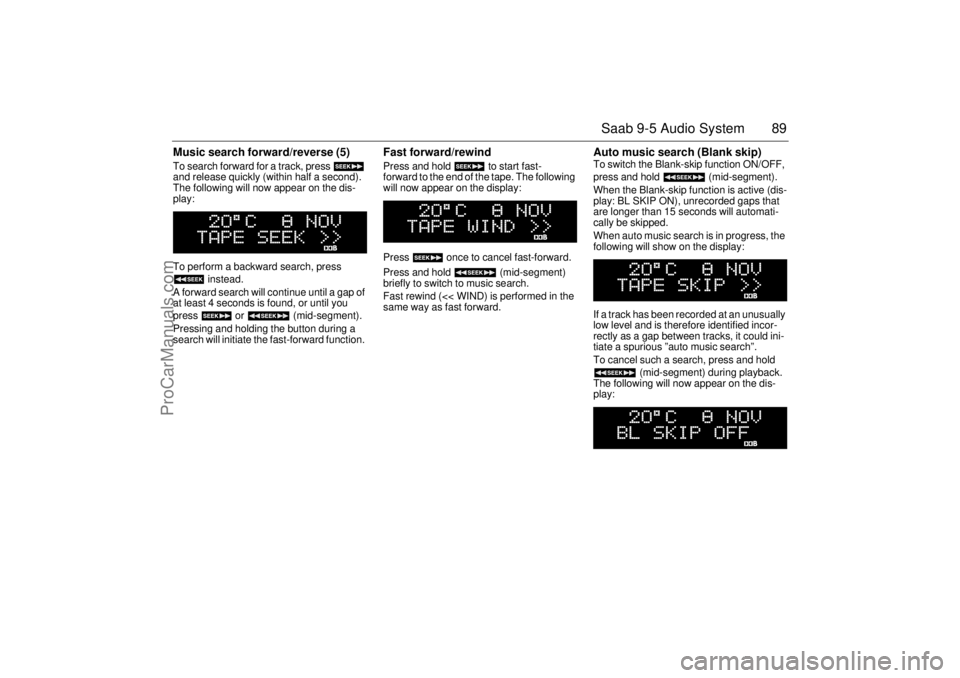
Music search forward/reverse (5) To search forward for a track, press
and release quickly (within half a second).
The following will now appear on the dis-
play:
To perform a backward search, press
instead.
A forward search will continue until a gap of
at least 4 seconds is found, or until you
press or (mid-segment).
Pressing and holding the button during a
search will initiate the fast-forward function.
Fast forward/rewind Press and hold to start fast-
forward to the end of the tape. The following
will now appear on the display:
Press once to cancel fast-forward.
Press and hold (mid-segment)
briefly to switch to music search.
Fast rewind (<< WIND) is performed in the
same way as fast forward.
Auto music search (Blank skip) To switch the Blank-skip function ON/OFF,
press and hold (mid-segment).
When the Blank-skip function is active (dis-
play: BL SKIP ON), unrecorded gaps that
are longer than 15 seconds will automati-
cally be skipped.
When auto music search is in progress, the
following will show on the display:
If a track has been recorded at an unusually
low level and is therefore identified incor-
rectly as a gap between tracks, it could ini-
tiate a spurious ”auto music search”.
To cancel such a search, press and hold
(mid-segment) during playback.
The following will now appear on the dis-
play:
ProCarManuals.com
Page 90 of 272
90 Saab 9-5 Audio SystemType II (metal) tapes The cassette has an automatic tape-type
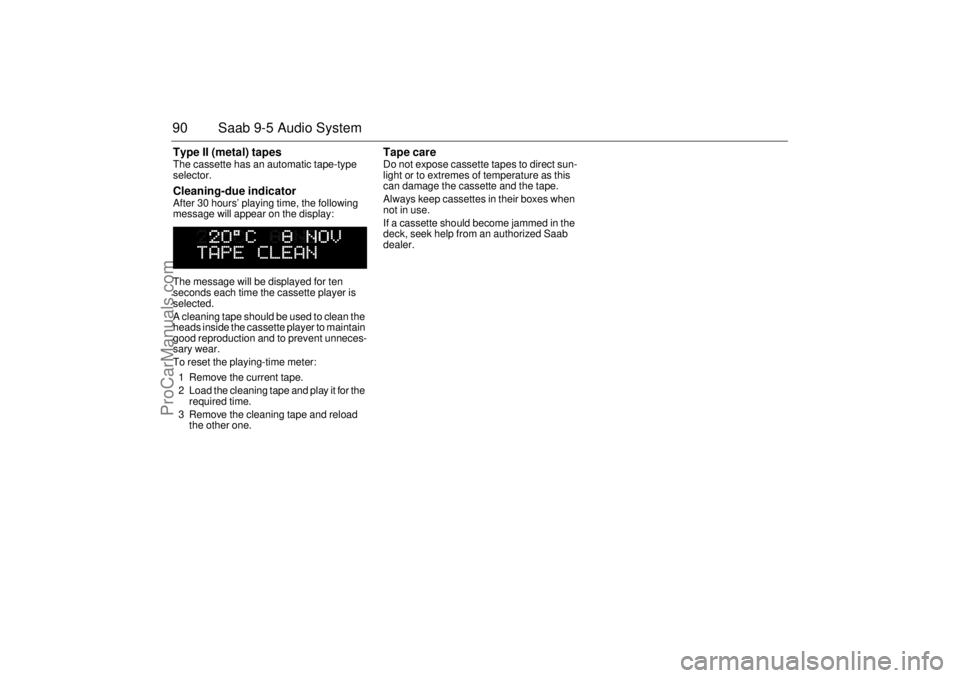
selector. Cleaning-due indicator After 30 hours’ playing time, the following
message will appear on the display:
The message will be displayed for ten
seconds each time the cassette player is
selected.
A cleaning tape should be used to clean the
heads inside the cassette player to maintain
good reproduction and to prevent unneces-
sary wear.
To reset the playing-time meter:
1 Remove the current tape.
2 Load the cleaning tape and play it for the
required time.
3 Remove the cleaning tape and reload
the other one.
Tape care Do not expose cassette tapes to direct sun-
light or to extremes of temperature as this
can damage the cassette and the tape.
Always keep cassettes in their boxes when
not in use.
If a cassette should become jammed in the
deck, seek help from an authorized Saab
dealer.
ProCarManuals.com
Page 91 of 272
91 Saab 9-5 Audio System
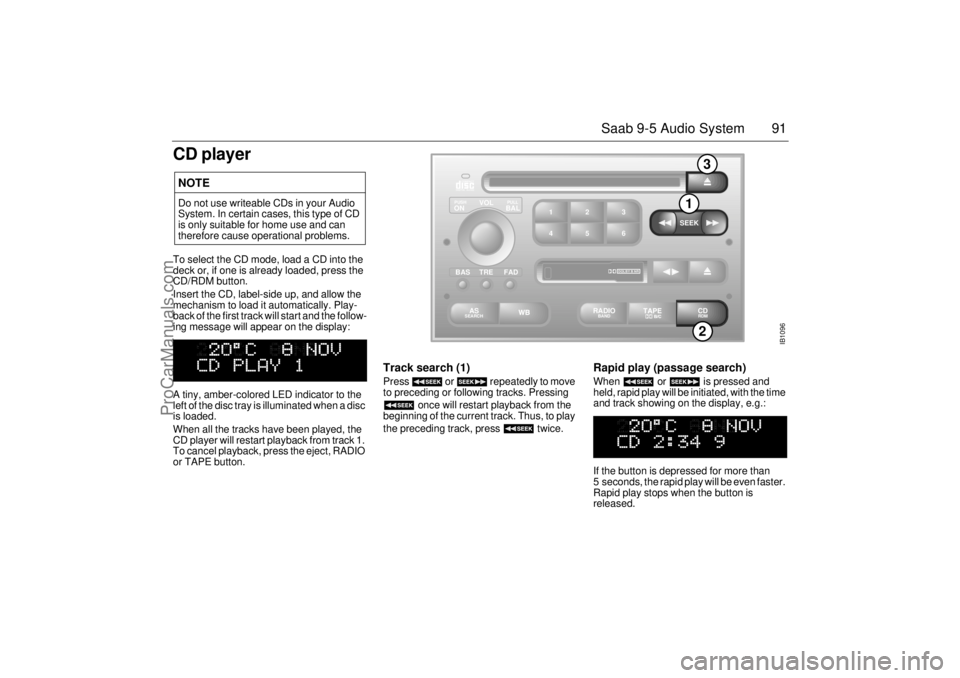
CD playerTo select the CD mode, load a CD into the
deck or, if one is already loaded, press the
CD/RDM button.
Insert the CD, label-side up, and allow the
mechanism to load it automatically. Play-
back of the first track will start and the follow-
ing message will appear on the display:
A tiny, amber-colored LED indicator to the
left of the disc tray is illuminated when a disc
is loaded.
When all the tracks have been played, the
CD player will restart playback from track 1.
To cancel playback, press the eject, RADIO
or TAPE button.
Track search (1) Press or repeatedly to move
to preceding or following tracks. Pressing
once will restart playback from the
beginning of the current track. Thus, to play
the preceding track, press twice.
Rapid play (passage search) When or is pressed and
held, rapid play will be initiated, with the time
and track showing on the display, e.g.:
If the button is depressed for more than
5 seconds, the rapid play will be even faster.
Rapid play stops when the button is
released.
NOTEDo not use writeable CDs in your Audio
System. In certain cases, this type of CD
is only suitable for home use and can
therefore cause operational problems.
IB1096
VOL
TREBAL ON
FAD BAS
PULL PUSH
CDRDM
RADIO BAND
ASSEARCH
2 13
5 46
DOLBY B NR
SEEK
2
1
3
ProCarManuals.com
Page 92 of 272
92 Saab 9-5 Audio SystemFast track search Press (mid-segment) once to
switch between the CD-PLAY and
CD-TRACK modes.
The CD-PLAY and CD-TRACK modes
change the function of and .
The selected mode will also be active the
next time the system is switched on.
Choose the mode that you find most conve-
nient:
Random playback (RDM) (2) Press and hold the CD/RDM button to
select/deselect random playback of the cur-
rent disc. When this function is selected,
RDM will appear at the bottom of the dis-
play.
Press once to move from the current
track to the next during random playback.
Press once to repeat the current
track during random playback.
Pressing and holding or will
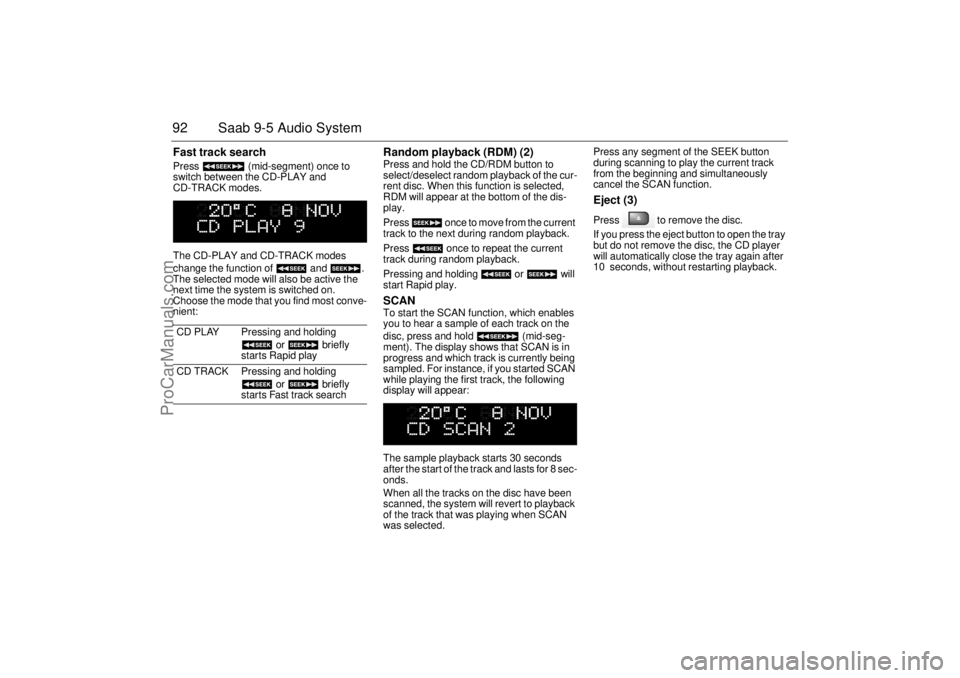
start Rapid play. SCAN To start the SCAN function, which enables
you to hear a sample of each track on the
disc, press and hold (mid-seg-
ment). The display shows that SCAN is in
progress and which track is currently being
sampled. For instance, if you started SCAN
while playing the first track, the following
display will appear:
The sample playback starts 30 seconds
after the start of the track and lasts for 8 sec-
onds.
When all the tracks on the disc have been
scanned, the system will revert to playback
of the track that was playing when SCAN
was selected. Press any segment of the SEEK button
during scanning to play the current track
from the beginning and simultaneously
cancel the SCAN function.
Eject (3) Press to remove the disc.
If you press the eject button to open the tray
but do not remove the disc, the CD player
will automatically close the tray again after
10 seconds, without restarting playback.
CD PLAY Pressing and holding
or briefly
starts Rapid play
CD TRACK Pressing and holding
or briefly
starts Fast track search
ProCarManuals.com
Page 93 of 272
93 Saab 9-5 Audio System
CD changer(accessory)Important! Always keep the sliding cover
closed to keep dust out of the CD changer,
so that it will continue to provide satisfactory
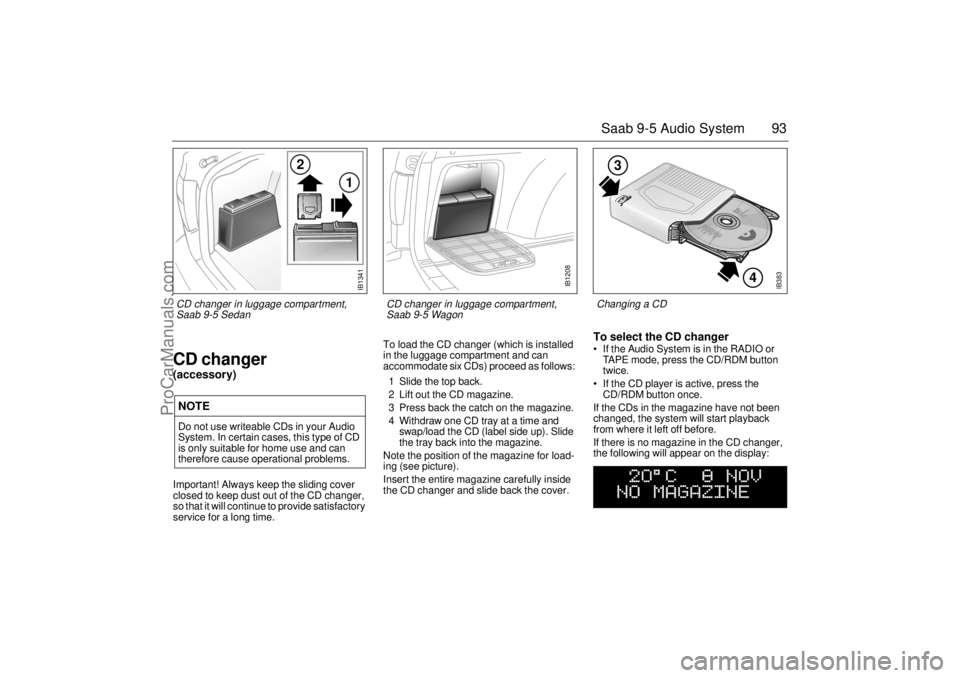
service for a long time. To load the CD changer (which is installed
in the luggage compartment and can
accommodate six CDs) proceed as follows:
1 Slide the top back.
2 Lift out the CD magazine.
3 Press back the catch on the magazine.
4 Withdraw one CD tray at a time and
swap/load the CD (label side up). Slide
the tray back into the magazine.
Note the position of the magazine for load-
ing (see picture).
Insert the entire magazine carefully inside
the CD changer and slide back the cover.
To select the CD changer If the Audio System is in the RADIO or
TAPE mode, press the CD/RDM button
twice.
If the CD player is active, press the
CD/RDM button once.
If the CDs in the magazine have not been
changed, the system will start playback
from where it left off before.
If there is no magazine in the CD changer,
the following will appear on the display:
NOTEDo not use writeable CDs in your Audio
System. In certain cases, this type of CD
is only suitable for home use and can
therefore cause operational problems.
IB383
4
3
Changing a CD
IB1341
2
1
CD changer in luggage compartment,
Saab 9-5 Sedan
IB1208
CD changer in luggage compartment,
Saab 9-5 Wagon
ProCarManuals.com
Page 94 of 272
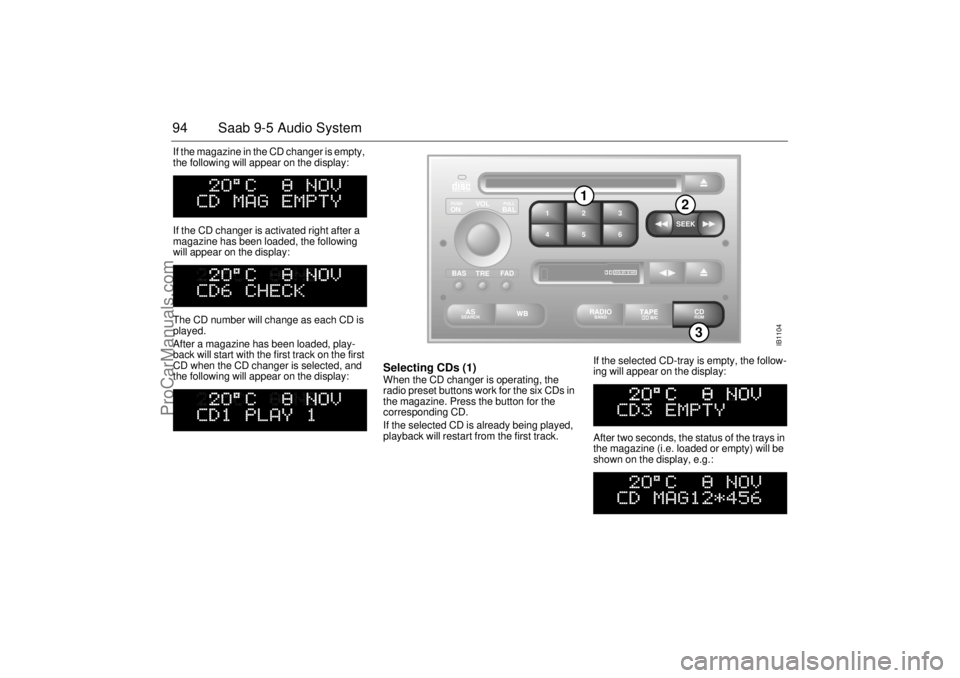
94 Saab 9-5 Audio SystemIf the magazine in the CD changer is empty,
the following will appear on the display:
If the CD changer is activated right after a
magazine has been loaded, the following
will appear on the display:
The CD number will change as each CD is
played.
After a magazine has been loaded, play-
back will start with the first track on the first
CD when the CD changer is selected, and
the following will appear on the display:
Selecting CDs (1) When the CD changer is operating, the
radio preset buttons work for the six CDs in
the magazine. Press the button for the
corresponding CD.
If the selected CD is already being played,
playback will restart from the first track. If the selected CD-tray is empty, the follow-
ing will appear on the display:
After two seconds, the status of the trays in
the magazine (i.e. loaded or empty) will be
shown on the display, e.g.:
IB1104
VOL
TREBAL ON
FA D BAS
PULL PUSH
CDRDM
RADIO BAND
ASSEARCH
2 13
5 46
DOLBY B NR
SEEK
3
1
2
ProCarManuals.com
Page 95 of 272
95 Saab 9-5 Audio System
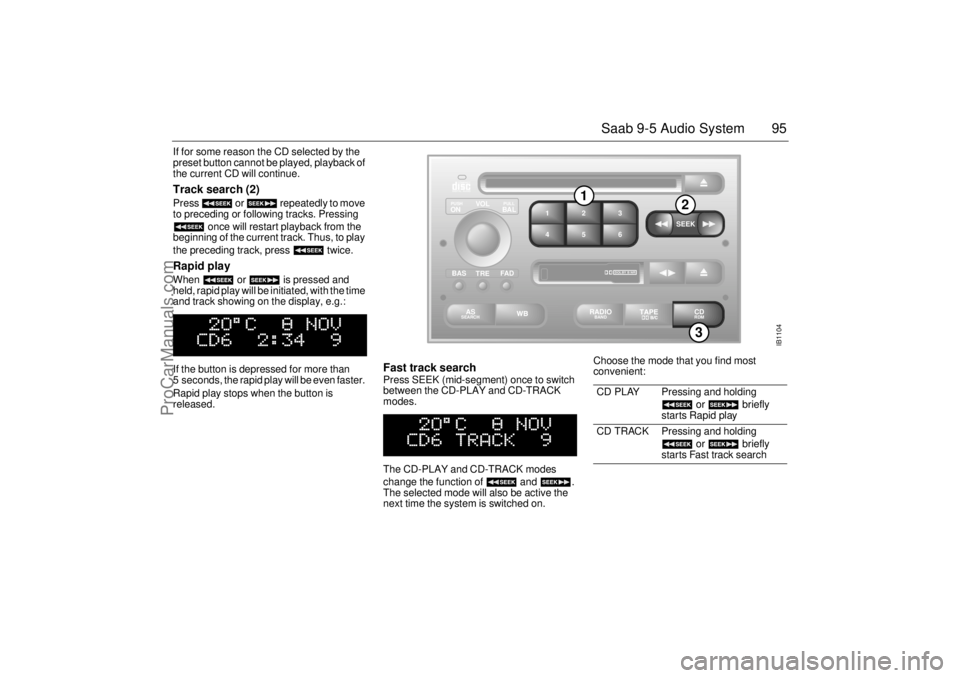
If for some reason the CD selected by the
preset button cannot be played, playback of
the current CD will continue. Track search (2) Press or repeatedly to move
to preceding or following tracks. Pressing
once will restart playback from the
beginning of the current track. Thus, to play
the preceding track, press twice. Rapid play When or is pressed and
held, rapid play will be initiated, with the time
and track showing on the display, e.g.:
If the button is depressed for more than
5 seconds, the rapid play will be even faster.
Rapid play stops when the button is
released.
Fast track search Press SEEK (mid-segment) once to switch
between the CD-PLAY and CD-TRACK
modes.
The CD-PLAY and CD-TRACK modes
change the function of and .
The selected mode will also be active the
next time the system is switched on. Choose the mode that you find most
convenient:
CD PLAY Pressing and holding
or briefly
starts Rapid play
CD TRACK Pressing and holding
or briefly
starts Fast track search
IB1104
VOL
TREBAL ON
FA D BAS
PULL PUSH
CDRDM
RADIO BAND
ASSEARCH
2 13
5 46
DOLBY B NR
SEEK
3
1
2
ProCarManuals.com
Page 96 of 272
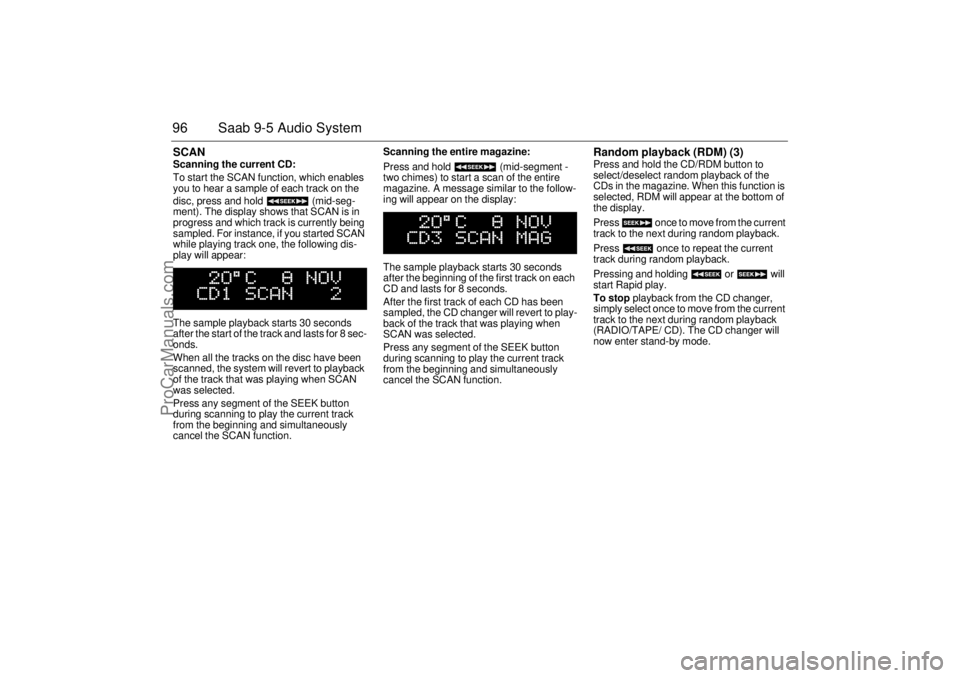
96 Saab 9-5 Audio SystemSCAN Scanning the current CD:
To start the SCAN function, which enables
you to hear a sample of each track on the
disc, press and hold (mid-seg-
ment). The display shows that SCAN is in
progress and which track is currently being
sampled. For instance, if you started SCAN
while playing track one, the following dis-
play will appear:
The sample playback starts 30 seconds
after the start of the track and lasts for 8 sec-
onds.
When all the tracks on the disc have been
scanned, the system will revert to playback
of the track that was playing when SCAN
was selected.
Press any segment of the SEEK button
during scanning to play the current track
from the beginning and simultaneously
cancel the SCAN function. Scanning the entire magazine:
Press and hold (mid-segment -
two chimes) to start a scan of the entire
magazine. A message similar to the follow-
ing will appear on the display:
The sample playback starts 30 seconds
after the beginning of the first track on each
CD and lasts for 8 seconds.
After the first track of each CD has been
sampled, the CD changer will revert to play-
back of the track that was playing when
SCAN was selected.
Press any segment of the SEEK button
during scanning to play the current track
from the beginning and simultaneously
cancel the SCAN function.
Random playback (RDM) (3) Press and hold the CD/RDM button to
select/deselect random playback of the
CDs in the magazine. When this function is
selected, RDM will appear at the bottom of
the display.
Press once to move from the current
track to the next during random playback.
Press once to repeat the current
track during random playback.
Pressing and holding or will
start Rapid play.
To stop playback from the CD changer,
simply select once to move from the current
track to the next during random playback
(RADIO/TAPE/ CD). The CD changer will
now enter stand-by mode.
ProCarManuals.com
Page 98 of 272
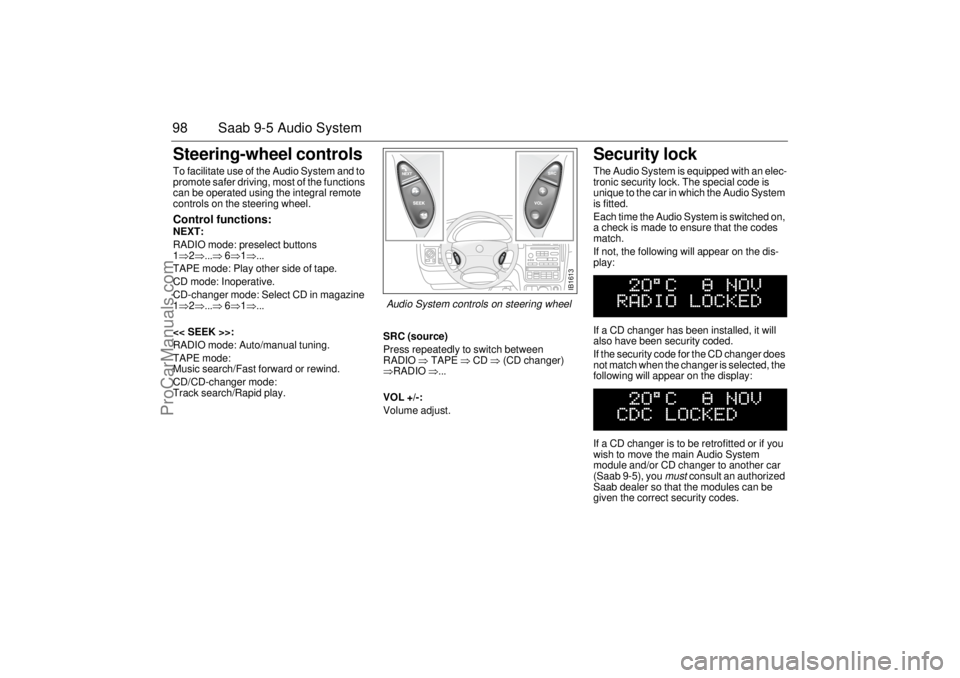
98 Saab 9-5 Audio SystemSteering-wheel controls To facilitate use of the Audio System and to
promote safer driving, most of the functions
can be operated using the integral remote
controls on the steering wheel. Control functions: NEXT:
RADIO mode: preselect buttons
1⇒2⇒...⇒ 6⇒1⇒...
TAPE mode: Play other side of tape.
CD mode: Inoperative.
CD-changer mode: Select CD in magazine
1⇒2⇒...⇒ 6⇒1⇒...
<< SEEK >>:
RADIO mode: Auto/manual tuning.
TAPE mode:
Music search/Fast forward or rewind.
CD/CD-changer mode:
Track search/Rapid play.SRC (source)
Press repeatedly to switch between
RADIO ⇒ TAPE ⇒ CD ⇒ (CD changer)
⇒RADIO ⇒...
VOL +/-:
Volume adjust.
Security lock The Audio System is equipped with an elec-
tronic security lock. The special code is
unique to the car in which the Audio System
is fitted.
Each time the Audio System is switched on,
a check is made to ensure that the codes
match.
If not, the following will appear on the dis-
play:
If a CD changer has been installed, it will
also have been security coded.
If the security code for the CD changer does
not match when the changer is selected, the
following will appear on the display:
If a CD changer is to be retrofitted or if you
wish to move the main Audio System
module and/or CD changer to another car
(Saab 9-5), you
must
consult an authorized
Saab dealer so that the modules can be
given the correct security codes.
IB1613
Audio System controls on steering wheel
ProCarManuals.com
Page 169 of 272
169 Starting and driving
Traction Control SystemHow the system works The traction control system (TCS) is
designed to prevent wheelspin. This
enables the car to achieve the best possible
grip and, hence, maximum tractive effort,
together with greater stability.
The TCS system uses information from the
ABS system’s wheel sensors to detect
when the front (driving) wheels are rotating
faster then the rear wheels. It then monitors
whether one driving wheel is rotating faster
than the other. If so, the faster wheel is
retarded until both wheels are rotating at the
same speed.
If the two front wheels are rotating at the
same speed but are turning faster than the
rear wheels, the torque from the engine is
reduced to eliminate the difference.
The process continues until all the wheels
are rotating at the same speed.
The advantages of the TCS system become
most apparent when the cohesion between
the front wheels and the road surface is so
low that one or both of the wheels would
lose their grip were the car not equipped
with the TCS, e.g.: When the car is pulling away or accelerat-
ing with the front wheels on different sur-
faces (e.g. one slippery and one dry). The
TCS then functions like an electronic dif-
ferential lock.
When the car is pulling away or accelerat-
ing on a slippery road, in which case the
TCS eliminates wheelspin. The same
applies when the car is reversing.
On cornering, if there is a tendency for the
inner front wheel to rotate faster than the
other wheels.
On overtaking.
TCS OFF The TCS OFF indicator on the main instru-
ment panel will come on:
If a fault has been detected and the
system has therefore been switched off.
If there is a fault in the ABS system.
If the system has been switched off man-
ually.
The indicator light will also come on for
4 seconds when the ignition key is turned to
ON, while an internal system check is per-
formed. TCS indicator The indicator light will come on for
4 seconds when the ignition key is turned to
ON, while an internal system check is per-
formed.
The TCS light in the tachometer comes on
when the system is operative, i.e. when the
wheels are not rotating at the same speed.
The fact that the TCS system is operative
indicates that the limit for grip has been
exceeded and that the driver must exert
greater care.
WARNING
In normal driving, the TCS system
enhances the safety of the car, but it does
not mean that the car can be driven faster.
The same care and prudence normally
applied should be displayed on cornering
and when driving on slippery roads.
ProCarManuals.com