audio SAAB 9-5 2003 User Guide
[x] Cancel search | Manufacturer: SAAB, Model Year: 2003, Model line: 9-5, Model: SAAB 9-5 2003Pages: 288, PDF Size: 16.78 MB
Page 95 of 288

95 Saab 9-5 Audio System
Press and hold in the AS/SEARCH button
for more than a second to initiate a search
for the six strongest stations.
Each time the system finds and stores a sta-
tion, the number on the far right of the dis-
play will change. If the system cannot find
six stations with good reception, the remain-
ing preset buttons will be empty. If one of
these empty buttons is pressed, U**** (FM)
or AM**** will appear on the display.
When the system leaves the AS mode, it
returns to the station that was selected
before the AS mode was activated.
The AS mode can also be used in the AM
band.
WB (Weather Band) (5)Press the WB button to select the Weather
Band mode. The radio will automatically
search for the strongest national weather
service station in the area. When a weather
band station is received, the display indi-
cates ”WB”. The strongest station generally
provides the most accurate information for
the area in which you are traveling.
To exit the Weather Band mode, depress
the WB button again. Weather Band recep-
tion is available in CD, TAPE and RADIO
mode. If the radio is unable to find a suffi-
ciently strong station to lock onto, the unit
will continue to search and the display will
indicate ”NO WB”.
ProCarManuals.com
Page 96 of 288
96 Saab 9-5 Audio SystemCassette player Before playing a tape, make sure that the
label is secure and that the cassette is not
warped, otherwise the cassette can
become jammed in the deck. The cassette
player automatically senses whether the
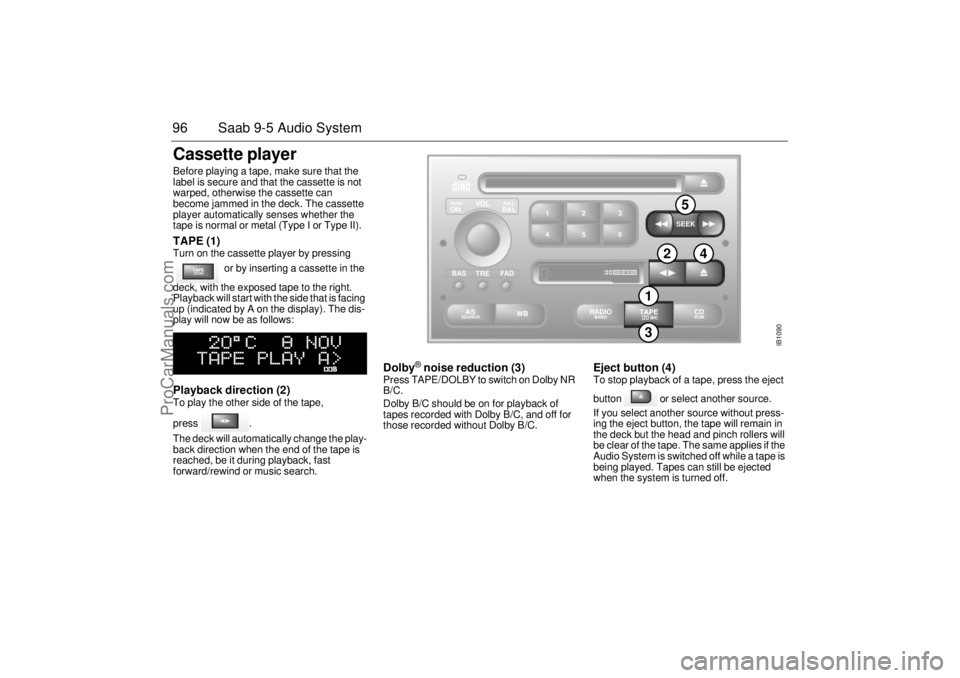
tape is normal or metal (Type I or Type II). TAPE (1) Turn on the cassette player by pressing
or by inserting a cassette in the
deck, with the exposed tape to the right.
Playback will start with the side that is facing
up (indicated by A on the display). The dis-
play will now be as follows: Playback direction (2) To play the other side of the tape,
press .
The deck will automatically change the play-
back direction when the end of the tape is
reached, be it during playback, fast
forward/rewind or music search.
Dolby
® noise reduction (3)
Press TAPE/DOLBY to switch on Dolby NR
B/C.
Dolby B/C should be on for playback of
tapes recorded with Dolby B/C, and off for
those recorded without Dolby B/C.
Eject button (4) To stop playback of a tape, press the eject
button or select another source.
If you select another source without press-
ing the eject button, the tape will remain in
the deck but the head and pinch rollers will
be clear of the tape. The same applies if the
Audio System is switched off while a tape is
being played. Tapes can still be ejected
when the system is turned off.
IB1090
VOL
TREBAL ON
FA D BAS
PULL PUSH
CDRDM
RADIO BAND
ASSEARCH
2 13
5 46
DOLBY B NR
SEEK
3
5
2
4
1
ProCarManuals.com
Page 97 of 288
97 Saab 9-5 Audio System
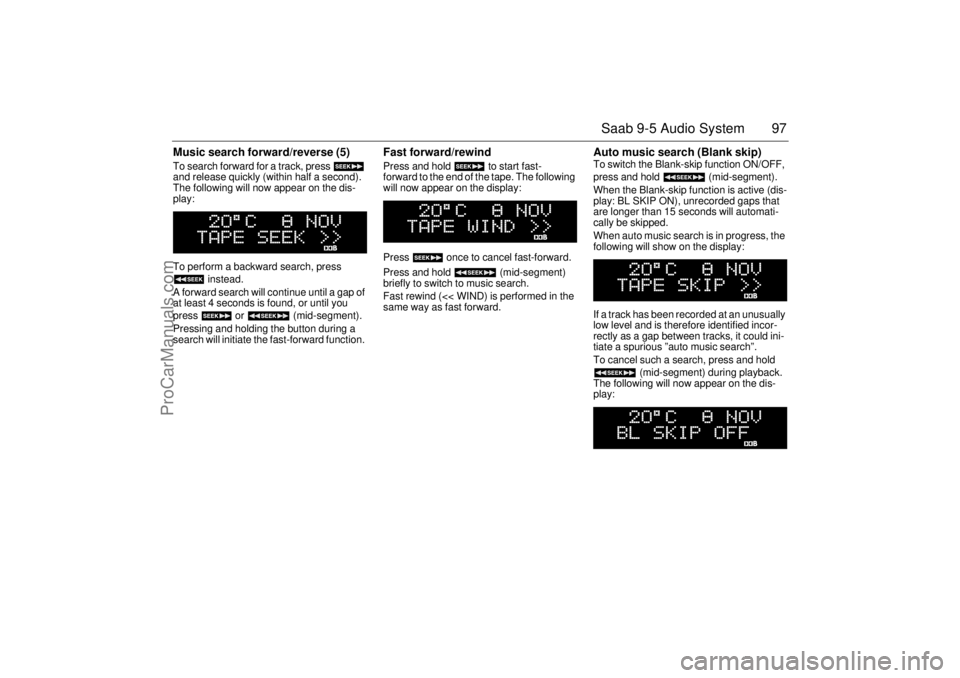
Music search forward/reverse (5) To search forward for a track, press
and release quickly (within half a second).
The following will now appear on the dis-
play:
To perform a backward search, press
instead.
A forward search will continue until a gap of
at least 4 seconds is found, or until you
press or (mid-segment).
Pressing and holding the button during a
search will initiate the fast-forward function.
Fast forward/rewind Press and hold to start fast-
forward to the end of the tape. The following
will now appear on the display:
Press once to cancel fast-forward.
Press and hold (mid-segment)
briefly to switch to music search.
Fast rewind (<< WIND) is performed in the
same way as fast forward.
Auto music search (Blank skip) To switch the Blank-skip function ON/OFF,
press and hold (mid-segment).
When the Blank-skip function is active (dis-
play: BL SKIP ON), unrecorded gaps that
are longer than 15 seconds will automati-
cally be skipped.
When auto music search is in progress, the
following will show on the display:
If a track has been recorded at an unusually
low level and is therefore identified incor-
rectly as a gap between tracks, it could ini-
tiate a spurious ”auto music search”.
To cancel such a search, press and hold
(mid-segment) during playback.
The following will now appear on the dis-
play:
ProCarManuals.com
Page 98 of 288
98 Saab 9-5 Audio SystemType II (metal) tapes The cassette has an automatic tape-type
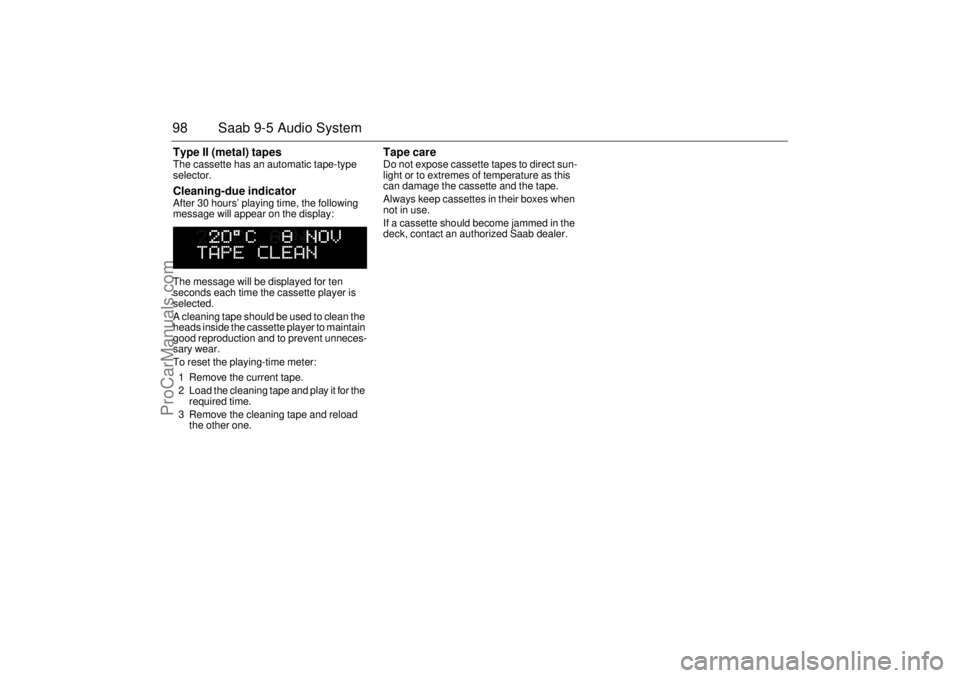
selector. Cleaning-due indicator After 30 hours’ playing time, the following
message will appear on the display:
The message will be displayed for ten
seconds each time the cassette player is
selected.
A cleaning tape should be used to clean the
heads inside the cassette player to maintain
good reproduction and to prevent unneces-
sary wear.
To reset the playing-time meter:
1 Remove the current tape.
2 Load the cleaning tape and play it for the
required time.
3 Remove the cleaning tape and reload
the other one.
Tape care Do not expose cassette tapes to direct sun-
light or to extremes of temperature as this
can damage the cassette and the tape.
Always keep cassettes in their boxes when
not in use.
If a cassette should become jammed in the
deck, contact an authorized Saab dealer.
ProCarManuals.com
Page 99 of 288
99 Saab 9-5 Audio System
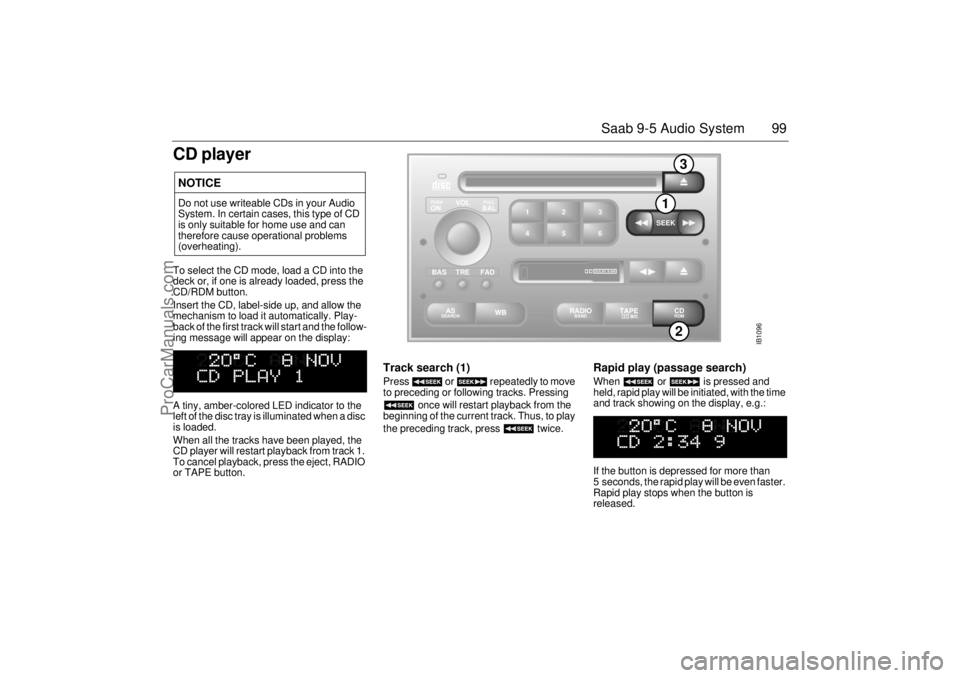
CD playerTo select the CD mode, load a CD into the
deck or, if one is already loaded, press the
CD/RDM button.
Insert the CD, label-side up, and allow the
mechanism to load it automatically. Play-
back of the first track will start and the follow-
ing message will appear on the display:
A tiny, amber-colored LED indicator to the
left of the disc tray is illuminated when a disc
is loaded.
When all the tracks have been played, the
CD player will restart playback from track 1.
To cancel playback, press the eject, RADIO
or TAPE button.
Track search (1) Press or repeatedly to move
to preceding or following tracks. Pressing
once will restart playback from the
beginning of the current track. Thus, to play
the preceding track, press twice.
Rapid play (passage search) When or is pressed and
held, rapid play will be initiated, with the time
and track showing on the display, e.g.:
If the button is depressed for more than
5 seconds, the rapid play will be even faster.
Rapid play stops when the button is
released.
NOTICEDo not use writeable CDs in your Audio
System. In certain cases, this type of CD
is only suitable for home use and can
therefore cause operational problems
(overheating).
IB1096
VOL
TREBAL ON
FAD BAS
PULL PUSH
CDRDM
RADIO BAND
ASSEARCH
2 13
5 46
DOLBY B NR
SEEK
2
1
3
ProCarManuals.com
Page 100 of 288
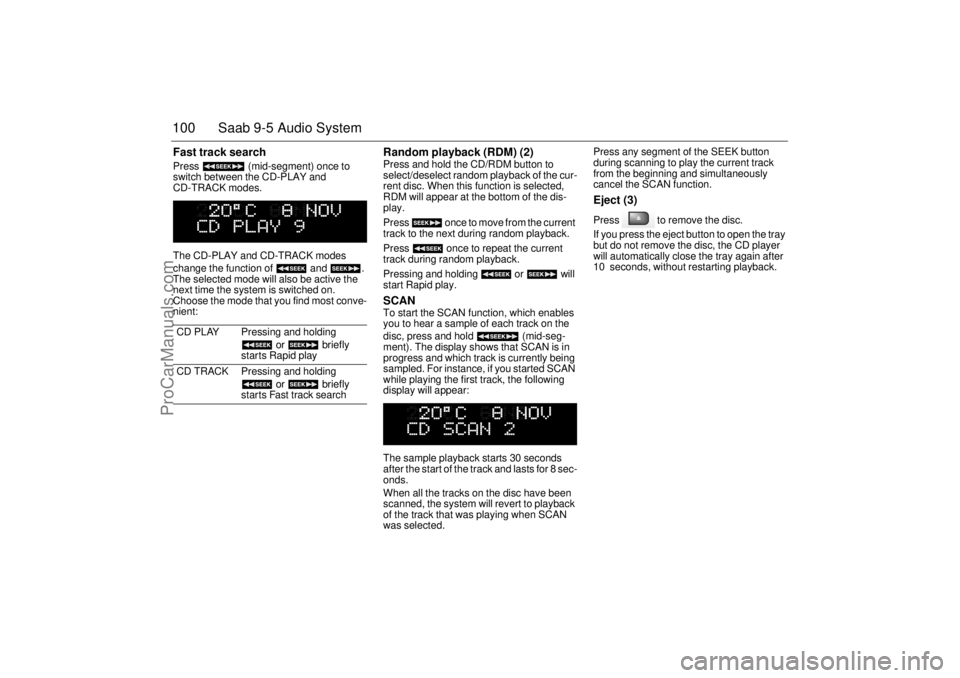
100 Saab 9-5 Audio SystemFast track search Press (mid-segment) once to
switch between the CD-PLAY and
CD-TRACK modes.
The CD-PLAY and CD-TRACK modes
change the function of and .
The selected mode will also be active the
next time the system is switched on.
Choose the mode that you find most conve-
nient:
Random playback (RDM) (2) Press and hold the CD/RDM button to
select/deselect random playback of the cur-
rent disc. When this function is selected,
RDM will appear at the bottom of the dis-
play.
Press once to move from the current
track to the next during random playback.
Press once to repeat the current
track during random playback.
Pressing and holding or will
start Rapid play. SCAN To start the SCAN function, which enables
you to hear a sample of each track on the
disc, press and hold (mid-seg-
ment). The display shows that SCAN is in
progress and which track is currently being
sampled. For instance, if you started SCAN
while playing the first track, the following
display will appear:
The sample playback starts 30 seconds
after the start of the track and lasts for 8 sec-
onds.
When all the tracks on the disc have been
scanned, the system will revert to playback
of the track that was playing when SCAN
was selected. Press any segment of the SEEK button
during scanning to play the current track
from the beginning and simultaneously
cancel the SCAN function.
Eject (3) Press to remove the disc.
If you press the eject button to open the tray
but do not remove the disc, the CD player
will automatically close the tray again after
10 seconds, without restarting playback.
CD PLAY Pressing and holding
or briefly
starts Rapid play
CD TRACK Pressing and holding
or briefly
starts Fast track search
ProCarManuals.com
Page 101 of 288
101 Saab 9-5 Audio System
CD changer(accessory)Important! Always keep the sliding cover
closed to keep dust out of the CD changer,
so that it will continue to provide satisfactory
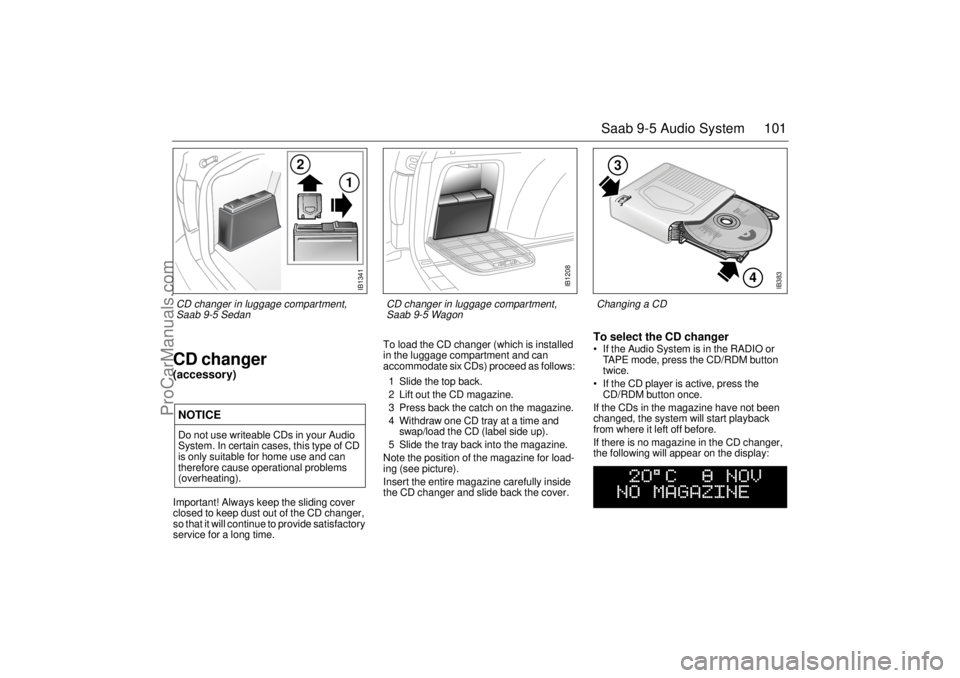
service for a long time. To load the CD changer (which is installed
in the luggage compartment and can
accommodate six CDs) proceed as follows:
1 Slide the top back.
2 Lift out the CD magazine.
3 Press back the catch on the magazine.
4 Withdraw one CD tray at a time and
swap/load the CD (label side up).
5 Slide the tray back into the magazine.
Note the position of the magazine for load-
ing (see picture).
Insert the entire magazine carefully inside
the CD changer and slide back the cover.
To select the CD changer If the Audio System is in the RADIO or
TAPE mode, press the CD/RDM button
twice.
If the CD player is active, press the
CD/RDM button once.
If the CDs in the magazine have not been
changed, the system will start playback
from where it left off before.
If there is no magazine in the CD changer,
the following will appear on the display:
NOTICEDo not use writeable CDs in your Audio
System. In certain cases, this type of CD
is only suitable for home use and can
therefore cause operational problems
(overheating).
IB383
4
3
Changing a CD
IB1341
2
1
CD changer in luggage compartment,
Saab 9-5 Sedan
IB1208
CD changer in luggage compartment,
Saab 9-5 Wagon
ProCarManuals.com
Page 102 of 288
102 Saab 9-5 Audio SystemIf the magazine in the CD changer is empty,
the following will appear on the display:
If the CD changer is activated right after a
magazine has been loaded, the following
will appear on the display:
The CD number will change as each CD is
played.
After a magazine has been loaded, play-
back will start with the first track on the first
CD when the CD changer is selected, and
the following will appear on the display:
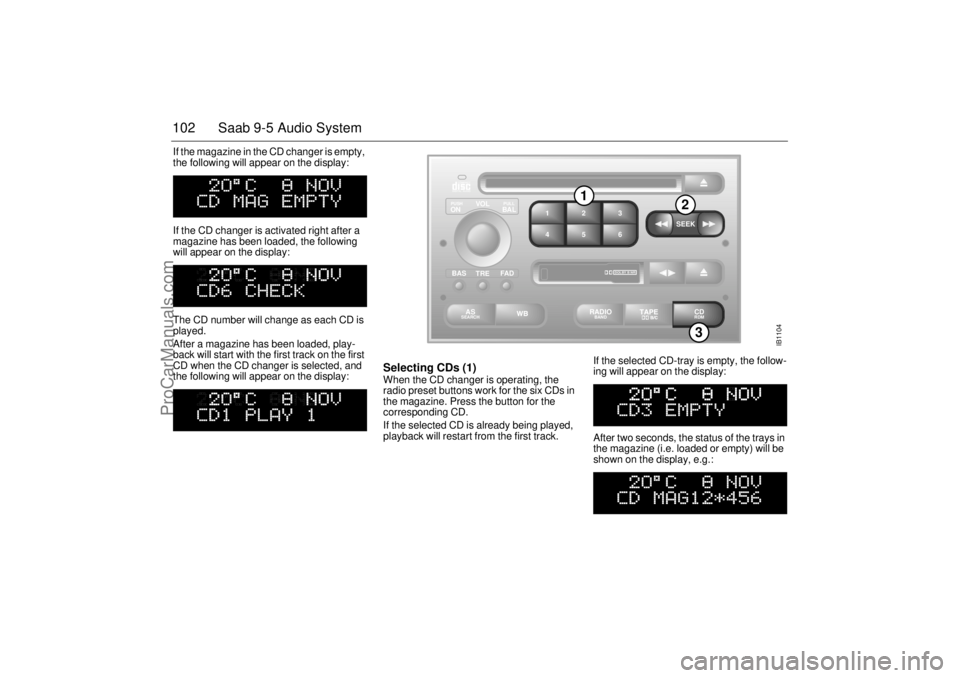
Selecting CDs (1) When the CD changer is operating, the
radio preset buttons work for the six CDs in
the magazine. Press the button for the
corresponding CD.
If the selected CD is already being played,
playback will restart from the first track. If the selected CD-tray is empty, the follow-
ing will appear on the display:
After two seconds, the status of the trays in
the magazine (i.e. loaded or empty) will be
shown on the display, e.g.:
IB1104
VOL
TREBAL ON
FA D BAS
PULL PUSH
CDRDM
RADIO BAND
ASSEARCH
2 13
5 46
DOLBY B NR
SEEK
3
1
2
ProCarManuals.com
Page 103 of 288
103 Saab 9-5 Audio System
If for some reason the CD selected by the
preset button cannot be played, playback of
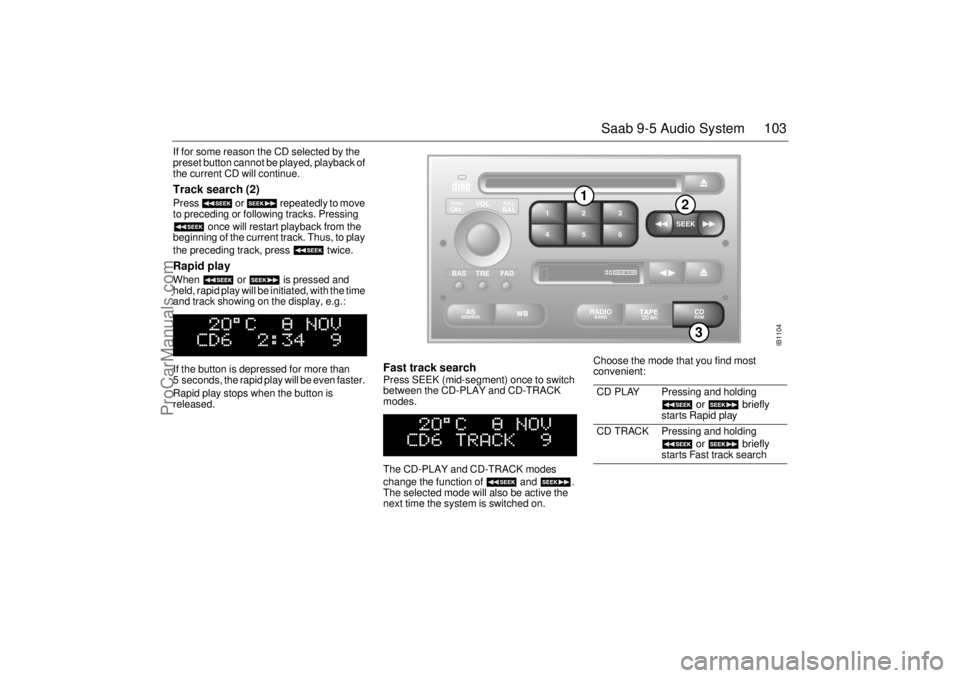
the current CD will continue. Track search (2) Press or repeatedly to move
to preceding or following tracks. Pressing
once will restart playback from the
beginning of the current track. Thus, to play
the preceding track, press twice. Rapid play When or is pressed and
held, rapid play will be initiated, with the time
and track showing on the display, e.g.:
If the button is depressed for more than
5 seconds, the rapid play will be even faster.
Rapid play stops when the button is
released.
Fast track search Press SEEK (mid-segment) once to switch
between the CD-PLAY and CD-TRACK
modes.
The CD-PLAY and CD-TRACK modes
change the function of and .
The selected mode will also be active the
next time the system is switched on. Choose the mode that you find most
convenient:
CD PLAY Pressing and holding
or briefly
starts Rapid play
CD TRACK Pressing and holding
or briefly
starts Fast track search
IB1104
VOL
TREBAL ON
FA D BAS
PULL PUSH
CDRDM
RADIO BAND
ASSEARCH
2 13
5 46
DOLBY B NR
SEEK
3
1
2
ProCarManuals.com
Page 104 of 288
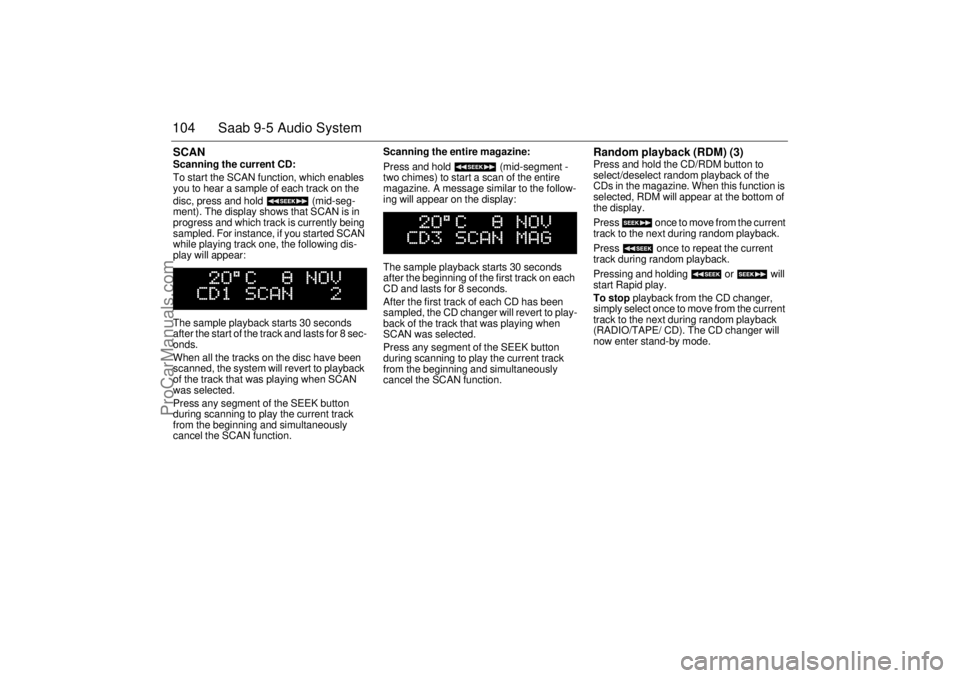
104 Saab 9-5 Audio SystemSCAN Scanning the current CD:
To start the SCAN function, which enables
you to hear a sample of each track on the
disc, press and hold (mid-seg-
ment). The display shows that SCAN is in
progress and which track is currently being
sampled. For instance, if you started SCAN
while playing track one, the following dis-
play will appear:
The sample playback starts 30 seconds
after the start of the track and lasts for 8 sec-
onds.
When all the tracks on the disc have been
scanned, the system will revert to playback
of the track that was playing when SCAN
was selected.
Press any segment of the SEEK button
during scanning to play the current track
from the beginning and simultaneously
cancel the SCAN function. Scanning the entire magazine:
Press and hold (mid-segment -
two chimes) to start a scan of the entire
magazine. A message similar to the follow-
ing will appear on the display:
The sample playback starts 30 seconds
after the beginning of the first track on each
CD and lasts for 8 seconds.
After the first track of each CD has been
sampled, the CD changer will revert to play-
back of the track that was playing when
SCAN was selected.
Press any segment of the SEEK button
during scanning to play the current track
from the beginning and simultaneously
cancel the SCAN function.
Random playback (RDM) (3) Press and hold the CD/RDM button to
select/deselect random playback of the
CDs in the magazine. When this function is
selected, RDM will appear at the bottom of
the display.
Press once to move from the current
track to the next during random playback.
Press once to repeat the current
track during random playback.
Pressing and holding or will
start Rapid play.
To stop playback from the CD changer,
simply select once to move from the current
track to the next during random playback
(RADIO/TAPE/ CD). The CD changer will
now enter stand-by mode.
ProCarManuals.com