battery SAAB 9-5 2004 User Guide
[x] Cancel search | Manufacturer: SAAB, Model Year: 2004, Model line: 9-5, Model: SAAB 9-5 2004Pages: 288, PDF Size: 16.91 MB
Page 55 of 288
55 Instruments and controls
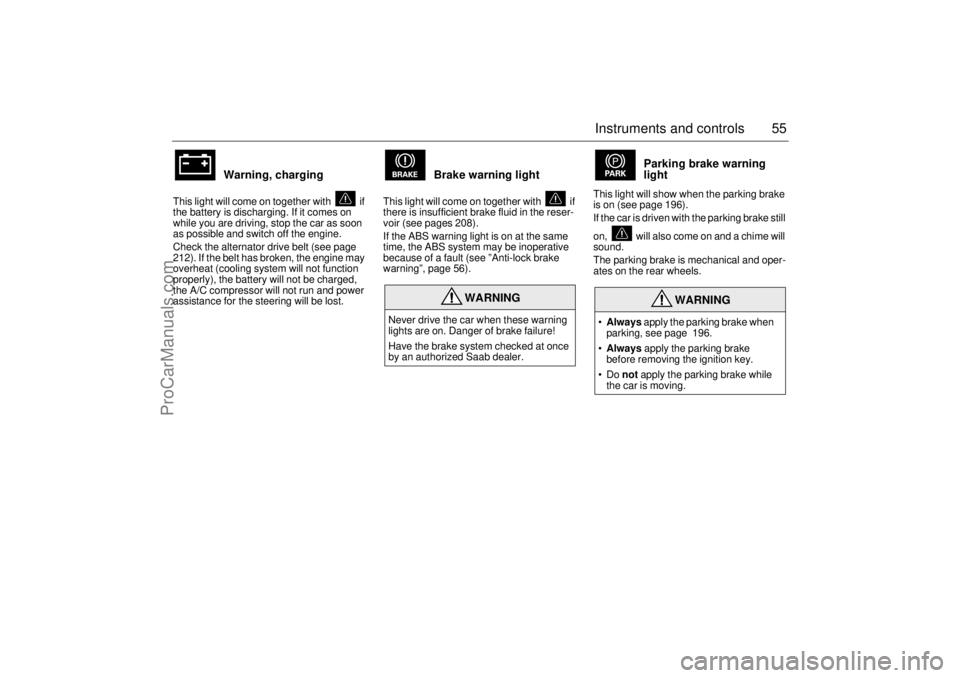
Warning, charging
This light will come on together with if
the battery is discharging. If it comes on
while you are driving, stop the car as soon
as possible and switch off the engine.
Check the alternator drive belt (see page
212). If the belt has broken, the engine may
overheat (cooling system will not function
properly), the battery will not be charged,
the A/C compressor will not run and power
assistance for the steering will be lost.
Brake warning light
This light will come on together with if
there is insufficient brake fluid in the reser-
voir (see pages 208).
If the ABS warning light is on at the same
time, the ABS system may be inoperative
because of a fault (see ”Anti-lock brake
warning”, page 56).
Parking brake warning
light
This light will show when the parking brake
is on (see page 196).
If the car is driven with the parking brake still
on, will also come on and a chime will
sound.
The parking brake is mechanical and oper-
ates on the rear wheels.
WARNING
Never drive the car when these warning
lights are on. Danger of brake failure!
Have the brake system checked at once
by an authorized Saab dealer.
WARNING
Always apply the parking brake when
parking, see page 196.
Always apply the parking brake
before removing the ignition key.
Do not apply the parking brake while
the car is moving.
ProCarManuals.com
Page 67 of 288

67 Instruments and controls
CHECK messages When the engine is started, CHECKING will
appear on the display for about four sec-
onds, while the SID checks are being per-
formed.
When a CHECK message is generated
while the car is being driven, a chime will
sound, INFO DISPL will illuminate on the
main instrument panel, and the message
will appear on the SID. The number of mes-
sages that can be displayed by the SID
varies with the specification of the car.
If more than one CHECK message has
been generated, the
+ symbol will appear to
the left of the text on the display. The mes-
sages appear in order of priority.
If a new fault occurs while another message
is being displayed, the message relating to
the new one will appear for 10 seconds,
after which the display will return to the ear-
lier one.
Press CLEAR once to acknowledge a mes-
sage, whereupon it will be cleared from the
display. It will not be displayed again before
the ignition has been switched off and then
on again. The following messages may be displayed:
1 This message will be displayed approximately
600 miles (1,000 km) before the next sched-
uled service is due, or when 365 days have
elapsed since the last service. The message
should be cleared at the time of that service
(see the Saab Warranties & Service Record
Booklet).
This message can also be deleted by first
briefly pressing the CLEAR button, then
depressing it a second time for at least eight
seconds until ”SERVICE” appears on the dis-
play and a chime sounds. The message can
only be deleted when it is shown on the SID.
Night panelTo improve night-driving conditions inside
the car, the Night Panel mode can be
selected. In this mode, the amount of infor-
mation displayed is reduced, and only the
most important instruments and displays
will be illuminated.
When the Night Panel button is pressed,
only the speedometer will be illuminated (up
to the 87-mph or 140-km/h graduation), all
the other instruments illumination being
extinguished and their needles moved to
zero. Both the SID and the ACC displays will
be extinguished and the backlighting for
switches and other controls will be dimmed.
Note: All indicator and warning lights,
together with the display of CHECK mes-
sages, will operate as normal, except ”Out-
door temperature (Frost warning)”, see
page 64. Message See
page
Fog light failure. 216
Rear light failure. 220
Brake light failure. 220
Washer fluid level low. Refill. 214
Coolant level low. Refill. 207
Remote control battery low.
Replace battery. 43
Key not accepted. Contact service. 50
Theft protection failure. Contact
service. 50
Gearbox too hot. Make a safe stop. 162
Tighten fuel filler cap. 154
Time for service.
1)
264
ProCarManuals.com
Page 72 of 288
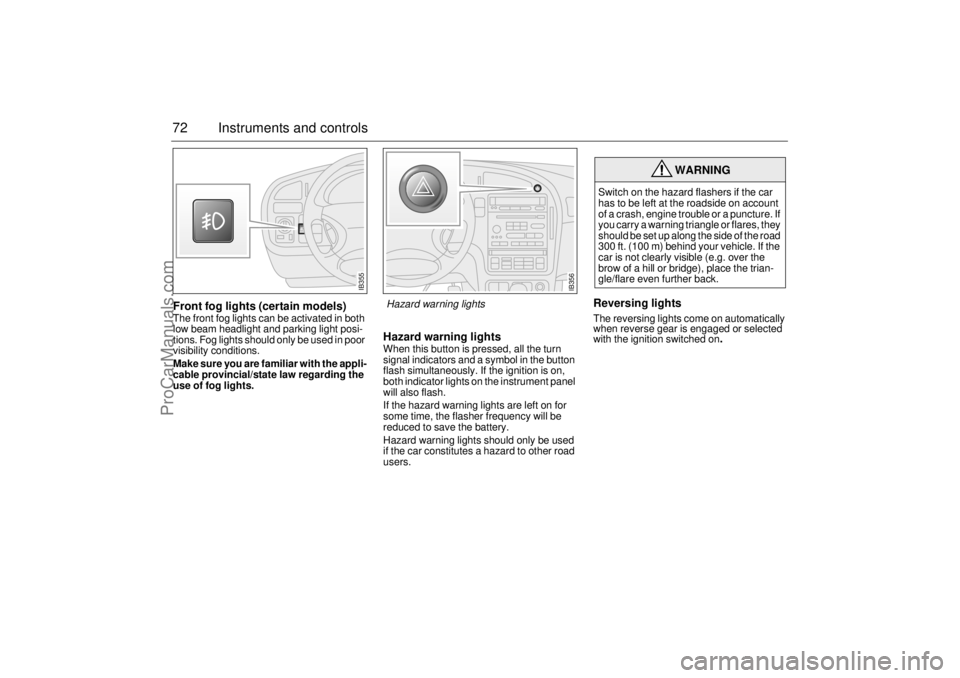
72 Instruments and controlsFront fog lights (certain models)The front fog lights can be activated in both
low beam headlight and parking light posi-
tions. Fog lights should only be used in poor
visibility conditions.
Make sure you are familiar with the appli-
cable provincial/state law regarding the
use of fog lights.
Hazard warning lightsWhen this button is pressed, all the turn
signal indicators and a symbol in the button
flash simultaneously. If the ignition is on,
both indicator lights on the instrument panel
will also flash.
If the hazard warning lights are left on for
some time, the flasher frequency will be
reduced to save the battery.
Hazard warning lights should only be used
if the car constitutes a hazard to other road
users.
Reversing lightsThe reversing lights come on automatically
when reverse gear is engaged or selected
with the ignition switched on
.
WARNING
Switch on the hazard flashers if the car
has to be left at the roadside on account
of a crash, engine trouble or a puncture. If
you carry a warning triangle or flares, they
should be set up along the side of the road
300 ft. (100 m) behind your vehicle. If the
car is not clearly visible (e.g. over the
brow of a hill or bridge), place the trian-
gle/flare even further back.
IB355
IB356
Hazard warning lights
ProCarManuals.com
Page 83 of 288
83 Instruments and controls
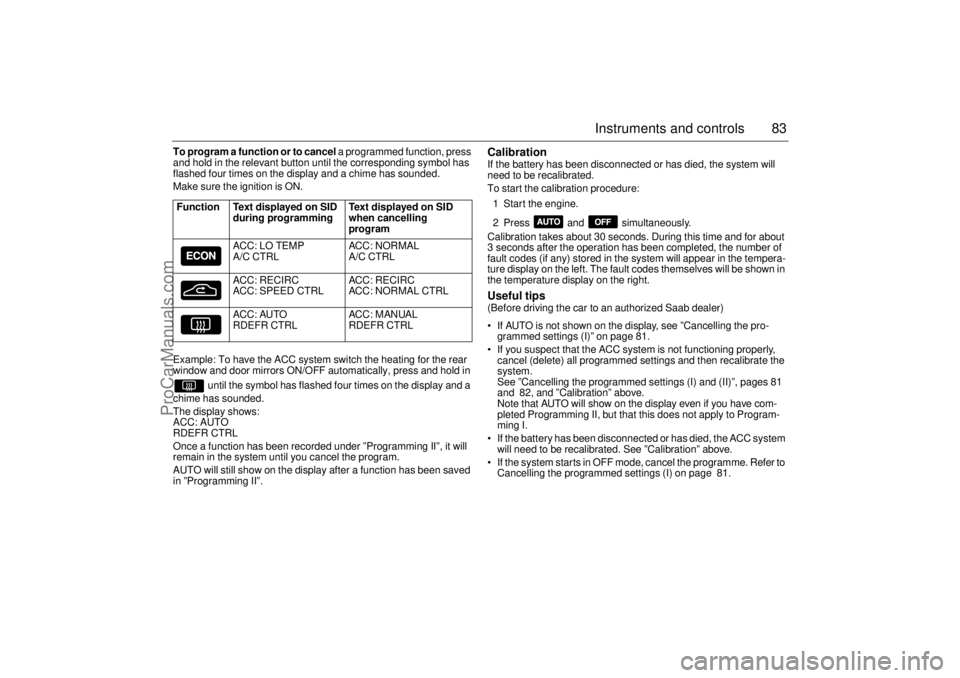
To program a function or to cancel a programmed function, press
and hold in the relevant button until the corresponding symbol has
flashed four times on the display and a chime has sounded.
Make sure the ignition is ON.
Example: To have the ACC system switch the heating for the rear
window and door mirrors ON/OFF automatically, press and hold in
until the symbol has flashed four times on the display and a
chime has sounded.
The display shows:
ACC: AUTO
RDEFR CTRL
Once a function has been recorded under ”Programming II”, it will
remain in the system until you cancel the program.
AUTO will still show on the display after a function has been saved
in ”Programming II”.
Calibration If the battery has been disconnected or has died, the system will
need to be recalibrated.
To start the calibration procedure:
1 Start the engine.
2 Press and simultaneously.
Calibration takes about 30 seconds. During this time and for about
3 seconds after the operation has been completed, the number of
fault codes (if any) stored in the system will appear in the tempera-
ture display on the left. The fault codes themselves will be shown in
the temperature display on the right. Useful tips (Before driving the car to an authorized Saab dealer)
If AUTO is not shown on the display, see ”Cancelling the pro-
grammed settings (I)” on page 81.
If you suspect that the ACC system is not functioning properly,
cancel (delete) all programmed settings and then recalibrate the
system.
See ”Cancelling the programmed settings (I) and (II)”, pages 81
and 82, and ”Calibration” above.
Note that AUTO will show on the display even if you have com-
pleted Programming II, but that this does not apply to Program-
ming I.
If the battery has been disconnected or has died, the ACC system
will need to be recalibrated. See ”Calibration” above.
If the system starts in OFF mode, cancel the programme. Refer to
Cancelling the programmed settings (I) on page 81. Function Text displayed on SID
during programming Text displayed on SID
when cancelling
program
ACC: LO TEMP
A/C CTRLACC: NORMAL
A/C CTRL
ACC: RECIRC
ACC: SPEED CTRLACC: RECIRC
ACC: NORMAL CTRL
ACC: AUTO
RDEFR CTRLACC: MANUAL
RDEFR CTRL
ProCarManuals.com
Page 108 of 288
108 OnStar - TelematicsYour new vehicle may come equipped with
advanced telematics hardware. OnStar
telematics is a sophisticated in-vehicle
system allowing convergence of wireless
communications, GPS (Global Positioning
System) satellites and advanced vehicle
electronics.
You should activate immediately to ensure
you receive your full year of service, as your
prepaid subscription begins at the time of
delivery.
Here’s how to activate your OnStar ser-
vice:
1 Push the blue OnStar button located in
your Saab. After a prerecorded mes-
sage explaining the benefits of OnStar,
you will be greeted by a live OnStar advi-
sor. The advisor will activate your
OnStar service.
2 Provide the information requested by
the advisor to activate your account and
set up your personal profile. This will
take approximately 10–15 minutes. You
can also provide OnStar with customer
and driver information on their website
at www.onstarenrollment.com. You will
receive an e-mail confirmation with an
OnStar account number. Once you have
received this information, complete the
enrollment process from the car by
pushing the blue OnStar button.
Using OnStarWelcome to OnStar. This section gives you
all the information you need to get started
using OnStar, including descriptions of all
OnStar services. It also introduces the
added services of Personal Calling, Virtual
advisor, and the Onstar Subscriber website.
For a complete explanation of these addi-
tional services, please see pages 112, 116
and 117.
NOTE: In order for OnStar to operate, the
car audio system must be switched on.OnStar is EasyIf your new Saab has OnStar, it’s easy to
start using your OnStar system. In fact,
pressing the OnStar button is usually all you
need to do. Once you are connected, an
OnStar advisor will help you with the ser-
vices in your plan.
Inoperative if battery is discharged or
disconnected.
OnStar is powered by your vehicle´s battery
and will not operate if the battery is dis-
charged or disconnected.
Potentially inoperative if vehicle is in a
crash
If your vehicle is in a crash, some compo-
nents could be damaged or disconnected,
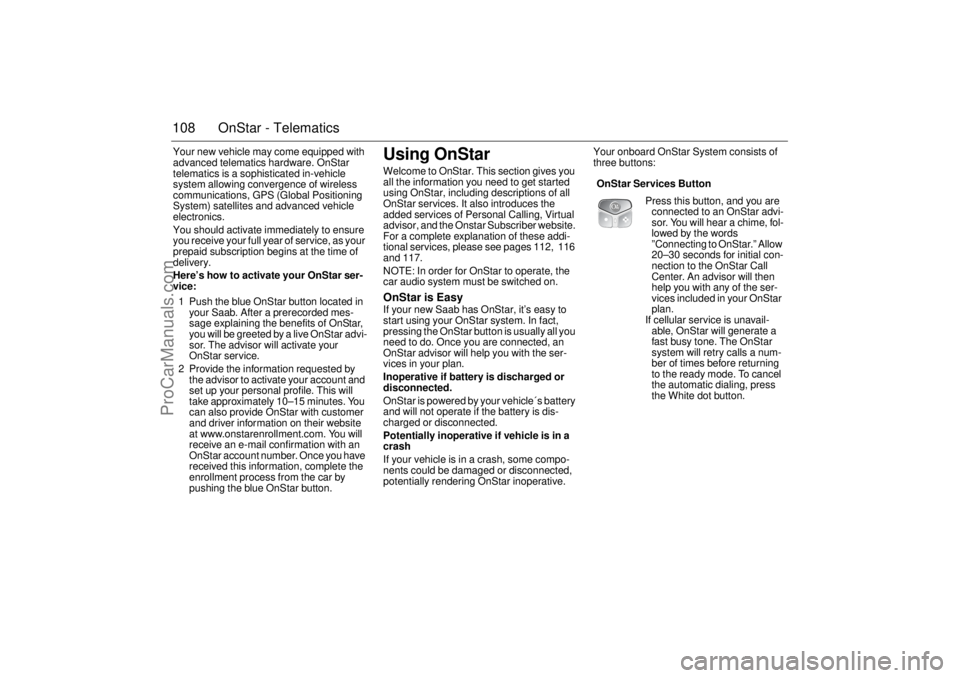
potentially rendering OnStar inoperative.Your onboard OnStar System consists of
three buttons:
OnStar Services Button
Press this button, and you are
connected to an OnStar advi-
sor. You will hear a chime, fol-
lowed by the words
”Connecting to OnStar.” Allow
20–30 seconds for initial con-
nection to the OnStar Call
Center. An advisor will then
help you with any of the ser-
vices included in your OnStar
plan.
If cellular service is unavail-
able, OnStar will generate a
fast busy tone. The OnStar
system will retry calls a num-
ber of times before returning
to the ready mode. To cancel
the automatic dialing, press
the White dot button.
ProCarManuals.com
Page 123 of 288

123 Interior equipment and trunk
Preparations for first-time programming
Before programming the garage opener for
the first time, you must delete any factory
codes.
Press and hold the two outer buttons until
the indicator light begins to flash-after
20 seconds. Release both buttons. Do not
hold for longer that 30 seconds. The garage
opener is now in the train (or learning) mode
and can be programmed at any time begin-
ning with "Programming" - step 2.
Programming
The garage opener can record and store the
frequencies of three different remote con-
trols.
The battery in the remote control should be
fairly new for programming to work well.
Do not repeat "Programming" - step two
to train additional devices to a second or
third button. Begin with "Programming" -
step three.
1 Turn the ignition ON.
2 Press and hold the two outer buttons
(buttons one and three) - releasing only
when the indicator light begins to flash
(after 20 seconds). Do not hold the but-
tons for longer than 30 seconds and do
not repeat step two to program a
second and/or third hand-held transmit-
ter to the remaining two buttons.
3 Position the end of your hand-held trans-
mitter 1-3 inches (5-14 cm) away from
the button you wish to program while
keeping the indicator light in view. The transmitter should face the mirror from
below or left side of the mirror.
4 Simultaneously press and hold both the
chosen and hand-held transmitter but-
tons. Do not release the buttons until
step 5 has been completed.
Note: Some gate operators and garage
door openers may require you to replace
this Programming Step 4 with procedures
noted in the "Gate Operator / Canadian Pro-
gramming" section.
5 After the indicator light changes from a
slow to a rapidly blinking light, release
both the mirror and hand-held transmit-
ter buttons.
6 Press and hold the just-trained button
and observe the indicator light.
If the indicator light stays on con-
stantly, programming is complete
and your device should activate when
the button is pressed and released.
Note: To program the remaining two but-
tons, begin with "Programming" - step
three. Do not repeat step two.
If the indicator light blinks rapidly for two
seconds and then turns to a constant
light continue with "Programming"
steps 7-9 to complete the programming of
a rolling code equipped device (most com-
monly a garage door opener).
7 At the garage door opener receiver
(motor-head unit) in the garage, locate
the "learn" or "smart" button. This can
usually
be found where the hanging antenna wire is attached to the
motor-head unit.
8 Firmly press and release the "learn" or
"smart" button. (The name and color of
the button may vary by manufacturer.)
Note: There are 30 seconds in which to ini-
tiate step nine.
9 Return to the vehicle and firmly press,
hold for two seconds and release the
programmed button. Repeat the
"press/hold/release" sequence a
second time, and, depending on the
brand of the garage door opener (or
other rolling code equipped device),
repeat this sequence a third time to com-
plete the programming process.
The garage opener should now activate
your rolling code equipped device.
Note: To program the remaining two but-
tons, begin with "Programming" -
step
three
. Do not repeat step two.
ProCarManuals.com
Page 130 of 288
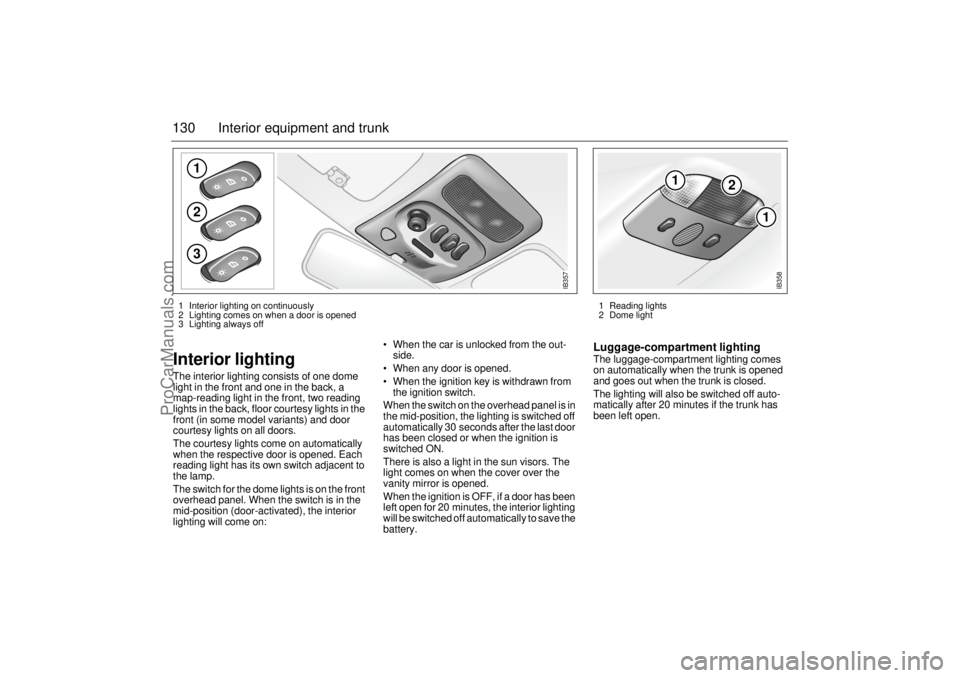
130 Interior equipment and trunkInterior lighting The interior lighting consists of one dome
light in the front and one in the back, a
map-reading light in the front, two reading
lights in the back, floor courtesy lights in the
front (in some model variants) and door
courtesy lights on all doors.
The courtesy lights come on automatically
when the respective door is opened. Each
reading light has its own switch adjacent to
the lamp.
The switch for the dome lights is on the front
overhead panel. When the switch is in the
mid-position (door-activated), the interior
lighting will come on: When the car is unlocked from the out-
side.
When any door is opened.
When the ignition key is withdrawn from
the ignition switch.
When the switch on the overhead panel is in
the mid-position, the lighting is switched off
automatically 30 seconds after the last door
has been closed or when the ignition is
switched ON.
There is also a light in the sun visors. The
light comes on when the cover over the
vanity mirror is opened.
When the ignition is OFF, if a door has been
left open for 20 minutes, the interior lighting
will be switched off automatically to save the
battery.
Luggage-compartment lightingThe luggage-compartment lighting comes
on automatically when the trunk is opened
and goes out when the trunk is closed.
The lighting will also be switched off auto-
matically after 20 minutes if the trunk has
been left open.
123
IB357
1
2
1
IB358
1 Reading lights
2 Dome light 1 Interior lighting on continuously
2 Lighting comes on when a door is opened
3 Lighting always off
ProCarManuals.com
Page 150 of 288

150 Starting and drivingIt is possible for air to enter the lubricating
system in conjunction with an oil or oil-filter
change, or if the car has been stored for
some time. This air can cause the hydraulic
cam followers to emit a ticking noise, which
can persist for up to 15 minutes after start-
ing. Although this is quite normal and does
not indicate any malfunction, it is advisable
not to exceed 3,000 rpm before the noise
has disappeared.
The hydraulic cam lifters are completely
service free; the valve clearance is set up at
the factory and will not need any subse-
quent adjustment.
Starting the engineAvoid racing the engine or putting a heavy
load on it before it has warmed up. Drive
away as soon as the oil warning light has
been extinguished to enable the engine to
attain its normal temperature as quickly as
possible.
The engine has an automatic choke and
should be started as follows:
Cars with manual transmission
To start the engine the clutch pedal must
be fully depressed.
1 Depress the clutch pedal fully but do not
touch the accelerator.
2 Start the engine. Let the ignition key
spring back as soon as the engine has
started and is running smoothly – at very
low temperatures, you may need to run
the starter for up to 25 seconds. Wait
20–30 seconds before running the
starter again, to give the battery time to
recover.
Note:
On cars with manual transmission, if the
starter fails to engage when the ignition key
is turned to the start position, make sure the
clutch pedal is full depressed. Misposi-
tioned floor mats or other obstructions
under the clutch pedal may affect starting.
Let the engine idle for about 10 seconds. Do
not open the throttle wide for at least 2–
3 minutes after starting. Cars with automatic transmission
1 The selector lever must be in the P or N
position.
2 Keep your foot on the brake pedal.
3 Start the engine. Let the ignition key
spring back as soon as the engine has
started and is running smoothly – at very
low temperatures, you may need to run
the starter for up to 25 seconds. Wait
20–30 seconds before running the
starter again, to give the battery time to
recover.
Let the engine idle for about 10 seconds. Do
not open the throttle wide for at least
2–3 minutes after starting.
Useful tips on cold climate starting If the engine has failed to start after several
attempts in very cold weather, press and
hold the accelerator down to the floor and
run the starter for 5–10 seconds. This will
prevent the engine being flooded (exces-
sively rich fuel-air mixture).
Now start the engine in the normal way – do
not touch the accelerator.
If the engine stalls immediately after starting
(e.g. if the clutch was released too quickly),
do not touch the accelerator when restarting
the engine. The tail pipe of the exhaust system
can become very hot during driving.
Bear this in mind when loading and
unloading the car.
Do not rest or sleep in the car when
parked with the engine running. There
is a risk of depressing the accelerator
which could lead to engine damage.
ProCarManuals.com
Page 152 of 288
152 Starting and driving
One of the advantages of the system is
that it enables the engine to be run
safely on lower-grade fuel, although not
lower than AON 87.
The maximum boost pressure is
adjusted automatically to the knocking
or pinging tendency of the engine.
Occasional, short-lived knocking when
the engine is under a heavy load is per-
fectly normal; the extent will depend on
the grade of fuel in the tank.
Isolated instances of knocking are
more likely to occur with low-octane
fuel. This controlled form of knocking,
followed by a reduction in the boost
pressure, is a sign that the wastegate is
functioning and is perfectly safe for the
engine.
Important considerations with cata-
lytic convertersThe catalytic converter is an emission-con-
trol device incorporated in the car’s exhaust
system. It consists of a metal canister with a
honeycomb insert, the cells of which have
walls coated in a catalytic layer (mixture of
precious metals).
To ensure that the catalytic converter con-
tinues to function properly, and also to avoid
damage to the converter and its associated
components, the following points must be
observed:
Have the car serviced regularly in accor-
dance with the service program. The fuel
and ignition systems are particularly
important in this context.
Always be alert to any misfiring of the
engine (not running on all cylinders) and
any loss of power or performance. At the
first sign of a malfunction, reduce speed
and take the car to an authorized Saab
dealer as soon as possible.
If the engine fails to start (in very cold
weather or if the battery is flat), the car can
be push started (manual gearbox only) or
started using jumper cables to a donor
NOTICE If the engine sounds strange there is a
fault in the system. Have the car
checked without delay by an autho-
rized Saab dealer.
The use of fuel with too low an octane
rating can cause serious engine dam-
age.
WARNING
If the engine is being run with the car on a
rolling road or dynamometer, longer than
for a standard state emission inspection,
to ensure adequate cooling, air must be
blown into the engine compartment and
under the car at a rate equivalent to the
ram-air effect that would be obtained at
the corresponding road speed.
NOTICEUse only unleaded gasoline. Leaded gas-
oline is detrimental to the catalyst and
oxygen sensor and will seriously impair
the function of the catalytic converter.
ProCarManuals.com
Page 153 of 288
153 Starting and driving
battery. However, as soon as you have
started the engine, it is important that it
runs on all cylinders. If it is misfiring, allow
i t t o i d l e f o r u p t o f i v e m i n u t e s t o g i v e i t t i m e
to settle and run smoothly. If, after this
time, the engine still fails to run properly,
turn off the engine and get in touch with
an authorized Saab dealer for advice. Never park the car on dry grass or other
combustible material. The catalytic con-
verter gets very hot and could therefore
start a fire.
Never drive off if the engine is misfiring.
If you jump start the car when the engine
is already up to normal temperature, the
engine must start to run on all cylinders.
Stop jump-starting if the engine fails to
start immediately.
Failure to follow these directions could
result in the catalytic converter and associ-
ated components being damaged, and
could represent a breach of the warranty
conditions.
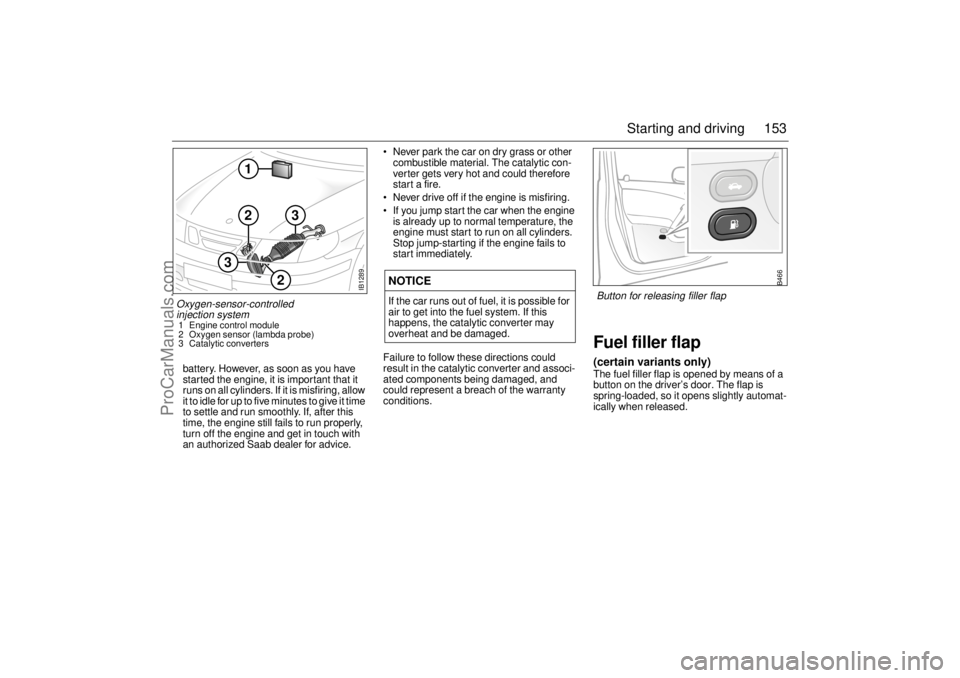
Fuel filler flap(certain variants only)The fuel filler flap is opened by means of a
button on the driver’s door. The flap is
spring-loaded, so it opens slightly automat-
ically when released.
NOTICEIf the car runs out of fuel, it is possible for
air to get into the fuel system. If this
happens, the catalytic converter may
overheat and be damaged.
IB1289
2
2
1
3
3
Oxygen-sensor-controlled
injection system 1 Engine control module
2 Oxygen sensor (lambda probe)
3 Catalytic converters
B466
Button for releasing filler flap
ProCarManuals.com