wheel SAAB 9-5 2005 User Guide
[x] Cancel search | Manufacturer: SAAB, Model Year: 2005, Model line: 9-5, Model: SAAB 9-5 2005Pages: 276, PDF Size: 16.72 MB
Page 37 of 276

35 Safety
AIRBAG servicingThe airbag must be inspected as part of the
normal service program but otherwise may
be regarded as maintenance-free.Scrapping or working on airbags
and belt pretensioners Frequently asked questions on
function of airbags
Do you still need to wear a
safety b
elt if air-
bags are fitted?
Yes, always! The airbag merely supple-
ments the car’s normal safety system.
Moreover, the airbag will only be actuated in
a moderate to severe frontal, or near-frontal
crash, which means, of course, that it provi-
des no protection in minor frontal crashes,
major rear-end or side-on crashes or if the
car rolls over.
The safety belts help reduce the chance of
the car occupants from being thrown around
and injured or killed inside the car.
But they also ensure that, if a crash occurs
in which the airbags are inflated, the airbag
will make the optimum contact with the
occupant, i.e. square on from the front. If the
occupant meets the airbag in an offset posi-
tion, the protection afforded will be reduced.
In addition, airbags provide no protection
against a secondary impact occurring in the
same incident. So there is no doubt about
the benefit of wearing safety belts at all
times.
Do not sit too close to the airbag: it needs
room to inflate.
The airbag inflates very quickly and power-
fully in order to protect an adult person,
before they are thrown forward, in a serious
frontal crash.
WARNING
Under no circumstances should any
modifications be made that affect the
steering wheel or the airbag’s electri-
cal circuitry.
Before starting any welding work on
the car, always disconnect the nega-
tive (–) battery lead and cover the con-
ductor.
Airbags and belt pretensioners must
be deployed under controlled condi-
tions before the car is scrapped or any
of the system’s components are remo-
ved. Airbags or belt pretensioners that
have been deployed as a result of a
crash must be replaced by new ones.
Airbag-system components must
never be transferred for use in another
vehicle.
All work involving the scrapping or
replacement of airbags or belt preten-
sioners must only be carried out by
knowledgeable personnel.
The headlining and roof pillar trim
must not be modified in any way. Work
on these areas must only be carried
out at a Saab dealer.
ProCarManuals.com
Page 54 of 276
52 Instruments and controls
Indicator and warning
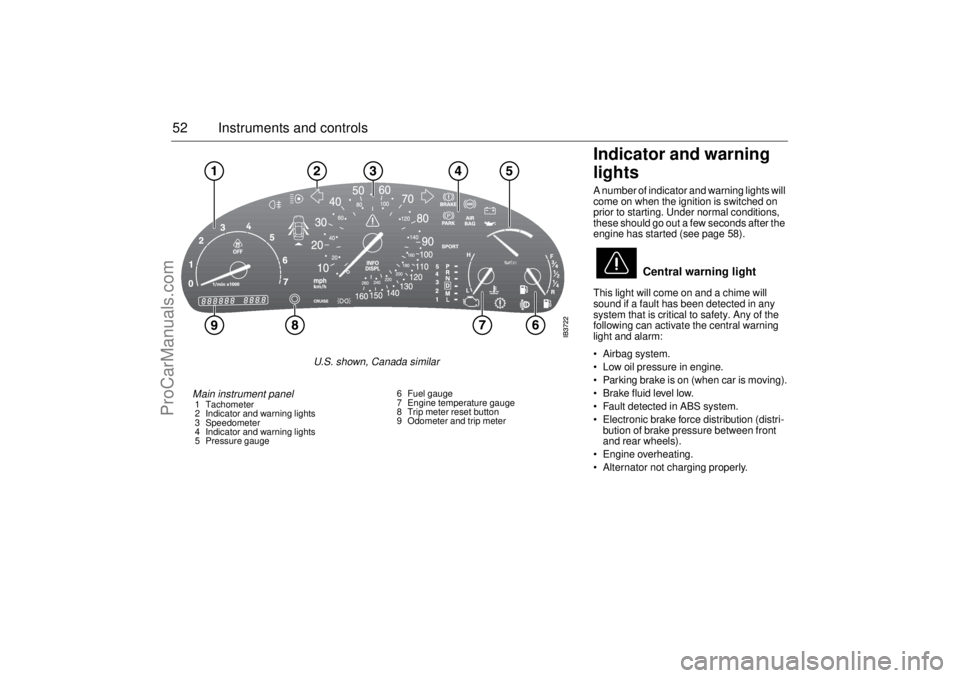
lights A number of indicator and warning lights will
come on when the ignition is switched on
prior to starting. Under normal conditions,
these should go out a few seconds after the
engine has started (see page 58).
This light will come on and a chime will
sound if a fault has been detected in any
system that is critical to safety. Any of the
following can activate the central warning
light and alarm:
Airbag system.
Low oil pressure in engine.
Parking brake is on (when car is moving).
Brake fluid level low.
Fault detected in ABS system.
Electronic brake force distribution (distri-
bution of brake pressure between front
and rear wheels).
Engine overheating.
Alternator not charging properly.
Central warning light
Main instrument panel 1 Tachometer
2 Indicator and warning lights
3 Speedometer
4 Indicator and warning lights
5 Pressure gauge6 Fuel gauge
7 Engine temperature gauge
8 Trip meter reset button
9 Odometer and trip meter
U.S. shown, Canada similar
ProCarManuals.com
Page 56 of 276
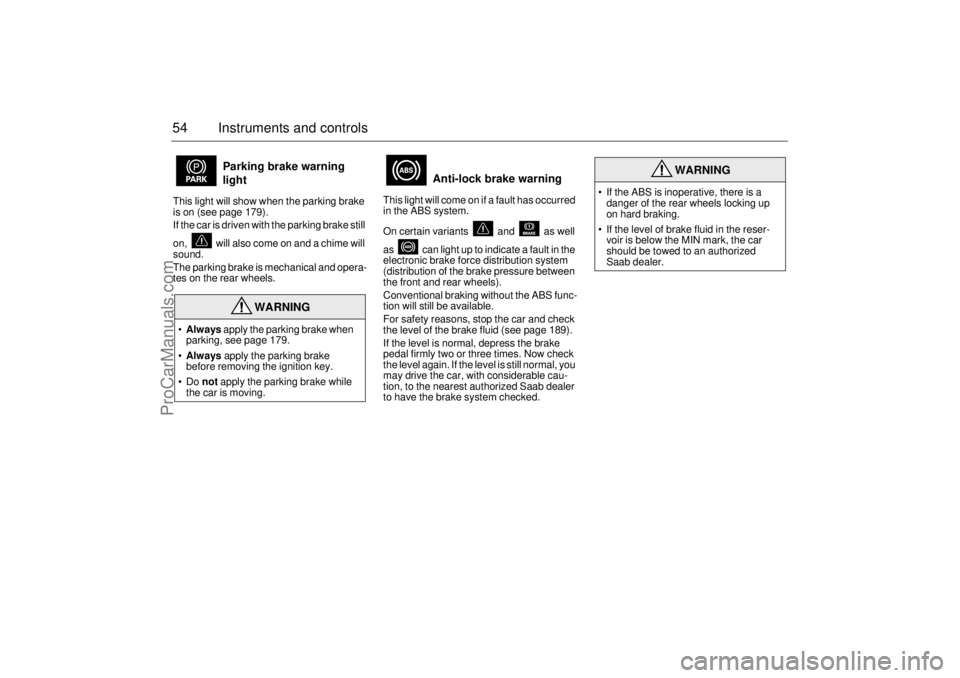
54 Instruments and controlsThis light will show when the parking brake
is on (see page 179).
If the car is driven with the parking brake still
on, will also come on and a chime will
sound.
The parking brake is mechanical and opera-
tes on the rear wheels. This light will come on if a fault has occurred
in the ABS system.
On certain variants and as well
as can light up to indicate a fault in the
electronic brake force distribution system
(distribution of the brake pressure between
the front and rear wheels).
Conventional braking without the ABS func-
tion will still be available.
For safety reasons, stop the car and check
the level of the brake fluid (see page 189).
If the level is normal, depress the brake
pedal firmly two or three times. Now check
the level again. If the level is still normal, you
may drive the car, with considerable cau-
tion, to the nearest authorized Saab dealer
to have the brake system checked.
Parking brake warning
light
WARNING
Always apply the parking brake when
parking, see page 179.
Always apply the parking brake
before removing the ignition key.
Do not apply the parking brake while
the car is moving.
Anti-lock brake warning
WARNING
If the ABS is inoperative, there is a
danger of the rear wheels locking up
on hard braking.
If the level of brake fluid in the reser-
voir is below the MIN mark, the car
should be towed to an authorized
Saab dealer.
ProCarManuals.com
Page 61 of 276

59 Instruments and controls
Speedometer(U.S. speedometer shown)
The speedometer receives signals from the
wheel sensors in the ABS system.
If the NIGHT PANEL mode has been selec-
ted, the scale will be illuminated up to 87
mph (140 km/h). The remainder of the scale
will be illuminated if the speed of the car
exceeds 84 mph (135 km/h).
Fuel gauge Fuel-tank capacity, 18.5 US gal. (70 liters).
The fuel gauge shows the amount of fuel left
in the tank. When this is down to about
2.5 gal. (10 liters), a warning light on the
main instrument panel will come on (see
page 55).
Use the Saab Information display (SID) to
check the approximate distance that can be
traveled on the remaining fuel
(see page 61).
Temperature gauge The temperature gauge shows the tempe-
rature of the coolant. The needle should be
in the middle of the scale when the engine
is at normal operating temperature.
If the needle approaches the red zone,
which can occur in very hot weather or when
the engine is under a heavy load, drive in the
highest gear possible, keep the engine revs
low and avoid shifting down.
If the needle enters the red zone, the
warning light will come on and an alarm
chime will sound.
2030405060
70
80
90
100
110
120
130
140
150
160
240
260220200180160
140 120 100
80
60
40
20
10
IB1851
IB345
IB343
ProCarManuals.com
Page 70 of 276
68 Instruments and controlsCourtesy Headlight FeatureA delay function allows the headlights to
remain on low beam for about 30 seconds
after the driver’s door has been closed.
To activate this function,
Switch off the ignition and remove the key
Open the driver’s door
Pull the high/low beam control stalk
towards the steering wheel like you are
flashing the high beam, see page 67. The
low beam headlights will now come on
immediately after the driver’s door has
been closed (within 30 seconds) and will
remain on for about 30 seconds.
The length of time for this function can be
adjusted by your authorized Saab dealer.
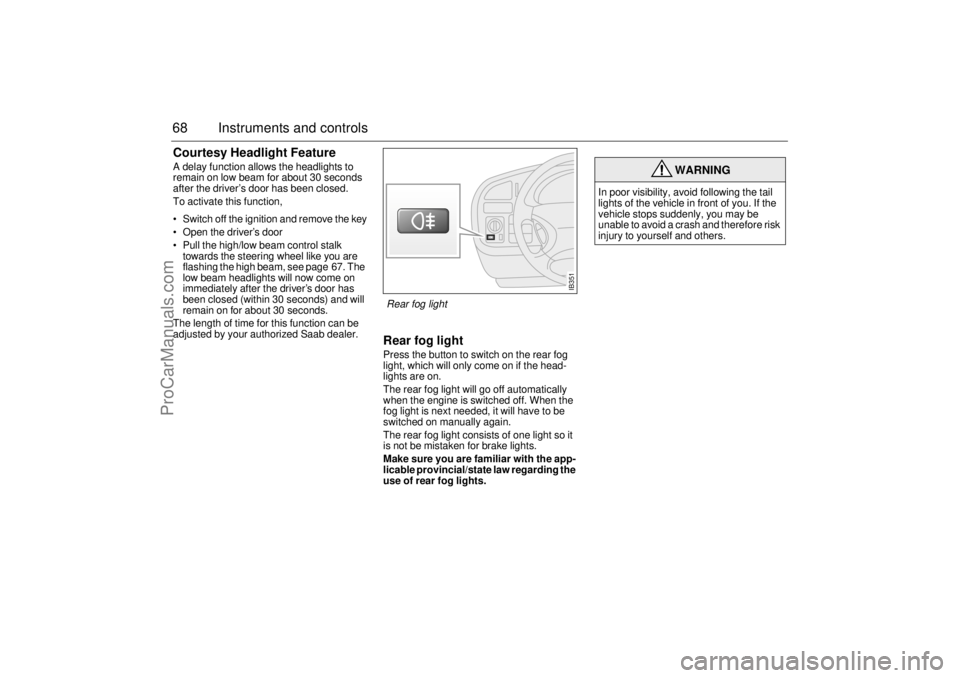
Rear fog lightPress the button to switch on the rear fog
light, which will only come on if the head-
lights are on.
The rear fog light will go off automatically
when the engine is switched off. When the
fog light is next needed, it will have to be
switched on manually again.
The rear fog light consists of one light so it
is not be mistaken for brake lights.
Make sure you are familiar with the app-
licable provincial/state law regarding the
use of rear fog lights.
WARNING
In poor visibility, avoid following the tail
lights of the vehicle in front of you. If the
vehicle stops suddenly, you may be
unable to avoid a crash and therefore risk
injury to yourself and others.
IB351
Rear fog light
ProCarManuals.com
Page 85 of 276

83 Saab 9-5 Audio System
Quick guide to the Saab
9-5 Audio System _____ 85
Sound controls ________ 87
Radio ________________ 88
Cassette player ________ 90
CD player _____________ 93
CD changer ___________ 95
Programmable functions 99
Steering-wheel controls _ 100
Security lock __________ 101
Technical data _________ 102
Fault codes ___________ 104
Saab 9-5 Audio System
ProCarManuals.com
Page 102 of 276
100 Saab 9-5 Audio SystemLoudness ON/OFF To change the default setting:
The default setting for this function is ON.
– Press and hold the BAND button at the
same time as you switch on the Audio
System.
– After START VOL appears, release the
BAND button.
– Select LOUDNESS using
– Select ON or OFF using the VOL control.
– Wait 10 seconds or press one of the but-
tons on the bottom row of the Audio Sys-
tem, e.g. RADIO/BAND, to save the new
default setting.
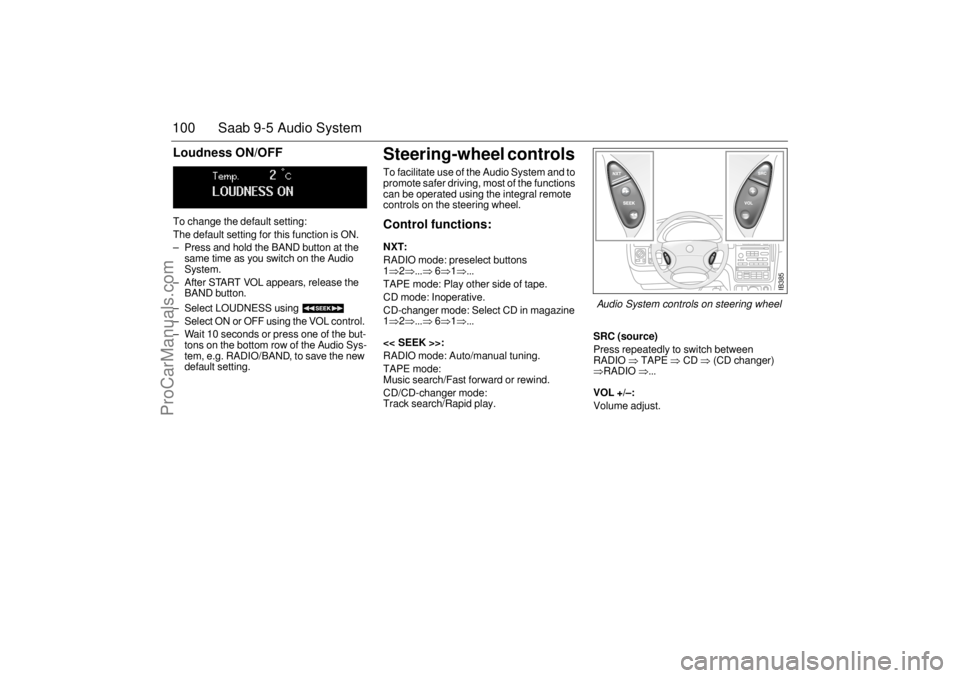
Steering-wheel controls To facilitate use of the Audio System and to
promote safer driving, most of the functions
can be operated using the integral remote
controls on the steering wheel. Control functions: NXT: RADIO mode: preselect buttons
1⇒2⇒...⇒
6⇒1⇒...
TAPE mode: Play other side of tape.
CD mode: Inoperative.
CD-changer mode: Select CD in magazine
1⇒2⇒...⇒
6⇒1⇒...
<< SEEK >>:
RADIO mode: Auto/manual tuning.
TAPE mode:
Music search/Fast forward or rewind.
CD/CD-changer mode:
Track search/Rapid play.
SRC (source)Press repeatedly to switch between
RADIO
⇒ TAPE
⇒ CD
⇒ (CD changer)
⇒RADIO
⇒...
VOL +/–: Volume adjust.
IB385
Audio System controls on steering wheel
ProCarManuals.com
Page 107 of 276
105 Interior equipment and trunk
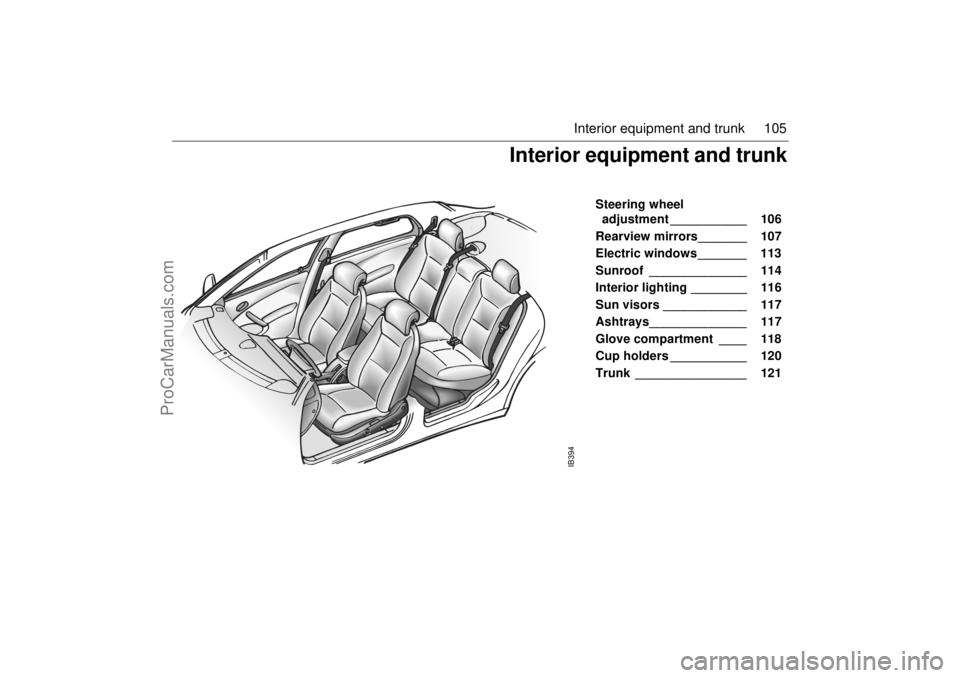
Steering wheel
adjustment ___________ 106
Rearview mirrors_______ 107
Electric windows _______ 113
Sunroof ______________ 114
Interior lighting ________ 116
Sun visors ____________ 117
Ashtrays______________ 117
Glove compartment ____ 118
Cup holders ___________ 120
Trunk ________________ 121
IB394
Interior equipment and trunk
ProCarManuals.com
Page 108 of 276
106 Interior equipment and trunkSteering wheel
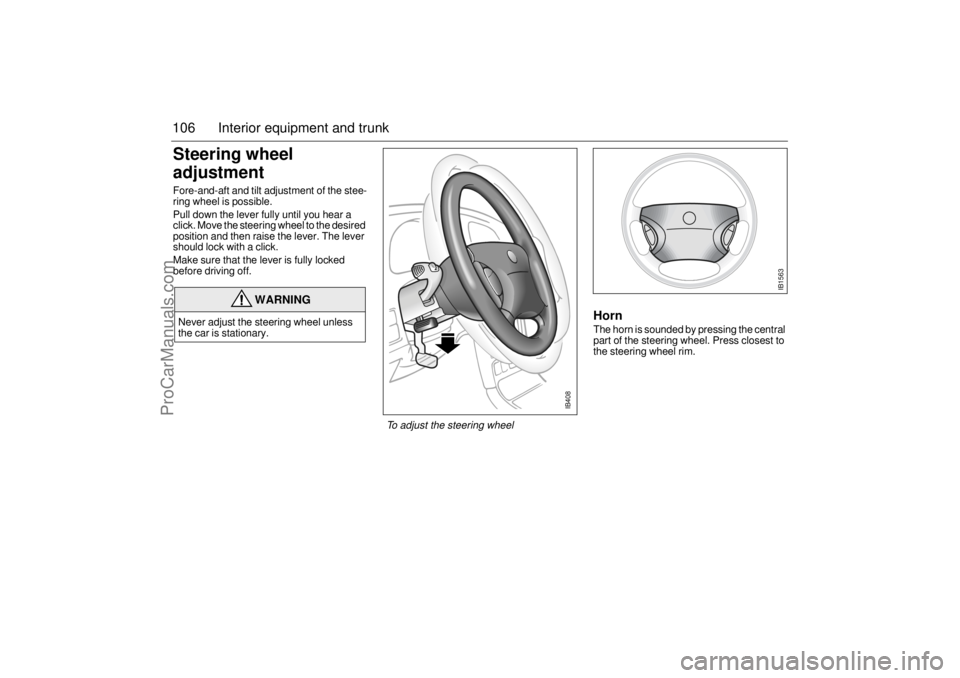
adjustment Fore-and-aft and tilt adjustment of the stee-
ring wheel is possible.
Pull down the lever fully until you hear a
click. Move the steering wheel to the desired
position and then raise the lever. The lever
should lock with a click.
Make sure that the lever is fully locked
before driving off.
HornThe horn is sounded by pressing the central
part of the steering wheel. Press closest to
the steering wheel rim.
WARNING
Never adjust the steering wheel unless
the car is stationary.
IB408
To adjust the steering wheel
IB1563
ProCarManuals.com
Page 131 of 276
129 Interior equipment and trunk
Sliding load floor(accessory)
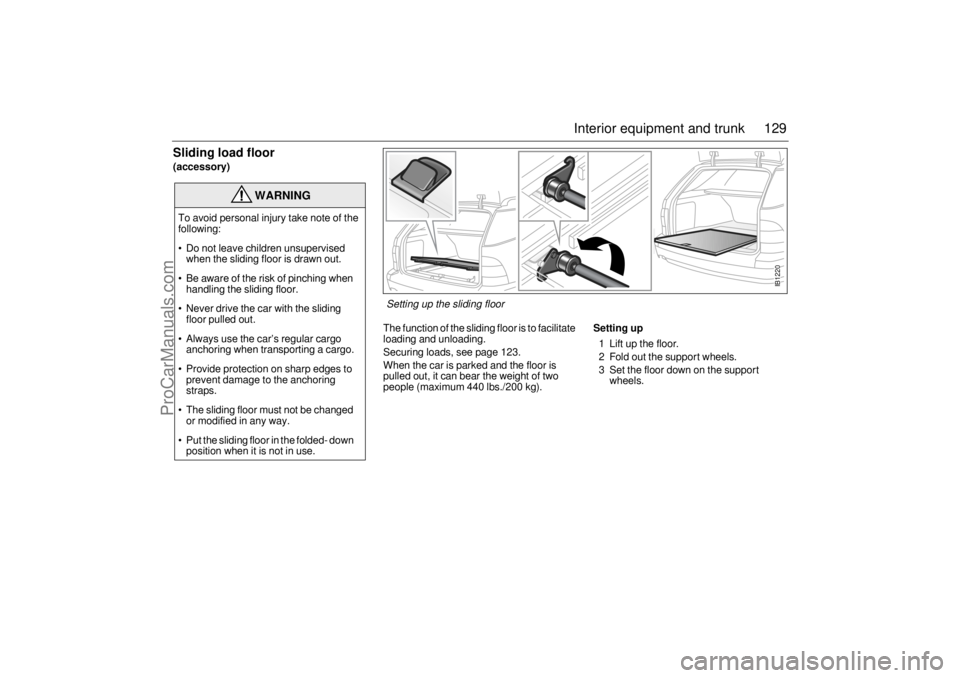
The function of the sliding floor is to facilitate
loading and unloading.
Securing loads, see page 123.
When the car is parked and the floor is
pulled out, it can bear the weight of two
people (maximum 440 lbs./200 kg).
Setting up1 Lift up the floor.
2 Fold out the support wheels.
3 Set the floor down on the support
wheels.
WARNING
To avoid personal injury take note of the
following:
Do not leave children unsupervised
when the sliding floor is drawn out.
Be aware of the risk of pinching when
handling the sliding floor.
Never drive the car with the sliding
floor pulled out.
Always use the car’s regular cargo
anchoring when transporting a cargo.
Provide protection on sharp edges to
prevent damage to the anchoring
straps.
The sliding floor must not be changed
or modified in any way.
Put the sliding floor in the folded- down
position when it is not in use.
IB1220
Setting up the sliding floor
ProCarManuals.com