steering wheel SAAB 9-5 2007 User Guide
[x] Cancel search | Manufacturer: SAAB, Model Year: 2007, Model line: 9-5, Model: SAAB 9-5 2007Pages: 288, PDF Size: 18.14 MB
Page 90 of 288
90 Saab 9-5 Audio SystemSaab 9-5 Audio
System3To get the best out of your Saab 9-5 Audio
System, we recommend that you read
through this entire section.
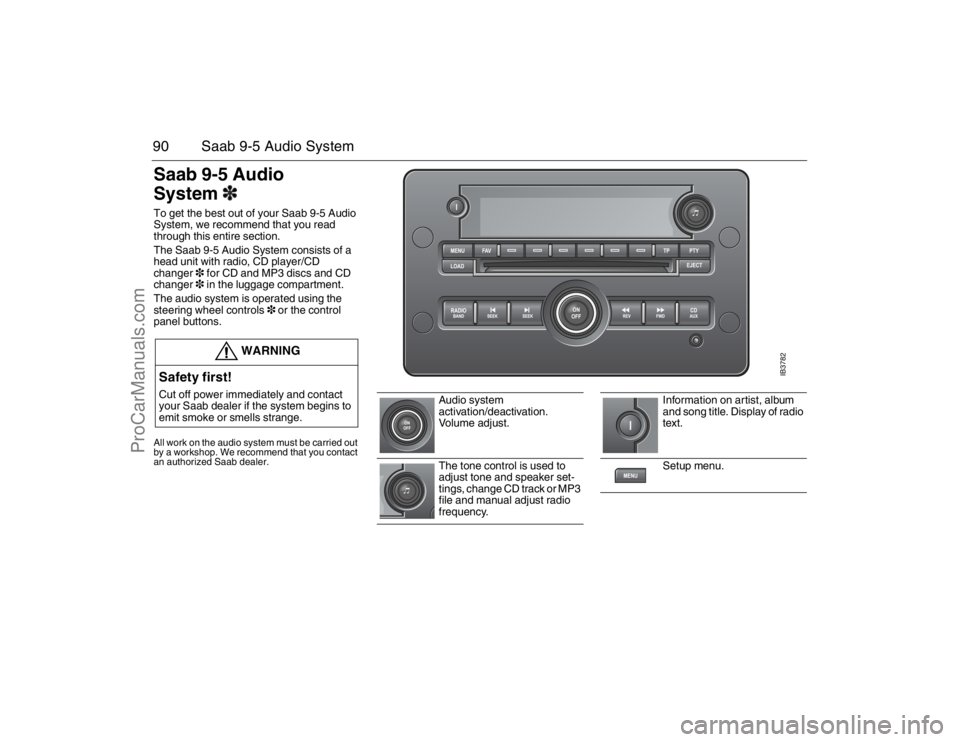
The Saab 9-5 Audio System consists of a
head unit with radio, CD player/CD
changer3 for CD and MP3 discs and CD
changer3 in the luggage compartment.
The audio system is operated using the
steering wheel controls3 or the control
panel buttons.All work on the audio system must be carried out
by a workshop. We recommend that you contact
an authorized Saab dealer.
WARNING
Safety first!Cut off power immediately and contact
your Saab dealer if the system begins to
emit smoke or smells strange.
Audio system
activation/deactivation.
Vo l u m e a d j u s t .
The tone control is used to
adjust tone and speaker set-
tings, change CD track or MP3
file and manual adjust radio
frequency.
Information on artist, album
and song title. Display of radio
text.
Setup menu.
IB3782
95_U S _M 07.book Page 90 Friday, June 9, 2006 8:58 AM
ProCarManuals.com
Page 91 of 288
91 Saab 9-5 Audio System
Steering wheel controls3l
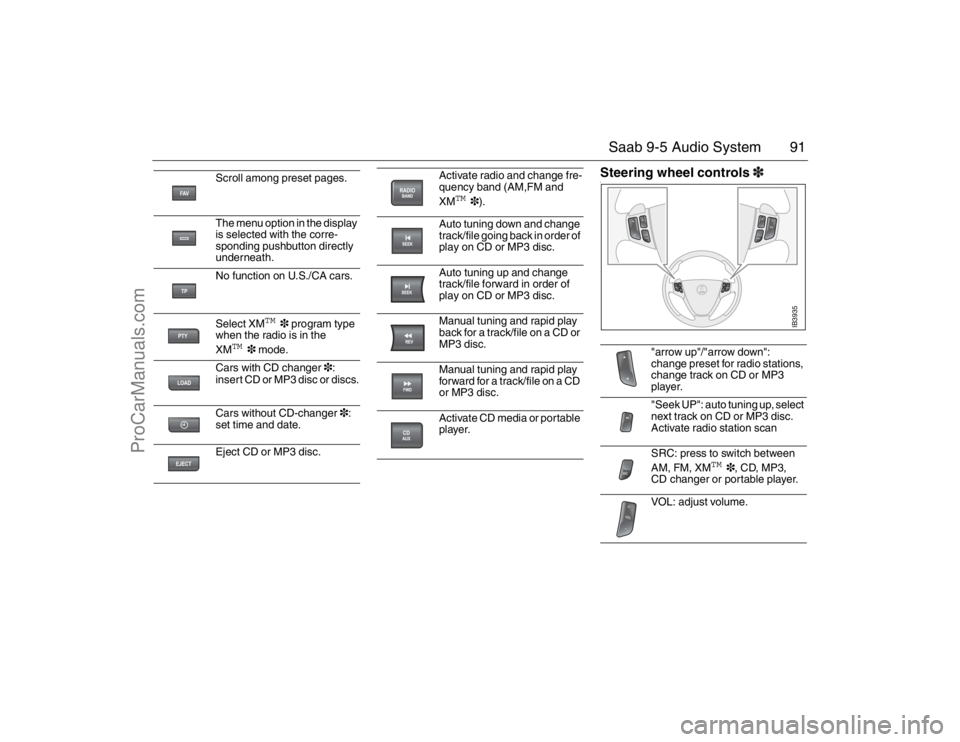
Scroll among preset pages.
The menu option in the display
is selected with the corre-
sponding pushbutton directly
underneath.
No function on U.S./CA cars.
Select XM
TM
3 program type
when the radio is in the
XM
TM
3 mode.
Cars with CD changer3:
insert CD or MP3 disc or discs.
Cars without CD-changer3:
set time and date.
Eject CD or MP3 disc.
Activate radio and change fre-
quency band (AM,FM and
XM
TM
3).
Auto tuning down and change
track/file going back in order of
play on CD or MP3 disc.
Auto tuning up and change
track/file forward in order of
play on CD or MP3 disc.
Manual tuning and rapid play
back for a track/file on a CD or
MP3 disc.
Manual tuning and rapid play
forward for a track/file on a CD
or MP3 disc.
Activate CD media or portable
player.
"arrow up"/"arrow down":
change preset for radio stations,
change track on CD or MP3
player.
"Seek UP": auto tuning up, select
next track on CD or MP3 disc.
Activate radio station scan
SRC: press to switch between
AM, FM, XM
TM
3, CD, MP3,
CD changer or portable player.
VOL: adjust volume.
IB3935
95_U S _M 07.book Page 91 Friday, June 9, 2006 8:58 AM
ProCarManuals.com
Page 93 of 288

93 Saab 9-5 Audio System
RadioPress the RADIO BAND button to return to
radio mode if another audio source is in use.Selecting a radio stationSelecting a frequency band
Press the RADIO BAND button to change
frequency band. The selected frequency
band appears on the display.
Selecting a preset station
Scroll to the desired preset page by press-
ing the FAV button and then pressing the
pushbutton (1-6) under the desired preset
station.
You can also press or on the steering
wheel to select another preset station.
Tuning a stationFine tuning
Turn the tone control one increment or
press the REV or FWD button to fine-tune
the frequency in increments of 0.2 MHz.
Automatic tuning
Press one of the SEEK buttons or the
button on the steering wheel for automatic
seek tuning. The radio then searches
upward in the frequency band for the near-
est strong station and stops at that fre-
quency.
Manual tuning
Turn the tone control or hold the REV or
FWD button depressed to seek a frequency
manually. Release the control/button to
stop at the desired frequency.
Scanning radio stations
Hold one of the SEEK buttons or the
button on the steering wheel depressed
until a chime sounds for a 5 second sam-
pling of each station accessible on the fre-
quency band.
Scanning...
appears on the
display.
Press one of the SEEK buttons or the
button on the steering wheel again to cancel
the scan and select the radio station being
played at that instant.
Storing presetsYou can store up to 36 radio stations as pre-
sets by using the 6 pushbuttons under the
display and the FAV button. Press the FAV
button to scroll through up to 6 pages with
6 presets per page. Each page can contain
a combination of AM, FM and XM
TM
3
stations.
Storing the current station as a preset
To store the current station as a preset:
1 Press the FAV button until you come to
the preset page (1-6) at which the sta-
tion is to be stored.
2 Hold the pushbutton depressed under
the spot (1-36) at which the station is to
be stored. A chime will sound once the
station is stored.
Preset stations
95_U S _M 07.book Page 93 Friday, June 9, 2006 8:58 AM
ProCarManuals.com
Page 99 of 288
99 Saab 9-5 Audio System
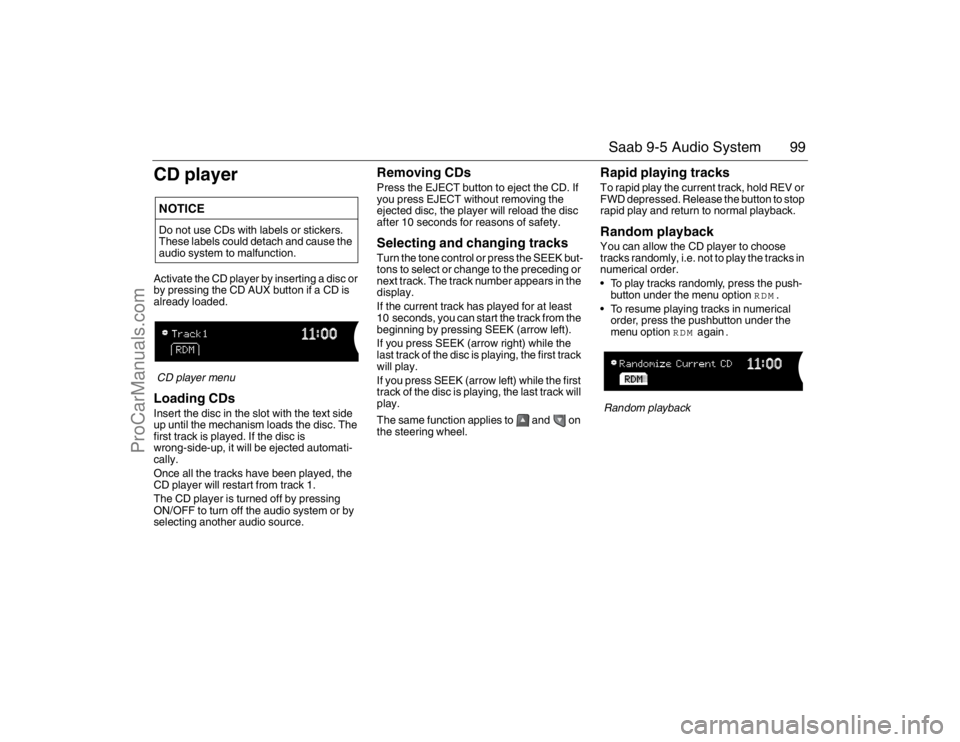
CD playerActivate the CD player by inserting a disc or
by pressing the CD AUX button if a CD is
already loaded.CD player menuLoading CDsInsert the disc in the slot with the text side
up until the mechanism loads the disc. The
first track is played. If the disc is
wrong-side-up, it will be ejected automati-
cally.
Once all the tracks have been played, the
CD player will restart from track 1.
The CD player is turned off by pressing
ON/OFF to turn off the audio system or by
selecting another audio source.
Removing CDsPress the EJECT button to eject the CD. If
you press EJECT without removing the
ejected disc, the player will reload the disc
after 10 seconds for reasons of safety.Selecting and changing tracksTurn the tone control or press the SEEK but-
tons to select or change to the preceding or
next track. The track number appears in the
display.
If the current track has played for at least
10 seconds, you can start the track from the
beginning by pressing SEEK (arrow left).
If you press SEEK (arrow right) while the
last track of the disc is playing, the first track
will play.
If you press SEEK (arrow left) while the first
track of the disc is playing, the last track will
play.
The same function applies to and on
the steering wheel.
Rapid playing tracksTo rapid play the current track, hold REV or
FWD depressed. Release the button to stop
rapid play and return to normal playback.Random playbackYou can allow the CD player to choose
tracks randomly, i.e. not to play the tracks in
numerical order.
To play tracks randomly, press the push-
button under the menu option
RDM
.
To resume playing tracks in numerical
order, press the pushbutton under the
menu option
RDM
again
.
Random playback
NOTICEDo not use CDs with labels or stickers.
These labels could detach and cause the
audio system to malfunction.95_U S _M 07.book Page 99 Friday, June 9, 2006 8:58 AM
ProCarManuals.com
Page 101 of 288
101 Saab 9-5 Audio System
Selecting and changing tracksTurn the tone control or press the SEEK but-
tons to select or change to the preceding or
next track. The track number appears in the
display.
If the current track has played for at least
10 seconds, you can start the track from the
beginning by pressing SEEK (arrow left).
If you press SEEK (arrow right) while the
last track of the disc is playing, the first track
will play.
If you press SEEK (arrow left) while the first
track of the disc is playing, the last track will
play.
The same function applies to and on
the steering wheel.
For selecting/changing MP3 files, see
page 102.
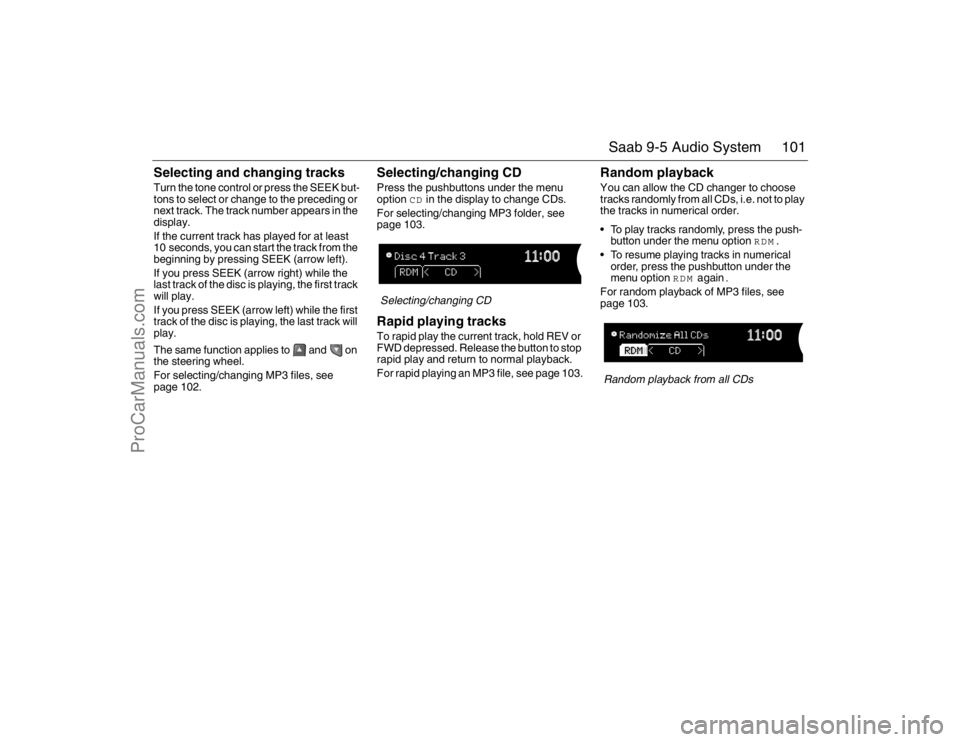
Selecting/changing CDPress the pushbuttons under the menu
option
CD
in the display to change CDs.
For selecting/changing MP3 folder, see
page 103.
Selecting/changing CDRapid playing tracksTo rapid play the current track, hold REV or
FWD depressed. Release the button to stop
rapid play and return to normal playback.
For rapid playing an MP3 file, see page 103.
Random playbackYou can allow the CD changer to choose
tracks randomly from all CDs, i.e. not to play
the tracks in numerical order.
To play tracks randomly, press the push-
button under the menu option
RDM
.
To resume playing tracks in numerical
order, press the pushbutton under the
menu option
RDM
again
.
For random playback of MP3 files, see
page 103.Random playback from all CDs
95_U S _M 07.book Page 101 Friday, June 9, 2006 8:58 AM
ProCarManuals.com
Page 102 of 288
102 Saab 9-5 Audio SystemMP3 playerThe audio system can play MP3 files
recorded on an CD-R disc with the following
bit speed: 32 - 320 kbps. Sound quality may
vary depending on the quality of the CD-R
disc, recording method and quality of the
recorded music.
The audio system can read and play a max-
imum of 50 MP3 files, 50 playlists, 10 ses-
sions and 255 MP3 files. Discs containing
several folders, playlists, sessions and files
can be played up to the max. limit. Anything
over the max. limit will be ignored.
Activating the MP3 playerActivate the MP3 player by inserting a CD-R
disc with MP3 files into the slot or by press-
ing the CD AUX button if a disc with MP3
files is already loaded.
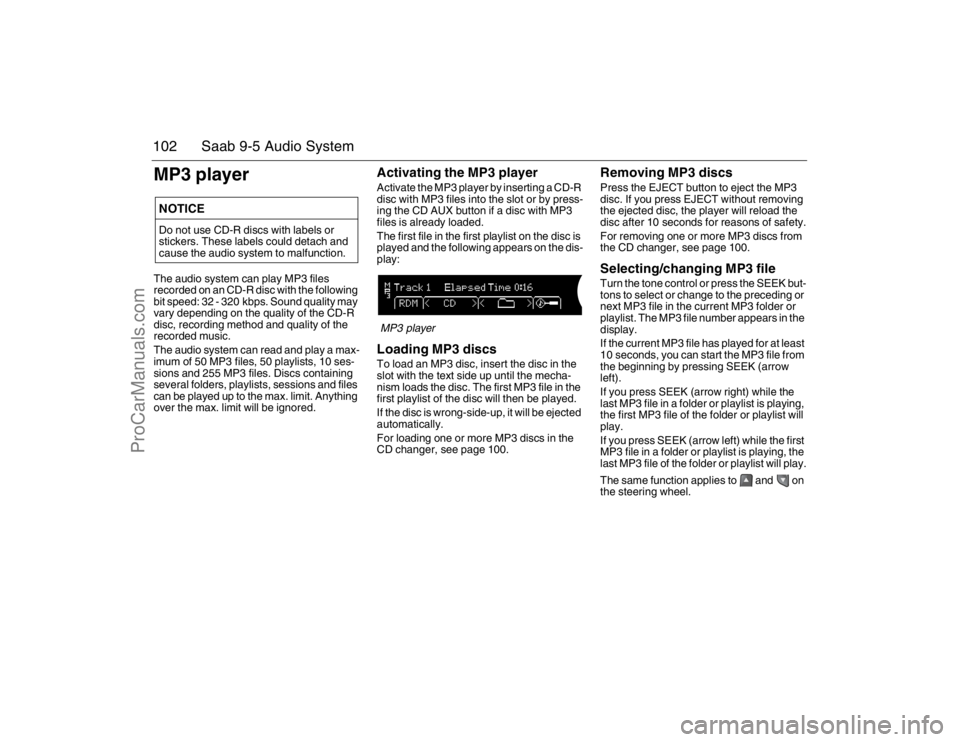
The first file in the first playlist on the disc is
played and the following appears on the dis-
play:MP3 playerLoading MP3 discsTo load an MP3 disc, insert the disc in the
slot with the text side up until the mecha-
nism loads the disc. The first MP3 file in the
first playlist of the disc will then be played.
If the disc is wrong-side-up, it will be ejected
automatically.
For loading one or more MP3 discs in the
CD changer, see page 100.
Removing MP3 discsPress the EJECT button to eject the MP3
disc. If you press EJECT without removing
the ejected disc, the player will reload the
disc after 10 seconds for reasons of safety.
For removing one or more MP3 discs from
the CD changer, see page 100.Selecting/changing MP3 fileTurn the tone control or press the SEEK but-
tons to select or change to the preceding or
next MP3 file in the current MP3 folder or
playlist. The MP3 file number appears in the
display.
If the current MP3 file has played for at least
10 seconds, you can start the MP3 file from
the beginning by pressing SEEK (arrow
left).
If you press SEEK (arrow right) while the
last MP3 file in a folder or playlist is playing,
the first MP3 file of the folder or playlist will
play.
If you press SEEK (arrow left) while the first
MP3 file in a folder or playlist is playing, the
last MP3 file of the folder or playlist will play.
The same function applies to and on
the steering wheel.
NOTICEDo not use CD-R discs with labels or
stickers. These labels could detach and
cause the audio system to malfunction.95_U S _M 07.book Page 102 Friday, June 9, 2006 8:58 AM
ProCarManuals.com
Page 104 of 288
104 Saab 9-5 Audio SystemSong title, artist name, etc.If a disc has been recorded with ID3 data
(version 1 & 2), the song title, artist name,
album title and MP3 folder name can be
shown in the display.
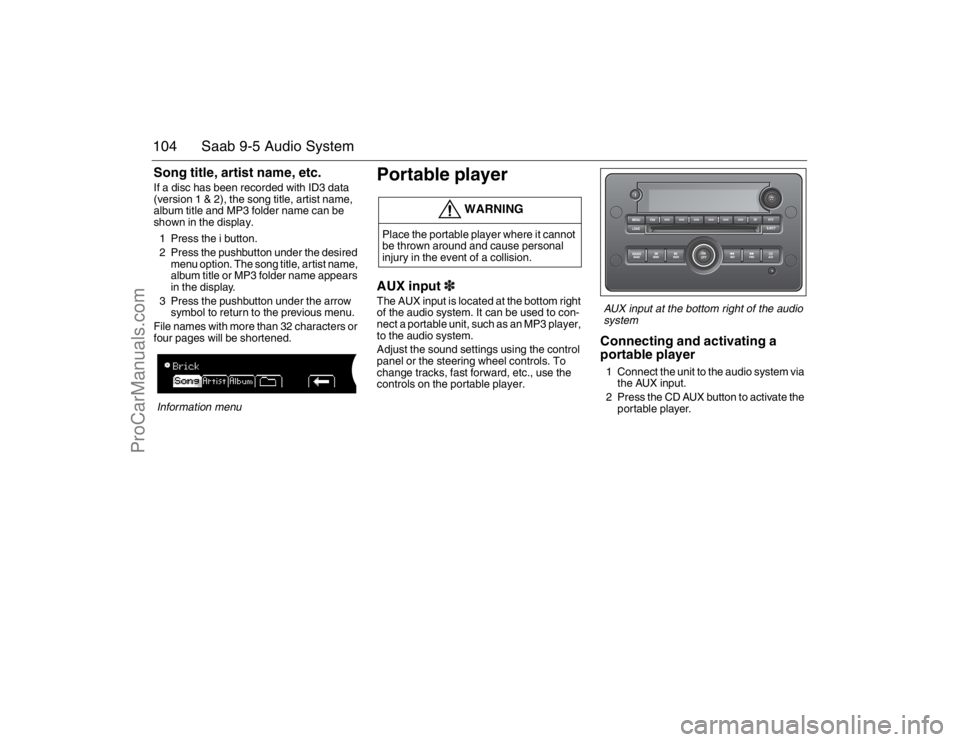
1 Press the i button.
2 Press the pushbutton under the desired
menu option. The song title, artist name,
album title or MP3 folder name appears
in the display.
3 Press the pushbutton under the arrow
symbol to return to the previous menu.
File names with more than 32 characters or
four pages will be shortened.Information menu
Portable playerAUX input3The AUX input is located at the bottom right
of the audio system. It can be used to con-
nect a portable unit, such as an MP3 player,
to the audio system.
Adjust the sound settings using the control
panel or the steering wheel controls. To
change tracks, fast forward, etc., use the
controls on the portable player.
AUX input at the bottom right of the audio
systemConnecting and activating a
portable player1 Connect the unit to the audio system via
the AUX input.
2 Press the CD AUX button to activate the
portable player.
WARNING
Place the portable player where it cannot
be thrown around and cause personal
injury in the event of a collision.
95_U S _M 07.book Page 104 Friday, June 9, 2006 8:58 AM
ProCarManuals.com
Page 113 of 288
113 Interior equipment and trunk
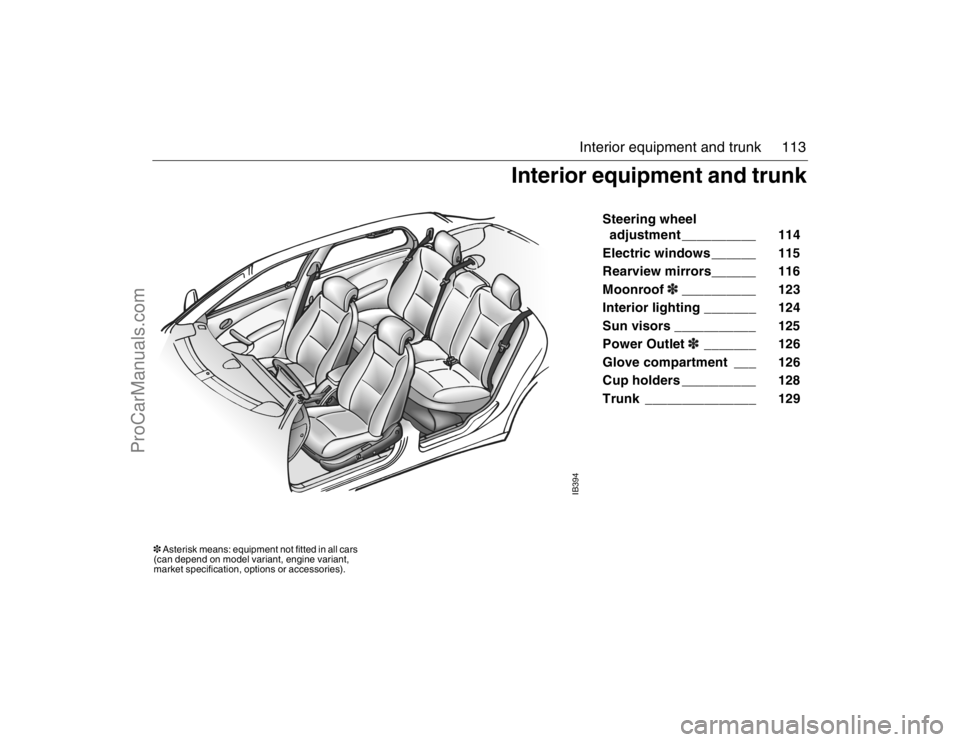
Steering wheel
adjustment __________ 114
Electric windows ______ 115
Rearview mirrors______ 116
Moonroof3__________ 123
Interior lighting _______ 124
Sun visors ___________ 125
Power Outlet3_______ 126
Glove compartment ___ 126
Cup holders __________ 128
Trunk _______________ 129
IB394
Interior equipment and trunk
3 Asterisk means: equipment not fitted in all cars
(can depend on model variant, engine variant,
market specification, options or accessories).95_U S _M 07.book Page 113 Friday, June 9, 2006 8:58 AM
ProCarManuals.com
Page 114 of 288

114 Interior equipment and trunkSteering wheel
adjustment Fore-and-aft and tilt adjustment of the steer-
ing wheel is possible.
Pull down the lever fully until you hear a
click. Move the steering wheel to the desired
position and then raise the lever. The lever
should lock with a click.
Make sure that the lever is fully locked
before driving off.
HornThe horn is sounded by pressing the central
part of the steering wheel. Press closest to
the steering wheel rim.
WARNING
Never adjust the steering wheel unless
the car is stationary.
IB3868
To adjust the steering wheel
IB3869
95_U S _M 07.book Page 114 Friday, June 9, 2006 8:58 AM
ProCarManuals.com
Page 156 of 288
156 Starting and drivingSentronic, manual mode 3Move the selector lever to the M position.
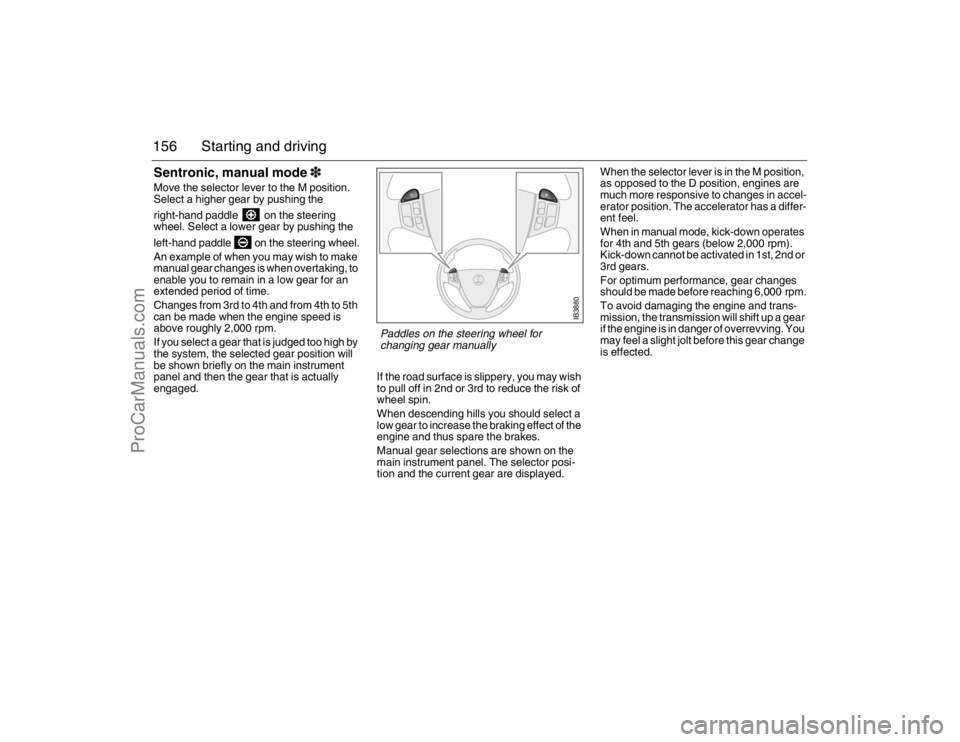
Select a higher gear by pushing the
right-hand paddle on the steering
wheel. Select a lower gear by pushing the
left-hand paddle on the steering wheel.
An example of when you may wish to make
manual gear changes is when overtaking, to
enable you to remain in a low gear for an
extended period of time.
Changes from 3rd to 4th and from 4th to 5th
can be made when the engine speed is
above roughly 2,000 rpm.
If you select a gear that is judged too high by
the system, the selected gear position will
be shown briefly on the main instrument
panel and then the gear that is actually
engaged.If the road surface is slippery, you may wish
to pull off in 2nd or 3rd to reduce the risk of
wheel spin.
When descending hills you should select a
low gear to increase the braking effect of the
engine and thus spare the brakes.
Manual gear selections are shown on the
main instrument panel. The selector posi-
tion and the current gear are displayed.When the selector lever is in the M position,
as opposed to the D position, engines are
much more responsive to changes in accel-
erator position. The accelerator has a differ-
ent feel.
When in manual mode, kick-down operates
for 4th and 5th gears (below 2,000 rpm).
Kick-down cannot be activated in 1st, 2nd or
3rd gears.
For optimum performance, gear changes
should be made before reaching 6,000 rpm.
To avoid damaging the engine and trans-
mission, the transmission will shift up a gear
if the engine is in danger of overrevving. You
may feel a slight jolt before this gear change
is effected.
IB3880
Paddles on the steering wheel for
changing gear manually
95_U S _M 07.book Page 156 Friday, June 9, 2006 8:58 AM
ProCarManuals.com