engine SAAB 9-5 2007 Owner's Manual
[x] Cancel search | Manufacturer: SAAB, Model Year: 2007, Model line: 9-5, Model: SAAB 9-5 2007Pages: 288, PDF Size: 18.14 MB
Page 70 of 288

70 Instruments and controlsUsing Dist. as a trip meter
If no value is programmed in Dist., it func-
tions as a trip meter. This is indicated by an
arrow to the right in the display.
Reset the trip meter by briefly pressing the
CLR button.
Calculating the arrival time if a specified
average speed is maintained:
1 Select Dist.
2 Set the distance.
3 Select Speed Ø.
4 Set the average speed you intend to
drive at.
5 SID switches to Dist. automatically. The
calculated arrival time is now displayed
to the right.
The Speed Ø function will show actual
values once you start driving.Average fuel consumption, Fuel Ø
The average fuel consumption is calculated
using the values for fuel consumed and dis-
tance driven since last reset. This value is
stored in the car’s trip computer even when
the engine is switched off.
To reset the value, hold CLR depressed
until a chime sounds. The text Cleared is
displayed.
Resetting valuesTo reset the value, hold CLR depressed
until a chime sounds. The text Cleared is
displayed.
The following functions will be reset simulta-
neously:
D.T.E. (the value is reset to the distance
that can be reached with the amount of
remaining fuel)
Fuel Ø
Speed Ø (average speed)
Values programmed in Dist., Alarm and
Speed W. are not reset. See respective
function
95_U S _M 07.book Page 70 Friday, June 9, 2006 8:58 AM
ProCarManuals.com
Page 71 of 288

71 Instruments and controls
CHECK messages When the engine is started, CHECKING will
appear on the display for about 4 seconds
while the SID CHECK functions are being
performed.
When a CHECK message is activated while
driving, a chime sounds and the message
appears in SID. The number of possible
CHECK messages varies depending on the
car’s specifications.
If more than one CHECK message has
been generated, the
+ symbol will appear to
the left of the text on the display. The mes-
sages appear in order of priority.
If a new fault occurs whilst another message
is being displayed, the message relating to
the new one will appear for 10 seconds,
after which the display will return to the ear-
lier one.
Briefly press the CLR button to acknowl-
edge a message from the display. After
acknowledgement, the message is dis-
played each time the ignition is re-started
until remedied.The following messages may be displayed:
1) This message will be displayed approximately
600 miles (1,000 km) before the next scheduled
service is due, or when 365 days have elapsed
since the last service. The message should be
cleared at the time of that service (see the Saab
Warranties & Service Record Booklet).
This message can also be deleted by first briefly
pressing the CLR button, then depressing it a
second time for at least eight seconds until
”SERVICE” appears on the display and a chime
sounds. The message can only be deleted when
it is shown on the SID.
*) 9-5 SportCombi: the high-mounted stop light is
not included in the autocheck of lights.
Message See
page
Use your seatbelts. 12
Front light failure. 204
Rear light failure. 208
Fog light failure. 205
Brake light failure. 208
Washer fluid level low.
Refill. 203
Coolant level low.
Refill. 195
Remote control battery
low. Replace battery. 49
Key not accepted.
Contact service. 54
Theft protection failure.
Contact service. 54
Gearbox too hot.
Make a safe stop. 154
Tighten fuel filler cap. 147
Time for service.
1)
252
95_U S _M 07.book Page 71 Friday, June 9, 2006 8:58 AM
ProCarManuals.com
Page 72 of 288

72 Instruments and controlsNIGHT PANELTo improve night-driving conditions inside
the car, the Night Panel mode can be
selected. In this mode, the amount of infor-
mation displayed is reduced, and only the
most important instruments and displays
will be illuminated.
When the NIGHT PANEL button is pressed,
only the speedometer will be illuminated, all
the other instruments illumination being
extinguished and their needles moved to
zero. The SID display will be extinguished
and the backlighting for switches and other
controls will be dimmed. Note: All indicator
and warning lights, together with the display
of CHECK messages, will operate as nor-
mal, except ”Outdoor temperature”, see
page 68.The following conditions will wake up the
respective displays in the Night-Panel
mode:
Setting of the Audio system or, SID (dis-
play comes on for ten seconds).
CHECK message generated in the SID.
High engine revs cause the rev counter to
be illuminated until the engine speed has
fallen again.
If the quantity of fuel remaining falls below
4 gallons (15 liters), the fuel gauge will be
illuminated.
If the engine temperature rises above nor-
mal, the temperature gauge will be illumi-
nated.
In cars with automatic transmission, if the
selector lever is moved from D to position
M or L, the selector indication on the main
instrument panel will be illuminated.
To restore the displays and lighting to the
normal mode, press the NIGHT PANEL but-
ton.
Units and language versionsThe SID has four sets of units: CHECK messages can be displayed in six
language options: English, Swedish,
German, French, Italian and Spanish. Selecting units and language 1 Switch off the engine.
2 Briefly press i/SETbutton. Repeat this
until LANGUAGE/UNITS is displayed.
3 Hold i/SET depressed until a chime
sounds. Then select language using
or .
4 Briefly press the i/SET button. Then
select the units using or .
5 Briefly press the i/SET button. METRIC US GB IMPERIAL
km miles miles miles
km/h mph mph mph
liters US gal gallon gallon
°C °F °C °F
24-hour 12-hour 12-hour 12-hour
95_U S _M 07.book Page 72 Friday, June 9, 2006 8:58 AM
ProCarManuals.com
Page 73 of 288
73 Instruments and controls
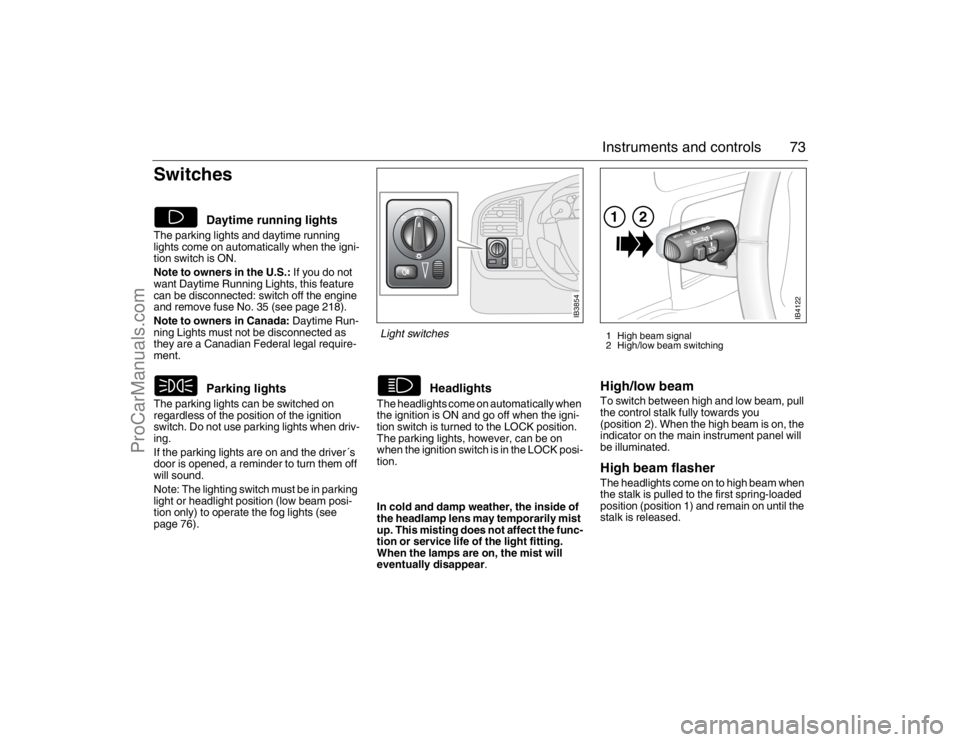
Switches The parking lights and daytime running
lights come on automatically when the igni-
tion switch is ON.
Note to owners in the U.S.: If you do not
want Daytime Running Lights, this feature
can be disconnected: switch off the engine
and remove fuse No. 35 (see page 218).
Note to owners in Canada: Daytime Run-
ning Lights must not be disconnected as
they are a Canadian Federal legal require-
ment.
The parking lights can be switched on
regardless of the position of the ignition
switch. Do not use parking lights when driv-
ing.
If the parking lights are on and the driver´s
door is opened, a reminder to turn them off
will sound.
Note: The lighting switch must be in parking
light or headlight position (low beam posi-
tion only) to operate the fog lights (see
page 76).The headlights come on automatically when
the ignition is ON and go off when the igni-
tion switch is turned to the LOCK position.
The parking lights, however, can be on
when the ignition switch is in the LOCK posi-
tion.
High/low beamTo switch between high and low beam, pull
the control stalk fully towards you
(position 2). When the high beam is on, the
indicator on the main instrument panel will
be illuminated.High beam flasher The headlights come on to high beam when
the stalk is pulled to the first spring-loaded
position (position 1) and remain on until the
stalk is released.
Daytime running lights
Parking lights
Headlights
IB4122
121 High beam signal
2 High/low beam switching
IB3854
Light switches In cold and damp weather, the inside of
the headlamp lens may temporarily mist
up. This misting does not affect the func-
tion or service life of the light fitting.
When the lamps are on, the mist will
eventually disappear.
95_U S _M 07.book Page 73 Friday, June 9, 2006 8:58 AM
ProCarManuals.com
Page 74 of 288
74 Instruments and controlsCourtesy Headlight FeatureA delay function allows the headlights to
remain on low beam for about 30 seconds
after the driver’s door has been closed.
To activate this function,
Switch off the ignition and remove the key
Open the driver’s door
Pull the high/low beam control stalk
towards the steering wheel like you are
flashing the high beam, see page 73. The
low beam headlights will now come on
immediately after the driver’s door has
been closed (within 30 seconds) and will
remain on for about 30 seconds.
The length of time for this function can be
adjusted by your authorized Saab dealer.
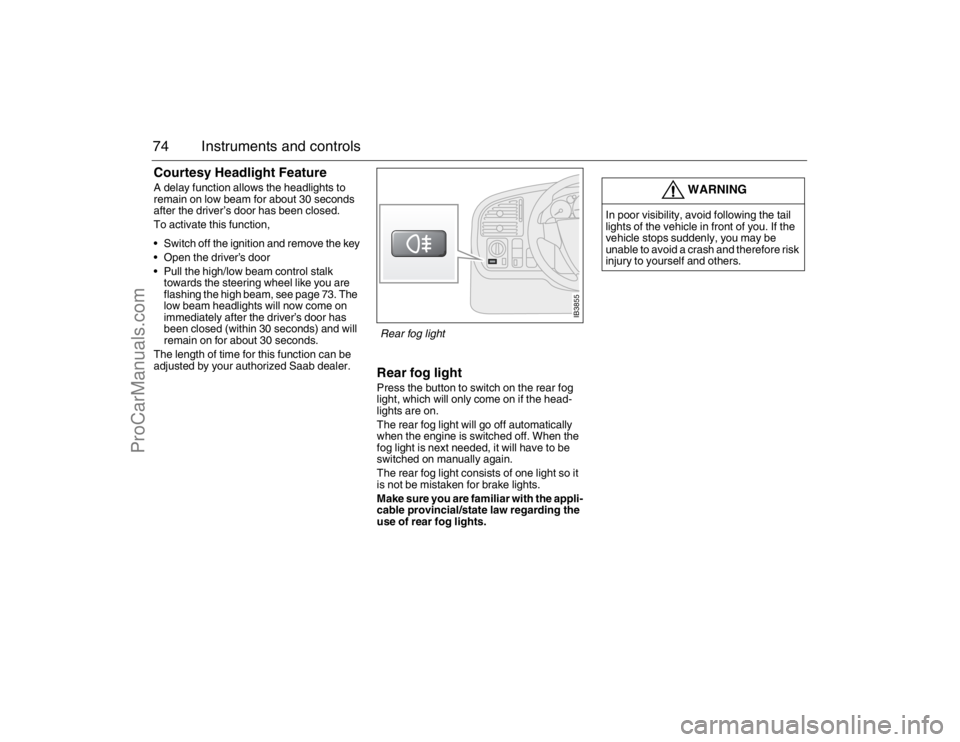
Rear fog lightPress the button to switch on the rear fog
light, which will only come on if the head-
lights are on.
The rear fog light will go off automatically
when the engine is switched off. When the
fog light is next needed, it will have to be
switched on manually again.
The rear fog light consists of one light so it
is not be mistaken for brake lights.
Make sure you are familiar with the appli-
cable provincial/state law regarding the
use of rear fog lights.
WARNING
In poor visibility, avoid following the tail
lights of the vehicle in front of you. If the
vehicle stops suddenly, you may be
unable to avoid a crash and therefore risk
injury to yourself and others.
IB3855
Rear fog light
95_U S _M 07.book Page 74 Friday, June 9, 2006 8:58 AM
ProCarManuals.com
Page 76 of 288
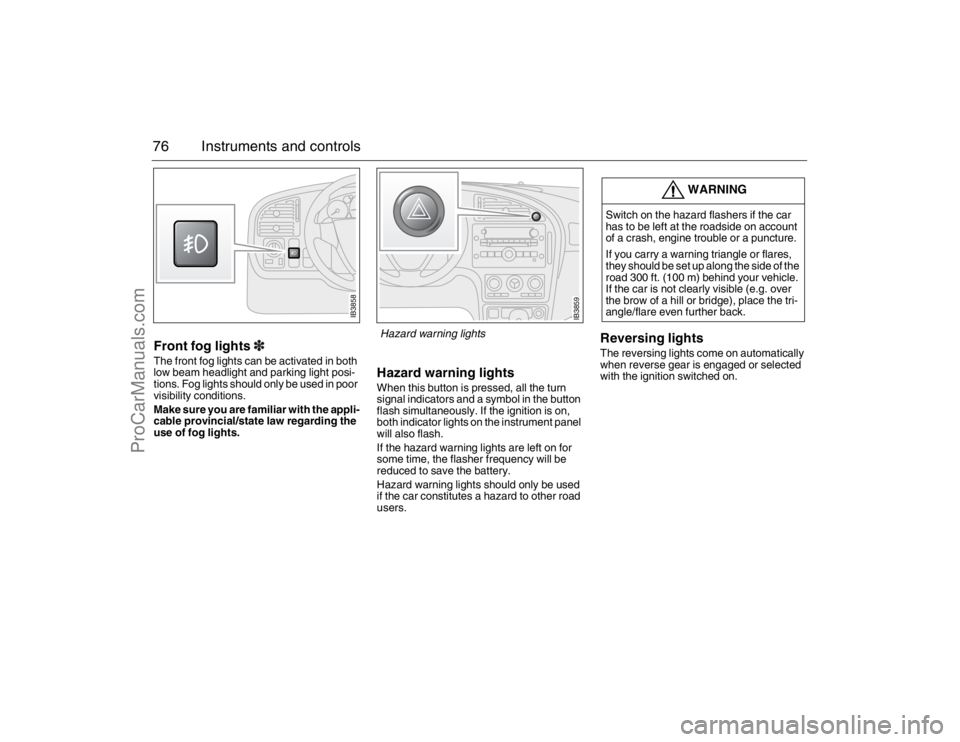
76 Instruments and controlsFront fog lights3The front fog lights can be activated in both
low beam headlight and parking light posi-
tions. Fog lights should only be used in poor
visibility conditions.
Make sure you are familiar with the appli-
cable provincial/state law regarding the
use of fog lights.
Hazard warning lightsWhen this button is pressed, all the turn
signal indicators and a symbol in the button
flash simultaneously. If the ignition is on,
both indicator lights on the instrument panel
will also flash.
If the hazard warning lights are left on for
some time, the flasher frequency will be
reduced to save the battery.
Hazard warning lights should only be used
if the car constitutes a hazard to other road
users.
Reversing lightsThe reversing lights come on automatically
when reverse gear is engaged or selected
with the ignition switched on.
WARNING
Switch on the hazard flashers if the car
has to be left at the roadside on account
of a crash, engine trouble or a puncture.
If you carry a warning triangle or flares,
they should be set up along the side of the
road 300 ft. (100 m) behind your vehicle.
If the car is not clearly visible (e.g. over
the brow of a hill or bridge), place the tri-
angle/flare even further back.
IB3858
IB3859
Hazard warning lights
95_U S _M 07.book Page 76 Friday, June 9, 2006 8:58 AM
ProCarManuals.com
Page 78 of 288
78 Instruments and controlsWhen the engine has been switched off,
the control stalk must be moved to posi-
tion 0 and back to position 1 to reactivate
the sensor.
Set the sensitivity using the control on the
wiper stalk (the same control as used for
wiper delay on cars not fitted with a rain sen-
sor). The sensor has three sensitivity set-
tings. It is most sensitive when in the upper-
most position (1). When a higher degree of
sensitivity is selected, the wipers make one
sweep of the windshield for reference.
The rain sensor has a daylight and a night
time mode. The sensor measures the
amount of available light and automatically
selects the appropriate mode. The sensor is
more sensitive at night. The function of the
rain sensor is impaired by dry snow.
Rear-window wiper
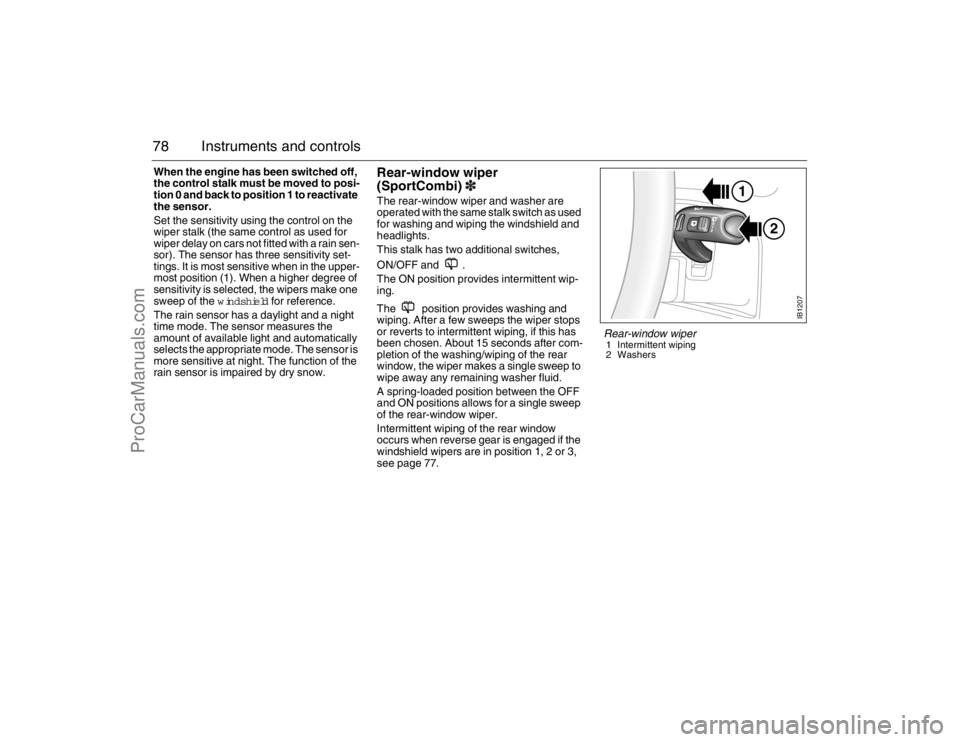
(SportCombi)3The rear-window wiper and washer are
operated with the same stalk switch as used
for washing and wiping the windshield and
headlights.
This stalk has two additional switches,
ON/OFF and .
The ON position provides intermittent wip-
ing.
The position provides washing and
wiping. After a few sweeps the wiper stops
or reverts to intermittent wiping, if this has
been chosen. About 15 seconds after com-
pletion of the washing/wiping of the rear
window, the wiper makes a single sweep to
wipe away any remaining washer fluid.
A spring-loaded position between the OFF
and ON positions allows for a single sweep
of the rear-window wiper.
Intermittent wiping of the rear window
occurs when reverse gear is engaged if the
windshield wipers are in position 1, 2 or 3,
see page 77.
2 1
IB1207
Rear-window wiper1 Intermittent wiping
2 Washers
95_U S _M 07.book Page 78 Friday, June 9, 2006 8:58 AM
ProCarManuals.com
Page 81 of 288
81 Instruments and controls
Temperature control The cabin is divided into two temperature
zones:
The driver’s zone
The passenger zone (front and rear
seats)
The desired temperature can be set
between 60 and 80°F.
The displayed temperature is not the abso-
lute temperature but corresponds to the
comfort level normally experienced at that
temperature after allowance has been
made for the air flow, relative humidity, solar
radiation, etc., currently prevailing inside
the car.
The most usual temperature setting is
64–76°F, depending on personal prefer-
ence and what clothing is worn.
To allow the system time to adjust,
changes in the temperature setting shall
only be made in steps of 2°F.
Once the desired climate has been
achieved, the rear center vents can be
closed to prevent warm air being distributed
at face height.
When the ignition is switched off, only the
temperature control affects the system the
next time the engine is started. The system
will warm up/cool down to the temperature
to which the control is set.MAX heat, red indication
The MAX heat setting is obtained by turning
the temperature control to the first position
past 80 (to the red LED). The driver’s side
selection regulates air distribution and recir-
culation status. Temperature, however, can
be adjusted on the passenger side.
Settings when MAX heat is selected:
Maximum heat
Air distribution to windshield and floor
Recirculation OFF (even if manually
selected before)
Fan: high speed
MAX cooling, blue indicator
The MAX cooling setting is obtained by turn-
ing the temperature control to the first posi-
tion past 60 (to the blue LED). The driver’s
side selection regulates air distribution and
recirculation status. Temperature, however,
can be adjusted on the passenger side.
Settings when MAX cooling is selected:
Maximum cooling (A/C compressor will
run even if AC OFF manually selected
before)
Air distribution through panel vents
Fan: maximum speed
Recirculation ON
IB369
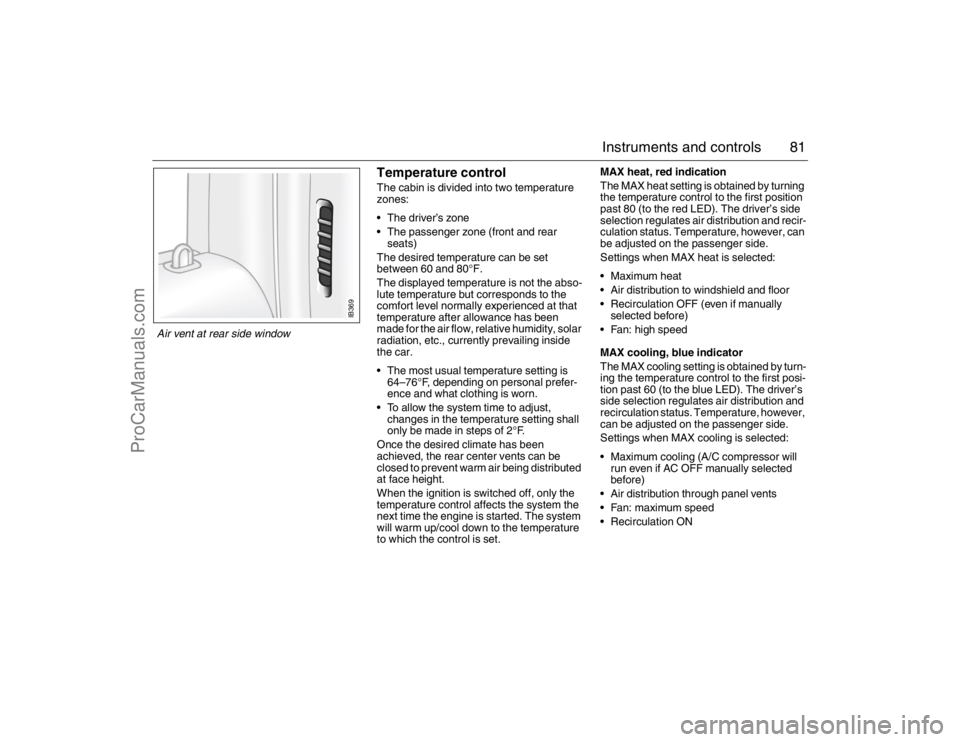
Air vent at rear side window 95_U S _M 07.book Page 81 Friday, June 9, 2006 8:58 AM
ProCarManuals.com
Page 82 of 288
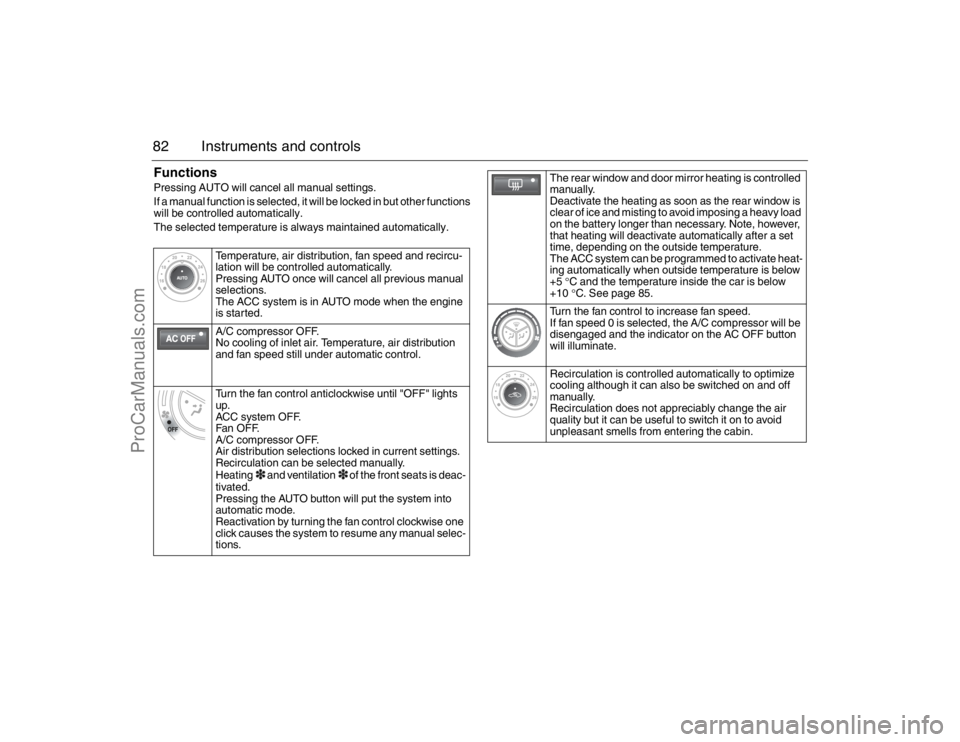
82 Instruments and controlsFunctionsPressing AUTO will cancel all manual settings.
If a manual function is selected, it will be locked in but other functions
will be controlled automatically.
The selected temperature is always maintained automatically.
Temperature, air distribution, fan speed and recircu-
lation will be controlled automatically.
Pressing AUTO once will cancel all previous manual
selections.
The ACC system is in AUTO mode when the engine
is started.
A/C compressor OFF.
No cooling of inlet air. Temperature, air distribution
and fan speed still under automatic control.
Turn the fan control anticlockwise until "OFF" lights
up.
ACC system OFF.
Fan OF F.
A/C compressor OFF.
Air distribution selections locked in current settings.
Recirculation can be selected manually.
Heating
3 and ventilation
3 of the front seats is deac-
tivated.
Pressing the AUTO button will put the system into
automatic mode.
Reactivation by turning the fan control clockwise one
click causes the system to resume any manual selec-
tions.
The rear window and door mirror heating is controlled
manually.
Deactivate the heating as soon as the rear window is
clear of ice and misting to avoid imposing a heavy load
on the battery longer than necessary. Note, however,
that heating will deactivate automatically after a set
time, depending on the outside temperature.
The ACC system can be programmed to activate heat-
ing automatically when outside temperature is below
+5 °C and the temperature inside the car is below
+10°C. See page 85.
Turn the fan control to increase fan speed.
If fan speed 0 is selected, the A/C compressor will be
disengaged and the indicator on the AC OFF button
will illuminate.
Recirculation is controlled automatically to optimize
cooling although it can also be switched on and off
manually.
Recirculation does not appreciably change the air
quality but it can be useful to switch it on to avoid
unpleasant smells from entering the cabin.
95_U S _M 07.book Page 82 Friday, June 9, 2006 8:58 AM
ProCarManuals.com
Page 84 of 288
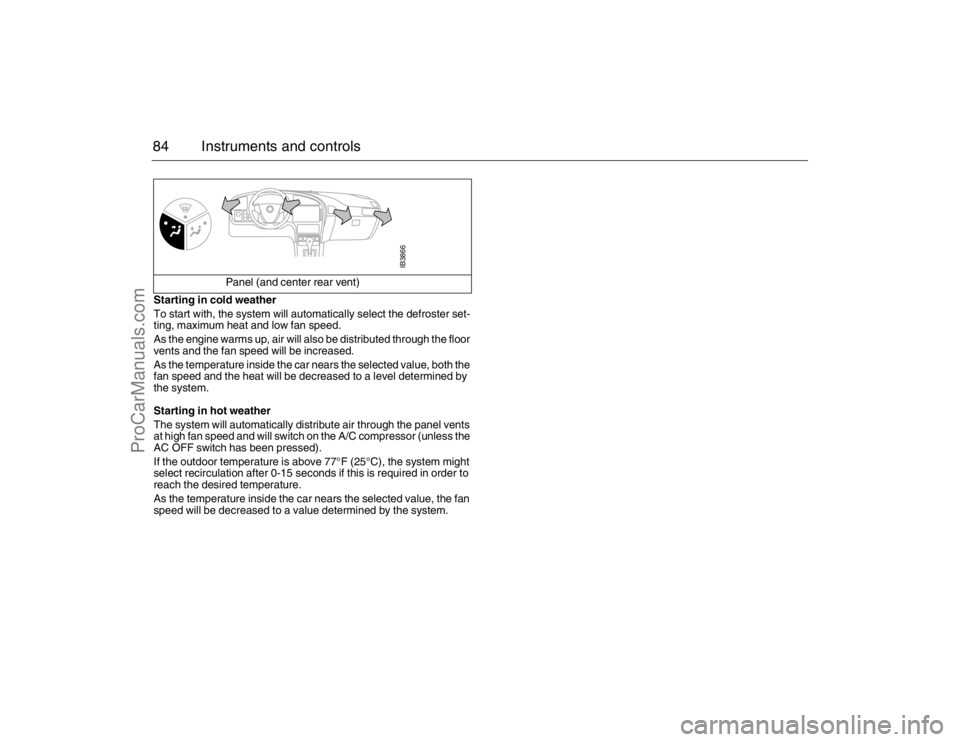
84 Instruments and controlsStarting in cold weather
To start with, the system will automatically select the defroster set-
ting, maximum heat and low fan speed.
As the engine warms up, air will also be distributed through the floor
vents and the fan speed will be increased.
As the temperature inside the car nears the selected value, both the
fan speed and the heat will be decreased to a level determined by
the system.
Starting in hot weather
The system will automatically distribute air through the panel vents
at high fan speed and will switch on the A/C compressor (unless the
AC OFF switch has been pressed).
If the outdoor temperature is above 77°F (25°C), the system might
select recirculation after 0-15 seconds if this is required in order to
reach the desired temperature.
As the temperature inside the car nears the selected value, the fan
speed will be decreased to a value determined by the system. Panel (and center rear vent)
IB3866
95_U S _M 07.book Page 84 Friday, June 9, 2006 8:58 AM
ProCarManuals.com