lock SAAB 9-5 2009 Owner's Manual
[x] Cancel search | Manufacturer: SAAB, Model Year: 2009, Model line: 9-5, Model: SAAB 9-5 2009Pages: 272, PDF Size: 21.53 MB
Page 52 of 272
52 SecurityAlarm signals When the car alarm is armed, it will be trig-
gered if any door, or the trunk lid or hood, is
opened.
The alarm will also be triggered if an attempt
is made to bypass or short-circuit the igni-
tion switch, or to disconnect the battery.
If the alarm is triggered, the following alarm
signals will be set off:
Flashing of hazard warning lights for five
minutes.
Horn wailing for 30 seconds.
The alarm signals will stop if the alarm is
deactivated (car unlocked) during the alarm
period.
Panic-functionIn the car alarm system there is a feature
called "Panic-function".
To activate panic function:
Push and hold one of the buttons on the
key for 2 seconds. Or, if you are sitting
inside the car, push the LOCK-switch on
the center console for 2 seconds.
These actions will trigger the alarm (hazard
warning lights and horn).
To deactivate panic function:
Push one of the buttons on the key, push
the LOCK-switch in the center console,
turn the key in the driver´s door or turn the
ignition to ON.
When the panic-function is activated the car
will be locked/unlocked depending upon
which button was pushed.
When the ignition is ON the panic-function
cannot be activated.
95_US_MY09.book Page 52 Tuesday, April 15, 2008 11:03 AM
ProCarManuals.com
Page 53 of 272
53 Security
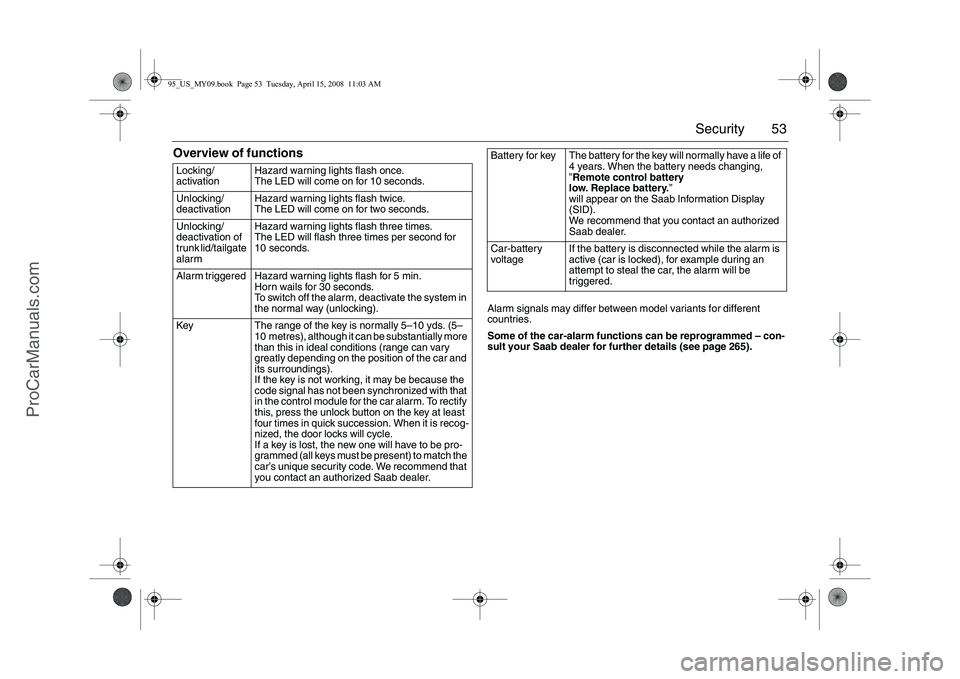
Overview of functions
Alarm signals may differ between model variants for different
countries.
Some of the car-alarm functions can be reprogrammed – con-
sult your Saab dealer for further details (see page 265). Locking/
activation Hazard warning lights flash once.
The LED will come on for 10 seconds.
Unlocking/
deactivation Hazard warning lights flash twice.
The LED will come on for two seconds.
Unlocking/
deactivation of
trunk lid/tailgate
alarm Hazard warning lights flash three times.
The LED will flash three times per second for
10 seconds.
Alarm triggered Hazard warning lights flash for 5 min.
Horn wails for 30 seconds.
To switch off the alarm, deactivate the system in
the normal way (unlocking).
Key The range of the key is normally 5–10 yds. (5–
10 metres), although it can be substantially more
than this in ideal conditions (range can vary
greatly depending on the position of the car and
its surroundings).
If the key is not working, it may be because the
code signal has not been synchronized with that
in the control module for the car alarm. To rectify
this, press the unlock button on the key at least
four times in quick succession. When it is recog-
nized, the door locks will cycle.
If a key is lost, the new one will have to be pro-
grammed (all keys must be present) to match the
car’s unique security code. We recommend that
you contact an authorized Saab dealer.Battery for key The battery for the key will normally have a life of
4 years. When the battery needs changing,
”Remote control battery
low. Replace battery.”
will appear on the Saab Information Display
(SID).
We recommend that you contact an authorized
Saab dealer.
Car-battery
voltage If the battery is disconnected while the alarm is
active (car is locked), for example during an
attempt to steal the car, the alarm will be
triggered.
95_US_MY09.book Page 53 Tuesday, April 15, 2008 11:03 AM
ProCarManuals.com
Page 54 of 272
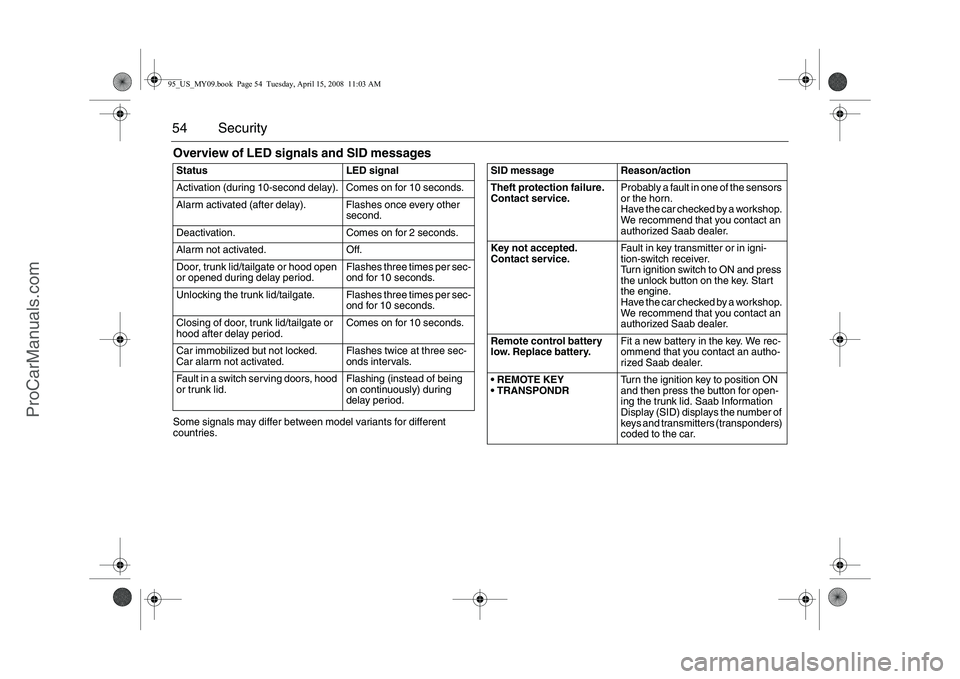
54 SecurityOverview of LED signals and SID messagesSome signals may differ between model variants for different
countries. Status LED signal
Activation (during 10-second delay). Comes on for 10 seconds.
Alarm activated (after delay). Flashes once every other
second.
Deactivation. Comes on for 2 seconds.
Alarm not activated. Off.
Door, trunk lid/tailgate or hood open
or opened during delay period.Flashes three times per sec-
ond for 10 seconds.
Unlocking the trunk lid/tailgate. Flashes three times per sec-
ond for 10 seconds.
Closing of door, trunk lid/tailgate or
hood after delay period.Comes on for 10 seconds.
Car immobilized but not locked.
Car alarm not activated.Flashes twice at three sec-
onds intervals.
Fault in a switch serving doors, hood
or trunk lid.Flashing (instead of being
on continuously) during
delay period.
SID message Reason/action
Theft protection failure.
Contact service.Probably a fault in one of the sensors
or the horn.
Have the car checked by a workshop.
We recommend that you contact an
authorized Saab dealer.
Key not accepted.
Contact service.Fault in key transmitter or in igni-
tion-switch receiver.
Turn ignition switch to ON and press
the unlock button on the key. Start
the engine.
Have the car checked by a workshop.
We recommend that you contact an
authorized Saab dealer.
Remote control battery
low. Replace battery.Fit a new battery in the key. We rec-
ommend that you contact an autho-
rized Saab dealer.
REMOTE KEY
TRANSPONDRTurn the ignition key to position ON
and then press the button for open-
ing the trunk lid. Saab Information
Display (SID) displays the number of
keys and transmitters (transponders)
coded to the car.
95_US_MY09.book Page 54 Tuesday, April 15, 2008 11:03 AM
ProCarManuals.com
Page 59 of 272
59 Instruments and controls
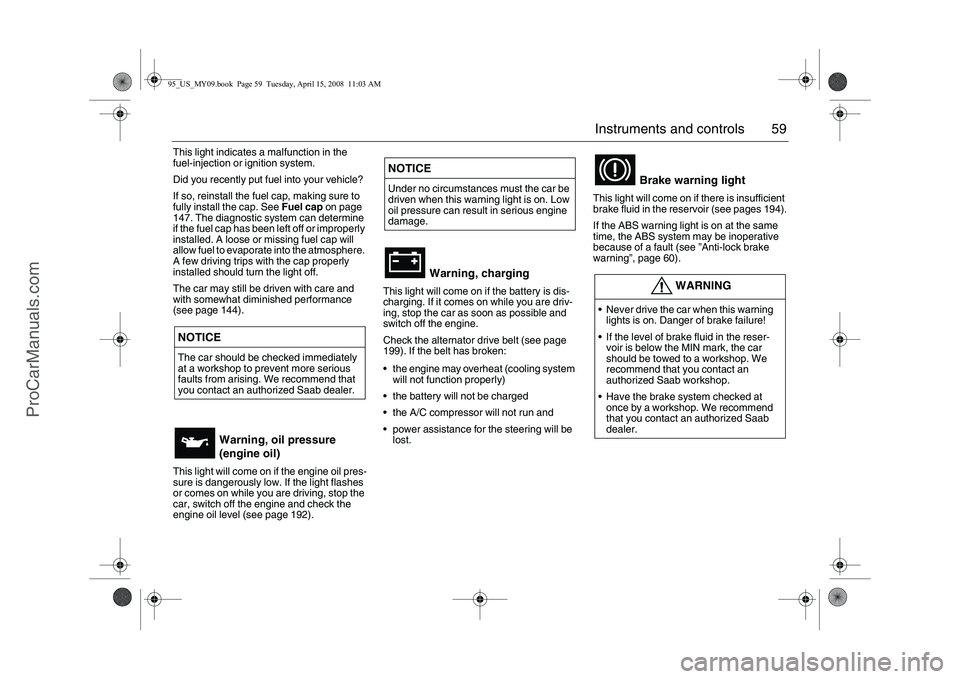
This light indicates a malfunction in the
fuel-injection or ignition system.
Did you recently put fuel into your vehicle?
If so, reinstall the fuel cap, making sure to
fully install the cap. See Fuel cap on page
147. The diagnostic system can determine
if the fuel cap has been left off or improperly
installed. A loose or missing fuel cap will
allow fuel to evaporate into the atmosphere.
A few driving trips with the cap properly
installed should turn the light off.
The car may still be driven with care and
with somewhat diminished performance
(see page 144).
This light will come on if the engine oil pres-
sure is dangerously low. If the light flashes
or comes on while you are driving, stop the
car, switch off the engine and check the
engine oil level (see page 192).
This light will come on if the battery is dis-
charging. If it comes on while you are driv-
ing, stop the car as soon as possible and
switch off the engine.
Check the alternator drive belt (see page
199). If the belt has broken:
the engine may overheat (cooling system
will not function properly)
the battery will not be charged
the A/C compressor will not run and
power assistance for the steering will be
lost.This light will come on if there is insufficient
brake fluid in the reservoir (see pages 194).
If the ABS warning light is on at the same
time, the ABS system may be inoperative
because of a fault (see ”Anti-lock brake
warning”, page 60).
NOTICEThe car should be checked immediately
at a workshop to prevent more serious
faults from arising. We recommend that
you contact an authorized Saab dealer.
Warning, oil pressure
(engine oil)
NOTICEUnder no circumstances must the car be
driven when this warning light is on. Low
oil pressure can result in serious engine
damage.
Warning, charging
Brake warning light
WARNING
Never drive the car when this warning
lights is on. Danger of brake failure!
If the level of brake fluid in the reser-
voir is below the MIN mark, the car
should be towed to a workshop. We
recommend that you contact an
authorized Saab workshop.
Have the brake system checked at
once by a workshop. We recommend
that you contact an authorized Saab
dealer.
95_US_MY09.book Page 59 Tuesday, April 15, 2008 11:03 AM
ProCarManuals.com
Page 60 of 272
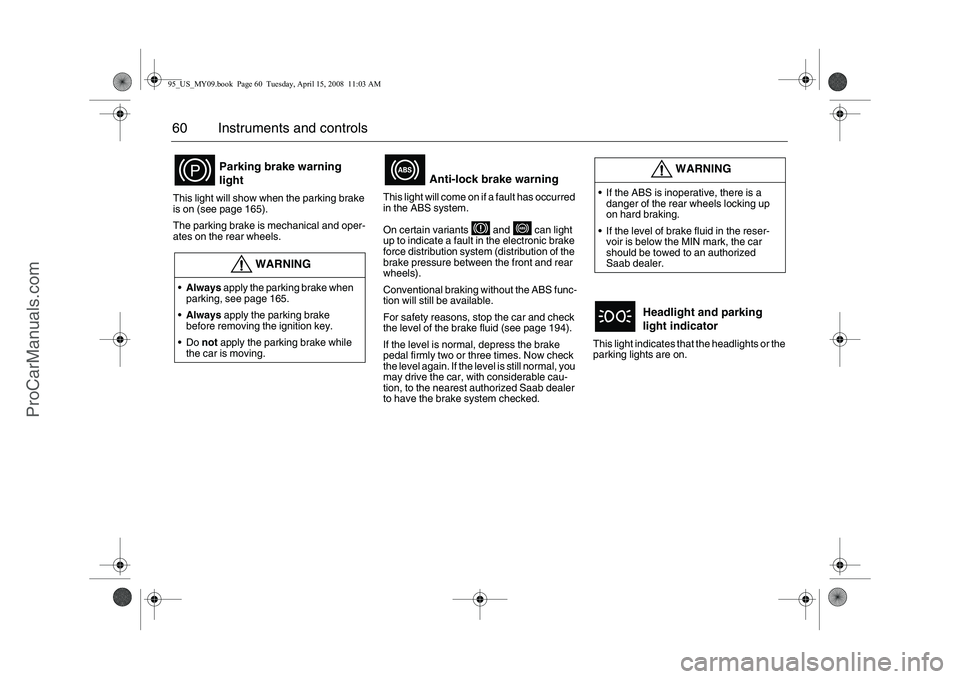
60 Instruments and controlsThis light will show when the parking brake
is on (see page 165).
The parking brake is mechanical and oper-
ates on the rear wheels. This light will come on if a fault has occurred
in the ABS system.
On certain variants and can light
up to indicate a fault in the electronic brake
force distribution system (distribution of the
brake pressure between the front and rear
wheels).
Conventional braking without the ABS func-
tion will still be available.
For safety reasons, stop the car and check
the level of the brake fluid (see page 194).
If the level is normal, depress the brake
pedal firmly two or three times. Now check
the level again. If the level is still normal, you
may drive the car, with considerable cau-
tion, to the nearest authorized Saab dealer
to have the brake system checked.This light indicates that the headlights or the
parking lights are on.
Parking brake warning
light
WARNING
Always apply the parking brake when
parking, see page 165.
Always apply the parking brake
before removing the ignition key.
Do not apply the parking brake while
the car is moving.
Anti-lock brake warning
WARNING
If the ABS is inoperative, there is a
danger of the rear wheels locking up
on hard braking.
If the level of brake fluid in the reser-
voir is below the MIN mark, the car
should be towed to an authorized
Saab dealer.
Headlight and parking
light indicator
95_US_MY09.book Page 60 Tuesday, April 15, 2008 11:03 AM
ProCarManuals.com
Page 73 of 272
73 Instruments and controls
Switches The parking lights and daytime running
lights come on automatically when the igni-
tion switch is ON.
Note to owners in the U.S.: If you do not
want Daytime Running Lights, this feature
can be disconnected: switch off the engine
and remove fuse No. 35 (see page 216).
Note to owners in Canada: Daytime Run-
ning Lights must not be disconnected as
they are a Canadian Federal legal require-
ment.
The parking lights can be switched on
regardless of the position of the ignition
switch. Do not use parking lights when driv-
ing.
If the parking lights are on and the driver´s
door is opened, a reminder to turn them off
will sound.
Note: The lighting switch must be in parking
light or headlight position (low beam posi-
tion only) to operate the fog lights (see
page 76).The headlights come on automatically when
the ignition is ON and go off when the igni-
tion switch is turned to the LOCK position.
The parking lights, however, can be on
when the ignition switch is in the LOCK posi-
tion.
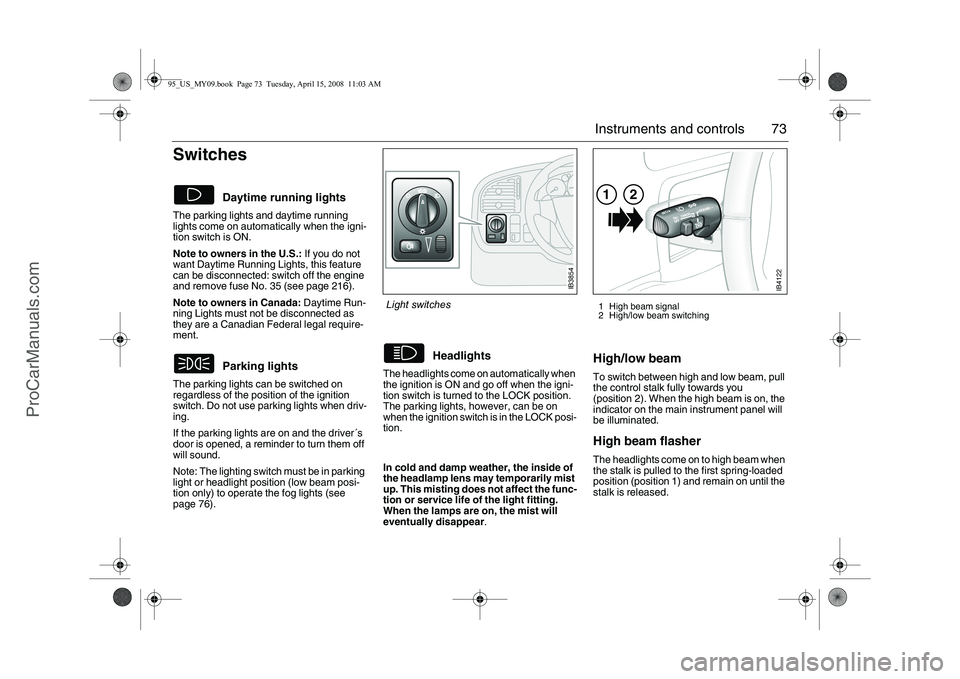
High/low beamTo switch between high and low beam, pull
the control stalk fully towards you
(position 2). When the high beam is on, the
indicator on the main instrument panel will
be illuminated.High beam flasher The headlights come on to high beam when
the stalk is pulled to the first spring-loaded
position (position 1) and remain on until the
stalk is released.
Daytime running lights
Parking lights
Headlights
1 High beam signal
2 High/low beam switching
IB3854
Light switches
In cold and damp weather, the inside of
the headlamp lens may temporarily mist
up. This misting does not affect the func-
tion or service life of the light fitting.
When the lamps are on, the mist will
eventually disappear.
IB4122
12
95_US_MY09.book Page 73 Tuesday, April 15, 2008 11:03 AM
ProCarManuals.com
Page 82 of 272
82 Instruments and controlsFunctionsPressing AUTO will cancel all manual settings.
If a manual function is selected, it will be locked in but other functions
will be controlled automatically.
The selected temperature is always maintained automatically.
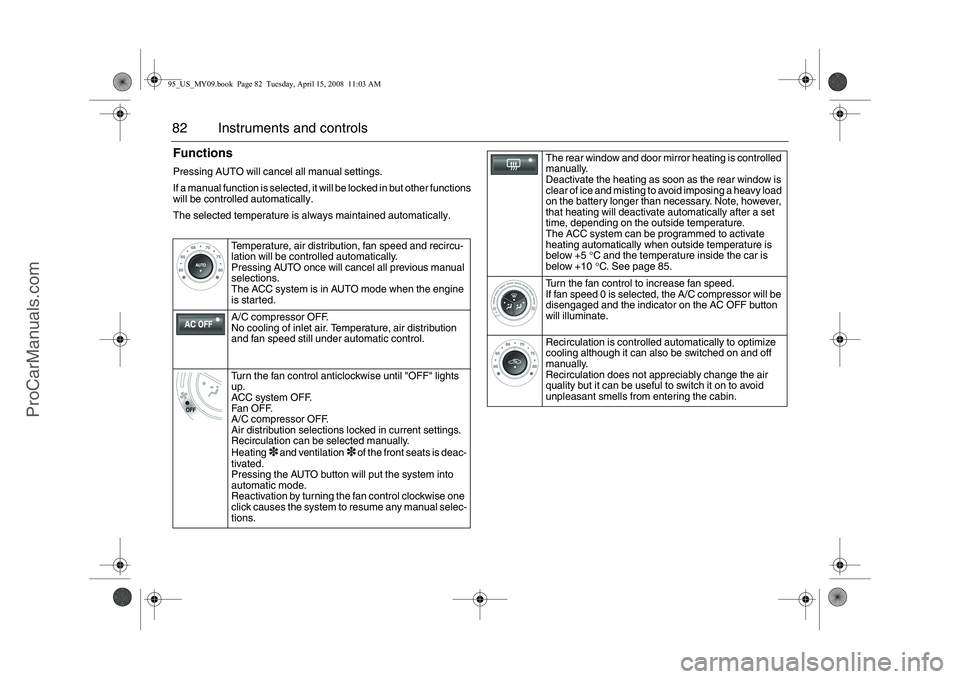
Temperature, air distribution, fan speed and recircu-
lation will be controlled automatically.
Pressing AUTO once will cancel all previous manual
selections.
The ACC system is in AUTO mode when the engine
is started.
A/C compressor OFF.
No cooling of inlet air. Temperature, air distribution
and fan speed still under automatic control.
Turn the fan control anticlockwise until "OFF" lights
up.
ACC system OFF.
Fa n O F F.
A/C compressor OFF.
Air distribution selections locked in current settings.
Recirculation can be selected manually.
Heating
3 and ventilation
3 of the front seats is deac-
tivated.
Pressing the AUTO button will put the system into
automatic mode.
Reactivation by turning the fan control clockwise one
click causes the system to resume any manual selec-
tions.
The rear window and door mirror heating is controlled
manually.
Deactivate the heating as soon as the rear window is
clear of ice and misting to avoid imposing a heavy load
on the battery longer than necessary. Note, however,
that heating will deactivate automatically after a set
time, depending on the outside temperature.
The ACC system can be programmed to activate
heating automatically when outside temperature is
below +5 °C and the temperature inside the car is
below +10°C. See page 85.
Turn the fan control to increase fan speed.
If fan speed 0 is selected, the A/C compressor will be
disengaged and the indicator on the AC OFF button
will illuminate.
Recirculation is controlled automatically to optimize
cooling although it can also be switched on and off
manually.
Recirculation does not appreciably change the air
quality but it can be useful to switch it on to avoid
unpleasant smells from entering the cabin.
95_US_MY09.book Page 82 Tuesday, April 15, 2008 11:03 AM
ProCarManuals.com
Page 89 of 272
89 Saab 9-5 Audio System
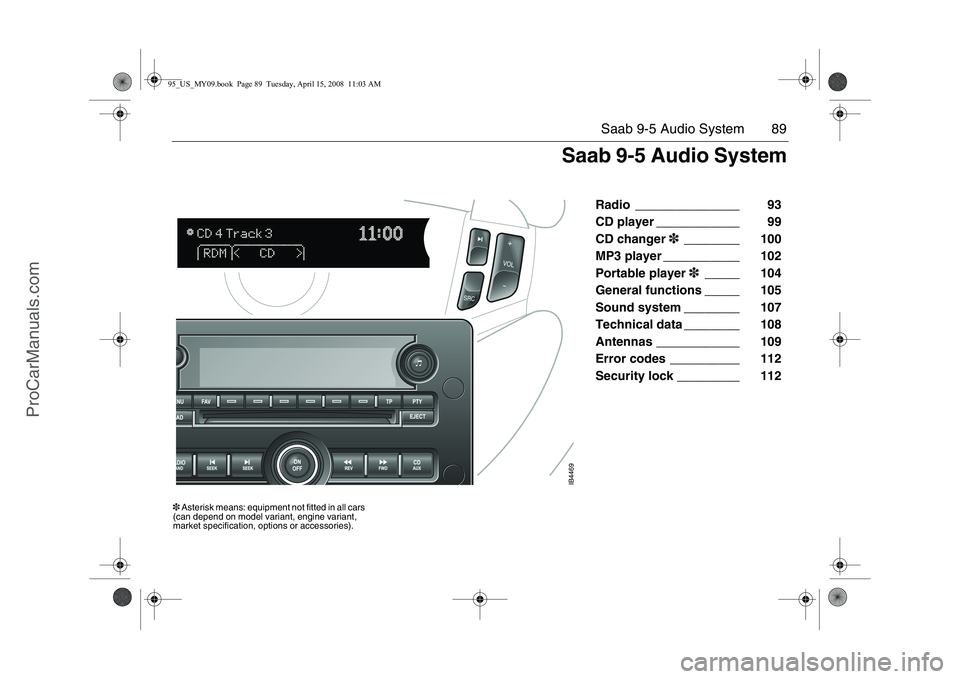
Radio _______________ 93
CD player ____________ 99
CD changer3________ 100
MP3 player ___________ 102
Portable player3_____ 104
General functions _____ 105
Sound system ________ 107
Technical data ________ 108
Antennas ____________ 109
Error codes __________ 112
Security lock _________ 112
IB4469
3 Asterisk means: equipment not fitted in all cars
(can depend on model variant, engine variant,
market specification, options or accessories).
Saab 9-5 Audio System
95_US_MY09.book Page 89 Tuesday, April 15, 2008 11:03 AM
ProCarManuals.com
Page 94 of 272
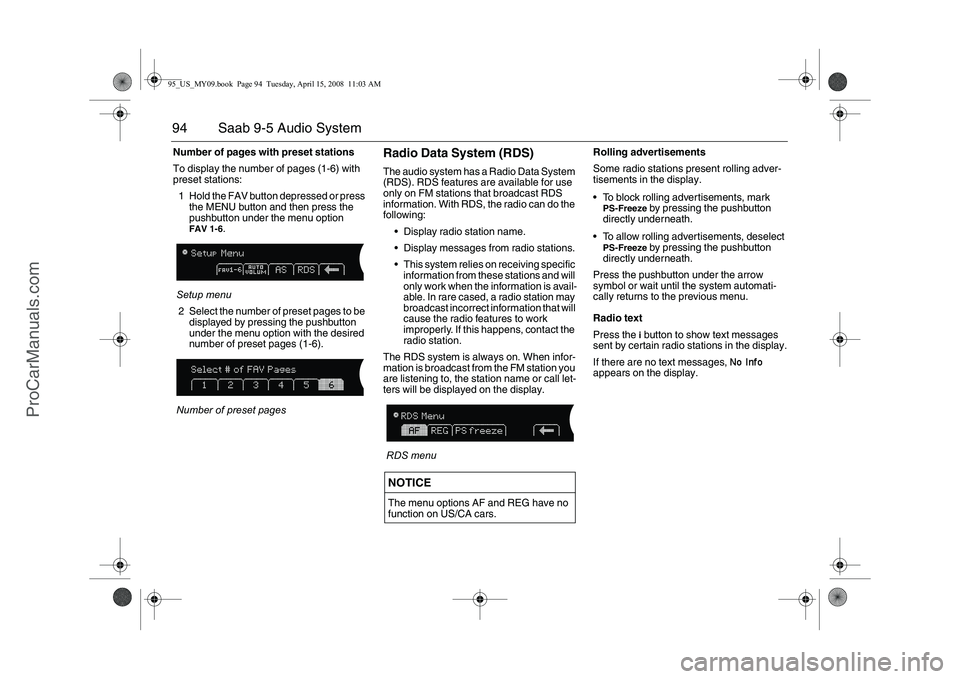
94 Saab 9-5 Audio SystemNumber of pages with preset stations
To display the number of pages (1-6) with
preset stations:
1 Hold the FAV button depressed or press
the MENU button and then press the
pushbutton under the menu option
FAV 1-6
.
Setup menu
2 Select the number of preset pages to be
displayed by pressing the pushbutton
under the menu option with the desired
number of preset pages (1-6).
Number of preset pages
Radio Data System (RDS)The audio system has a Radio Data System
(RDS). RDS features are available for use
only on FM stations that broadcast RDS
information. With RDS, the radio can do the
following:
Display radio station name.
Display messages from radio stations.
This system relies on receiving specific
information from these stations and will
only work when the information is avail-
able. In rare cased, a radio station may
broadcast incorrect information that will
cause the radio features to work
improperly. If this happens, contact the
radio station.
The RDS system is always on. When infor-
mation is broadcast from the FM station you
are listening to, the station name or call let-
ters will be displayed on the display.
RDS menuRolling advertisements
Some radio stations present rolling adver-
tisements in the display.
To block rolling advertisements, mark
PS-Freeze
by pressing the pushbutton
directly underneath.
To allow rolling advertisements, deselect
PS-Freeze
by pressing the pushbutton
directly underneath.
Press the pushbutton under the arrow
symbol or wait until the system automati-
cally returns to the previous menu.
Radio text
Press the i button to show text messages
sent by certain radio stations in the display.
If there are no text messages,
No Info
appears on the display.
NOTICEThe menu options AF and REG have no
function on US/CA cars.
95_US_MY09.book Page 94 Tuesday, April 15, 2008 11:03 AM
ProCarManuals.com
Page 97 of 272
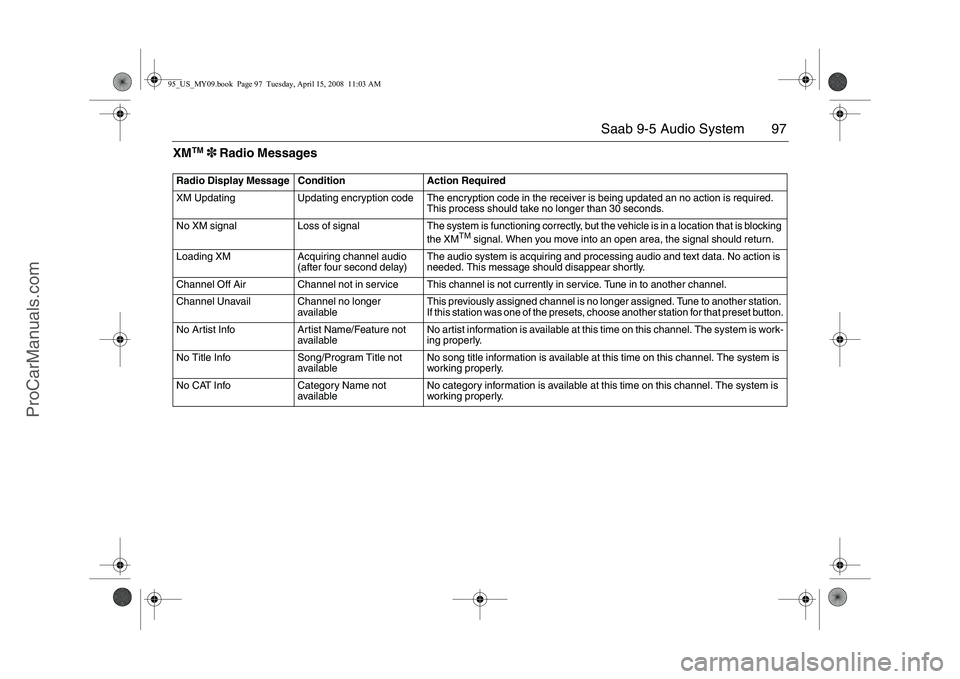
97 Saab 9-5 Audio System
XM
TM
3 Radio Messages
Radio Display Message Condition Action Required
XM Updating Updating encryption code The encryption code in the receiver is being updated an no action is required.
This process should take no longer than 30 seconds.
No XM signal Loss of signal The system is functioning correctly, but the vehicle is in a location that is blocking
the XM
TM
signal. When you move into an open area, the signal should return.
Loading XM Acquiring channel audio
(after four second delay)The audio system is acquiring and processing audio and text data. No action is
needed. This message should disappear shortly.
Channel Off Air Channel not in service This channel is not currently in service. Tune in to another channel.
Channel Unavail Channel no longer
availableThis previously assigned channel is no longer assigned. Tune to another station.
If this station was one of the presets, choose another station for that preset button.
No Artist Info Artist Name/Feature not
availableNo artist information is available at this time on this channel. The system is work-
ing properly.
No Title Info Song/Program Title not
availableNo song title information is available at this time on this channel. The system is
working properly.
No CAT Info Category Name not
availableNo category information is available at this time on this channel. The system is
working properly.
95_US_MY09.book Page 97 Tuesday, April 15, 2008 11:03 AM
ProCarManuals.com