wheel SAAB 9-7X 2006 Owner's Manual
[x] Cancel search | Manufacturer: SAAB, Model Year: 2006, Model line: 9-7X, Model: SAAB 9-7X 2006Pages: 434, PDF Size: 2.89 MB
Page 188 of 434
Audio System(s)
Determine which radio your vehicle has and then read
the pages following to familiarize yourself with its
features.
Driving without distraction is a necessity for a safer
driving experience. SeeDefensive Driving on page 4-2.
By taking a few moments to read this manual and
get familiar with your vehicle’s audio system, you can
use it with less effort, as well as take advantage of
its features. While your vehicle is parked, set up your
audio system by presetting your favorite radio stations,
setting the tone and adjusting the speakers. Then,
when driving conditions permit, you can tune to your
favorite stations using the presets and steering
wheel controls (if equipped).{CAUTION:
This system provides you with a far greater
access to audio stations and song listings.
Giving extended attention to entertainment
tasks while driving can cause a crash and you
or others can be injured or killed. Always keep
your eyes on the road and your mind on the
drive — avoid engaging in extended searching
while driving.
Keeping your mind on the drive is important for safe
driving. For more information, seeDefensive Driving on
page 4-2. Get familiar with your vehicle’s audio
system so you can use it with less effort and take full
advantage of its features.
3-58
ProCarManuals.com
Page 189 of 434
Here are some ways in which you can help avoid
distraction while driving.
While your vehicle is parked:
Familiarize yourself with all of its controls.
Familiarize yourself with its operation.
Set up your audio system by presetting your
favorite radio stations, setting the tone, and
adjusting the speakers. Then, when driving
conditions permit, you can tune to your favorite
radio stations using the presets and steering wheel
controls (if equipped).
Notice:Before adding any sound equipment to your
vehicle, such as an audio system, CD player, CB
radio, mobile telephone, or two-way radio, make sure
that it can be added by checking with your dealer.
Also, check federal rules covering mobile radio and
telephone units. If sound equipment can be added,
it is very important to do it properly. Added sound
equipment may interfere with the operation of your
vehicle’s engine, radio, or other systems, and even
damage them. Your vehicle’s systems may interfere
with the operation of sound equipment that has been
added.Notice:The chime signals related to safety belts,
parking brake, and other functions of your vehicle
operate through the radio/entertainment system.
If that equipment is replaced or additional equipment
is added to your vehicle, the chimes may not
work. Make sure that replacement or additional
equipment is compatible with your vehicle before
installing it. SeeAccessories and Modifications
on page 5-3.
Figure out which audio system is in your vehicle, nd
out what your audio system can do, and how to operate
all of its controls.
Setting the Time
Press and hold H until the correct hour appears on the
display. AM or PM will appear on the display (Radio with
CD (UpLevel, MP3, and Six-Disc CD)). Press and hold M
until the correct minute appears on the display. The time
can be set with the ignition on or off.
3-59
ProCarManuals.com
Page 228 of 434
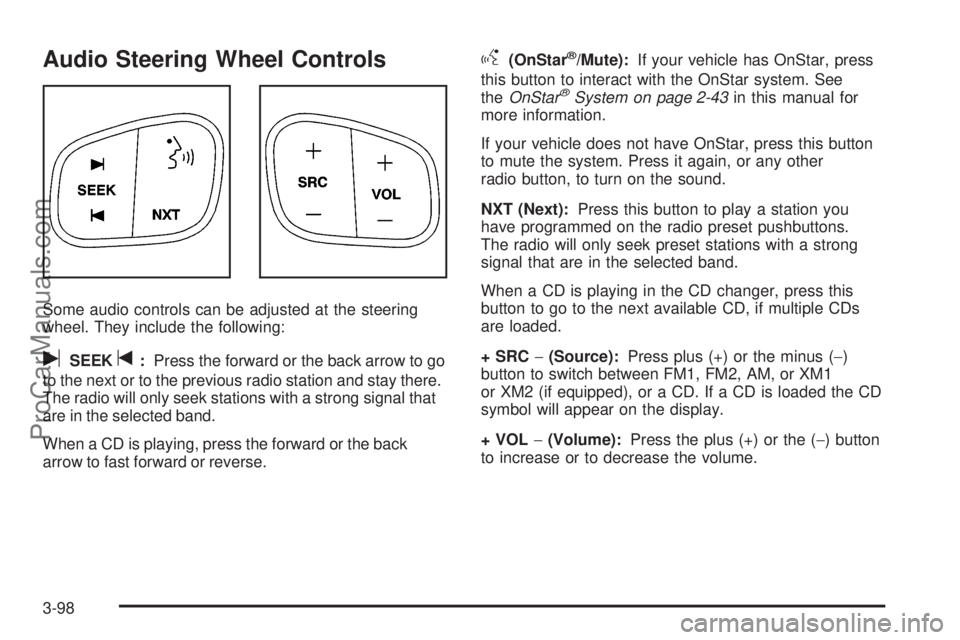
Audio Steering Wheel Controls
Some audio controls can be adjusted at the steering
wheel. They include the following:
uSEEKt:Press the forward or the back arrow to go
to the next or to the previous radio station and stay there.
The radio will only seek stations with a strong signal that
are in the selected band.
When a CD is playing, press the forward or the back
arrow to fast forward or reverse.
g(OnStar®/Mute):If your vehicle has OnStar, press
this button to interact with the OnStar system. See
theOnStar
®System on page 2-43in this manual for
more information.
If your vehicle does not have OnStar, press this button
to mute the system. Press it again, or any other
radio button, to turn on the sound.
NXT (Next):Press this button to play a station you
have programmed on the radio preset pushbuttons.
The radio will only seek preset stations with a strong
signal that are in the selected band.
When a CD is playing in the CD changer, press this
button to go to the next available CD, if multiple CDs
are loaded.
+ SRC−(Source):Press plus (+) or the minus (−)
button to switch between FM1, FM2, AM, or XM1
or XM2 (if equipped), or a CD. If a CD is loaded the CD
symbol will appear on the display.
+ VOL−(Volume):Press the plus (+) or the (−) button
to increase or to decrease the volume.
3-98
ProCarManuals.com
Page 231 of 434
Your Driving, the Road, and Your Vehicle..........4-2
Defensive Driving...........................................4-2
Drunken Driving.............................................4-3
Control of a Vehicle........................................4-5
Braking.........................................................4-6
Anti-Lock Brake System (ABS).........................4-7
Braking in Emergencies...................................4-8
Limited-Slip Rear Axle.....................................4-8
StabiliTrak
®System........................................4-9
All-Wheel Drive (AWD) System.......................4-13
Steering......................................................4-14
Off-Road Recovery.......................................4-16
Passing.......................................................4-16
Loss of Control.............................................4-18
Off-Road Driving...........................................4-19
Driving at Night............................................4-19
Driving in Rain and on Wet Roads..................4-20City Driving..................................................4-23
Freeway Driving...........................................4-24
Before Leaving on a Long Trip.......................4-25
Highway Hypnosis........................................4-25
Hill and Mountain Roads................................4-26
Winter Driving..............................................4-28
If Your Vehicle is Stuck in Sand,
Mud, Ice or Snow......................................4-32
Rocking Your Vehicle to Get It Out.................4-32
Loading Your Vehicle....................................4-33
Towing..........................................................4-39
Towing Your Vehicle.....................................4-39
Recreational Vehicle Towing...........................4-39
Electronically Controlled Air Suspension
System....................................................4-39
Towing a Trailer...........................................4-41
Section 4 Driving Your Vehicle
4-1
ProCarManuals.com
Page 237 of 434
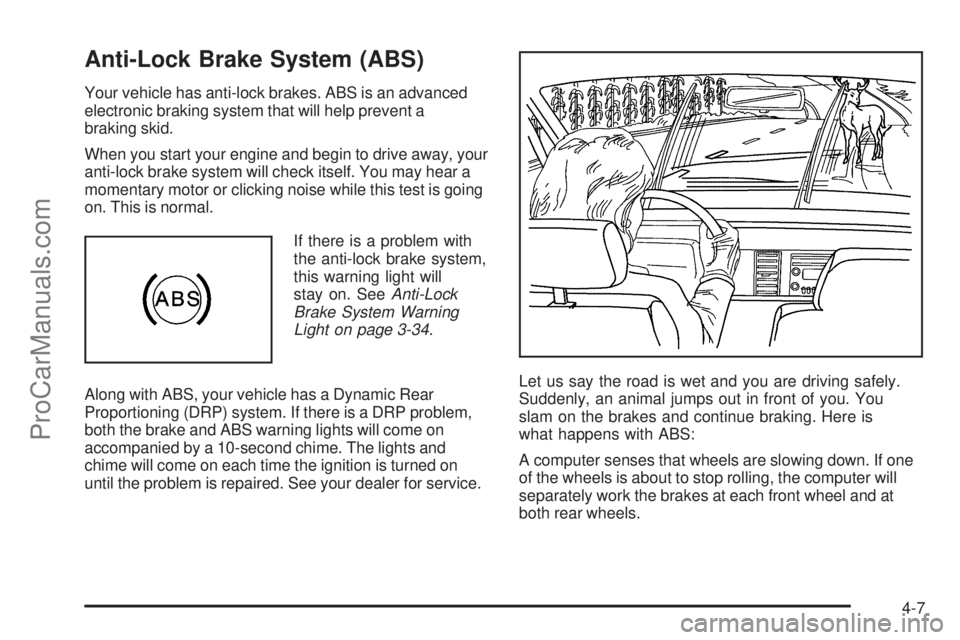
Anti-Lock Brake System (ABS)
Your vehicle has anti-lock brakes. ABS is an advanced
electronic braking system that will help prevent a
braking skid.
When you start your engine and begin to drive away, your
anti-lock brake system will check itself. You may hear a
momentary motor or clicking noise while this test is going
on. This is normal.
If there is a problem with
the anti-lock brake system,
this warning light will
stay on. SeeAnti-Lock
Brake System Warning
Light on page 3-34.
Along with ABS, your vehicle has a Dynamic Rear
Proportioning (DRP) system. If there is a DRP problem,
both the brake and ABS warning lights will come on
accompanied by a 10-second chime. The lights and
chime will come on each time the ignition is turned on
until the problem is repaired. See your dealer for service.Let us say the road is wet and you are driving safely.
Suddenly, an animal jumps out in front of you. You
slam on the brakes and continue braking. Here is
what happens with ABS:
A computer senses that wheels are slowing down. If one
of the wheels is about to stop rolling, the computer will
separately work the brakes at each front wheel and at
both rear wheels.
4-7
ProCarManuals.com
Page 238 of 434
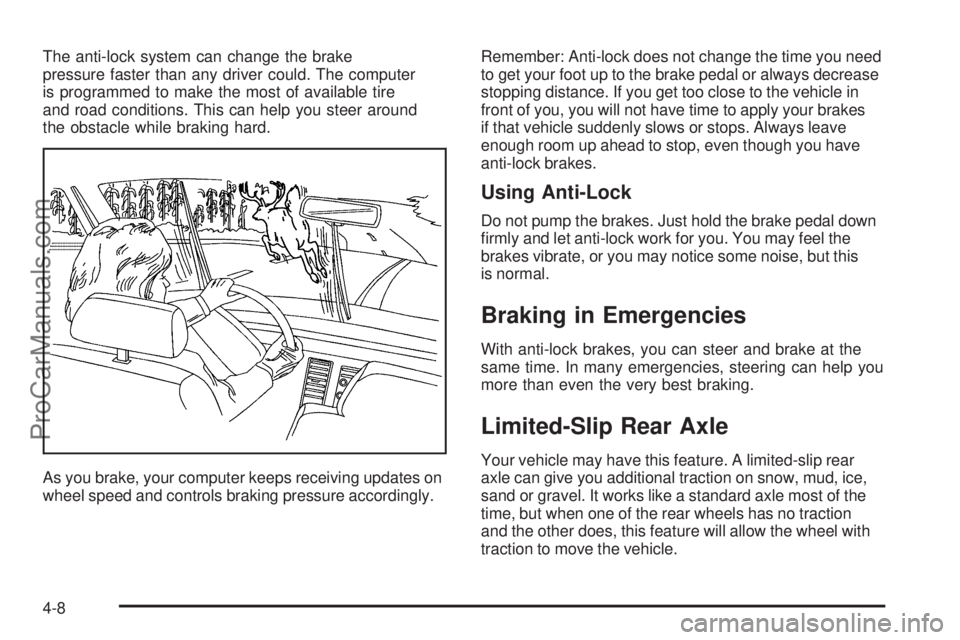
The anti-lock system can change the brake
pressure faster than any driver could. The computer
is programmed to make the most of available tire
and road conditions. This can help you steer around
the obstacle while braking hard.
As you brake, your computer keeps receiving updates on
wheel speed and controls braking pressure accordingly.Remember: Anti-lock does not change the time you need
to get your foot up to the brake pedal or always decrease
stopping distance. If you get too close to the vehicle in
front of you, you will not have time to apply your brakes
if that vehicle suddenly slows or stops. Always leave
enough room up ahead to stop, even though you have
anti-lock brakes.
Using Anti-Lock
Do not pump the brakes. Just hold the brake pedal down
rmly and let anti-lock work for you. You may feel the
brakes vibrate, or you may notice some noise, but this
is normal.
Braking in Emergencies
With anti-lock brakes, you can steer and brake at the
same time. In many emergencies, steering can help you
more than even the very best braking.
Limited-Slip Rear Axle
Your vehicle may have this feature. A limited-slip rear
axle can give you additional traction on snow, mud, ice,
sand or gravel. It works like a standard axle most of the
time, but when one of the rear wheels has no traction
and the other does, this feature will allow the wheel with
traction to move the vehicle.
4-8
ProCarManuals.com
Page 239 of 434
StabiliTrak®System
Your vehicle is equipped with StabiliTrak®, Electronic
Stability Control (ESC) which combines antilock
brake, traction and stability control systems and helps
the driver maintain directional control of the vehicle
in most driving conditions.
Traction control activates when the controller senses
wheel spin. StabiliTrak
®will selectively apply the brakes
and reduce engine torque to help regain traction.
Stability control activates when the controller senses
a discrepancy between your intended path and the
direction the vehicle is travelling. StabiliTrak
®selectively
applies braking pressure at any one of the vehicle’s
brakes to help guide the vehicle in the direction which
you are steering.
When you rst start your vehicle and begin to drive away,
the system performs several diagnostic checks to insure
there are no problems. You may hear or feel the system
working. This is normal and does not mean there is a
problem with your vehicle. If driving conditions delay
system initialization, the STABILITRAK NOT READY
message may be displayed. If this is the case, your
vehicle does not need servicing.
For more information on the stability messages, see
DIC Warnings and Messages on page 3-47.When the StabiliTrak
®
system is both on and
actively controlling the
stability of the vehicle,
the StabiliTrak
®light will
blink for the duration of
the event.
You may also feel or hear the system working. This is
normal.
The StabiliTrak
®disable
button is located on the
transmission shift handle.
The StabiliTrak
®system has three modes of operation:
STABILITRAK ON, TRACTION CONTROL OFF, and
STABILITRAK OFF.
STABILITRAK ON -The vehicle will default to
STABILITRAK ON every time the driver starts the
vehicle. The StabiliTrak
®light will be off and no DIC
messages will be displayed.
4-9
ProCarManuals.com
Page 240 of 434
TRACTION CONTROL OFF - The driver can modify
the engine speed management system by momentarily
pressing the StabiliTrak
®button on the transmission
shift handle. The StabiliTrak®light will come on and
TRACTION CONTROL OFF will be displayed. For
vehicles without a DIC, the StabiliTrak
®indicator light
will come on. Momentarily pressing the StabiliTrak®
button again will return the system to the STABILITRAK
ON mode.
STABILITRAK OFF - The driver can turn off StabiliTrak
®
by pressing the StabiliTrak®button for more than
ve seconds. The StabiliTrak®light will come on and
STABILITRAK OFF will be displayed. For vehicles
without a DIC, the StabiliTrak
®indicator light will come
on. Momentarily pressing the StabiliTrak®button again
will return the system to the STABILITRAK ON mode.
See StabiliTrak
®Off below for more information.
Traction Control Off
In this mode, stability control and brake-traction control
are functional. Engine speed management will be
modied and the driven wheels can spin more freely.
This can cause the brake-traction control to activate more
frequently. If the controller detects excessive wheel spin
in this mode, the StabiliTrak
®indicator light may blink and
the STABILITRAK ACTIVE message may be displayed
to warn the driver that damage may occur to the
transfer case.
4-10
ProCarManuals.com
Page 241 of 434
StabiliTrak®Off
In this mode, both stability control and part of the
traction control system are disabled. Your vehicle will
still have brake-traction control, but will not be able
to use the engine speed management system. You may
still hear system noises as a result of the brake-traction
control coming on. If the controller detects excessive
wheel spin in this mode, the StabiliTrak
®indicator light
may blink and the STABILITRAK ACTIVE message
may be displayed to warn the driver that damage may
occur to the transfer case.It is recommended to leave the system on for normal
driving conditions, but it may be necessary to turn the
system off if your vehicle is stuck in sand, mud, ice or
snow, and you may want to “rock” your vehicle in an
attempt to free it. It may also be necessary to turn off the
system when driving in extreme off-road conditions where
high wheel spin is required. SeeIf Your Vehicle is Stuck
in Sand, Mud, Ice or Snow on page 4-32for more
information.
The following chart describes the StabiliTrak
®system
events and the corresponding messages and lights that
will be displayed on the instrument panel cluster.
4-11
ProCarManuals.com
Page 243 of 434
Notice:If the StabiliTrak®light comes on due to
heavy braking and/or because the traction control
system has been continuously active, do not allow
the wheel(s) of one axle to spin excessively. If you
do, you may be causing damage to the transfer case.
This could lead to costly repairs not covered by your
warranty.
Notice:If you allow the wheel(s) of one axle to spin
excessively while the StabiliTrak
®, ABS and brake
warning lights and the SERVICE STABILITRAK
message are displayed, you could damage the
transfer case. The repairs would not be covered by
your warranty. Reduce engine power and do not spin
the wheel(s) excessively while these lights and this
message are displayed.
StabiliTrak
®may activate on dry or rough roads or under
conditions such as heavy acceleration while turning or
abrupt upshifts/downshifts of the transmission. When this
happens, you may notice a reduction in acceleration, or
may hear a noise or vibration. This is normal.
If your vehicle is in cruise control when the system
activates, the StabiliTrak
®light will blink, and the
cruise control will automatically disengage. When road
conditions allow, you may re-engage the cruise control.
SeeCruise Control on page 3-11.StabiliTrak
®will turn off automatically if a problem is
detected in the system. The StabiliTrak®light will come
on and SERVICE STABILITRAK will be displayed on
the DIC. For vehicles without a DIC, the StabiliTrak
®
light and the StabiliTrak®service light will both come on.
If the SERVICE STABILITRAK message (or StabiliTrak®
service light) does not clear itself after restarting the
vehicle, you should see your dealer for service.
Adding non-GM accessories can affect your vehicle’s
performance. SeeAccessories and Modications
on page 5-3for more information.
All-Wheel Drive (AWD) System
Your vehicle has this feature. There is no lever or switch
to engage or disengage the front axle. It is fully automatic
and adjusts as needed for road conditions. Your vehicle
has an active transfer case allowing two-wheel-drive
operation on dry roads. The transfer case will shift
automatically into all-wheel drive on slippery surfaces.
You may feel an extra shift when the all-wheel drive
engages.
4-13
ProCarManuals.com