instrument cluster SAAB 9-7X 2006 Owners Manual
[x] Cancel search | Manufacturer: SAAB, Model Year: 2006, Model line: 9-7X, Model: SAAB 9-7X 2006Pages: 434, PDF Size: 2.89 MB
Page 60 of 434
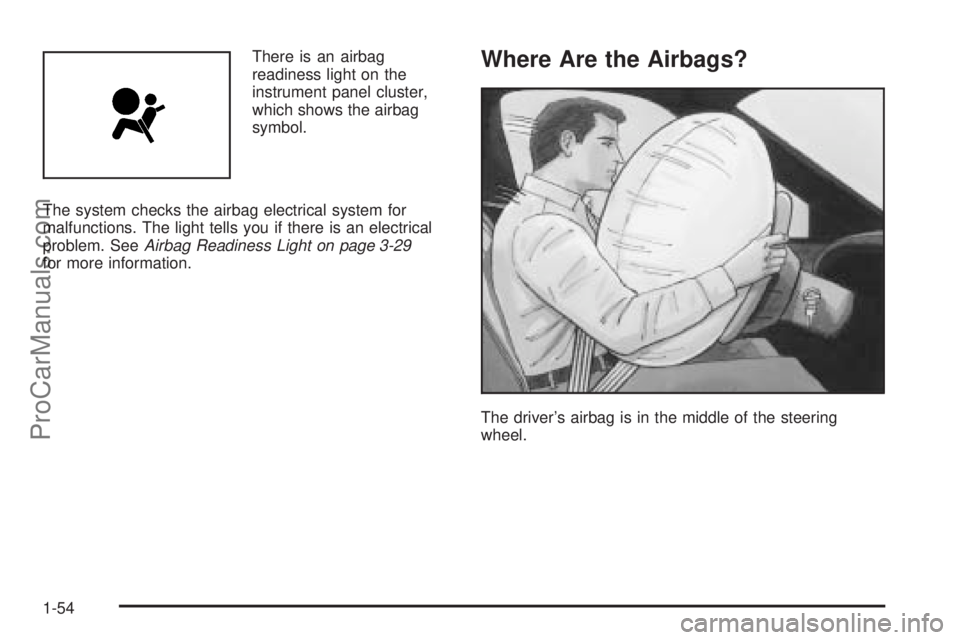
There is an airbag
readiness light on the
instrument panel cluster,
which shows the airbag
symbol.
The system checks the airbag electrical system for
malfunctions. The light tells you if there is an electrical
problem. SeeAirbag Readiness Light on page 3-29
for more information.Where Are the Airbags?
The driver’s airbag is in the middle of the steering
wheel.
1-54
ProCarManuals.com
Page 70 of 434
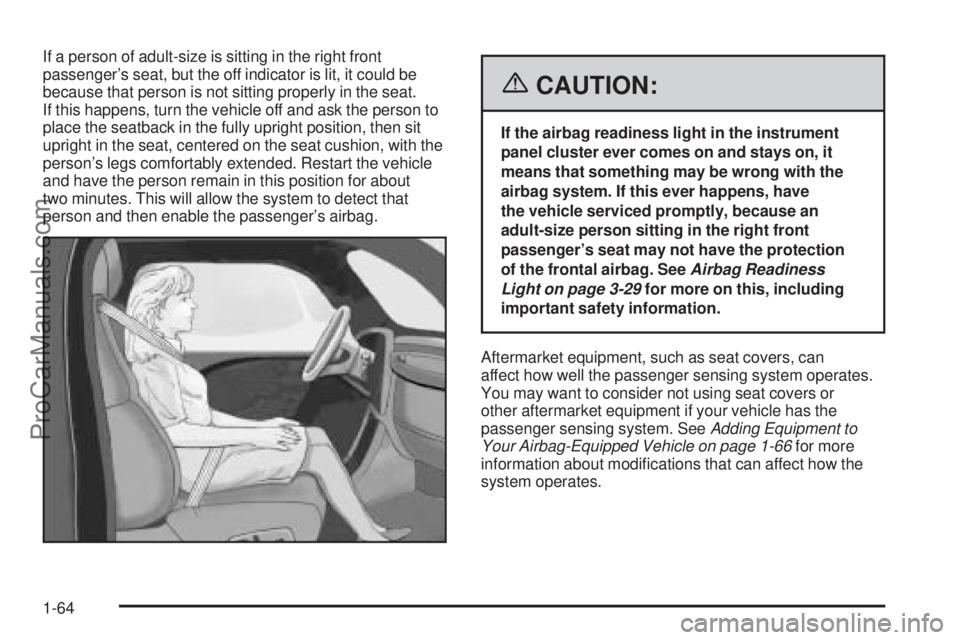
If a person of adult-size is sitting in the right front
passenger’s seat, but the off indicator is lit, it could be
because that person is not sitting properly in the seat.
If this happens, turn the vehicle off and ask the person to
place the seatback in the fully upright position, then sit
upright in the seat, centered on the seat cushion, with the
person’s legs comfortably extended. Restart the vehicle
and have the person remain in this position for about
two minutes. This will allow the system to detect that
person and then enable the passenger’s airbag.
{CAUTION:
If the airbag readiness light in the instrument
panel cluster ever comes on and stays on, it
means that something may be wrong with the
airbag system. If this ever happens, have
the vehicle serviced promptly, because an
adult-size person sitting in the right front
passenger’s seat may not have the protection
of the frontal airbag. SeeAirbag Readiness
Light on page 3-29for more on this, including
important safety information.
Aftermarket equipment, such as seat covers, can
affect how well the passenger sensing system operates.
You may want to consider not using seat covers or
other aftermarket equipment if your vehicle has the
passenger sensing system. SeeAdding Equipment to
Your Airbag-Equipped Vehicle on page 1-66for more
information about modications that can affect how the
system operates.
1-64
ProCarManuals.com
Page 101 of 434
Parking Brake
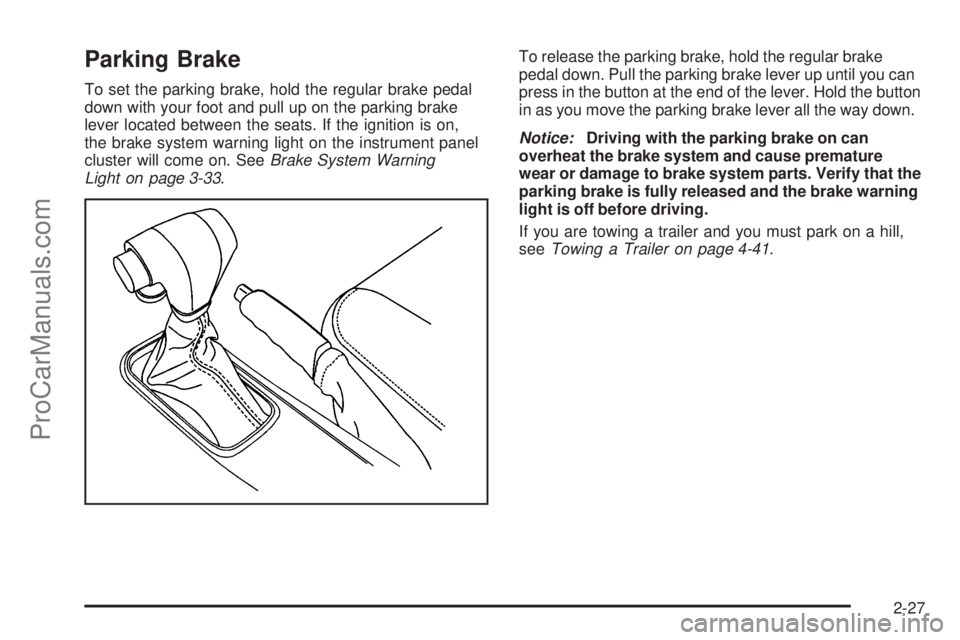
To set the parking brake, hold the regular brake pedal
down with your foot and pull up on the parking brake
lever located between the seats. If the ignition is on,
the brake system warning light on the instrument panel
cluster will come on. SeeBrake System Warning
Light on page 3-33.To release the parking brake, hold the regular brake
pedal down. Pull the parking brake lever up until you can
press in the button at the end of the lever. Hold the button
in as you move the parking brake lever all the way down.
Notice:Driving with the parking brake on can
overheat the brake system and cause premature
wear or damage to brake system parts. Verify that the
parking brake is fully released and the brake warning
light is off before driving.
If you are towing a trailer and you must park on a hill,
seeTowing a Trailer on page 4-41.
2-27
ProCarManuals.com
Page 131 of 434
Instrument Panel Overview...............................3-4
Hazard Warning Flashers................................3-6
Other Warning Devices...................................3-6
Horn.............................................................3-6
Tilt Wheel.....................................................3-6
Turn Signal/Multifunction Lever.........................3-7
Turn and Lane-Change Signals........................3-7
Headlamp High/Low-Beam Changer..................3-8
Flash-to-Pass.................................................3-8
Windshield Wipers..........................................3-9
Windshield Washer.......................................3-10
Rear Window Wiper/Washer...........................3-10
Headlamp Washer........................................3-11
Cruise Control..............................................3-11
Headlamps..................................................3-14
Daytime Running Lamps (DRL).......................3-15
Automatic Headlamp System..........................3-15
Fog Lamps..................................................3-16
Instrument Panel Brightness...........................3-17
Dome Lamps...............................................3-17
Dome Lamp Override....................................3-17
Entry Lighting...............................................3-18
Exit Lighting.................................................3-18
Reading Lamps............................................3-18
Battery Run-Down Protection..........................3-18
Accessory Power Outlet(s).............................3-18Climate Controls............................................3-19
Dual Automatic Climate Control System...........3-19
Outlet Adjustment.........................................3-24
Rear Climate Control System.........................3-24
Climate Controls Personalization.....................3-25
Warning Lights, Gages, and Indicators............3-25
Instrument Panel Cluster................................3-26
Speedometer and Odometer...........................3-27
Trip Odometer..............................................3-27
Tachometer.................................................3-27
Safety Belt Reminder Light.............................3-28
Passenger Safety Belt Reminder Light.............3-28
Airbag Readiness Light..................................3-29
Passenger Airbag Status Indicator...................3-30
Charging System Light..................................3-32
Voltmeter Gage............................................3-32
Brake System Warning Light..........................3-33
Anti-Lock Brake System Warning Light.............3-34
StabiliTrak
®Service Light...............................3-35
StabiliTrak®Indicator Light..............................3-35
Engine Coolant Temperature Gage..................3-36
Malfunction Indicator Lamp.............................3-36
Oil Pressure Gage........................................3-39
Security Light...............................................3-40
Cruise Control Light......................................3-40
Section 3 Instrument Panel
3-1
ProCarManuals.com
Page 135 of 434
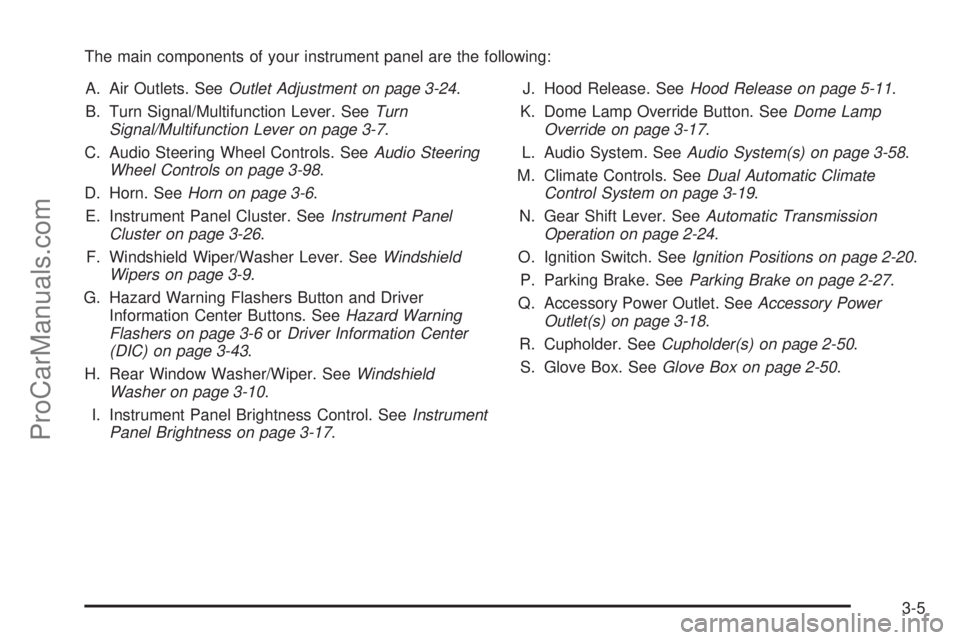
The main components of your instrument panel are the following:
A. Air Outlets. SeeOutlet Adjustment on page 3-24.
B. Turn Signal/Multifunction Lever. SeeTurn
Signal/Multifunction Lever on page 3-7.
C. Audio Steering Wheel Controls. SeeAudio Steering
Wheel Controls on page 3-98.
D. Horn. SeeHorn on page 3-6.
E. Instrument Panel Cluster. SeeInstrument Panel
Cluster on page 3-26.
F. Windshield Wiper/Washer Lever. SeeWindshield
Wipers on page 3-9.
G. Hazard Warning Flashers Button and Driver
Information Center Buttons. SeeHazard Warning
Flashers on page 3-6orDriver Information Center
(DIC) on page 3-43.
H. Rear Window Washer/Wiper. SeeWindshield
Washer on page 3-10.
I. Instrument Panel Brightness Control. SeeInstrument
Panel Brightness on page 3-17.J. Hood Release. SeeHood Release on page 5-11.
K. Dome Lamp Override Button. SeeDome Lamp
Override on page 3-17.
L. Audio System. SeeAudio System(s) on page 3-58.
M. Climate Controls. SeeDual Automatic Climate
Control System on page 3-19.
N. Gear Shift Lever. SeeAutomatic Transmission
Operation on page 2-24.
O. Ignition Switch. SeeIgnition Positions on page 2-20.
P. Parking Brake. SeeParking Brake on page 2-27.
Q. Accessory Power Outlet. SeeAccessory Power
Outlet(s) on page 3-18.
R. Cupholder. SeeCupholder(s) on page 2-50.
S. Glove Box. SeeGlove Box on page 2-50.
3-5
ProCarManuals.com
Page 137 of 434

Turn Signal/Multifunction Lever
The lever on the left side of the steering column
includes the following:
GTurn and Lane-Change Signals. SeeTurn and
Lane-Change Signals on page 3-7.
OHeadlamps. SeeHeadlamps on page 3-14.
23Headlamp High/Low Beam-Changer. See
Headlamp High/Low-Beam Changer on page 3-8.
Flash-To-Pass Feature. SeeFlash-to-Pass
on page 3-8.
-Fog Lamps. SeeFog Lamps on page 3-16.
ICruise Control. SeeCruise Control on
page 3-11.
Turn and Lane-Change Signals
The turn signal has two upward (for right) and
two downward (for left) positions. These positions
allow you to signal a turn or a lane change.
To signal a turn, move the lever all the way up or down.
When the turn is nished, the lever will return
automatically.
An arrow on the instrument
panel cluster will ash in
the direction of the
turn or lane change.
To signal a lane change, just raise or lower the lever
until the arrow starts to ash. Hold it there until you
complete your lane change. The lever will return by
itself when you release it. The bottom of the outside
rearview mirrors may also be equipped with lane change
indicators.
As you signal a turn or a lane change, if the arrows ash
more quickly than normal, a signal bulb may be burned
out and other drivers won’t see your turn signal.
3-7
ProCarManuals.com
Page 138 of 434
If a bulb is burned out, replace it to help avoid an
accident. If the arrows don’t go on at all when you signal
a turn, check the fuse. SeeFuses and Circuit Breakers
on page 5-98and check for burned-out bulbs.
If you have a trailer towing option with added wiring
for the trailer lamps, a turn signal asher is used.
With this asher installed, the signal indicator will ash
even if a turn signal bulb is burned out. Check the
front and rear turn signal lamps regularly to make
sure they are working.
Turn Signal On Chime
If your turn signal is left on for more than 3/4 of a mile
(1.2 km), a chime will sound at each ash of the
turn signal. To turn off the chime, move the turn
signal lever to the off position.
Headlamp High/Low-Beam Changer
To change the headlamps from low to high beam,
push the lever toward the instrument panel. To return
to low-beam headlamps, pull the multifunction lever
toward you. Then release it.When the high beams are
on, this indicator light on
the instrument panel
cluster will also be on.
Flash-to-Pass
This feature lets you use your high-beam headlamps to
signal a driver in front of you that you want to pass.
It works even if your headlamps are in the automatic
position.
To use it, pull the turn signal lever toward you, then
release it.
If your headlamps are in the automatic position or on
low beam, your high-beam headlamps will turn on.
They’ll stay on as long as you hold the lever toward
you. The high-beam indicator on the instrument panel
cluster will come on. Release the lever to return to
normal operation.
3-8
ProCarManuals.com
Page 142 of 434

With cruise control, you can maintain a speed of about
25 mph (40 km/h) or more without keeping your foot
on the accelerator. This can really help on long
trips. Cruise control does not work at speeds below
about 25 mph (40 km/h).
If you apply your brakes, the cruise control will shut off.
{CAUTION:
Cruise control can be dangerous where you
cannot drive safely at a steady speed. So, do
not use your cruise control on winding roads
or in heavy traffic.
Cruise control can be dangerous on slippery
roads. On such roads, fast changes in tire
traction can cause excessive wheel slip, and
you could lose control. Do not use cruise
control on slippery roads.
Setting Cruise Control
{CAUTION:
If you leave your cruise control on when you
are not using cruise, you might hit a button
and go into cruise when you do not want to.
You could be startled and even lose control.
Keep the cruise control switch off until you
want to use cruise control.
1. Move the cruise control switch to on.
2. Get up to the speed you want.
3. Press in the set button at the end of the lever and
release it.
4. Take your foot off the accelerator pedal.
Some vehicles have
a cruise light on the
instrument panel cluster
that will come on when the
cruise control is engaged.
3-12
ProCarManuals.com
Page 146 of 434

There is a delay in the transition between the daytime and
nighttime operation of the Daytime Running Lamps (DRL)
and the automatic headlamp systems, so that driving
under bridges or bright overhead street lights does not
affect the system. The DRL and automatic headlamp
system will only be affected when the light sensor sees a
change in lighting lasting longer than the delay.
If you start your vehicle in a dark garage, the automatic
headlamp system will come on immediately. Once you
leave the garage, it will take about one minute for the
automatic headlamp system to change to DRL if it is light
outside. During that delay, your instrument panel cluster
may not be as bright as usual. Make sure your instrument
panel brightness control is in the full bright position.
To idle your vehicle with the automatic headlamp system
off, start your vehicle and turn the headlamp switch to
the off position. The switch will automatically return
to the AUTO position. The automatic headlamp system
will stay off until you turn the switch to the off position
again as explained in “Headlamps”. SeeHeadlamps on
page 3-14. This feature is not available for vehicles
rst sold in Canada.Fog Lamps
If equipped, the fog lamp control is located on the turn
signal/multifunction lever.
Use the fog lamps for better vision in foggy or misty
conditions.
-:The band with this symbol is used to turn the fog
lamps on and off.
When the fog lamps are turned on, the parking lamps
also turn on. A message will also display on the
DIC when the fog lamps are turned on or off. See
Driver Information Center (DIC) on page 3-43.
To turn the fog lamps on or off, turn the fog lamp
band on the lever up to the dot and release it.
The band will return to its original position.
If you turn on the high-beam headlamps, the fog
lamps will turn off. They will turn back on again
when you switch back to low-beam headlamps.
When the Fog Lamps are turned on or off, a message
will appear on the Driver Information Center. See
DIC Warnings and Messages on page 3-47.
Some localities have laws that require the headlamps to
be on along with the fog lamps.
3-16
ProCarManuals.com
Page 156 of 434
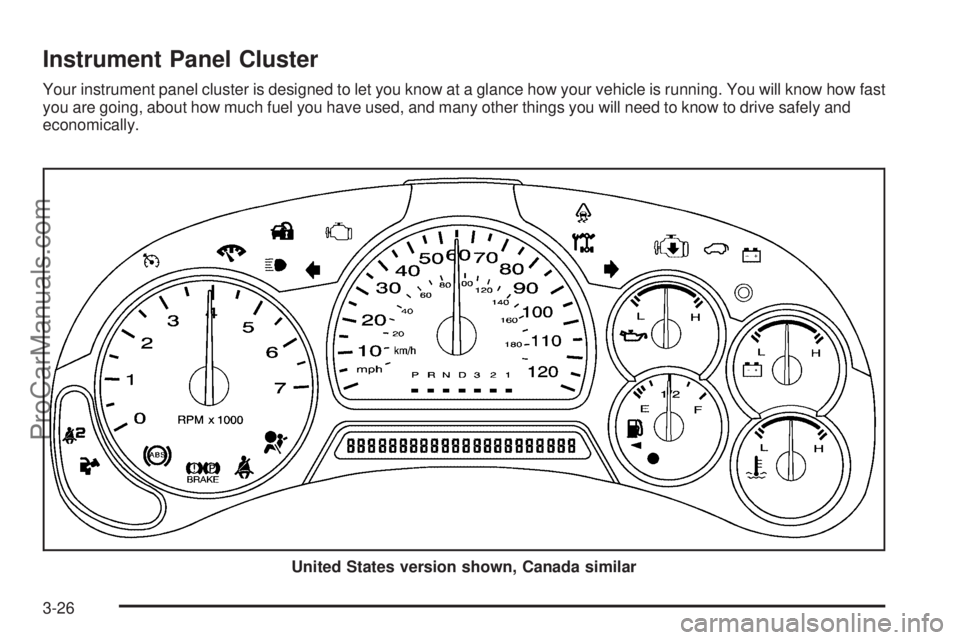
Instrument Panel Cluster
Your instrument panel cluster is designed to let you know at a glance how your vehicle is running. You will know how fast
you are going, about how much fuel you have used, and many other things you will need to know to drive safely and
economically.
United States version shown, Canada similar
3-26
ProCarManuals.com