oil SAAB 9-7X 2007 User Guide
[x] Cancel search | Manufacturer: SAAB, Model Year: 2007, Model line: 9-7X, Model: SAAB 9-7X 2007Pages: 498, PDF Size: 3.13 MB
Page 202 of 498
OIL PRESSURE LOW/STOP ENGINE
Notice:If you drive your vehicle while
the engine oil pressure is low, severe engine
damage may occur. If a low oil pressure
warning appears on the Driver Information
Center (DIC), stop the vehicle as soon as
possible. Do not drive the vehicle until the
cause of the low oil pressure is corrected. See
Engine Oil on page 334for more information.
This message displays if low oil pressure
levels occur. Stop the vehicle as soon as safely
possible and do not operate it until the cause
of the low oil pressure has been corrected. Check
the oil as soon as possible and have your
vehicle serviced by your dealer. SeeEngine Oil on
page 334.
PASSENGER DOOR AJAR
This message displays and a chime sounds if the
passenger’s door is not fully closed. Stop and turn
off the vehicle, check the door for obstructions, and
close the door again. Check to see if the message
still appears on the DIC. Press any of the DIC
buttons, or the trip stem, to acknowledge this
message and clear it from the DIC display.
REAR ACCESS OPEN
This message displays and a chime sounds if the
liftgate or liftglass is open while the ignition is
in RUN. Turn off the vehicle and check the liftgate
and liftglass. SeeLiftgate/Liftglass on page 98.
Restart the vehicle and check for the message on
the DIC display. Press any of the DIC buttons,
or the trip stem, to acknowledge this message and
clear it from the DIC display.
RIGHT REAR DOOR AJAR
This message displays and a chime sounds if the
passenger’s side rear door is not fully closed.
Stop and turn off the vehicle, check the door for
obstructions, and close the door again. Check
to see if the message still appears on the
DIC. Press any of the DIC buttons, or the trip
stem, to acknowledge this message and clear it
from the DIC display.
202
ProCarManuals.com
Page 219 of 498
If the ignition or radio is turned off with a CD in the
player, it stays in the player. When the ignition or
radio is turned on, the CD starts to play where it
stopped, if it was the last selected audio source.
When the CD is inserted, READING and the CD
symbol displays. As each new track starts to play,
the track number also displays.
The CD player can play the smaller 3 inch (8 cm)
single CDs with an adapter ring. Full-size CDs
and the smaller CDs are loaded in the same
manner.
If playing a CD-R, the sound quality can be
reduced due to CD-R quality, the method of
recording, the quality of the music that has been
recorded, and the way the CD-R has been
handled. There can be an increase in skipping,
difficulty in nding tracks, and/or difficulty in loading
and ejecting. If these problems occur, check the
bottom surface of the CD. If the surface of the CD
is damaged, such as cracked, broken, or
scratched, the CD will not play properly. If the
surface of the CD is soiled, seeCare of Your CDs
and DVDs on page 261for more information.If there is no apparent damage, try a known
good CD.
Do not add any label to a CD, it could get caught
in the CD player. If a CD is recorded on a
personal computer and a description label is
needed, try labeling the top of the recorded CD
with a marking pen.
Notice:If you add any label to a CD, insert
more than one CD into the slot at a time, or
attempt to play scratched or damaged CDs, you
could damage the CD player. When using the
CD player, use only CDs in good condition
without any label, load one CD at a time, and
keep the CD player and the loading slot free of
foreign materials, liquids, and debris.
If an error displays, see “CD Messages” later in
this section.
1
r(Previous):Press this pushbutton to
reverse within the track.
2
[(Next):Press this pushbutton to fast forward
within the track.
219
ProCarManuals.com
Page 227 of 498
Radio Messages
CAL ERR (Calibration Error):The audio system
has been calibrated for your vehicle from the
factory. If CAL ERR displays, it means that the
radio has not been congured properly for
your vehicle and it must be returned to your dealer
for service.
LOC (Locked):This message displays when the
THEFTLOCK
®system has locked up. Take
your vehicle to your dealer for service.
If any error occurs repeatedly or if an error cannot
be corrected, contact your dealer.
Radio Messages for XM™ Only
SeeXM Radio Messages on page 239later in this
section for further detail.
Playing a CD
If the ignition or radio is turned off, with a CD in the
player, it stays in the player. When the ignition or
radio is turned on, the CD starts playing where it
stopped, if it was the last selected audio source.
When a CD is inserted, READING and the CD
symbol displays. As each new track starts to play,
the track number also displays.
The CD player can play the smaller 3 inch (8 cm)
single CDs with an adapter ring. Full-size CDs
and the smaller CDs are loaded in the same
manner.
If playing a CD-R, the sound quality can be
reduced due to CD-R quality, the method of
recording, the quality of the music that has been
recorded, and the way the CD-R has been
handled. There can be an increase in skipping,
difficulty in nding tracks, and/or difficulty in loading
and ejecting. If these problems occur, check the
bottom surface of the CD. If the surface of the CD
is damaged, such as cracked, broken, or
scratched, the CD will not play properly. If the
surface of the CD is soiled, seeCare of Your CDs
and DVDs on page 261for more information.
227
ProCarManuals.com
Page 236 of 498
If the ignition or radio is turned off while a CD is in
the player, it stays in the player. When the
ignition or radio is turned on, the CD starts to play
where it stopped, if it was the last selected
audio source.
As each new track starts to play, the track
number displays.
The CD player can play the smaller 3 inch (8 cm)
single CDs with an adapter ring. Full-size CDs
and the smaller CDs are loaded in the same
manner.
If playing a CD-R, the sound quality can be
reduced due to CD-R quality, the method of
recording, the quality of the music that has been
recorded, and the way the CD-R has been
handled. There can be an increase in skipping,
difficulty in nding tracks, and/or difficulty in loading
and ejecting. If these problems occur, check the
bottom surface of the CD. If the surface of the CD
is damaged, such as cracked, broken, or
scratched, the CD will not play properly. If the
surface of the CD is soiled, seeCare of Your CDs
and DVDs on page 261for more information.
If there is no apparent damage, try a known
good CD.Do not add any label to a CD, it could get caught
in the CD player. If a CD is recorded on a
personal computer and a description label is
needed, try labeling the top of the recorded CD
with a marking pen.
Notice:If you add any label to a CD, insert
more than one CD into the slot at a time, or
attempt to play scratched or damaged CDs, you
could damage the CD player. When using the
CD player, use only CDs in good condition
without any label, load one CD at a time, and
keep the CD player and the loading slot free of
foreign materials, liquids, and debris.
If an error displays, see “CD Messages” later in
this section.
1
r(Reverse):Press this pushbutton to reverse
within the same track. If this pushbutton is held
or pressed more than once, the player continues
moving backward through the CD.
2
[(Fast Forward):Press this pushbutton to
fast forward within the track. If this pushbutton
is held or pressed more than once, the player
continues moving forward through the CD.
236
ProCarManuals.com
Page 261 of 498
Care of Your CDs and DVDs
Handle CDs carefully. Store them in their original
cases or other protective cases and away from
direct sunlight and dust. The CD player scans the
bottom surface of the disc. If the surface of a
CD is damaged, such as cracked, broken,
or scratched, the CD does not play properly or not
at all. If the surface of a CD is soiled, take a
soft, lint free cloth or dampen a clean, soft cloth in
a mild, neutral detergent solution mixed with
water, and clean it. Make sure the wiping process
starts from the center to the edge.
Do not touch the bottom side of a CD while
handling it; this could damage the surface. Pick up
CDs by grasping the outer edges or the edge of
the hole and the outer edge.
Care of the CD and DVD Player
The use of CD lens cleaners for CDs is not
advised, due to the risk of contaminating the lens
of the CD optics with lubricants internal to the
CD mechanism.
Fixed Mast Antenna
The xed mast antenna can withstand most car
washes without being damaged. If the mast should
ever become slightly bent, straighten it out by
hand. If the mast is badly bent, replace it.
Check occasionally to make sure the mast is
still tightened to the antenna base located on
the hood of the vehicle. If tightening is required,
tighten by hand.
XM™ Satellite Radio Antenna
System
The XM™ Satellite Radio antenna is located on
the roof of your vehicle. Keep this antenna clear of
snow and ice build up for clear radio reception.
If your vehicle has a sunroof, the performance of
the XM™ system may be affected if the sunroof
is open.
Loading items onto the roof of your vehicle can
interfere with the performance of the XM™ system.
Make sure the XM™ Satellite Radio antenna is
not obstructed.
261
ProCarManuals.com
Page 287 of 498
Once you are moving on the freeway, make
certain you allow a reasonable following distance.
Expect to move slightly slower at night.
When you want to leave the freeway, move to the
proper lane well in advance. If you miss your
exit, do not, under any circumstances, stop and
back up. Drive on to the next exit.
The exit ramp can be curved, sometimes quite
sharply. The exit speed is usually posted.
Reduce your speed according to your
speedometer, not to your sense of motion.
After driving for any distance at higher speeds,
you may tend to think you are going slower than
you actually are.
Before Leaving on a Long Trip
Make sure you are ready. Try to be well rested.
If you must start when you are not fresh — such as
after a day’s work — do not plan to make too
many miles that rst part of the journey. Wear
comfortable clothing and shoes you can easily
drive in.Is your vehicle ready for a long trip? If you keep it
serviced and maintained, it is ready to go. If it needs
service, have it done before starting out. Of course,
you will nd experienced and able service experts
in dealerships all across North America. They will
be ready and willing to help if you need it.
Here are some things you can check before a trip:
Windshield Washer Fluid:Is the reservoir
full? Are all windows clean inside and outside?
Wiper Blades:Are they in good shape?
Fuel, Engine Oil, Other Fluids:Have you
checked all levels?
Lamps:Are they all working? Are the lenses
clean?
Tires:They are vitally important to a safe,
trouble-free trip. Is the tread good enough
for long-distance driving? Are the tires
all inated to the recommended pressure?
Weather Forecasts:What is the weather
outlook along your route? Should you
delay your trip a short time to avoid a major
storm system?
Maps:Do you have up-to-date maps?
287
ProCarManuals.com
Page 315 of 498
Turn Signals When Towing a Trailer
The arrows on your instrument panel will
ash whenever you signal a turn or lane change.
Properly hooked up, the trailer lamps will also
ash, telling other drivers you’re about to
turn, change lanes or stop.
When towing a trailer, the arrows on your
instrument panel will ash for turns even if the
bulbs on the trailer are burned out. Thus, you may
think drivers behind you are seeing your signal
when they are not. It’s important to check
occasionally to be sure the trailer bulbs are still
working.
Driving On Grades
Reduce speed and shift to a lower gearbefore
you start down a long or steep downgrade. If you
don’t shift down, you might have to use your
brakes so much that they would get hot and no
longer work well.
You can tow in DRIVE (D). You may want to shift
the transmission to THIRD (3) or a lower gear,
under heavy loads or hilly conditions.
When towing at high altitude on steep uphill
grades, consider the following: Engine coolant will
boil at a lower temperature than at normal
altitudes. If you turn your engine off immediately
after towing at high altitude on steep uphill grades,
your vehicle may show signs similar to engine
overheating. To avoid this, let the engine run while
parked (preferably on level ground) with the
automatic transmission in PARK (P) for a few
minutes before turning the engine off. If you do get
the overheat warning, seeEngine Overheating
on page 347.
315
ProCarManuals.com
Page 317 of 498
Maintenance When Trailer Towing
Your vehicle will need service more often when
you’re pulling a trailer. See the Maintenance
Schedule for more on this. Things that are
especially important in trailer operation are
automatic transmission uid (don’t overll), engine
oil, axle lubricant, belt(s), cooling system and
brake system. Each of these is covered in
this manual, and the Index will help you nd them
quickly. If you’re trailering, it’s a good idea to
review these sections before you start your trip.
Check periodically to see that all hitch nuts
and bolts are tight.
Trailer Wiring Harness
Your vehicle is equipped with a seven-wire trailer
towing harness. This harness has a seven-pin
universal heavy-duty trailer connector (if equipped
with the trailering package) that is attached to a
bracket on the hitch platform. If your vehicle is not
equipped with the heavy-duty trailer connector,
you can purchase one from your Saab dealer.The seven-wire harness contains the following
trailer circuits:
Yellow: Left Stop/Turn Signal
Dark Green: Right Stop/Turn Signal
Brown: Running Lamps
White: Ground
Light Green: Back-up Lamps
Dark Blue: Electric Brakes
Red: Battery Feed (The chassis wiring ring
terminal must be fastened to a stud on the
underhood electrical center before the
trailer feed will become active.)
If you need to tow a light-duty trailer with a standard
four-way round pin connector, an adapter connector
is available from your dealer.
If you are charging a remote (non-vehicle) battery,
turn on the headlamps to boost the vehicle
system voltage and properly charge the battery.
Your vehicle is also equipped with wiring for an
electric trailer brake controller. These wires are
located inside the vehicle on the driver’s side under
the instrument panel. These wires should be
connected to an electric trailer brake controller by
your dealer or a qualied service center.
317
ProCarManuals.com
Page 319 of 498
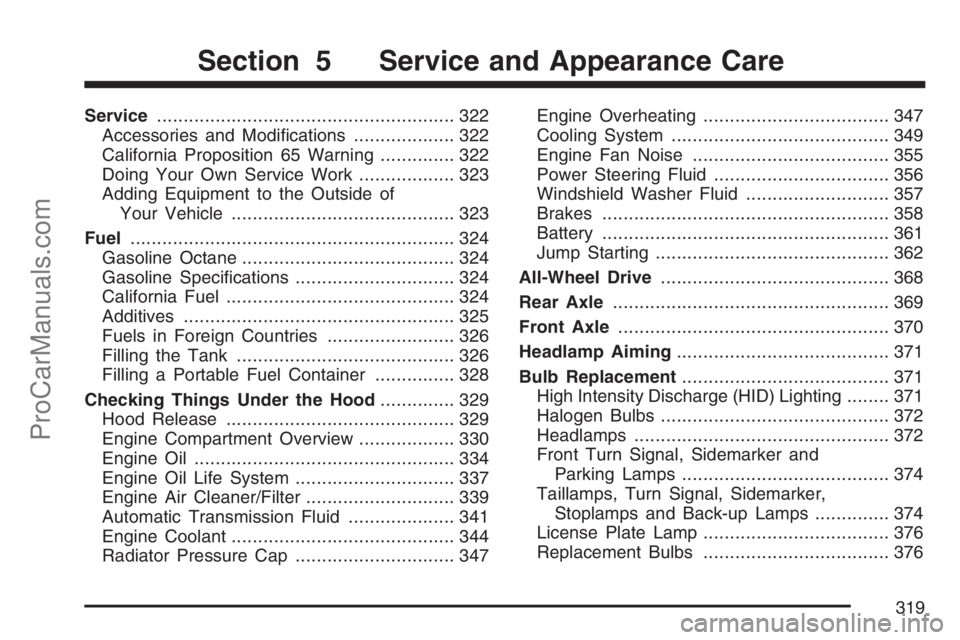
Service........................................................ 322
Accessories and Modications................... 322
California Proposition 65 Warning.............. 322
Doing Your Own Service Work.................. 323
Adding Equipment to the Outside of
Your Vehicle.......................................... 323
Fuel............................................................. 324
Gasoline Octane........................................ 324
Gasoline Specications.............................. 324
California Fuel........................................... 324
Additives................................................... 325
Fuels in Foreign Countries........................ 326
Filling the Tank......................................... 326
Filling a Portable Fuel Container............... 328
Checking Things Under the Hood.............. 329
Hood Release........................................... 329
Engine Compartment Overview.................. 330
Engine Oil................................................. 334
Engine Oil Life System.............................. 337
Engine Air Cleaner/Filter............................ 339
Automatic Transmission Fluid.................... 341
Engine Coolant.......................................... 344
Radiator Pressure Cap.............................. 347Engine Overheating................................... 347
Cooling System......................................... 349
Engine Fan Noise..................................... 355
Power Steering Fluid ................................. 356
Windshield Washer Fluid........................... 357
Brakes...................................................... 358
Battery...................................................... 361
Jump Starting............................................ 362
All-Wheel Drive........................................... 368
Rear Axle.................................................... 369
Front Axle................................................... 370
Headlamp Aiming........................................ 371
Bulb Replacement....................................... 371
High Intensity Discharge (HID) Lighting........ 371
Halogen Bulbs........................................... 372
Headlamps................................................ 372
Front Turn Signal, Sidemarker and
Parking Lamps....................................... 374
Taillamps, Turn Signal, Sidemarker,
Stoplamps and Back-up Lamps.............. 374
License Plate Lamp................................... 376
Replacement Bulbs................................... 376
Section 5 Service and Appearance Care
319
ProCarManuals.com
Page 326 of 498
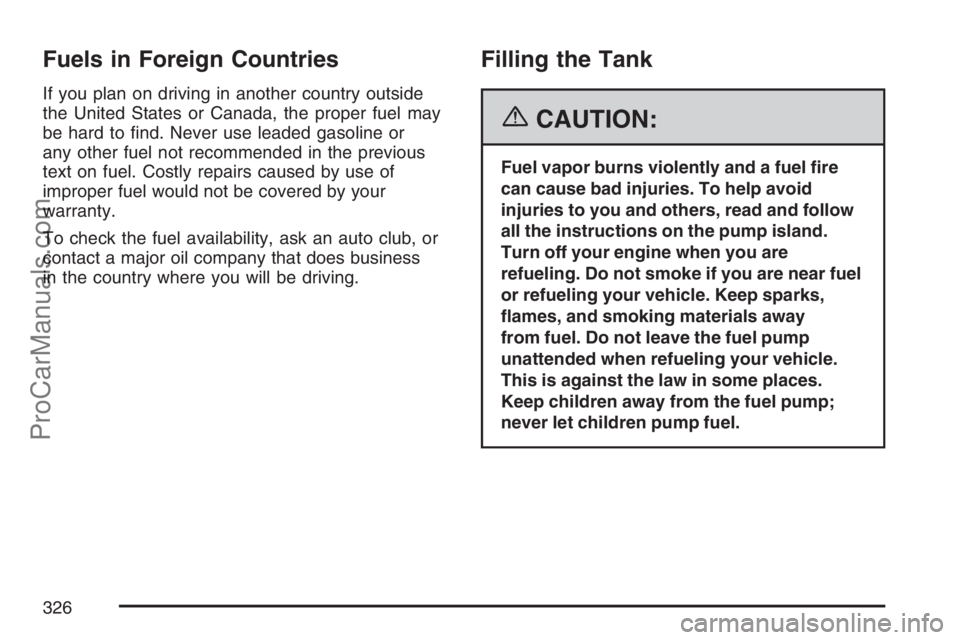
Fuels in Foreign Countries
If you plan on driving in another country outside
the United States or Canada, the proper fuel may
be hard to nd. Never use leaded gasoline or
any other fuel not recommended in the previous
text on fuel. Costly repairs caused by use of
improper fuel would not be covered by your
warranty.
To check the fuel availability, ask an auto club, or
contact a major oil company that does business
in the country where you will be driving.
Filling the Tank
{CAUTION:
Fuel vapor burns violently and a fuel re
can cause bad injuries. To help avoid
injuries to you and others, read and follow
all the instructions on the pump island.
Turn off your engine when you are
refueling. Do not smoke if you are near fuel
or refueling your vehicle. Keep sparks,
ames, and smoking materials away
from fuel. Do not leave the fuel pump
unattended when refueling your vehicle.
This is against the law in some places.
Keep children away from the fuel pump;
never let children pump fuel.
326
ProCarManuals.com