buttons SAAB 9-7X 2007 Owners Manual
[x] Cancel search | Manufacturer: SAAB, Model Year: 2007, Model line: 9-7X, Model: SAAB 9-7X 2007Pages: 498, PDF Size: 3.13 MB
Page 10 of 498
Heated Seats
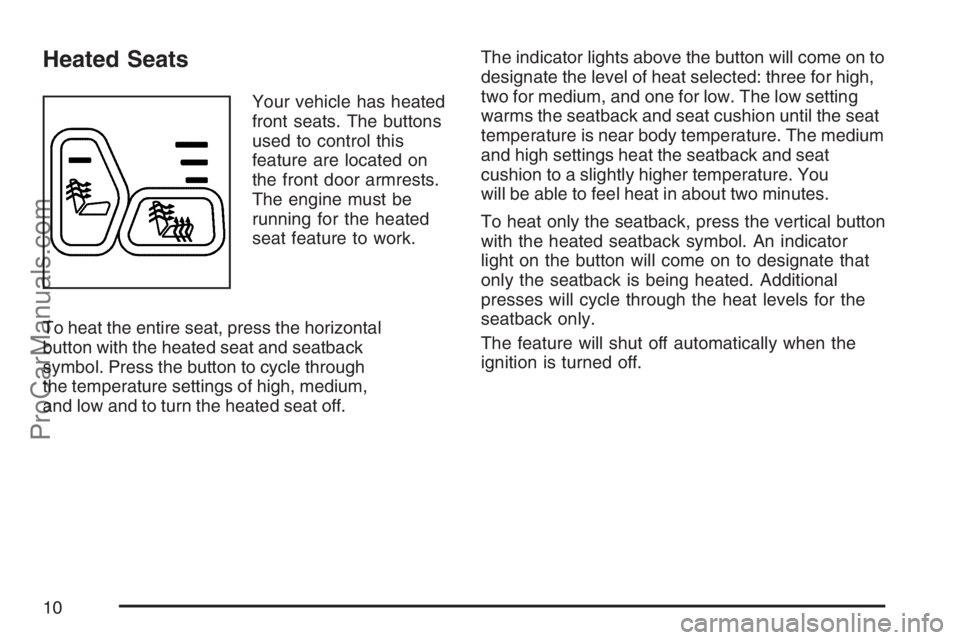
Your vehicle has heated
front seats. The buttons
used to control this
feature are located on
the front door armrests.
The engine must be
running for the heated
seat feature to work.
To heat the entire seat, press the horizontal
button with the heated seat and seatback
symbol. Press the button to cycle through
the temperature settings of high, medium,
and low and to turn the heated seat off.The indicator lights above the button will come on to
designate the level of heat selected: three for high,
two for medium, and one for low. The low setting
warms the seatback and seat cushion until the seat
temperature is near body temperature. The medium
and high settings heat the seatback and seat
cushion to a slightly higher temperature. You
will be able to feel heat in about two minutes.
To heat only the seatback, press the vertical button
with the heated seatback symbol. An indicator
light on the button will come on to designate that
only the seatback is being heated. Additional
presses will cycle through the heat levels for the
seatback only.
The feature will shut off automatically when the
ignition is turned off.
10
ProCarManuals.com
Page 11 of 498
Memory Seat, Mirrors, and Pedals
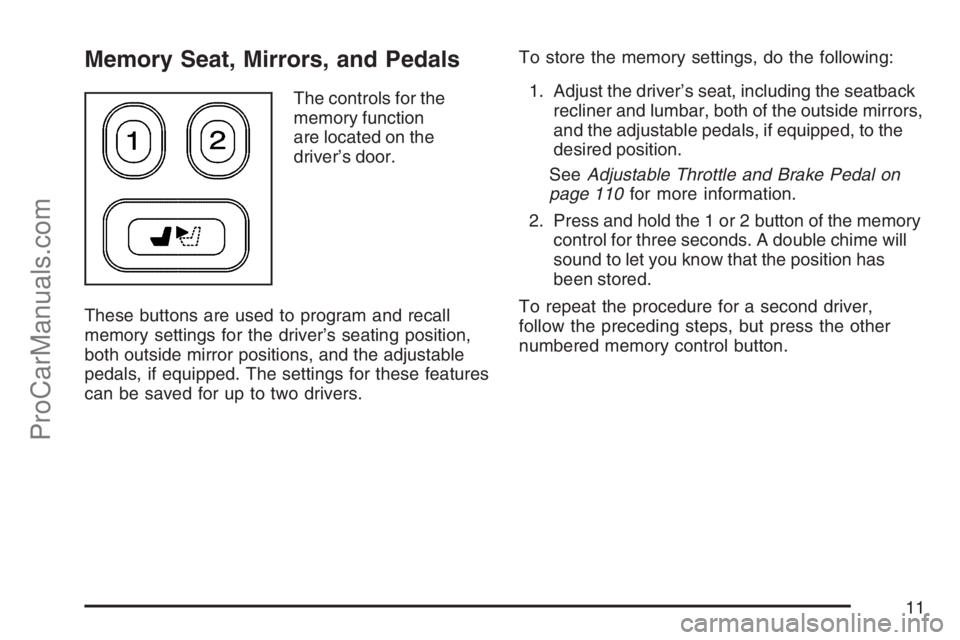
The controls for the
memory function
are located on the
driver’s door.
These buttons are used to program and recall
memory settings for the driver’s seating position,
both outside mirror positions, and the adjustable
pedals, if equipped. The settings for these features
can be saved for up to two drivers.To store the memory settings, do the following:
1. Adjust the driver’s seat, including the seatback
recliner and lumbar, both of the outside mirrors,
and the adjustable pedals, if equipped, to the
desired position.
SeeAdjustable Throttle and Brake Pedal on
page 110for more information.
2. Press and hold the 1 or 2 button of the memory
control for three seconds. A double chime will
sound to let you know that the position has
been stored.
To repeat the procedure for a second driver,
follow the preceding steps, but press the other
numbered memory control button.
11
ProCarManuals.com
Page 12 of 498
To recall the memory settings, do one of the
following:
Press and release button 1 or 2 while the
vehicle is in PARK (P). A single chime
will sound and the memory position will be
recalled.
If programmed to do so through the Driver
Information Center (DIC), pressing the
unlock button on the Remote Keyless
Entry (RKE) transmitter will recall the preset
driver’s memory seat, mirrors, and adjustable
pedals position.
If programmed to do so through the DIC,
placing the key in the ignition will recall
the driver’s memory seat, mirrors, and
adjustable pedals positions.
See “Seat Recall” underDIC Vehicle
Customization on page 205for more information.
To stop recall movement of the memory seat
feature at any time, press one of the memory
buttons or power seat controls.
Easy Exit Seat
The control for the easy exit seat function is located
on the driver’s door below the memory
buttons 1 and 2. The easy exit seat button is used
to program and recall the desired driver’s seat
position when exiting or entering the vehicle. The
mirrors, power lumbar, recline, and adjustable
pedals, if equipped, positions will not be stored or
recalled when using the easy exit seat function.
The seat position can be saved for up to two
drivers.
To store the easy exit seat position, do the
following:
1. Press and release the 1 or 2 button of the
memory control for less than three seconds.
The seat will move to the stored memory
position.
2. Adjust the seat to the desired exit position.
3. Press and hold the easy exit seat button for
more than three seconds. A double chime will
sound to let you know that the position has
been stored for the selected button 1 or 2.
To repeat the procedure for a second driver,
follow the preceding steps, but press the other
numbered memory control button.
12
ProCarManuals.com
Page 90 of 498
Remote Keyless Entry (RKE)
System Operation
With this system you can lock and unlock your
doors from about 3 feet (1 m) up to 30 feet (9 m)
away using the remote keyless entry transmitter
supplied with your vehicle. The remote keyless
entry transmitter buttons will not operate when the
key is in the ignition.
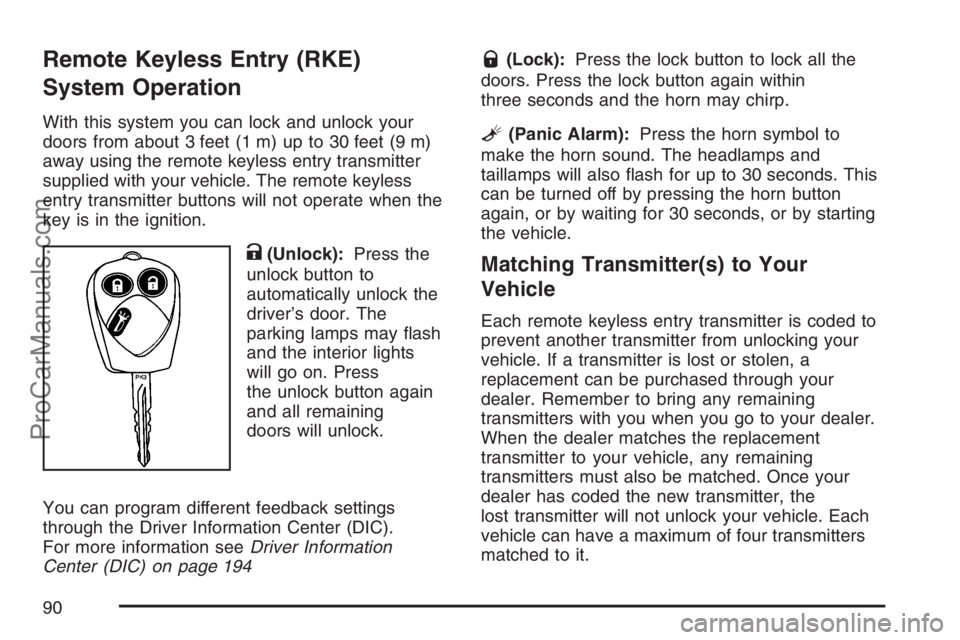
K(Unlock):Press the
unlock button to
automatically unlock the
driver’s door. The
parking lamps may ash
and the interior lights
will go on. Press
the unlock button again
and all remaining
doors will unlock.
You can program different feedback settings
through the Driver Information Center (DIC).
For more information seeDriver Information
Center (DIC) on page 194
Q(Lock):Press the lock button to lock all the
doors. Press the lock button again within
three seconds and the horn may chirp.
L(Panic Alarm):Press the horn symbol to
make the horn sound. The headlamps and
taillamps will also ash for up to 30 seconds. This
can be turned off by pressing the horn button
again, or by waiting for 30 seconds, or by starting
the vehicle.
Matching Transmitter(s) to Your
Vehicle
Each remote keyless entry transmitter is coded to
prevent another transmitter from unlocking your
vehicle. If a transmitter is lost or stolen, a
replacement can be purchased through your
dealer. Remember to bring any remaining
transmitters with you when you go to your dealer.
When the dealer matches the replacement
transmitter to your vehicle, any remaining
transmitters must also be matched. Once your
dealer has coded the new transmitter, the
lost transmitter will not unlock your vehicle. Each
vehicle can have a maximum of four transmitters
matched to it.
90
ProCarManuals.com
Page 121 of 498
Mirrors
Automatic Dimming Rearview Mirror
with OnStar
®and Compass
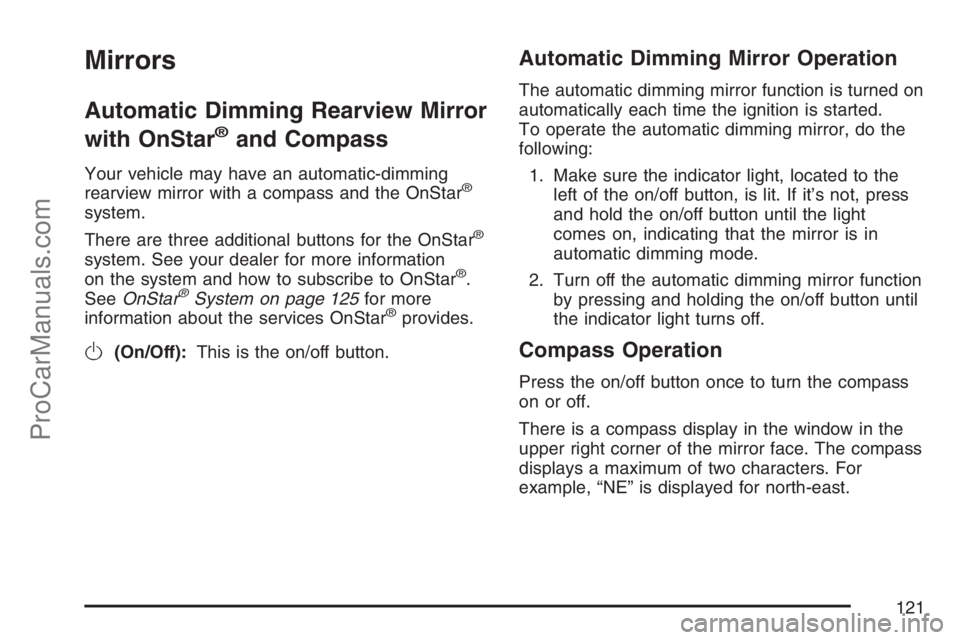
Your vehicle may have an automatic-dimming
rearview mirror with a compass and the OnStar®
system.
There are three additional buttons for the OnStar
®
system. See your dealer for more information
on the system and how to subscribe to OnStar®.
SeeOnStar®System on page 125for more
information about the services OnStar®provides.
O(On/Off):This is the on/off button.
Automatic Dimming Mirror Operation
The automatic dimming mirror function is turned on
automatically each time the ignition is started.
To operate the automatic dimming mirror, do the
following:
1. Make sure the indicator light, located to the
left of the on/off button, is lit. If it’s not, press
and hold the on/off button until the light
comes on, indicating that the mirror is in
automatic dimming mode.
2. Turn off the automatic dimming mirror function
by pressing and holding the on/off button until
the indicator light turns off.
Compass Operation
Press the on/off button once to turn the compass
on or off.
There is a compass display in the window in the
upper right corner of the mirror face. The compass
displays a maximum of two characters. For
example, “NE” is displayed for north-east.
121
ProCarManuals.com
Page 128 of 498
OnStar®service that involves location information
about your vehicle cannot work unless GPS
satellite signals are unobstructed and available in
that place as well.
Your vehicle must have a working electrical
system (including adequate battery power) for the
OnStar
®equipment to operate. There are other
problems OnStar®cannot control that may prevent
OnStar®from providing OnStar®service to you
at any particular time or place. Some examples are
damage to important parts of your vehicle in an
accident, hills, tall buildings, tunnels, weather
or wireless phone network congestion.
Your Responsibility
You may need to increase the volume of your
radio to hear the OnStar®advisor. If the light next
to the OnStar®buttons is red, this means that
your system is not functioning properly and should
be checked by a dealer. If the light appears
clear (no light is appearing), your OnStar
®
subscription has expired. You can always press
the blue OnStar®button to conrm that your
OnStar®equipment is active.
Universal Home Remote
System
Universal Home Remote System
(With Three Round LED)
The Universal Home Remote System provides a
way to replace up to three hand-held
Radio-Frequency (RF) transmitters used to
activate devices such as garage door openers,
security systems, and home lighting.
This device complies with Part 15 of the FCC
Rules. Operation is subject to the following
two conditions:
1. This device may not cause harmful
interference.
2. This device must accept any interference
received, including interference that may
cause undesired operation.
The FCC Grant of Equipment Authorization
Certicate number is KOBGTE05A.
128
ProCarManuals.com
Page 130 of 498
Universal Home Remote System
Operation (With Three Round LED)
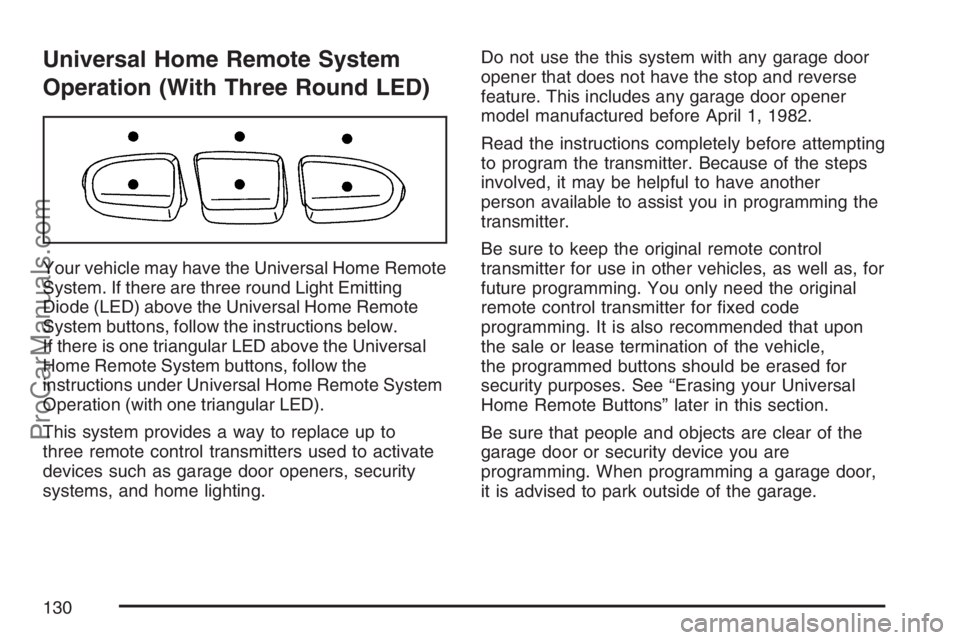
Your vehicle may have the Universal Home Remote
System. If there are three round Light Emitting
Diode (LED) above the Universal Home Remote
System buttons, follow the instructions below.
If there is one triangular LED above the Universal
Home Remote System buttons, follow the
instructions under Universal Home Remote System
Operation (with one triangular LED).
This system provides a way to replace up to
three remote control transmitters used to activate
devices such as garage door openers, security
systems, and home lighting.Do not use the this system with any garage door
opener that does not have the stop and reverse
feature. This includes any garage door opener
model manufactured before April 1, 1982.
Read the instructions completely before attempting
to program the transmitter. Because of the steps
involved, it may be helpful to have another
person available to assist you in programming the
transmitter.
Be sure to keep the original remote control
transmitter for use in other vehicles, as well as, for
future programming. You only need the original
remote control transmitter for xed code
programming. It is also recommended that upon
the sale or lease termination of the vehicle,
the programmed buttons should be erased for
security purposes. See “Erasing your Universal
Home Remote Buttons” later in this section.
Be sure that people and objects are clear of the
garage door or security device you are
programming. When programming a garage door,
it is advised to park outside of the garage.
130
ProCarManuals.com
Page 132 of 498
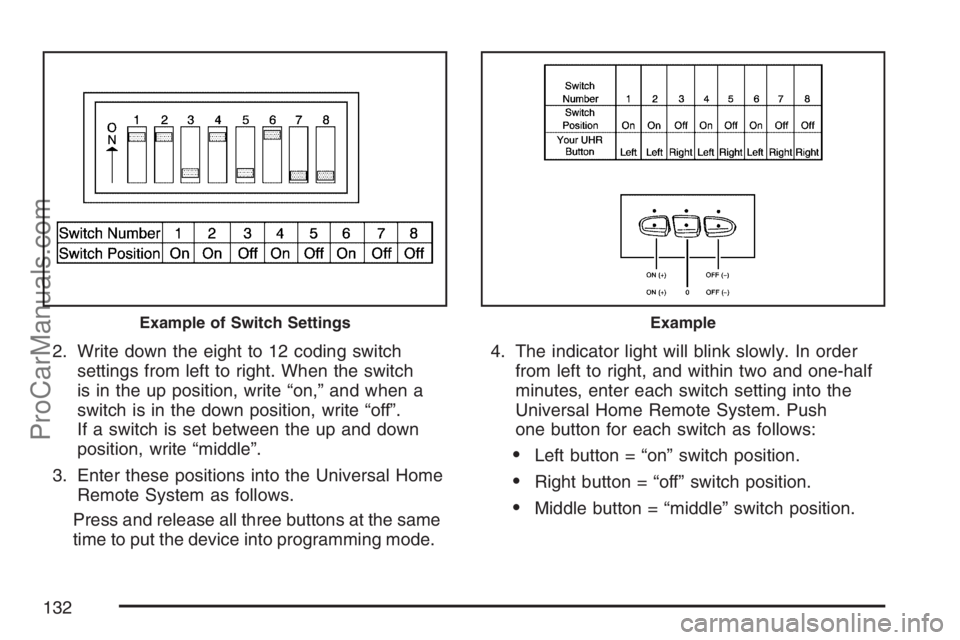
2. Write down the eight to 12 coding switch
settings from left to right. When the switch
is in the up position, write “on,” and when a
switch is in the down position, write “off”.
If a switch is set between the up and down
position, write “middle”.
3. Enter these positions into the Universal Home
Remote System as follows.
Press and release all three buttons at the same
time to put the device into programming mode.4. The indicator light will blink slowly. In order
from left to right, and within two and one-half
minutes, enter each switch setting into the
Universal Home Remote System. Push
one button for each switch as follows:
Left button = “on” switch position.
Right button = “off” switch position.
Middle button = “middle” switch position.
Example of Switch SettingsExample
132
ProCarManuals.com
Page 133 of 498
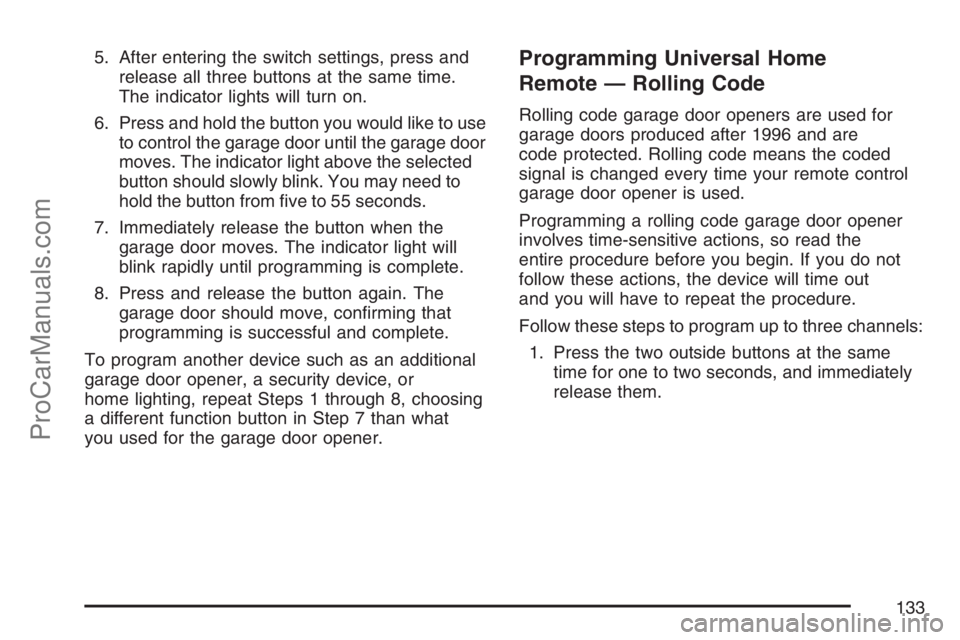
5. After entering the switch settings, press and
release all three buttons at the same time.
The indicator lights will turn on.
6. Press and hold the button you would like to use
to control the garage door until the garage door
moves. The indicator light above the selected
button should slowly blink. You may need to
hold the button from ve to 55 seconds.
7. Immediately release the button when the
garage door moves. The indicator light will
blink rapidly until programming is complete.
8. Press and release the button again. The
garage door should move, conrming that
programming is successful and complete.
To program another device such as an additional
garage door opener, a security device, or
home lighting, repeat Steps 1 through 8, choosing
a different function button in Step 7 than what
you used for the garage door opener.Programming Universal Home
Remote — Rolling Code
Rolling code garage door openers are used for
garage doors produced after 1996 and are
code protected. Rolling code means the coded
signal is changed every time your remote control
garage door opener is used.
Programming a rolling code garage door opener
involves time-sensitive actions, so read the
entire procedure before you begin. If you do not
follow these actions, the device will time out
and you will have to repeat the procedure.
Follow these steps to program up to three channels:
1. Press the two outside buttons at the same
time for one to two seconds, and immediately
release them.
133
ProCarManuals.com
Page 135 of 498
Reprogramming Universal Home
Remote Buttons
You can reprogram any of the three buttons by
repeating the instructions.
Erasing Universal Home Remote
Buttons
You should erase the programmed buttons when
you sell the vehicle or terminate your lease.
To erase either rolling code or xed code on the
Universal Home Remote device, do the following:
1. Press and hold the two outside buttons at
the same time for about 20 seconds, until
the indicator lights, located directly above the
buttons, begin to blink rapidly.
2. Once the indicator lights begin to blink,
release both buttons. The codes from all
button will be erased.
For additional information on Universal Home
Remote, seeCustomer Assistance Offices
on page 468.
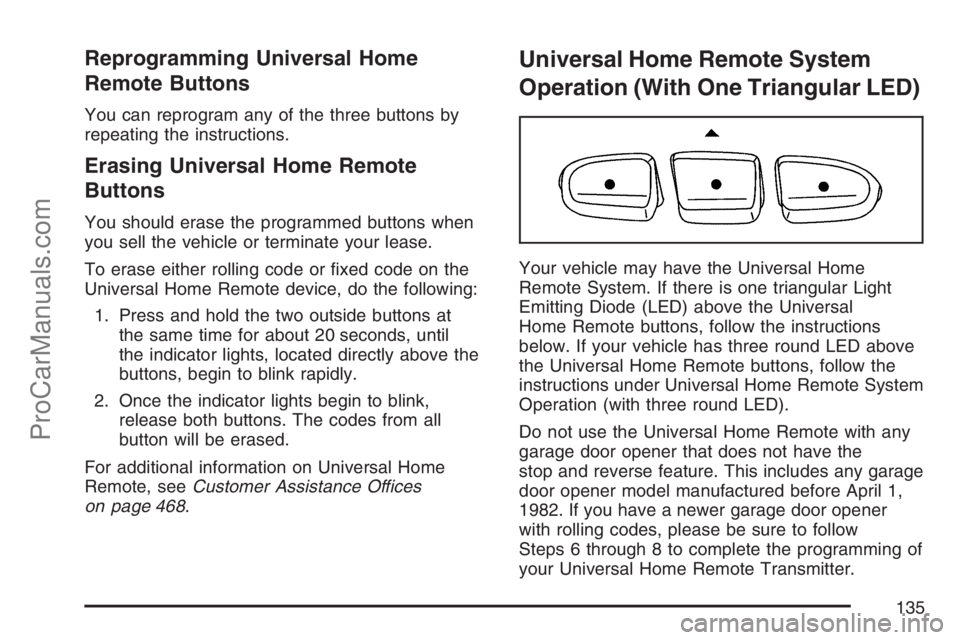
Universal Home Remote System
Operation (With One Triangular LED)
Your vehicle may have the Universal Home
Remote System. If there is one triangular Light
Emitting Diode (LED) above the Universal
Home Remote buttons, follow the instructions
below. If your vehicle has three round LED above
the Universal Home Remote buttons, follow the
instructions under Universal Home Remote System
Operation (with three round LED).
Do not use the Universal Home Remote with any
garage door opener that does not have the
stop and reverse feature. This includes any garage
door opener model manufactured before April 1,
1982. If you have a newer garage door opener
with rolling codes, please be sure to follow
Steps 6 through 8 to complete the programming of
your Universal Home Remote Transmitter.
135
ProCarManuals.com