ECU SAAB 9-7X 2008 Owner's Guide
[x] Cancel search | Manufacturer: SAAB, Model Year: 2008, Model line: 9-7X, Model: SAAB 9-7X 2008Pages: 426, PDF Size: 2.77 MB
Page 93 of 426
4. Insert the key to be programmed and turn it to ON
within 10 seconds of removing the previous key.
5. The SECURITY light will turn off once the key has
been programmed. It may not be apparent that the
SECURITY light went on due to how quickly the
key is programmed.
6. Repeat Steps 1 through 4 if additional keys are to
be programmed.
If you are ever driving and the SECURITY light comes
on and stays on, you will be able to restart your
engine if you turn it off. Your PASS-Key
®III system,
however, is not working properly and must be serviced
by your dealer/retailer. Your vehicle is not protected
by the PASS-Key
®III system at this time.
If you lose or damage a PASS-Key
®III key, see your
dealer/retailer to have a new key made.
Do not leave the key or device that disarms or
deactivates the theft deterrent system in the vehicle.
Starting and Operating
Your Vehicle
New Vehicle Break-In
Notice:Your vehicle does not need an elaborate
break-in. But it will perform better in the long run if
you follow these guidelines:
Keep your speed at 55 mph (88 km/h) or less for
the rst 500 miles (805 km).
Do not drive at any one constant speed, fast or
slow, for the rst 500 miles (805 km). Do not
make full-throttle starts. Avoid downshifting to
brake or slow the vehicle.
Avoid making hard stops for the rst 200 miles
(322 km) or so. During this time the new brake
linings are not yet broken in. Hard stops
with new linings can mean premature wear and
earlier replacement. Follow this breaking-in
guideline every time you get new brake linings.
Do not tow a trailer during break-in. SeeTowing
a Trailer on page 4-30for the trailer towing
capabilities of your vehicle and more
information.
Following break-in, engine speed and load can be
gradually increased.
2-19
ProCarManuals.com
Page 110 of 426
Outside Convex Mirror
{CAUTION:
A convex mirror can make things (like other
vehicles) look farther away than they really are.
If you cut too sharply into the right lane, you
could hit a vehicle on your right. Check your
inside mirror or glance over your shoulder
before changing lanes.
The passenger side mirror is convex. A convex mirror’s
surface is curved so more can be seen from the driver
seat. It also makes things, like other vehicles, look farther
away than they really are.
Outside Heated Mirrors
Your vehicle may have this feature. When you operate
the rear window defogger, the defogger also warms
the heated driver’s and passenger’s outside rearview
mirrors to help clear them of ice, snow and
condensation.
OnStar®System
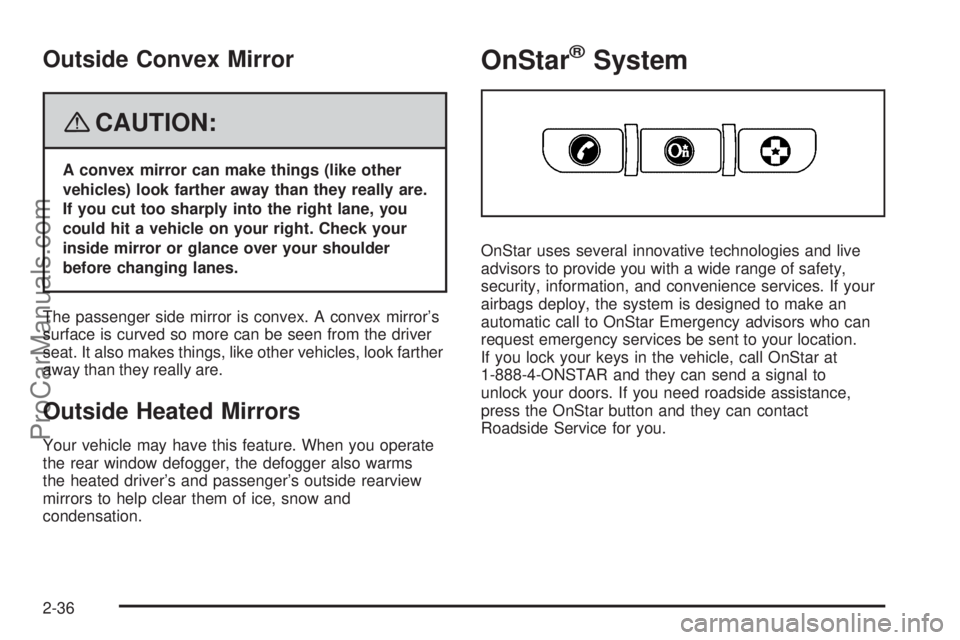
OnStar uses several innovative technologies and live
advisors to provide you with a wide range of safety,
security, information, and convenience services. If your
airbags deploy, the system is designed to make an
automatic call to OnStar Emergency advisors who can
request emergency services be sent to your location.
If you lock your keys in the vehicle, call OnStar at
1-888-4-ONSTAR and they can send a signal to
unlock your doors. If you need roadside assistance,
press the OnStar button and they can contact
Roadside Service for you.
2-36
ProCarManuals.com
Page 114 of 426
Universal Home Remote
System
Universal Home Remote System
The Universal Home Remote System provides a way to
replace up to three hand-held Radio-Frequency (RF)
transmitters used to activate devices such as garage
door openers, security systems, and home lighting.
This device complies with Part 15 of the FCC Rules.
Operation is subject to the following two conditions:
1. This device may not cause harmful interference.
2. This device must accept any interference received,
including interference that may cause undesired
operation.
This device complies with RSS-210 of Industry Canada.
Operation is subject to the following two conditions:
1. This device may not cause interference.
2. This device must accept any interference received,
including interference that may cause undesired
operation of the device.
Changes or modications to this system by other than
an authorized service facility could void authorization to
use this equipment.
Universal Home Remote System
Operation (With One Triangular LED)
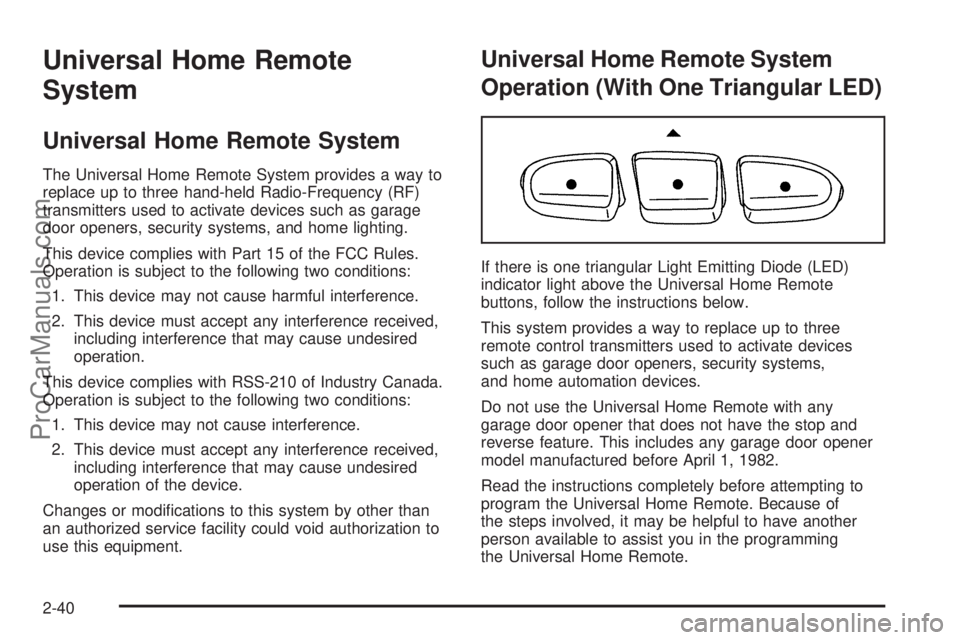
If there is one triangular Light Emitting Diode (LED)
indicator light above the Universal Home Remote
buttons, follow the instructions below.
This system provides a way to replace up to three
remote control transmitters used to activate devices
such as garage door openers, security systems,
and home automation devices.
Do not use the Universal Home Remote with any
garage door opener that does not have the stop and
reverse feature. This includes any garage door opener
model manufactured before April 1, 1982.
Read the instructions completely before attempting to
program the Universal Home Remote. Because of
the steps involved, it may be helpful to have another
person available to assist you in the programming
the Universal Home Remote.
2-40
ProCarManuals.com
Page 115 of 426
Keep the original hand-held transmitter for use in other
vehicles as well as for future Universal Home Remote
programming. It is also recommended that upon the
sale of the vehicle, the programmed Universal Home
Remote buttons should be erased for security purposes.
See “Erasing Universal Home Remote Buttons” later
in this section.
When programming a garage door, park outside of
the garage. Park directly in line with and facing
the garage door opener motor-head or gate motor-head.
Be sure that people and objects are clear of the
garage door or gate you are programming.
It is recommended that a new battery be installed in
your hand-held transmitter for quicker and more
accurate transmission of the radio-frequency signal.
Programming the Universal Home
Remote System
If you have questions or need help programming the
Universal Home Remote System, call 1-800-355-3515
or go to www.homelink.com.
Programming a garage door opener involves
time-sensitive actions, so read the entire procedure
before you begin. If you do not follow these actions,
the device will time out and you will have to repeat the
procedure.To program up to three devices:
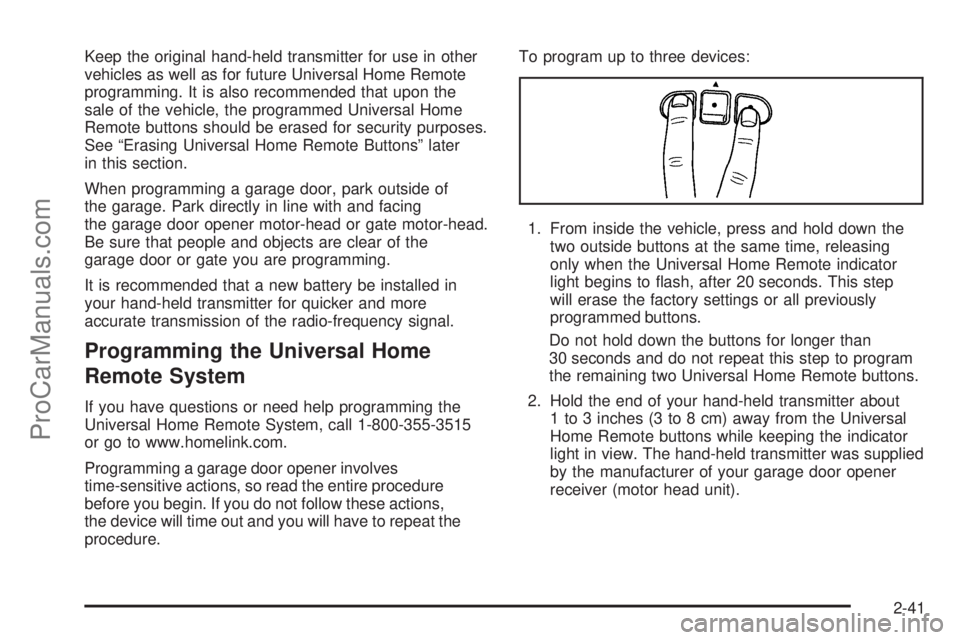
1. From inside the vehicle, press and hold down the
two outside buttons at the same time, releasing
only when the Universal Home Remote indicator
light begins to ash, after 20 seconds. This step
will erase the factory settings or all previously
programmed buttons.
Do not hold down the buttons for longer than
30 seconds and do not repeat this step to program
the remaining two Universal Home Remote buttons.
2. Hold the end of your hand-held transmitter about
1 to 3 inches (3 to 8 cm) away from the Universal
Home Remote buttons while keeping the indicator
light in view. The hand-held transmitter was supplied
by the manufacturer of your garage door opener
receiver (motor head unit).
2-41
ProCarManuals.com
Page 120 of 426
Luggage Carrier
{CAUTION:
If you try to carry something on top of your
vehicle that is longer or wider than the luggage
carrier — like paneling, plywood, a mattress
and so forth — the wind can catch it as you
drive along. This can cause you to lose
control. What you are carrying could be
violently torn off, and this could cause you
or other drivers to have a collision, and of
course damage your vehicle. You may be able
to carry something like this inside. But, never
carry something longer or wider than the
luggage carrier on top of your vehicle.
Your vehicle may be equipped with a luggage carrier
that allows you to load things on top of your vehicle. The
luggage carrier, if equipped, has side rails attached to the
roof, and places to use for tying things down. These let
you load some other things on top of your vehicle, as long
as they are not wider or longer than the luggage carrier.Crossrails can be purchased from your dealer.
Notice:Loading cargo on the luggage carrier that
weighs more than 200 lbs (91 kg) or hangs over
the rear or sides of the vehicle may damage your
vehicle. Load cargo so that it rests on the slats
as far forward as possible and against the side rails,
making sure to fasten it securely.
Do not exceed the maximum vehicle capacity when
loading your vehicle. For more information on vehicle
capacity and loading, seeLoading Your Vehicle on
page 4-22.
To prevent damage or loss of cargo as you are driving,
check now and then to make sure the luggage carrier
is locked and cargo is still securely fastened.
When the luggage carrier is not in use, place the
crossrails at the following positions for reduced wind
noise. Place one crossrail at the rear most point of the
vehicle and the other crossrail above the opening of
the rear door.
2-46
ProCarManuals.com
Page 121 of 426
Rear Floor Storage Lid
{CAUTION:
If any removable convenience item is not
secured properly, it can move around in a
collision or sudden stop. People in the vehicle
could be injured. Be sure to secure any such
item properly.
Your vehicle has a rear cargo area with a removable
storage lid.
To remove the rear oor storage lid, do the following:
1. Press the latch release and lift up the latch handle.
2. Raise the lid slightly to unhook it.
3. Pull the lid toward you to release it from the
forward mounting slots.
To reinstall the rear oor storage lid, reverse the
previous steps. Make sure the lid is secure by applying
slight pressure to the latch until you hear it click.
Cargo Cover
The cargo cover can be used to cover items in the
cargo area of your vehicle.
To install the cargo cover, do the following:
1. Align the endcap with the pocket in the trim panel
located behind the rear seat.
2. Squeeze the opposite endcap, align it with the
pocket located on the opposite side of the trim
panel and release.
3. Grasp the handle and unroll the cover. Latch the
posts into the sockets on the inside of the vehicle
to secure it.
2-47
ProCarManuals.com
Page 122 of 426
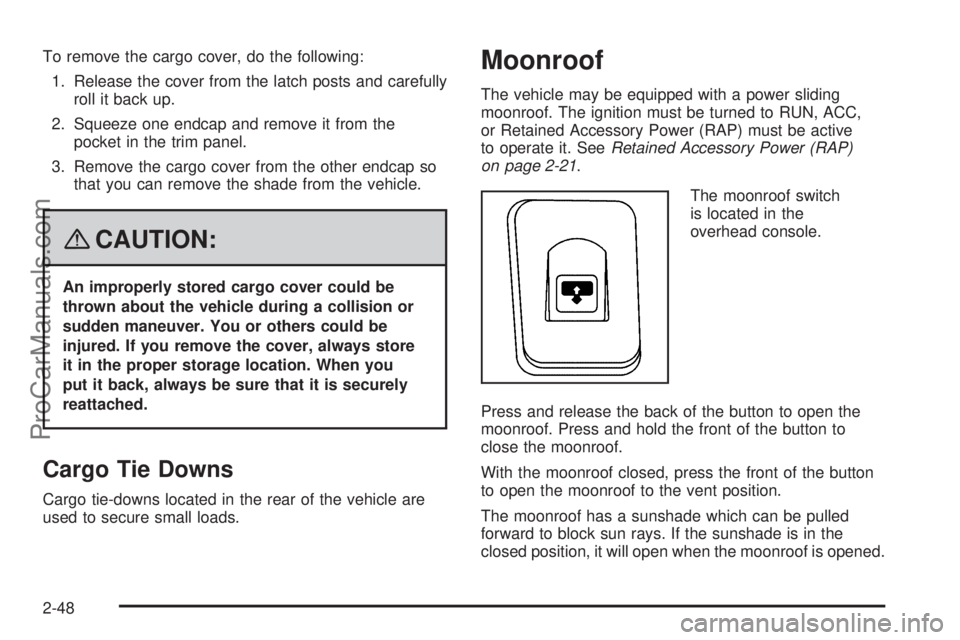
To remove the cargo cover, do the following:
1. Release the cover from the latch posts and carefully
roll it back up.
2. Squeeze one endcap and remove it from the
pocket in the trim panel.
3. Remove the cargo cover from the other endcap so
that you can remove the shade from the vehicle.
{CAUTION:
An improperly stored cargo cover could be
thrown about the vehicle during a collision or
sudden maneuver. You or others could be
injured. If you remove the cover, always store
it in the proper storage location. When you
put it back, always be sure that it is securely
reattached.
Cargo Tie Downs
Cargo tie-downs located in the rear of the vehicle are
used to secure small loads.
Moonroof
The vehicle may be equipped with a power sliding
moonroof. The ignition must be turned to RUN, ACC,
or Retained Accessory Power (RAP) must be active
to operate it. SeeRetained Accessory Power (RAP)
on page 2-21.
The moonroof switch
is located in the
overhead console.
Press and release the back of the button to open the
moonroof. Press and hold the front of the button to
close the moonroof.
With the moonroof closed, press the front of the button
to open the moonroof to the vent position.
The moonroof has a sunshade which can be pulled
forward to block sun rays. If the sunshade is in the
closed position, it will open when the moonroof is opened.
2-48
ProCarManuals.com
Page 124 of 426
Malfunction Indicator Lamp.............................3-38
Oil Pressure Gage........................................3-40
Security Light...............................................3-41
Cruise Control Light......................................3-41
Reduced Engine Power Light.........................3-42
Highbeam On Light.......................................3-42
Service All-Wheel Drive Light.........................3-42
Check Gages Warning Light...........................3-43
Gate Ajar Light.............................................3-43
Fuel Gage...................................................3-44
Low Fuel Warning Light.................................3-44
Check Gas Cap Light....................................3-44
Driver Information Center (DIC).......................3-45
DIC Operation and Displays...........................3-45
DIC Warnings and Messages.........................3-48
DIC Vehicle Customization.............................3-53Audio System(s).............................................3-60
Setting the Clock..........................................3-60
Radio(s)......................................................3-61
Using an MP3..............................................3-71
XM Radio Messages.....................................3-74
Navigation/Radio System...............................3-76
Rear Seat Entertainment (RSE) System...........3-77
Rear Seat Audio (RSA).................................3-89
Theft-Deterrent Feature..................................3-90
Audio Steering Wheel Controls.......................3-91
Radio Reception...........................................3-91
Fixed Mast Antenna......................................3-92
XM™ Satellite Radio Antenna System.............3-92
Section 3 Instrument Panel
3-2
ProCarManuals.com
Page 127 of 426
The main components of your instrument panel are the following:
A. Air Outlets. SeeOutlet Adjustment on page 3-24.
B. Turn Signal/Multifunction Lever. SeeTurn
Signal/Multifunction Lever on page 3-7.
C. Audio Steering Wheel Controls. SeeAudio Steering
Wheel Controls on page 3-91.
D. Horn. SeeHorn on page 3-6.
E. Instrument Panel Cluster. SeeInstrument Panel
Cluster on page 3-27.
F. Windshield Wiper/Washer Lever. SeeWindshield
Wipers on page 3-9.
G. Hazard Warning Flashers Button and Driver
Information Center Buttons. SeeHazard Warning
Flashers on page 3-6orDriver Information
Center (DIC) on page 3-45.
H. Rear Window Washer/Wiper. SeeWindshield
Washer on page 3-10.
I. Instrument Panel Brightness Control. SeeInstrument
Panel Brightness on page 3-17.J. Hood Release. SeeHood Release on page 5-10.
K. Dome Lamp Override Button. SeeDome Lamp
Override on page 3-18.
L. Audio System. SeeAudio System(s) on page 3-60.
M. Climate Controls. SeeDual Automatic Climate
Control System on page 3-20.
N. Gear Shift Lever. SeeAutomatic Transmission
Operation on page 2-25.
O. Ignition Switch. SeeIgnition Positions on page 2-20.
P. Parking Brake. SeeParking Brake on page 2-28.
Q. Accessory Power Outlet. SeeAccessory Power
Outlet(s) on page 3-19.
R. Cupholder. SeeCupholder(s) on page 2-45.
S. Glove Box. SeeGlove Box on page 2-44.
3-5
ProCarManuals.com
Page 154 of 426
{CAUTION:
Even though the passenger sensing system is
designed to turn off the right front passenger’s
frontal airbag if the system detects a rear-facing
child restraint, no system is fail-safe, and
no one can guarantee that an airbag will not
deploy under some unusual circumstance,
even though it is turned off. We recommend
that rear-facing child restraints be secured in
the rear seat, even if the airbag is off.
If the word OFF or the off symbol is lit on the airbag
status indicator, it means that the passenger sensing
system has turned off the right front passenger’s frontal
airbag. SeePassenger Sensing System on page 1-61
for more on this, including important safety information.If, after several seconds, both status indicator lights
remain on, or if there are no lights at all, there may
be a problem with the lights or the passenger sensing
system. See your dealer/retailer for service.
{CAUTION:
If the airbag readiness light in the instrument
panel cluster ever comes on and stays on,
it means that something may be wrong with
the airbag system. If this ever happens, have
the vehicle serviced promptly, because an
adult-size person sitting in the right front
passenger’s seat may not have the protection
of the airbag(s). SeeAirbag Readiness Light
on page 3-30for more on this, including
important safety information.
3-32
ProCarManuals.com