ECU SAAB 9-7X 2008 Service Manual
[x] Cancel search | Manufacturer: SAAB, Model Year: 2008, Model line: 9-7X, Model: SAAB 9-7X 2008Pages: 426, PDF Size: 2.77 MB
Page 163 of 426
A reading in the low pressure zone may be caused
by a dangerously low oil level or other problems
causing low oil pressure.
{CAUTION:
Do not keep driving if the oil pressure is low.
If you do, your engine can become so hot that
it catches re. You or others could be burned.
Check your oil as soon as possible and have
your vehicle serviced.
Notice:Lack of proper engine oil maintenance may
damage the engine. The repairs would not be covered
by your warranty. Always follow the maintenance
schedule in this manual for changing engine oil.
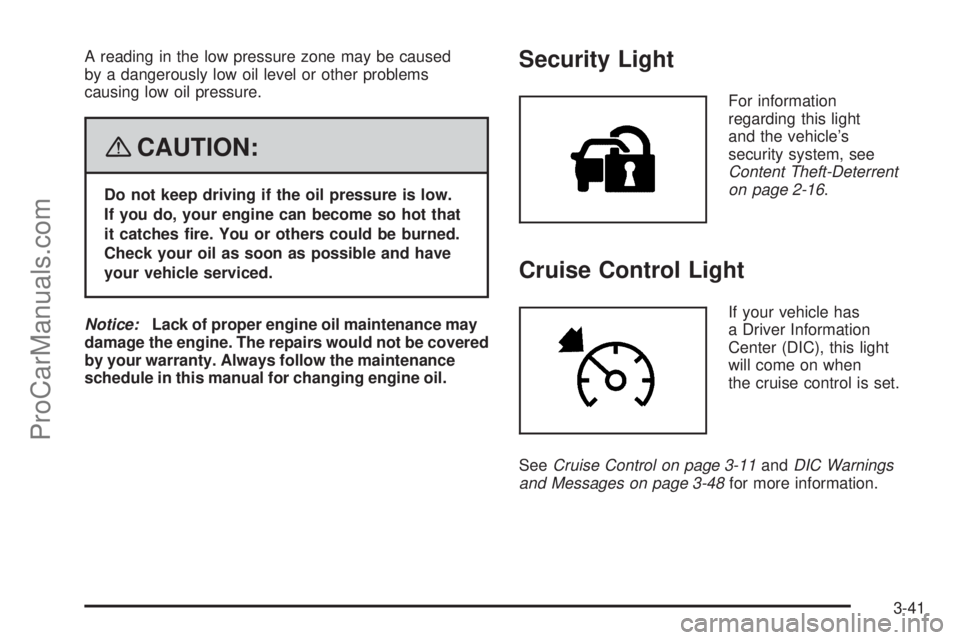
Security Light
For information
regarding this light
and the vehicle’s
security system, see
Content Theft-Deterrent
on page 2-16.
Cruise Control Light
If your vehicle has
a Driver Information
Center (DIC), this light
will come on when
the cruise control is set.
SeeCruise Control on page 3-11andDIC Warnings
and Messages on page 3-48for more information.
3-41
ProCarManuals.com
Page 166 of 426
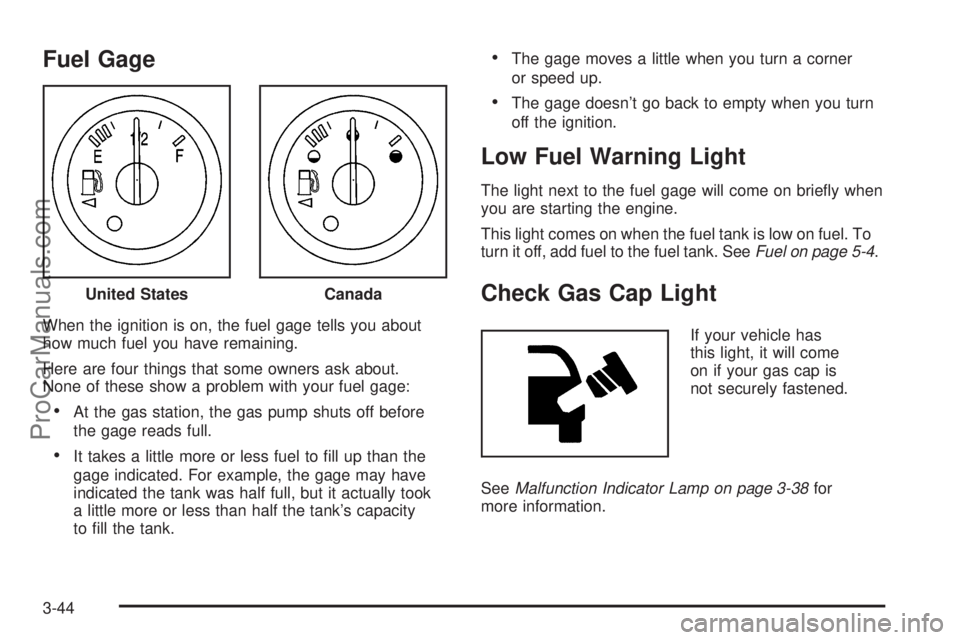
Fuel Gage
When the ignition is on, the fuel gage tells you about
how much fuel you have remaining.
Here are four things that some owners ask about.
None of these show a problem with your fuel gage:
At the gas station, the gas pump shuts off before
the gage reads full.
It takes a little more or less fuel to ll up than the
gage indicated. For example, the gage may have
indicated the tank was half full, but it actually took
a little more or less than half the tank’s capacity
to ll the tank.
The gage moves a little when you turn a corner
or speed up.
The gage doesn’t go back to empty when you turn
off the ignition.
Low Fuel Warning Light
The light next to the fuel gage will come on briey when
you are starting the engine.
This light comes on when the fuel tank is low on fuel. To
turn it off, add fuel to the fuel tank. SeeFuel on page 5-4.
Check Gas Cap Light
If your vehicle has
this light, it will come
on if your gas cap is
not securely fastened.
SeeMalfunction Indicator Lamp on page 3-38for
more information. United States
Canada
3-44
ProCarManuals.com
Page 197 of 426
No Signl:The system is functioning correctly, but
the vehicle is in a location that is blocking the XM™
signal. When the vehicle is moved into an open area,
the signal should return.
Loading:The radio system is acquiring and processing
audio and text data. No action is needed. This message
should disappear shortly.
Off Air:This channel is not currently in service.
Tune to another channel.
CH Unavl:This previously assigned channel is no
longer assigned. Tune to another station. If this station
was one of the presets, choose another station for
that preset button.
No Info:No artist, song title, category, or text
information is available at this time on this channel.
The system is working properly.
No Info:No text or informational messages are
available at this time on this channel. The system is
working properly.
NotFound:There are no channels available for the
selected category. The system is working properly.XM Lock:The XM™ receiver in your vehicle could
have previously been in another vehicle. For security
purposes, XM™ receivers cannot be swapped between
vehicles. If this message is received after having
your vehicle serviced, check with your dealer/retailer.
Radio ID:If tuned to channel 0, this message alternates
with the XM™ Radio eight digit radio ID label. This
label is needed to activate the service.
Unknown:If this message is received when tuned to
channel 0, there could be a receiver fault. Consult
with your dealer/retailer.
Check XM:If this message does not clear within
a short period of time, the receiver could have a fault.
Consult with your dealer/retailer.
If you have a Radio with Six-Disc CD, you will receive
these radio display messages.
XL (Explicit Language Channels):These channels,
or any others, can be blocked at a customer’s request,
by calling 1-800-852-XMXM (9696).
Updating:The encryption code in the receiver is
being updated, and no action is required. This process
should take no longer than 30 seconds.
3-75
ProCarManuals.com
Page 198 of 426
No Signal:The system is functioning correctly, but
the vehicle is in a location that is blocking the XM™
signal. When you move into an open area, the signal
should return.
Loading XM:The audio system is acquiring and
processing audio and text data. No action is needed.
This message should disappear shortly.
CH Off Air:This channel is not currently in service.
Tune to another channel.
CH Unavail:This previously assigned channel is
no longer assigned. Tune to another station. If this
station was one of the presets, choose another
station for that preset button.
No Info:No artist, song title, category, or text
information is available at this time on this channel.
The system is working properly.
No Info:No text or informational messages are
available at this time on this channel. The system is
working properly.
Not Found:There are no channels available for the
selected category. The system is working properly.XM Locked:The XM™ receiver in the vehicle could
have previously been in another vehicle. For security
purposes, XM™ receivers cannot be swapped between
vehicles. If this message is received after having
your vehicle serviced, check with your dealer/retailer.
Radio ID:If tuned to channel 0, this message alternates
with the XM™ Radio eight digit radio ID label. This
label is needed to activate the service.
Unknown:If this message is received when tuned to
channel 0, there could be a receiver fault. Consult
with your dealer/retailer.
Chk XMRcvr:If this message does not clear within a
short period of time, the receiver could have a fault.
Consult with your dealer/retailer.
Navigation/Radio System
Your vehicle may have a navigation radio system.
The navigation system has built-in features intended
to minimize driver distraction. Technology alone,
no matter how advanced, can never replace your
own judgment. See the Navigation System manual for
some tips to help you reduce distractions while driving.
3-76
ProCarManuals.com
Page 208 of 426
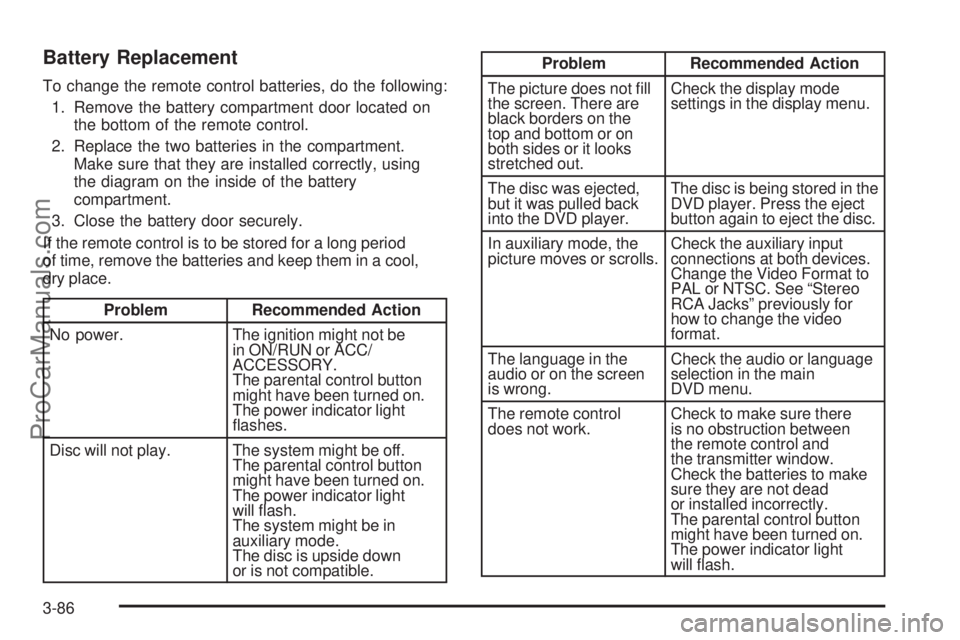
Battery Replacement
To change the remote control batteries, do the following:
1. Remove the battery compartment door located on
the bottom of the remote control.
2. Replace the two batteries in the compartment.
Make sure that they are installed correctly, using
the diagram on the inside of the battery
compartment.
3. Close the battery door securely.
If the remote control is to be stored for a long period
of time, remove the batteries and keep them in a cool,
dry place.
Problem Recommended Action
No power. The ignition might not be
in ON/RUN or ACC/
ACCESSORY.
The parental control button
might have been turned on.
The power indicator light
ashes.
Disc will not play. The system might be off.
The parental control button
might have been turned on.
The power indicator light
will ash.
The system might be in
auxiliary mode.
The disc is upside down
or is not compatible.
Problem Recommended Action
The picture does not ll
the screen. There are
black borders on the
top and bottom or on
both sides or it looks
stretched out.Check the display mode
settings in the display menu.
The disc was ejected,
but it was pulled back
into the DVD player.The disc is being stored in the
DVD player. Press the eject
button again to eject the disc.
In auxiliary mode, the
picture moves or scrolls.Check the auxiliary input
connections at both devices.
Change the Video Format to
PAL or NTSC. See “Stereo
RCA Jacks” previously for
how to change the video
format.
The language in the
audio or on the screen
is wrong.Check the audio or language
selection in the main
DVD menu.
The remote control
does not work.Check to make sure there
is no obstruction between
the remote control and
the transmitter window.
Check the batteries to make
sure they are not dead
or installed incorrectly.
The parental control button
might have been turned on.
The power indicator light
will ash.
3-86
ProCarManuals.com
Page 231 of 426
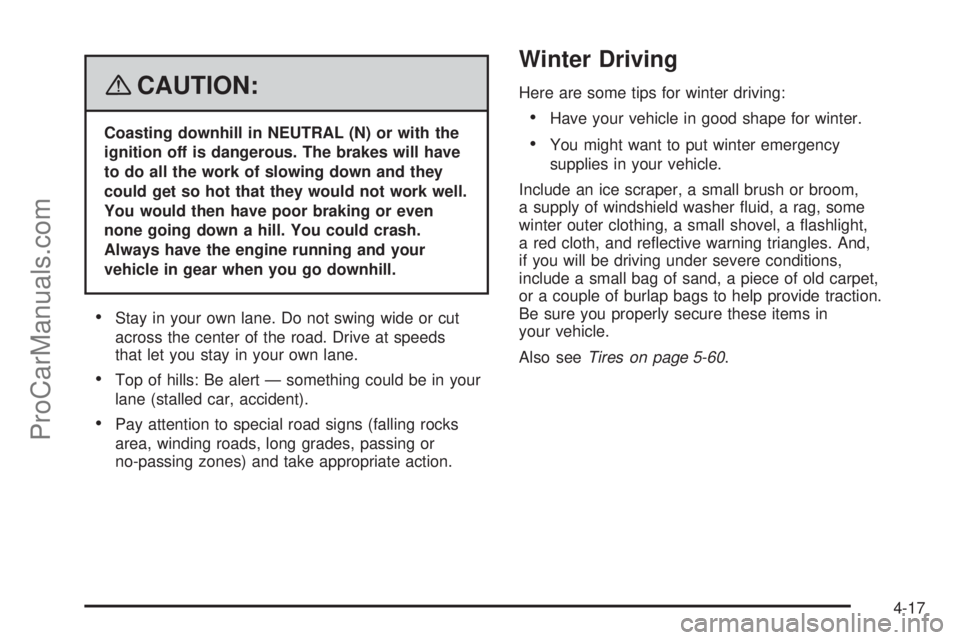
{CAUTION:
Coasting downhill in NEUTRAL (N) or with the
ignition off is dangerous. The brakes will have
to do all the work of slowing down and they
could get so hot that they would not work well.
You would then have poor braking or even
none going down a hill. You could crash.
Always have the engine running and your
vehicle in gear when you go downhill.
Stay in your own lane. Do not swing wide or cut
across the center of the road. Drive at speeds
that let you stay in your own lane.
Top of hills: Be alert — something could be in your
lane (stalled car, accident).
Pay attention to special road signs (falling rocks
area, winding roads, long grades, passing or
no-passing zones) and take appropriate action.
Winter Driving
Here are some tips for winter driving:
Have your vehicle in good shape for winter.
You might want to put winter emergency
supplies in your vehicle.
Include an ice scraper, a small brush or broom,
a supply of windshield washer uid, a rag, some
winter outer clothing, a small shovel, a ashlight,
a red cloth, and reective warning triangles. And,
if you will be driving under severe conditions,
include a small bag of sand, a piece of old carpet,
or a couple of burlap bags to help provide traction.
Be sure you properly secure these items in
your vehicle.
Also seeTires on page 5-60.
4-17
ProCarManuals.com
Page 241 of 426
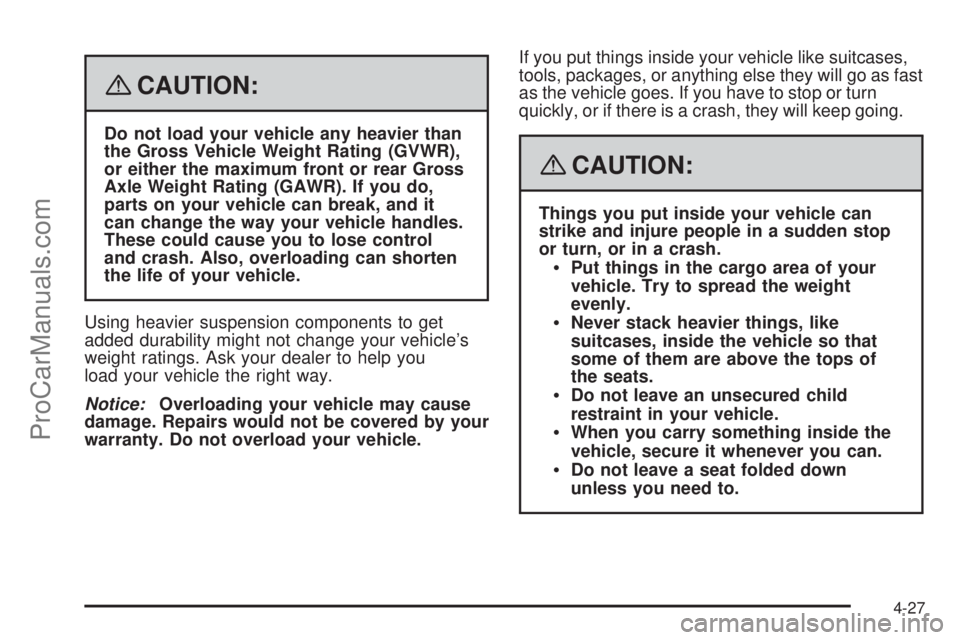
{CAUTION:
Do not load your vehicle any heavier than
the Gross Vehicle Weight Rating (GVWR),
or either the maximum front or rear Gross
Axle Weight Rating (GAWR). If you do,
parts on your vehicle can break, and it
can change the way your vehicle handles.
These could cause you to lose control
and crash. Also, overloading can shorten
the life of your vehicle.
Using heavier suspension components to get
added durability might not change your vehicle’s
weight ratings. Ask your dealer to help you
load your vehicle the right way.
Notice:Overloading your vehicle may cause
damage. Repairs would not be covered by your
warranty. Do not overload your vehicle.If you put things inside your vehicle like suitcases,
tools, packages, or anything else they will go as fast
as the vehicle goes. If you have to stop or turn
quickly, or if there is a crash, they will keep going.
{CAUTION:
Things you put inside your vehicle can
strike and injure people in a sudden stop
or turn, or in a crash.
Put things in the cargo area of your
vehicle. Try to spread the weight
evenly.
Never stack heavier things, like
suitcases, inside the vehicle so that
some of them are above the tops of
the seats.
Do not leave an unsecured child
restraint in your vehicle.
When you carry something inside the
vehicle, secure it whenever you can.
Do not leave a seat folded down
unless you need to.
4-27
ProCarManuals.com
Page 246 of 426
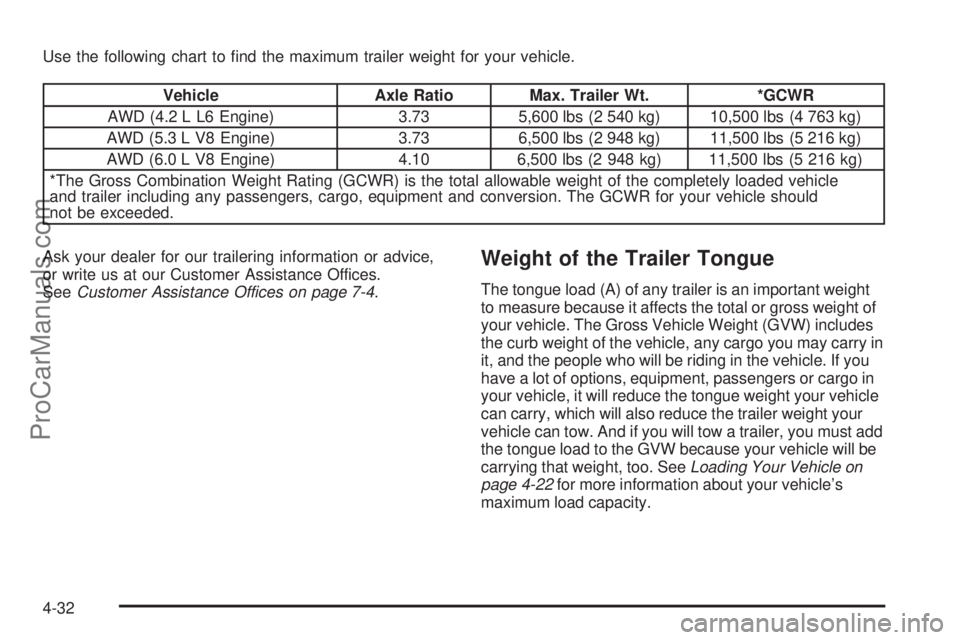
Use the following chart to nd the maximum trailer weight for your vehicle.
Vehicle Axle Ratio Max. Trailer Wt. *GCWR
AWD (4.2 L L6 Engine) 3.73 5,600 lbs (2 540 kg) 10,500 lbs (4 763 kg)
AWD (5.3 L V8 Engine) 3.73 6,500 lbs (2 948 kg) 11,500 lbs (5 216 kg)
AWD (6.0 L V8 Engine) 4.10 6,500 lbs (2 948 kg) 11,500 lbs (5 216 kg)
*The Gross Combination Weight Rating (GCWR) is the total allowable weight of the completely loaded vehicle
and trailer including any passengers, cargo, equipment and conversion. The GCWR for your vehicle should
not be exceeded.
Ask your dealer for our trailering information or advice,
or write us at our Customer Assistance Offices.
SeeCustomer Assistance Offices on page 7-4.
Weight of the Trailer Tongue
The tongue load (A) of any trailer is an important weight
to measure because it affects the total or gross weight of
your vehicle. The Gross Vehicle Weight (GVW) includes
the curb weight of the vehicle, any cargo you may carry in
it, and the people who will be riding in the vehicle. If you
have a lot of options, equipment, passengers or cargo in
your vehicle, it will reduce the tongue weight your vehicle
can carry, which will also reduce the trailer weight your
vehicle can tow. And if you will tow a trailer, you must add
the tongue load to the GVW because your vehicle will be
carrying that weight, too. SeeLoading Your Vehicle on
page 4-22for more information about your vehicle’s
maximum load capacity.
4-32
ProCarManuals.com
Page 251 of 426
Towing a trailer requires a certain amount of experience.
Before setting out for the open road, you’ll want to get
to know your rig. Acquaint yourself with the feel of
handling and braking with the added weight of the trailer.
And always keep in mind that the vehicle you are
driving is now a good deal longer and not nearly as
responsive as your vehicle is by itself.
Before you start, check all trailer hitch parts and
attachments, safety chains, electrical connection, lamps,
tires and mirror adjustment. If the trailer has electric
brakes, start your vehicle and trailer moving and then
apply the trailer brake controller by hand to be sure
the brakes are working. This lets you check your
electrical connection at the same time.
During your trip, check occasionally to be sure that
the load is secure, and that the lamps and any trailer
brakes are still working.Following Distance
Stay at least twice as far behind the vehicle ahead as
you would when driving your vehicle without a trailer.
This can help you avoid situations that require
heavy braking and sudden turns.
Passing
You’ll need more passing distance up ahead when
you’re towing a trailer. And, because you’re a good
deal longer, you’ll need to go much farther beyond the
passed vehicle before you can return to your lane.
Backing Up
Hold the bottom of the steering wheel with one hand.
Then, to move the trailer to the left, just move that hand
to the left. To move the trailer to the right, move your
hand to the right. Always back up slowly and, if possible,
have someone guide you.
4-37
ProCarManuals.com
Page 284 of 426
Adding Coolant
If you need more coolant, add the proper DEX-COOL®
coolant mixture at the coolant recovery tank.
{CAUTION:
Turning the radiator pressure cap when the
engine and radiator are hot can allow steam
and scalding liquids to blow out and burn you
badly. With the coolant recovery tank, you
will almost never have to add coolant at the
radiator. Never turn the radiator pressure
cap — even a little — when the engine and
radiator are hot.
Add coolant mixture at the recovery tank, but be careful
not to spill it.
{CAUTION:
You can be burned if you spill coolant on hot
engine parts. Coolant contains ethylene glycol,
and it will burn if the engine parts are hot
enough. Do not spill coolant on a hot engine.Occasionally check the coolant level in the radiator.
For information on how to add coolant to the radiator,
seeCooling System on page 5-32.
Radiator Pressure Cap
Notice:If the pressure cap is not tightly installed,
coolant loss and possible engine damage may
occur. Be sure the cap is properly and tightly
secured.
SeeEngine Compartment Overview on page 5-12for
information on location.
Engine Overheating
You will nd a coolant temperature gage on your
vehicle’s instrument panel. SeeEngine Coolant
Temperature Gage on page 3-36for more information.
If your vehicle has a Driver Information Center (DIC),
the display will show an Engine Coolant Hot/Engine
Overheated message. SeeDIC Warnings and Messages
on page 3-48for more information.
5-30
ProCarManuals.com