ECU SAAB 9-7X 2009 Owner's Guide
[x] Cancel search | Manufacturer: SAAB, Model Year: 2009, Model line: 9-7X, Model: SAAB 9-7X 2009Pages: 424, PDF Size: 2.75 MB
Page 90 of 424
PASS-Key®III Electronic
Immobilizer Operation
Your vehicle is equipped with the PASS-Key III
(Personalized Automotive Security System)
theft-deterrent system. PASS-Key III is a
passive theft-deterrent system.
The system is automatically armed when the key is
removed from the ignition.
You do not have to manually arm or disarm the system.
The security light will come on if there is a problem
with arming or disarming the theft-deterrent system.
When the PASS-Key III system senses that someone
is using the wrong key, it shuts down the vehicle’s starter
and fuel systems. The starter will not work and fuel will
stop being delivered to the engine. Anyone using a
trial-and-error method to start the vehicle will be
discouraged because of the high number of electrical
key codes.When trying to start the vehicle, if the engine does
not start and the SECURITY light comes on, there
may be a problem with your theft-deterrent system.
Turn the ignition off and try again.
If the engine still does not start, and the key appears to
be undamaged, try another ignition key. At this time, you
may also want to check the fuse. SeeFuses and Circuit
Breakers on page 5-107. If the engine still does not start
with the other key, your vehicle needs service. If your
vehicle does start, the rst key may be faulty. See your
dealer/retailer who can service the PASS-Key III to have
a new key made.
It is possible for the PASS-Key III decoder to learn the
transponder value of a new or replacement key. Up to
10 keys may be programmed for the vehicle. This
procedure is for programming additional keys only.
Canadian Owners:If you lose or damage your keys,
only a dealer/retailer can service PASS-Key III to
have new keys made. To program additional keys you
will require two current driver’s keys. You must add
a step to the following procedure. After Step 2 repeat
Steps 1 and 2 with the second current driver’s key.
Then continue with Step 3.
2-18
ProCarManuals.com
Page 91 of 424
To program the new key:
1. Verify that the new key has PK3 stamped on it.
2. Insert the current driver’s key in the ignition
and start the engine. If the engine will not start,
see your dealer/retailer for service.
3. After the engine has started, turn the key to
LOCK/OFF, and remove the key.
4. Insert the key to be programmed and turn it to
ON/RUN within 10 seconds of removing the
previous key.
5. The SECURITY light will turn off once the key has
been programmed. It may not be apparent that the
SECURITY light went on due to how quickly the
key is programmed.
6. Repeat Steps 1 through 4 if additional keys are to
be programmed.
If you are ever driving and the SECURITY light comes
on and stays on, you will be able to restart your engine if
you turn it off. Your PASS-Key III system, however, is not
working properly and must be serviced by your dealer/
retailer. Your vehicle is not protected by the PASS-Key III
system at this time.
If you lose or damage a PASS-Key III key, see your
dealer/retailer to have a new key made.
Do not leave the key or device that disarms or
deactivates the theft deterrent system in the vehicle.Starting and Operating
Your Vehicle
New Vehicle Break-In
Notice:The vehicle does not need an elaborate
break-in. But it will perform better in the long run if
you follow these guidelines:
Keep your speed at 55 mph (88 km/h) or less for
the rst 500 miles (805 km).
Do not drive at any one constant speed, fast or
slow, for the rst 500 miles (805 km). Do not
make full-throttle starts. Avoid downshifting
to brake or slow the vehicle.
Avoid making hard stops for the rst 200 miles
(322 km) or so. During this time the new brake
linings are not yet broken in. Hard stops
with new linings can mean premature wear and
earlier replacement. Follow this breaking-in
guideline every time you get new brake linings.
Do not tow a trailer during break-in. SeeTowing
a Trailer on page 4-29for the trailer towing
capabilities of the vehicle and more information.
Following break-in, engine speed and load can
be gradually increased.
2-19
ProCarManuals.com
Page 107 of 424
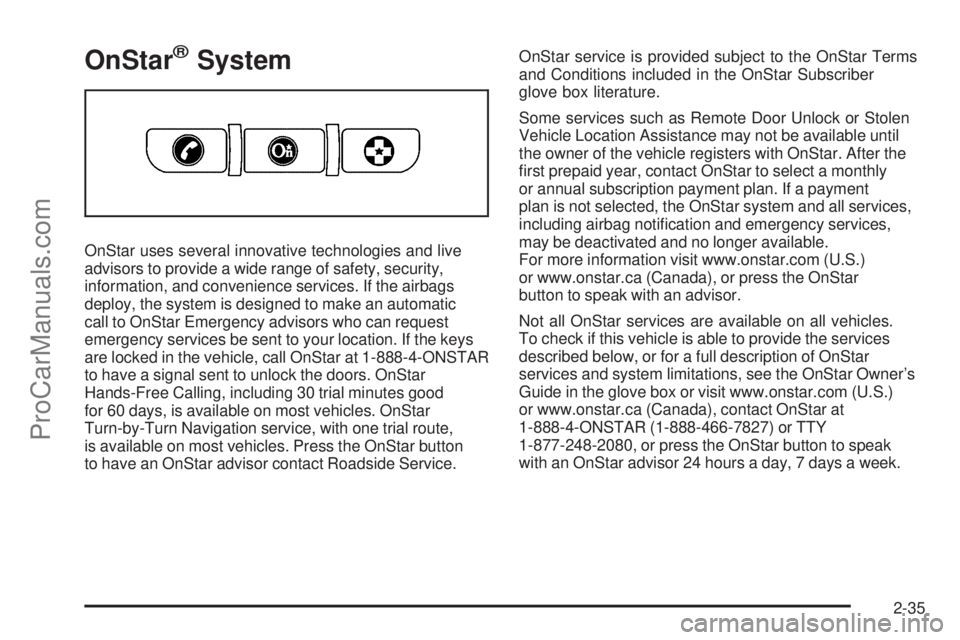
OnStar®System
OnStar uses several innovative technologies and live
advisors to provide a wide range of safety, security,
information, and convenience services. If the airbags
deploy, the system is designed to make an automatic
call to OnStar Emergency advisors who can request
emergency services be sent to your location. If the keys
are locked in the vehicle, call OnStar at 1-888-4-ONSTAR
to have a signal sent to unlock the doors. OnStar
Hands-Free Calling, including 30 trial minutes good
for 60 days, is available on most vehicles. OnStar
Turn-by-Turn Navigation service, with one trial route,
is available on most vehicles. Press the OnStar button
to have an OnStar advisor contact Roadside Service.OnStar service is provided subject to the OnStar Terms
and Conditions included in the OnStar Subscriber
glove box literature.
Some services such as Remote Door Unlock or Stolen
Vehicle Location Assistance may not be available until
the owner of the vehicle registers with OnStar. After the
rst prepaid year, contact OnStar to select a monthly
or annual subscription payment plan. If a payment
plan is not selected, the OnStar system and all services,
including airbag notication and emergency services,
may be deactivated and no longer available.
For more information visit www.onstar.com (U.S.)
or www.onstar.ca (Canada), or press the OnStar
button to speak with an advisor.
Not all OnStar services are available on all vehicles.
To check if this vehicle is able to provide the services
described below, or for a full description of OnStar
services and system limitations, see the OnStar Owner’s
Guide in the glove box or visit www.onstar.com (U.S.)
or www.onstar.ca (Canada), contact OnStar at
1-888-4-ONSTAR (1-888-466-7827) or TTY
1-877-248-2080, or press the OnStar button to speak
with an OnStar advisor 24 hours a day, 7 days a week.
2-35
ProCarManuals.com
Page 110 of 424
Location information about the vehicle is only available
if the GPS satellite signals are unobstructed and
available.
The vehicle must have a working electrical system,
including adequate battery power, for the OnStar
equipment to operate. There are other problems OnStar
cannot control that may prevent OnStar from providing
OnStar service at any particular time or place. Some
examples are damage to important parts of the vehicle
in a crash, hills, tall buildings, tunnels, weather or
wireless phone network congestion.
Your Responsibility
Increase the volume of the radio if the OnStar advisor
cannot be heard. If the light next to the OnStar buttons
is red, the system may not be functioning properly.
Press the OnStar button and request a vehicle
diagnostic. If the light appears clear (no light is
appearing), your OnStar subscription has expired and
all services have been deactivated. Press the OnStar
button to conrm that the OnStar equipment is active.
Universal Home Remote
System
The Universal Home Remote System provides a way to
replace up to three hand-held Radio-Frequency (RF)
transmitters used to activate devices such as garage
door openers, security systems, and home lighting.
This device complies with Part 15 of the FCC Rules.
Operation is subject to the following two conditions:
1. This device may not cause harmful interference.
2. This device must accept any interference received,
including interference that may cause undesired
operation.
This device complies with RSS-210 of Industry Canada.
Operation is subject to the following two conditions:
1. This device may not cause interference.
2. This device must accept any interference received,
including interference that may cause undesired
operation of the device.
Changes or modications to this system by other than
an authorized service facility could void authorization to
use this equipment.
2-38
ProCarManuals.com
Page 111 of 424
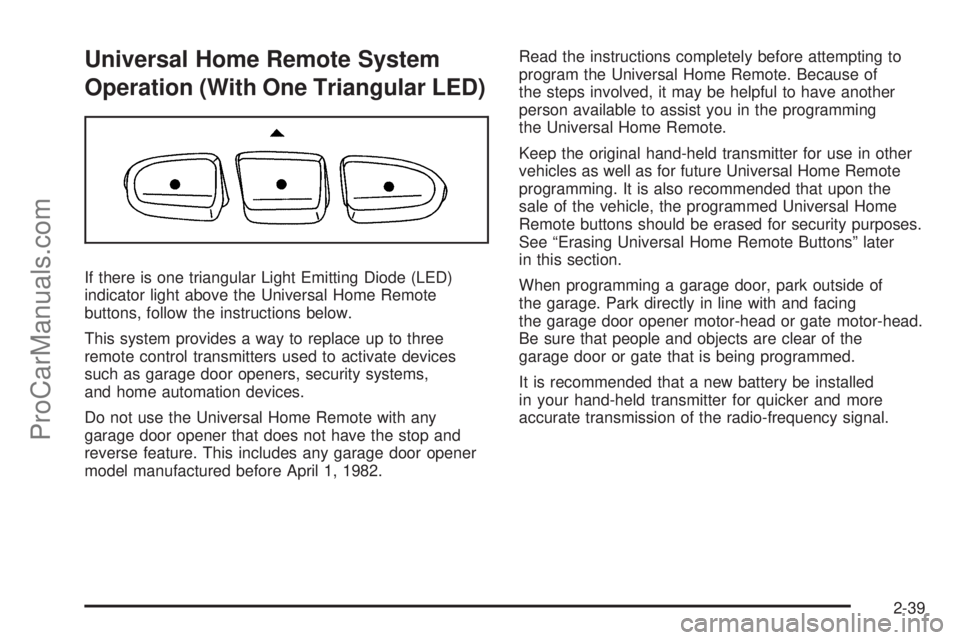
Universal Home Remote System
Operation (With One Triangular LED)
If there is one triangular Light Emitting Diode (LED)
indicator light above the Universal Home Remote
buttons, follow the instructions below.
This system provides a way to replace up to three
remote control transmitters used to activate devices
such as garage door openers, security systems,
and home automation devices.
Do not use the Universal Home Remote with any
garage door opener that does not have the stop and
reverse feature. This includes any garage door opener
model manufactured before April 1, 1982.Read the instructions completely before attempting to
program the Universal Home Remote. Because of
the steps involved, it may be helpful to have another
person available to assist you in the programming
the Universal Home Remote.
Keep the original hand-held transmitter for use in other
vehicles as well as for future Universal Home Remote
programming. It is also recommended that upon the
sale of the vehicle, the programmed Universal Home
Remote buttons should be erased for security purposes.
See “Erasing Universal Home Remote Buttons” later
in this section.
When programming a garage door, park outside of
the garage. Park directly in line with and facing
the garage door opener motor-head or gate motor-head.
Be sure that people and objects are clear of the
garage door or gate that is being programmed.
It is recommended that a new battery be installed
in your hand-held transmitter for quicker and more
accurate transmission of the radio-frequency signal.
2-39
ProCarManuals.com
Page 117 of 424
Crossrails can be purchased from your dealer/retailer.
Notice:Loading cargo on the luggage carrier
that weighs more than 200 lbs (91 kg) or hangs
over the rear or sides of the vehicle can damage
the vehicle. Load cargo so that it rests on the slats
as far forward as possible and against the side
rails, making sure to fasten it securely.
Do not exceed the maximum vehicle capacity when
loading the vehicle. For more information on vehicle
capacity and loading, seeLoading the Vehicle on
page 4-21.
To prevent damage or loss of cargo while driving, check
now and then to make sure the luggage carrier is locked
and cargo is still securely fastened.
When the luggage carrier is not in use, place the
crossrails at the following positions for reduced wind
noise. Place one crossrail at the rear most point of
the vehicle and the other crossrail above the opening
of the rear door.Rear Floor Storage Cover
{CAUTION:
If any removable convenience item is not secured
properly, it can move around in a collision or
sudden stop. People in the vehicle could be injured.
Be sure to secure any such item properly.
The vehicle has a rear cargo area with a removable
storage cover.
To remove the rear oor storage cover, do the following:
1. Press the latch release and lift up the latch handle.
2. Raise the cover slightly to unhook it.
3. Pull the cover towards the rear of the vehicle to
release it from the forward mounting slots.
To reinstall the rear oor storage cover, reverse the
previous steps. Make sure the cover is secure by
applying slight pressure to the latch until it clicks.
2-45
ProCarManuals.com
Page 118 of 424
Cargo Cover
The cargo cover can be used to cover items in the
cargo area of the vehicle.
To install the cargo cover, do the following:
1. Align the endcap with the pocket in the trim panel
located behind the rear seat.
2. Squeeze the opposite endcap, align it with the
pocket located on the opposite side of the trim
panel and release.
3. Grasp the handle and unroll the cover. Latch the
posts into the sockets on the inside of the vehicle
to secure it.To remove the cargo cover, do the following:
1. Release the cover from the latch posts and carefully
roll it back up.
2. Squeeze one endcap and remove it from the
pocket in the trim panel.
3. Remove the cargo cover from the other endcap so
that the shade can be removed from the vehicle.
{CAUTION:
An improperly stored cargo cover could be thrown
about the vehicle during a collision or sudden
maneuver. Someone could be injured. If the cover
is removed, always store it in the proper storage
location. When it is replaced, always be sure that
it is securely reattached.
2-46
ProCarManuals.com
Page 119 of 424
Cargo Tie Downs
Four cargo tie-downs are located in the rear
compartment of the vehicle. The tie-downs can
be used to secure small loads.
Moonroof
The vehicle may be equipped with a power sliding
moonroof. The ignition must be turned to ON/RUN,
ACC/ACCESSORY, or Retained Accessory Power
(RAP) must be active to operate it. SeeRetained
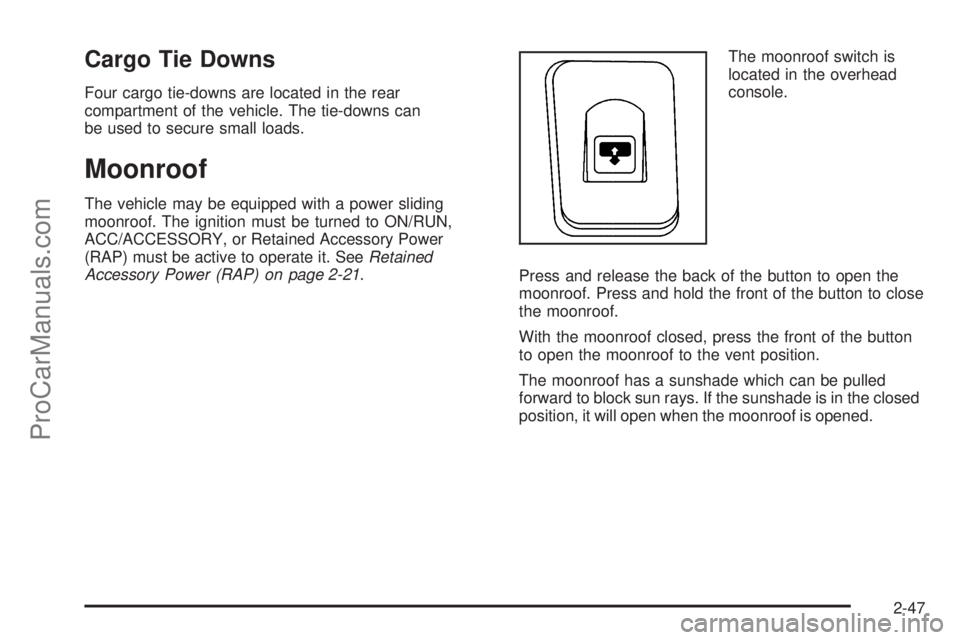
Accessory Power (RAP) on page 2-21.The moonroof switch is
located in the overhead
console.
Press and release the back of the button to open the
moonroof. Press and hold the front of the button to close
the moonroof.
With the moonroof closed, press the front of the button
to open the moonroof to the vent position.
The moonroof has a sunshade which can be pulled
forward to block sun rays. If the sunshade is in the closed
position, it will open when the moonroof is opened.
2-47
ProCarManuals.com
Page 122 of 424
Tire Pressure Light.......................................3-34
Malfunction Indicator Lamp.............................3-34
Oil Pressure Gage........................................3-37
Security Light...............................................3-38
Cruise Control Light......................................3-38
Reduced Engine Power Light.........................3-39
Highbeam On Light.......................................3-39
Service All-Wheel Drive Light.........................3-40
Check Gages Warning Light...........................3-40
Gate Ajar Light.............................................3-40
Fuel Gage...................................................3-41
Low Fuel Warning Light.................................3-41
Check Gas Cap Light....................................3-41
Driver Information Center (DIC).......................3-42
DIC Operation and Displays...........................3-42
DIC Warnings and Messages.........................3-45
DIC Vehicle Customization.............................3-51Audio System(s).............................................3-57
Setting the Clock..........................................3-57
Radio(s)......................................................3-58
Using an MP3..............................................3-68
XM Radio Messages.....................................3-72
Navigation/Radio System...............................3-74
Bluetooth
®...................................................3-74
Rear Seat Entertainment (RSE) System...........3-84
Rear Seat Audio (RSA).................................3-95
Theft-Deterrent Feature..................................3-97
Audio Steering Wheel Controls.......................3-97
Radio Reception...........................................3-98
Fixed Mast Antenna......................................3-99
XM™ Satellite Radio Antenna System.............3-99
Section 3 Instrument Panel
3-2
ProCarManuals.com
Page 158 of 424
A reading in the low pressure zone may be caused by a
dangerously low oil level or other problems causing
low oil pressure.
{CAUTION:
Do not keep driving if the oil pressure is low.
The engine can become so hot that it catches re.
Someone could be burned. Check the oil as soon
as possible and have the vehicle serviced.
Notice:Lack of proper engine oil maintenance can
damage the engine. The repairs would not be
covered by the vehicle warranty. Always follow the
maintenance schedule in this manual for changing
engine oil.
Security Light
For information regarding
this light and the vehicle’s
security system, see
Content Theft-Deterrent
on page 2-16.
Cruise Control Light
If your vehicle has a Driver
Information Center (DIC),
this light will come on
when the cruise control
is set.
SeeCruise Control on page 3-10andDIC Warnings
and Messages on page 3-45for more information.
3-38
ProCarManuals.com