remote start SAAB 9-7X 2009 Owners Manual
[x] Cancel search | Manufacturer: SAAB, Model Year: 2009, Model line: 9-7X, Model: SAAB 9-7X 2009Pages: 424, PDF Size: 2.75 MB
Page 1 of 424
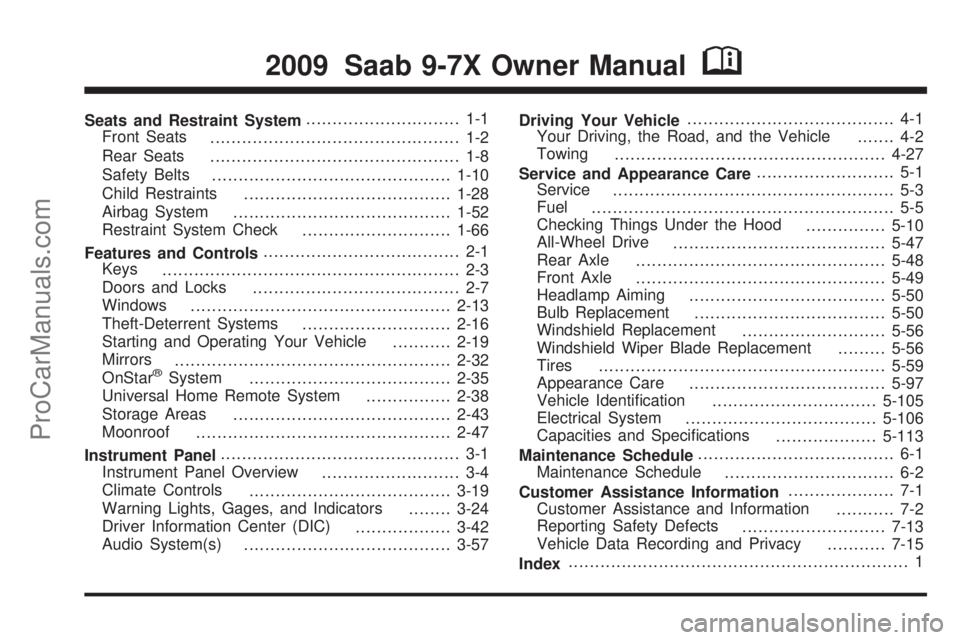
Seats and Restraint System............................. 1-1
Front Seats
............................................... 1-2
Rear Seats
............................................... 1-8
Safety Belts
.............................................1-10
Child Restraints
.......................................1-28
Airbag System
.........................................1-52
Restraint System Check
............................1-66
Features and Controls..................................... 2-1
Keys
........................................................ 2-3
Doors and Locks
....................................... 2-7
Windows
.................................................2-13
Theft-Deterrent Systems
............................2-16
Starting and Operating Your Vehicle
...........2-19
Mirrors
....................................................2-32
OnStar
®System
......................................2-35
Universal Home Remote System
................2-38
Storage Areas
.........................................2-43
Moonroof
................................................2-47
Instrument Panel............................................. 3-1
Instrument Panel Overview
.......................... 3-4
Climate Controls
......................................3-19
Warning Lights, Gages, and Indicators
........3-24
Driver Information Center (DIC)
..................3-42
Audio System(s)
.......................................3-57Driving Your Vehicle....................................... 4-1
Your Driving, the Road, and the Vehicle
....... 4-2
Towing
...................................................4-27
Service and Appearance Care.......................... 5-1
Service
..................................................... 5-3
Fuel
......................................................... 5-5
Checking Things Under the Hood
...............5-10
All-Wheel Drive
........................................5-47
Rear Axle
...............................................5-48
Front Axle
...............................................5-49
Headlamp Aiming
.....................................5-50
Bulb Replacement
....................................5-50
Windshield Replacement
...........................5-56
Windshield Wiper Blade Replacement
.........5-56
Tires
......................................................5-59
Appearance Care
.....................................5-97
Vehicle Identication
...............................5-105
Electrical System
....................................5-106
Capacities and Specications
...................5-113
Maintenance Schedule..................................... 6-1
Maintenance Schedule
................................ 6-2
Customer Assistance Information.................... 7-1
Customer Assistance and Information
........... 7-2
Reporting Safety Defects
...........................7-13
Vehicle Data Recording and Privacy
...........7-15
Index................................................................ 1
2009 Saab 9-7X Owner ManualM
ProCarManuals.com
Page 4 of 424
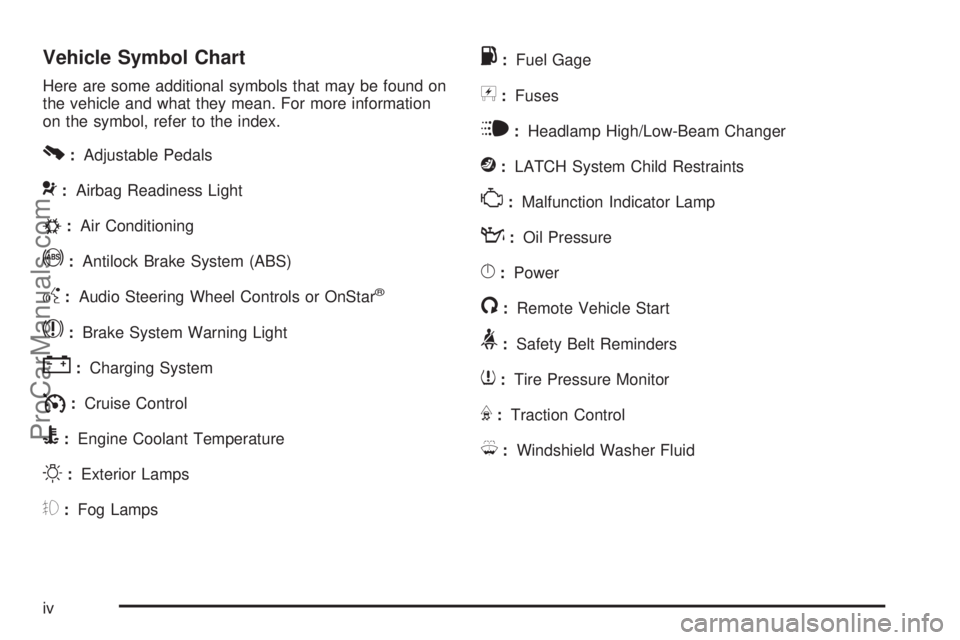
Vehicle Symbol Chart
Here are some additional symbols that may be found on
the vehicle and what they mean. For more information
on the symbol, refer to the index.
0:Adjustable Pedals
9:Airbag Readiness Light
#:Air Conditioning
!:Antilock Brake System (ABS)
g:Audio Steering Wheel Controls or OnStar®
$:Brake System Warning Light
":Charging System
I:Cruise Control
B:Engine Coolant Temperature
O:Exterior Lamps
#:Fog Lamps
.:Fuel Gage
+:Fuses
i:Headlamp High/Low-Beam Changer
j:LATCH System Child Restraints
*:Malfunction Indicator Lamp
::Oil Pressure
}:Power
/:Remote Vehicle Start
>:Safety Belt Reminders
7:Tire Pressure Monitor
F:Traction Control
M:Windshield Washer Fluid
iv
ProCarManuals.com
Page 73 of 424
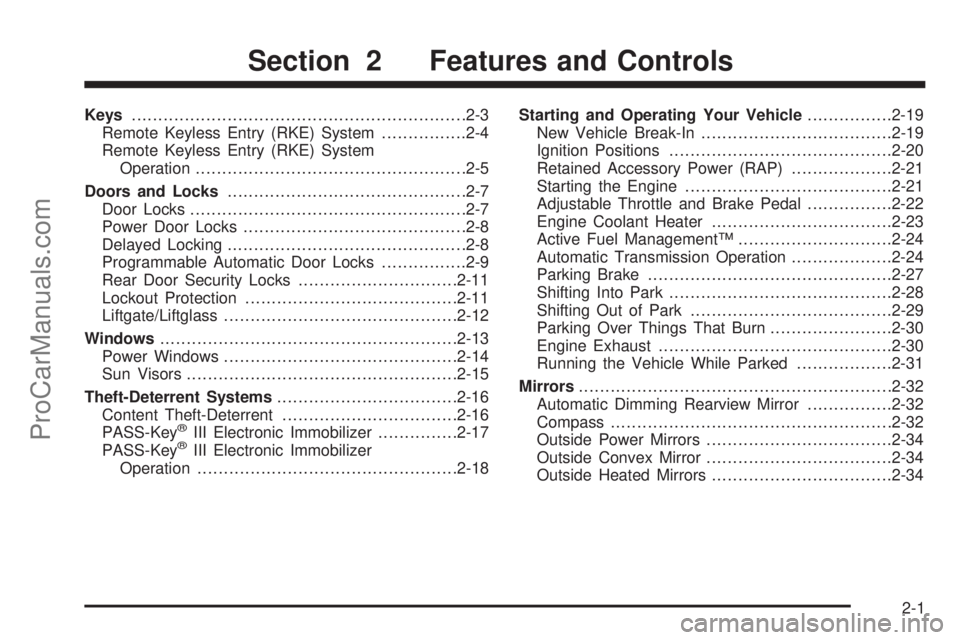
Keys...............................................................2-3
Remote Keyless Entry (RKE) System................2-4
Remote Keyless Entry (RKE) System
Operation...................................................2-5
Doors and Locks.............................................2-7
Door Locks....................................................2-7
Power Door Locks..........................................2-8
Delayed Locking.............................................2-8
Programmable Automatic Door Locks................2-9
Rear Door Security Locks..............................2-11
Lockout Protection........................................2-11
Liftgate/Liftglass............................................2-12
Windows........................................................2-13
Power Windows............................................2-14
Sun Visors...................................................2-15
Theft-Deterrent Systems..................................2-16
Content Theft-Deterrent.................................2-16
PASS-Key
®III Electronic Immobilizer...............2-17
PASS-Key®III Electronic Immobilizer
Operation.................................................2-18Starting and Operating Your Vehicle................2-19
New Vehicle Break-In....................................2-19
Ignition Positions..........................................2-20
Retained Accessory Power (RAP)...................2-21
Starting the Engine.......................................2-21
Adjustable Throttle and Brake Pedal................2-22
Engine Coolant Heater..................................2-23
Active Fuel Management™.............................2-24
Automatic Transmission Operation...................2-24
Parking Brake..............................................2-27
Shifting Into Park..........................................2-28
Shifting Out of Park......................................2-29
Parking Over Things That Burn.......................2-30
Engine Exhaust............................................2-30
Running the Vehicle While Parked..................2-31
Mirrors...........................................................2-32
Automatic Dimming Rearview Mirror................2-32
Compass.....................................................2-32
Outside Power Mirrors...................................2-34
Outside Convex Mirror...................................2-34
Outside Heated Mirrors..................................2-34
Section 2 Features and Controls
2-1
ProCarManuals.com
Page 77 of 424

If there is a decrease in the RKE operating range,
try this:
Check the distance. The transmitter may be too
far from the vehicle. Stand closer during rainy
or snowy weather.
Check the location. Other vehicles or objects may
be blocking the signal. Take a few steps to the
left or right, hold the transmitter higher, and
try again.
Check the transmitter’s battery. See “Battery
Replacement” later in this section.
If the transmitter is still not working correctly,
see your dealer/retailer or a qualied technician
for service.
Remote Keyless Entry (RKE)
System Operation
The Remote Keyless Entry (RKE) transmitter functions
work up to 30 feet (9 m) away from the vehicle.
The RKE transmitter buttons do not operate when the key
is in the ignition.
Q(Lock):Press to lock all
the doors. Press
Qagain
within three seconds
and the horn may chirp.
K(Unlock):Press once to unlock the driver door.
The parking lamps may ash and the interior lights
come on. Press
Kagain and all remaining doors unlock.
To program different feedback settings through the
Driver Information Center (DIC), seeDriver Information
Center (DIC) on page 3-42.
L(Panic Alarm):Press to sound the horn.
The headlamps and taillamps ash for up to 30 seconds.
To turn the alarm off, press
Lagain, or wait 30 seconds,
or start the vehicle.
2-5
ProCarManuals.com
Page 88 of 424

Theft-Deterrent Systems
Vehicle theft is big business, especially in some cities.
This vehicle has theft-deterrent features, however,
they do not make it impossible to steal.
Content Theft-Deterrent
Your vehicle is
equipped with a
content theft-deterrent
alarm system.
Here is how to operate the system:
1. Open the door.
2. Lock the door with the power door lock switch or
the remote keyless entry transmitter. The security
light should ash.
3. Close all doors. The security light should turn off
after approximately 30 seconds. The alarm is not
armed until the security light turns off.If a locked door is opened without the key or the
remote keyless entry transmitter, the alarm will go off.
The headlamps and parking lamps will ash for
two minutes, and the horn will sound for 30 seconds,
then will turn off to save the battery power.
Remember, the theft-deterrent system will not activate
if you lock the doors with a key or use the manual door
lock. It activates only if you use a power door lock switch
with the door open, or with the remote keyless entry
transmitter. You should also remember that you can start
your vehicle with the correct ignition key if the alarm has
been set off.
Here is how to avoid setting off the alarm by accident:
If you do not want to activate the theft-deterrent
system, the vehicle should be locked with the
door keyafterthe doors are closed.
Always unlock a door with a key, or use the remote
keyless entry transmitter. Unlocking a door any
other way will set off the alarm.
If you set off the alarm by accident, unlock any door
with the key. You can also turn off the alarm by pressing
unlock on the remote keyless entry transmitter. The alarm
will not stop if you try to unlock a door any other way.
2-16
ProCarManuals.com
Page 112 of 424
Programming the Universal Home
Remote System
For questions or help programming the Universal
Home Remote System, call 1-800-355-3515 or go
to www.homelink.com.
Programming a garage door opener involves
time-sensitive actions, so read the entire procedure
before starting. Otherwise, the device will time out
and the procedure will have to be repeated.
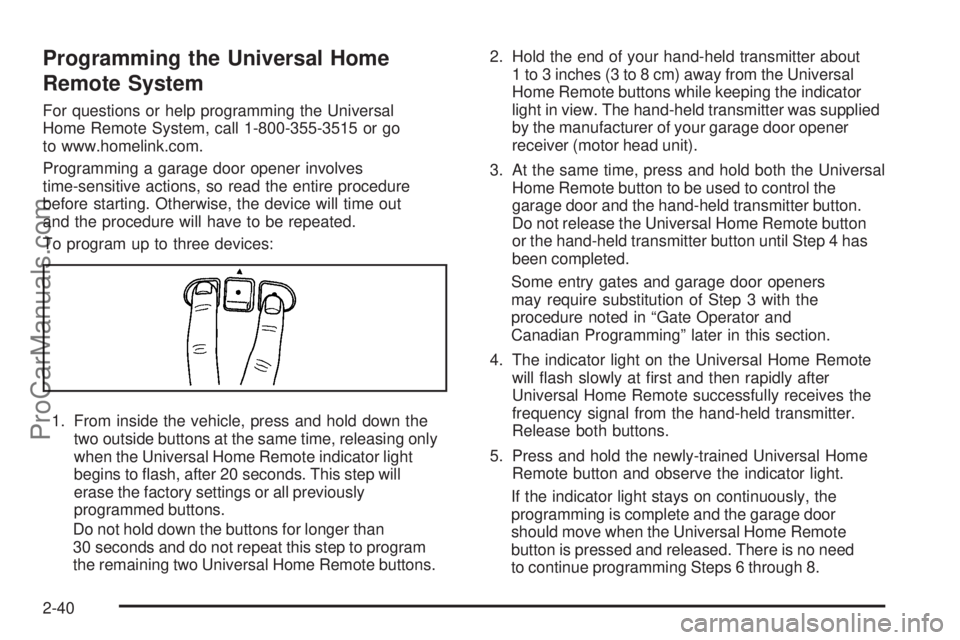
To program up to three devices:
1. From inside the vehicle, press and hold down the
two outside buttons at the same time, releasing only
when the Universal Home Remote indicator light
begins to ash, after 20 seconds. This step will
erase the factory settings or all previously
programmed buttons.
Do not hold down the buttons for longer than
30 seconds and do not repeat this step to program
the remaining two Universal Home Remote buttons.2. Hold the end of your hand-held transmitter about
1 to 3 inches (3 to 8 cm) away from the Universal
Home Remote buttons while keeping the indicator
light in view. The hand-held transmitter was supplied
by the manufacturer of your garage door opener
receiver (motor head unit).
3. At the same time, press and hold both the Universal
Home Remote button to be used to control the
garage door and the hand-held transmitter button.
Do not release the Universal Home Remote button
or the hand-held transmitter button until Step 4 has
been completed.
Some entry gates and garage door openers
may require substitution of Step 3 with the
procedure noted in “Gate Operator and
Canadian Programming” later in this section.
4. The indicator light on the Universal Home Remote
will ash slowly at rst and then rapidly after
Universal Home Remote successfully receives the
frequency signal from the hand-held transmitter.
Release both buttons.
5. Press and hold the newly-trained Universal Home
Remote button and observe the indicator light.
If the indicator light stays on continuously, the
programming is complete and the garage door
should move when the Universal Home Remote
button is pressed and released. There is no need
to continue programming Steps 6 through 8.
2-40
ProCarManuals.com
Page 144 of 424
P(On/Off):Press to turn the rear climate controls on
or off.
The rear control only turns on if the front control is on
and not in defrost mode.
Climate Controls Personalization
The vehicle has a Driver Information Center (DIC).
Climate control settings can be stored and recalled for
temperature, air delivery mode and fan speed for
two different drivers. The personal choice settings
recalled are determined by the transmitter used to enter
the vehicle. After the button with the unlock symbol
on a remote keyless entry transmitter is pressed, the
climate control will adjust to the last settings of the
identied driver. The settings can also be changed by
pressing one of the memory buttons (1 or 2) located on
the driver’s door. When adjustments are made, the
new settings are automatically saved for the driver.
Warning Lights, Gages, and
Indicators
Warning lights and gages can signal that something is
wrong before it becomes serious enough to cause
an expensive repair or replacement. Paying attention to
the warning lights and gages could prevent injury.
Warning lights come on when there may be or is a
problem with one of the vehicle’s functions. Some
warning lights come on briey when the engine is started
to indicate they are working.
Gages can indicate when there may be or is a problem
with one of the vehicle’s functions. Often gages and
warning lights work together to indicate a problem with
the vehicle.
When one of the warning lights comes on and stays on
while driving, or when one of the gages shows there
may be a problem, check the section that explains
what to do. Follow this manual’s advice. Waiting to do
repairs can be costly and even dangerous.
3-24
ProCarManuals.com
Page 209 of 424
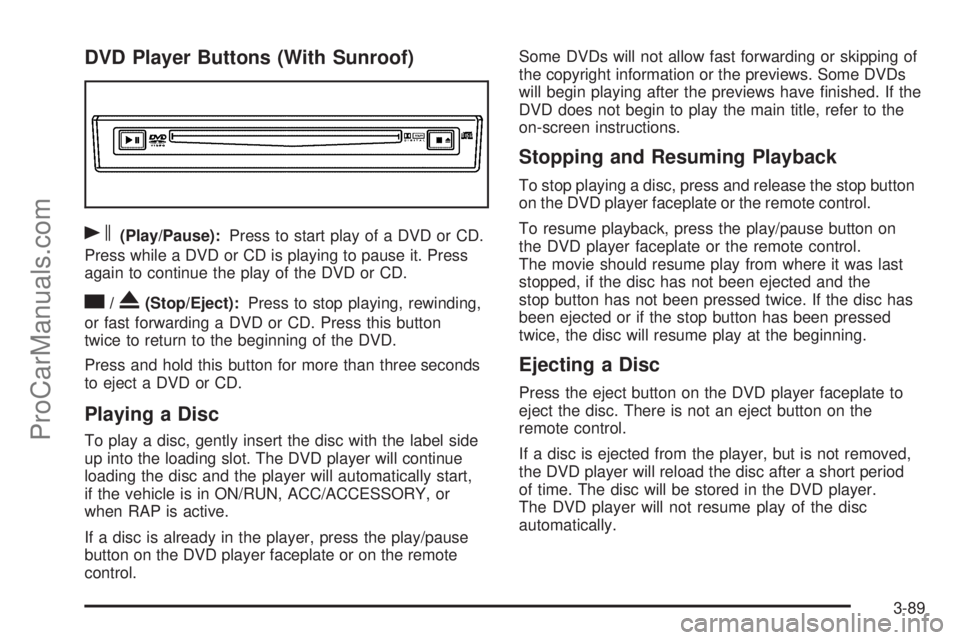
DVD Player Buttons (With Sunroof)
s(Play/Pause):Press to start play of a DVD or CD.
Press while a DVD or CD is playing to pause it. Press
again to continue the play of the DVD or CD.
c/X(Stop/Eject):Press to stop playing, rewinding,
or fast forwarding a DVD or CD. Press this button
twice to return to the beginning of the DVD.
Press and hold this button for more than three seconds
to eject a DVD or CD.
Playing a Disc
To play a disc, gently insert the disc with the label side
up into the loading slot. The DVD player will continue
loading the disc and the player will automatically start,
if the vehicle is in ON/RUN, ACC/ACCESSORY, or
when RAP is active.
If a disc is already in the player, press the play/pause
button on the DVD player faceplate or on the remote
control.Some DVDs will not allow fast forwarding or skipping of
the copyright information or the previews. Some DVDs
will begin playing after the previews have nished. If the
DVD does not begin to play the main title, refer to the
on-screen instructions.
Stopping and Resuming Playback
To stop playing a disc, press and release the stop button
on the DVD player faceplate or the remote control.
To resume playback, press the play/pause button on
the DVD player faceplate or the remote control.
The movie should resume play from where it was last
stopped, if the disc has not been ejected and the
stop button has not been pressed twice. If the disc has
been ejected or if the stop button has been pressed
twice, the disc will resume play at the beginning.
Ejecting a Disc
Press the eject button on the DVD player faceplate to
eject the disc. There is not an eject button on the
remote control.
If a disc is ejected from the player, but is not removed,
the DVD player will reload the disc after a short period
of time. The disc will be stored in the DVD player.
The DVD player will not resume play of the disc
automatically.
3-89
ProCarManuals.com
Page 211 of 424
e(Audio):Press to display a menu that only appears
while a DVD is being played. The format and content
of this function will vary for each disc.
r(Fast Reverse):Press to fast reverse the DVD or
CD. To stop fast reversing, press again. This button
might not work when the DVD is playing the copyright
information or the previews.
SRCE (Source):Press to switch between the DVD
player and an auxiliary source.
c(Stop):Press to stop playing, rewinding, or fast
forwarding a DVD or CD. Press twice to return to
the beginning of the DVD.
t(Previous Track/Chapter):Press to return to the
start of the current track or chapter. Press again to
return to the previous track or chapter. This button
might not work while the DVD is playing the copyright
information or the previews.
1 through 0 (Numeric Keypad):The numeric keypad
provides the capability of direct chapter, title, and
track number selection.
}10 (Double Digit Entries):Press to select chapter,
title, and track numbers greater than 9. Press before
inputting the number.
\(Clear):Press within three seconds to clear a
number that has been entered.
P(Illumination):Press to turn the remote control
backlight on. The backlight times out after about 7 to
10 seconds if no other button is pressed while the
backlight is on.
y(Main DVD Menu):Press to access the DVD menu.
The DVD menu is different on every DVD. Use the
navigation arrows to move the cursor around the DVD
menu. After making a selection press the enter button.
This button only operates when playing a DVD.
r(Enter):Press to select the choices that are
highlighted in any menu.
q(Return):Press to exit the current active menu
and return to the previous menu. This button operates
only when a DVD is playing and a menu is active.
|(Camera Angle):Press to change camera angles
on DVDs that have this feature when a DVD is
playing. The format and content of this function will vary
for each disc.
{(Subtitle):Press to turn on subtitles and to move
through subtitle options when a DVD is playing. The
format and content of this function will vary for each disc.
[(Fast Forward):Press to fast forward the DVD
or CD. To stop fast forwarding, press again. This button
might not work while the DVD is playing the copyright
information or the previews.
3-91
ProCarManuals.com
Page 212 of 424
s(Play/Pause):Press to start play of a DVD or CD.
Press while a DVD or CD is playing to pause it. Press
again to continue the play of the DVD or CD.
When the DVD is playing, press this button then press
the fast forward button. The DVD continues playing
in a slow play mode. To cancel slow play mode, press
this button.
u(Next Track/Chapter):Press to advance to the
beginning of the next track or chapter. This button
might not work when the DVD is playing the copyright
information or the previews.
Battery Replacement
To change the remote control batteries:
1. Remove the battery compartment door located on
the bottom of the remote control.
2. Replace the two batteries in the compartment.
Make sure that they are installed correctly, using
the diagram on the inside of the battery
compartment.
3. Close the battery door securely.
If the remote control is to be stored for a long period of
time, remove the batteries and keep them in a cool,
dry place.
Problem Recommended Action
No power. The ignition might not
be in ON/RUN or
ACC/ACCESSORY.
The parental control
button might have been
turned on. The power
indicator light ashes.
Disc will not play. The system might be off.
The parental control
button might have been
turned on. The power
indicator light will ash.
The system might be in
auxiliary mode.
The disc is upside down
or is not compatible.
The picture does not ll
the screen. There are
black borders on the
top and bottom or on
both sides or it looks
stretched out.Check the display
mode settings in the
display menu.
The disc was ejected, but
it was pulled back into the
DVD player.The disc is being stored in
the DVD player. Press the
eject button again to eject
the disc.
3-92
ProCarManuals.com