light SATURN ASTRA 2008 User Guide
[x] Cancel search | Manufacturer: SATURN, Model Year: 2008, Model line: ASTRA, Model: SATURN ASTRA 2008Pages: 304, PDF Size: 1.92 MB
Page 58 of 304
Do not secure a child seat in a
position without a top tether anchor
if a national or local law requires
that the top tether be anchored,
or if the instructions that come with
the child restraint say that the
top strap must be anchored.
In Canada, the law requires that
forward-facing child restraints have
a top tether, and that the tether
be attached.
You will be using the lap-shoulder
belt to secure the child restraint in
this position. Follow the instructions
that came with the child restraint.
1. Move the seat as far back as it
will go before securing the
forward-facing child restraint.
When the passenger sensing
system has turned off the right
front passenger’s frontal and
seat-mounted side impact airbag,
the off indicator on the passenger
airbag status indicator should
light and stay lit when you startthe vehicle. SeePassenger
Airbag Status Indicator on
page 4-15.
2. Put the child restraint on
the seat.
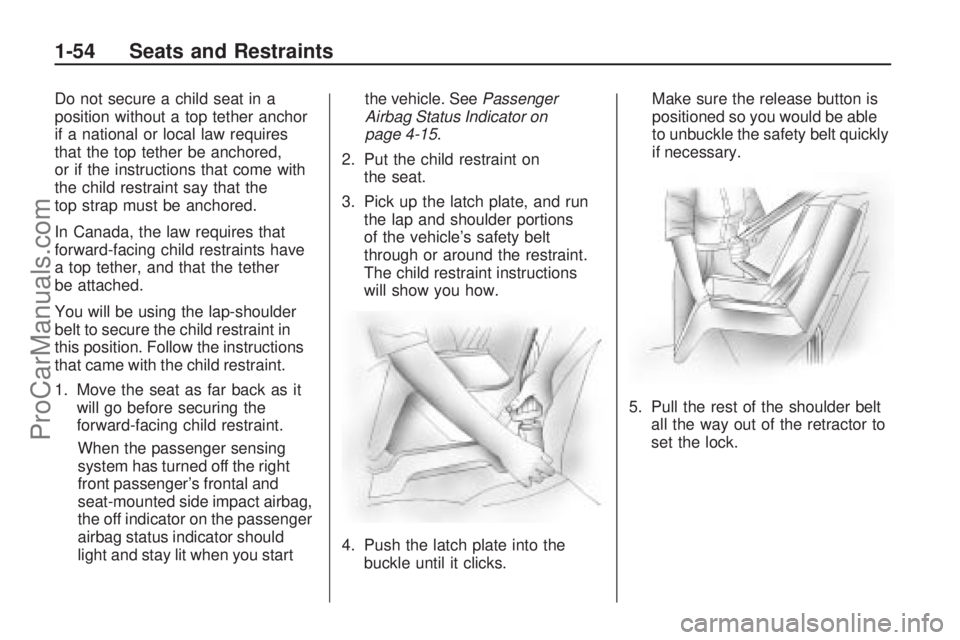
3. Pick up the latch plate, and run
the lap and shoulder portions
of the vehicle’s safety belt
through or around the restraint.
The child restraint instructions
will show you how.
4. Push the latch plate into the
buckle until it clicks.Make sure the release button is
positioned so you would be able
to unbuckle the safety belt quickly
if necessary.
5. Pull the rest of the shoulder belt
all the way out of the retractor to
set the lock.
1-54 Seats and Restraints
ProCarManuals.com
Page 59 of 304
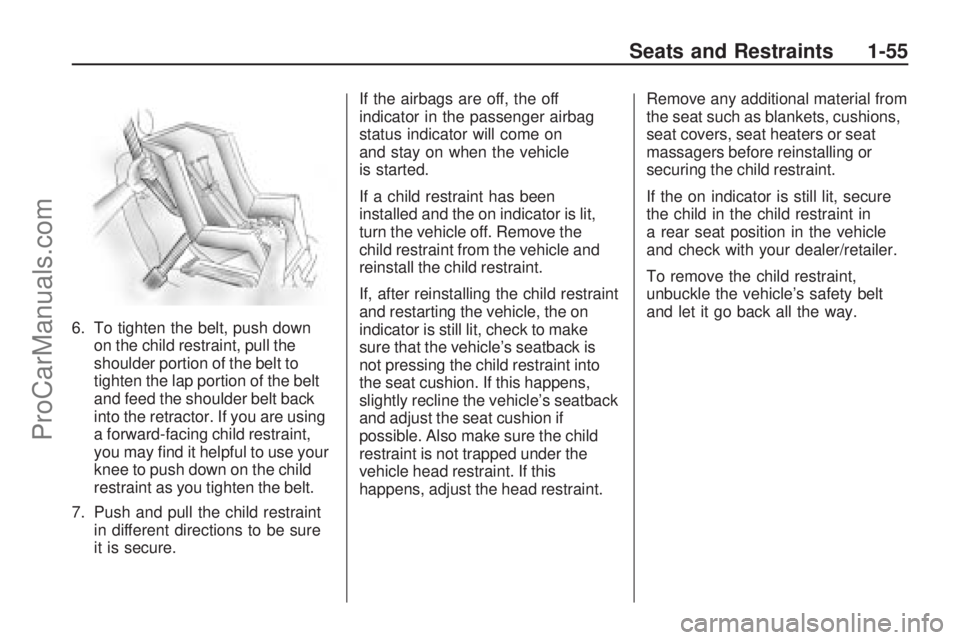
6. To tighten the belt, push down
on the child restraint, pull the
shoulder portion of the belt to
tighten the lap portion of the belt
and feed the shoulder belt back
into the retractor. If you are using
a forward-facing child restraint,
you may nd it helpful to use your
knee to push down on the child
restraint as you tighten the belt.
7. Push and pull the child restraint
in different directions to be sure
it is secure.If the airbags are off, the off
indicator in the passenger airbag
status indicator will come on
and stay on when the vehicle
is started.
If a child restraint has been
installed and the on indicator is lit,
turn the vehicle off. Remove the
child restraint from the vehicle and
reinstall the child restraint.
If, after reinstalling the child restraint
and restarting the vehicle, the on
indicator is still lit, check to make
sure that the vehicle’s seatback is
not pressing the child restraint into
the seat cushion. If this happens,
slightly recline the vehicle’s seatback
and adjust the seat cushion if
possible. Also make sure the child
restraint is not trapped under the
vehicle head restraint. If this
happens, adjust the head restraint.Remove any additional material from
the seat such as blankets, cushions,
seat covers, seat heaters or seat
massagers before reinstalling or
securing the child restraint.
If the on indicator is still lit, secure
the child in the child restraint in
a rear seat position in the vehicle
and check with your dealer/retailer.
To remove the child restraint,
unbuckle the vehicle’s safety belt
and let it go back all the way.
Seats and Restraints 1-55
ProCarManuals.com
Page 68 of 304

This device complies with RSS-210
of Industry Canada. Operation is
subject to the following two
conditions:
1. This device may not cause
interference.
2. This device must accept any
interference received, including
interference that may cause
undesired operation of the
device.
Changes or modications to this
system by other than an authorized
service facility could void
authorization to use this equipment.
Immobilizer Operation
This vehicle has a passive
theft-deterrent system.
The system is automatically armed
when the key is removed from
the ignition.The system is automatically
disarmed when the key is turned to
ON/RUN.
You do not have to manually arm or
disarm the system.
The service vehicle soon light,
located in the instrument panel
cluster, comes on if there is
a problem with arming or disarming
the theft-deterrent system.
The key uses a transponder that
matches an immobilizer control unit
in the vehicle. Only the correct
key starts the vehicle.
When starting the vehicle, the
service vehicle soon light comes on
briey when the ignition is turned on.If the engine does not start and the
service vehicle soon light ashes
there is a problem with the system.
Turn the ignition off and try again.
If the engine still does not start and
the service vehicle soon light
continues to ash, try another key.
If the engine still does not start
with the other key, the vehicle needs
service. If the vehicle does start,
the rst key may be damaged.
See your dealer/retailer who can
service the theft-deterrent system
and have a new key made.
In an emergency, contact Roadside
Service. SeeRoadside Assistance
Program on page 11-5.
Do not leave the key or device that
disarms or deactivates the theft
deterrent system in the vehicle.
2-8 Keys, Doors and Windows
ProCarManuals.com
Page 69 of 304
Content Theft-Deterrent
This vehicle has a content
theft-deterrent alarm system.
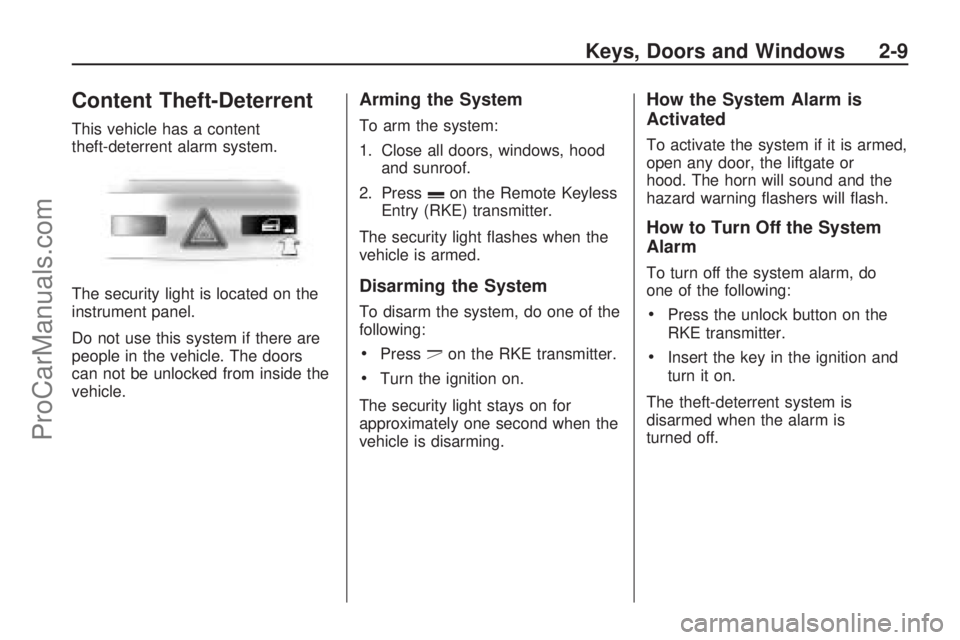
The security light is located on the
instrument panel.
Do not use this system if there are
people in the vehicle. The doors
can not be unlocked from inside the
vehicle.
Arming the System
To arm the system:
1. Close all doors, windows, hood
and sunroof.
2. Press
con the Remote Keyless
Entry (RKE) transmitter.
The security light ashes when the
vehicle is armed.
Disarming the System
To disarm the system, do one of the
following:
Pressdon the RKE transmitter.
Turn the ignition on.
The security light stays on for
approximately one second when the
vehicle is disarming.
How the System Alarm is
Activated
To activate the system if it is armed,
open any door, the liftgate or
hood. The horn will sound and the
hazard warning ashers will ash.
How to Turn Off the System
Alarm
To turn off the system alarm, do
one of the following:
Press the unlock button on the
RKE transmitter.
Insert the key in the ignition and
turn it on.
The theft-deterrent system is
disarmed when the alarm is
turned off.
Keys, Doors and Windows 2-9
ProCarManuals.com
Page 71 of 304
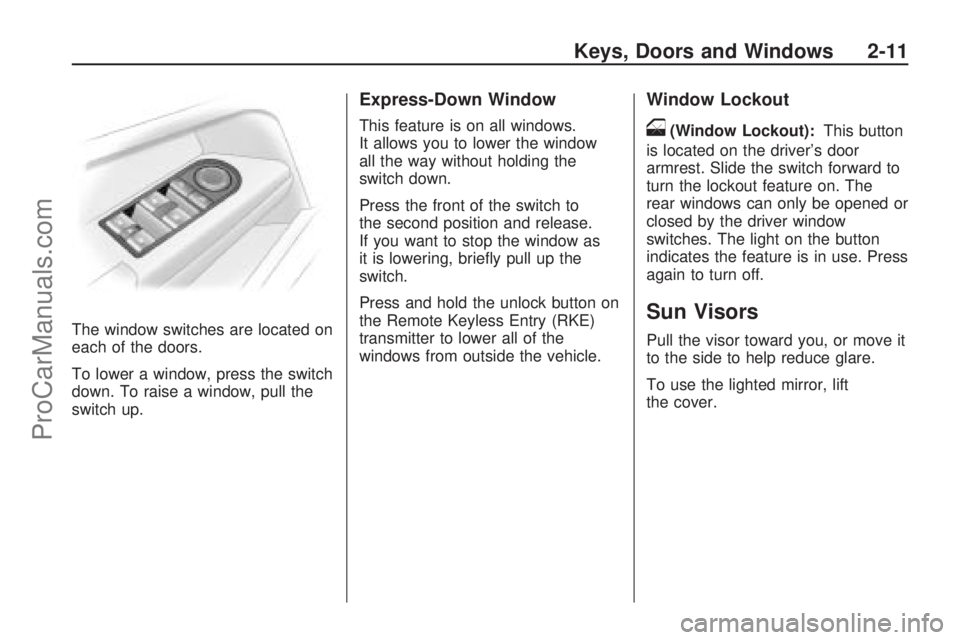
The window switches are located on
each of the doors.
To lower a window, press the switch
down. To raise a window, pull the
switch up.
Express-Down Window
This feature is on all windows.
It allows you to lower the window
all the way without holding the
switch down.
Press the front of the switch to
the second position and release.
If you want to stop the window as
it is lowering, briey pull up the
switch.
Press and hold the unlock button on
the Remote Keyless Entry (RKE)
transmitter to lower all of the
windows from outside the vehicle.
Window Lockout
o(Window Lockout):This button
is located on the driver’s door
armrest. Slide the switch forward to
turn the lockout feature on. The
rear windows can only be opened or
closed by the driver window
switches. The light on the button
indicates the feature is in use. Press
again to turn off.
Sun Visors
Pull the visor toward you, or move it
to the side to help reduce glare.
To use the lighted mirror, lift
the cover.
Keys, Doors and Windows 2-11
ProCarManuals.com
Page 77 of 304
Instruments and
Controls
Instrument Panel
Overview
Instrument Panel
Overview...........................4-2
Hazard Warning Flashers. . .4-4
Horn...................................4-4
Tilt Wheel...........................4-4
Turn Signal/Multifunction
Lever................................4-4
Cruise Control....................4-5
Turn and Lane-Change
Signals.............................4-8
Headlamp High/Low-Beam
Changer............................4-8
Flash-to-Pass......................4-8
Windshield Wipers..............4-9
Windshield Washer...........4-10
Rear Window Wiper/
Washer...........................4-10
Accessory Power
Outlet(s)..........................4-10
Warning Lights, Gages,
and Indicators
Warning Lights, Gages,
and Indicators.................4-11
Instrument Panel Cluster. . .4-12
Speedometer and
Odometer........................4-13
Trip Odometer(s)...............4-13
Tachometer.......................4-13
Safety Belt Reminders......4-14
Airbag Readiness Light.....4-14
Passenger Airbag Status
Indicator..........................4-15
Charging System Light......4-17
Brake System Warning
Light................................4-17
Antilock Brake System
(ABS) Warning Light.......4-18
StabiliTrak®Indicator
Light................................4-19
Engine Coolant
Temperature Warning
Light
................................4-19
Tire Pressure Light...........4-19
Malfunction
Indicator Lamp................4-20
Oil Pressure Light.............4-22
Low Oil Level Light...........4-23
Winter Driving Mode
Light................................4-23
Fog Lamp Light................4-23
Exterior Lamps Off
Reminder........................4-24Cruise Control Light..........4-24
Highbeam On Light...........4-24
Door Ajar Light.................4-24
Service Vehicle Soon
Light................................4-24
Fuel Gage........................4-25
Low Fuel Warning Light. . . .4-25
Driver Information
Center (DIC)
Driver Information
Center (DIC)...................4-26
DIC Operation and
Displays (Base Level
DIC and Audio)
...............4-27
DIC Operation and
Displays (Uplevel
DIC and Audio)
...............4-31
DIC Warnings and
Messages (Base and
Uplevel Systems)
............4-37
OnStar®System
OnStar®System................4-38
Instruments and Controls 4-1
ProCarManuals.com
Page 80 of 304
Hazard Warning Flashers
|
:Press this button located on
the instrument panel, to make the
front and rear turn signal lamps ash
on and off. This warns others that
you are having trouble. Press the
button again to turn the ashers off.
While the hazard warning ashers
are on, the turn signals do not work.
An indicator light on the hazard
warning asher button comes on
whenever the ignition is turned on.
If the airbags are deployed, the
hazard warning ashers turn
on automatically. Press the
button twice to turn them off.
Horn
Press the horn symbol in the middle
of the steering wheel to sound
the horn.
Tilt Wheel
A tilt and telescope wheel lets the
steering wheel position be adjusted.
The adjustment lever is located on
the left side of the steering column.
It allows the steering column to be
moved up or down and in or out.
Do not adjust the steering wheel
while driving.
Turn Signal/Multifunction
Lever
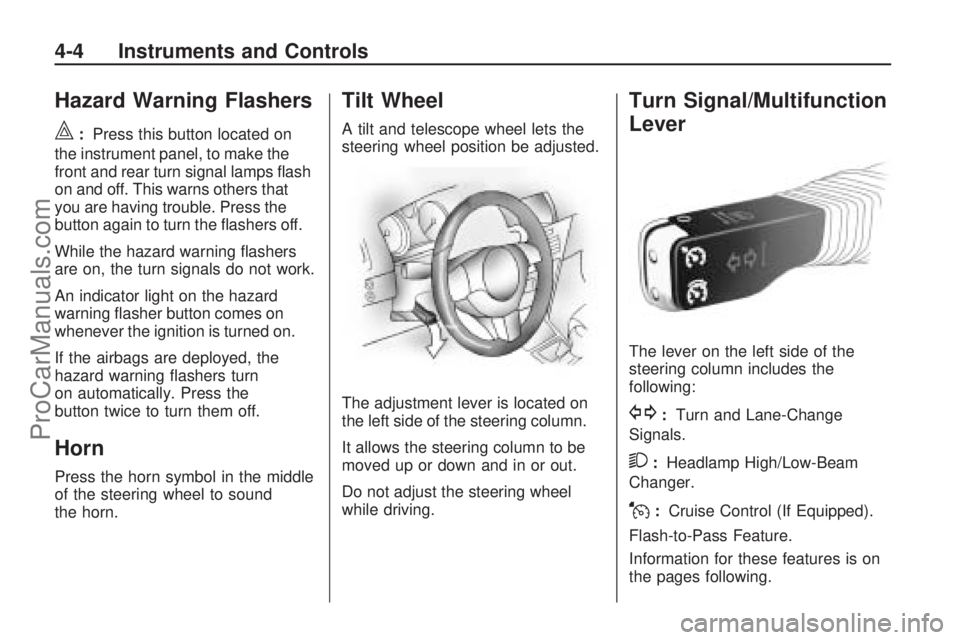
The lever on the left side of the
steering column includes the
following:
G:Turn and Lane-Change
Signals.
2:Headlamp High/Low-Beam
Changer.
J:Cruise Control (If Equipped).
Flash-to-Pass Feature.
Information for these features is on
the pages following.
4-4 Instruments and Controls
ProCarManuals.com
Page 82 of 304
Setting Cruise Control
For safety reasons the cruise
control cannot be turned on until
the brake has been applied once.
With automatic transmission, only
use cruise control in DRIVE (D).
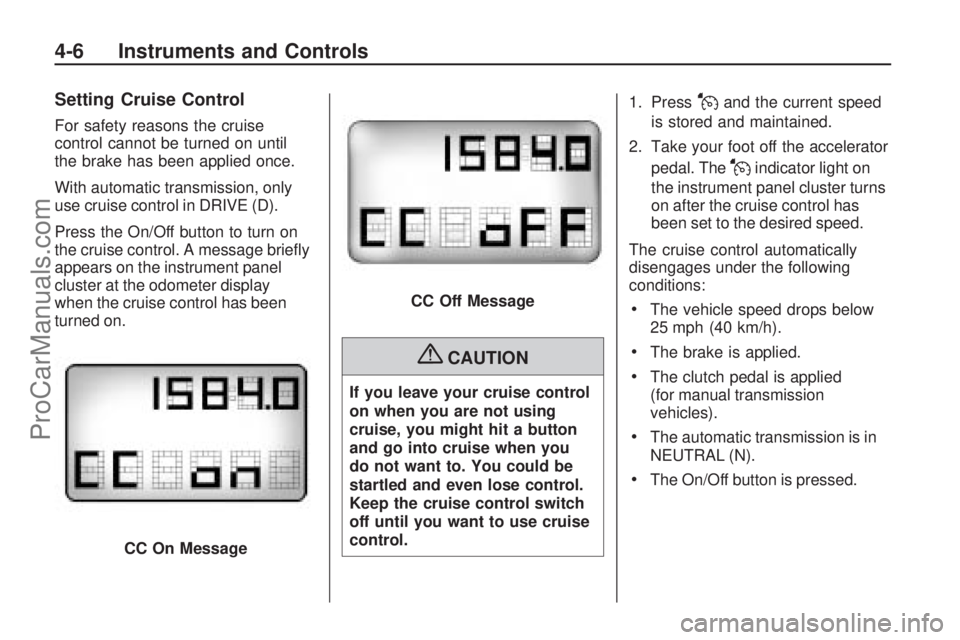
Press the On/Off button to turn on
the cruise control. A message briey
appears on the instrument panel
cluster at the odometer display
when the cruise control has been
turned on.
{CAUTION
If you leave your cruise control
on when you are not using
cruise, you might hit a button
and go into cruise when you
do not want to. You could be
startled and even lose control.
Keep the cruise control switch
off until you want to use cruise
control.1. Press
Jand the current speed
is stored and maintained.
2. Take your foot off the accelerator
pedal. The
Jindicator light on
the instrument panel cluster turns
on after the cruise control has
been set to the desired speed.
The cruise control automatically
disengages under the following
conditions:
The vehicle speed drops below
25 mph (40 km/h).
The brake is applied.
The clutch pedal is applied
(for manual transmission
vehicles).
The automatic transmission is in
NEUTRAL (N).
The On/Off button is pressed.
CC On Message
CC Off Message
4-6 Instruments and Controls
ProCarManuals.com
Page 83 of 304
Resuming a Set Speed
Once the vehicle speed reaches
about 25 mph (40 km/h) or more and
the cruise control is on, press
W.
The vehicle returns to the previous
speed selected before the cruise
was disengaged.
The stored speed is deleted if the
ignition is turned off.
Increasing Speed While Using
Cruise Control
Press and holdJuntil the
desired speed is reached,
then release it.
To increase vehicle speed
in small increments, briey
press
Jrepeatedly. Each
time this is done, the vehicle
speed increase by about 1 mph
(1.6 km/h) without using the
accelerator pedal.
When the
Jbutton is released
the current speed is stored
and maintained.
Reducing Speed While Using
Cruise Control
Press and holdWuntil the
desired lower speed is reached,
then release it.
To reduce vehicle speed in
small increments, briey
press
Wrepeatedly. Each time
this is done, the vehicle speed
decreases by about 1 mph
(1.6 km/h).
When the
Wbutton is released
the current speed is stored
and maintained.
Passing Another Vehicle
While Using Cruise Control
Use the accelerator pedal to
increase the vehicle speed. When
the accelerator pedal is released,
the vehicle will return to the
previously set cruise speed.
Using Cruise Control on Hills
How well the cruise control will work
on hills depends upon the vehicle
speed, load, and the steepness of
the hills. While going up steep hills,
you might have to step on the
accelerator pedal to maintain the
vehicle’s speed. While going
downhill, you might have to brake
or shift to a lower gear to keep the
vehicle’s speed down. Of course,
applying the brake turns off the
cruise control.
Ending Cruise Control
There are several ways to end
cruise control:
Step lightly on the brake or
clutch pedal.
The automatic transmission is
placed in NEUTRAL (N).
Press the9button.
Erasing Speed Memory
The cruise control set speed
memory is erased when the cruise
control or the ignition is turned off.
Instruments and Controls 4-7
ProCarManuals.com
Page 84 of 304
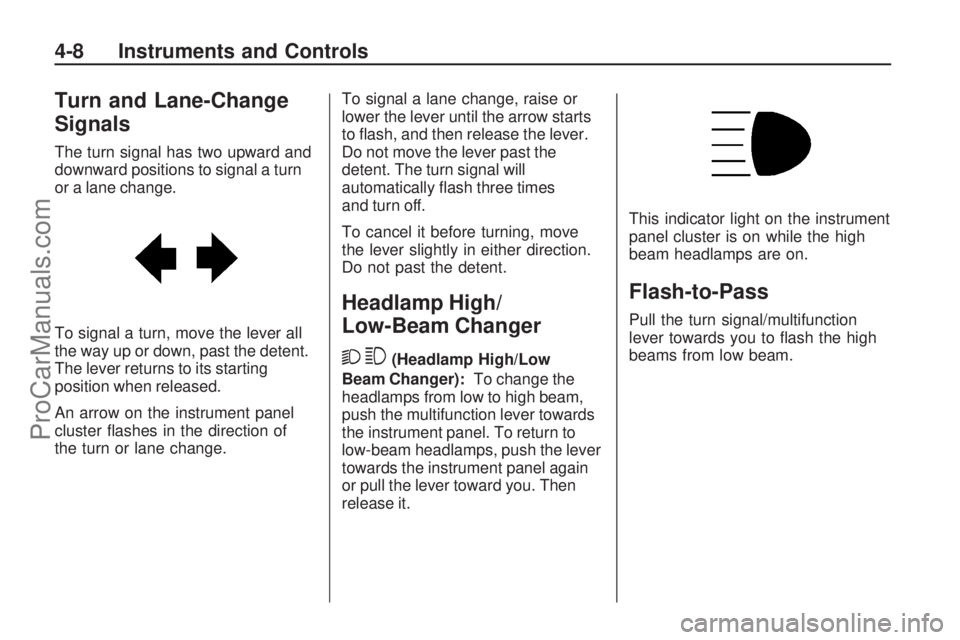
Turn and Lane-Change
Signals
The turn signal has two upward and
downward positions to signal a turn
or a lane change.
To signal a turn, move the lever all
the way up or down, past the detent.
The lever returns to its starting
position when released.
An arrow on the instrument panel
cluster ashes in the direction of
the turn or lane change.To signal a lane change, raise or
lower the lever until the arrow starts
to ash, and then release the lever.
Do not move the lever past the
detent. The turn signal will
automatically ash three times
and turn off.
To cancel it before turning, move
the lever slightly in either direction.
Do not past the detent.
Headlamp High/
Low-Beam Changer
23
(Headlamp High/Low
Beam Changer):To change the
headlamps from low to high beam,
push the multifunction lever towards
the instrument panel. To return to
low-beam headlamps, push the lever
towards the instrument panel again
or pull the lever toward you. Then
release it.This indicator light on the instrument
panel cluster is on while the high
beam headlamps are on.
Flash-to-Pass
Pull the turn signal/multifunction
lever towards you to ash the high
beams from low beam.
4-8 Instruments and Controls
ProCarManuals.com