wheel SATURN ASTRA 2009 Owner's Manual
[x] Cancel search | Manufacturer: SATURN, Model Year: 2009, Model line: ASTRA, Model: SATURN ASTRA 2009Pages: 314, PDF Size: 1.94 MB
Page 119 of 314
Infotainment
Audio System(s)
Audio System(s).................6-1
Radio(s).............................6-2
Theft-Deterrent Feature.....6-23
Audio Steering Wheel
Controls..........................6-23
Radio Reception...............6-24
Fixed Mast Antenna..........6-24
Audio System(s)
Determine which radio the vehicle
has and read the following pages to
become familiar with its features.
{CAUTION
Taking your eyes off the road for
extended periods could cause a
crash resulting in injury or death
to you or others. Do not give
extended attention to
entertainment tasks while driving.
This system provides access to
many audio and non audio listings.
To minimize taking your eyes off
the road while driving, do the
following while the vehicle is parked:
Become familiar with the
operation and controls of
the audio system.
Set up the tone, speaker
adjustments, and preset radio
stations.For more information, seeDefensive
Driving on page 8-16.
Notice:Contact your
dealer/retailer before adding any
equipment.
Adding audio or communication
equipment could interfere
with the operation of the vehicle’s
engine, radio, or other systems,
and could damage them.
Follow federal rules covering
mobile radio and telephone
equipment.
Infotainment 6-1
ProCarManuals.com
Page 141 of 314

Theft-Deterrent Feature
The audio system is equipped
with an electronic safety system to
prevent theft, and only works in
the vehicle.
Audio Steering Wheel
Controls
Some audio controls can be
adjusted at the steering wheel.Several functions of the audio
system can be operated with the
audio remote control buttons and the
rotary control located on both
sides of the steering wheel.
Depending on the vehicle’s features,
see the following audio controls:
Z(Rotary Control):Manually seek
a station by turning to move the
cursor either to the previous or next
screen entry. Press to conrm
the selection.
For the DIC (Driver Information
Center), press the rotary control to
call up the DIC menu. Press to
reset the current value. Press and
hold for two seconds to reset
all of the values.
Y:Press to go to the next preset
station if playing the radio.
Press to go to the beginning of a
currently playing CD or to the
next album on an MP3.
X:Press to toggle between the
radio and CD or MP3 as an
active source for playback.
^/_:Press the arrows to go back
or advance to the previous or
next preset station if playing the
radio. Press and hold to scroll
through the preset stations.
Press to go back or advance one
track at a time on a CD.
Press to quickly reverse or advance
through the tracks within a CD.
3(volume):Turn the rotary
control to adjust the volume. Press
and hold to adjust the volume
continuously.
Infotainment 6-23
ProCarManuals.com
Page 146 of 314
Outlet Adjustment
Use the thumbwheel below the air
outlets to change the direction of the
air ow. Use the vertical thumbwheel
next to the outlets to control the
amount of air ow or to shut off the
airow completely.
Keep all outlets open whenever
possible for best system
performance.
Operation Tips
Clear away any ice, snow, or
leaves from the air inlets at
the base of the windshield that
can block the ow of air into
the vehicle.
Use of non-GM approved hood
deectors can adversely affect
the performance of the system.
Keep the path under all seats
clear of objects to help circulate
the air inside the vehicle
more effectively.
If fogging reoccurs while in vent
or bi-level modes with mild
temperature throughout the
vehicle, turn on the air
conditioner to reduce windshield
fogging.
7-4 Climate Controls
ProCarManuals.com
Page 148 of 314

Starting and
Operating Your
Vehicle
New Vehicle Break-In
Notice:The vehicle does
not need an elaborate break-in.
But it will perform better in
the long run if you follow these
guidelines:
Do not drive at any one
constant speed, fast or slow,
for the rst 500 miles (805 km).
Do not make full-throttle
starts. Avoid downshifting to
brake or slow the vehicle.
Avoid making hard stops for
the rst 200 miles (322 km)
or so. During this time the new
brake linings are not yet
broken in. Hard stops with new
linings can mean premature
wear and earlier replacement.
Follow this breaking-in
guideline every time you get
new brake linings.Following break-in, engine speed
and load can be gradually
increased.
Ignition Positions
Use the key to turn the ignition
switch to four different positions.
Notice:Using a tool to force the
key to turn in the ignition could
cause damage to the switch or
break the key. Use the correct key,
make sure it is all the way in, and
turn it only with your hand. If the
key cannot be turned by hand, see
your dealer/retailer.To shift out of P (Park), the ignition
must be in the ON/RUN position
and the regular brake pedal must be
applied.
A (LOCK/OFF):This is the only
position from which you can remove
the key. This locks the steering
wheel, ignition and automatic
transmission.
On vehicles with an automatic
transmission, the shift lever must be
in P (Park) to turn the ignition
switch to the LOCK/OFF position.
The ignition switch can bind in the
LOCK/OFF position with your wheels
turned off center. If this happens,
move the steering wheel from right
to left while turning the key to
STEERING UNLOCK/IGNITION
OFF. If this doesn’t work, then the
vehicle needs service.
B (STEERING UNLOCKED/
IGNITION OFF):This position
unlocks the steering wheel.
8-2 Driving and Operating
ProCarManuals.com
Page 152 of 314

Automatic Transmission
Operation
If the vehicle has an automatic
transmission, the shift lever
is located on the console between
the seats.
The vehicle may also have an
electronic shift position indicator that
displays the position of the shift
lever. This indicator is located above
the trip odometer on the instrument
panel cluster.P (Park):This position locks the
front wheels. It is the best position to
use when the engine is started
because the vehicle cannot move
easily.
{CAUTION
It is dangerous to get out of the
vehicle if the shift lever is not fully
in P (Park) with the parking brake
rmly set. The vehicle can roll.
Do not leave the vehicle when the
engine is running unless you have
to. If you have left the engine
running, the vehicle can move
suddenly. You or others could be
injured. To be sure the vehicle will
not move, even when you are on
fairly level ground, always set the
parking brake and move the shift
lever to P (Park). SeeShifting Into
Park on page 8-11.Make sure the shift lever is fully in
P (Park) before starting the
engine. The vehicle has an
automatic transmission shift lock
control system. The regular brakes
must be applied before you can
shift from P (Park) when the ignition
key is in ON/RUN. If you cannot
shift out of P (Park) while holding the
brake pedal down, seeShifting
Out of Park on page 8-12.
R (Reverse):Use this gear to
back up.
Notice:Shifting to R (Reverse)
while the vehicle is moving
forward could damage the
transmission. The repairs would
not be covered by the vehicle
warranty. Shift to R (Reverse)
only after the vehicle is stopped.
To rock the vehicle back and
forth to get out of snow, ice, or sand
without damaging the transmission,
seeRocking Your Vehicle to Get
It Out on page 8-29.
8-6 Driving and Operating
ProCarManuals.com
Page 153 of 314
N (Neutral):In this position, the
engine does not connect with the
wheels. To restart the engine
when the vehicle is already moving,
use N (Neutral) only. Also, use
N (Neutral) when the vehicle is
being towed.
{CAUTION
Shifting into a drive gear while the
engine is running at high speed is
dangerous. Unless your foot is
rmly on the brake pedal, the
vehicle could move very rapidly.
You could lose control and hit
people or objects. Do not shift into
a drive gear while the engine is
running at high speed.
Notice:Shifting out of P (Park)
or N (Neutral) with the engine
running at high speed may
damage the transmission. The
repairs would not be covered by
the vehicle warranty. Be sure
the engine is not running at high
speed when shifting the vehicle.D (Drive):This position is for
normal driving.
Notice:If the vehicle seems to
start up rather slowly or not shift
gears when you go faster, and
you continue to drive the vehicle
that way, you could damage
the transmission. Have the
vehicle serviced right away.
3 (Third):This position is also used
for normal driving, however, it
offers more power and lower fuel
economy than D (Drive). Here
are some times you might choose
3 (Third) instead of D (Drive):
When driving on hilly, winding
roads.
When going down a steep hill.
2 (Second):This position gives you
more power but lower fuel
economy. Use 2 (Second) on hills.
It can help control the vehicles
speed as you go down steep
mountain roads, while using the
brakes off and on.Notice:Driving in 1 (First) for
more than 25 miles (40 km) or at
speeds over 55 mph (90 km/h)
may damage the transmission.
Also, shifting into 1 (First) at
speeds above 65 mph (105 km/h)
can cause damage. Drive in
3 (Third) or D (Drive) instead of
1 (First).
1 (First):This position gives you
even more power but lower
fuel economy than 2 (Second). Use
it on very steep hills, or in deep
snow or mud. If the shift lever is put
in 1 (First), the transmission does
not shift into rst gear until the
vehicle is going slowly enough.
Notice:Spinning the tires
or holding the vehicle in one
place on a hill using only the
accelerator pedal may damage
the transmission. The repair will
not be covered by the vehicle
warranty. If you are stuck, do not
spin the tires. When stopping on a
hill, use the brakes to hold the
vehicle in place.
Driving and Operating 8-7
ProCarManuals.com
Page 164 of 314

If the engine stops, there will still be
some power brake assist but it will be
used when the brake is applied.
Once the power assist is used up, it
can take longer to stop and the brake
pedal will be harder to push.
Adding non-dealer/non-retailer
accessories can affect vehicle
performance. SeeAccessories and
Modifications on page 9-3.
Antilock Brake
System (ABS)
This vehicle has the Antilock Brake
System (ABS), an advanced
electronic braking system that helps
prevent a braking skid.
When the engine is started and
the vehicle begins to drive away,
ABS checks itself. A momentary
motor or clicking noise might
be heard while this test is going on,
and it might even be noticed that
the brake pedal moves a little. This
is normal.If there is a problem with ABS, this
warning light stays on. See
Antilock Brake System (ABS)
Warning Light on page 4-17.
Let us say the road is wet and you
are driving safely. Suddenly, an
animal jumps out in front of you.
You slam on the brakes and continue
braking. Here is what happens
with ABS:
A computer senses that the wheels
are slowing down. If one of the
wheels is about to stop rolling, the
computer will separately work
the brakes at each wheel.
ABS can change the brake pressure
to each wheel, as required, faster
than any driver could. This can help
the driver steer around the
obstacle while braking hard.As the brakes are applied, the
computer keeps receiving updates
on wheel speed and controls braking
pressure accordingly.
Remember: ABS does not change
the time needed to get a foot
up to the brake pedal or always
decrease stopping distance. If you
get too close to the vehicle in
front of you, there will not be enough
time to apply the brakes if that
vehicle suddenly slows or stops.
Always leave enough room up
ahead to stop, even with ABS.Using ABS
Do not pump the brakes. Just hold
the brake pedal down rmly and
let antilock work. The antilock pump
or motor might be heard operating,
and the brake pedal might be
felt to pulsate, but this is normal.
8-18 Driving and Operating
ProCarManuals.com
Page 165 of 314

Braking in Emergencies
ABS allows the driver to steer and
brake at the same time. In many
emergencies, steering can help
more than even the very best
braking.
StabiliTrak®System
The vehicle may have StabiliTrak
which combines antilock brake,
traction and stability control systems
and helps the driver maintain
directional control of the vehicle
in most driving conditions.
When the vehicle is rst started and
driven away, the system performs
several diagnostic checks to ensure
there are no problems. The system
may be heard or felt while it is
working. This is normal and does not
mean there is a problem with the
vehicle. The system should initialize
before the vehicle reaches 20 mph
(32 km/h).The system monitors vehicle
movements, and helps the driver
maintain control of the vehicle in
most driving situations. When the
vehicle’s stability is affected the
engine output is reduced, and the
brakes are applied to individual
wheels.
This light on the instrument panel
cluster will come on briey when the
ignition is turned on.
StabiliTrak is automatically enabled
whenever the vehicle is started. To
assist the driver with vehicle
directional control, especially in
slippery road conditions, the system
should always be left on. The system
can be turned off if needed.It is recommended to leave the
system on for normal driving
conditions, but it may be necessary
to turn the system off if the vehicle is
stuck in sand, mud, ice or snow, and
you want to “rock” the vehicle to
attempt to free it. It may also be
necessary to turn off the system
when driving in extreme off-road
conditions where high wheel spin is
required. SeeIf Your Vehicle is Stuck
in Sand, Mud, Ice, or Snow on
page 8-29.
StabiliTrak may also turn off
automatically if it determines that a
problem exists with the system.
The light on the instrument panel
cluster will be on solid to warn
the driver that StabiliTrak is disabled
and requires service. If the problem
does not clear after restarting
the vehicle, see your dealer/retailer
for service.
Driving and Operating 8-19
ProCarManuals.com
Page 166 of 314
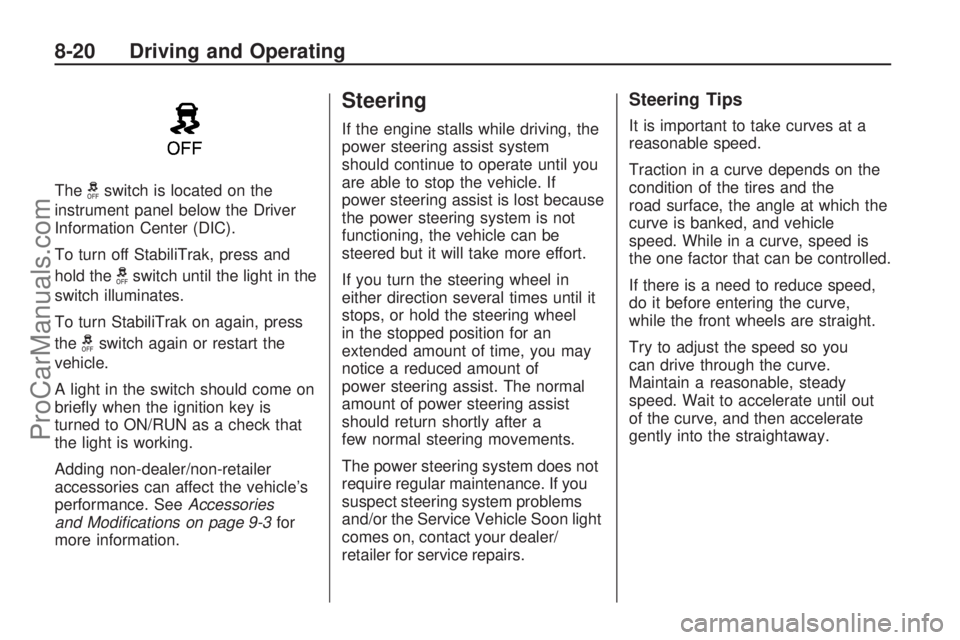
Thegswitch is located on the
instrument panel below the Driver
Information Center (DIC).
To turn off StabiliTrak, press and
hold the
gswitch until the light in the
switch illuminates.
To turn StabiliTrak on again, press
the
gswitch again or restart the
vehicle.
A light in the switch should come on
briey when the ignition key is
turned to ON/RUN as a check that
the light is working.
Adding non-dealer/non-retailer
accessories can affect the vehicle’s
performance. SeeAccessories
and Modifications on page 9-3for
more information.
Steering
If the engine stalls while driving, the
power steering assist system
should continue to operate until you
are able to stop the vehicle. If
power steering assist is lost because
the power steering system is not
functioning, the vehicle can be
steered but it will take more effort.
If you turn the steering wheel in
either direction several times until it
stops, or hold the steering wheel
in the stopped position for an
extended amount of time, you may
notice a reduced amount of
power steering assist. The normal
amount of power steering assist
should return shortly after a
few normal steering movements.
The power steering system does not
require regular maintenance. If you
suspect steering system problems
and/or the Service Vehicle Soon light
comes on, contact your dealer/
retailer for service repairs.
Steering Tips
It is important to take curves at a
reasonable speed.
Traction in a curve depends on the
condition of the tires and the
road surface, the angle at which the
curve is banked, and vehicle
speed. While in a curve, speed is
the one factor that can be controlled.
If there is a need to reduce speed,
do it before entering the curve,
while the front wheels are straight.
Try to adjust the speed so you
can drive through the curve.
Maintain a reasonable, steady
speed. Wait to accelerate until out
of the curve, and then accelerate
gently into the straightaway.
8-20 Driving and Operating
ProCarManuals.com
Page 167 of 314

Steering in Emergencies
There are times when steering can
be more effective than braking. For
example, you come over a hill and
nd a truck stopped in your lane, or a
car suddenly pulls out from nowhere,
or a child darts out from between
parked cars and stops right in front of
you. These problems can be avoided
by braking — if you can stop in time.
But sometimes you cannot stop in
time because there is no room.
That is the time for evasive
action — steering around the
problem.
The vehicle can perform very well
in emergencies like these. First
apply the brakes. SeeBraking on
page 8-17. It is better to remove as
much speed as possible from a
collision. Then steer around the
problem, to the left or right
depending on the space available.An emergency like this requires
close attention and a quick decision.
If holding the steering wheel at
the recommended 9 and 3 o’clock
positions, it can be turned a full
180 degrees very quickly without
removing either hand. But you have
to act fast, steer quickly, and just
as quickly straighten the wheel once
you have avoided the object.
The fact that such emergency
situations are always possible is a
good reason to practice defensive
driving at all times and wear
safety belts properly.
Off-Road Recovery
The vehicle’s right wheels can drop
off the edge of a road onto the
shoulder while driving.
If the level of the shoulder is only
slightly below the pavement,
recovery should be fairly easy.
Ease off the accelerator and then, if
there is nothing in the way, steer so
that the vehicle straddles the edge
of the pavement. Turn the steering
wheel 3 to 5 inches, 8 to 13 cm,
(about one-eighth turn) until the right
front tire contacts the pavement
edge. Then turn the steering wheel to
go straight down the roadway.
Driving and Operating 8-21
ProCarManuals.com