steering SATURN AURA 2008 User Guide
[x] Cancel search | Manufacturer: SATURN, Model Year: 2008, Model line: AURA, Model: SATURN AURA 2008Pages: 362, PDF Size: 2.29 MB
Page 123 of 362
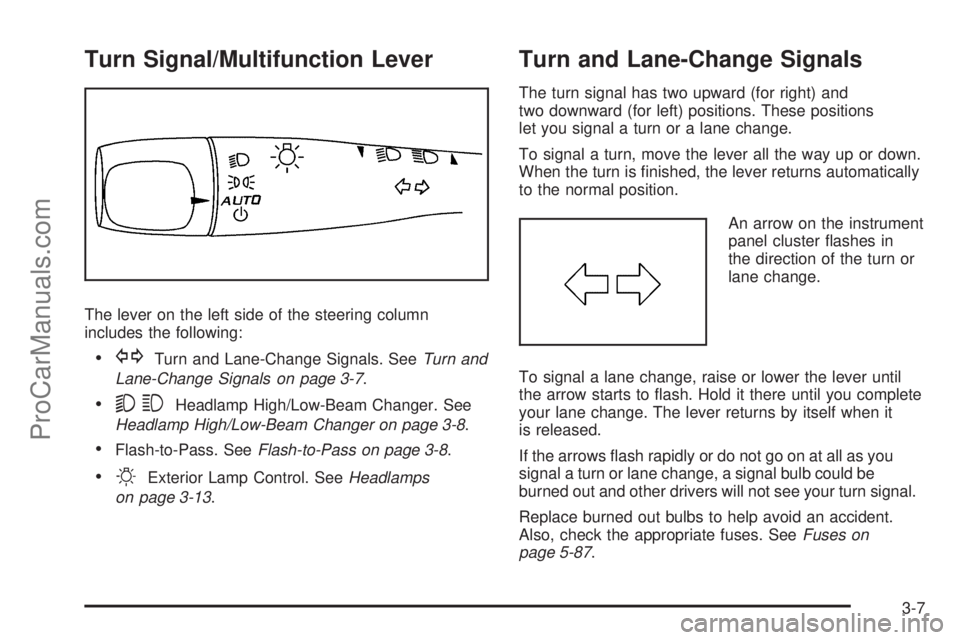
Turn Signal/Multifunction Lever
The lever on the left side of the steering column
includes the following:
GTurn and Lane-Change Signals. SeeTurn and
Lane-Change Signals on page 3-7.
53Headlamp High/Low-Beam Changer. See
Headlamp High/Low-Beam Changer on page 3-8.
Flash-to-Pass. SeeFlash-to-Pass on page 3-8.
OExterior Lamp Control. SeeHeadlamps
on page 3-13.
Turn and Lane-Change Signals
The turn signal has two upward (for right) and
two downward (for left) positions. These positions
let you signal a turn or a lane change.
To signal a turn, move the lever all the way up or down.
When the turn is nished, the lever returns automatically
to the normal position.
An arrow on the instrument
panel cluster ashes in
the direction of the turn or
lane change.
To signal a lane change, raise or lower the lever until
the arrow starts to ash. Hold it there until you complete
your lane change. The lever returns by itself when it
is released.
If the arrows ash rapidly or do not go on at all as you
signal a turn or lane change, a signal bulb could be
burned out and other drivers will not see your turn signal.
Replace burned out bulbs to help avoid an accident.
Also, check the appropriate fuses. SeeFuses on
page 5-87.
3-7
ProCarManuals.com
Page 124 of 362
Headlamp High/Low-Beam Changer
To change the headlamps from low beam to high
beam, push the turn signal/multifunction lever away
from you.
This light comes on in the
instrument panel cluster if
the high beam lamps
are turned on while the
ignition is in ON/RUN.
To change the headlamps from high beam to low beam,
pull the turn signal lever toward you.
Flash-to-Pass
This feature lets you use your high-beam headlamps to
signal a driver in front of you that you want to pass.
To use it, pull the turn signal/multifunction lever toward
you until the high-beam headlamps come on, then
release the lever to turn them off.
Windshield Wipers
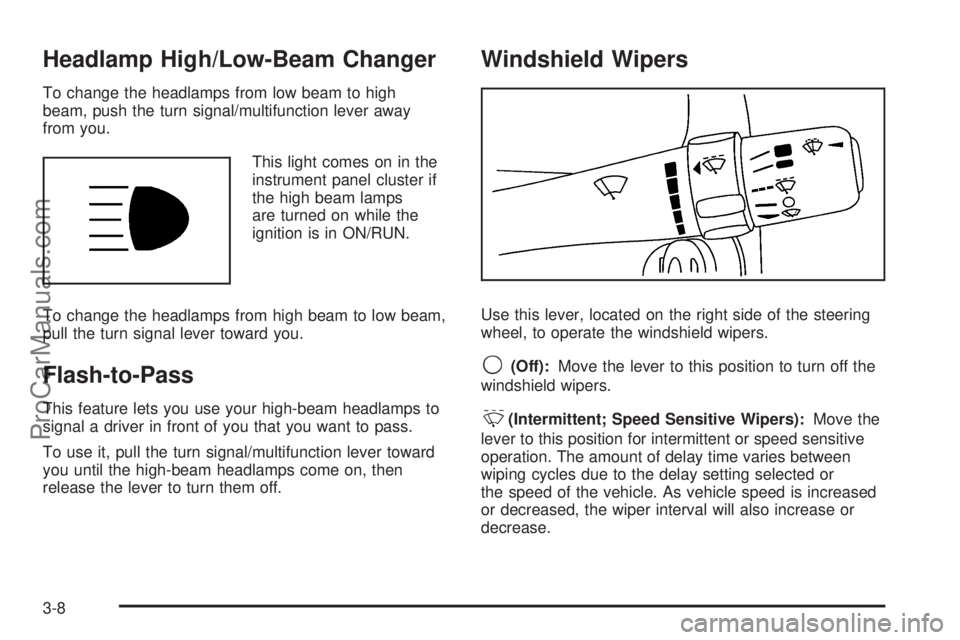
Use this lever, located on the right side of the steering
wheel, to operate the windshield wipers.
9(Off):Move the lever to this position to turn off the
windshield wipers.
&(Intermittent; Speed Sensitive Wipers):Move the
lever to this position for intermittent or speed sensitive
operation. The amount of delay time varies between
wiping cycles due to the delay setting selected or
the speed of the vehicle. As vehicle speed is increased
or decreased, the wiper interval will also increase or
decrease.
3-8
ProCarManuals.com
Page 126 of 362
Cruise Control
Cruise control lets a speed of about 25 mph (40 km/h)
or more be maintained without keeping your foot on the
accelerator. This can really help on long trips. Cruise
control does not work at speeds below 25 mph (40 km/h).
{CAUTION:
Cruise control can be dangerous where you
cannot drive safely at a steady speed. So, do
not use your cruise control on winding roads
or in heavy traffic.
Cruise control can be dangerous on slippery
roads. On such roads, fast changes in tire
traction can cause excessive wheel slip, and
you could lose control. Do not use cruise
control on slippery roads.
Setting Cruise Control
{CAUTION:
If you leave your cruise control on when you
are not using cruise, you might hit a button
and go into cruise when you do not want to.
You could be startled and even lose control.
Keep the cruise control switch off until you
want to use cruise control.
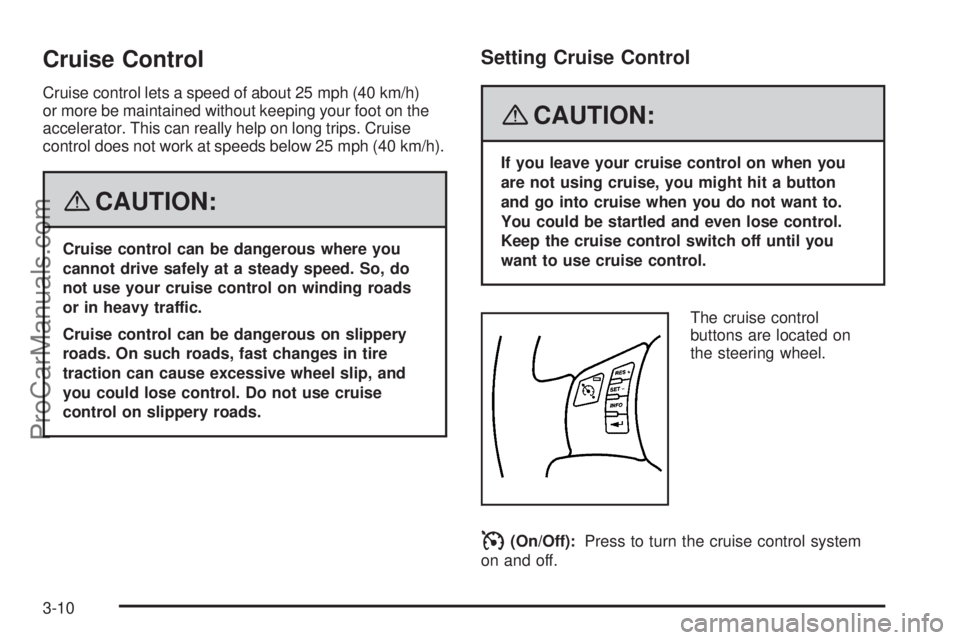
The cruise control
buttons are located on
the steering wheel.
I(On/Off):Press to turn the cruise control system
on and off.
3-10
ProCarManuals.com
Page 129 of 362
Headlamps
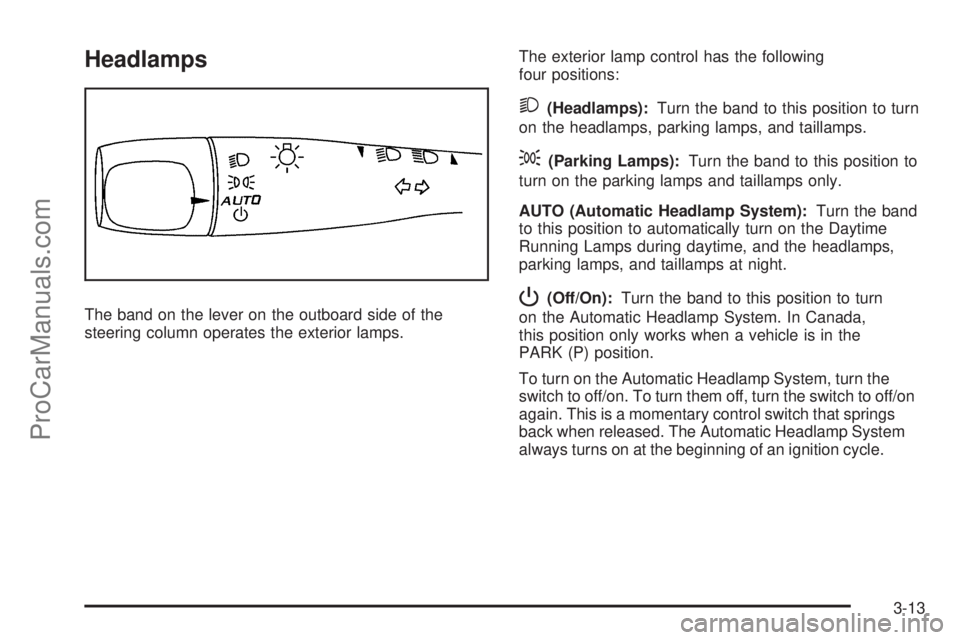
The band on the lever on the outboard side of the
steering column operates the exterior lamps.The exterior lamp control has the following
four positions:
2(Headlamps):Turn the band to this position to turn
on the headlamps, parking lamps, and taillamps.
;(Parking Lamps):Turn the band to this position to
turn on the parking lamps and taillamps only.
AUTO (Automatic Headlamp System):Turn the band
to this position to automatically turn on the Daytime
Running Lamps during daytime, and the headlamps,
parking lamps, and taillamps at night.
P(Off/On):Turn the band to this position to turn
on the Automatic Headlamp System. In Canada,
this position only works when a vehicle is in the
PARK (P) position.
To turn on the Automatic Headlamp System, turn the
switch to off/on. To turn them off, turn the switch to off/on
again. This is a momentary control switch that springs
back when released. The Automatic Headlamp System
always turns on at the beginning of an ignition cycle.
3-13
ProCarManuals.com
Page 132 of 362
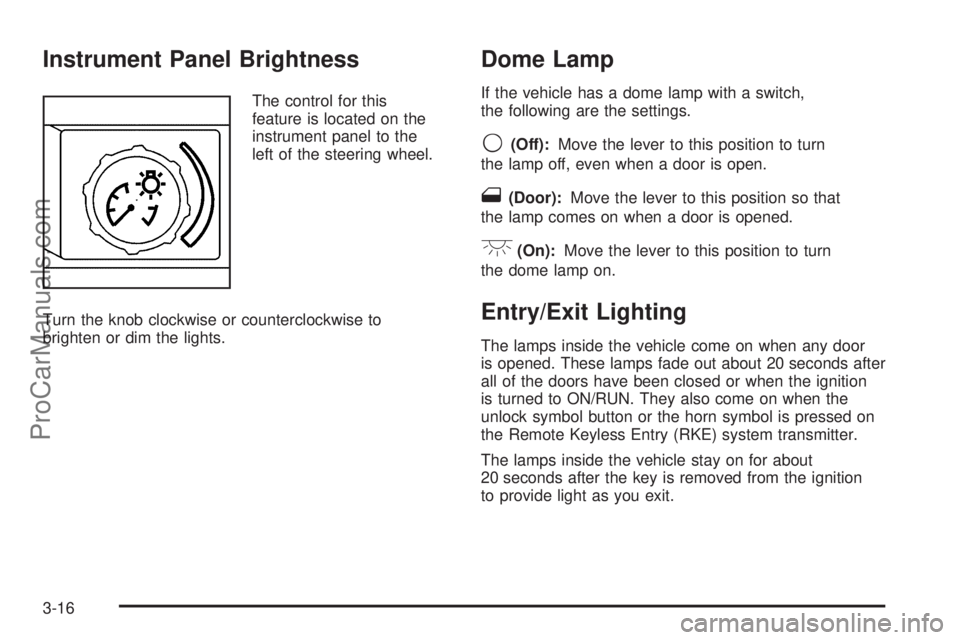
Instrument Panel Brightness
The control for this
feature is located on the
instrument panel to the
left of the steering wheel.
Turn the knob clockwise or counterclockwise to
brighten or dim the lights.
Dome Lamp
If the vehicle has a dome lamp with a switch,
the following are the settings.
9(Off):Move the lever to this position to turn
the lamp off, even when a door is open.
1(Door):Move the lever to this position so that
the lamp comes on when a door is opened.
+(On):Move the lever to this position to turn
the dome lamp on.
Entry/Exit Lighting
The lamps inside the vehicle come on when any door
is opened. These lamps fade out about 20 seconds after
all of the doors have been closed or when the ignition
is turned to ON/RUN. They also come on when the
unlock symbol button or the horn symbol is pressed on
the Remote Keyless Entry (RKE) system transmitter.
The lamps inside the vehicle stay on for about
20 seconds after the key is removed from the ignition
to provide light as you exit.
3-16
ProCarManuals.com
Page 159 of 362
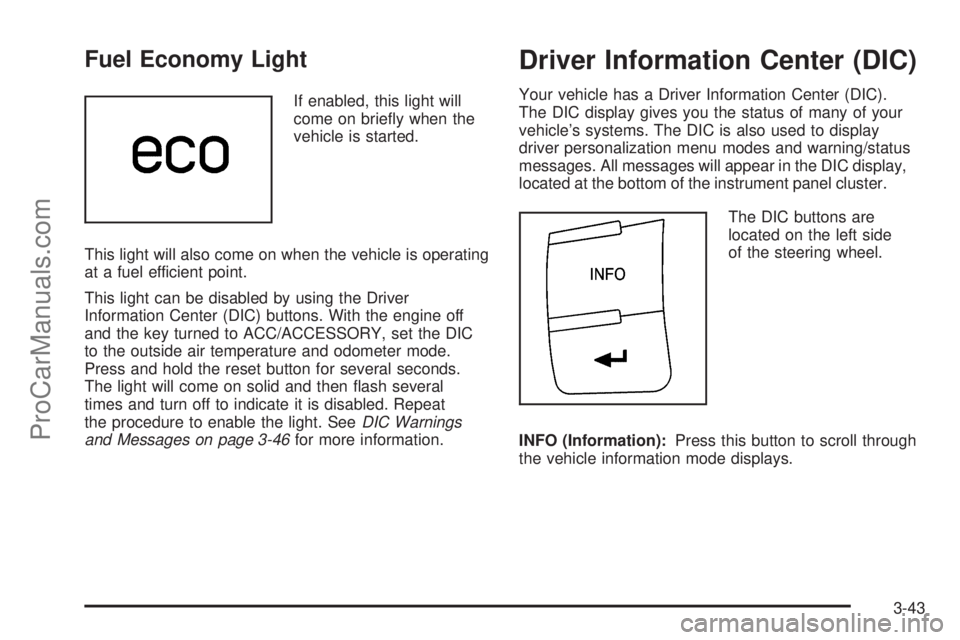
Fuel Economy Light
If enabled, this light will
come on briey when the
vehicle is started.
This light will also come on when the vehicle is operating
at a fuel efficient point.
This light can be disabled by using the Driver
Information Center (DIC) buttons. With the engine off
and the key turned to ACC/ACCESSORY, set the DIC
to the outside air temperature and odometer mode.
Press and hold the reset button for several seconds.
The light will come on solid and then ash several
times and turn off to indicate it is disabled. Repeat
the procedure to enable the light. SeeDIC Warnings
and Messages on page 3-46for more information.
Driver Information Center (DIC)
Your vehicle has a Driver Information Center (DIC).
The DIC display gives you the status of many of your
vehicle’s systems. The DIC is also used to display
driver personalization menu modes and warning/status
messages. All messages will appear in the DIC display,
located at the bottom of the instrument panel cluster.
The DIC buttons are
located on the left side
of the steering wheel.
INFO (Information):Press this button to scroll through
the vehicle information mode displays.
3-43
ProCarManuals.com
Page 165 of 362
LOW TRACTION
If your vehicle has the Traction Control System (TCS),
this message displays and the ESC/TCS light on
the instrument panel cluster ashes when the system
is actively limiting wheel spin. Slippery road conditions
may exist if this message is displayed, so adjust
your driving accordingly. This message stays on for a
few seconds after the system stops limiting wheel spin.
SeeTraction Control System (TCS) on page 4-6and
Electronic Stability Control (ESC)/Traction Control
System (TCS) Indicator/Warning Light on page 3-34
for more information.
LOW WASHER FLUID
This message displays when the vehicle’s windshield
washer uid is low. Fill the windshield washer uid
reservoir to the proper level as soon as possible.
SeeWindshield Washer Fluid on page 5-32.
POWER STEERING
This message displays if a problem has been detected
with the electric power steering. Have your vehicle
serviced by your dealer/retailer immediately.
PUSH PARK PEDAL
This message displays if the parking brake is left
engaged. SeeParking Brake on page 2-28for
more information.
SERVICE AIR BAG
This message displays when there is a problem with
the airbag system. Have your vehicle serviced by your
dealer/retailer immediately.
SERVICE ESC (ELECTRONIC STABILITY
CONTROL)
If your vehicle has Electronic Stability Control (ESC),
this message displays and a chime sounds if there has
been a problem detected with ESC. The ESC/TCS
light also appears on the instrument panel cluster. This
light stays on solid as long as the detected problem
remains present. When this message displays, the
system is not working. Adjust your driving accordingly.
SeeElectronic Stability Control (ESC) on page 4-8
andElectronic Stability Control (ESC)/Traction Control
System (TCS) Indicator/Warning Light on page 3-34
for more information.
If this message turns on while you are driving, pull
off the road as soon as possible and stop carefully.
Try resetting the system by turning the ignition off and
then back on. If this message still stays on or turns
back on again while you are driving, your vehicle needs
service. Have the ESC inspected by your dealer/retailer
as soon as possible.
3-49
ProCarManuals.com
Page 172 of 362
Audio System(s)
Determine which radio your vehicle has and then read
the pages following to familiarize yourself with its
features.
{CAUTION:
This system provides you with far greater
access to audio stations and song listings.
Giving extended attention to entertainment
tasks while driving can cause a crash and you
or others can be injured or killed. Always keep
your eyes on the road and your mind on the
drive — avoid engaging in extended searching
while driving.
Keeping your mind on the drive is important for safe
driving. SeeDefensive Driving on page 4-2. Here
are some ways in which you can help avoid distraction
while driving.While your vehicle is parked:
Familiarize yourself with all of its controls.
Familiarize yourself with its operation.
Set up your audio system by presetting your
favorite radio stations, setting the tone, and
adjusting the speakers. Then, when driving
conditions permit, you can tune to your favorite
radio stations using the presets and steering wheel
controls if the vehicle has them.
Notice:Before adding any sound equipment to
your vehicle, such as an audio system, CD player,
CB radio, mobile telephone, or two-way radio, make
sure that it can be added by checking with your
dealer/retailer. Also, check federal rules covering
mobile radio and telephone units. If sound equipment
can be added, it is very important to do it properly.
Added sound equipment may interfere with the
operation of your vehicle’s engine, radio, or other
systems, and even damage them. Your vehicle’s
systems may interfere with the operation of sound
equipment that has been added.
Your vehicle has a feature called Retained Accessory
Power (RAP). With RAP, the audio system can be
played even after the ignition is turned off. See
Retained Accessory Power (RAP) on page 2-21for
more information.
3-56
ProCarManuals.com
Page 176 of 362
Storing a Radio Station as a Favorite
Drivers are encouraged to set up their radio station
favorites while the vehicle is parked. Tune to your
favorite stations using the presets, favorites button, and
steering wheel controls if the vehicle has this feature.
SeeDefensive Driving on page 4-2.
FAV (Favorites):A maximum of 36 stations can be
programmed as favorites using the six pushbuttons
positioned below the radio station frequency labels and
by using the radio favorites page button (FAV button).
Press the FAV button to go through up to six pages
of favorites, each having six favorite stations available
per page. Each page of favorites can contain any
combination of AM, FM, or XM™ (if equipped) stations.
To store a station as a favorite, perform the following
steps:
1. Tune to the desired radio station.
2. Press the FAV button to display the page where the
station is to be stored.
3. Press and hold one of the six pushbuttons until a
beep sounds. When that pushbutton is pressed
and released again, the station that was set,
returns.
4. Repeat the steps for each radio station you want
stored as a favorite.The number of favorites pages can be setup using the
MENU button. To setup the number of favorites
pages, perform the following steps:
1. Press the MENU button to display the radio
setup menu.
2. Press the pushbutton located below the
FAV 1-6 label.
3. Select the desired number of favorites pages by
pressing the pushbutton located below the
displayed page numbers.
4. Press the FAV button, or let the menu time out,
to return to the original main radio screen showing
the radio station frequency labels and to begin
the process of programming your favorites for the
chosen amount of numbered pages.
3-60
ProCarManuals.com
Page 188 of 362
Theft-Deterrent Feature
THEFTLOCK®is designed to discourage theft of your
vehicle’s radio. The feature works automatically by
learning a portion of the Vehicle Identication
Number (VIN). If the radio is moved to a different
vehicle, it does not operate and LOC, LOCK, or
LOCKED could display.
With THEFTLOCK
®activated, the radio does not
operate if stolen.
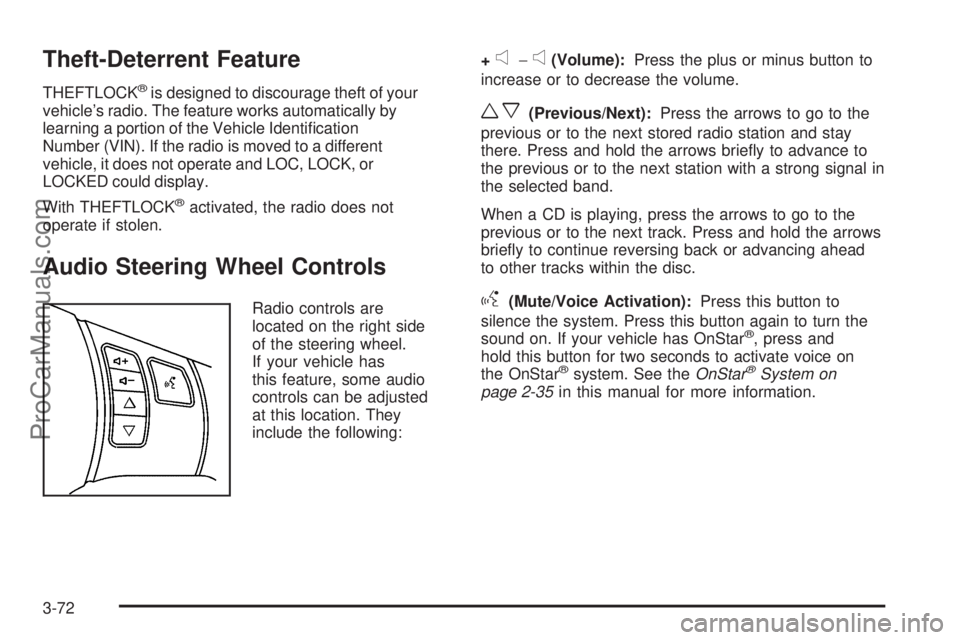
Audio Steering Wheel Controls
Radio controls are
located on the right side
of the steering wheel.
If your vehicle has
this feature, some audio
controls can be adjusted
at this location. They
include the following:+
e−e(Volume):Press the plus or minus button to
increase or to decrease the volume.
wx(Previous/Next):Press the arrows to go to the
previous or to the next stored radio station and stay
there. Press and hold the arrows briey to advance to
the previous or to the next station with a strong signal in
the selected band.
When a CD is playing, press the arrows to go to the
previous or to the next track. Press and hold the arrows
briey to continue reversing back or advancing ahead
to other tracks within the disc.
g(Mute/Voice Activation):Press this button to
silence the system. Press this button again to turn the
sound on. If your vehicle has OnStar
®, press and
hold this button for two seconds to activate voice on
the OnStar
®system. See theOnStar®System on
page 2-35in this manual for more information.
3-72
ProCarManuals.com