brake SATURN AURA 2010 User Guide
[x] Cancel search | Manufacturer: SATURN, Model Year: 2010, Model line: AURA, Model: SATURN AURA 2010Pages: 428, PDF Size: 2.78 MB
Page 137 of 428
If the vehicle has an uncharged battery or a battery with
low voltage, try charging or jump starting the battery.
SeeJump Starting on page 6-36for more information.
To shift out of P (Park):
1. Apply the brake pedal.
2. Press the shift lever button.
3. Move the shift lever to the desired position.
If you still are unable to shift out of P (Park):
1. Fully release the shift lever button.
2. While holding down the brake pedal, press the shift
lever button again.
3. Move the shift lever to the desired position.
If you still cannot move the shift lever from P (Park), see
your dealer/retailer.Parking Over Things That Burn
{WARNING:
Things that can burn could touch hot exhaust
parts under the vehicle and ignite. Do not park
over papers, leaves, dry grass, or other things that
can burn.
3-29
ProCarManuals.com
Page 139 of 428

Running the Vehicle While Parked
It is better not to park with the engine running. But if you
ever have to, here are some things to know.
{WARNING:
Idling a vehicle in an enclosed area with poor
ventilation is dangerous. Engine exhaust may
enter the vehicle. Engine exhaust contains Carbon
Monoxide (CO) which cannot be seen or smelled.
It can cause unconsciousness and even death.
Never run the engine in an enclosed area that has
no fresh air ventilation. For more information, see
Engine Exhaust on page 3-30.
{WARNING:
It can be dangerous to get out of the vehicle if the
automatic transmission shift lever is not fully in
P (Park) with the parking brake firmly set. The
vehicle can roll. Do not leave the vehicle when the
engine is running unless you have to. If you have
left the engine running, the vehicle can move
suddenly. You or others could be injured. To be
sure the vehicle will not move, even when you are
on fairly level ground, always set the parking
brake and move the shift lever to P (Park).
Follow the proper steps to be sure the vehicle will not
move. SeeShifting Into Park on page 3-27.
If parking on a hill and pulling a trailer, seeTowing a
Trailer on page 5-27.
3-31
ProCarManuals.com
Page 153 of 428
Instrument Panel Overview...............................4-3
Hazard Warning Flashers................................4-3
Horn .............................................................4-3
Tilt and Telescopic Steering Wheel...................4-3
Turn Signal/Multifunction Lever.........................4-4
Turn and Lane-Change Signals........................4-4
Headlamp High/Low-Beam Changer..................4-5
Flash-to-Pass.................................................4-5
Windshield Wipers..........................................4-5
Windshield Washer.........................................4-6
Cruise Control................................................4-7
Headlamps..................................................4-10
Headlamps on Reminder................................4-10
Headlamps Off in Park..................................4-10
Delayed Headlamps......................................4-11
Daytime Running Lamps (DRL).......................4-11
Automatic Headlamp System..........................4-11
Fog Lamps ..................................................4-12
Instrument Panel Brightness...........................4-13
Dome Lamps ...............................................4-13
Entry/Exit Lighting.........................................4-13
Parade Dimming...........................................4-13
Reading Lamps............................................4-13Electric Power Management...........................4-14
Battery Run-Down Protection..........................4-14
Accessory Power Outlet(s).............................4-15
Climate Controls............................................4-16
Climate Control System.................................4-16
Automatic Climate Control System...................4-19
Outlet Adjustment.........................................4-23
Warning Lights, Gages, and Indicators............4-24
Instrument Panel Cluster................................4-25
Speedometer and Odometer...........................4-26
Trip Odometer..............................................4-26
Tachometer................................................
.4-26
Safety Belt Reminders...................................4-26
Airbag Readiness Light..................................4-28
Passenger Airbag Status Indicator...................4-29
Charging System Light..................................4-30
Brake System Warning Light..........................4-30
Antilock Brake System (ABS) Warning Light.....4-31
Electronic Stability Control (ESC)/Traction
Control System (TCS) Indicator/Warning
Light........................................................4-32
Engine Coolant Temperature Warning Light......4-33
Engine Coolant Temperature Gage..................4-33
Section 4 Instrument Panel
4-1
ProCarManuals.com
Page 160 of 428
RES+ (Resume):Press to resume a set speed and to
accelerate the speed.
SET−(Set):Press to set a speed and to decrease the
speed.
To set a speed do the following:
1. Press
Ito turn cruise control on. The indicator
light on the button comes on.
2. Get up to the desired speed.
3. Press the SET−and release it. The cruise symbol
displays in the instrument panel cluster to show the
system is engaged.
4. Take your foot off the accelerator pedal.
When the brakes are applied, the cruise control
shuts off.
If the vehicle is in cruise control and the Traction
Control System (TCS) begins to limit wheel spin, the
cruise control automatically disengages. SeeTraction
Control System (TCS) on page 5-7. When road
conditions allow, the cruise control can be used again.
Resuming a Set Speed
If the cruise control is set at a desired speed and then
the brakes are applied, the cruise control is disengaged.
But it does not need to be reset. The cruise symbol in
the instrument panel cluster also goes out indicating
cruise is no longer engaged. Once the vehicle speed is
40 km/h (25 mph) or more, briefly press the RES+.
The vehicle returns to the previously set speed
and stays there.
Increasing Speed While Using Cruise
Control
There are two ways to increase the vehicle speed while
using cruise control:
•If the cruise control system is already engaged,
press and hold the RES+ button until the desired
speed is reached, then release it.
•To increase the vehicle speed in small amounts,
briefly press the RES+ and then release it. Each
time this is done, the vehicle goes about 1.6 km/h
(1 mph) faster.
4-8
ProCarManuals.com
Page 161 of 428
Reducing Speed While Using Cruise
Control
If the cruise control system is already engaged:
•Press and hold the SET−until the desired lower
speed is reached, then release it.
•To slow down in very small amounts, briefly push
the SET−. Each time this is done, the vehicle
goes about 1.6 km/h (1 mph) slower.
Passing Another Vehicle While Using
Cruise Control
Use the accelerator pedal to increase the vehicle’s
speed. When you take your foot off the pedal, the
vehicle slows down to the previously set cruise
control speed.
Using Cruise Control on Hills
How well the cruise control works on hills depends upon
the vehicle’s speed, load, and the steepness of the
hills. When going up steep hills, you might have to step
on the accelerator pedal to maintain the vehicle’s
speed. When going downhill, you might have to brake
or shift to a lower gear to keep the vehicle at a
lower speed. When the brakes are applied this ends the
cruise control.
Ending Cruise Control
There are two ways to disengage the cruise control:
•Step lightly on the brake pedal; when cruise control
disengages, the cruise symbol in the instrument
panel cluster goes out.
•Press theIbutton, to turn off the cruise control
system.
Erasing Speed Memory
The cruise control set speed memory is erased when
the cruise control or the ignition is turned off.
4-9
ProCarManuals.com
Page 163 of 428

Delayed Headlamps
The delayed headlamps feature keeps the headlamps
on for 20 seconds after the key is turned to LOCK/OFF,
then the headlamps automatically turn off.
To override the 20 second delayed headlamp feature
while it is active turn the turn signal/multifunction
lever up one position and then back to AUTO.
Daytime Running Lamps (DRL)
Daytime Running Lamps (DRL) can make it easier for
others to see the front of your vehicle during the
day. Fully functional DRL are required on all vehicles
first sold in Canada. The vehicle has a light sensor
on top of the instrument panel that controls the DRL.
Do not cover this sensor or the head lamps will be
on when they are not needed.
The DRL system makes the low-beam headlamps come
on at a reduced brightness when the following
conditions are met:
•The ignition is on.
•The exterior lamps control is in AUTO.
•The exterior lamps control is in the parking lamps
only position (This applies only to vehicles that
are first sold in Canada).
•The light sensor detects daytime light.
•The parking brake is released or the vehicle is not
in P (Park).
When the DRL system is on, the taillamps, sidemarker
lamps, parking lamps, and instrument panel lights
are not on unless you turn the exterior lamps control to
the parking lamp position.
The regular headlamp system should be turned on
when they are needed.
Automatic Headlamp System
When it is dark enough outside, the automatic headlamp
system turns on the headlamps at the normal brightness
along with other lamps such as the taillamps,
sidemarker, parking lamps, and the instrument panel
lights. The radio lights will also be dim.
The vehicle has a light sensor on top of the instrument
panel that controls the automatic headlamp system.
Do not cover the sensor or the automatic headlamp
system will turn on when it is not needed.
There is a delay in the transition between the daytime
and nighttime operation of the DRL and the automatic
headlamp systems so that driving under bridges or
bright overhead street lights does not affect the system.
4-11
ProCarManuals.com
Page 182 of 428

Charging System Light
This light comes on briefly
when the ignition key is
turned to START, but
the engine is not running,
as a check to show it
is working.
If it does not, have the vehicle serviced by your
dealer/retailer.
The light should go out once the engine starts. If it stays
on, or comes on while driving, there could be a
problem with the charging system. A charging system
message in the Driver Information Center (DIC) can also
appear. SeeDIC Warnings and Messages on page 4-42
for more information. This light could indicate that
there are problems with a generator drive belt, or that
there is an electrical problem. Have it checked right
away. If the vehicle must be driven a short distance with
the light on, turn off accessories, such as the radio
and air conditioner.
Brake System Warning Light
The vehicle’s hydraulic brake system is divided into two
parts. If one part is not working, the other part can
still work and stop the vehicle. For good braking both
parts need to be working.
If the warning light comes on, there is a brake problem.
Have the brake system inspected right away.
{WARNING:
The brake system might not be working properly if
the brake system warning light is on. Driving with
the brake system warning light on can lead to a
WARNING: (Continued)
United StatesCanada
4-30
ProCarManuals.com
Page 183 of 428
WARNING: (Continued)
crash. If the light is still on after the vehicle has
been pulled off the road and carefully stopped,
have the vehicle towed for service.
This light comes on briefly when the ignition key is
turned to ON/RUN. If it does not, have the vehicle
serviced by your dealer/retailer. If the system is working
normally the indicator light will then go off.
When the ignition is on, the brake system warning light
also comes on when the parking brake is set. The
light stays on if the parking brake does not fully release.
If it stays on after the parking brake is fully released,
it means there is a brake problem.
The Driver Information Center (DIC) may display a
BRAKE FLUID message. SeeDIC Warnings and
Messages on page 4-42for more information.
If the light comes on while driving, pull off the road and
stop carefully. The pedal may be harder to push or it
may go closer to the floor. It may take longer to stop. Try
turning off and restarting the vehicle one or two times,
if the light is still on, have the vehicle towed for service.
SeeTowing Your Vehicle on page 5-24.
Antilock Brake System (ABS)
Warning Light
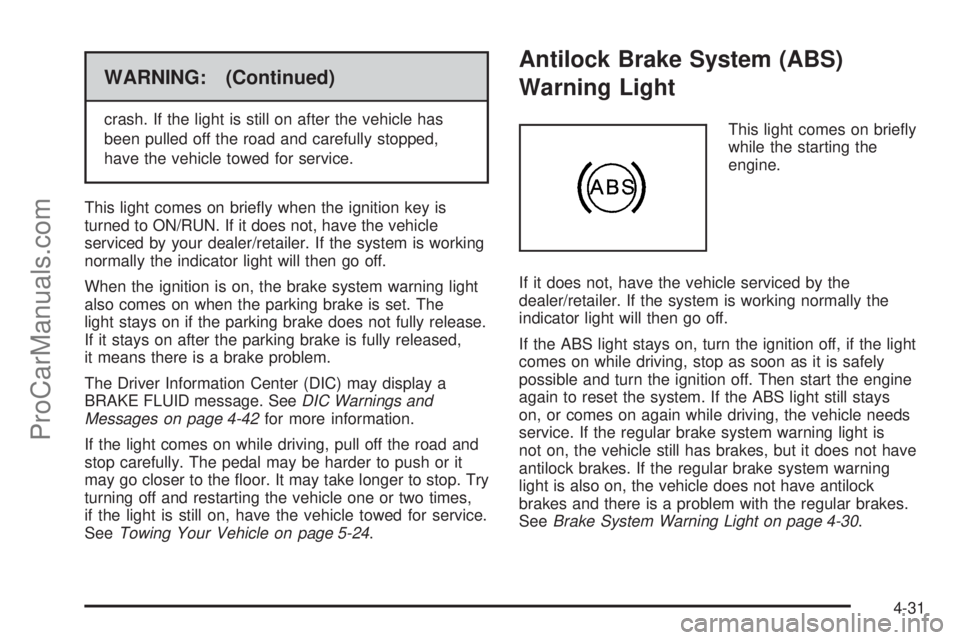
This light comes on briefly
while the starting the
engine.
If it does not, have the vehicle serviced by the
dealer/retailer. If the system is working normally the
indicator light will then go off.
If the ABS light stays on, turn the ignition off, if the light
comes on while driving, stop as soon as it is safely
possible and turn the ignition off. Then start the engine
again to reset the system. If the ABS light still stays
on, or comes on again while driving, the vehicle needs
service. If the regular brake system warning light is
not on, the vehicle still has brakes, but it does not have
antilock brakes. If the regular brake system warning
light is also on, the vehicle does not have antilock
brakes and there is a problem with the regular brakes.
SeeBrake System Warning Light on page 4-30.
4-31
ProCarManuals.com
Page 184 of 428

For vehicles with a Driver Information Center (DIC), see
DIC Warnings and Messages on page 4-42for all
brake related DIC messages.
Electronic Stability Control
(ESC)/Traction Control System
(TCS) Indicator/Warning Light
The Electronic Stability
Control (ESC) system or
the Traction Control
System (TCS)
indicator/warning light
comes on briefly when the
engine is started.
If it does not, have the vehicle serviced by the
dealer/retailer. If the system is working normally the
indicator light goes off.
If this light is on while certain DIC messages display,
this indicates that the ESC and TCS are not working or
are disabled.If this light is on and not flashing, the TCS and
potentially the ESC system have been disabled. Check
the DIC messaging to determine which feature(s) is
no longer functioning and whether it is because of the
driver turning off the feature(s), or because the system is
not working properly and the vehicle requires service.
If the TCS is disabled, wheel spin is not limited. If
the ESC system is disabled, the system does not aid in
maintaining directional control of the vehicle.
If the indicator/warning light is on and flashing, the TCS
or the ESC system is actively working. Check the
DIC messaging for details to determine which system is
working. If the LOW TRACTION message appears,
the system is limiting wheel spin. If the ESC ACTIVE
message appears, the system is aiding in maintaining
directional control of the vehicle.
SeeElectronic Stability Control (ESC) on page 5-5and
Traction Control System (TCS) on page 5-7for more
information.
SeeDIC Warnings and Messages on page 4-42for
more information on the messages associated with
this light.
4-32
ProCarManuals.com
Page 194 of 428
DIC Warnings and Messages
These messages appear if there is a problem detected
in one of your vehicle’s systems.
A message clears when the vehicle’s condition is no
longer present. To acknowledge a message and clear it
from the display, press and hold any of the DIC
buttons. If the condition is still present, the warning
message comes back on the next time the vehicle is
turned off and back on. With most messages, a warning
chime sounds when the message displays. Your
vehicle may have other warning messages.
AUTO (Automatic) LIGHTS OFF
This message displays if the automatic headlamp
system is disabled with the headlamp switch. See
Automatic Headlamp System on page 4-11for more
information.
AUTO (Automatic) LIGHTS ON
This message displays if the automatic headlamp
system is enabled with the headlamp switch. See
Automatic Headlamp System on page 4-11for more
information.
BRAKE FLUID
This message displays, while the ignition is on, when
the brake fluid level is low. The brake system warning
light on the instrument panel cluster also comes on.SeeBrake System Warning Light on page 4-30for more
information. Have the brake system serviced by your
dealer/retailer as soon as possible.
CHANGE OIL SOON
This message displays when the life of the engine oil
has expired and it should be changed.
When this message is acknowledged and cleared from
the display, the engine oil life system must still be
reset separately. SeeEngine Oil Life System on
page 6-20,Engine Oil on page 6-17, andScheduled
Maintenance on page 7-3for more information.
CHECK GAS CAP
This message displays if the fuel cap has not been fully
tightened. Recheck the fuel cap to make sure that it
is on properly. A few driving trips with the cap properly
installed should turn the message off.
CRUISE ENGAGED
This message displays when the cruise control system
is active. SeeCruise Control on page 4-7for more
information.
DOOR AJAR
This message displays if one or more of the vehicle’s
doors are not closed properly. Make sure that the
door(s) are closed completely.
4-42
ProCarManuals.com