instrument cluster SATURN AURA 2010 User Guide
[x] Cancel search | Manufacturer: SATURN, Model Year: 2010, Model line: AURA, Model: SATURN AURA 2010Pages: 428, PDF Size: 2.78 MB
Page 160 of 428
RES+ (Resume):Press to resume a set speed and to
accelerate the speed.
SET−(Set):Press to set a speed and to decrease the
speed.
To set a speed do the following:
1. Press
Ito turn cruise control on. The indicator
light on the button comes on.
2. Get up to the desired speed.
3. Press the SET−and release it. The cruise symbol
displays in the instrument panel cluster to show the
system is engaged.
4. Take your foot off the accelerator pedal.
When the brakes are applied, the cruise control
shuts off.
If the vehicle is in cruise control and the Traction
Control System (TCS) begins to limit wheel spin, the
cruise control automatically disengages. SeeTraction
Control System (TCS) on page 5-7. When road
conditions allow, the cruise control can be used again.
Resuming a Set Speed
If the cruise control is set at a desired speed and then
the brakes are applied, the cruise control is disengaged.
But it does not need to be reset. The cruise symbol in
the instrument panel cluster also goes out indicating
cruise is no longer engaged. Once the vehicle speed is
40 km/h (25 mph) or more, briefly press the RES+.
The vehicle returns to the previously set speed
and stays there.
Increasing Speed While Using Cruise
Control
There are two ways to increase the vehicle speed while
using cruise control:
•If the cruise control system is already engaged,
press and hold the RES+ button until the desired
speed is reached, then release it.
•To increase the vehicle speed in small amounts,
briefly press the RES+ and then release it. Each
time this is done, the vehicle goes about 1.6 km/h
(1 mph) faster.
4-8
ProCarManuals.com
Page 161 of 428
Reducing Speed While Using Cruise
Control
If the cruise control system is already engaged:
•Press and hold the SET−until the desired lower
speed is reached, then release it.
•To slow down in very small amounts, briefly push
the SET−. Each time this is done, the vehicle
goes about 1.6 km/h (1 mph) slower.
Passing Another Vehicle While Using
Cruise Control
Use the accelerator pedal to increase the vehicle’s
speed. When you take your foot off the pedal, the
vehicle slows down to the previously set cruise
control speed.
Using Cruise Control on Hills
How well the cruise control works on hills depends upon
the vehicle’s speed, load, and the steepness of the
hills. When going up steep hills, you might have to step
on the accelerator pedal to maintain the vehicle’s
speed. When going downhill, you might have to brake
or shift to a lower gear to keep the vehicle at a
lower speed. When the brakes are applied this ends the
cruise control.
Ending Cruise Control
There are two ways to disengage the cruise control:
•Step lightly on the brake pedal; when cruise control
disengages, the cruise symbol in the instrument
panel cluster goes out.
•Press theIbutton, to turn off the cruise control
system.
Erasing Speed Memory
The cruise control set speed memory is erased when
the cruise control or the ignition is turned off.
4-9
ProCarManuals.com
Page 164 of 428

The DRL and automatic headlamp systems will only
be affected when the light sensor sees a change
in lighting lasting longer than this delay.
If vehicle is started in a dark garage, the automatic
headlamp system comes on immediately. Once
the vehicle leaves the garage, it takes about one minute
for the automatic headlamp system to change to DRL
if it is light outside. During that delay, the instrument
panel cluster may not be as bright as usual. Make sure
the instrument panel brightness control is in the full
bright position. SeeInstrument Panel Brightness
on page 4-13.
To idle the vehicle with the automatic headlamp system
off, turn the ignition on and set the exterior light
switch to the off/on position. For vehicles first sold in
Canada, the transmission must stay in P (Park) for this
function.
The regular headlamps should be used when needed.Fog Lamps
For vehicles with fog lamps, the button for this feature is
located on the instrument panel, to the left of the
steering wheel.
The ignition must be on for the fog lamps to work.
#:Press to turn the fog lamps on or off. An indicator
light comes on when the fog lamps are on.
The parking lamps automatically turn on and off when
the fog lamps are turned on and off.
The fog lamps turn off while the high-beam headlamps
are turned on.
Some localities have laws that require the headlamps to
be on along with the fog lamps.
4-12
ProCarManuals.com
Page 177 of 428

Instrument Panel Cluster
United States version shown, Canada Similar
4-25
ProCarManuals.com
Page 191 of 428
Here are four things that some owners ask about.
These are normal and do not indicate a problem with
the fuel gage:
•At the service station, the gas pump shuts off
before the gage reads full.
•It takes a little more or less fuel to fill up than the
gage indicated. For example, the gage may have
indicated the fuel tank was half full, but it actually
took a little more or less than half the fuel tank’s
capacity to fill it.
•The indicator moves a little when while turning a
corner or speeding up.
•The gage goes back to empty when the ignition is
turned off.
Driver Information Center (DIC)
Your vehicle has a Driver Information Center (DIC).
The DIC display gives you the status of many of your
vehicle’s systems. The DIC is also used to display driver
personalization menu modes and warning/status
messages. All messages will appear in the DIC display,
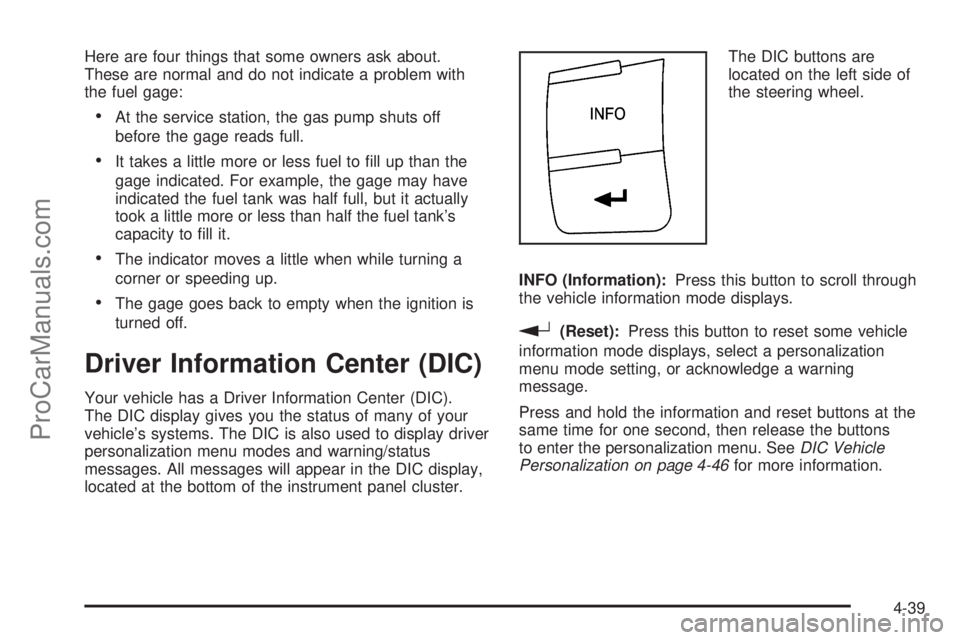
located at the bottom of the instrument panel cluster.The DIC buttons are
located on the left side of
the steering wheel.
INFO (Information):Press this button to scroll through
the vehicle information mode displays.
r(Reset):Press this button to reset some vehicle
information mode displays, select a personalization
menu mode setting, or acknowledge a warning
message.
Press and hold the information and reset buttons at the
same time for one second, then release the buttons
to enter the personalization menu. SeeDIC Vehicle
Personalization on page 4-46for more information.
4-39
ProCarManuals.com
Page 194 of 428
DIC Warnings and Messages
These messages appear if there is a problem detected
in one of your vehicle’s systems.
A message clears when the vehicle’s condition is no
longer present. To acknowledge a message and clear it
from the display, press and hold any of the DIC
buttons. If the condition is still present, the warning
message comes back on the next time the vehicle is
turned off and back on. With most messages, a warning
chime sounds when the message displays. Your
vehicle may have other warning messages.
AUTO (Automatic) LIGHTS OFF
This message displays if the automatic headlamp
system is disabled with the headlamp switch. See
Automatic Headlamp System on page 4-11for more
information.
AUTO (Automatic) LIGHTS ON
This message displays if the automatic headlamp
system is enabled with the headlamp switch. See
Automatic Headlamp System on page 4-11for more
information.
BRAKE FLUID
This message displays, while the ignition is on, when
the brake fluid level is low. The brake system warning
light on the instrument panel cluster also comes on.SeeBrake System Warning Light on page 4-30for more
information. Have the brake system serviced by your
dealer/retailer as soon as possible.
CHANGE OIL SOON
This message displays when the life of the engine oil
has expired and it should be changed.
When this message is acknowledged and cleared from
the display, the engine oil life system must still be
reset separately. SeeEngine Oil Life System on
page 6-20,Engine Oil on page 6-17, andScheduled
Maintenance on page 7-3for more information.
CHECK GAS CAP
This message displays if the fuel cap has not been fully
tightened. Recheck the fuel cap to make sure that it
is on properly. A few driving trips with the cap properly
installed should turn the message off.
CRUISE ENGAGED
This message displays when the cruise control system
is active. SeeCruise Control on page 4-7for more
information.
DOOR AJAR
This message displays if one or more of the vehicle’s
doors are not closed properly. Make sure that the
door(s) are closed completely.
4-42
ProCarManuals.com
Page 195 of 428

ENGINE DISABLED
This message displays if the starting of the engine is
disabled. Have your vehicle serviced by your dealer/
retailer immediately.
ENG (Engine) PWR (Power) REDUCED
This message displays when the vehicle’s engine power
is reduced. Reduced engine power can affect the
vehicle’s ability to accelerate. If this message is on, but
there is no reduction in performance, proceed to
your destination. The performance may be reduced the
next time the vehicle is driven. The vehicle may be
driven at a reduced speed while this message is on, but
acceleration and speed may be reduced. Anytime this
message stays on, the vehicle should be taken to
your dealer/retailer for service as soon as possible.
ESC (Electronic Stability Control) ACTIVE
If your vehicle has Electronic Stability Control (ESC),
this message displays and the ESC/TCS light on
the instrument panel cluster flashes when ESC is
assisting you with directional control of the vehicle. You
may feel or hear the system working and see this
message displayed in the DIC. Slippery road conditions
may exist when this message is displayed, so adjust
your driving accordingly. This message may stay on for
a few seconds after ESC stops assisting you withdirectional control of the vehicle. This is normal when
the system is operating. SeeElectronic Stability Control
(ESC) on page 5-5andElectronic Stability Control
(ESC)/Traction Control System (TCS) Indicator/Warning
Light on page 4-32for more information.
ESC (Electronic Stability Control) OFF
If your vehicle has Electronic Stability Control (ESC),
this message displays and the ESC/TCS light on
the instrument panel cluster comes on solid when ESC
is turned off. Adjust your driving accordingly. See
Electronic Stability Control (ESC) on page 5-5and
Electronic Stability Control (ESC)/Traction Control
System (TCS) Indicator/Warning Light on page 4-32for
more information.
ICE POSSIBLE
This message displays when the outside air temperature
is cold enough to create icy road conditions. Adjust
your driving accordingly.
KEY FOB BATT (Battery) LOW
This message displays if the Remote Keyless Entry
(RKE) transmitter battery is low. Replace the battery in
the transmitter. See “Battery Replacement” under
Remote Keyless Entry (RKE) System Operation on
page 3-3.
4-43
ProCarManuals.com
Page 196 of 428

LOW FUEL
This message displays when your vehicle is low on fuel.
Refill the fuel tank as soon as possible. SeeFuel
Gage on page 4-38,Fuel on page 6-5, andFilling the
Tank on page 6-10for more information.
LOW TRACTION
If your vehicle has the Traction Control System (TCS),
this message displays and the ESC/TCS light on
the instrument panel cluster flashes when the system is
actively limiting wheel spin. Slippery road conditions
may exist if this message is displayed, so adjust
your driving accordingly. This message stays on for a
few seconds after the system stops limiting wheel spin.
SeeTraction Control System (TCS) on page 5-7and
Electronic Stability Control (ESC)/Traction Control
System (TCS) Indicator/Warning Light on page 4-32for
more information.
LOW WASHER FLUID
This message displays when the vehicle’s windshield
washer fluid is low. Fill the windshield washer fluid
reservoir to the proper level as soon as possible. See
Windshield Washer Fluid on page 6-32.
POWER STEERING
On some vehicles, this message displays if a problem
has been detected with the electric power steering. Have
your vehicle serviced by your dealer/retailer immediately.
PUSH PARK PEDAL
This message displays if the parking brake is left
engaged. SeeParking Brake on page 3-26for more
information.
SERVICE AIR BAG
This message displays when there is a problem with the
airbag system. Have your vehicle serviced by your
dealer/retailer immediately.
SERVICE ESC (ELECTRONIC STABILITY
CONTROL)
If your vehicle has Electronic Stability Control (ESC),
this message displays and a chime sounds if there has
been a problem detected with ESC. The ESC/TCS
light also appears on the instrument panel cluster. This
light stays on solid as long as the detected problem
remains present. When this message displays, the
system is not working. Adjust your driving accordingly.
SeeElectronic Stability Control (ESC) on page 5-5
andElectronic Stability Control (ESC)/Traction Control
System (TCS) Indicator/Warning Light on page 4-32
for more information.
If this message turns on while you are driving, pull off
the road as soon as possible and stop carefully.
Try resetting the system by turning the ignition off and
then back on. If this message still stays on or turns back
4-44
ProCarManuals.com
Page 197 of 428

on again while you are driving, your vehicle needs
service. Have the ESC inspected by your dealer/retailer
as soon as possible.
SERVICE TRACTION
If your vehicle has the Traction Control System (TCS),
this message displays and a chime sounds when
the system is not functioning properly. The ESC/TCS
light also appears on the instrument panel cluster. This
light stays on solid as long as the detected problem
remains present. When this message displays, the
system is not working. Adjust your driving accordingly.
SeeTraction Control System (TCS) on page 5-7
andElectronic Stability Control (ESC)/Traction Control
System (TCS) Indicator/Warning Light on page 4-32
for more information. Have the system serviced by your
dealer/retailer as soon as possible.
SVC (Service) TIRE MONITOR
On vehicles with the Tire Pressure Monitor System
(TPMS), this message displays if a part on the TPMS
is not working properly. The tire pressure light also
flashes and then remains on during the same ignition
cycle. SeeTire Pressure Light on page 4-34. Several
conditions may cause this message to appear. SeeTire
Pressure Monitor Operation on page 6-54for more
information. If the warning comes on and stays on, there
may be a problem with the TPMS. See your
dealer/retailer.
TIRE LOW ADD AIR
On vehicles with the Tire Pressure Monitor System
(TPMS), this message displays when the pressure in
one or more of the vehicle’s tires is low on air. The low
tire pressure warning light also comes on. SeeTire
Pressure Light on page 4-34. If this message appears
on the DIC, stop as soon as you can. Have the tire
pressures checked and set to those shown on the Tire
Loading Information label. SeeTires on page 6-44,
Loading the Vehicle on page 5-19, andInation - Tire
Pressure on page 6-51. The DIC also shows the
tire pressure values. SeeDIC Operation and Displays
on page 4-40.
TRACTION OFF
If your vehicle has the Traction Control System (TCS),
this message displays and the ESC/TCS light on
the instrument panel cluster comes on solid when the
system is turned off. Adjust your driving accordingly. See
Traction Control System (TCS) on page 5-7and
Electronic Stability Control (ESC)/Traction Control
System (TCS) Indicator/Warning Light on page 4-32for
more information.
TRUNK AJAR
This message displays when the trunk is not closed
completely. Make sure that the trunk is closed
completely. SeeTrunk on page 3-11for more
information.
4-45
ProCarManuals.com
Page 241 of 428
Using ABS
Do not pump the brakes. Just hold the brake pedal
down firmly and let antilock work. The antilock pump or
motor might be heard operating and the brake pedal
might be felt to pulsate, but this is normal.
Braking in Emergencies
ABS allows the driver to steer and brake at the same
time. In many emergencies, steering can help more than
even the very best braking.
Brake Assist
This vehicle has a Brake Assist feature designed to
assist the driver in stopping or decreasing vehicle speed
in emergency driving conditions. This feature uses the
stability system hydraulic brake control module to
supplement the power brake system under conditions
where the driver has quickly and forcefully applied
the brake pedal in an attempt to quickly stop or slow
down the vehicle. The stability system hydraulic
brake control module increases brake pressure at each
corner of the vehicle until the ABS activates. Minor
brake pedal pulsations or pedal movement during this
time is normal and the driver should continue to
apply the brake pedal as the driving situation dictates
The Brake Assist feature will automatically disengage
when the brake pedal is released or brake pedal
pressure is quickly decreased.
Electronic Stability Control (ESC)
The vehicle has an Electronic Stability Control (ESC)
system which combines antilock brake, traction
and stability control systems and helps the driver
maintain directional control of the vehicle in most driving
conditions.
When you first start the vehicle and begin to drive away,
the system performs several diagnostic checks to
ensure there are no problems. The system may be
heard or felt while it is working. This is normal and does
not mean there is a problem with the vehicle. The
system should initialize before the vehicle reaches
32 km/h (20 mph).
If the system fails to turn on or activate, the ESC/TCS
light will be on solid, and the ESC OFF or SERVICE
ESC message will be displayed.
For more information, seeDriver Information Center
(DIC) on page 4-39.
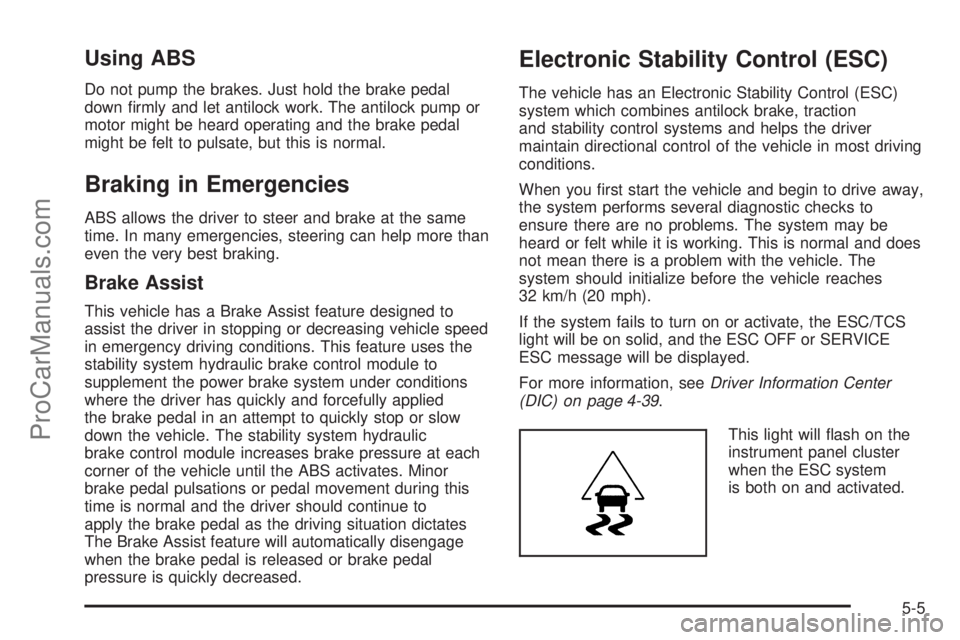
This light will flash on the
instrument panel cluster
when the ESC system
is both on and activated.
5-5
ProCarManuals.com