wheel SATURN AURA 2010 Owner's Guide
[x] Cancel search | Manufacturer: SATURN, Model Year: 2010, Model line: AURA, Model: SATURN AURA 2010Pages: 428, PDF Size: 2.78 MB
Page 196 of 428

LOW FUEL
This message displays when your vehicle is low on fuel.
Refill the fuel tank as soon as possible. SeeFuel
Gage on page 4-38,Fuel on page 6-5, andFilling the
Tank on page 6-10for more information.
LOW TRACTION
If your vehicle has the Traction Control System (TCS),
this message displays and the ESC/TCS light on
the instrument panel cluster flashes when the system is
actively limiting wheel spin. Slippery road conditions
may exist if this message is displayed, so adjust
your driving accordingly. This message stays on for a
few seconds after the system stops limiting wheel spin.
SeeTraction Control System (TCS) on page 5-7and
Electronic Stability Control (ESC)/Traction Control
System (TCS) Indicator/Warning Light on page 4-32for
more information.
LOW WASHER FLUID
This message displays when the vehicle’s windshield
washer fluid is low. Fill the windshield washer fluid
reservoir to the proper level as soon as possible. See
Windshield Washer Fluid on page 6-32.
POWER STEERING
On some vehicles, this message displays if a problem
has been detected with the electric power steering. Have
your vehicle serviced by your dealer/retailer immediately.
PUSH PARK PEDAL
This message displays if the parking brake is left
engaged. SeeParking Brake on page 3-26for more
information.
SERVICE AIR BAG
This message displays when there is a problem with the
airbag system. Have your vehicle serviced by your
dealer/retailer immediately.
SERVICE ESC (ELECTRONIC STABILITY
CONTROL)
If your vehicle has Electronic Stability Control (ESC),
this message displays and a chime sounds if there has
been a problem detected with ESC. The ESC/TCS
light also appears on the instrument panel cluster. This
light stays on solid as long as the detected problem
remains present. When this message displays, the
system is not working. Adjust your driving accordingly.
SeeElectronic Stability Control (ESC) on page 5-5
andElectronic Stability Control (ESC)/Traction Control
System (TCS) Indicator/Warning Light on page 4-32
for more information.
If this message turns on while you are driving, pull off
the road as soon as possible and stop carefully.
Try resetting the system by turning the ignition off and
then back on. If this message still stays on or turns back
4-44
ProCarManuals.com
Page 206 of 428
¨SEEK:Press to seek or scan stations with a strong
signal in the selected band.
•To seek stations, press and release¨SEEK to go
to the next station and stay there.
•To scan stations, press and hold¨SEEK for a
few seconds until the radio beeps once. The
radio goes to a station, plays for a few seconds,
then goes to the next station. Press
¨SEEK again
to stop scanning.
•To scan preset stations in the selected band, press
and hold
¨SEEK for four seconds until a double
beep sounds. The radio goes to a stored preset,
plays for a few seconds, then goes to the next
stored preset. Press
¨SEEK again to stop
scanning preset stations.
4(Information):For vehicles with XM, MP3, WMA, or
RDS features, press
4to display additional text
information related to the current FM-RDS or XM station;
or CD, MP3, WMA song. Song title information will be
displayed on the top line of the display while the
artist information will be displayed on the bottom line, if
the information is available during XM, CD, MP3, or
WMA playback. When information is not available, “No
Info” displays.
Storing a Radio Station
Drivers are encouraged to set up radio station favorites
while the vehicle is in P (Park). Tune to favorite
stations using the softkeys, favorites button, and steering
wheel controls. SeeDefensive Driving on page 5-2.
FAV (Favorites):A maximum of 36 stations can
be stored as favorites using the six softkeys located
below the radio station frequency tabs and by using the
radio favorites page button (FAV button). Press FAV
to go through up to six pages of favorites, each having
six favorite stations available per page. Each page
of favorites can contain any combination of AM, FM, or
XM stations. The current balance/fade and tone
settings are also stored with the favorite stations.
To store a station as a favorite:
1. Tune to the desired radio station and set the
balance/fade and tone settings to the desired levels.
2. Press FAV to display the page where to store the
station.
3. Press and hold one of the six softkeys until a beep
sounds.
4. Repeat the steps for each radio station to be stored
as a favorite.
4-54
ProCarManuals.com
Page 221 of 428
Voice Recognition
The Bluetooth system uses voice recognition to
interpret voice commands to dial phone numbers and
name tags.
Noise:Keep interior noise levels to a minimum. The
system may not recognize voice commands if there
is too much background noise.
When to Speak:A short tone sounds after the system
responds indicating when it is waiting for a voice
command. Wait until the tone and then speak.
How to Speak:Speak clearly in a calm and
natural voice.
Audio System
When using the in-vehicle Bluetooth system, sound
comes through the vehicle’s front audio system speakers
and overrides the audio system. Use the audio system
volume knob, during a call, to change the volume level.
The adjusted volume level remains in memory for later
calls. To prevent missed calls, a minimum volume level is
used if the volume is turned down too low.
Bluetooth Controls
Use the buttons located on the steering wheel to
operate the in-vehicle Bluetooth system. SeeAudio
Steering Wheel Controls on page 4-82for more
information.
bg(Push To Talk):Press to answer incoming calls,
to confirm system information, and to start speech
recognition.
cx(Phone On Hook):Press to end a call, reject a
call, or to cancel an operation.
Pairing
A Bluetooth enabled cell phone must be paired to the
in-vehicle Bluetooth system first and then connected to
the vehicle before it can be used. See the cell phone
manufacturers user guide for Bluetooth functions before
pairing the cell phone. If a Bluetooth phone is not
connected, calls will be made using OnStar
®
Hands-Free Calling, if available. Refer to the OnStar
owner’s guide for more information.
4-69
ProCarManuals.com
Page 234 of 428

Audio Steering Wheel Controls
Vehicles with audio
steering wheel controls
could differ depending on
the vehicle’s options.
Some audio controls can
be adjusted at the steering
wheel.
e+/e−(Volume):Press to increase or to decrease
the radio volume.
w/x(Next / Previous):Press to change radio
stations, select tracks on a CD, or to select tracks and
navigate folders on an iPod
®or USB device.
To change radio stations:
•Press and releaseworxto go to the next or
previous radio station stored as a preset.
•Press and holdworxto go to the next or
previous radio station in the selected band with a
strong signal.To select tracks on a CD:
Press and release
worxto go to the next or previous
track.
To select tracks on an iPod or USB device:
1. Press and hold
worxwhile listening to a song
until the contents of the current folder display on
the radio display.
2. Press and release
worxto scroll up or down the
list, then press and hold
wto play the highlighted
track.
To navigate folders on an iPod or USB device:
1. Press and hold
worxwhile listening to a song
until the contents of the current folder display on
the radio display.
2. Press and hold
xto go back to the previous
folder list.
3. Press and release
worxto scroll up or down
the list.
•To select a folder, press and holdwwhen the
folder is highlighted.
•To go back further in the folder list, press and
hold
x.
4-82
ProCarManuals.com
Page 240 of 428
traffic and allowing realistic following distances
eliminates a lot of unnecessary braking. That means
better braking and longer brake life.
If the engine ever stops while the vehicle is being driven,
brake normally but do not pump the brakes. If the brakes
are pumped, the pedal could get harder to push down. If
the engine stops, there will still be some power brake
assist but it will be used when the brake is applied. Once
the power assist is used up, it can take longer to stop and
the brake pedal will be harder to push.
Adding non-dealer/non-retailer accessories can affect
vehicle performance. SeeAccessories and Modications
on page 6-3.
Antilock Brake System (ABS)
This vehicle has the Antilock Brake System (ABS), an
advanced electronic braking system that helps prevent a
braking skid.
When the engine is started and the vehicle begins to
drive away, ABS checks itself. A momentary motor
or clicking noise might be heard while this test is going
on, and it might even be noticed that the brake pedal
moves a little. This is normal.If there is a problem with
ABS, this warning light
stays on. SeeAntilock
Brake System (ABS)
Warning Light on
page 4-31.
Let us say the road is wet and you are driving safely.
Suddenly, an animal jumps out in front of you. You slam
on the brakes and continue braking. Here is what
happens with ABS:
A computer senses that the wheels are slowing down. If
one of the wheels is about to stop rolling, the computer
will separately work the brakes at each wheel.
ABS can change the brake pressure to each wheel, as
required, faster than any driver could. This can help
the driver steer around the obstacle while braking hard.
As the brakes are applied, the computer keeps
receiving updates on wheel speed and controls braking
pressure accordingly.
Remember: ABS does not change the time needed to get
a foot up to the brake pedal or always decrease stopping
distance. If you get too close to the vehicle in front of you,
there will not be enough time to apply the brakes if that
vehicle suddenly slows or stops. Always leave enough
room up ahead to stop, even with ABS.
5-4
ProCarManuals.com
Page 242 of 428

The system may be heard or felt while it is working; this
is normal.
When the light is on solid and either the SERVICE ESC
or ESC OFF message is displayed, the system will
not assist the driver in maintaining directional control of
the vehicle. Adjust your driving accordingly. SeeDIC
Warnings and Messages on page 4-42.
The Electronic Stability Control (ESC) system is
automatically enabled whenever the vehicle is started.
To assist the driver with vehicle directional control,
especially in slippery road conditions, the system should
always be left on. But, ESC can be turned off if
needed.
If the vehicle is in cruise control when the system
begins to assist the driver maintain directional control of
the vehicle, the ESC/TCS light will flash and the
cruise control will automatically disengage. The cruise
control system may be re-engaged when road conditions
allow. SeeCruise Control on page 4-7.
The ESC/TCS button is
located on the instrument
panel.The traction control system can be turned off or back on
by pressing the ESC/TCS button. To disable both
traction control and ESC, press and hold the button
briefly.
When the ESC system is turned off, the TRACTION
OFF and ESC OFF messages will appear, and
the ESC/TCS light will be on solid to warn the driver
that both traction control and ESC are disabled.
It is recommended to leave the system on for normal
driving conditions, but it may be necessary to turn
the system off if the vehicle is stuck in sand, mud, ice or
snow, and you want to “rock” the vehicle to attempt to
free it. It may also be necessary to turn off the
system when driving in extreme off-road conditions
where high wheel spin is required. SeeIf Your Vehicle
is Stuck in Sand, Mud, Ice, or Snow on page 5-18.
ESC may also turn off automatically if it determines that
a problem exists with the system. The ESC OFF and
SERVICE ESC messages and the ESC/TCS light will be
on solid to warn the driver that ESC is disabled and
requires service. If the problem does not clear after
restarting the vehicle, see your dealer/retailer for service.
SeeDIC Warnings and Messages on page 4-42for
more information.
Adding non-dealer/non-retailer accessories can affect
the vehicle’s performance. SeeAccessories and
Modications on page 6-3for more information.
5-6
ProCarManuals.com
Page 243 of 428
Traction Control System (TCS)
The vehicle has a Traction Control System (TCS) that
limits wheel spin. This is especially useful in slippery
road conditions. The system operates only if it senses
that the front wheels are spinning too much or are
beginning to lose traction. When this happens,
the system works the front brakes and reduces engine
power by closing the throttle and managing engine
spark to limit wheel spin.
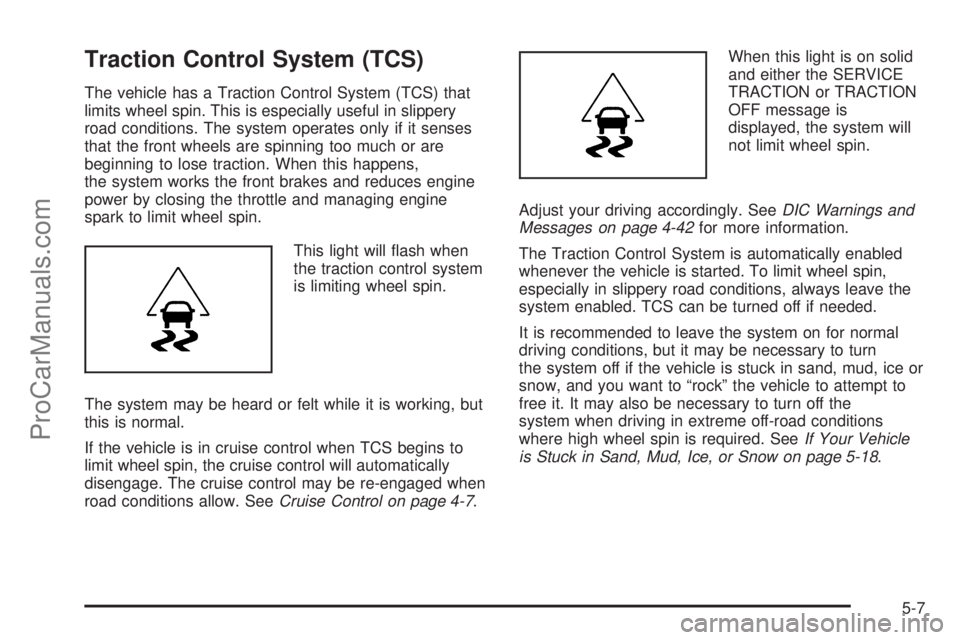
This light will flash when
the traction control system
is limiting wheel spin.
The system may be heard or felt while it is working, but
this is normal.
If the vehicle is in cruise control when TCS begins to
limit wheel spin, the cruise control will automatically
disengage. The cruise control may be re-engaged when
road conditions allow. SeeCruise Control on page 4-7.When this light is on solid
and either the SERVICE
TRACTION or TRACTION
OFF message is
displayed, the system will
not limit wheel spin.
Adjust your driving accordingly. SeeDIC Warnings and
Messages on page 4-42for more information.
The Traction Control System is automatically enabled
whenever the vehicle is started. To limit wheel spin,
especially in slippery road conditions, always leave the
system enabled. TCS can be turned off if needed.
It is recommended to leave the system on for normal
driving conditions, but it may be necessary to turn
the system off if the vehicle is stuck in sand, mud, ice or
snow, and you want to “rock” the vehicle to attempt to
free it. It may also be necessary to turn off the
system when driving in extreme off-road conditions
where high wheel spin is required. SeeIf Your Vehicle
is Stuck in Sand, Mud, Ice, or Snow on page 5-18.
5-7
ProCarManuals.com
Page 244 of 428
To turn the system off or
on, press and release this
button located on the
center console.
The DIC will display the appropriate message as
described previously when the button is pressed.
Traction Control Operation
Traction control limits wheel spin by reducing engine
power to the wheels (engine speed management)
and by applying brakes to each individual wheel
(brake-traction control) as necessary.
The traction control system is enabled automatically
when the vehicle is started, and it will activate and flash
the ESC/TCS light and display the LOW TRACTION
message if it senses either of the front wheels are
spinning or beginning to lose traction while driving. For
more information on the LOW TRACTION message,
seeDriver Information Center (DIC) on page 4-39.
Notice:If the wheel(s) of one axle are allowed to
spin excessively while the ESC/TCS, ABS and Brake
warning lights and the SERVICE ESC and/or
SERVICE TRACTION messages are displayed, thedifferential could be damaged. The repairs would
not be covered by the vehicle warranty. Reduce
engine power and do not spin the wheel(s)
excessively while these lights and this message
are displayed.
Notice:When traction control is turned off, it is
possible to lose traction. If you attempt to shift with
the front wheels spinning with a loss of traction,
it is possible to cause damage to the transmission.
Do not attempt to shift when the front wheels do
not have traction. Damage caused by misuse of the
vehicle is not covered. See your warranty book
for additional information.
The traction control system may activate on dry or
rough roads or under conditions such as heavy
acceleration while turning or abrupt upshifts/downshifts
of the transmission. When this happens, a reduction
in acceleration may be noticed, or a noise or vibration
may be heard. This is normal.
If the vehicle is in cruise control when the system
activates, the ESC/TCS light will flash and the cruise
control will automatically disengage. The cruise control
may be re-engaged when road conditions allow.
SeeCruise Control on page 4-7.
Adding non-dealer/non-retailer accessories can affect
the vehicle’s performance. SeeAccessories and
Modications on page 6-3for more information.
5-8
ProCarManuals.com
Page 245 of 428
Steering
Electric Power Steering
If the vehicle has the electric power steering system and
the engine stalls while driving, the power steering
assist system will continue to operate until you are able
to stop the vehicle. If power steering assist is lost
because the electric power steering system is not
functioning, the vehicle can be steered but it will take
more effort.
If you turn the steering wheel in either direction several
times until it stops, or hold the steering wheel in the
stopped position for an extended amount of time, you
may notice a reduced amount of power steering
assist. The normal amount of power steering assist
should return shortly after a few normal steering
movements.
The electric power steering system does not require
regular maintenance. If you suspect steering system
problems and/or the POWER STEERING message is
displayed in the Driver Information Center, contact your
dealer/retailer for service repairs. SeeDIC Warnings
and Messages on page 4-42.
Hydraulic Power Steering
If the vehicle has the hydraulic power steering system
and power steering assist is lost because the engine
stops or the power steering system is not functioning,
the vehicle can be steered but it will take more effort.
Steering Tips
It is important to take curves at a reasonable speed.
Traction in a curve depends on the condition of the tires
and the road surface, the angle at which the curve is
banked, and vehicle speed. While in a curve, speed is
the one factor that can be controlled.
If there is a need to reduce speed, do it before entering
the curve, while the front wheels are straight.
Try to adjust the speed so you can drive through the
curve. Maintain a reasonable, steady speed. Wait
to accelerate until out of the curve, and then accelerate
gently into the straightaway.
5-9
ProCarManuals.com
Page 246 of 428
Steering in Emergencies
There are times when steering can be more effective
than braking. For example, you come over a hill and find
a truck stopped in your lane, or a car suddenly pulls
out from nowhere, or a child darts out from between
parked cars and stops right in front of you. These
problems can be avoided by braking — if you can stop
in time. But sometimes you cannot stop in time
because there is no room. That is the time for evasive
action — steering around the problem.
The vehicle can perform very well in emergencies like
these. First apply the brakes. SeeBraking on page 5-3.
It is better to remove as much speed as possible
from a collision. Then steer around the problem, to the
left or right depending on the space available.
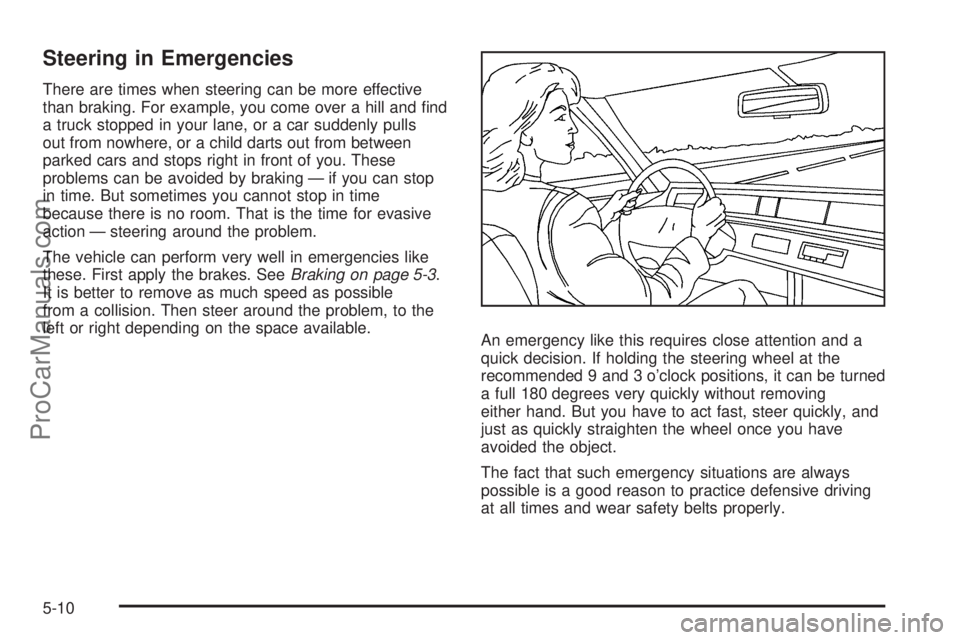
An emergency like this requires close attention and a
quick decision. If holding the steering wheel at the
recommended 9 and 3 o’clock positions, it can be turned
a full 180 degrees very quickly without removing
either hand. But you have to act fast, steer quickly, and
just as quickly straighten the wheel once you have
avoided the object.
The fact that such emergency situations are always
possible is a good reason to practice defensive driving
at all times and wear safety belts properly.
5-10
ProCarManuals.com