wheel SATURN AURA 2010 Owner's Manual
[x] Cancel search | Manufacturer: SATURN, Model Year: 2010, Model line: AURA, Model: SATURN AURA 2010Pages: 428, PDF Size: 2.78 MB
Page 133 of 428

2. Press the + (plus) paddle located on top of the
steering wheel controls forward to upshift, or
push the backside of the shift paddle rearward to
downshift.The Driver Information Center (DIC) in the instrument
cluster will change from the currently displayed message
to the letter “M”, For Manual position, and a number
indicating the requested gear range when moving
the shift lever forward or rearward.
While using the DSC feature the transmission will have
firmer shifting and sportier performance. You can
use this for sport driving or when climbing hills to stay in
gear longer or to downshift for more power or engine
braking.
The transmission will only allow you to shift into gears
appropriate for the vehicle speed and engine revolutions
per minute (RPM):
•The transmission will not automatically shift to the
next higher gear if the vehicle speed or engine
RPM is too low.
•The transmission will not allow shifting to the next
lower gear if the vehicle speed or engine RPM is
too high.
3-25
ProCarManuals.com
Page 153 of 428
Instrument Panel Overview...............................4-3
Hazard Warning Flashers................................4-3
Horn .............................................................4-3
Tilt and Telescopic Steering Wheel...................4-3
Turn Signal/Multifunction Lever.........................4-4
Turn and Lane-Change Signals........................4-4
Headlamp High/Low-Beam Changer..................4-5
Flash-to-Pass.................................................4-5
Windshield Wipers..........................................4-5
Windshield Washer.........................................4-6
Cruise Control................................................4-7
Headlamps..................................................4-10
Headlamps on Reminder................................4-10
Headlamps Off in Park..................................4-10
Delayed Headlamps......................................4-11
Daytime Running Lamps (DRL).......................4-11
Automatic Headlamp System..........................4-11
Fog Lamps ..................................................4-12
Instrument Panel Brightness...........................4-13
Dome Lamps ...............................................4-13
Entry/Exit Lighting.........................................4-13
Parade Dimming...........................................4-13
Reading Lamps............................................4-13Electric Power Management...........................4-14
Battery Run-Down Protection..........................4-14
Accessory Power Outlet(s).............................4-15
Climate Controls............................................4-16
Climate Control System.................................4-16
Automatic Climate Control System...................4-19
Outlet Adjustment.........................................4-23
Warning Lights, Gages, and Indicators............4-24
Instrument Panel Cluster................................4-25
Speedometer and Odometer...........................4-26
Trip Odometer..............................................4-26
Tachometer................................................
.4-26
Safety Belt Reminders...................................4-26
Airbag Readiness Light..................................4-28
Passenger Airbag Status Indicator...................4-29
Charging System Light..................................4-30
Brake System Warning Light..........................4-30
Antilock Brake System (ABS) Warning Light.....4-31
Electronic Stability Control (ESC)/Traction
Control System (TCS) Indicator/Warning
Light........................................................4-32
Engine Coolant Temperature Warning Light......4-33
Engine Coolant Temperature Gage..................4-33
Section 4 Instrument Panel
4-1
ProCarManuals.com
Page 154 of 428
Tire Pressure Light.......................................4-34
Malfunction Indicator Lamp.............................4-34
Oil Pressure Light.........................................4-37
Security Light...............................................4-37
Cruise Control Light......................................4-38
Highbeam On Light.......................................4-38
Fuel Gage...................................................4-38
Driver Information Center (DIC).......................4-39
DIC Operation and Displays...........................4-40
DIC Warnings and Messages.........................4-42
DIC Vehicle Personalization............................4-46Audio System(s).............................................4-50
Setting the Clock..........................................4-51
Radio(s)......................................................4-52
Using an MP3..............................................4-61
XM Radio Messages.....................................4-67
Bluetooth
®...................................................4-68
Rear Seat Audio (RSA).................................4-79
Theft-Deterrent Feature..................................4-81
Audio Steering Wheel Controls.......................4-82
Radio Reception...........................................4-83
Backglass Antenna.......................................4-84
XM™ Satellite Radio Antenna System.............4-84
Chime Level Adjustment................................4-84
Section 4 Instrument Panel
4-2
ProCarManuals.com
Page 155 of 428

Instrument Panel Overview
Hazard Warning Flashers
|(Hazard Warning Flasher):Press this button
located on the instrument panel, to make the front and
rear turn signal lamps flash on and off. This warns
others that you are having trouble.
Press
|again to turn the flashers off.
Horn
Press near or on the horn symbols on the steering
wheel pad to sound the horn.
Tilt and Telescopic Steering Wheel
A tilt and telescope wheel lets the steering wheel
be adjusted.
The lever is located on the left side of the steering
wheel column.To adjust the steering wheel:
1. Pull the lever down.
2. Move the steering wheel up or down or backward
or forward into a comfortable position.
3. Pull the lever up to lock the steering wheel in place.
Do not adjust the steering wheel while driving.
4-3
ProCarManuals.com
Page 159 of 428
Cruise Control
Cruise control lets a speed of about 40 km/h (25 mph)
or more be maintained without keeping your foot on
the accelerator. Cruise control does not work at speeds
below 40 km/h (25 mph).
{WARNING:
Cruise control can be dangerous where you
cannot drive safely at a steady speed. So, do not
use the cruise control on winding roads or in
heavy traffic.
Cruise control can be dangerous on slippery roads.
On such roads, fast changes in tire traction can
cause excessive wheel slip, and you could lose
control. Do not use cruise control on slippery roads.
Setting Cruise Control
{WARNING:
If you leave your cruise control on when you are
not using cruise, you might hit a button and go
into cruise when you do not want to. You could be
startled and even lose control. Keep the cruise
control switch off until you want to use cruise
control.
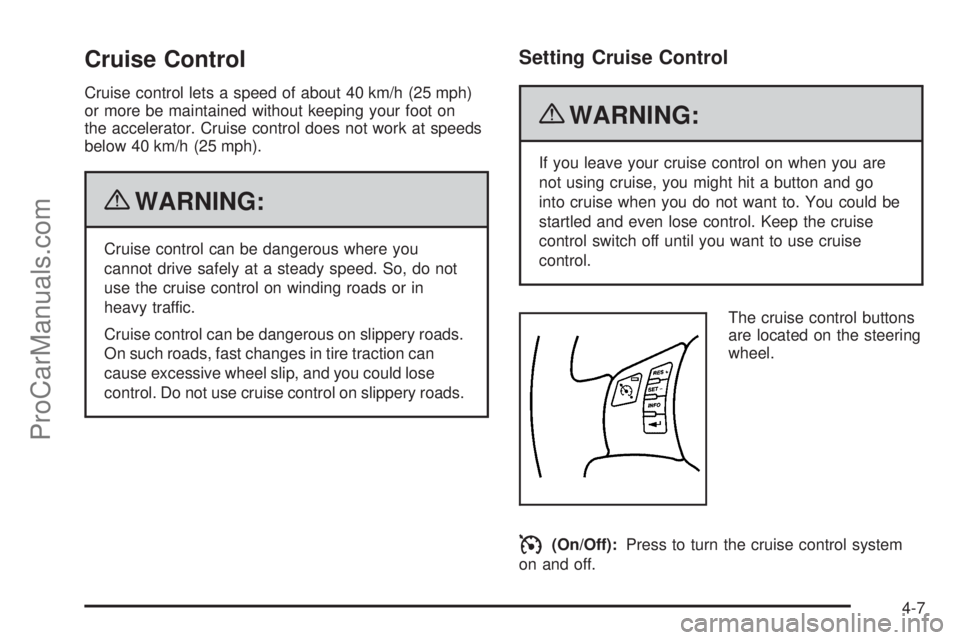
The cruise control buttons
are located on the steering
wheel.
I(On/Off):Press to turn the cruise control system
on and off.
4-7
ProCarManuals.com
Page 160 of 428
RES+ (Resume):Press to resume a set speed and to
accelerate the speed.
SET−(Set):Press to set a speed and to decrease the
speed.
To set a speed do the following:
1. Press
Ito turn cruise control on. The indicator
light on the button comes on.
2. Get up to the desired speed.
3. Press the SET−and release it. The cruise symbol
displays in the instrument panel cluster to show the
system is engaged.
4. Take your foot off the accelerator pedal.
When the brakes are applied, the cruise control
shuts off.
If the vehicle is in cruise control and the Traction
Control System (TCS) begins to limit wheel spin, the
cruise control automatically disengages. SeeTraction
Control System (TCS) on page 5-7. When road
conditions allow, the cruise control can be used again.
Resuming a Set Speed
If the cruise control is set at a desired speed and then
the brakes are applied, the cruise control is disengaged.
But it does not need to be reset. The cruise symbol in
the instrument panel cluster also goes out indicating
cruise is no longer engaged. Once the vehicle speed is
40 km/h (25 mph) or more, briefly press the RES+.
The vehicle returns to the previously set speed
and stays there.
Increasing Speed While Using Cruise
Control
There are two ways to increase the vehicle speed while
using cruise control:
•If the cruise control system is already engaged,
press and hold the RES+ button until the desired
speed is reached, then release it.
•To increase the vehicle speed in small amounts,
briefly press the RES+ and then release it. Each
time this is done, the vehicle goes about 1.6 km/h
(1 mph) faster.
4-8
ProCarManuals.com
Page 164 of 428

The DRL and automatic headlamp systems will only
be affected when the light sensor sees a change
in lighting lasting longer than this delay.
If vehicle is started in a dark garage, the automatic
headlamp system comes on immediately. Once
the vehicle leaves the garage, it takes about one minute
for the automatic headlamp system to change to DRL
if it is light outside. During that delay, the instrument
panel cluster may not be as bright as usual. Make sure
the instrument panel brightness control is in the full
bright position. SeeInstrument Panel Brightness
on page 4-13.
To idle the vehicle with the automatic headlamp system
off, turn the ignition on and set the exterior light
switch to the off/on position. For vehicles first sold in
Canada, the transmission must stay in P (Park) for this
function.
The regular headlamps should be used when needed.Fog Lamps
For vehicles with fog lamps, the button for this feature is
located on the instrument panel, to the left of the
steering wheel.
The ignition must be on for the fog lamps to work.
#:Press to turn the fog lamps on or off. An indicator
light comes on when the fog lamps are on.
The parking lamps automatically turn on and off when
the fog lamps are turned on and off.
The fog lamps turn off while the high-beam headlamps
are turned on.
Some localities have laws that require the headlamps to
be on along with the fog lamps.
4-12
ProCarManuals.com
Page 175 of 428
Remote Start Climate Control Operation
For vehicles with remote start, when it is activated the
climate control system heats and cools the inside of
the vehicle using the previous system settings before the
vehicle was turned off. The climate control knobs will
remain active during a remote start. However, the
climate control buttons will be inactive until the ignition
is turned on by the key. If the fan is off, the climate
control system will not operate during remote start.
With the automatic climate control system, the climate
control displays “RS” in place of the temperature to
indicate that remote start is activated. For best
performance, turn both the fan and mode knobs to
AUTO. If the temperature is cold enough and the mode
knob is set to AUTO, the system begins in defrost to
clear the windows. SeeRemote Keyless Entry
(RKE) System Operation on page 3-3.
Outlet Adjustment
There are four main air outlets on the instrument panel.
Move the lever located in the center of each outlet
side-to-side or up and down, to change the direction and
amount of airflow in the vehicle. The center thumbwheel
does not control the main outlets.
Rear Seat Air Outlet
For vehicles with this feature, the rear seat air outlet is
located in the center of the instrument panel above
the two main center outlets.
Use the thumbwheel in the center of the outlet to turn
the airflow on or off.
4-23
ProCarManuals.com
Page 184 of 428

For vehicles with a Driver Information Center (DIC), see
DIC Warnings and Messages on page 4-42for all
brake related DIC messages.
Electronic Stability Control
(ESC)/Traction Control System
(TCS) Indicator/Warning Light
The Electronic Stability
Control (ESC) system or
the Traction Control
System (TCS)
indicator/warning light
comes on briefly when the
engine is started.
If it does not, have the vehicle serviced by the
dealer/retailer. If the system is working normally the
indicator light goes off.
If this light is on while certain DIC messages display,
this indicates that the ESC and TCS are not working or
are disabled.If this light is on and not flashing, the TCS and
potentially the ESC system have been disabled. Check
the DIC messaging to determine which feature(s) is
no longer functioning and whether it is because of the
driver turning off the feature(s), or because the system is
not working properly and the vehicle requires service.
If the TCS is disabled, wheel spin is not limited. If
the ESC system is disabled, the system does not aid in
maintaining directional control of the vehicle.
If the indicator/warning light is on and flashing, the TCS
or the ESC system is actively working. Check the
DIC messaging for details to determine which system is
working. If the LOW TRACTION message appears,
the system is limiting wheel spin. If the ESC ACTIVE
message appears, the system is aiding in maintaining
directional control of the vehicle.
SeeElectronic Stability Control (ESC) on page 5-5and
Traction Control System (TCS) on page 5-7for more
information.
SeeDIC Warnings and Messages on page 4-42for
more information on the messages associated with
this light.
4-32
ProCarManuals.com
Page 191 of 428
Here are four things that some owners ask about.
These are normal and do not indicate a problem with
the fuel gage:
•At the service station, the gas pump shuts off
before the gage reads full.
•It takes a little more or less fuel to fill up than the
gage indicated. For example, the gage may have
indicated the fuel tank was half full, but it actually
took a little more or less than half the fuel tank’s
capacity to fill it.
•The indicator moves a little when while turning a
corner or speeding up.
•The gage goes back to empty when the ignition is
turned off.
Driver Information Center (DIC)
Your vehicle has a Driver Information Center (DIC).
The DIC display gives you the status of many of your
vehicle’s systems. The DIC is also used to display driver
personalization menu modes and warning/status
messages. All messages will appear in the DIC display,
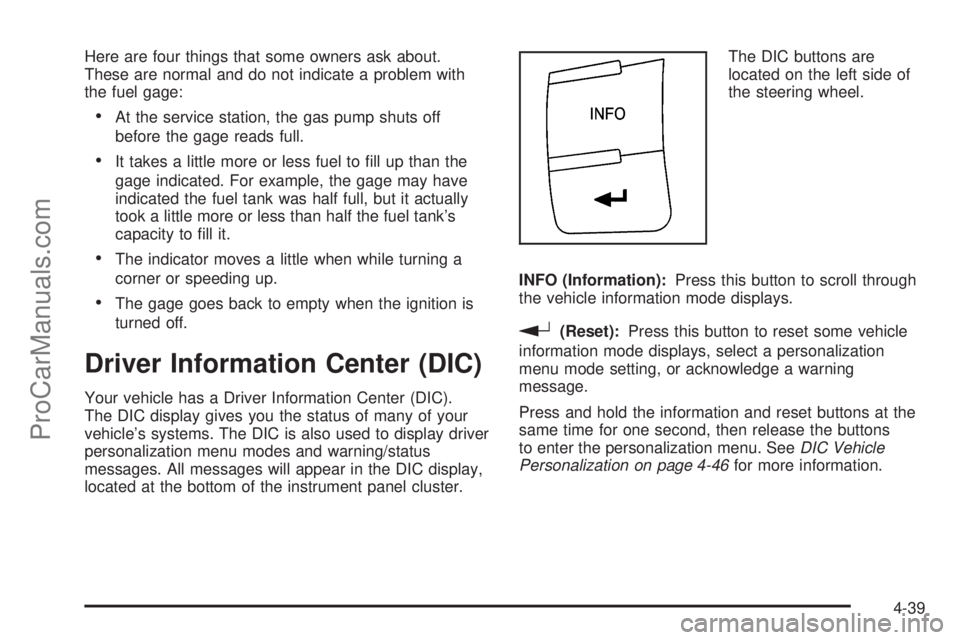
located at the bottom of the instrument panel cluster.The DIC buttons are
located on the left side of
the steering wheel.
INFO (Information):Press this button to scroll through
the vehicle information mode displays.
r(Reset):Press this button to reset some vehicle
information mode displays, select a personalization
menu mode setting, or acknowledge a warning
message.
Press and hold the information and reset buttons at the
same time for one second, then release the buttons
to enter the personalization menu. SeeDIC Vehicle
Personalization on page 4-46for more information.
4-39
ProCarManuals.com