low oil pressure SATURN RELAY 2006 Owners Manual
[x] Cancel search | Manufacturer: SATURN, Model Year: 2006, Model line: RELAY, Model: SATURN RELAY 2006Pages: 462, PDF Size: 3.06 MB
Page 96 of 462

After two remote starts have been provided, the
vehicle’s ignition switch must be turned to RUN and
then back to LOCK using the key before the remote start
procedure can be used again.
If you enter the vehicle after a remote start, and the
engine is running, insert the key into the ignition switch
and turn it to the RUN position to drive the vehicle.
To manually shut off the engine after a remote start, do
any of the following:
Aim the remote keyless entry transmitter at the
vehicle and press the remote start button until
the parking lamps turn off.
Turn on the hazard warning ashers.
Insert the vehicle’s key into the ignition switch and
turn the switch to RUN and then back to LOCK.
The remote vehicle start feature will not operate if:
The remote start system is disabled. See “REMOTE
START” underDIC Vehicle Personalization (Uplevel
Only) on page 3-73.
The vehicle’s key is in the ignition.
The vehicle’s hood, liftgate or doors are not closed.
The hazard warning ashers are on.
There is an emission control system malfunction.
The engine coolant temperature is too high.
The oil pressure is low.
Two remote vehicle starts have already been
provided. The maximum number of remote starts or
remote start attempts between ignition cycles
with the key is two.
Remote Start Ready
If your vehicle does not have the remote vehicle start
feature, it may have the remote start ready feature. This
feature allows your retailer to add the manufacturer’s
remote vehicle start feature.
If the keyless entry transmitter has a plus (+) symbol on
the back cover, your vehicle has the remote start
ready feature. You can lock or unlock your vehicle from
approximately 197 feet (60 m) away.
See your dealer if you would like to add the
manufacturer’s remote vehicle start feature to your
vehicle.
2-10
ProCarManuals.com
Page 146 of 462

Anti-Lock Brake System Warning Light.............3-41
Traction Control System (TCS) Warning Light . . .3-42
Engine Coolant Temperature Gage..................3-42
Malfunction Indicator Lamp.............................3-43
Oil Pressure Light.........................................3-46
Security Light...............................................3-47
Cruise Control Light......................................3-47
Highbeam On Light.......................................3-47
Fuel Gage...................................................3-48
Low Fuel Warning Light.................................3-48
Driver Information Center (DIC).......................3-49
DIC Operation and Displays...........................3-50
DIC Warnings and Messages.........................3-56
DIC Vehicle Personalization (Uplevel Only).......3-73Audio System(s).............................................3-81
Setting the Time...........................................3-82
Radio with CD..............................................3-83
Navigation/Radio System..............................3-102
Rear Seat Entertainment System...................3-102
Rear Seat Audio (RSA)................................3-115
Theft-Deterrent Feature................................3-117
Audio Steering Wheel Controls......................3-117
Radio Reception.........................................3-118
Care of Your CDs and DVDs........................3-119
Care of the CD and DVD Player...................3-119
Fixed Mast Antenna....................................3-119
XM™ Satellite Radio Antenna System............3-120
Chime Level Adjustment...............................3-120
Section 3 Instrument Panel
3-2
ProCarManuals.com
Page 190 of 462

Oil Pressure Light
If you have low engine oil
pressure, this light will stay
on after you start your
engine, or come on when
you are driving.
This indicates that your engine is not receiving enough
oil. The engine could be low on oil, or could have
some other oil problem. Have it xed immediately by
your GM dealer.
The oil light could also come on in three other situations:
When the ignition is on but the engine is not
running, the light will come on as a test to show you
it is working. The light will go out when you turn
the ignition on. If it does not come on with the
ignition on, you may have a problem with the fuse
or bulb. Have it xed right away.
If you are idling at a stop sign, the light may blink
on and then off.
If you make a hard stop, the light may come on for
a moment. This is normal.
{CAUTION:
Do not keep driving if the oil pressure is low. If
you do, your engine can become so hot that it
catches re. You or others could be burned.
Check your oil as soon as possible and have
your vehicle serviced.
Notice:Lack of proper engine oil maintenance may
damage the engine. The repairs would not be
covered by your warranty. Always follow the
maintenance schedule in this manual for changing
engine oil.
3-46
ProCarManuals.com
Page 197 of 462
Battery
Press the information button until BATTERY displays.
This mode shows the current battery voltage.
If there is a problem with the battery charging system, a
DIC message will display. SeeDIC Warnings and
Messages on page 3-56for more information.
Your vehicle’s charging system regulates voltage based
on the state of the battery. The battery voltage may
uctuate when viewing this information on the DIC. This
is normal.
Oil Life
Press the information button until OIL LIFE displays.
This mode shows an estimate of the oil’s remaining
useful life. If you see OIL LIFE 99% on the display, that
means 99% of the current oil life remains. The engine
oil life system will alert you to change your oil on a
schedule consistent with your driving conditions.When the remaining oil life is low, the LOW OIL
PRESSURE message will appear on the display. You
should change your oil as soon as possible. SeeEngine
Oil on page 5-15. In addition to the engine oil life
system monitoring the oil life, additional maintenance is
recommended in the Maintenance Schedule in this
manual. SeeScheduled Maintenance on page 6-4for
more information.
Remember, you must reset the OIL LIFE yourself after
each oil change. It will not reset itself. Also, be
careful not to reset the OIL LIFE accidentally at any
time other than when the oil has just been changed. It
cannot be reset accurately until the next oil change.
To reset the engine oil life system, seeEngine Oil Life
System on page 5-18. The display will show 100%
when the system is reset.
3-53
ProCarManuals.com
Page 207 of 462

This message will display and a chime will sound only
while the ignition is in RUN. Press any of the DIC
buttons to acknowledge this message and to clear it
from the screen.
This message will continue to display for two seconds if
it has not been acknowledged when the engine is
turned off. It will also re-display for two seconds if the
message has been acknowledged, but the condition still
exists when the engine is turned off.
If the condition still exists, the message will re-appear
when the engine is turned on.
LOW FUEL
This message will display when your vehicle is low on
fuel. You should rell the tank as soon as possible. See
Fuel Gage on page 3-48andFilling the Tank on
page 5-6for more information.
The message will display and a chime will sound while
the ignition is in RUN. Press any of the DIC buttons
to acknowledge this message and to clear it from
the screen.
If the condition still exists, the message will re-appear
when the engine is turned on.
LOW OIL PRESSURE
Notice:If the LOW OIL PRESSURE warning
message appears on the DIC display, stop the
vehicle immediately. Do not drive the vehicle until
the cause of the low oil pressure is corrected.
Severe engine damage can result from driving a
vehicle with low oil pressure. SeeEngine Oil
on page 5-15for more information.
This message will display when the vehicle’s engine oil
pressure is low. The oil pressure light will also appear
on the instrument panel cluster. SeeOil Pressure Light
on page 3-46.
Stop the vehicle immediately, as engine damage can
result from driving a vehicle with low oil pressure. Have
the vehicle serviced by your retailer as soon as
possible when this message is displayed.
This message will display only when the ignition is in
RUN. A chime will sound continuously when this
message is displayed.
This message cannot be acknowledged and cleared
from the screen. This message will re-display for a
few seconds if the condition still exists when the engine
is turned off.
If the condition still exists, the message will re-appear
when the engine is turned on.
3-63
ProCarManuals.com
Page 210 of 462
REDUCED POWER STOP WHEN SAFE
This message will display when your vehicle is in an
overheated engine operating mode. This operating mode
allows your vehicle to be driven to a safe place in an
emergency. In this mode, you will notice a signicant
loss in power and engine performance. SeeOverheated
Engine Protection Operating Mode on page 5-28for
more information. Anytime this message is on, the
vehicle should be taken to your retailer for service as
soon as possible.
This message will display and a chime will sound only
when the ignition is in RUN. Press any of the DIC
buttons to acknowledge this message and to clear it
from the screen.
This message will continue to display for two seconds if
it has not been acknowledged when the engine is
turned off. It will also re-display for two seconds if the
message has been acknowledged, but the condition still
exists when the engine is turned off.
If the condition still exists, the message will re-appear
when the engine is turned on.
REMOTE START DISABLED
This warning message will come on if a remote start
attempt is unsuccessful. This may be caused if any of
the following conditions are true when a remote
start attempt is made:
The remote start system is disabled through
the DIC.
The key is in the ignition.
The hood or the doors are not closed.
There is an emission control system malfunction.
The engine coolant temperature is too high.
The oil pressure is low.
The hazard warning ashers are turned on.
The maximum number of remote starts or remote
start attempts between ignition cycles has been
reached.
The content theft-deterrent alarm is on while
attempting to remote start the vehicle.
See “REMOTE START” underDIC Vehicle
Personalization (Uplevel Only) on page 3-73and
“Remote Vehicle Start” underRemote Keyless Entry
System Operation on page 2-5for more information.
3-66
ProCarManuals.com
Page 329 of 462
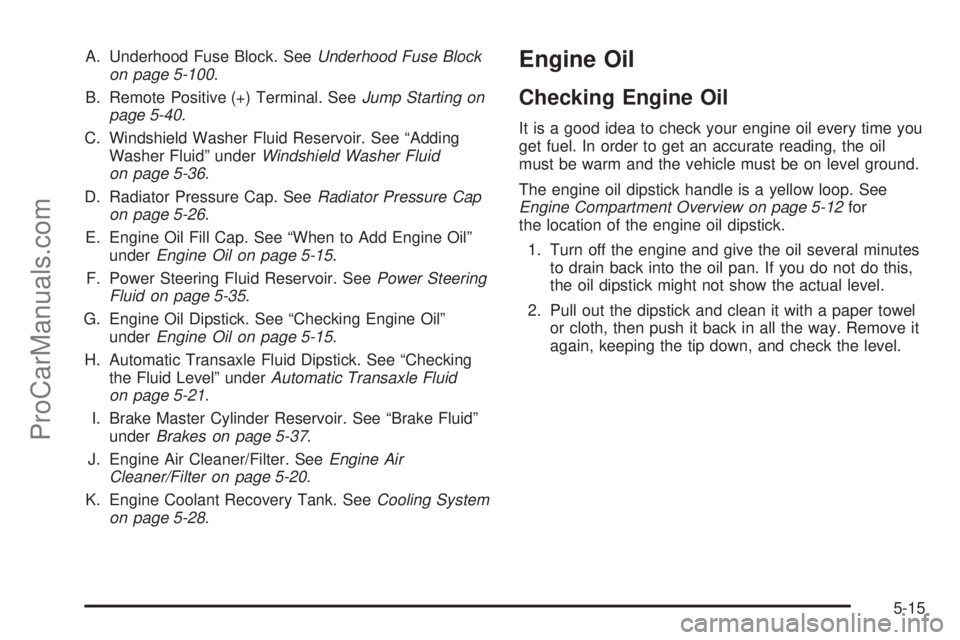
A. Underhood Fuse Block. SeeUnderhood Fuse Block
on page 5-100.
B. Remote Positive (+) Terminal. SeeJump Starting on
page 5-40.
C. Windshield Washer Fluid Reservoir. See “Adding
Washer Fluid” underWindshield Washer Fluid
on page 5-36.
D. Radiator Pressure Cap. SeeRadiator Pressure Cap
on page 5-26.
E. Engine Oil Fill Cap. See “When to Add Engine Oil”
underEngine Oil on page 5-15.
F. Power Steering Fluid Reservoir. SeePower Steering
Fluid on page 5-35.
G. Engine Oil Dipstick. See “Checking Engine Oil”
underEngine Oil on page 5-15.
H. Automatic Transaxle Fluid Dipstick. See “Checking
the Fluid Level” underAutomatic Transaxle Fluid
on page 5-21.
I. Brake Master Cylinder Reservoir. See “Brake Fluid”
underBrakes on page 5-37.
J. Engine Air Cleaner/Filter. SeeEngine Air
Cleaner/Filter on page 5-20.
K. Engine Coolant Recovery Tank. SeeCooling System
on page 5-28.Engine Oil
Checking Engine Oil
It is a good idea to check your engine oil every time you
get fuel. In order to get an accurate reading, the oil
must be warm and the vehicle must be on level ground.
The engine oil dipstick handle is a yellow loop. See
Engine Compartment Overview on page 5-12for
the location of the engine oil dipstick.
1. Turn off the engine and give the oil several minutes
to drain back into the oil pan. If you do not do this,
the oil dipstick might not show the actual level.
2. Pull out the dipstick and clean it with a paper towel
or cloth, then push it back in all the way. Remove it
again, keeping the tip down, and check the level.
5-15
ProCarManuals.com
Page 342 of 462

Overheated Engine Protection
Operating Mode
This emergency operating mode allows your vehicle to be
driven to a safe place in an emergency situation. If an
overheated engine condition exists, an overheat
protection mode which alternates ring groups of
cylinders helps prevent engine damage. In this mode, you
will notice a signicant loss in power and engine
performance. The temperature gage will indicate an
overheat condition exists. Driving extended miles (km)
and/or towing a trailer in the overheat protection mode
should be avoided.
Notice:After driving in the overheated engine
protection operating mode, to avoid engine damage,
allow the engine to cool before attempting any
repair. The engine oil will be severely degraded.
Repair the cause of coolant loss, change the oil and
reset the oil life system. SeeEngine Oil on
page 5-15.
Cooling System
When you decide it is safe to lift the hood, here is what
you will see:
A. Radiator Pressure Cap
B. Electric Engine Cooling Fans
C. Coolant Recovery Tank3.5L V6 Engine
5-28
ProCarManuals.com
Page 345 of 462

{CAUTION:
Adding only plain water to your cooling
system can be dangerous. Plain water, or
some other liquid such as alcohol, can boil
before the proper coolant mixture will. Your
vehicle’s coolant warning system is set for the
proper coolant mixture. With plain water or the
wrong mixture, your engine could get too hot
but you would not get the overheat warning.
Your engine could catch re and you or others
could be burned. Use a 50/50 mixture of clean,
drinkable water and DEX-COOL
®coolant.
Notice:In cold weather, water can freeze and crack
the engine, radiator, heater core and other parts.
Use the recommended coolant and the proper
coolant mixture.
When the coolant in the coolant recovery tank is at or
above the full cold mark, start your vehicle.
{CAUTION:
You can be burned if you spill coolant on hot
engine parts. Coolant contains ethylene glycol
and it will burn if the engine parts are hot
enough. Do not spill coolant on a hot engine.
If the overheat warning continues, there is one more
thing you can try. You can add the proper coolant
mixture directly at the pressure cap port, but be sure the
cooling system is cool before you do it.
{CAUTION:
Steam and scalding liquids from a hot cooling
system can blow out and burn you badly. They
are under pressure, and if you turn the radiator
pressure cap — even a little — they can come
out at high speed. Never turn the cap when the
cooling system, including the radiator pressure
cap, is hot. Wait for the cooling system and
radiator pressure cap to cool if you ever have
to turn the pressure cap.
5-31
ProCarManuals.com
Page 402 of 462

Appearance Care
Cleaning the Inside of Your Vehicle
Your vehicle’s interior will continue to look its best if
it is cleaned often. Although not always visible, dust and
dirt can accumulate on your upholstery. Dirt can
damage carpet, fabric, leather, and plastic surfaces.
Regular vacuuming is recommended to remove particles
from your upholstery. It is important to keep your
upholstery from becoming and remaining heavily soiled.
Soils should be removed as quickly as possible. Your
vehicle’s interior may experience extremes of heat
that could cause stains to set rapidly.
Lighter colored interiors may require more frequent
cleaning. Use care because newspapers and garments
that transfer color to your home furnishings may also
transfer color to your vehicle’s interior.
When cleaning your vehicle’s interior, only use cleaners
specically designed for the surfaces being cleaned.
Permanent damage may result from using cleaners on
surfaces for which they were not intended. Use glass
cleaner only on glass. Remove any accidental over-spray
from other surfaces immediately. To prevent over-spray,
apply cleaner directly to the cleaning cloth.Notice:If you use abrasive cleaners when cleaning
glass surfaces on your vehicle, you could scratch
the glass and/or cause damage to the rear window
defogger. When cleaning the glass on your
vehicle, use only a soft cloth and glass cleaner.
Many cleaners contain solvents that may become
concentrated in your vehicle’s breathing space. Before
using cleaners, read and adhere to all safety
instructions on the label. While cleaning your vehicle’s
interior, maintain adequate ventilation by opening
your vehicle’s doors and windows.
Dust may be removed from small buttons and knobs
using a small brush with soft bristles.
Your retailer has a product for cleaning your vehicle’s
glass. Should it become necessary, you can also obtain
a product from your retailer to remove odors from
your vehicle’s upholstery.
Do not clean your vehicle using the following cleaners
or techniques:
Never use a knife or any other sharp object to
remove a soil from any interior surface.
Never use a stiff brush. It can cause damage to
your vehicle’s interior surfaces.
Never apply heavy pressure or rub aggressively
with a cleaning cloth. Use of heavy pressure
can damage your interior and does not improve the
effectiveness of soil removal.
5-88
ProCarManuals.com