instrument panel SATURN SKY 2007 Owner's Manual
[x] Cancel search | Manufacturer: SATURN, Model Year: 2007, Model line: SKY, Model: SATURN SKY 2007Pages: 384, PDF Size: 2.47 MB
Page 112 of 384
Turn and Lane-Change Signals
The turn signal has two upward (for right) and
two downward (for left) positions. These positions
allow you to signal a turn or a lane change.
To signal a turn, move the lever all the way up or
down. When the turn is nished, the lever will
return automatically.
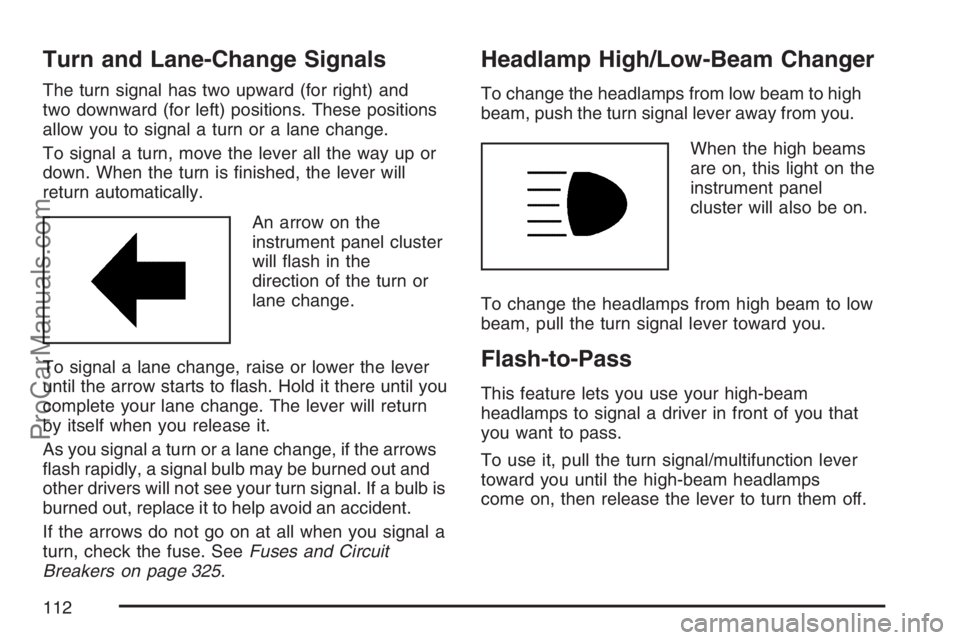
An arrow on the
instrument panel cluster
will ash in the
direction of the turn or
lane change.
To signal a lane change, raise or lower the lever
until the arrow starts to ash. Hold it there until you
complete your lane change. The lever will return
by itself when you release it.
As you signal a turn or a lane change, if the arrows
ash rapidly, a signal bulb may be burned out and
other drivers will not see your turn signal. If a bulb is
burned out, replace it to help avoid an accident.
If the arrows do not go on at all when you signal a
turn, check the fuse. SeeFuses and Circuit
Breakers on page 325.
Headlamp High/Low-Beam Changer
To change the headlamps from low beam to high
beam, push the turn signal lever away from you.
When the high beams
are on, this light on the
instrument panel
cluster will also be on.
To change the headlamps from high beam to low
beam, pull the turn signal lever toward you.
Flash-to-Pass
This feature lets you use your high-beam
headlamps to signal a driver in front of you that
you want to pass.
To use it, pull the turn signal/multifunction lever
toward you until the high-beam headlamps
come on, then release the lever to turn them off.
112
ProCarManuals.com
Page 119 of 384

Headlamps on Reminder
If you open the driver’s door with the ignition off
and the lamps on, you will hear a warning chime.
Daytime Running Lamps (DRL)
Daytime Running Lamps (DRL) can make it easier
for others to see the front of your vehicle during
the day. DRL can be helpful in many different
driving conditions, but they can be especially
helpful in the short periods after dawn and before
sunset. Fully functional daytime running lamps
are required on all vehicles rst sold in Canada.
Your vehicle has a light sensor on top of the
instrument panel that helps control the DRL.
Make sure it is not covered or the headlamps
will come on when they are not needed.
The DRL system makes both low beam headlamps
turn on at reduced intensity when the following
conditions are met:
The ignition is on.
The exterior lamp control is turned to AUTO.
The light sensor detects daytime light.
The shift lever is not in PARK (P).While the DRL system is on, the taillamps,
sidemarker lamps, and instrument panel lights
will not be on.
The DRL system turns off on U.S. vehicles by
using the on/off switch for one ignition cycle,
if the vehicle is in the PARK (P) position, or if the
vehicle speed is less than 5 mph (8 km h)
after the vehicle is started.
For vehicles rst sold in Canada the DRL system
will turn off when a automatic transmission
vehicle is in the PARK (P) position or the park
brake is set on a manual transmission vehicle and
the vehicle speed is less than 8 mph (13 km h).
As with any vehicle, you should turn on the regular
headlamp system when it is needed.
119
ProCarManuals.com
Page 120 of 384
Fog Lamps
The fog lamp button
is located on the
instrument panel,
to the left of the
steering wheel.
The ignition must be on to turn your fog lamps on.
Push the button to turn the fog lamps on. An
indicator light on the instrument panel cluster will
come on when the fog lamps are on. Push the
button again to turn the fog lamps off.
The parking lamps will automatically turn on and
off when the fog lamps are turned on and off.
The fog lamps will turn off while the high-beam
headlamps are turned on.
Some localities have laws that require the
headlamps to be on along with the fog lamps.
Instrument Panel Brightness
The control for this feature is located on the
instrument panel to the left of the steering wheel.
Turn the thumbwheel up to brighten the lights
or down to dim them.
Entry/Exit Lighting
The lamps inside your vehicle will go on when you
open any door. These lamps will fade out after
about 20 seconds after all of the doors have been
closed or when the ignition is turned on. These
lamps will also go on when you press the
trunk release, unlock symbol button or the horn
symbol on the keyless entry system transmitter.
The lamps inside your vehicle will stay on for about
20 seconds after your key is removed from the
ignition to provide an illuminated exit.
Mirror Reading Lamps
Your vehicle has reading lamps on the rearview
mirror. Push the button to turn the reading
lamps on and off.
120
ProCarManuals.com
Page 121 of 384

Battery Run-Down Protection
Your vehicle has a battery saver feature designed
to protect your vehicle’s battery.
When any interior lamp is left on and the ignition
is turned off, the battery rundown protection
system will automatically turn the lamp off after
20 minutes. This will avoid draining the battery.
Accessory Power Outlet(s)
The accessory power outlet can be used to
connect electrical equipment such as a cellular
phone or CB radio.
The accessory power outlet is located on the
instrument panel, to the right of the radio.
To use the outlet, remove the cover. When not in
use, always cover the outlet with the protective cap.
Notice:Leaving electrical equipment plugged
in for an extended period of time while the
vehicle is off will drain the battery. Power is
always supplied to the outlets. Always unplug
electrical equipment when not in use and
do not plug in equipment that exceeds
the maximum 20 ampere rating.Certain electrical accessories may not be
compatible with the accessory power outlet and
could result in blown vehicle or adapter fuses.
If you experience a problem, see your retailer for
additional information on the accessory power
outlet.
Notice:Adding any electrical equipment to
your vehicle may damage it or keep other
components from working as they should.
The repairs would not be covered by your
warranty. Do not use equipment exceeding
maximum amperage rating of 20 amperes.
Check with your retailer before adding
electrical equipment.
When adding electrical equipment, be sure to
follow the installation instructions included with
the equipment.
Notice:Improper use of the power outlet can
cause damage not covered by your warranty.
Do not hang any type of accessory or
accessory bracket from the plug because the
power outlets are designed for accessory
power plugs only.
121
ProCarManuals.com
Page 122 of 384

Ashtray(s) and Cigarette Lighter
Your vehicle may have a removable muffin
tin ashtray and cigarette lighter. The muffin tin
ashtray can be placed into the front console side
cupholder. To use the lighter, located on the
instrument panel to the left side of the glove box
door, push it in all the way and let go. When
it is ready, it will pop back out by itself.
Notice:Holding a cigarette lighter in while it
is heating will not allow the lighter to back
away from the heating element when it is hot.
Damage from overheating may occur to the
lighter or heating element, or a fuse could be
blown. Do not hold a cigarette lighter in
while it is heating.
Notice:If you put papers, pins, or other
ammable items in the ashtray, hot cigarettes
or other smoking materials could ignite
them and possibly damage your vehicle.
Never put ammable items in the ashtray.
Climate Controls
Climate Control System
With this system you can control the heating,
cooling, and ventilation of the vehicle. Set
the control between modes to get a combination
of the two modes.
Temperature:Turn the left knob on the control
panel to adjust the temperature of the air in
the vehicle. Turn the knob clockwise or
counterclockwise to increase or decrease the
temperature.
Climate Control System
122
ProCarManuals.com
Page 124 of 384

9(Fan):Turn the center knob on the control
panel to control the fan speed. Turn the knob
clockwise or counterclockwise to increase
or decrease the fan speed.
9(Off):Turn the center knob to this position to
turn the fan off.
?(Recirculation):Press the center knob on
the control panel to recirculate air inside the
vehicle and prevent outside air from coming in.
It can be used to prevent outside odors from
entering your vehicle and cool the air inside your
vehicle more quickly. Press this button to turn
the recirculation mode on or off. An indicator light
on the button can on while the recirculation
mode is activated.
Recirculation is available in the bi-level and vent
modes. If recirculation is selected in either
oor/heat, oor/defog, or defrost mode, the
indicator light will ash three times indicating it is
not available in that mode.The right knob on the control panel is used to
direct the airow inside the vehicle. Turn the knob
to select one of the following modes:
H(Vent):Turn the right knob on the control
panel to this mode to direct air to the instrument
panel outlets.
\(Bi-Level):Turn the right knob on the control
panel to this mode to direct air to the instrument
panel outlets, and the remaining air to the
oor outlets and the defroster and side window
outlets. Cooler air is directed to the upper outlets
and warmer air to the oor outlets.
[(Floor):Turn the right knob on the control
panel to this mode to direct most of the air to the
oor outlets. The remaining air is directed to the
side window and defroster outlets. If low or no
airow is on the passenger side, make sure that the
carpet covering is tucked under oor outlets.
124
ProCarManuals.com
Page 126 of 384

Do not use the rear defogger when the convertible
top is down.
=(Rear Defogger):Press the right knob on
the control panel to turn the rear window defogger
on or off. Do not use the rear defogger when
the convertible top is down.
Notice:Do not use anything sharp on the
inside of the rear window. If you do, you could
cut or damage the warming grid, and the repairs
would not be covered by your warranty. Do not
attach a temporary vehicle license, tape, a decal
or anything similar to the defogger grid.
Outlet Adjustment
Use the air outlets located in the center and on the
side of your instrument panel to direct the airow.
Use the tab located on the air outlets to change
the direction of the airow.Your vehicle has ow through ventilation that
allows outside air to be forced through your
ventilation system when your vehicle is moving.
Outside air will enter the vehicle when the air
conditioning fan is running. Flow through
ventilation can be stopped in vent and bi-level
modes by pressing the recirculation button.
Operation Tips
Clear away any ice, snow or leaves from the
air inlets at the base of the windshield that
may block the ow of air into your vehicle.
Use of non-Saturn approved hood deectors
may adversely affect the performance of the
system.
Keep the path under the front seats clear of
objects to help circulate the air inside of
your vehicle more effectively.
126
ProCarManuals.com
Page 128 of 384

Instrument Panel Cluster
Your instrument panel cluster is designed to let you know at a glance how your vehicle is running. You will
know how fast you are going, about how much fuel is left in the tank, and many other things you will need
to drive safely and economically.
United States Base Cluster shown, Canada and Uplevel similar
128
ProCarManuals.com
Page 130 of 384

Passenger Safety Belt
Reminder Light
Several seconds after the key is turned to RUN or
START, a chime will sound for several seconds to
remind the front passenger to buckle their safety
belt. This would only occur if the passenger airbag
is enabled. SeePassenger Sensing System on
page 50for more information. The passenger
safety belt light will also come on and stay on for
several seconds, then it will ash for several more.
This chime and light will
be repeated if the
passenger remains
unbuckled and
the vehicle is in motion.
If the passenger’s safety belt is buckled, neither
the chime nor the light will come on.
Airbag Readiness Light
There is an airbag readiness light on the
instrument panel cluster, which shows the airbag
symbol. The system checks the airbag’s
electrical system for malfunctions. The light tells
you if there is an electrical problem. The
system check includes the airbag sensor, the
airbag modules, the wiring and the crash sensing
and diagnostic module. For more information
on the airbag system, seeAirbag System
on page 43.
This light will come on
when you start your
vehicle, and it will ash
for a few seconds.
Then the light should go
out. This means the
system is ready.
If the airbag readiness light stays on after you
start the vehicle or comes on when you are driving,
your airbag system may not work properly.
Have your vehicle serviced right away.
130
ProCarManuals.com
Page 131 of 384

{CAUTION:
If the airbag readiness light stays on after
you start your vehicle, it means the airbag
system may not be working properly. The
airbags in your vehicle may not inate in
a crash, or they could even inate without
a crash. To help avoid injury to yourself
or others, have your vehicle serviced right
away if the airbag readiness light stays
on after you start your vehicle.
The airbag readiness light should ash for a
few seconds when you turn the ignition key to
RUN or START. If the light does not come on then,
have it xed so it will be ready to warn you if
there is a problem.
Passenger Airbag Status Indicator
Your vehicle has a passenger sensing system.
There is a passenger airbag status indicator on the
instrument panel.
The indicator next to the passenger airbag status
indicator lights is the passenger safety belt
reminder light. SeePassenger Safety Belt
Reminder Light on page 130for more information
on that indicator.
When the ignition key is turned to RUN or START,
the passenger airbag status indicator will light
ON and OFF, or the symbol for on and off,
for several seconds as a system check. Then,
after several more seconds, the status indicator
will light either ON or OFF, or either the on
or off symbol to let you know the status of the
right front passenger’s frontal airbag.
United StatesCanada
131
ProCarManuals.com