service Seat Alhambra 2008 User Guide
[x] Cancel search | Manufacturer: SEAT, Model Year: 2008, Model line: Alhambra, Model: Seat Alhambra 2008Pages: 295, PDF Size: 7.83 MB
Page 81 of 295

Cockpit79
Safety First
Operating instructions
Tips and Maintenance
Te c h n i c a l D a t a
On board computer with multifunction displayDescription
The information from the multi-function indicator and on board computer is
shown on these displays. The functions and indications of the multi-function
indicator are described in the chapter “Intruments”.
When the ignition is switched on, the on-board computer continually controls
the working of certain systems and vehicle components while the vehicle is
in motion.
Faults in the operation or urgent repairs or services are indicated by sound
signals and light warnings in red or yellow,depending on priority, on the
instrument panel.
In addition to the red and yellow symbols, text messages appear on the
driver's display.
Note
•
Depending on the model version or the country, it is possible that the
equipment installed in your vehicle does not display certain messages, or
they do not correspond with those in this manual. For this reason, we advise
you to consult the chapter “Luminous Indicators” for complementary informa-
tion on the different symbols and a description of their function.
Check operationVehicles with a manual gearbox
If faults exist, these will be indicated after the ignition is switched on. The
corresponding sound signal is emitted at the same time.
Vehicles with an automatic gearbox
Once the ignition is switched on with the lever in position P or N, the driver
warning appears on the display:
WITH CAR STOPPED, DEPRESS BRAKE TO SELECT GEAR
After selecting a gear ( R, D , etc) the warning is erased.
Fig. 49 Vehicle instru-
ment panel display with
telematic or navigation
system.Fig. 50 Display in vehicle
with on-board computer.
alhambra_ingles_0708 Seite 79 Mittwoch, 10. September 2008 10:55 10
Page 82 of 295
Cockpit
80Where one or more faults exist, the warning disappears some 15 seconds
after the engine is started, and the corresponding fault symbols with their
respective text messages appear on the display.
For all vehicles
A sound signal is emitted in the event of a fault:•
Priority 1 - three buzzes
•
Priority 2 - one buzz
If priority 1 and 2 faults occur at the same time, three buzzes are emitted.
In the event of a fault, the symbol with the corresponding text message is
displayed.Note
Priority 2 faults are displayed after repairing or eliminating priority 1 faults.Priority 1 (red symbols)
Priority 1 symbols warn of a dangerous situation. Therefore
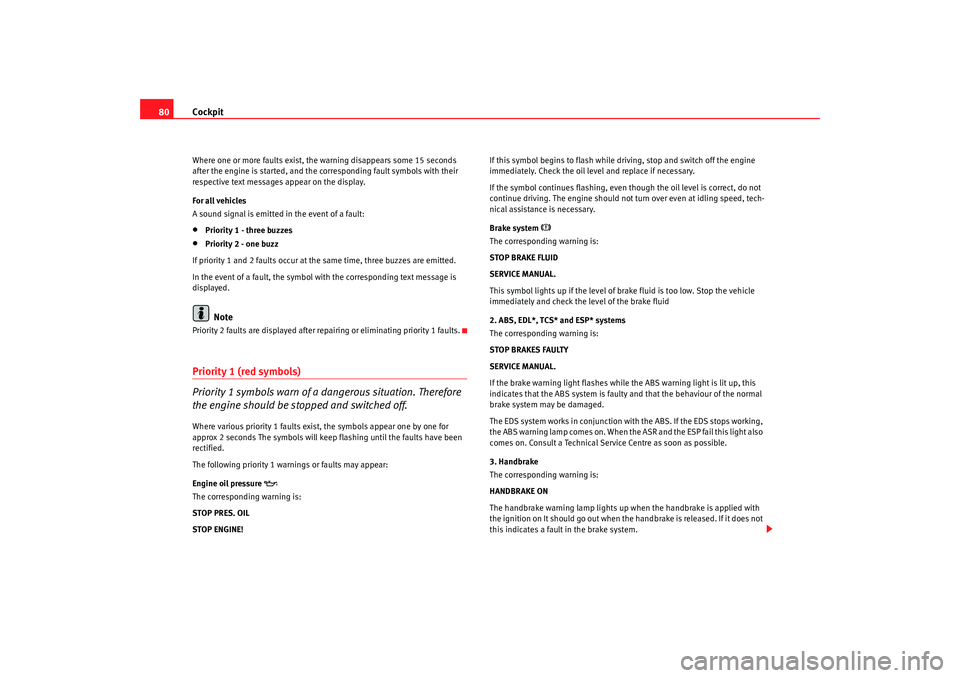
the engine should be stopped and switched off.Where various priority 1 faults exist, the symbols appear one by one for
approx 2 seconds The symbols will keep flashing until the faults have been
rectified.
The following priority 1 warnings or faults may appear:
Engine oil pressure
The corresponding warning is:
STOP PRES. OIL
STOP ENGINE! If this symbol begins to flash while driving, stop and switch off the engine
immediately. Check the oil level and replace if necessary.
If the symbol continues flashing, even though the oil level is correct, do not
continue driving. The engine should not turn over even at idling speed, tech-
nical assistance is necessary.
Brake system
The corresponding warning is:
STOP BRAKE FLUID
SERVICE MANUAL.
This symbol lights up if the level of brake fluid is too low. Stop the vehicle
immediately and check the level of the brake fluid
2. ABS, EDL*, TCS* and ESP* systems
The corresponding warning is:
STOP BRAKES FAULTY
SERVICE MANUAL.
If the brake warning light flashes while the ABS warning light is lit up, this
indicates that the ABS system is faulty and that the behaviour of the normal
brake system may be damaged.
The EDS system works in conjunction with the ABS. If the EDS stops working,
the ABS warning lamp comes on. When the ASR and the ESP fail this light also
comes on. Consult a Technical Service Centre as soon as possible.
3. Handbrake
The corresponding warning is:
HANDBRAKE ON
The handbrake warning lamp lights up when the handbrake is applied with
the ignition on It should go out when the handbrake is released. If it does not
this indicates a fault in the brake system.
alhambra_ingles_0708 Seite 80 Mittwoch, 10. September 2008 10:55 10
Page 83 of 295
Cockpit81
Safety First
Operating instructions
Tips and Maintenance
Te c h n i c a l D a t a
An audible signal is also given if the car is driven faster than 6 km/h (approx.
4 mph) with the handbrake applied.
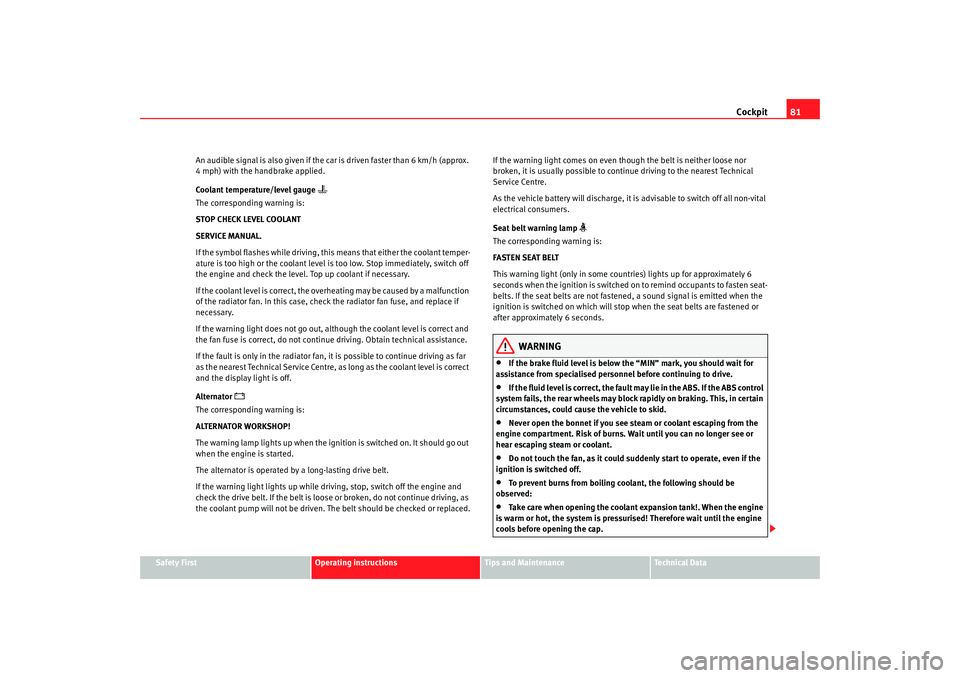
Coolant temperature/level gauge
The corresponding warning is:
STOP CHECK LEVEL COOLANT
SERVICE MANUAL.
If the symbol flashes while driving, this means that either the coolant temper-
ature is too high or the coolant level is too low. Stop immediately, switch off
the engine and check the level. Top up coolant if necessary.
If the coolant level is correct, the overheating may be caused by a malfunction
of the radiator fan. In this case, check the radiator fan fuse, and replace if
necessary.
If the warning light does not go out, although the coolant level is correct and
the fan fuse is correct, do not continue driving. Obtain technical assistance.
If the fault is only in the radiator fan, it is possible to continue driving as far
as the nearest Technical Service Centre, as long as the coolant level is correct
and the display light is off.
Alternator
The corresponding warning is:
ALTERNATOR WORKSHOP!
The warning lamp lights up when the ignition is switched on. It should go out
when the engine is started.
The alternator is operated by a long-lasting drive belt.
If the warning light lights up while driving, stop, switch off the engine and
check the drive belt. If the belt is loose or broken, do not continue driving, as
the coolant pump will not be driven. The belt should be checked or replaced.
If the warning light comes on even though the belt is neither loose nor
broken, it is usually possible to continue driving to the nearest Technical
Service Centre.
As the vehicle battery will discharge, it is advisable to switch off all non-vital
electrical consumers.
Seat belt warning lamp
The corresponding warning is:
FASTEN SEAT BELT
This warning light (only in some countries) lights up for approximately 6
seconds when the ignition is switched on to remind occupants to fasten seat-
belts. If the seat belts are not fastened, a sound signal is emitted when the
ignition is switched on which will stop when the seat belts are fastened or
after approximately 6 seconds.
WARNING
•
If the brake fluid level is below the “MIN” mark, you should wait for
assistance from specialised personnel before continuing to drive.
•
If the fluid level is correct, the fault may lie in the ABS. If the ABS control
system fails, the rear wheels may block rapidly on braking. This, in certain
circumstances, could cause the vehicle to skid.
•
Never open the bonnet if you see steam or coolant escaping from the
engine compartment. Risk of burns. Wait until you can no longer see or
hear escaping steam or coolant.
•
Do not touch the fan, as it could suddenly start to operate, even if the
ignition is switched off.
•
To prevent burns from boiling coolant, the following should be
observed:
•
Take care when opening the coolant expansion tank!. When the engine
is warm or hot, the system is pressurised! Therefore wait until the engine
cools before opening the cap.
alhambra_ingles_0708 Seite 81 Mittwoch, 10. September 2008 10:55 10
Page 84 of 295

Cockpit
82•
To protect your face, hands and arms from hot steam or fluid, cover the
fan cap with a large cloth in order to open it.
•
Take care to avoid coolant spilling on the exhaust pipe or any other hot
component as antifreeze is inflammable.
Priority 2 (yellow symbols)If a yellow symbol appears, a sound signal is emitted. The symbols indicate
a dangerous situation. The function shown should be controlled as fast as
possible. If various faults occur at the same time, the symbols will be
displayed one by one for approx. 2 seconds.
Oil level too low
The corresponding warning is:
CHECK LEVEL OIL
If the symbol lights up: stop, switch off the engine and check the oil level,
topping up where necessary.
Oil level too low
The corresponding warning is:
OIL SENSOR WORKSHOP!
If the symbol flashes this probably means that the oil level sensor is defec-
tive. The vehicle should immediately be taken to a Technical Service Centre.
It is possible to continue driving, but the oil level should be continually moni-
tored, e.g. every time the vehicle is refuelled.
Engine fault
- Petrol engine
- Diesel engine
The corresponding warning is:
ENGINE FAULT WORKSHOP!
If a fault in the running of the engine arises while driving, the corresponding
light will come on (petrol engine) or flash (diesel engine). In this case the
engine should be checked immediately by a Technical Service Centre.
Anti-lock brake system (ABS)
The corresponding warning is:
ABS FAULT
A fault in the ABS system is shown in the following manner:
If the ABS warning light comes on separately, it is possible to brake the
vehicle using the normal brake system (without ABS). Consult a Technical
Service Centre as soon as possible.
Electronic immobiliser
The corresponding warning is:
IMMOBILIS.ACTIVE
When the ignition is switched on, the vehicle key data is automatically
consulted. The warning light will flash to confirm that the data is being
checked
If an unauthorised key is used, the warning light will flash constantly. It will
not be possible to start the vehicle.
Tailgate/bonnet open display *
The corresponding warning is:
TA ILGATE OPEN
This warning light only indicates that the tailgate is open.
WARNING (continued)
alhambra_ingles_0708 Seite 82 Mittwoch, 10. September 2008 10:55 10
Page 88 of 295
Cockpit
86CE0434.
alhambra_ingles_0708 Seite 86 Mittwoch, 10. September 2008 10:55 10
Declaration of conformityNOKIA CORPORATION declares under its sole responsibility that the product
HT-1 conforms to the provisions in 1995/5/EC of the European Union Council.
A copy of the Declaration of Conformity can be requested from the Customer
Service Department for this brand.
Page 89 of 295
Unlocking and locking87
Safety First
Operating instructions
Tips and Maintenance
Te c h n i c a l D a t a
Unlocking and lockingKeysKey set
The set of keys includes a remote control, a key without a
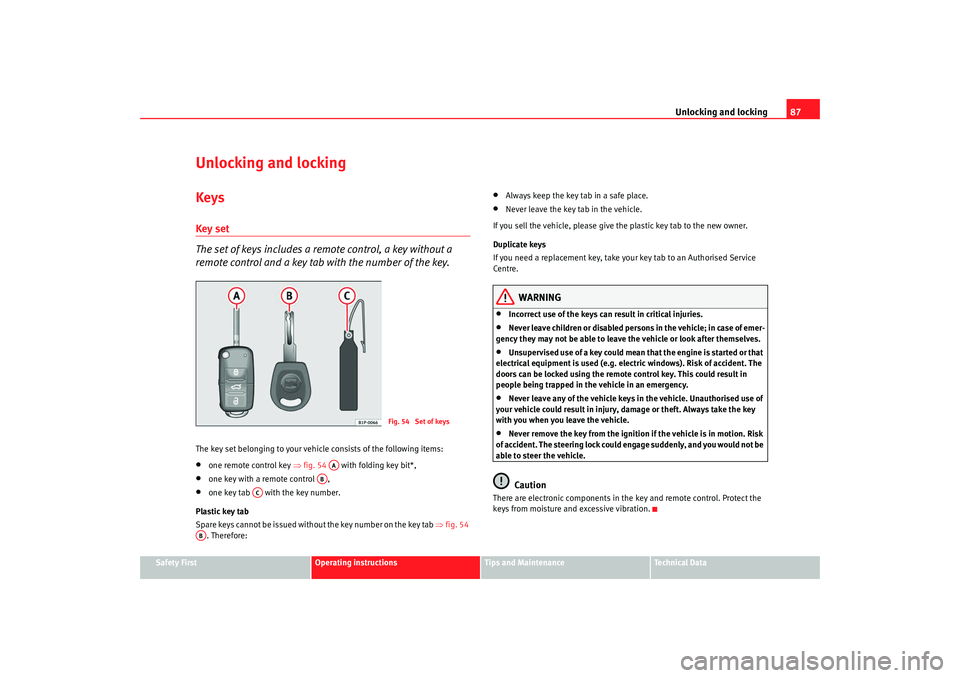
remote control and a key tab with the number of the key.The key set belonging to your vehicle consists of the following items:•
one remote control key ⇒fig. 54 with folding key bit*,
•
one key with a remote control ,
•
one key tab with the key number.
Plastic key tab
Spare keys cannot be issued without the key number on the key tab ⇒fig. 54
. Therefore:
•
Always keep the key tab in a safe place.
•
Never leave the key tab in the vehicle.
If you sell the vehicle, please give the plastic key tab to the new owner.
Duplicate keys
If you need a replacement key, take your key tab to an Authorised Service
Centre.
WARNING
•
Incorrect use of the keys can result in critical injuries.
•
Never leave children or disabled persons in the vehicle; in case of emer-
gency they may not be able to leave the vehicle or look after themselves.
•
Unsupervised use of a key could mean that the engine is started or that
electrical equipment is used (e.g. electric windows). Risk of accident. The
doors can be locked using the remote control key. This could result in
people being trapped in the vehicle in an emergency.
•
Never leave any of the vehicle keys in the vehicle. Unauthorised use of
your vehicle could result in injury, damage or theft. Always take the key
with you when you leave the vehicle.
•
Never remove the key from the ignition if the vehicle is in motion. Risk
of accident. The steering lock could engage suddenly, and you would not be
able to steer the vehicle.Caution
There are electronic components in the key and remote control. Protect the
keys from moisture and excessive vibration.
Fig. 54 Set of keys
AA
AB
AC
AB
alhambra_ingles_0708 Seite 87 Mittwoch, 10. September 2008 10:55 10
Page 91 of 295
Unlocking and locking89
Safety First
Operating instructions
Tips and Maintenance
Te c h n i c a l D a t a
•
the key with remote control
9) ⇒ page 94,
•
with the central locking button ⇒ page 91.
Individual opening of doors
9)
An Authorised SEAT Service Centre can programme the individual opening of
doors.
When the key is turned once in the driver's door lock, in the direction of
opening, or when button ⇒page 94, fig. 61 on the remote control key is
pressed, only the driver's door will unlock.
When the key is turned a second time or the button is pressed a second
time, all the doors and the tailgate are unlocked.
WARNING
•
Do not leave anyone in the car if it has been locked from the outside. It
is not possible to open the doors from the inside. Locked doors could delay
assistance in an emergency. People could become trapped inside in an
emergency.
•
Never close the doors without observing and ensuring it is clear, to do
otherwise could cause serious injury to you and others. Make sure that no
one is in the path of the door.Note
The entire vehicle is unlocked if the airbags are triggered during an accident.
The vehicle cannot be locked from the inside unless the ignition is first
switched off and back on. Following an accident, the vehicle cannot be locked
from the outside. Contact an Authorised Service Centre.
Opening and closing the doors with the keyOpening the doors
– Insert the key in the lock on the driver door.
– Turn the key to the open position. The doors and the tailgate are unlocked.
Closing the doors
– Insert the key in the lock on the driver door.
– First turn the key once to the locking position ⇒. The doors
and the tailgate are locked.Notes on unlocking
The following applies if you wish to unlock your vehicle manually using the
key:•
The deadlock mechanism, the interior monitoring system
10) and the anti-
theft alarm
10) will be deactivated immediately. The deactivation is confirmed
by the turn signals flashing briefly twice.
•
The interior lights in the courtesy position will be switched on for approx-
imately 20 seconds when the vehicle is unlocked.
•
If the key is held in the unlocking position, all windows (apart from the
electric vent wing at the rear) will be opened on vehicles equipped with elec-
tric windows.
Notes on locking
The following applies if you wish to lock your vehicle manually using the key:
9)Optional equipment
A1
10)Optional equipment
alhambra_ingles_0708 Seite 89 Mittwoch, 10. September 2008 10:55 10
Page 92 of 295
Unlocking and locking
90•
The deadlock mechanism, the interior monitoring system
10) and the anti-
theft alarm
10) will be activated immediately if the key is turned once in the
lock. The activation is confirmed by the turn signals flashing briefly.
•
The deadlock mechanism, the interior monitoring system and the anti-
theft alarm will not be activated if the key is turned in the lock twice within
one second. All the doors and the tailgate will, however, be locked. The doors
can be unlocked from the inside if the deadlock mechanism has not been
activated. To do this, operate the door opening lever on the door in question.
The alarm will go off.
•
When locking the vehicle, the interior lights in the courtesy switch posi-
tion will be switched off
•
A warning lamp in the driver door flashes to indicate the deadlock is
working. The warning lamp will switch off after 14 days. This is to prevent the
vehicle battery from discharging completely when the vehicle is not used for
a longer period. The system is still active.
•
Windows, or the sliding roof, which are still open can be closed automat-
ically on vehicles equipped with electric windows and electric vent windows
or with an electric sliding roof. To do this, the key must be kept held in the
locking position until all windows and the sliding roof are fully closed.
WARNING
If the vehicle is locked, children and disabled people may be trapped
inside.•
Never leave children or disabled persons in the vehicle; in case of emer-
gency they may not be able to leave the vehicle or look after themselves.
•
Always take you car keys with you when you leave the vehicle. Misuse
of the keys, for example, by children, may result in serious damage and
accident.
−The engine may accidentally be started and be out of control.
− If the ignition is switched on, the electric equipment could be acti-
vated with risk of injury, for example, in the electric windows. −
The doors can be locked using the remote control key. This could
result in people being trapped in the vehicle in an emergency.
− Always take the key with you when you leave the vehicle.
•
Never remove the key from the ignition if the vehicle is in motion. Risk
of accident. The steering lock could engage suddenly, and you would not be
able to steer the vehicle.Caution
Each key contains electronic components. Protect the keys from moisture and
excessive vibration.
Note
•
Any SEAT Service centre can programme the central locking system so that
only the driver's door is unlocked when the key is turned once to open.WARNING (continued)
alhambra_ingles_0708 Seite 90 Mittwoch, 10. September 2008 10:55 10
Page 97 of 295
Unlocking and locking95
Safety First
Operating instructions
Tips and Maintenance
Te c h n i c a l D a t a
WARNING
•
Never leave children or disabled persons in the vehicle; in case of emer-
gency they may not be able to leave the vehicle or look after themselves.
•
Always take you car keys with you when you leave the vehicle. Misuse
of the keys, for example, by children, may result in serious damage and
accident.
−The engine may accidentally be started and be out of control.
− If the ignition is switched on, the electric equipment could be acti-
vated with risk of injury, for example, in the electric windows.
− The doors can be locked using the remote control key. This could
result in people being trapped in the vehicle in an emergency.
− Always take the key with you when you leave the vehicle.
•
Never remove the key from the ignition if the vehicle is in motion. Risk
of accident. The steering lock could engage suddenly, and you would not be
able to steer the vehicle.Note
•
An Authorised SEAT Service Centre can programme the individual
opening of doors. In this case, when the unlock button on the remote
control is pressed once, only the driver's door is unlocked ⇒page 89. When
the button is pressed once more, all doors and the tailgate will be unlocked.
Seat Service will be happy to provide more information on the activation of
this function.
•
The remote control transmitter and the batteries are integrated in the
remote control. The receiver is in the interior of the vehicle. Obstacles
between the remote control and the vehicle, bad weather conditions and
discharged batteries can considerably reduce the range of the remote control.
•
The remote control only locks and unlocks the vehicle when it is used
within range.
•
The vehicle will be locked again automatically if you do not open one of
the doors or the tailgate 30 seconds after unlocking the car. This function prevents the vehicle from remaining unlocked if the unlocking button is
pressed by mistake.
•
If it is not possible to open or close the vehicle using the remote control,
this should be re-synchronised ⇒page 95 or change the battery ⇒page 95.
•
The working of the remote control may be momentarily affected if there is
transmitter using the same waveband (e.g. radiotelephone, mobile tele-
phone, etc) in the vicinity of the vehicle.
Synchronising the remote control keySynchronising the remote control key
– Briefly press the open button ⇒page 94, fig. 61 once.
– Then open or close the vehicle using the key bit within one minute ⇒page 89.The vehicle can no longer be opened and closed with the remote control if you
press button ⇒page 94, fig. 61 a long way outside the effective range
of the radio wave remote control. The remote control key will have to be resyn-
chronised.
Spare remote control keys are available from SEAT Service. They must be
matched to the locking system.
Up to four remote control keys can be used.Replacing the batteryIf the battery indicator on the remote control ⇒page 94, fig. 61 does not
flash when the buttons are pushed, the battery must be replaced.
A1
A1
A4
alhambra_ingles_0708 Seite 95 Mittwoch, 10. September 2008 10:55 10
Page 104 of 295
Unlocking and locking
102
− If the ignition is switched on, the electric equipment could be acti-
vated with risk of injury, for example, in the electric windows.
− The doors can be locked using the remote control key. This could
result in people being trapped in the vehicle in an emergency.
− Always take the key with you when you leave the vehicle.
•
The electric windows will work until the ignition has been switched off
and one of the front doors has been opened.
•
If necessary, use the safety switch to disable the rear electric windows.
Make sure that they have been disabled.Note
If the window is not able to close because it is stiff or because of an obstruc-
tion, the window will automatically open again ⇒page 103. If this happens,
check why the window could not be closed before attempting to close it
again.One-touch closing and opening
One-touch opening and closing means you do not have to
hold down the button.The one-touch closing and opening of the electric windows can only
be controlled with the switches on the driver's door. The buttons
⇒ page 101, fig. 64 and have two levels for opening the
front windows and two for closing. This makes it easier to open or
close windows to the desired position. One-touch closing
– Pull up the button for the window briefly to the second position.
The window closes fully.
One-touch opening
– Push down the button for the window briefly to the second posi- tion. The window opens fully.
Restoring one-touch opening and closing
– The one-touch opening and closing function is not active after the vehicle battery has been disconnected or is empty and will
have to be reset.
– Close all windows and doors.
– Use the key to lock the vehicle from outside and hold the key in the lock position for at least one second. The one-touch function
is now ready for operation.
If you push (or pull) a button to the first stage, the window will open (or close)
until you release the button. If you push or lift the button briefly to the second
stage, the window will open (one-touch opening) or close (one-touch closing)
automatically. If you operate the button while the window is opening or
closing, it stops at this position.
The one-touch opening and closing function will not function once the igni-
tion has been switched off.
The one-touch function and roll-back function will not work if there is a
malfunction in the electric windows. Contact an Authorised Service Centre.
WARNING (continued)
A1
A2
alhambra_ingles_0708 Seite 102 Mittwoch, 10. September 2008 10:55 10