light Seat Alhambra 2008 Workshop Manual
[x] Cancel search | Manufacturer: SEAT, Model Year: 2008, Model line: Alhambra, Model: Seat Alhambra 2008Pages: 295, PDF Size: 7.83 MB
Page 121 of 295
Lights and visibility119
Safety First
Operating instructions
Tips and Maintenance
Te c h n i c a l D a t a
This function can be activated and deactivated by pressing the rearview
mirror switch ⇒
page 118, fig. 81 . Wh e n i t is a ct iva te d , t h e war n in g l am p
lights up .
Exterior mirrors
The exterior mirrors can be adjusted using the rotary knob in
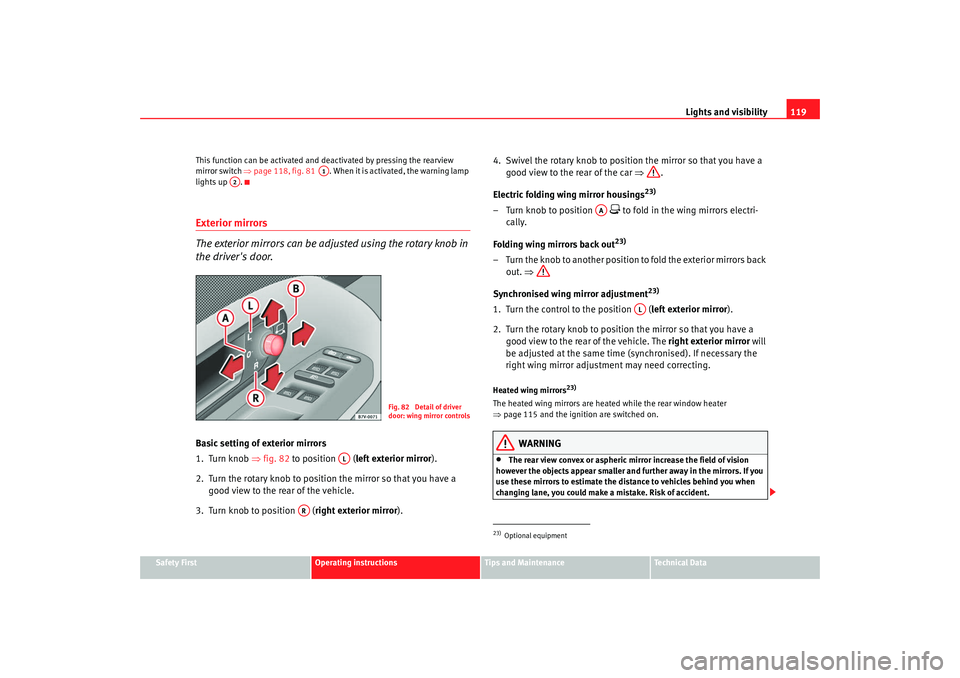
the driver's door.Basic setting of exterior mirrors
1. Turn knob ⇒fig. 82 to position (left exterior mirror ).
2. Turn the rotary knob to position the mirror so that you have a good view to the rear of the vehicle.
3. Turn knob to position ( right exterior mirror). 4. Swivel the rotary knob to position the mirror so that you have a
good view to the rear of the car ⇒.
Electric folding wing mirror housings
23)
– Turn knob to position
to fold in the wing mirrors electri-
cally.
Folding wing mirrors back out23)
– Turn the knob to another position to fold the exterior mirrors back out. ⇒
Synchronised wing mirror adjustment
23)
1. Turn the control to the position (left exterior mirror ).
2. Turn the rotary knob to position the mirror so that you have a good view to the rear of the vehicle. The right exterior mirror will
be adjusted at the same time (synchronised). If necessary the
right wing mirror adjustment may need correcting.Heated wing mirrors
23)
The heated wing mirrors are heated while the rear window heater
⇒ page 115 and the ignition are switched on.
WARNING
•
The rear view convex or aspheric mirror increase the field of vision
however the objects appear smaller and further away in the mirrors. If you
use these mirrors to estimate the distance to vehicles behind you when
changing lane, you could make a mistake. Risk of accident.
A1
A2
Fig. 82 Detail of driver
door: wing mirror controls
AL
AR
23)Optional equipment
AA
AL
alhambra_ingles_0708 Seite 119 Mittwoch, 10. September 2008 10:55 10
Page 122 of 295
Lights and visibility
120•
If possible, use the interior mirror to estimate distances to vehicles
behind you.
•
Make sure that you do not get your finger trapped between the mirror
and the mirror base when folding back the mirrors. Risk of injury!For the sake of the environment
The exterior mirror heating should be switched off when it is no longer
needed. Fuel is wasted otherwise.
Note
•
If the electrical adjustment ever fails to operate, the mirrors can be
adjusted by hand by lightly pressing the edge of the mirror glass.
•
In vehicles with electric wing mirrors, the following points should be
observed: if, due to an external force (e.g. a knock while manoeuvring), the
adjustment of the mirror housing is altered, the mirror will have to be
completely folded electrically. Do not readjust the mirror housing by hand, as
this will interfere with the mirror adjuster function.WARNING (continued)
alhambra_ingles_0708 Seite 120 Mittwoch, 10. September 2008 10:55 10
Page 138 of 295
Seats and stowage
136Coat hooks are located in the roof. They are integrated in the grab handles in
the passenger compartment.
Location of CD changer
31)
The CD changer, which can be factory fitted, is located either in the dash
panel or in the right-hand stowage compartment in the luggage compart-
ment.
WARNING
•
Ensure that no objects can fall from the dash panel or other stowage
areas into the driver footwell while the vehicle is moving. In the event of a
sudden braking manoeuvre, you will not be able to use the brake, clutch or
accelerator. Risk of accident.
•
Clothing hung on the coat hooks must not restrict the driver's view.
Risk of accident. The coat hooks are intended only for use with light arti-
cles of clothing. Do not leave any hard, sharp or heavy objects in hanging
articles of clothing. During sudden braking manoeuvres or accidents, espe-
cially those involving airbag deployment, these objects could injure the
vehicle occupants.
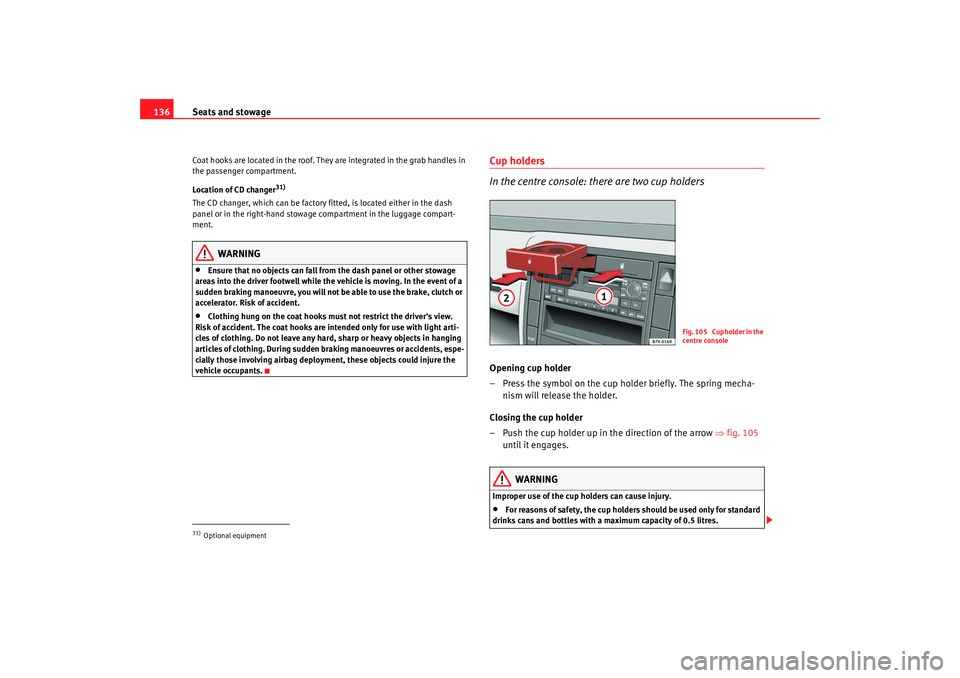
Cup holders
In the centre console: there are two cup holdersOpening cup holder
– Press the symbol on the cup holder briefly. The spring mecha- nism will release the holder.
Closing the cup holder
– Push the cup holder up in the direction of the arrow ⇒fig. 105
until it engages.
WARNING
Improper use of the cup holders can cause injury.•
For reasons of safety, the cup holders should be used only for standard
drinks cans and bottles with a maximum capacity of 0.5 litres.
31)Optional equipment
Fig. 105 Cupholder in the
centre console
alhambra_ingles_0708 Seite 136 Mittwoch, 10. September 2008 10:55 10
Page 139 of 295
Seats and stowage137
Safety First
Operating instructions
Tips and Maintenance
Te c h n i c a l D a t a
•
Never place hot drinks in the drink holders. During normal or sudden
driving manoeuvres, sudden braking or an accident, the hot drink could be
spilled. Danger of scalding.
•
Ensure, when driving, that no can or other object is dropped in the
driver footwell, as it could get under the pedals and obstruct their working.
In the event of a sudden driving or braking manoeuvre, you will not be able
to operate the brake, clutch or accelerator pedal. Risk of accident!
•
Never leave closed drinks cans in direct sunlight for any length of time.
If the inside temperature is high they could explode.Caution
When driving, do not leave open cans in the cup holders. The drink might be
spilt on braking, for example, and could damage the vehicle.
Note
There is no left-hand cup holder on vehicles fitted with a hands-free tele-
phone system
32).
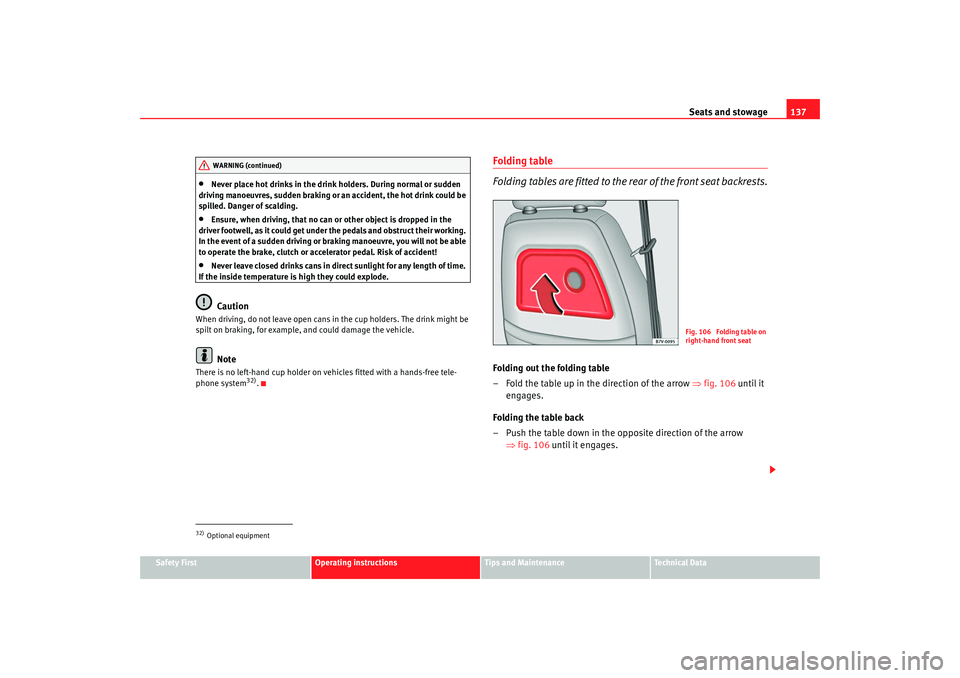
Folding table
Folding tables are fitted to the rear of the front seat backrests.Folding out the folding table
– Fold the table up in the direction of the arrow ⇒fig. 106 until it
engages.
Folding the table back
– Push the table down in the opposite direction of the arrow ⇒fig. 106 until it engages.
32)Optional equipmentWARNING (continued)
Fig. 106 Folding table on
right-hand front seat
alhambra_ingles_0708 Seite 137 Mittwoch, 10. September 2008 10:55 10
Page 141 of 295
Seats and stowage139
Safety First
Operating instructions
Tips and Maintenance
Te c h n i c a l D a t a
The seats in the second row are fitted with a net bag
⇒page 138, fig. 108 for
the stowage of small objects.
The bag will hold a newspaper, can or standard bottle of up to a maximum of
0.5 litres ⇒.
WARNING
•
Ensure, when driving, that no can or other object is dropped in the
driver footwell, as it could get under the pedals and obstruct their working.
In the event of a sudden driving or braking manoeuvre, you will not be able
to operate the brake, clutch or accelerator pedal. Risk of accident!
Ashtrays, cigarette lighter and electrical
socketsFront ashtray
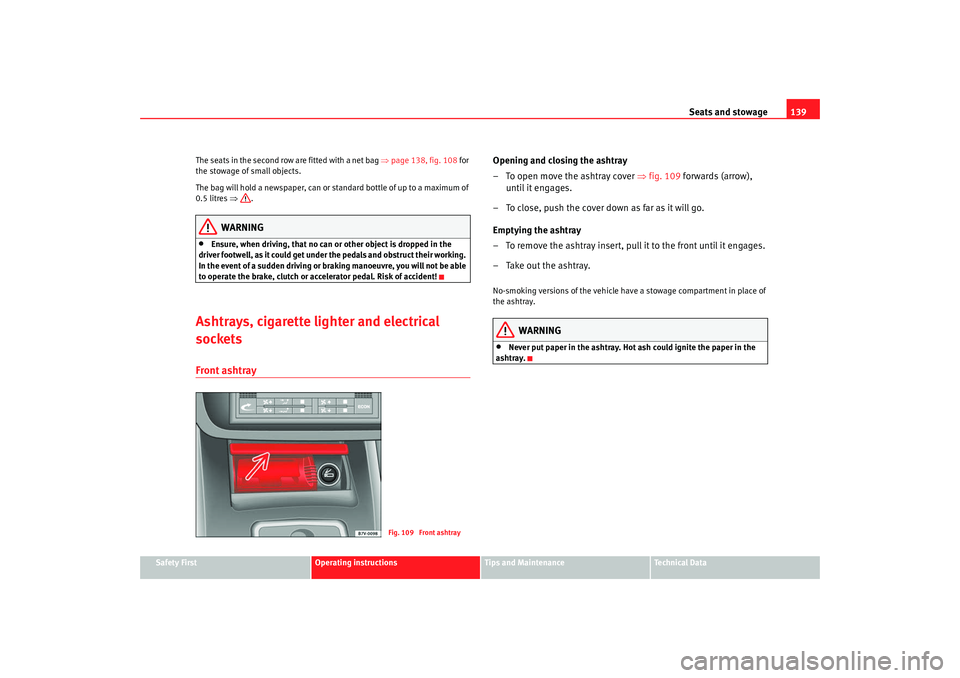
Opening and closing the ashtray
– To open move the ashtray cover ⇒fig. 109 forwards (arrow),
until it engages.
– To close, push the cover down as far as it will go.
Emptying the ashtray
– To remove the ashtray insert, pull it to the front until it engages.
– Take out the ashtray.No-smoking versions of the vehicle have a stowage compartment in place of
the ashtray.
WARNING
•
Never put paper in the ashtray. Hot ash could ignite the paper in the
ashtray.
Fig. 109 Front ashtray
alhambra_ingles_0708 Seite 139 Mittwoch, 10. September 2008 10:55 10
Page 142 of 295
Seats and stowage
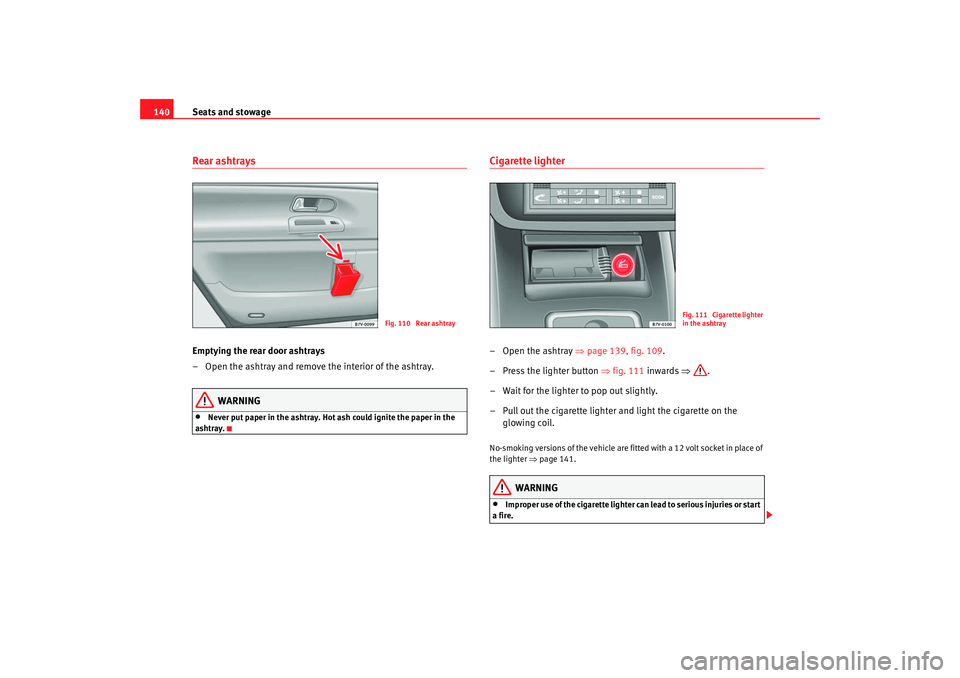
140Rear ashtraysEmptying the rear door ashtrays
– Open the ashtray and remove the interior of the ashtray.
WARNING
•
Never put paper in the ashtray. Hot ash could ignite the paper in the
ashtray.
Cigarette lighter–Open the ashtray ⇒page 139, fig. 109 .
– Press the lighter button ⇒fig. 111 inwards ⇒ .
– Wait for the lighter to pop out slightly.
– Pull out the cigarette lighter and light the cigarette on the glowing coil.No-smoking versions of the vehicle are fitted with a 12 volt socket in place of
the lighter ⇒page 141.
WARNING
•
Improper use of the cigarette lighter can lead to serious injuries or start
a fire.
Fig. 110 Rear ashtray
Fig. 111 Cigarette lighter
in the ashtray
alhambra_ingles_0708 Seite 140 Mittwoch, 10. September 2008 10:55 10
Page 143 of 295
Seats and stowage141
Safety First
Operating instructions
Tips and Maintenance
Te c h n i c a l D a t a
•
Take care when using the cigarette lighter. Carelessness or negligence
when using the cigarette lighter can cause burns, risk of injury.
•
The cigarette lighter also works when the ignition is off and when the
ignition key is removed. To avoid the risk of fire, never leave children unsu-
pervised in the vehicle.
Sockets
Electrical equipment can be connected to any of the 12 volt
sockets.
Socket in the centre console
The 12 Volt socket in the stowage area or the 12 Volt socket of the cigarette
lighter
34) can be used for further electrical consumers with a power rating of
up to 120 Watt.
Socket, luggage compartment
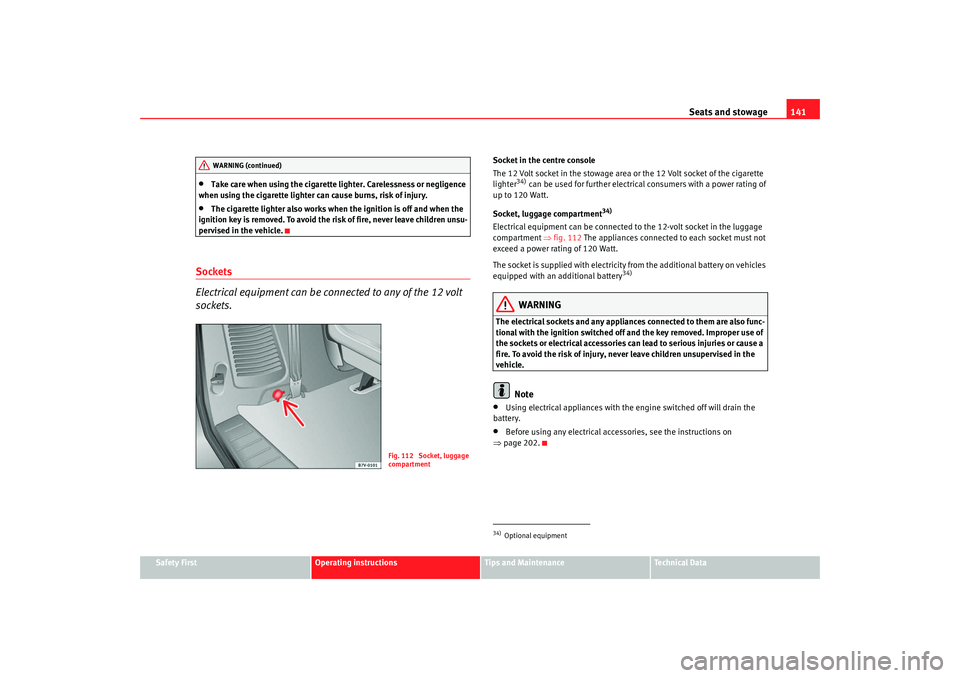
34)
Electrical equipment can be connected to the 12-volt socket in the luggage
compartment ⇒fig. 112 The appliances connected to each socket must not
exceed a power rating of 120 Watt.
The socket is supplied with electricity from the additional battery on vehicles
equipped with an additional battery
34)
WARNING
The electrical sockets and any appliances connected to them are also func-
tional with the ignition switched off and the key removed. Improper use of
the sockets or electrical accessories can lead to serious injuries or cause a
fire. To avoid the risk of injury, never leave children unsupervised in the
vehicle.
Note
•
Using electrical appliances with the engine switched off will drain the
battery.
•
Before using any electrical accessories, see the instructions on
⇒ page 202.
WARNING (continued)
Fig. 112 Socket, luggage
compartment
34)Optional equipment
alhambra_ingles_0708 Seite 141 Mittwoch, 10. September 2008 10:55 10
Page 147 of 295
Seats and stowage145
Safety First
Operating instructions
Tips and Maintenance
Te c h n i c a l D a t a
During a collision or an accident, even small and light objects can build up so
much energy that they can cause very severe injuries. The amount of “kinetic
energy” depends on the speed of the vehicle and the weight of the object.
The most significant factor, however, is the speed of the vehicle.
Example: An object weighing 4.5 kg is lying unsecured in the vehicle. During
a frontal collision at a speed of 50 km/h, this object generates a force corre-
sponding to 20 times its weight. That means that the effective weight of the
object increases to about 90 kg. You can imagine the severity of the injuries
which might be sustained if this “projectile” strikes an occupant as it flies
through the passenger compartment. This increased risk of injury will be
further increased if a loose object is struck by an inflating airbag.
WARNING
If pieces of baggage or other objects are secured to the fastening rings with
inappropriate or damaged re
taining cords, injuries could result in the event
of braking manoeuvres or accidents.•
To prevent pieces of luggage or other objects from flying forward,
always use appropriate retaining cords which are secured to the fastening
rings.
•
Never secure a child seat on the fastening rings.
Loading heavy objects
Special care is required when loading heavy objects and
when driving a vehicle which contains heavy objects.Observe the following points to prevent damage and accidents:
– If necessary, remove the seats to increase the load area. –
Before loading the vehicle place a sturdy mat or similar cover
flush on floor of the vehicle.
– Where necessary, do not cover protruding parts of the vehicle floor.
– Protect the seat anchor points from damage.
– Avoid overloading small areas - spread the load.
– Use suitable straps to secure the objects to retaining rings.
– Drive particularly carefully and think ahead.
– If possible, avoid sudden braking and driving manoeuvres.
WARNING
For safety reasons, you should read and observe all information on loading
the vehicle ⇒ page 145.
Caution
•
If you have removed the seats from the passenger compartment, you
should place a large, robust covering over the seat rails to prevent damage.
•
Avoid overloading small areas - spread the load.
Safety notes on loading the vehicle
WARNING
Loose luggage and other objects in the luggage compartment can cause
serious injuries.
alhambra_ingles_0708 Seite 145 Mittwoch, 10. September 2008 10:55 10
Page 149 of 295
Seats and stowage147
Safety First
Operating instructions
Tips and Maintenance
Te c h n i c a l D a t a
Opening the luggage compartment cover
– After fitting the luggage compartment cover, pull the handle on
the cover back and hook in the cover on the side.
Removing the luggage compartment cover
– Press the unlock button (with the luggage compartment cover rolled up) ⇒page 146, fig. 114 in the direction of the arrow
and remove the cover from the right holder upwards.
– Remove the cover from the left holder in the direction of the arrow and remove from the vehicle.
Fitting the luggage compartment cover
– Push the luggage compartment cover to the stop in the direction of the arrow ⇒page 146, fig. 115 into the left-hand holder.
– Press the cover down into the right-hand holder until it engages in position.Light items of clothing or other objects on the luggage compartment cover
can restrict visibility through the rear window.
WARNING
•
Never leave hard, heavy or sharp objects on the shelf (unrolled) or in the
pockets of clothing on the luggage compartment cover. Animals must
never be allowed onto the luggage compartment cover. During a sudden
braking or driving manoeuvre or an accident, these objects and animals
endanger all vehicle occupants.Risk of injury.
Caution
The wires of the heating element in the rear window and the window aerial in
the rear side windows could be damaged if objects on the luggage compart-
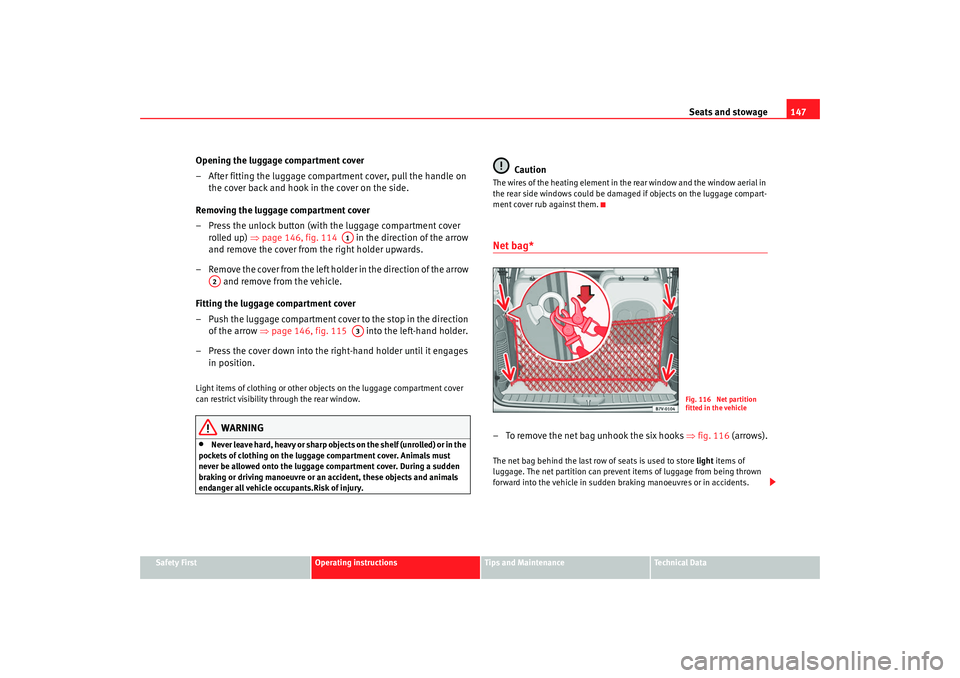
ment cover rub against them.Net bag*– To remove the net bag unhook the six hooks ⇒fig. 116 (arrows).The net bag behind the last row of seats is used to store light items of
luggage. The net partition can prevent items of luggage from being thrown
forward into the vehicle in sudden braking manoeuvres or in accidents.
A1
A2
A3
Fig. 116 Net partition
fitted in the vehicle
alhambra_ingles_0708 Seite 147 Mittwoch, 10. September 2008 10:55 10
Page 155 of 295
Heating, Ventilation and Air conditioning153
Safety First
Operating instructions
Tips and Maintenance
Te c h n i c a l D a t a
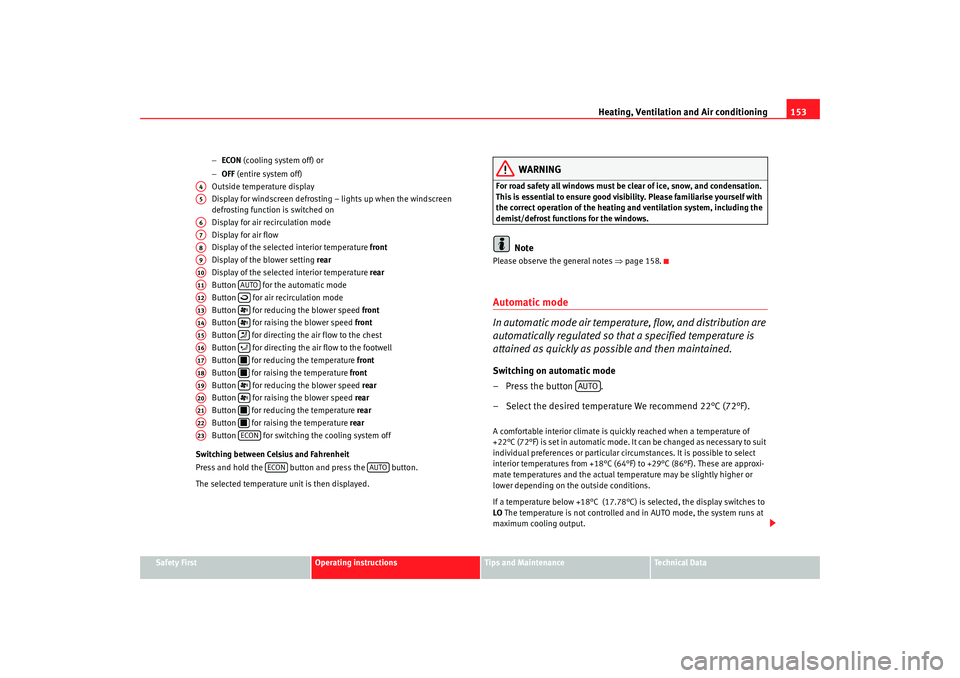
−
ECON (cooling system off) or
− OFF (entire system off)
Outside temperature display
Display for windscreen defrosting – lights up when the windscreen
defrosting function is switched on
Display for air recirculation mode
Display for air flow
Display of the selected interior temperature front
Display of the blower setting rear
Display of the selected interior temperature rear
Button for the automatic mode
Button for air recirculation mode
Button for reducing the blower speed front
Button for raising the blower speed front
Button for directing the air flow to the chest
Button for directing the air flow to the footwell
Button for reducing the temperature front
Button for raising the temperature front
Button for reducing the blower speed rear
Button for raising the blower speed rear
Button for reducing the temperature rear
Button for raising the temperature rear
Button for switching the cooling system off
Switching between Celsius and Fahrenheit
Press and hold the button and press the button.
The selected temperature unit is then displayed.
WARNING
For road safety all windows must be clear of ice, snow, and condensation.
This is essential to ensure good visibility. Please familiarise yourself with
the correct operation of the heating and ventilation system, including the
demist/defrost functions for the windows.
Note
Please observe the general notes ⇒page 158.Automatic mode
In automatic mode air temperature, flow, and distribution are
automatically regulated so that a specified temperature is
attained as quickly as possible and then maintained.Switching on automatic mode
– Press the button .
– Select the desired temperature We recommend 22°C (72°F).A comfortable interior climate is quickly reached when a temperature of
+22°C (72°F) is set in automatic mode. It can be changed as necessary to suit
individual preferences or particular circumstances. It is possible to select
interior temperatures from +18°C (64°F) to +29°C (86°F). These are approxi-
mate temperatures and the actual temperature may be slightly higher or
lower depending on the outside conditions.
If a temperature below +18°C (17.78°C) is selected, the display switches to
LO The temperature is not controlled and in AUTO mode, the system runs at
maximum cooling output.
A4A5A6A7A8A9A10A11
AUTO
A12
A13
A14
A15
A16
A17
A18
A19
A20
A21
A22
A23
ECON
ECON
AUTO
AUTO
alhambra_ingles_0708 Seite 153 Mittwoch, 10. September 2008 10:55 10