air condition Seat Alhambra 2011 Owner's Guide
[x] Cancel search | Manufacturer: SEAT, Model Year: 2011, Model line: Alhambra, Model: Seat Alhambra 2011Pages: 385, PDF Size: 7.92 MB
Page 167 of 385
165
Heating, Ventilation and Air conditioning
Range
The rec eiv
er is in the interior of the vehicle. The remote control, when fitted
with new batteries, has a range of several hundred metres. Obstacles be-
tween the remote control and the vehicle, bad weather conditions and dis-
charged batteries can considerably reduce the range of the remote control.
An optimum range is obtained by keeping the remote control vertical, with
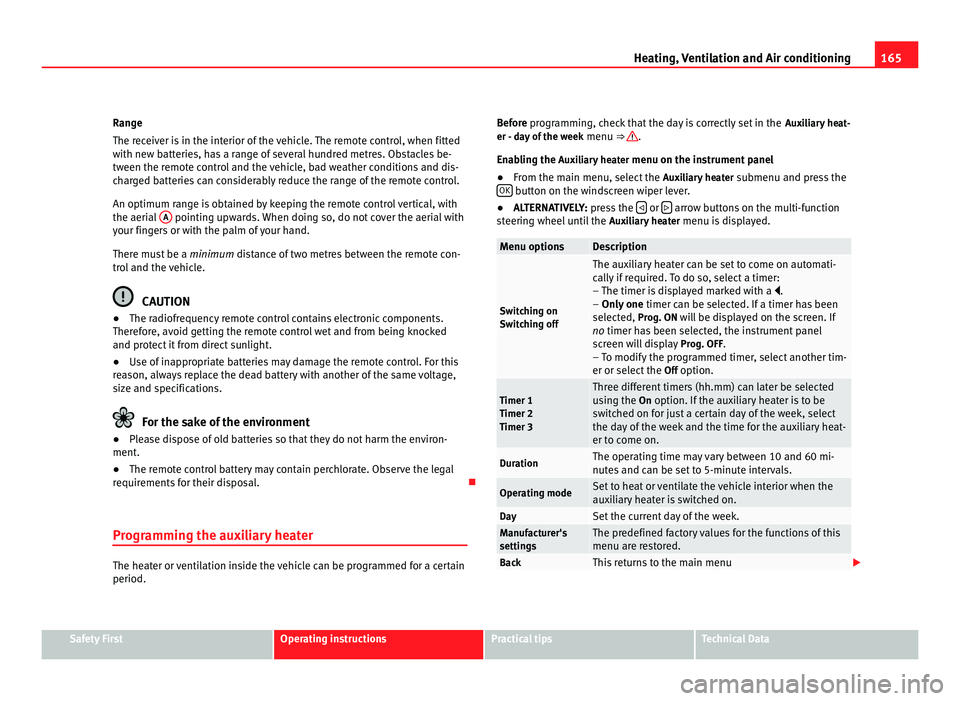
the aerial A pointing upwards. When doing so, do not cover the aerial with
your fin g
ers or with the palm of your hand.
There must be a minimum distance of two metres between the remote con-
trol and the vehicle. CAUTION
● The radiofrequency remote control contains electronic components.
Ther ef
ore, avoid getting the remote control wet and from being knocked
and protect it from direct sunlight.
● Use of inappropriate batteries may damage the remote control. For this
rea
son, always replace the dead battery with another of the same voltage,
size and specifications. For the sake of the environment
● Please dispose of old batteries so that they do not harm the environ-
ment .
● The r
emote control battery may contain perchlorate. Observe the legal
requirements
for their disposal.
Programming the auxiliary heater The heater or ventilation inside the vehicle can be programmed for a certain
period. Before programming, check that the day is correctly set in the
Auxi
liary heat-
er - day of the week menu ⇒ .
Enab lin
g the Auxiliary heater menu on the instrument panel
● From the main menu, select the Auxili
ary heater submenu and press the
OK button on the windscreen wiper lever.
● ALTERNATIVELY: pre s
s the or
arrow buttons on the multi-function
st eerin
g wheel until the Auxiliary heater menu is displayed. Menu options Description
Switching on
Swit
c
hing off The auxiliary heater can be set to come on automati-
cal
ly
if required. To do so, select a timer:
– The timer is displayed marked with a .
– Only one timer can be selected. If a timer has been
selected, Prog. ON will be displayed on the screen. If
no timer has been selected, the instrument panel
screen will display Prog. OFF.
– To modify the programmed timer, select another tim-
er or select the Off option. Timer 1
Timer 2
Timer 3 Three different timers (hh.mm) can later be selected
us
in
g the On option. If the auxiliary heater is to be
switched on for just a certain day of the week, select
the day of the week and the time for the auxiliary heat-
er to come on. Duration The operating time may vary between 10 and 60 mi-
nute
s
and can be set to 5-minute intervals. Operating mode Set to heat or ventilate the vehicle interior when the
auxi
li
ary heater is switched on. Day Set the current day of the week.
Manufacturer's
setting
s The predefined factory values for the functions of this
menu are r
e
stored. Back This returns to the main menu
Safety First Operating instructions Practical tips Technical Data
Page 168 of 385
166
Heating, Ventilation and Air conditioning
Checking programming
If the timer h
as been switched on after switching the ignition off, the instant
on button will remain lit for around ten seconds.
WARNING
Never program the independent heating system to be activated and oper-
ated in c lo
sed, unventilated areas. The auxiliary heater fumes contain
carbon dioxide, an odourless and colourless toxic gas. Carbon monoxide
can cause people to lose consciousness. It can also cause death.
Operating instructions The auxiliary heater exhaust system located below the vehicle must be kept
cl
e
ar of snow, mud and other objects. The exhaust fumes must not be ob-
structed in any way. The exhaust fumes generated by the auxiliary heater
are removed via an exhaust pipe fitted underneath the vehicle.
On heating the vehicle interior, depending on the outside temperature the
warm air is first directed at the windscreen and then to the rest of the pas-
senger compartment through the air vents. If the air vents are turned to-
wards the windows, for example, the form of air distribution may be affec-
ted.
Depending on the outside temperature, the temperature at which the auxili-
ary heater warms the vehicle interior may be somewhat higher if the heating
or climate control temperature control is set to maximum before switching
the heating on.
Depending on the engine, vehicles with auxiliary heater may be fitted with a
second battery in the luggage compartment that is responsible for powering
the auxiliary heater. Cases in which the auxiliary heater will not switch on
●
The auxiliary heater requires about as much power as the dipped head-
lights. If the batt
ery charge is low, the auxiliary heater will switch off auto-
matically or will not even switch on. This avoids problems when starting the
engine.
● The heater will switch just once each time. The timer will also have to be
switc
hed back on every time it is required. Note
● Noise will be heard while the auxiliary heater is running.
● When the air humidity i
s high and the outside temperature low, the
heating sy
stem may evaporate condensation from the auxiliary heater. In
this case, steam may be released from underneath the vehicle. This is com-
pletely normal and there is no need to suspect a fault!
● If the auxiliary heater runs several times over a prolonged period, the ve-
hicle b
attery may run flat. To re-charge the battery, drive the vehicle for a
long distance. In general: drive for as much time as the auxiliary heating
was working.
Page 171 of 385
169
Driving WARNING
The counter steering assistance system combined with ESC (ESP) helps
the driver t o s
teer the vehicle in critical driving conditions. At all times, it
is the driver who steers the vehicle. The counter steering system does
not steer the vehicle.
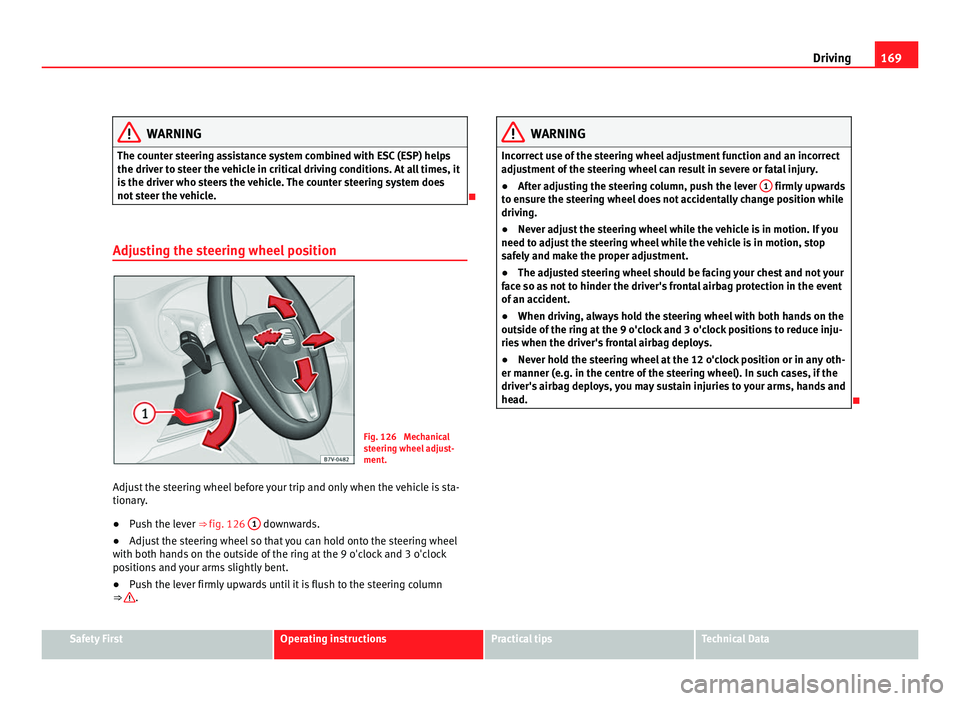
Adjusting the steering wheel position Fig. 126 Mechanical
st
eerin
g wheel adjust-
ment.
Adjust the steering wheel before your trip and only when the vehicle is sta-
tionary
.
● Push the lever ⇒ fig. 126 1 downwards.
● Adjust the steering wheel so that you can hold onto the steering wheel
with both h and
s on the outside of the ring at the 9 o'clock and 3 o'clock
positions and your arms slightly bent.
● Push the lever firmly upwards until it is flush to the steering column
⇒ . WARNING
Incorrect use of the steering wheel adjustment function and an incorrect
adju s
tment of the steering wheel can result in severe or fatal injury.
● After adjusting the steering column, push the lever 1 firmly upwards
to en s
ure the steering wheel does not accidentally change position while
driving.
● Never adjust the steering wheel while the vehicle is in motion. If you
need to adju
st the steering wheel while the vehicle is in motion, stop
safely and make the proper adjustment.
● The adjusted steering wheel should be facing your chest and not your
face so a
s not to hinder the driver's frontal airbag protection in the event
of an accident.
● When driving, always hold the steering wheel with both hands on the
outside of
the ring at the 9 o'clock and 3 o'clock positions to reduce inju-
ries when the driver's frontal airbag deploys.
● Never hold the steering wheel at the 12 o'clock position or in any oth-
er manner (e.g. in the c
entre of the steering wheel). In such cases, if the
driver's airbag deploys, you may sustain injuries to your arms, hands and
head.
Safety First Operating instructions Practical tips Technical Data
Page 176 of 385
174
Driving Note
● In vehicles with automatic gearbox, the key can only be removed when
the sel ect
or lever is in position P.
● After stopping the engine, the engine compartment fan may continue
running f
or a few minutes, even when the ignition has been switched off or
the key removed. The radiator fan is automatically switched off.
Electronic immobiliser The gear lock prevents the engine from being started with an unauthorised
key
and the
vehicle being moved.
The vehicle key has a built-in chip. It automatically deactivates the immobil-
izer when the key is inserted into the ignition lock.
For this reason, the vehicle can only be used with a genuine SEAT key with
the correct code. Coded keys can be obtained from your Authorised Service
Centre ⇒ page 71. If an unauthorised key is used, the message SAFE or Immobiliser active is
displayed on the instrument panel. The vehicle cannot be started in this
case Note
The correct operation of the vehicle is only guaranteed when original SEAT
key s
are used. Changing gear
Introduction When reverse gear is engaged and the ignition is switched on the following
tak
e
s place:
● Reverse lights light up.
● When reversing, the air conditioner automatically changes to air recircu-
lation mode.
● The re
ar window heater switches on when the windscreen wiper is acti-
vated.
● A
lso, the parking sensor system, the optical parking sensor and the
camera f
or the reverse assist system are connected.
Additional information and warnings:
● Instruments ⇒ page 57
● Br
aking, stopping and parking ⇒ page 183
● P
arking sensor system ⇒ page 198
● P
ark Assist system ⇒ page 202
● R
everse assist system (Rear Assist) ⇒ page 207
● Air c
onditioning ⇒ page 155
● El
ectronic power control and exhaust gases purification system
⇒ page 228
● Emer
gency locking and unlocking ⇒ page 314 WARNING
Rapid acceleration can cause loss of traction and skidding, especially on
slip per
y ground. This could cause loss of control of the vehicle resulting
in an accident and considerable damage.
● Only use the kickdown or rapid acceleration if visibility, weather, road
and traffic c
onditions so permit.
Page 190 of 385
188
Driving
If the brake servo does not operate or the vehicle must be towed, then the
brak e ped
al will have to be pressed with more force given that the braking
distance will be increased when the brake servo does not operate ⇒ .
WARNING
New brake pads do not brake to full efficiency.
● For the first 320 km (200 miles), new brake pads have not yet reached
their max imum br
aking capacity, and need to be run in first. For this, to
compensate for reduced braking efficiency the brake pedal will have to
be pressed with more force.
● To avoid losing control of the vehicle and causing serious accidents,
alwa
ys take great care when driving with new brake pads.
● When running in new brake pads, always respect the safety distances
between y
ou and other vehicles and do not cause situations requiring ex-
treme braking performance. WARNING
When brakes overheat, braking is less efficient and braking distances in-
cr e
ase.
● When driving on slopes, brakes can be overloaded and overheat
quickly
.
● Reduce speed, move down a gear or select a shorter range of gears
before lon
g steep slopes. This allows you to use the engine braking ef-
fect and to reduce the strain on the brake system.
● Non-standard or damaged front spoilers could restrict the airflow to
the brake
s and cause them to overheat. WARNING
Wet, frozen or salt-covered brakes take time to brake and this increases
brak in
g distances.
● Test the brakes carefully.
● Dry the brakes, free them of ice and salt by braking gently several
times, when we
ather, road and traffic conditions permit. WARNING
Driving without the brake servo may significantly increase the braking
dist
ance and result in a severe accident.
● Never allow the vehicle to move forwards when the engine is switched
off.
● If the br
ake servo does not operate or the vehicle must be towed,
then the brake ped
al will have to be pressed with more force given that
the braking distance will be increased when the brake servo does not op-
erate. CAUTION
● Never make the brakes slip by pressing the pedal gently, if it is not really
nec e
ssary to brake. Continuously pressing on the brake pedal will heat the
brakes. This could significantly reduce braking power, increase braking dis-
tance or even result in the total failure of the brake system.
● Reduce speed, move down a gear or select a shorter range of gears be-
fore lon
g steep slopes. This allows you to use the engine braking effect and
to reduce the strain on the brake system. Otherwise, the brakes may over-
heat and fail. Only use the brakes to reduce speed or to stop.
Page 196 of 385
194
Driving
Start assist systems
Introduction Additional information and warnings:
●
SEAT information system ⇒ pag e 62
● Br
aking, stopping and parking ⇒ page 183
● V
ehicle battery ⇒ page 288
● Wheel
s and tyres ⇒ page 293
● A
ccessories, parts replacement, repairs and modifications ⇒ page 257
● Jump s
tarting ⇒ page 337 WARNING
The intelligent technology in the start assist systems cannot change the
la w
s of physics. The improved comfort provided by start assist systems
should not prompt you to take risks.
● Unintentional movements of the vehicle could cause serious injury.
● The start assist systems are not a replacement for driver awareness.
● Always try to adapt the speed of the vehicle and your style of driving
to the condition of
the ground or the road and to weather and traffic con-
ditions.
● The start assist system cannot keep the vehicle stationary in all con-
ditions on a gr
adient or cause it to brake on steep downhill gradients,
e.g. if the road is slippery or icy. Auto Hold function*
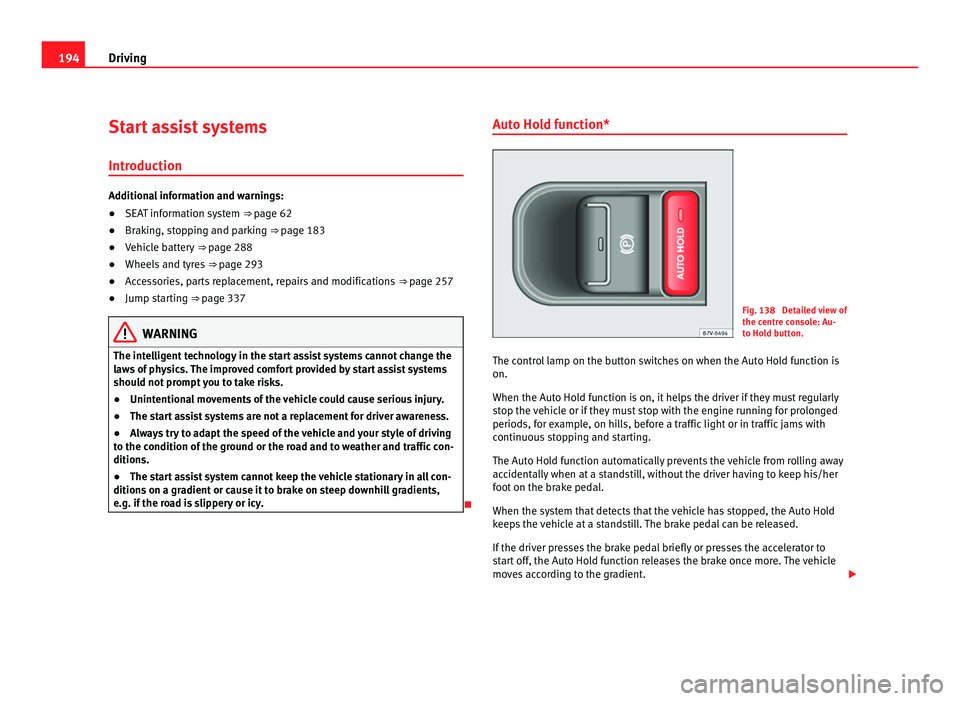
Fig. 138 Detailed view of
the centr
e c
onsole: Au-
to Hold button.
The control lamp on the button switches on when the Auto Hold function is
on.
When the Auto Hol
d function is on, it helps the driver if they must regularly
stop the vehicle or if they must stop with the engine running for prolonged
periods, for example, on hills, before a traffic light or in traffic jams with
continuous stopping and starting.
The Auto Hold function automatically prevents the vehicle from rolling away
accidentally when at a standstill, without the driver having to keep his/her
foot on the brake pedal.
When the system that detects that the vehicle has stopped, the Auto Hold
keeps the vehicle at a standstill. The brake pedal can be released.
If the driver presses the brake pedal briefly or presses the accelerator to
start off, the Auto Hold function releases the brake once more. The vehicle
moves according to the gradient.
Page 198 of 385
196
Driving
Start-Stop Function* Fig. 139 Detailed view of
the centr
e c
onsole: Start-
Stop function button.
In Start-Stop mode, the engine is automatically switched off when the vehi-
cle i
s at a standstill. The engine restarts automatically when required.
The function is enabled automatically whenever the ignition is switched on.
The instrument panel displays information on the current status.
Vehicles with a manual gearbox
● When the vehicle is at a standstill, leave it in neutral and take your foot
off the clut
ch. The engine switches off.
● Simply depress the clutch pedal to move off again.
Vehicl
es with an automatic gearbox
● When the vehicle is at a standstill, depress the brake or keep it pressed
down. The en
gine switches off.
● The engine will start again as soon as you release the brake pedal.
● With the gear lever set to P, the engine wi
ll not start until a range of
gears is selected or the accelerator pedal is depressed. Important conditions for the engine to automatically switch off
●
The driver seat belt must be buckled.
● The driver door must be closed.
● The bonnet must be closed.
● The factory-fitted towing bracket must not be electrically connected to a
trail
er.
● A minimum engine temperature has been reached.
● The vehicle has moved since the last stop.
● In vehicles with Climatronic: The temperature inside the vehicle is within
the preset
temperature range.
● The temperature set is neither very high nor very low.
● The air conditioning defrost function is not switched on.
● In vehicles with Climatronic: the blower has not been manually set to a
high speed.
● The pow
er level of the vehicle's battery is sufficient.
● The vehicle's battery temperature is neither too high nor too low.
● The vehicle is not on a steep gradient or slope.
● The front wheels are not overly turned.
● The heated windscreen is not switched on.
● Reverse gear is not engaged.
● The park assist system is not switched on.
Conditions
for automatically restarting the engine
The engine may automatically restart under the following conditions:
● If the vehicle interior is too hot or too cold.
● If the vehicle moves.
● If the vehicle's battery voltage drops.
Conditions
requiring the key to restart the engine
The engine must be started using the key under the following conditions:
Page 214 of 385
212
Driving
Cruise control system*
Introduction The cruise control system (CCS) is able to maintain the set speed when driv-
ing f
or
wards from approx. 20 km/h (12 mph).
The CCS only slows down by reducing the accelerator but not by braking.
⇒ .
Addition a
l information and warnings:
● Changing gear ⇒ page 174
● A
ccessories, parts replacement, repairs and modifications ⇒ page 257WARNING
Use of the cruise control could cause accidents and severe injuries if it is
not po s
sible to drive at a constant speed maintaining the safety distance.
● Do not use the CCS in heavy traffic, if the distance from the vehicle in
front i
s insufficient, on steep roads, with several bends or in slippery cir-
cumstances (snow, ice, rain or loose gravel), or on flooded roads.
● Never use the CCS when driving off-road or on unpaved roads.
● Always adapt your speed and the distance to the vehicles ahead in
line with v
isibility, weather conditions, the condition of the road and the
traffic situation.
● To avoid unexpected operation of the cruise control system, turn it off
every
time you finish using it.
● It is dangerous to use a set speed which is too high for the prevailing
roa
d, traffic or weather conditions.
● When travelling down hills, the CCS cannot maintain a constant
speed. The
vehicle tends to accelerate under its own weight. Select a
lower gear or use the foot brake to slow the vehicle. Warning and control lamp
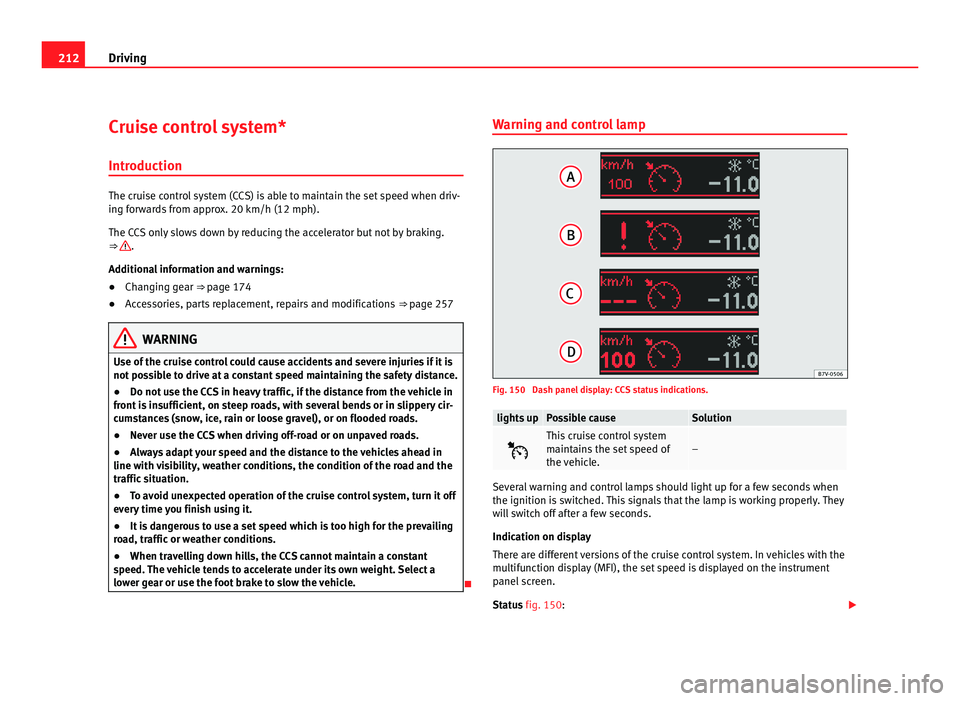
Fig. 150 Dash panel display: CCS status indications.
lights up Possible cause Solution
This cruise control system
maint
ain
s the set speed of
the vehicle. –
Several warning and control lamps should light up for a few seconds when
the ignition is
sw
itched. This signals that the lamp is working properly. They
will switch off after a few seconds.
Indication on display
There are different versions of the cruise control system. In vehicles with the
multifunction display (MFI), the set speed is displayed on the instrument
panel screen.
Status fig. 150:
Page 217 of 385
215
Driving
Lane Assist system* Introduction Additional information and warnings:
●
SEAT information system ⇒ pag e 62
● A
ccessories, parts replacement, repairs and modifications ⇒ page 257WARNING
The intelligent technology in the lane assist system cannot change the
limits impo
sed by the laws of physics and by the system itself. Careless
or uncontrolled use of the lane assist system may cause accidents and in-
jury. The system is not a replacement for driver awareness.
● Always adapt your speed and the distance to the vehicles ahead in
line with v
isibility, weather conditions, the condition of the road and the
traffic situation.
● Always keep your hands on the steering wheel so you can turn it at
any time.
● The l
ane assist system does not detect all road markings. In some cir-
cumst
ances, the poor state of the road, structures located on it or certain
objects may be mistakenly recognised as road markings by the lane as-
sist system. In such situations, switch the lane assist system off immedi-
ately.
● Pay attention to the instructions on the instrument panel display and
act acc
ordingly to its requests.
● Always pay attention to the vehicle's surroundings. Note
The lane assist system has been exclusively developed for driving on as-
phalt ed r
oads. Note
If the lane assist system does not work as described in this chapter, do not
use it and c
ontact a specialist workshop. Note
If you observe any system malfunction, have the system checked by a speci-
alised w ork
shop. Safety First Operating instructions Practical tips Technical Data
Page 228 of 385
226
Driving and the environment
Economic driving style Changing gear early
General
in
structions: The highest gear is always the most economical gear.
As a guideline, for the majority of vehicles: At a speed of 30 km/h, drive in
third gear, at 40 km/h in fourth gear and at 50 km/h in fifth gear.
In addition, skipping gears when shifting up helps to save fuel, weather and
traffic conditions permitting.
Do not wait until the last moment before changing gear. Only use first gear
when you move off and change to second gear quickly. Avoid the kick-down
function in vehicles with automatic gearbox.
Vehicles with a gear display help to achieve an economical driving style as
the display indicates the best moment to change gear.
Let the vehicle roll
If you take your foot off the accelerator, the fuel supply is stopped and con-
sumption is reduced.
Allow the vehicle to roll without accelerating, for example when approach-
ing a red traffic light. However, if the vehicle is rolling too slowly or the dis-
tance is too long, the clutch pedal should be pressed to declutch. The en-
gine will then operate at idle speed.
If the vehicle is going to be at a standstill for a period of time, switch off the
engine; for example, while waiting at a level crossing. In vehicles which
have the Start-Stop function on, the engine switches off automatically when
the vehicle is not moving.
Think ahead and “flow” with the traffic
Frequent acceleration and braking considerably increase fuel consumption.
If you think ahead as you drive and keep a safe distance from the vehicle in
front, it is possible to slow down by simply lifting your foot off the accelera-
tor. This eliminates the need for constant braking and acceleration. Calm and steady driving
Cons
tancy is more important than speed: The more you drive at a constant
speed, the lower the fuel consumption.
When driving on the motorway, it is more efficient to drive at a constant and
more moderate speed than to be continuously accelerating and braking. As
a general rule, you will reach your destination just as quickly when you drive
at a constant speed.
The cruise control function helps you to achieve a constant style of driving.
Moderate use of additional electrical appliances
It is important to travel in comfort, but convenience systems should be used
in an ecological manner.
Some equipment, when connected, increase fuel consumption considera-
bly, for example:
● Air conditioning cooling system: If the air conditioning system is re-
quired to c
ool to significantly lower temperatures than the true outside tem-
perature, it will require a large quantity of energy from the engine. There-
fore, we recommend that the selected temperature for the vehicle is not too
different to the outside temperature. It is a good idea to open all the win-
dows of the car before starting your journey, and to drive a short distance
with all the windows open to allow the vehicle to cool down slightly. Only
then should you close all the windows and switch on the air conditioning.
Keep windows closed when travelling at high speeds. Driving with the win-
dows open increases fuel consumption.
● Switch off the seat heating when the seats have warmed up.
● Switch off the heated rear window and the windscreen heating when the
window
s have demisted and are free of ice.
● Do not leave the auxiliary heater switched on when the vehicle is mov-
ing ⇒ p
age 163.