warning Seat Alhambra 2012 Owner's Manual
[x] Cancel search | Manufacturer: SEAT, Model Year: 2012, Model line: Alhambra, Model: Seat Alhambra 2012Pages: 388, PDF Size: 6.72 MB
Page 211 of 388
209
Driving
Rear Assist system*
Introduction
The camera fitted to the tailgate helps drivers during parking or reversing
manoeuvres. The camera image and certain orientation points generated by
the system are indicated on the factory-fitted radio or navigation system
screen.
Two types of location point (modes) can be selected:
● Mode 1: reverse parking perpendicular to the road (e.g. in a car park).
● Mode 2: reverse parking parallel to the curb.
The mode can be changed by pressing the button on the radio or navigation
system screen. Only the mode to which the points can be changed will be
displayed.
Additional information and warnings:
● Accessories, parts replacement, repairs and modifications ⇒ page 261
WARNING
Use of the camera to calculate the distance from obstacles (people, vehi-
cles, etc.) is inaccurate and may cause accidents and severe injuries.
● The camera lens expands and distorts the field of vision and displays
the objects on the screen in a different, vague manner.
● Some objects may not be displayed or may not be very clear (e.g. very
thin posts or fences), due to the resolution of the monitor or if the light is
dim.
● The camera has blind spots in which obstacles and people are not
registered.
● Keep the camera lens clean and clear of snow and ice. Do not cover it.
WARNING
The intelligent technology in the rear assist system cannot change the
limits imposed by the laws of physics and by the system itself. Careless
or uncontrolled use of the rear assist system may result in severe injuries
and accidents. The system is not a replacement for driver awareness.
● Adjust your speed and driving style to visibility, road, traffic and
weather conditions.
● Always keep a close eye on the area around the vehicle and always
look towards where you are parking. The display shows the path of the
rear end of the vehicle using the current steering angle. The front of the
vehicle turns more in comparison with the rear.
● Do not be distracted from the traffic when looking at the screen.
● Always observe the area around the vehicle, as the cameras do not al-
ways detect children, animals or objects.
● The system might not show all areas clearly.
● Only use the rear assist system when the tailgate is completely
closed.
CAUTION
● The camera only displays 2D images on the screen. Due to the lack of
depth, it might be difficult or impossible to recognise protruding objects or
cracks in the road.
● The cameras may not always be able to detect objects such as thin rails,
fences, posts and trees, etc. This could result in damage to your car.
Safety FirstOperating instructionsPractical tipsTechnical Specifications
Page 216 of 388
214Driving
Cruise control system*
Introduction
The cruise control system (CCS) is able to maintain the set speed when driv-
ing forwards from approx. 20 km/h (12 mph).
The CCS only slows down by reducing the accelerator but not by braking.
⇒
.
Additional information and warnings:
● Changing gear ⇒ page 176
● Accessories, parts replacement, repairs and modifications ⇒ page 261
WARNING
Use of the cruise control could cause accidents and severe injuries if it is
not possible to drive at a constant speed maintaining the safety distance.
● Do not use the CCS in heavy traffic, if the distance from the vehicle in
front is insufficient, on steep roads, with several bends or in slippery cir-
cumstances (snow, ice, rain or loose gravel), or on flooded roads.
● Never use the CCS when driving off-road or on unpaved roads.
● Always adapt your speed and the distance to the vehicles ahead in
line with visibility, weather conditions, the condition of the road and the
traffic situation.
● To avoid unexpected operation of the cruise control system, turn it off
every time you finish using it.
● It is dangerous to use a set speed which is too high for the prevailing
road, traffic or weather conditions.
● When travelling down hills, the CCS cannot maintain a constant
speed. The vehicle tends to accelerate under its own weight. Select a
lower gear or use the foot brake to slow the vehicle.
Warning and control lamp
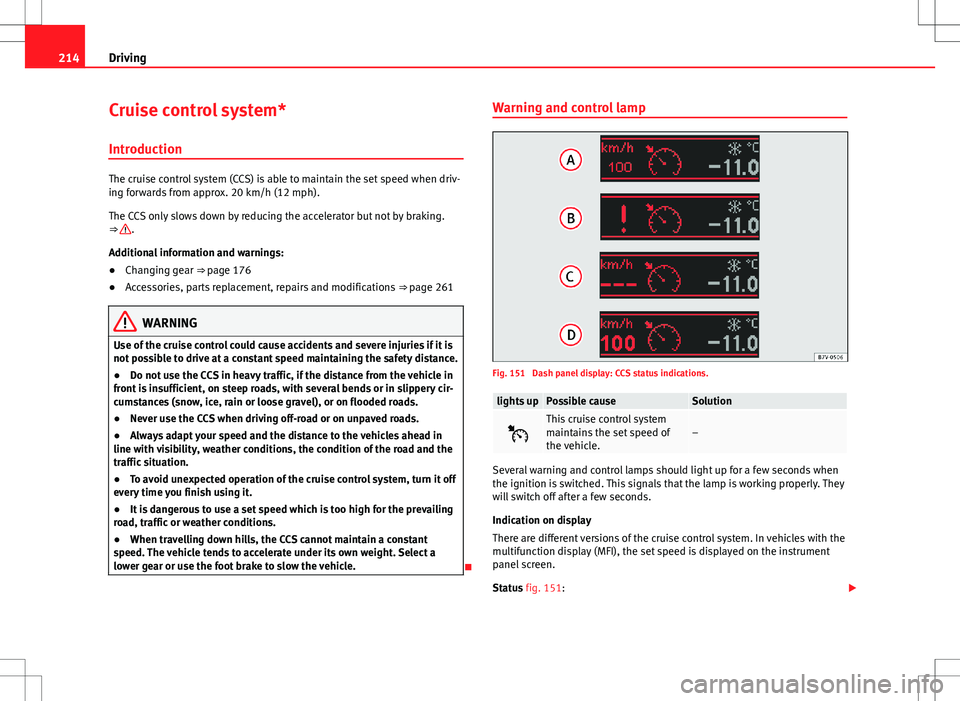
Fig. 151 Dash panel display: CCS status indications.
lights upPossible causeSolution
This cruise control system
maintains the set speed of
the vehicle.–
Several warning and control lamps should light up for a few seconds when
the ignition is switched. This signals that the lamp is working properly. They
will switch off after a few seconds.
Indication on display
There are different versions of the cruise control system. In vehicles with the
multifunction display (MFI), the set speed is displayed on the instrument
panel screen.
Status fig. 151:
Page 217 of 388
215
Driving
CCS temporarily switched off. The set speed is displayed in small fig-
ures.
System error. Contact a specialised workshop.
CCS switched on. The speed memory is empty.
The CCS is switched on. The set speed is displayed in large figures.
WARNING
If the warning lamps and messages are ignored, the vehicle may stall in
traffic, or may cause accidents and severe injuries.
● Never ignore the warning lamps or text messages.
● Stop the vehicle safely as soon as possible.
CAUTION
Failure to heed the warning lamps and text messages when they appear
may result in faults in the vehicle.
A
BCD
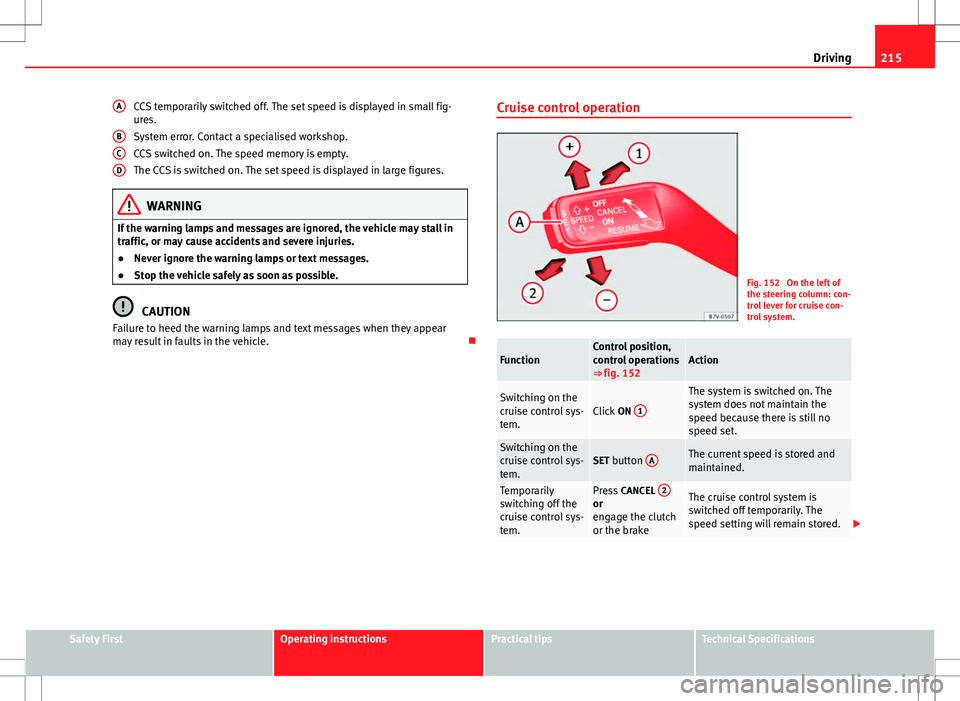
Cruise control operation
Fig. 152 On the left of
the steering column: con-
trol lever for cruise con-
trol system.
FunctionControl position,
control operations
⇒ fig. 152Action
Switching on the
cruise control sys-
tem.Click
ON 1
The system is switched on. The
system does not maintain the
speed because there is still no
speed set.
Switching on the
cruise control sys-
tem.SET button AThe current speed is stored and
maintained.
Temporarily
switching off the
cruise control sys-
tem.Press
CANCEL 2or
engage the clutch
or the brakeThe cruise control system is
switched off temporarily. The
speed setting will remain stored.
Safety FirstOperating instructionsPractical tipsTechnical Specifications
Page 219 of 388
217
Driving
Lane Assist system* Introduction
Additional information and warnings:
● SEAT information system ⇒ page 62
● Accessories, parts replacement, repairs and modifications ⇒ page 261
WARNING
The intelligent technology in the lane assist system cannot change the
limits imposed by the laws of physics and by the system itself. Careless
or uncontrolled use of the lane assist system may cause accidents and in-
jury. The system is not a replacement for driver awareness.
● Always adapt your speed and the distance to the vehicles ahead in
line with visibility, weather conditions, the condition of the road and the
traffic situation.
● Always keep your hands on the steering wheel so you can turn it at
any time.
● The lane assist system does not detect all road markings. In some cir-
cumstances, the poor state of the road, structures located on it or certain
objects may be mistakenly recognised as road markings by the lane as-
sist system. In such situations, switch the lane assist system off immedi-
ately.
● Pay attention to the instructions on the instrument panel display and
act accordingly to its requests.
● Always pay attention to the vehicle's surroundings.
Note
The lane assist system has been exclusively developed for driving on as-
phalted roads.
Note
If the lane assist system does not work as described in this chapter, do not
use it and contact a specialised workshop.
Note
If you observe any system malfunction, have the system checked by a speci-
alised workshop.
Safety FirstOperating instructionsPractical tipsTechnical Specifications
Page 220 of 388
218Driving
Control lamps
Blinks or lights
upPossible causeSolution
(yellow)Lane assist system con-
nected but inactive.
The system cannot clearly
detect the lane. See and
page 219, The lane assist
system is inactive (control
lamp lit in yellow).
(green)Lane assist system con-
nected and active.–
Several warning and control lamps should light up for a few seconds when
the ignition is switched. This signals that the lamp is working properly. They
will switch off after a few seconds.
WARNING
If the warning lamps and messages are ignored, the vehicle may stall in
traffic, or may cause accidents and severe injuries.
● Never ignore the warning lamps or text messages.
● Stop the vehicle safely as soon as possible.
CAUTION
Failure to heed the warning lamps and text messages when they appear
may result in faults in the vehicle. Operation mode
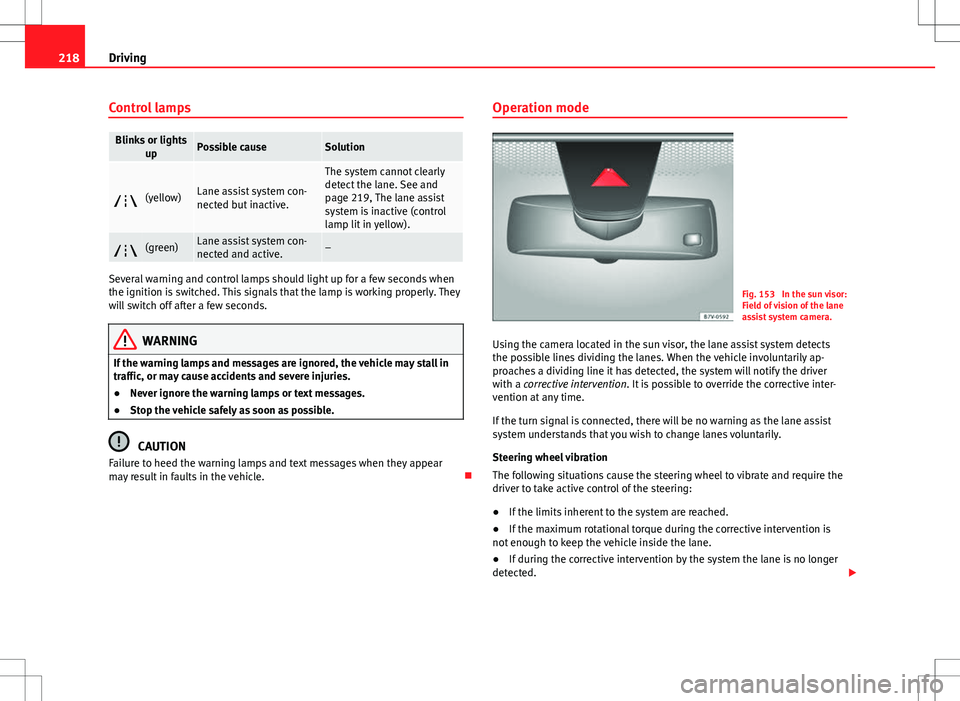
Fig. 153 In the sun visor:
Field of vision of the lane
assist system camera.
Using the camera located in the sun visor, the lane assist system detects
the possible lines dividing the lanes. When the vehicle involuntarily ap-
proaches a dividing line it has detected, the system will notify the driver
with a corrective intervention. It is possible to override the corrective inter-
vention at any time.
If the turn signal is connected, there will be no warning as the lane assist
system understands that you wish to change lanes voluntarily.
Steering wheel vibration
The following situations cause the steering wheel to vibrate and require the
driver to take active control of the steering:
● If the limits inherent to the system are reached.
● If the maximum rotational torque during the corrective intervention is
not enough to keep the vehicle inside the lane.
● If during the corrective intervention by the system the lane is no longer
detected.
Page 222 of 388
220Driving
Sign Assist*
Introduction
Sign Assist can help the driver with information on speed limits or if over-
taking is prohibited at that moment. The traffic signs and additional infor-
mation detected by the system is represented in the instrument panel dis-
play and in the visual presentation of the navigation system map.
Applicable countries:
Sign Assist is supported in the following countries:
Andorra, Belgium, Denmark, Germany, Finland, France, Ireland, Italy, Liech-
tenstein, Luxembourg, Monaco, Netherlands, Norway, Austria, Poland, Por-
tugal, San Marino, Sweden, Switzerland, Spain, Czech Republic, United
Kingdom, Vatican City.
Additional information and warnings:
● SEAT information system ⇒ page 62
● Navigation system ⇒ Booklet Navigation system
WARNING
The traffic signs and instructions shown by Sign Assist may differ from
the current traffic situation.
● The signs and Highway Code rules always take precedence over the
instructions and display of Sign Assist.
● Adjust your speed and driving style to visibility, road, traffic and
weather conditions.
● The system cannot always detect or correctly show all the traffic
signs.
WARNING
The traffic sign detection is not a replacement for driver awareness.
● Adverse conditions of visibility, darkness, snow, rain and fog can
cause the system not to show the traffic signs or to show them errone-
ously.
CAUTION
● If old mapping data is used in the navigation system, this may cause the
traffic signs to be shown incorrectly.
● In the route points mode (navigation by route points) of the navigation
system, Sign Assist is only partly available.
Page 223 of 388
221
Driving
Indication on display
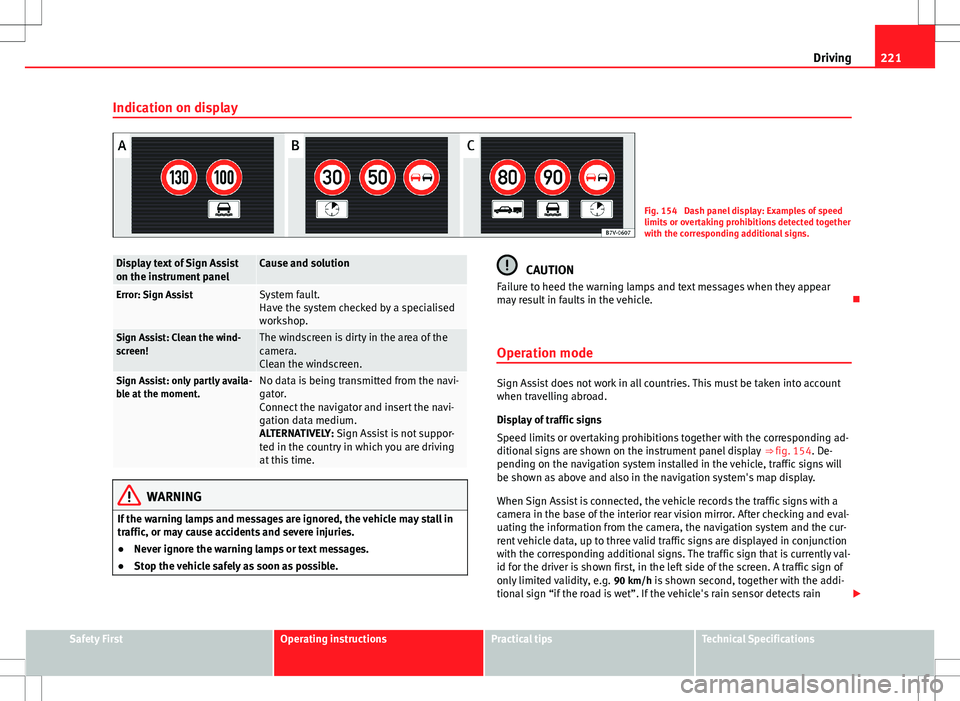
Fig. 154 Dash panel display: Examples of speed
limits or overtaking prohibitions detected together
with the corresponding additional signs.
Display text of Sign Assist
on the instrument panelCause and solution
Error: Sign AssistSystem fault.
Have the system checked by a specialised
workshop.
Sign Assist: Clean the wind-
screen!The windscreen is dirty in the area of the
camera.
Clean the windscreen.
Sign Assist: only partly availa-
ble at the moment.No data is being transmitted from the navi-
gator.
Connect the navigator and insert the navi-
gation data medium.
ALTERNATIVELY: Sign Assist is not suppor-
ted in the country in which you are driving
at this time.
WARNING
If the warning lamps and messages are ignored, the vehicle may stall in
traffic, or may cause accidents and severe injuries.
● Never ignore the warning lamps or text messages.
● Stop the vehicle safely as soon as possible.
CAUTION
Failure to heed the warning lamps and text messages when they appear
may result in faults in the vehicle.
Operation mode
Sign Assist does not work in all countries. This must be taken into account
when travelling abroad.
Display of traffic signs
Speed limits or overtaking prohibitions together with the corresponding ad-
ditional signs are shown on the instrument panel display ⇒ fig. 154. De-
pending on the navigation system installed in the vehicle, traffic signs will
be shown as above and also in the navigation system's map display.
When Sign Assist is connected, the vehicle records the traffic signs with a
camera in the base of the interior rear vision mirror. After checking and eval-
uating the information from the camera, the navigation system and the cur-
rent vehicle data, up to three valid traffic signs are displayed in conjunction
with the corresponding additional signs. The traffic sign that is currently val-
id for the driver is shown first, in the left side of the screen. A traffic sign of
only limited validity, e.g. 90 km/h is shown second, together with the addi- tional sign “if the road is wet”. If the vehicle's rain sensor detects rain
Safety FirstOperating instructionsPractical tipsTechnical Specifications
Page 224 of 388
222Driving
during travel, the traffic sign valid at this moment will move to the first posi-
tion along the additional sign “if the road is wet”.
The permanent display on the instrument panel screen is shown as you
pass the real traffic signs. The signs for entering and leaving towns activate
the display of the usual speed limits for that country on roads in populated
areas and national highways, even if the speed is not limited by an actual
traffic sign.
The end of a prohibition or limitation is not displayed. If you exceed the
speed limits shown, a warning will not appear. The system does not detect
areas with little traffic. The current legal provisions apply.
Connection and disconnection
● Connect or disconnect the assist system in the Settings menu in the
SEAT information system ⇒ page 62.
● ALTERNATIVELY: Press the button for the driver assist systems on the
main beam lever.
Trailer
Connect or disconnect the secondary display for speed limits and overtak-
ing bans that apply to trailers (trailer mode) in the Settings menu in the
SEAT information system ⇒ page 62.
Page 225 of 388
223
Driving
Tiredness detection (recommendation to
take a break) Introduction
Additional information and warnings:
● SEAT information system ⇒ page 62
● Accessories, parts replacement, repairs and modifications ⇒ page 261
WARNING
Do not let the extra convenience afforded by the tiredness detection func-
tion tempt you into taking any risks when driving. When making long
trips, conveniently long breaks must be taken.
● The driver is responsible for determining their capacity to drive.
● Never drive when tired.
● The system does not always detect the tiredness of the driver. Please
read the information provided in the section ⇒ page 224, Limited opera-
tion.
● In some situations the system may incorrectly interpret an intended
manoeuvre as a sign of tiredness of the driver.
● In the event of the an episode called “microsleep” at the wheel, a
strong warning is not in place!
● Observe the indications on the display of the instrument panel and
act in accordance with them.
Note
● The tiredness detection function has only been conceived for driving on
motorways and wide roads.
● If there is a fault in the system, refer to a Specialised workshop to have
the system inspected. Function and operation
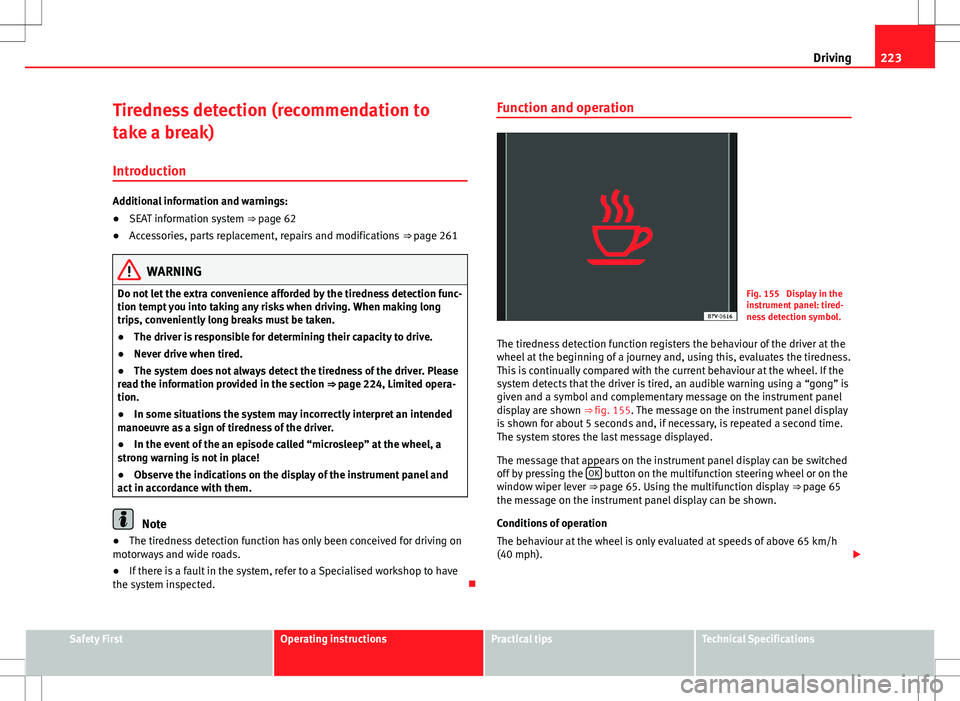
Fig. 155 Display in the
instrument panel: tired-
ness detection symbol.
The tiredness detection function registers the behaviour of the driver at the
wheel at the beginning of a journey and, using this, evaluates the tiredness.
This is continually compared with the current behaviour at the wheel. If the
system detects that the driver is tired, an audible warning using a “gong” is
given and a symbol and complementary message on the instrument panel
display are shown ⇒ fig. 155. The message on the instrument panel display
is shown for about 5 seconds and, if necessary, is repeated a second time.
The system stores the last message displayed.
The message that appears on the instrument panel display can be switched
off by pressing the OK
button on the multifunction steering wheel or on the
window wiper lever ⇒ page 65. Using the multifunction display ⇒ page 65
the message on the instrument panel display can be shown.
Conditions of operation
The behaviour at the wheel is only evaluated at speeds of above 65 km/h
(40 mph).
Safety FirstOperating instructionsPractical tipsTechnical Specifications
Page 227 of 388
225
Driving
Tyre monitoring systems Introduction
The tyre monitor indicator monitors the tyre pressure of each wheel during
driving using the ABS sensors. The ABS sensors monitor the tyre tread pe-
rimeter and vibrations of each tire. The tyre monitor indicator warns the driv-
er if it detects a considerable drop in tyre pressure of one or several tyres
while driving. Loss of tyre pressure will be indicated by the indicator as
well as a sound and sometimes a text message on the screen of the instru-
ment panel. When you open the driver's door, you will find a label indicat-
ing the tyre pressure recommended by the manufacturer for the maximum
vehicle load for each tyre approved for the vehicle in question. By pressing
the adjustment button on the tyre monitoring indicator, you may change the
reference pressure for the tyres so that the tyre pressure to be monitored co-
incides with actual tyre pressure ⇒ page 227.
Suitable use of the adjustment button ⇒ page 227.
Additional information and warnings:
● Transporting ⇒ page 13
● Braking, stopping and parking ⇒ page 185
● Caring for and cleaning the vehicle exterior ⇒ page 246
● Wheels and tyres ⇒ page 297
● Accessories, parts replacement, repairs and modifications ⇒ page 261
WARNING
Unsuitable handling of the wheels and tyres may lead to sudden tyre
pressure losses, to tread separation or even to a blow-out.
● Check tyre pressures regularly and ensure they are maintained at the
pressures indicated. If the tyre pressure is too low, the tyres could over-
heat, resulting in tread detachment or even burst tyres.
● Tyre pressure should be that indicated on the label when the tyres are
cold at all times ⇒ page 301.
● Regularly check the cold inflation pressure of the tyres. If necessary,
change the tyre pressure of the vehicle tyres while they are cold.
● Regularly check your tyres for damage and wear.
● Never exceed the maximum permitted speed or loads specified for the
type of tyre fitted on your vehicle.
WARNING
Incorrect use of the tyre monitoring indicator button could result in the
indicator giving erroneous messages or prevented from indicating the
danger caused by a defective tyre ⇒ page 227.
CAUTION
● The tyre valves may be damaged if the cap is not in place. Check that the
caps are identical to the standard caps and have been correctly tightened.
Do not use metal caps ⇒ page 227.
● Do not damage the valves when changing the tyres ⇒ page 227.
For the sake of the environment
Under-inflated tyres lead to increased fuel consumption and tyre wear.
Safety FirstOperating instructionsPractical tipsTechnical Specifications