battery Seat Alhambra 2013 User Guide
[x] Cancel search | Manufacturer: SEAT, Model Year: 2013, Model line: Alhambra, Model: Seat Alhambra 2013Pages: 387, PDF Size: 6.13 MB
Page 105 of 387
103
Lights and visibility
Sun blind Introduction
WARNING
Sun visors and sun blinds may reduce visibility when open.
● Always roll or fold sun blinds and visors away when not in use.
Sun visors
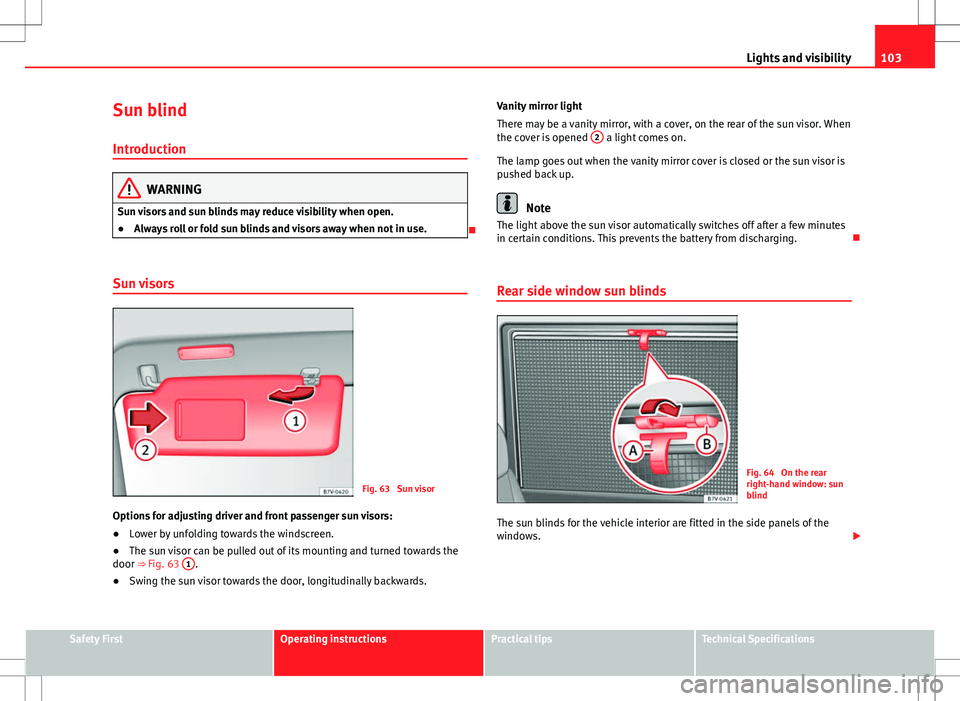
Fig. 63 Sun visor
Options for adjusting driver and front passenger sun visors:
● Lower by unfolding towards the windscreen.
● The sun visor can be pulled out of its mounting and turned towards the
door ⇒ Fig. 63 1
.
● Swing the sun visor towards the door, longitudinally backwards. Vanity mirror light
There may be a vanity mirror, with a cover, on the rear of the sun visor. When
the cover is opened
2
a light comes on.
The lamp goes out when the vanity mirror cover is closed or the sun visor is
pushed back up.
Note
The light above the sun visor automatically switches off after a few minutes
in certain conditions. This prevents the battery from discharging.
Rear side window sun blinds
Fig. 64 On the rear
right-hand window: sun
blind
The sun blinds for the vehicle interior are fitted in the side panels of the
windows.
Safety FirstOperating instructionsPractical tipsTechnical Specifications
Page 117 of 387
115
Seats and storage
Electrical controls on the front seat*
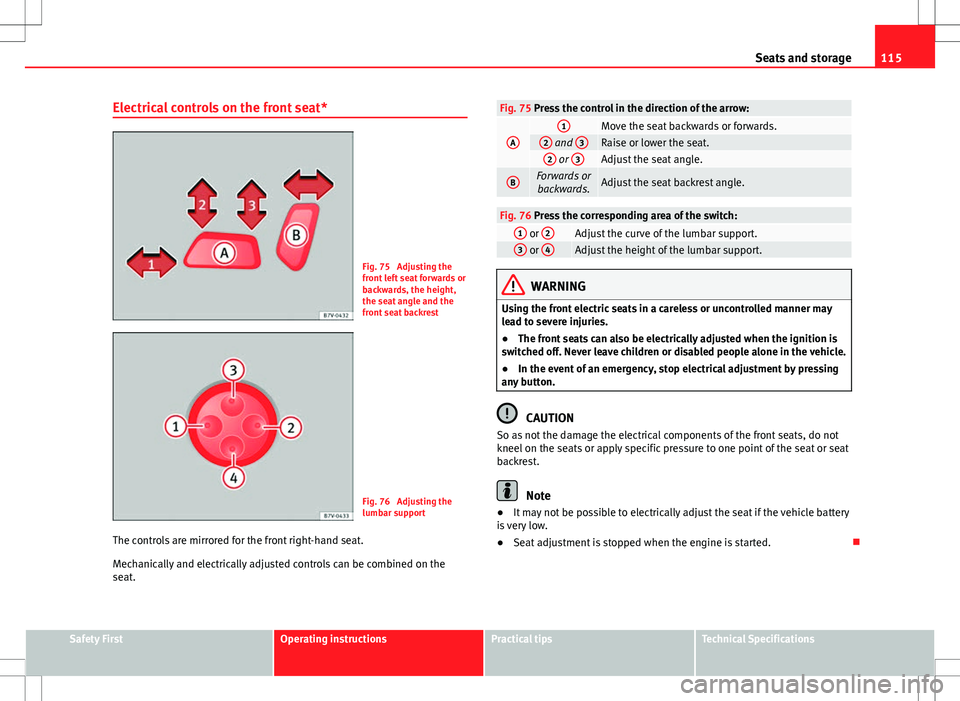
Fig. 75 Adjusting the
front left seat forwards or
backwards, the height,
the seat angle and the
front seat backrest
Fig. 76 Adjusting the
lumbar support
The controls are mirrored for the front right-hand seat.
Mechanically and electrically adjusted controls can be combined on the
seat.
Fig. 75 Press the control in the direction of the arrow:
A1Move the seat backwards or forwards.2 and 3Raise or lower the seat.2 or 3Adjust the seat angle.
BForwards or
backwards.Adjust the seat backrest angle.
Fig. 76 Press the corresponding area of the switch:1 or 2Adjust the curve of the lumbar support.3 or 4Adjust the height of the lumbar support.
WARNING
Using the front electric seats in a careless or uncontrolled manner may
lead to severe injuries.
● The front seats can also be electrically adjusted when the ignition is
switched off. Never leave children or disabled people alone in the vehicle.
● In the event of an emergency, stop electrical adjustment by pressing
any button.
CAUTION
So as not the damage the electrical components of the front seats, do not
kneel on the seats or apply specific pressure to one point of the seat or seat
backrest.
Note
● It may not be possible to electrically adjust the seat if the vehicle battery
is very low.
● Seat adjustment is stopped when the engine is started.
Safety FirstOperating instructionsPractical tipsTechnical Specifications
Page 155 of 387
153
Seats and storage
WARNING
Improper use of the power sockets or electrical devices could lead to a
fire and cause serious injuries.
● Never leave children unsupervised in the vehicle. The power sockets
and equipment connected to them can be used when the ignition is
switched on.
● Should a connected electrical device overheat, switch it off and un-
plug it immediately.
CAUTION
● To avoid damage to the vehicle's electrical system, never connect equip-
ment that generates electrical current, such as solar panels or battery charg-
ers, to the 12 Volt power sockets in order to charge the vehicle's battery.
● Only use accessories with approved electromagnetic compatibility ac-
cording to current regulations.
● To avoid damage due to voltage variations, switch off all appliances con-
nected to the 12 V power sockets before switching the ignition on or off and
before starting the engine.
● Never connect an appliance to the 12 Volt power socket that consumes
more than the power indicated in watts. Exceeding the maximum power ab-
sorption could damage the vehicle's electrical system.
For the sake of the environment
Do not leave the engine running when the vehicle is at a standstill.
Note
● Using electrical appliances with the engine stopped and the ignition
switched on will drain the battery.
● Unshielded equipment can cause interference on the radio equipment
and the vehicle's electrical system.
● Interference can occur on the radio's AM waveband if electrical applian-
ces are used near the rear window aerial.
Safety FirstOperating instructionsPractical tipsTechnical Specifications
Page 156 of 387
154Seats and storage
Vehicle power sockets
Depending on your vehicle's version, you may have a 12-
volt power socket and/or a 230 volt power socket.
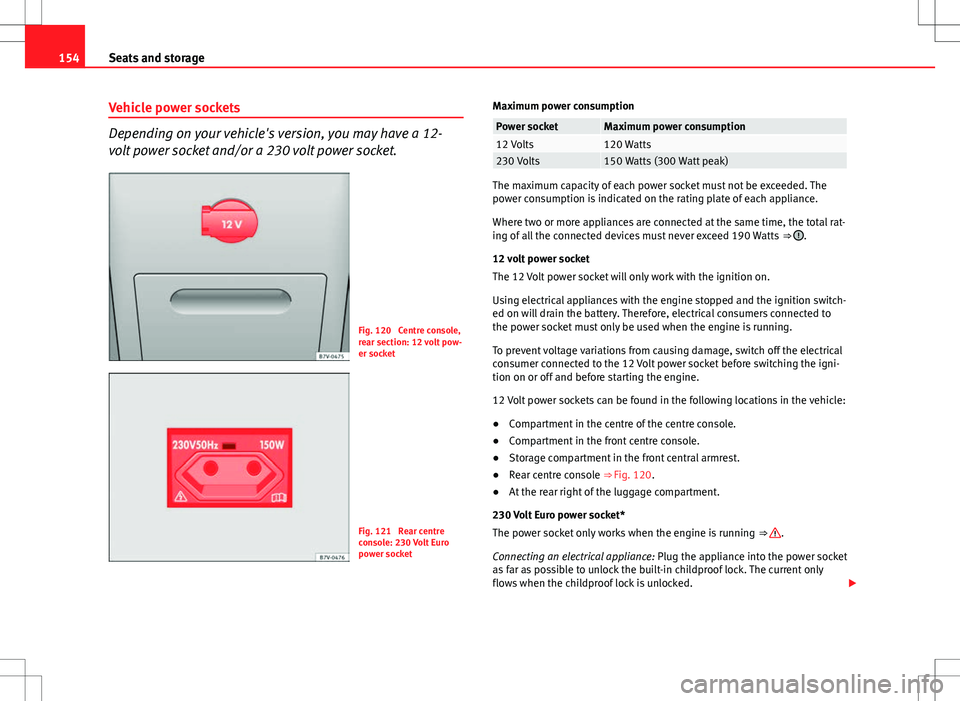
Fig. 120 Centre console,
rear section: 12 volt pow-
er socket
Fig. 121 Rear centre
console: 230 Volt Euro
power socket Maximum power consumption
Power socketMaximum power consumption12 Volts120 Watts230 Volts150 Watts (300 Watt peak)
The maximum capacity of each power socket must not be exceeded. The
power consumption is indicated on the rating plate of each appliance.
Where two or more appliances are connected at the same time, the total rat-
ing of all the connected devices must never exceed 190 Watts
⇒
.
12 volt power socket
The 12 Volt power socket will only work with the ignition on.
Using electrical appliances with the engine stopped and the ignition switch-
ed on will drain the battery. Therefore, electrical consumers connected to
the power socket must only be used when the engine is running.
To prevent voltage variations from causing damage, switch off the electrical
consumer connected to the 12 Volt power socket before switching the igni-
tion on or off and before starting the engine.
12 Volt power sockets can be found in the following locations in the vehicle:
● Compartment in the centre of the centre console.
● Compartment in the front centre console.
● Storage compartment in the front central armrest.
● Rear centre console ⇒ Fig. 120.
● At the rear right of the luggage compartment.
230 Volt Euro power socket*
The power socket only works when the engine is running ⇒
.
Connecting an electrical appliance: Plug the appliance into the power socket
as far as possible to unlock the built-in childproof lock. The current only
flows when the childproof lock is unlocked.
Page 162 of 387
160Air conditioning
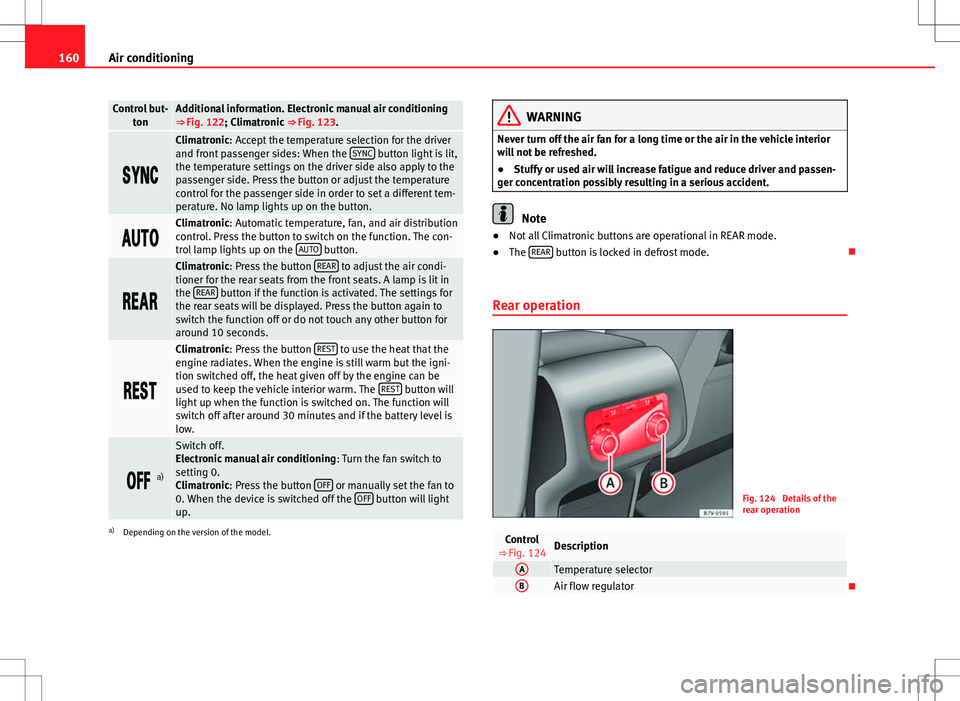
Control but-
tonAdditional information. Electronic manual air conditioning
⇒ Fig. 122; Climatronic ⇒ Fig. 123.
Climatronic: Accept the temperature selection for the driver
and front passenger sides: When the SYNC button light is lit,
the temperature settings on the driver side also apply to the
passenger side. Press the button or adjust the temperature
control for the passenger side in order to set a different tem-
perature. No lamp lights up on the button.
Climatronic: Automatic temperature, fan, and air distribution
control. Press the button to switch on the function. The con-
trol lamp lights up on the AUTO
button.
Climatronic: Press the button REAR to adjust the air condi-
tioner for the rear seats from the front seats. A lamp is lit in
the REAR
button if the function is activated. The settings for
the rear seats will be displayed. Press the button again to
switch the function off or do not touch any other button for
around 10 seconds.
Climatronic: Press the button REST to use the heat that the
engine radiates. When the engine is still warm but the igni-
tion switched off, the heat given off by the engine can be
used to keep the vehicle interior warm. The REST
button will
light up when the function is switched on. The function will
switch off after around 30 minutes and if the battery level is
low.
a)
Switch off.
Electronic manual air conditioning : Turn the fan switch to
setting 0.
Climatronic: Press the button OFF
or manually set the fan to
0. When the device is switched off the OFF button will light
up.
a) Depending on the version of the model.
WARNING
Never turn off the air fan for a long time or the air in the vehicle interior
will not be refreshed.
● Stuffy or used air will increase fatigue and reduce driver and passen-
ger concentration possibly resulting in a serious accident.
Note
● Not all Climatronic buttons are operational in REAR mode.
● The REAR
button is locked in defrost mode.
Rear operation
Fig. 124 Details of the
rear operation
Control
⇒ Fig. 124Description
ATemperature selectorBAir flow regulator
Page 166 of 387
164Air conditioning
Auxiliary heater* (additional heater)
Introduction
The auxiliary heater is powered by fuel from the vehicle's fuel tank and can
be used while the vehicle is in motion and at a standstill. Select the mode
required (heat or fan) ⇒ page 166 on the instrument panel.
In winter, the auxiliary heater can be used in heat mode before switching on
the ignition to remove any ice, mist or snow from the windscreen (thin lay-
ers only).
Additional information and warnings:
● SEAT information system ⇒ page 62
● Refuelling ⇒ page 267
WARNING
The auxiliary heater fumes contain carbon dioxide, an odourless and col-
ourless toxic gas. Carbon monoxide can cause people to lose conscious-
ness. It can also cause death.
● Never switch on the auxiliary heater or leave it running in places that
are enclosed or unventilated.
● Never program the independent heating system to be activated and
operated in closed, unventilated areas.
WARNING
The components of the auxiliary heater exhaust system heat up a great
deal. This could cause a fire.
● Always park your vehicle so that no part of the exhaust system can
come in contact with flammable materials (such as dried grass).
CAUTION
Never place food, medicines or other heat-sensitive objects close to the air
vents. Food, medicines and other heat-sensitive objects may be damaged
or made unsuitable for use by the air coming from the air vents.
Switching the auxiliary heater on and off
Switching the auxiliary heater on:
Manually using the instant on/off button.⇒ page 158
ONManually using the remote control.⇒ page 165
Automatically at the programmed and enabled on
time.⇒ page 166
Switching the auxiliary heater off:
Manually using the instant on/off button for the
air conditioner.⇒ page 158
OFFManually using the remote control.⇒ page 165 Automatically after the programmed time.⇒ page 166
Automatically when the light comes on (fuel re-
serve).⇒ page 267
Automatically when the battery power drops to a
very low level.⇒ page 291
Things to note
After switching the auxiliary heater off, it continues to run for a short period
to completely burn any fuel remaining in the auxiliary heater. The exhaust
gases are also extracted from the system.
Page 167 of 387
165
Air conditioning
Remote control
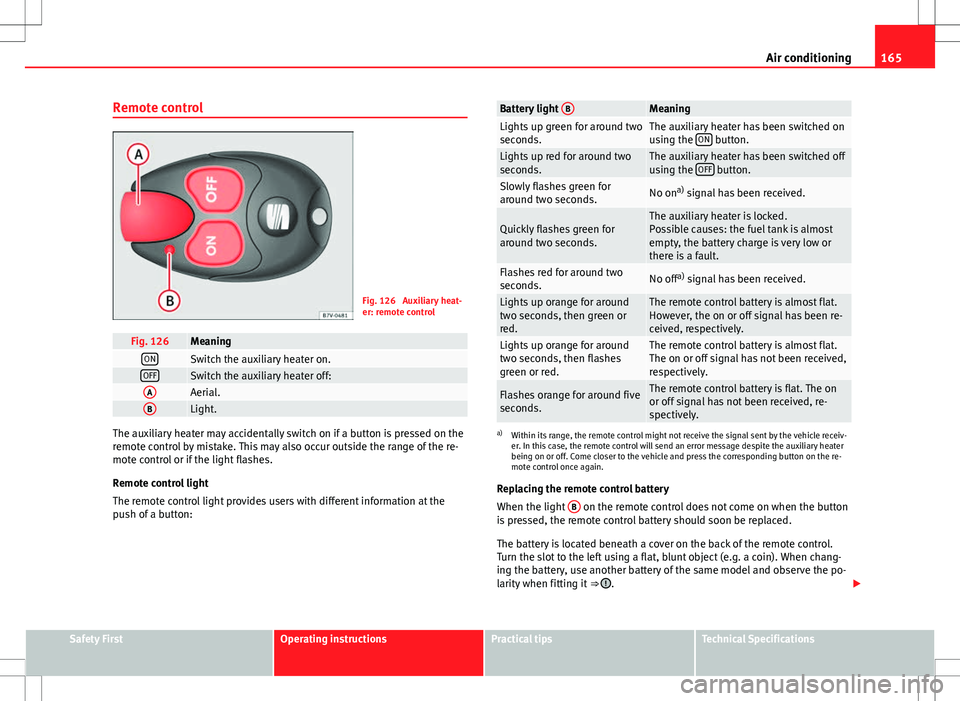
Fig. 126 Auxiliary heat-
er: remote control
Fig. 126MeaningONSwitch the auxiliary heater on.OFFSwitch the auxiliary heater off:AAerial.BLight.
The auxiliary heater may accidentally switch on if a button is pressed on the
remote control by mistake. This may also occur outside the range of the re-
mote control or if the light flashes.
Remote control light
The remote control light provides users with different information at the
push of a button:
Battery light BMeaningLights up green for around two
seconds.The auxiliary heater has been switched on
using the ON button.Lights up red for around two
seconds.The auxiliary heater has been switched off
using the OFF button.Slowly flashes green for
around two seconds.No ona)
signal has been received.
Quickly flashes green for
around two seconds.The auxiliary heater is locked.
Possible causes: the fuel tank is almost
empty, the battery charge is very low or
there is a fault.
Flashes red for around two
seconds.No off a)
signal has been received.
Lights up orange for around
two seconds, then green or
red.The remote control battery is almost flat.
However, the on or off signal has been re-
ceived, respectively.
Lights up orange for around
two seconds, then flashes
green or red.The remote control battery is almost flat.
The on or off signal has not been received,
respectively.
Flashes orange for around five
seconds.The remote control battery is flat. The on
or off signal has not been received, re-
spectively.
a) Within its range, the remote control might not receive the signal sent by the vehicle receiv-
er. In this case, the remote control will send an error message despite the auxiliary heater
being on or off. Come closer to the vehicle and press the corresponding button on the re-
mote control once again.
Replacing the remote control battery
When the light B
on the remote control does not come on when the button
is pressed, the remote control battery should soon be replaced.
The battery is located beneath a cover on the back of the remote control.
Turn the slot to the left using a flat, blunt object (e.g. a coin). When chang-
ing the battery, use another battery of the same model and observe the po-
larity when fitting it ⇒
.
Safety FirstOperating instructionsPractical tipsTechnical Specifications
Page 168 of 387
166Air conditioning
Range
The receiver is in the interior of the vehicle. The remote control, when fitted
with new batteries, has a range of several hundred metres. Obstacles be-
tween the remote control and the vehicle, bad weather conditions and dis-
charged batteries can considerably reduce the range of the remote control.
An optimum range is obtained by keeping the remote control vertical, with
the aerial A
pointing upwards. When doing so, do not cover the aerial with
your fingers or with the palm of your hand.
There must be a minimum distance of two metres between the remote con-
trol and the vehicle.
CAUTION
● The radio frequency remote control contains electronic components.
Therefore, avoid getting the remote control wet and from being knocked
and protect it from direct sunlight.
● Use of inappropriate batteries may damage the remote control. For this
reason, always replace the dead battery with another of the same voltage,
size and specifications.
For the sake of the environment
● Please dispose of old batteries so that they do not harm the environ-
ment.
● The remote control battery may contain perchlorate. Observe the legal
requirements for their disposal.
Programming the auxiliary heater
The heater or ventilation inside the vehicle can be programmed for a certain
period. Before programming, check that the day is correctly set in the
Auxiliary heat-
er - day of the week menu ⇒
.
Enabling the Auxiliary heater menu on the instrument panel
● From the main menu, select the Auxiliary heater submenu and press the
OK
button on the windscreen wiper lever.
● OR: press the or arrow buttons on the multi-function steering
wheel until the Auxiliary heater menu is displayed.
Menu optionsDescription
Switching on
Switching off
The auxiliary heater can be set to come on automati-
cally if required. To do so, select a timer:
– The timer is displayed marked with a .
– Only one timer can be selected. If a timer has been
selected, Prog. ON will be displayed on the screen. If
no timer has been selected, the instrument panel dis-
play will show Prog. OFF.
– To modify the programmed timer, select another tim-
er or select the Off option.
Timer 1
Timer 2
Timer 3Three different timers (hh.mm) can later be selected
using the On option. If the auxiliary heater is to be
switched on for just a certain day of the week, select
the day of the week and the time for the auxiliary heat-
er to come on.
DurationThe operating time may vary between 10 and 60 mi-
nutes and can be set to 5-minute intervals.
Operating modeSet to heat or ventilate the vehicle interior when the
auxiliary heater is switched on.
DaySet the current day of the week.
Factory settingsThe predefined factory values for the functions of this
menu are restored.
BackThis returns to the main menu.
Page 169 of 387
167
Air conditioning
Checking programming
If the timer has been switched on after switching the ignition off, the instant
on button
will remain lit for around ten seconds.
WARNING
Never program the independent heating system to be activated and oper-
ated in closed, unventilated areas. The auxiliary heater fumes contain
carbon dioxide, an odourless and colourless toxic gas. Carbon monoxide
can cause people to lose consciousness. It can also cause death.
Operating instructions
The auxiliary heater exhaust system located below the vehicle must be kept
clear of snow, mud and other objects. The exhaust gases must not be ob-
structed in any way. The exhaust gases generated by the auxiliary heater are
removed via an exhaust pipe fitted underneath the vehicle.
On heating the vehicle interior, depending on the outside temperature the
warm air is first directed at the windscreen and then to the rest of the vehi-
cle interior through the air vents. If the air vents are turned towards the win-
dows, for example, the form of air distribution may be affected.
Depending on the outside temperature, the temperature at which the auxili-
ary heater warms the vehicle interior may be somewhat higher if the heating
or air conditioner temperature control is set to maximum before switching
the heating on.
Depending on the engine, vehicles with auxiliary heater may be fitted with a
second battery in the luggage compartment that is responsible for powering
the auxiliary heater. Cases in which the auxiliary heater will not switch on
●
The auxiliary heater requires about as much power as the dipped beam
headlights. If the battery charge is low, the auxiliary heater will switch off
automatically or will not even switch on. This avoids problems when starting
the engine.
● The heater will switch just once each time. The timer will also have to be
switched back on every time it is required.
Note
● Noise will be heard while the auxiliary heater is running.
● When the air humidity is high and the outside temperature low, the
heating system may evaporate condensation from the auxiliary heater. In
this case, steam may be released from underneath the vehicle. This is com-
pletely normal and there is no need to suspect a fault!
● If the auxiliary heater runs several times over a prolonged period, the ve-
hicle battery may run flat. To re-charge the battery, drive the vehicle for a
long distance. In general: drive for as much time as the auxiliary heating
was working.
Safety FirstOperating instructionsPractical tipsTechnical Specifications
Page 170 of 387
168Driving
Driving
SteeringIntroduction
The power steering is not hydraulic but electromechanical. The advantage
of this steering system is that it disposes of hydraulic tubes, hydraulic oil,
the pump, filter and other components. The electromechanical system
saves fuel. While a hydraulic system requires oil pressure to be maintained,
electromechanical steering only requires energy when the steering wheel is
turned.
With the power steering system, the assisted steering function automatical-
ly adjusts according to the vehicle speed, the steering torque and the wheel
turning angle. The power steering only works when the engine is running.
Additional information and warnings:
● Start and stop the engine ⇒ page 171
● Vehicle battery ⇒ page 291
● Tow starting and towing away ⇒ page 343
WARNING
If the power steering is not working then the steering wheel is much
more difficult to turn and the vehicle more difficult to control.
● The power steering only works when the engine is running.
● Never allow the vehicle to move when the engine is switched off.
● Never remove the key from the ignition if the vehicle is in motion. The
steering may lock and it will not be possible to turn the steering wheel.
Control and warning lamps
lights upPossible causeSolution
(red)Power steering faulty.The steering system should be
checked by a specialised work-
shop as soon as possible.
(yellow)
Power steering operation re-
duced.
The steering system should be
checked by a specialised work-
shop as soon as possible.
If, after restarting the engine
and driving for a short distance,
the yellow warning lamp no lon-
ger comes on, it will not be nec-
essary to take the vehicle to a
specialised workshop.
The vehicle battery was dis-
connected and has been re-
connected.Drive for a short distance at 15 –
20 km/h (10 to 12 mph).