buttons Seat Alhambra 2013 User Guide
[x] Cancel search | Manufacturer: SEAT, Model Year: 2013, Model line: Alhambra, Model: Seat Alhambra 2013Pages: 387, PDF Size: 6.13 MB
Page 120 of 387
118Seats and storage
FunctionAction ⇒ Fig. 78To switch system on:Press button . Seat heating is switched on fully.Adjusting the heating
output:Keep pressing button until the required intensi-
ty is set.
To switch system off:Keep pressing button until all of the lights are
switched off ⇒ Fig. 78.
WARNING
People whose pain and temperature threshold has been affected by some
kind of medicine, paraplegia or chronic illness (e.g. diabetes) may sus-
tain burns to the back, buttocks and legs from use of the seat heating
that may lead to a long healing process or that may never completely
heal. Seek medical advice if you have doubts regarding your health.
● People with a limit pain and temperature threshold must never use
seat heating.
CAUTION
● To avoid damaging the heating elements of the seat heating, please do
not kneel on the seat or apply sharp pressure at a single point to the seat
cushion and seat backrest.
● Liquids, sharp objects and insulating materials on the seat could dam-
age the seat heating.
● In the event of smells, switch off the seat heating immediately and have
the unit inspected by a specialised workshop.
For the sake of the environment
The seat heating should remain on only when needed. Otherwise, it is an
unnecessary fuel waste. Seat with position memory*
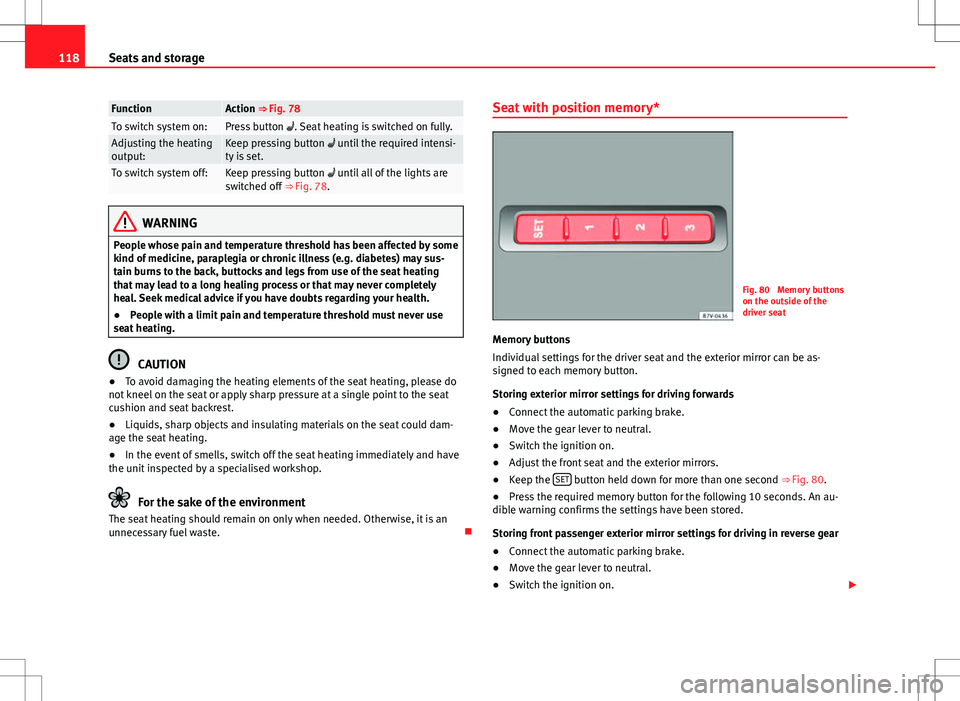
Fig. 80 Memory buttons
on the outside of the
driver seat
Memory buttons
Individual settings for the driver seat and the exterior mirror can be as-
signed to each memory button.
Storing exterior mirror settings for driving forwards
● Connect the automatic parking brake.
● Move the gear lever to neutral.
● Switch the ignition on.
● Adjust the front seat and the exterior mirrors.
● Keep the SET
button held down for more than one second
⇒ Fig. 80.
● Press the required memory button for the following 10 seconds. An au-
dible warning confirms the settings have been stored.
Storing front passenger exterior mirror settings for driving in reverse gear
● Connect the automatic parking brake.
● Move the gear lever to neutral.
● Switch the ignition on.
Page 121 of 387
119
Seats and storage
● Press the required memory button.
● Select reverse gear.
● Adjust the front passenger side exterior mirror so that you can see, for
example, the kerb area.
● The new position of the mirror will be stored automatically and allocated
to the vehicle key that was used to unlock the vehicle.
Activating exterior mirror settings
● With the driver door open and the ignition turned off, push the memory
button of the corresponding door briefly.
● OR: With the ignition switched on, hold in the corresponding memory
button until the memorised position is reached.
To activate the memory function of the vehicle key
Important: a position must be memorised in the memory.
● Open the driver-side door.
● Press and hold any memory button.
● Within the following three seconds, push the button
to open the vehi-
cle on the vehicle key. An audible warning confirms the settings have been
activated.
Adjusting the wing mirrors for driving and assigning driver seat settings to
a vehicle key
● Activate the memory function of the vehicle key
● Adjust the front seat and the exterior mirrors.
● Lock the vehicle. The settings are assigned to the vehicle key.
To deactivate the memory function of the vehicle key
Important: a position must be memorised in the memory.
● Press and hold the SET
button.
● Within the following ten seconds, push the button to open the vehi-
cle on the vehicle key. An audible warning confirms the settings have been
deactivated. Initialising the seat position memory
The position memory system must be initialised if, for example, the driver
seat has been changed.
Initialisation deletes all memories and assignments for the seat with posi-
tion memory. The memory buttons can then be reprogrammed and the vehi-
cle keys re-assigned.
●
Open the driver door and do not get into the vehicle.
● Operating the seat settings from outside the vehicle.
● Move the angle of the seat backrest completely forwards.
● Release the control to set the angle and then press again until an audi-
ble warning is heard.
Note
The front passenger side exterior mirror automatically changes from the po-
sition stored for reversing as soon as the vehicle moves forward at a speed
of at least 15 km/h (10 mph) or when the gear selection lever is changed to
a position other than R.
Safety FirstOperating instructionsPractical tipsTechnical Specifications
Page 161 of 387
159
Air conditioning
Some Climatronic controls may also be on the air conditioner control panel
located in the rear centre console. These controls are used to make the ap-
propriate settings for the rear seats.
Control but- tonAdditional information. Electronic manual air conditioning
⇒ Fig. 122; Climatronic ⇒ Fig. 123.
1 Temper-
ature
...
Electronic manual air conditioning : Rotate the control to ad-
just the temperature accordingly. In the position AC
MAX , the
cooling output will be set to maximum. The air recirculation
mode and the cooling system are automatically switched on.
Climatronic: The left and right sides can be adjusted sepa-
rately. Rotate the control to adjust the temperature accord-
ingly.
2 Fan
Electronic manual air conditioning : Setting 0: Air fan and air
conditioning system (manual) switched off, setting 4: Maxi-
mum setting of fan.
Climatronic: The power of the fan is automatically adjusted.
Rotate the control to manually adjust the fan.
3 Air dis-
tribution
Electronic manual air conditioning : Rotate the continuous
control to direct the airflow to the desired area.
Climatronic: The airflow will be automatically adjusted to a
comfortable flow. It can also be switched on manually with
the buttons 3
.
4Climatronic: Display of the selected interior temperature for
the left and right sides.
Electronic manual air conditioning
: Defrost function. The air-
flow is directed at the windscreen. In this position, air recir-
culation is automatically switched off or is not switched on.
Increase the fan power to clear the windscreen of condensa-
tion as soon as possible. To dry the air the cooling system
will automatically switch on.
Control but- tonAdditional information. Electronic manual air conditioning
⇒ Fig. 122; Climatronic ⇒ Fig. 123.
Climatronic: Defrost function. The air drawn in from outside
the vehicle is directed at the windscreen and air recirculation
is automatically switched off. To defrost the windscreen more
quickly, the air is dehumidified at temperatures over approxi-
mately +3 °C (+38 °F) and the fan runs at maximum output.
The air is directed at the chest of driver and passengers by
the dash panel air vents.
Air distribution towards the footwell.
Electronic manual air conditioning : Air distribution towards
the windscreen and the footwell.
Climatronic: Upward air distribution.
Heated rear window: Only works when the engine is running
and switches off automatically after a 10 minutes.
Electronic manual air conditioning : Air recirculation
⇒ page 162.
Climatronic: Manual and automatic air recirculation
⇒ page 162.
Instant auxiliary heating on/off button ⇒ page 164.
Buttons for the seat heating ⇒ page 117.
Climatronic: According to the vehicle equipment there may
be a button for the windscreen heating on the air conditioner
control panel. The windscreen heating only works when the
engine is running and switches off automatically after a few
minutes.
Press the button to switch on or off the cooling system.
Safety FirstOperating instructionsPractical tipsTechnical Specifications
Page 162 of 387
160Air conditioning
Control but-
tonAdditional information. Electronic manual air conditioning
⇒ Fig. 122; Climatronic ⇒ Fig. 123.
Climatronic: Accept the temperature selection for the driver
and front passenger sides: When the SYNC button light is lit,
the temperature settings on the driver side also apply to the
passenger side. Press the button or adjust the temperature
control for the passenger side in order to set a different tem-
perature. No lamp lights up on the button.
Climatronic: Automatic temperature, fan, and air distribution
control. Press the button to switch on the function. The con-
trol lamp lights up on the AUTO
button.
Climatronic: Press the button REAR to adjust the air condi-
tioner for the rear seats from the front seats. A lamp is lit in
the REAR
button if the function is activated. The settings for
the rear seats will be displayed. Press the button again to
switch the function off or do not touch any other button for
around 10 seconds.
Climatronic: Press the button REST to use the heat that the
engine radiates. When the engine is still warm but the igni-
tion switched off, the heat given off by the engine can be
used to keep the vehicle interior warm. The REST
button will
light up when the function is switched on. The function will
switch off after around 30 minutes and if the battery level is
low.
a)
Switch off.
Electronic manual air conditioning : Turn the fan switch to
setting 0.
Climatronic: Press the button OFF
or manually set the fan to
0. When the device is switched off the OFF button will light
up.
a) Depending on the version of the model.
WARNING
Never turn off the air fan for a long time or the air in the vehicle interior
will not be refreshed.
● Stuffy or used air will increase fatigue and reduce driver and passen-
ger concentration possibly resulting in a serious accident.
Note
● Not all Climatronic buttons are operational in REAR mode.
● The REAR
button is locked in defrost mode.
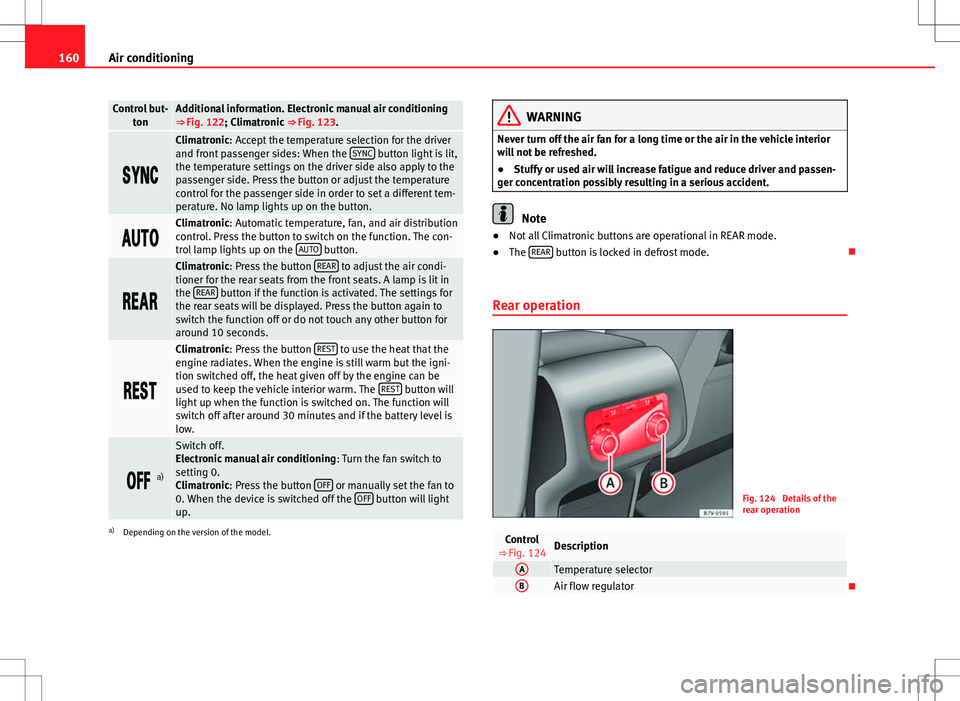
Rear operation
Fig. 124 Details of the
rear operation
Control
⇒ Fig. 124Description
ATemperature selectorBAir flow regulator
Page 168 of 387
166Air conditioning
Range
The receiver is in the interior of the vehicle. The remote control, when fitted
with new batteries, has a range of several hundred metres. Obstacles be-
tween the remote control and the vehicle, bad weather conditions and dis-
charged batteries can considerably reduce the range of the remote control.
An optimum range is obtained by keeping the remote control vertical, with
the aerial A
pointing upwards. When doing so, do not cover the aerial with
your fingers or with the palm of your hand.
There must be a minimum distance of two metres between the remote con-
trol and the vehicle.
CAUTION
● The radio frequency remote control contains electronic components.
Therefore, avoid getting the remote control wet and from being knocked
and protect it from direct sunlight.
● Use of inappropriate batteries may damage the remote control. For this
reason, always replace the dead battery with another of the same voltage,
size and specifications.
For the sake of the environment
● Please dispose of old batteries so that they do not harm the environ-
ment.
● The remote control battery may contain perchlorate. Observe the legal
requirements for their disposal.
Programming the auxiliary heater
The heater or ventilation inside the vehicle can be programmed for a certain
period. Before programming, check that the day is correctly set in the
Auxiliary heat-
er - day of the week menu ⇒
.
Enabling the Auxiliary heater menu on the instrument panel
● From the main menu, select the Auxiliary heater submenu and press the
OK
button on the windscreen wiper lever.
● OR: press the or arrow buttons on the multi-function steering
wheel until the Auxiliary heater menu is displayed.
Menu optionsDescription
Switching on
Switching off
The auxiliary heater can be set to come on automati-
cally if required. To do so, select a timer:
– The timer is displayed marked with a .
– Only one timer can be selected. If a timer has been
selected, Prog. ON will be displayed on the screen. If
no timer has been selected, the instrument panel dis-
play will show Prog. OFF.
– To modify the programmed timer, select another tim-
er or select the Off option.
Timer 1
Timer 2
Timer 3Three different timers (hh.mm) can later be selected
using the On option. If the auxiliary heater is to be
switched on for just a certain day of the week, select
the day of the week and the time for the auxiliary heat-
er to come on.
DurationThe operating time may vary between 10 and 60 mi-
nutes and can be set to 5-minute intervals.
Operating modeSet to heat or ventilate the vehicle interior when the
auxiliary heater is switched on.
DaySet the current day of the week.
Factory settingsThe predefined factory values for the functions of this
menu are restored.
BackThis returns to the main menu.
Page 211 of 387
209
Driving
User instructions
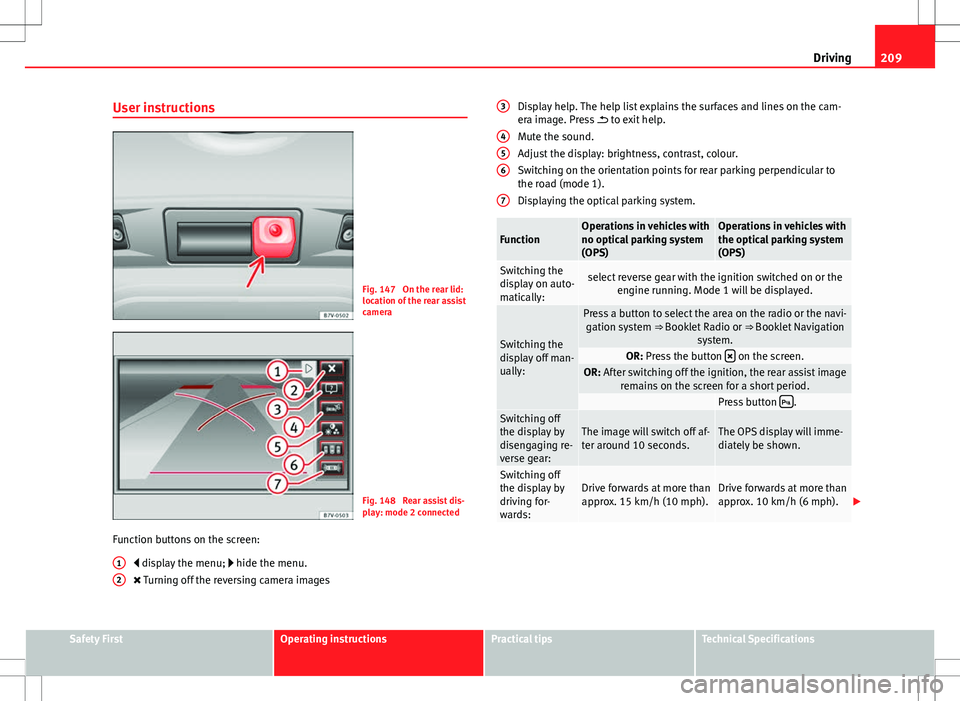
Fig. 147 On the rear lid:
location of the rear assist
camera
Fig. 148 Rear assist dis-
play: mode 2 connected
Function buttons on the screen: display the menu; hide the menu.
Turning off the reversing camera images
1
2
Display help. The help list explains the surfaces and lines on the cam-
era image. Press
to exit help.
Mute the sound.
Adjust the display: brightness, contrast, colour.
Switching on the orientation points for rear parking perpendicular to
the road (mode 1).
Displaying the optical parking system.
FunctionOperations in vehicles with
no optical parking system
(OPS)Operations in vehicles with
the optical parking system
(OPS)
Switching the
display on auto-
matically:select reverse gear with the ignition switched on or the engine running. Mode 1 will be displayed.
Switching the
display off man-
ually:
Press a button to select the area on the radio or the navi-gation system ⇒ Booklet Radio or ⇒ Booklet Navigation
system.
OR: Press the button on the screen.OR: After switching off the ignition, the rear assist image
remains on the screen for a short period.
Press button .Switching off
the display by
disengaging re-
verse gear:The image will switch off af-
ter around 10 seconds.The OPS display will imme-
diately be shown.
Switching off
the display by
driving for-
wards:Drive forwards at more than
approx. 15 km/h (10 mph).Drive forwards at more than
approx. 10 km/h (6 mph).
3
456
7
Safety FirstOperating instructionsPractical tipsTechnical Specifications