change wheel Seat Alhambra 2014 User Guide
[x] Cancel search | Manufacturer: SEAT, Model Year: 2014, Model line: Alhambra, Model: Seat Alhambra 2014Pages: 381, PDF Size: 5.75 MB
Page 194 of 381
192Driving
!Do not lift your foot off the brake pedal! When the brake pedal is released
or when the brake force is reduced, braking assist automatically turns off
the brake servo.
Traction control when accelerating (ASR)
In the event of wheelspin, the traction control system reduces the engine
torque to match the amount of grip available. The ASR makes some situa-
tions easier, for example, when starting, accelerating or going uphill, even
in unfavourable road conditions.
The ASR can be switched on or off manually ⇒ page 193.
Electronic differential lock system (EDL and XDS)
EDL is available when driving in straight lines under normal conditions.
When the EDL detects wheelspin, it brakes the spinning wheel and directs
the power to the other drive wheels. To prevent the disc brake of the braked
wheel from overheating, the EDL cuts out automatically if subjected to ex-
cessive loads. The EDL will switch on again automatically when the brake
has cooled down.
The XDS function is an extension of the electronic differential lock. The XDS
does not react to the traction of the driving wheels, but to the adherence of
the front wheel on the inside of the curve whilst gripping rapidly in corners.
The XDS gives pressure to the brakes of the wheel on the interior of the cor-
ner to prevent skidding. This improves traction, which assists the vehicle in
continuing the required line.
WARNING
Driving at high speed on icy, slippery wet ground can result in loss of ve-
hicle control and serious injury to the driver and passengers.
● Adjust your speed and driving style to visibility, road, traffic and
weather conditions. Even though the brake assist systems, ABS, BAS,
EDL, ASR and ESC, provide more security, do not take unnecessary risks
while driving.
WARNING (Continued)
● Brake assist systems can not overcome the laws of physics. Even with
ESC and other systems, slippery and wet roads will always be dangerous.
● Driving to quickly on wet ground can result in the wheels losing con-
tact with the ground in an effect known as aquaplaning. Without adher-
ence, it is impossible to brake, steer or control the vehicle.
● Brake assist systems cannot avoid accidents if, for example, the driv-
er does not respect safety distances or drives to quickly in difficult condi-
tions.
● Even though brake assist systems are extremely effective and help
control the vehicle in difficult situations, remember that the vehicle sta-
bility depends on tyre grip.
● When accelerating on a slippery surface, for example on ice and
snow, press the accelerator carefully. The wheels can still slip even with
brake assist systems resulting in loss of vehicle control.
WARNING
The effectiveness of the ESC can be considerably reduced if other compo-
nents and systems affecting driving dynamics are not maintained or are
not functioning correctly. This includes, among others, brakes, tyres and
other systems already mentioned.
● Remember that changing and fitting other components to the vehicle
can affect operation of the ABS, BAS, ASL EDL and ESC.
● Changes to the vehicle suspension or using unapproved wheel/tyre
combinations can affect operation of the ABS, BAS, ASL EDL and ESC and
their effectiveness.
● Likewise, the effectiveness of ESC depends on the use of suitable
tyres ⇒ page 297.
Page 198 of 381
196Driving
Start assist systems
Introduction
Additional information and warnings:
● SEAT information system ⇒ page 62
● Braking, stopping and parking ⇒ page 185
● Vehicle battery ⇒ page 292
● Wheels and tyres ⇒ page 297
● Accessories, parts replacement, repairs and modifications ⇒ page 261
● Jump starting ⇒ page 341
WARNING
The intelligent technology in the start assist systems cannot change the
laws of physics. The improved comfort provided by start assist systems
should not prompt you to take risks.
● Unintentional movements of the vehicle could cause serious injury.
● The start assist systems are not a replacement for driver awareness.
● Always try to adapt the speed of the vehicle and your style of driving
to the condition of the ground or the road and to weather and traffic con-
ditions.
● The start assist system cannot keep the vehicle stationary in all con-
ditions on a gradient or cause it to brake on steep downhill gradients,
e.g. if the road is slippery or icy.
Auto Hold function*
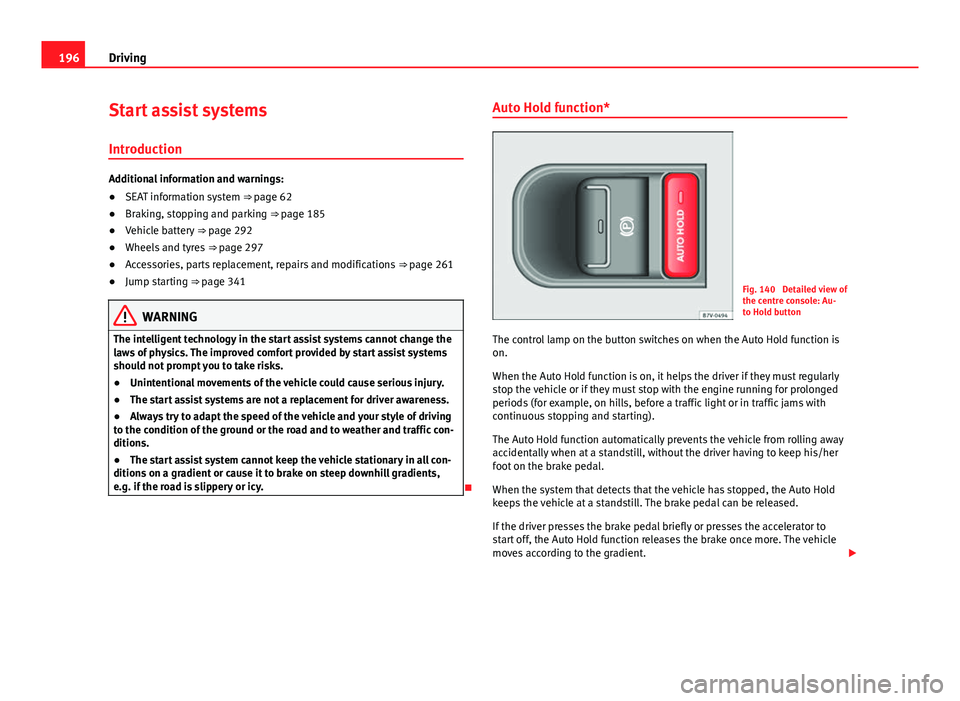
Fig. 140 Detailed view of
the centre console: Au-
to Hold button
The control lamp on the button switches on when the Auto Hold function is
on.
When the Auto Hold function is on, it helps the driver if they must regularly
stop the vehicle or if they must stop with the engine running for prolonged
periods (for example, on hills, before a traffic light or in traffic jams with
continuous stopping and starting).
The Auto Hold function automatically prevents the vehicle from rolling away
accidentally when at a standstill, without the driver having to keep his/her
foot on the brake pedal.
When the system that detects that the vehicle has stopped, the Auto Hold
keeps the vehicle at a standstill. The brake pedal can be released.
If the driver presses the brake pedal briefly or presses the accelerator to
start off, the Auto Hold function releases the brake once more. The vehicle
moves according to the gradient.
Page 199 of 381
197
Driving
If any of the conditions necessary for the Auto Hold function change while
the vehicle stopped, the system is turned off as is the indicator on the but-
ton ⇒ Fig. 140. The electronic parking brake engages where necessary to
park the vehicle safely ⇒
.
Conditions for keeping the vehicle at a standstill with Auto Hold:
● The driver door must be closed.
● The driver seat belt must be buckled.
● The engine must be running.
● The ASR system is switched on ⇒ page 185.
Switching Auto Hold on and off manually
Press the AUTO HOLD
button ⇒ . The control lamp on the button switches
off when the Auto Hold function is switched off.
Permanent Auto Hold connection
The Auto Hold function must be switched on every time the engine is star-
ted. However, to switch the Auto Hold function on permanently, the mark
must be switched on in the Settings menu, “Autohold” submenu
⇒ page 62.
Auto Hold works automatically under the following conditions:
All points must be fulfilled simultaneously ⇒ : manual gearboxAutomatic gearbox1.If the vehicle is stopped using the brake pedal on a flat or slope.2.The engine must be running smoothly.3.On a slope, the 1st gear is engag-
ed uphill or the reverse gear is en-
gaged for a downhill. The clutch
must be held down.A gear for driving is selected from
R, D or S.
Upon accelerating and pressing in
the clutch simultaneously, the
brake releases gradually.Upon accelerating, the brake re-
leases gradually.
Auto Hold turns off automatically under the following conditions:
manual gearboxAutomatic gearbox1.If one of the conditions mentioned in table on page 197 changes.2.If the engine is not running regularly or if there is a malfunction.3.When changing to idle speed.If the selector lever is placed in
neutral (N).
4.If the engine is turned off or stalls.If the engine is switched off.5.If the driver accelerates while
pressing the clutch in.If the vehicle is accelerated.
6. When one of the wheels has mini-
mal contact with the ground (for
example, on uneven ground).
WARNING
The Auto Hold technology is limited by the laws of physics. The improved
comfort provided by Auto Hold should never prompt you to take risks.
● Never leave the vehicle running and with the Auto Hold function
switched on.
● Auto Hold cannot always stop the vehicle uphill and downhill (for ex-
ample, if the ground is slippery or frozen).
CAUTION
Before entering an automatic car wash, always switch the Auto Hold func-
tion off, as it could be damaged when the electronic parking brake automat-
ically engages.
Safety FirstOperating instructionsPractical TipsTechnical Specifications
Page 208 of 381
206Driving
Parking
● Parking parallel to the road: Drive next to the gap at a speed of no more
than 40 km/h (25 mph) and at a distance of between 0.5 m and 2 m.
● Parking perpendicular to the road: Drive next to the gap at a speed of no
more than 20 km/h (12 mph) and at a distance of between 0.5 m and 2 m.
● The best parking results will be achieved if you position the vehicle as
parallel as possible to the line of parked cars or the kerb.
● When a suitable parking place is displayed on the instrument panel,
stop and select reverse gear.
● Follow the instructions given on the instrument panel display
● Then, release the steering wheel when the warning signal sounds ⇒
:
The system will move the steering wheel! Observe the surrounding area.
● Observe the surrounding area and accelerate carefully at a maximum of
up to 7 km/h (4 mph).
● The park assist system is only responsible for moving the steering wheel
during the manoeuvre. The driver applies the accelerator, the clutch, the
gears and the brake.
● Follow the instructions given by the park assist system until the ma-
noeuvre is completed.
● The park assist system steers the vehicle forwards and backwards until
it is in a straight position in the parking space.
● The manoeuvre is complete when the corresponding indication is given
on the instrument panel display.
Stopping the parking manoeuvre
The park assist system stops the manoeuvre in the event of one of the fol-
lowing:
● Press button
.
● When driving faster than 7 km/h (4 mph).
● The driver moves the steering wheel.
● The parking manoeuvre has not been completed after six minutes since
the park assist system was activated. ●
A sliding door is opened. To restart the manoeuvre, close the sliding
door and press the button
again.
● There is a system malfunction (system temporarily unavailable).
● The ASR system is switched off or the ASR or ESC is working.
WARNING
The steering wheel turns quickly by itself when parking using the park
assist system. Placing your hand between the steering wheel spokes
could lead to injuries.
Note
● The park assist system has its limitations. For example, it is not possible
to park on tight bends using the park assist system.
● Even if the park assist system recognises that there is not enough space
for parking the vehicle, the instrument panel display will still show this
place. In this case, the parking manoeuvre should not be requested.
● Changing gears between forward and reverse gears before indicated
(that is, before the signal from the parking sensor system) the parking re-
sults may not be ideal.
● For parallel parking (parallel to the road), a sound will tell the driver
when they must change from forward gears to reverse; the signal from the
parking sensor system does not indicate changes of direction.
● The park assist can also be activated afterwards, if you pass close to a
parallel parking space at a maximum of 40 km an hour (25 mph) or close to
a perpendicular parking space at about 20 km an hour (12 mph) and then
press the
button.
● The progress bar on the screen of the instrument panel shows a display
of the relative distance to be covered.
● When the Park Assist system is turning the steering wheel of the stop-
ped vehicle the symbol is also displayed. Press on the brake pedal so
that the steering can turn with the vehicle at a standstill and thus reduce
the number of manoeuvres.
Page 219 of 381
217
Driving
Lane Assist system* Introduction
Additional information and warnings:
● SEAT information system ⇒ page 62
● Accessories, parts replacement, repairs and modifications ⇒ page 261
WARNING
The intelligent technology in the lane assist system cannot change the
limits imposed by the laws of physics and by the system itself. Careless
or uncontrolled use of the Lane Assist system may cause accidents and
injury. The system is not a replacement for driver awareness.
● Always adapt your speed and the distance to the vehicles ahead in
line with visibility, weather conditions, the condition of the road and the
traffic situation.
● Always keep your hands on the steering wheel so you can turn it at
any time.
● The lane assist system does not detect all road markings. In some cir-
cumstances, the poor state of the road, structures located on it or certain
objects may be mistakenly recognised as road markings by the lane as-
sist system. In such situations, switch the lane assist system off immedi-
ately.
● Pay attention to the instructions on the instrument panel display and
act accordingly to its requests.
● Always pay attention to the vehicle's surroundings.
Note
The lane assist system has been exclusively developed for driving on as-
phalted roads.
Note
If the lane assist system does not work as described in this chapter, do not
use it and contact a specialised workshop.
Note
If you observe any system malfunction, have the system checked by a speci-
alised workshop.
Safety FirstOperating instructionsPractical TipsTechnical Specifications
Page 220 of 381
218Driving
Control lamps
Blinks or
lights upPossible causeSolution
(yellow)Lane assist system connec-
ted but inactive.
The system cannot clearly de-
tect the lane. See and
page 219, The lane assist sys-
tem is inactive (control lamp lit
in yellow).
(green)Lane assist system connec-
ted and active.–
Several warning and control lamps should light up for a few seconds when
the ignition is switched on, signalling that the function is being verified.
They will switch off after a few seconds.
WARNING
If the warning lamps and messages are ignored, the vehicle may stall in
traffic, or may cause accidents and severe injuries.
● Never ignore the warning lamps or text messages.
● Stop the vehicle safely as soon as possible.
CAUTION
Failure to heed the control lamps and text messages when they appear may
result in faults in the vehicle. Operation mode
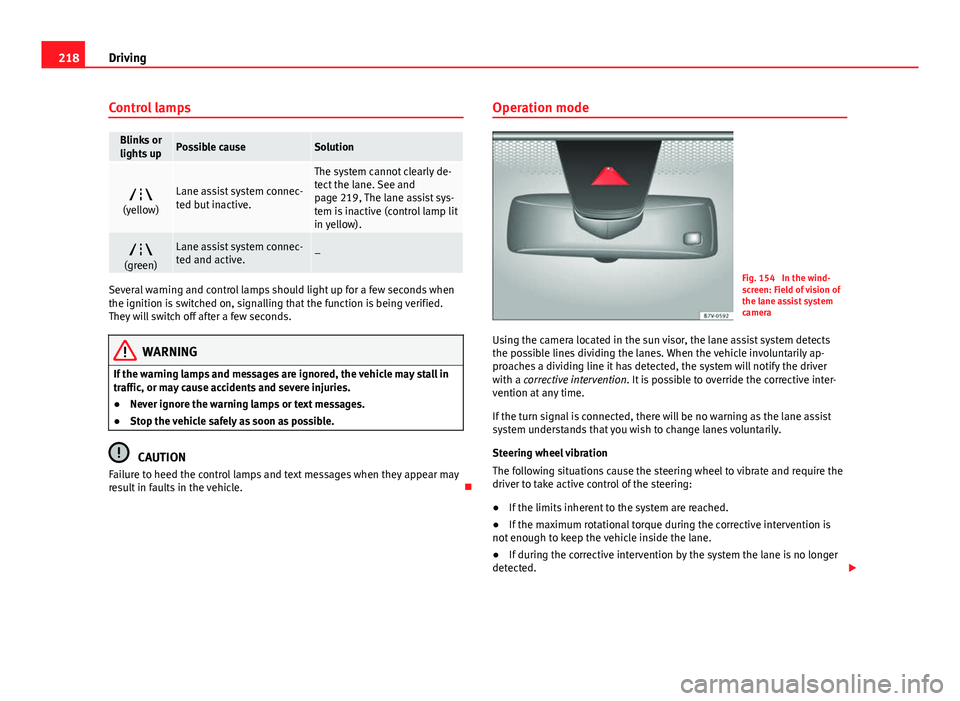
Fig. 154 In the wind-
screen: Field of vision of
the lane assist system
camera
Using the camera located in the sun visor, the lane assist system detects
the possible lines dividing the lanes. When the vehicle involuntarily ap-
proaches a dividing line it has detected, the system will notify the driver
with a corrective intervention. It is possible to override the corrective inter-
vention at any time.
If the turn signal is connected, there will be no warning as the lane assist
system understands that you wish to change lanes voluntarily.
Steering wheel vibration
The following situations cause the steering wheel to vibrate and require the
driver to take active control of the steering:
● If the limits inherent to the system are reached.
● If the maximum rotational torque during the corrective intervention is
not enough to keep the vehicle inside the lane.
● If during the corrective intervention by the system the lane is no longer
detected.
Page 227 of 381
225
Driving
Tyre monitoring systems Introduction
The tyre monitor indicator monitors the tyre pressure of each wheel during
driving using the ABS sensors. The ABS sensors monitor the tyre tread pe-
rimeter and vibrations of each tire. The tyre monitor indicator warns the driv-
er if it detects a considerable drop in tyre pressure of one or several tyres
while driving. Loss of tyre pressure will be indicated by the indicator as
well as an audible warning and sometimes a text message on the instru-
ment panel display. When you open the driver door, you will find a label in-
dicating the tyre pressure recommended by the manufacturer for the maxi-
mum vehicle load for each tyre approved for the vehicle in question. By
pressing the adjustment button on the tyre monitoring indicator, you may
change the reference pressure for the tyres so that the tyre pressure to be
monitored coincides with actual tyre pressure ⇒ page 227.
Suitable use of the adjustment button ⇒ page 227.
Additional information and warnings:
● Transporting ⇒ page 13
● Braking, stopping and parking ⇒ page 185
● Caring for and cleaning the vehicle exterior ⇒ page 246
● Wheels and tyres ⇒ page 297
● Accessories, parts replacement, repairs and modifications ⇒ page 261
WARNING
Unsuitable handling of the wheels and tyres may lead to sudden tyre
pressure losses, to tread separation or even to a blow-out.
● Check tyre pressures regularly and ensure they are maintained at the
pressures indicated. If the tyre pressure is too low, the tyres could over-
heat, resulting in tread detachment or even burst tyres.
● Tyre pressure should be that indicated on the label when the tyres are
cold at all times ⇒ page 301.
● Regularly check the cold inflation pressure of the tyres. If necessary,
change the tyre pressure of the vehicle tyres while they are cold.
● Regularly check your tyres for damage and wear.
● Never exceed the maximum permitted speed or loads specified for the
type of tyre fitted on your vehicle.
WARNING
Incorrect use of the tyre monitoring indicator button could result in the
indicator giving erroneous messages or prevented from indicating the
danger caused by a defective tyre ⇒ page 227.
CAUTION
● The tyre valves may be damaged if the cap is not in place. Check that the
caps are identical to the standard caps and have been correctly tightened.
Do not use metal caps ⇒ page 227.
● Do not damage the valves when changing the tyres ⇒ page 227.
For the sake of the environment
Under-inflated tyres lead to increased fuel consumption and tyre wear.
Safety FirstOperating instructionsPractical TipsTechnical Specifications
Page 228 of 381
226Driving
Note
● Do not only rely on the tyre monitoring system. Regularly check your
tyres to ensure that the tyre pressure is correct and that the tyres are not
damaged due to puncture, cuts, tears and impacts/dents. Remove objects
from the tyres only when the tyres have not been pierced by these.
● The tyre monitoring system is set to the tyre pressure recommended by
the manufacturer and indicated on the label ⇒ Fig. 179.
Elements of the tyre monitoring indicator
Tyre monitoring indicator with button.See ⇒ page 227. Control lamp on the instrument panel. SET button on the centre console.
Monitoring the tread of all tyres using ABS sensors (indirect measure-
ment).
Adjustable medium and full-load tyre pressures. Button to update the system when the tyre pressure is changed. Control lamp
Lights
up or
flashesPossible cause ⇒ Solution
The tyre pressure of a wheel
has dropped considerably in
relation to the pressure set by
the driver ⇒ page 227.
Stop the vehicle! Reduce your
speed immediately! Stop the ve-
hicle safely as soon as possible.
Avoid sudden manoeuvres and
braking!
Check all tyres and pressures.
Replace any damaged tyres.
System malfunction.
Consult a specialised workshop
if the tyre pressure is correct and
the lamp remains lit after
switching the ignition off and
back on again. Have the system
checked there.
Several warning and control lamps should light up for a few seconds when
the ignition is switched on, signalling that the function is being verified.
They will switch off after a few seconds.
WARNING
When the tyres are inflated at different pressures or at a pressure that is
too low then a tyre may be damaged resulting in a loss of control of the
vehicle and a serious or fatal accident.
● If the warning lamp lights up, stop immediately and check the
tyres.
● If the tyres are inflated at different pressures or if a tyre pressure is
too low, this will increase tyre wear, negatively affecting vehicle stability
and increasing braking distances.
Page 229 of 381
227
Driving
WARNING (Continued)
● If tyres are inflated at different pressures or a tyre pressure is too low,
a tyre may be damaged and burst resulting in a loss of control of the ve-
hicle.
● The driver is responsible for ensuring that all of the vehicle tyres are
correctly inflated to the right pressure. The recommended tyre pressure
is indicated on the label ⇒ Fig. 179.
● The tyre monitoring system can only operate correctly if all of the
tyres are inflated to the correct pressure when cold.
● Driving with tyres at the wrong pressure can cause them damage and
result in an accident. Ensure that the tyre pressures of all the tyres corre-
spond to the vehicle load.
● Before starting a journey, always inflate tyres to the correct pressure.
● If tyre pressure is too low then the tyre is subject to greater forces
and it may be heated to such an extent that the tread can rupture and the
tyre will burst.
● With an overloaded vehicle at high speed, the tyres can overheat and
burst resulting in a loss of vehicle control.
● Tyre pressures which are too high or too low reduce the useful life of
the tyre, affecting vehicle performance.
● If a tyre has not been punctured then it does not have to be changed
immediately; drive to the nearest specialised workshop at a moderate
speed and have the tyre checked and inflated to the correct pressure.
WARNING
If the warning lamps and messages are ignored, the vehicle may stall in
traffic, or may cause accidents and severe injuries.
● Never ignore the warning lamps or text messages.
● Stop the vehicle safely as soon as possible.
CAUTION
Failure to heed the control lamps and text messages when they appear may
result in faults in the vehicle.
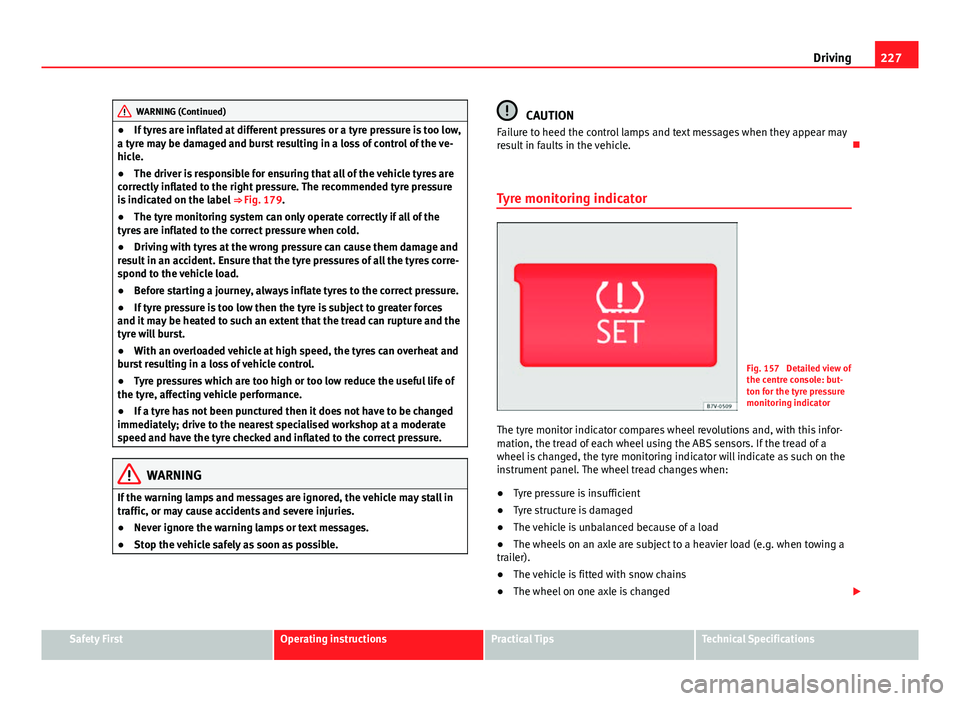
Tyre monitoring indicator
Fig. 157 Detailed view of
the centre console: but-
ton for the tyre pressure
monitoring indicator
The tyre monitor indicator compares wheel revolutions and, with this infor-
mation, the tread of each wheel using the ABS sensors. If the tread of a
wheel is changed, the tyre monitoring indicator will indicate as such on the
instrument panel. The wheel tread changes when:
● Tyre pressure is insufficient
● Tyre structure is damaged
● The vehicle is unbalanced because of a load
● The wheels on an axle are subject to a heavier load (e.g. when towing a
trailer).
● The vehicle is fitted with snow chains
● The wheel on one axle is changed
Safety FirstOperating instructionsPractical TipsTechnical Specifications
Page 237 of 381
235
Trailer towing
Trailer towing Introduction
Always be aware of the legal requirements for each country to drive with a
trailer and to use a tow hitch.
Your car is intended mainly for transporting passengers however, it can also
be used to tow a trailer provided that it is fitted with the necessary equip-
ment. The additional load has an effect on the useful life, fuel consumption
and the vehicle performance and, in some cases, reduce the service inter-
vals.
Driving with a trailer requires more force from the vehicle and, thus, more
concentration from the driver.
For wintertime temperatures, fit winter tyres to the vehicle and the trailer.
Drawbar load
The maximum permitted Drawbar load exerted by the trailer drawbar on the
ball joint of the tow hitch must not exceed 100 kg (approximately 220 lbs).
Vehicles with the Start-Stop function
With a SEAT factory fitted or retrofitted tow hitch, the Start-Stop function is
automatically deactivated when a trailer is connected. For tow hitches not
installed by SEAT, the Start-Stop function must be deactivated manually us-
ing a button located on the dash panel before driving with a trailer and it
must remain off for the entire journey ⇒
.
Additional information and warnings:
● Anti-theft alarm system ⇒ page 75
● Light ⇒ page 96
● Ecological driving ⇒ page 229
● Starter assist systems (Start-Stop function) ⇒ page 196●
Wheels and tyres ⇒ page 297
● Accessories, parts replacement, repairs and modifications ⇒ page 261
WARNING
Never transport people in a trailer: this will endanger in their life and is
against the law.
WARNING
The incorrect use of the tow hitch can cause accidents and injury.
● Only use a tow hitch in good condition and correctly installed.
● Never change or repair a tow hitch.
● To reduce the risk of injury in case of a reversing collision, injury to
pedestrians and cyclists when parking, always keep the ball joint in
when a trailer is not being used.
● Never fit a trailer tow hitch “that distributes the load” or “balances
the load”. Your vehicle has not been designed for this type of tow hitch.
The tow hitch may fail and the trailer will separate from the vehicle.
WARNING
Driving with a trailer and transporting heavy or large objects can affect
vehicle handling and even cause an accident.
● Always secure loads correctly with suitable and undamaged attach-
ment rope or straps.
● Adjust your speed and driving style to visibility, road, traffic and
weather conditions.
Safety FirstOperating instructionsPractical TipsTechnical Specifications