warning lights Seat Alhambra 2014 User Guide
[x] Cancel search | Manufacturer: SEAT, Model Year: 2014, Model line: Alhambra, Model: Seat Alhambra 2014Pages: 381, PDF Size: 5.75 MB
Page 87 of 381
85
Opening and closing
WARNING (Continued)
● Ensure the rear lid is locked after closing, otherwise, it may open un-
expectedly while driving. A closed rear lid should be flush with the corre-
sponding parts of the bodywork.
● Always keep the rear lid closed while driving to avoid toxic gases en-
tering the vehicle interior.
● Do not open the rear lid when there is a load carrier installed. Like-
wise, the rear lid cannot be opened when a load is attached to it, for ex-
ample bicycles. An open rear lid could close itself if there is an additional
weight on it. If necessary, press down on the rear lid and remove the
load.
● Close and lock both the rear lid and all the other doors when you are
not using the vehicle. Ensure that nobody remains inside the vehicle.
● Never allow children to play inside or around the vehicle without su-
pervision, especially if the rear lid is open. Children could enter the lug-
gage compartment, close the rear lid and become trapped. Depending on
the time of the year, temperatures inside a locked and closed vehicle can
be extremely high or extremely low resulting in serious injuries and ill-
ness or even death, particularly for young children.
● Never leave children or disabled people alone in the vehicle. If the ve-
hicle key or the central locking button is used, they may be locked in the
vehicle.
CAUTION
Before opening the rear lid, ensure that there is sufficient free space to
open and close it, for example if you are towing a trailer or in a garage. Warning lamp
lights upPossible causeSolution
The rear lid is open or not
correctly shut.
Stop driving immediately!
Open the rear lid and close it
again.
Several warning and control lamps should light up for a few seconds when
the ignition is switched on, signalling that the function is being verified.
They will switch off after a few seconds.
A warning lamp appears on the instrument panel if the rear lid is open or
not properly closed.
Depending on the vehicle equipment, a symbol may be displayed on the
dash panel screen instead of the warning lamp. The indication is also visi-
ble when the ignition is switched off. The indication disappears around 15
seconds after the vehicle has been locked.
WARNING
If the rear lid is not correctly closed, it could open unexpectedly when
driving and cause serious injuries.
● Always stop immediately and close the rear lid.
● Ensure that the rear lid has been locked into place by the element on
the lock carrier when you close it.
Safety FirstOperating instructionsPractical TipsTechnical Specifications
Page 90 of 381
88Opening and closing
Opening the rear lid
● Press and hold the
button on the vehicle key until the rear lid opens
automatically.
● OR: Press and hold the
button on the centre console for approxi-
mately 1 second ⇒ Fig. 53.
● OR: Press the ⇒ Fig. 54 rear lid button (arrow).
In case of difficulty or obstruction, automatic opening of the rear lid is inter-
rupted.
Electronically opening the rear lid does not work when a trailer is electrically
connected and hitched to a factory fitted tow hitch ⇒ page 237.
The rear lid can be opened manually by applying more force.
Closing the rear lid
● Press and hold the
button on the vehicle key for approximately 1
second.
● OR: Press and hold the
button on the centre console for approxi-
mately 1 second ⇒ Fig. 53.
● OR: Press the ⇒ Fig. 54 rear lid button (arrow).
● Press the button
on the open rear lid ⇒ Fig. 56 ⇒ .
● Manually push the rear lid down to close it.
The rear lid will move down to the closed position to close and lock itself
automatically using the power-close feature ⇒
.
In case of difficulty or obstruction, automatic closing of the rear lid is inter-
rupted and it will open slightly.
Check why the rear lid could not close.
Attempt to close it once more. Interrupting the opening and closing process
Rear lid opening and closing can be stopped by pressing one of the
but-
tons. Each time one of the buttons is pressed, the rear lid moves to its
initial position.
Then, it can be opened or closed by hand. To do this, apply a little more
force.
Memorising the opening angle
The rear lid must be at least half open to memorise an opening angle.
● Stop automatic opening in the opening position required ⇒ page 88.
● Hold down the button ⇒ Fig. 56 with the rear lid open for at least three
seconds. The opening angle is memorised.
Memorisation is confirmed by blinking of the hazard warning lights and an
audible warning.
To be opened completely, the opening angle must be memorised once
more.
● Release the rear lid and open it to the memorised height.
● Push the rear lid all the way up. To do this, apply a little more force.
● Hold down the button ⇒ Fig. 56 with the rear lid open for at least three
seconds.
● The opening angle is reset to the original factory setting.
WARNING
Unsuitable or careless closing and locking of the rear lid could cause se-
rious injuries.
● Never allow children to play inside or around the vehicle without su-
pervision, especially if the rear lid is open. Children could enter the lug-
gage compartment, close the rear lid and become trapped. A locked vehi-
cle can be subjected to extremely high and low temperatures, depending
on the time of year, thus causing serious injuries/illness and even death.
Page 98 of 381
96Lights and visibility
Lights and visibility
Lights Introduction
The legal requirements regarding the use of vehicle lights in each country
must be observed.
The driver is personally responsible for the correct use and adjustment of
the lights in all situations.
Additional information and warnings:
● SEAT information system ⇒ page 62
● Changing bulbs ⇒ page 330
WARNING
If the headlights are set too high and the main beam is not used correct-
ly, there is a risk of dazzling or distracting other road users. This could
result in a serious accident.
● Always make sure that the headlights are correctly adjusted.
● Never use the main beam or flashed headlamps as this could dazzle
other drivers.
Control lamps
lights upPossible causeSolution
Driving light totally or partially
faulty.
Replace the corresponding
bulb ⇒ page 330.
If all the bulbs are OK, the vehi-
cle should be taken to a speci-
alised workshop if necessary.
Fault in adaptive light.⇒ page 100.
Rear fog light switched on.⇒ page 99.
Fog lights switched on
Left or right turn signal.
The control lamp flashes twice
as fast when a vehicle or trailer
turn signal is faulty.If necessary, check the vehicle
and trailer lighting.
Main beam on or flasher on.⇒ page 97.
Headlight adjustment (Light
Assist) on.⇒ page 99.
flashesPossible causeSolution
Fault in the adaptive light sys-
tem.Contact a specialised work-
shop ⇒ page 99.
Several warning and control lamps should light up for a few seconds when
the ignition is switched on, signalling that the function is being verified.
They will switch off after a few seconds.
Page 99 of 381
97
Lights and visibility
WARNING
If the warning lamps and messages are ignored, the vehicle may stall in
traffic, or may cause accidents and severe injuries.
● Never ignore the warning lamps or text messages.
● Stop the vehicle safely as soon as possible.
● Park the vehicle at a suitable distance away from the traffic ensuring
that the exhaust system is not in contact with inflammable material, for
example, dry grass, fuel, oil, etc.
● A faulty vehicle represents a risk of accident for the driver and for oth-
er road users. If necessary, switch on the hazard warning lamps and put
out the warning triangle to advise other drivers.
CAUTION
Failure to heed the control lamps and text messages when they appear may
result in faults in the vehicle. Turn signal and headlight leverFig. 61 Turn signal and
main beam lever
Move the lever to the required position: Right turn signal. Right-hand parking light (ignition switched off)
⇒ page 99.
Left turn signal. Left-hand parking light (ignition switched off)
⇒ page 99.
Main beam switched on ⇒
. The control lamp will light up on the
instrument panel.
Flashing the headlights. The flashed beam comes on if the lever is
pressed. The control lamp will light up.
Push the lever all the way down to turn off the corresponding function.
Convenience turn signals
For the convenience turn signals, move the lever as far as possible upwards
or downwards and release the lever. The turn signal will flash three times.
1
2
3
4
Safety FirstOperating instructionsPractical TipsTechnical Specifications
Page 100 of 381
98Lights and visibility
The control turn signals are switched on and off from the menu Lights & Visi-
bility on the instrument panel display ⇒ page 62. This function can be dis-
connected at a specialised workshop for those vehicles which do not have
the menu Lights & Visibility .
WARNING
Incorrect use of the headlights may cause accidents and serious injury,
as the main beam may distract or dazzle other drivers.
Note
● The turn signal only works when the ignition is switched on. The hazard
warning lights also work when the ignition is switched off ⇒ page 316.
● If a turn signal on the vehicle or trailer is faulty, the warning lamp flash-
es twice as fast as usual.
● The main beam headlights can only be switched on if the dipped beam
headlights are already on.
Turning lights on and off
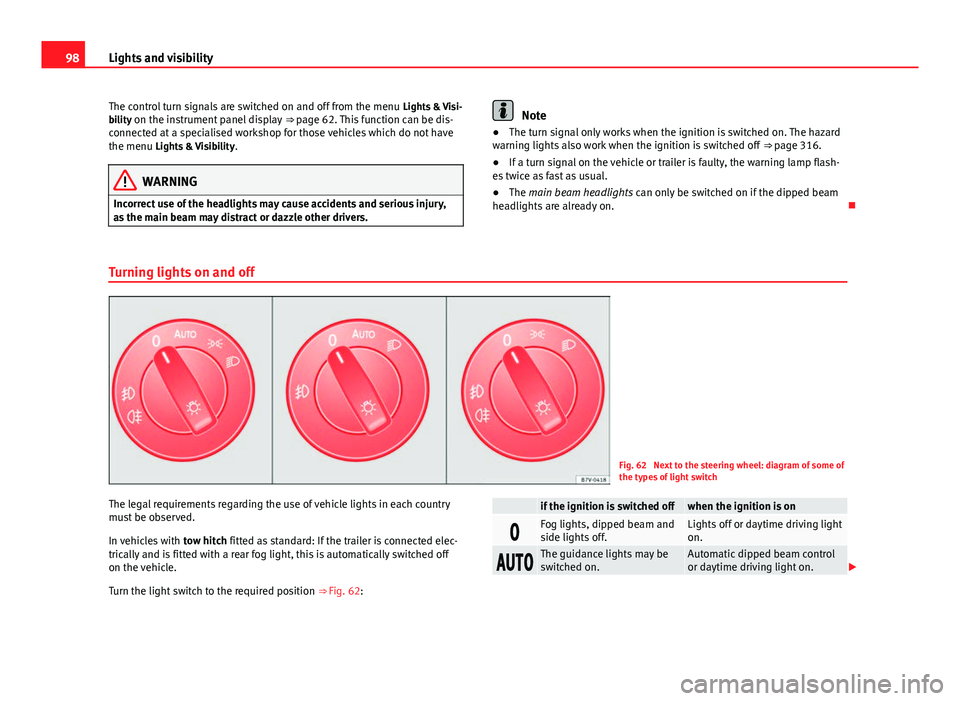
Fig. 62 Next to the steering wheel: diagram of some of
the types of light switch
The legal requirements regarding the use of vehicle lights in each country
must be observed.
In vehicles with tow hitch fitted as standard: If the trailer is connected elec-
trically and is fitted with a rear fog light, this is automatically switched off
on the vehicle.
Turn the light switch to the required position ⇒ Fig. 62:
if the ignition is switched offwhen the ignition is on
Fog lights, dipped beam and
side lights off.Lights off or daytime driving light
on.
The guidance lights may be
switched on.Automatic dipped beam control
or daytime driving light on.
Page 101 of 381
99
Lights and visibility
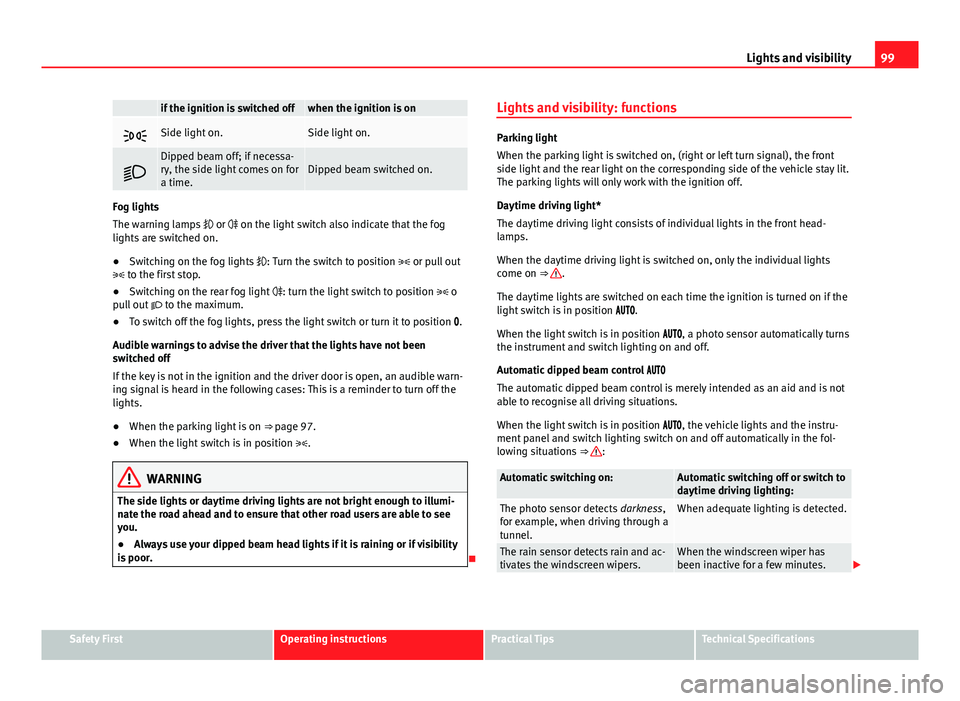
if the ignition is switched offwhen the ignition is on
Side light on.Side light on.
Dipped beam off; if necessa-
ry, the side light comes on for
a time.Dipped beam switched on.
Fog lights
The warning lamps or on the light switch also indicate that the fog
lights are switched on.
● Switching on the fog lights : Turn the switch to position or pull out
to the first stop.
● Switching on the rear fog light : turn the light switch to position o
pull out to the maximum.
● To switch off the fog lights, press the light switch or turn it to position .
Audible warnings to advise the driver that the lights have not been
switched off
If the key is not in the ignition and the driver door is open, an audible warn-
ing signal is heard in the following cases: This is a reminder to turn off the
lights.
● When the parking light is on ⇒ page 97.
● When the light switch is in position .
WARNING
The side lights or daytime driving lights are not bright enough to illumi-
nate the road ahead and to ensure that other road users are able to see
you.
● Always use your dipped beam head lights if it is raining or if visibility
is poor.
Lights and visibility: functions
Parking light
When the parking light is switched on, (right or left turn signal), the front
side light and the rear light on the corresponding side of the vehicle stay lit.
The parking lights will only work with the ignition off.
Daytime driving light*
The daytime driving light consists of individual lights in the front head-
lamps.
When the daytime driving light is switched on, only the individual lights
come on ⇒
.
The daytime lights are switched on each time the ignition is turned on if the
light switch is in position .
When the light switch is in position , a photo sensor automatically turns
the instrument and switch lighting on and off.
Automatic dipped beam control
The automatic dipped beam control is merely intended as an aid and is not
able to recognise all driving situations.
When the light switch is in position , the vehicle lights and the instru-
ment panel and switch lighting switch on and off automatically in the fol-
lowing situations ⇒
:
Automatic switching on:Automatic switching off or switch to
daytime driving lighting:
The photo sensor detects darkness,
for example, when driving through a
tunnel.When adequate lighting is detected.
The rain sensor detects rain and ac-
tivates the windscreen wipers.When the windscreen wiper has
been inactive for a few minutes.
Safety FirstOperating instructionsPractical TipsTechnical Specifications
Page 102 of 381
100Lights and visibility
Adaptive headlights (AFS)
The adaptive headlights only operate when the dipped beam is on and at
speeds of over 10 km/h (6 mph). When taking a bend, the adaptive head-
lights automatically light up the road better.
The adaptive headlights can be switched on and off from the infotainment
system.
Static turning lights
When turning slowly to change direction or going round a tight bend, the
static cornering lights automatically come on. The static cornering lights on-
ly work at speeds of less than 40 km/h (25 mph).
The static cornering lights may be incorporated into the fog lights or the
front headlights, depending upon the equipment.
WARNING
If the road is not well lit and other road users cannot see the vehicle well
enough or at all, accidents may occur.
● The automatic dipped beam control ( ) only switches on the dip-
ped beam when there are no changes in brightness, and not, for example
when it is foggy.
● Never drive with daytime lights if the road is not well lit due to weath-
er or lighting conditions. Daytime lights do not provide enough light to
illuminate the road properly or be seen by other road users.
Headlight adjustment
Headlight adjustment (Light Assist)
The headlight adjustment automatically connects and disconnects the main
beam headlights depending on the environmental and traffic conditions
and on the speed, within the limitations of the system ⇒
. This is moni-tored by a sensor located on the inside of the windscreen, above the interior
rear vision mirror.
The automatic headlight adjustment automatically switches on the main
beam depending on the vehicles travelling in front and in the opposite di-
rection, and of other environmental and traffic conditions from an approxi-
mate speed of 60 km/h (37 mph) and turns them off again at speeds below
approximately 30 km/h (18 mph).
Switching on and off
ActionSwitching
on:– With the ignition on, turn the lights control to the position
and put the turn signal and main beam lever in the
main beam position ⇒ page 97. When the headlight adjust-
ment (automatic also) is activated, the warning lamp lights
up in the instrument panel display
.
Switching
off:– Disconnect the on button.
– OR: turn the lights control to a different position to
⇒ page 98.
– OR: place the turn signal and main beam lever in the
headlight flasher or main beam position ⇒ page 97.
The following conditions can cause the headlight adjustment to fail to turn
off the main beam or fail to do so in time:
●On roads with insufficient lighting with very reflective signs
● If road users are insufficiently lit up, e.g. pedestrians or cyclists
● On closed curves, when the traffic in the opposite direction is partially
hidden, on pronounced slopes
● On roads with traffic in the opposite direction and with a central reserva-
tion barrier when the driver can see through gaps or over it e.g. lorry drivers
● If the camera is damaged or if the power supply has been cut off
● In the event of fog, snow or heavy rain
● In the event of dust or sand storms
Page 103 of 381
101
Lights and visibility
● If the windscreen is damaged by the impact from a stone in the camera's
field of vision
● If the camera's field of vision is misted up, dirty or covered by a sticker,
snow or ice.
WARNING
The greater comfort that the headlight adjustment provides (automatic
also) must not cause you to take risks. The system is not a replacement
for driver awareness.
● Always monitor the lights yourself and adjust them depending on the
light, visibility and traffic conditions.
● The headlight adjustment (automatic also) may not correctly detect
all situations and in certain situations may only provide limited function.
● If the windscreen is damaged or modifications are made to the vehi-
cle lighting, this may harm the functioning of the headlight adjustment
(automatic also), for example, if additional headlight are fitted.
Note
Main beam and flashed headlights can be turned on and off manually at
any time with the turn signal and main beam lever ⇒ page 97.
Adhesive strips for headlights or adjusting headlights
In those countries where vehicles drive on the other side of the road to the
home country, the asymmetric dipped beam may dazzle drivers of oncom-
ing vehicles. Therefore, when driving abroad, adhesive strips should be at-
tached to the headlights or the headlights should be adjusted accordingly.
The direction of the headlights can be adjusted from the instrument panel,
in the Tourist light submenu of the Configuration menu
⇒ page 67. For those vehicles in which it is not possible to adjust the headlights from
the menu, adhesive strips are used to cover certain parts of the headlamp
cover or the headlights may be adjusted at a specialised workshop. For fur-
ther information, please refer to a specialised workshop. SEAT recommends
visiting a Technical Service.
Note
Use of the Tourist light option and the adhesives on the headlights is only
allowed if they are to be used for a short period of time. To modify the direc-
tion of the headlights permanently, please take the vehicle to a specialised
workshop. SEAT recommends visiting a Technical Service.
“Coming home” and “Leaving home” function (orientation
lighting)
The “Coming home” function should be switched on manually. However the
“Leaving home” function is automatically controlled by a photo sensor.
“Coming home”Necessary operations
To switch sys-
tem on:
– Switch off the ignition.
– Briefly flash the headlights for approximately one sec-
ond ⇒ page 97.
The “Coming home” lighting comes on when the driver
door is opened. The delay in switching off the headlights
is counted from when the last door or rear lid is closed.
To switch sys-
tem off:
– Automatically at the end of the delay period.
– Automatically, if 30 seconds after coming on, a vehicle
door or tailgate remains open.
– If the light switch is turned to position .
– If the ignition is switched on.
Safety FirstOperating instructionsPractical TipsTechnical Specifications
Page 104 of 381
102Lights and visibility
“Leaving home”Necessary operationsTo switch sys-
tem on:– Unlock the vehicle when the light switch is in position
and the photo sensor detects darkness.
To switch sys-
tem off:– Automatically, at the end of the delay period..
– When the vehicle is locked.
– When the light switch is turned to position .
– When the ignition is switched on.
Lighting around the exterior mirrors
The lighting around the exterior mirrors illuminates the door area on enter-
ing and leaving the vehicles. It comes on when the vehicle is unlocked,
when the vehicle door is opened and when the “Coming home” or “Leaving
home” function is switched on. If the equipment includes the light sensor,
the lighting around the exterior mirrors only comes when it is dark.
Note
● The time taken for the headlights to go off can be changed in the Lights
& Visibility menu and the function can be switched on or off ⇒ page 62.
● When the “Coming home” function is on, if the vehicle door is opened
there is no audible warning signal to advise that the light is still on. Headlight range control, instrument and switch lighting
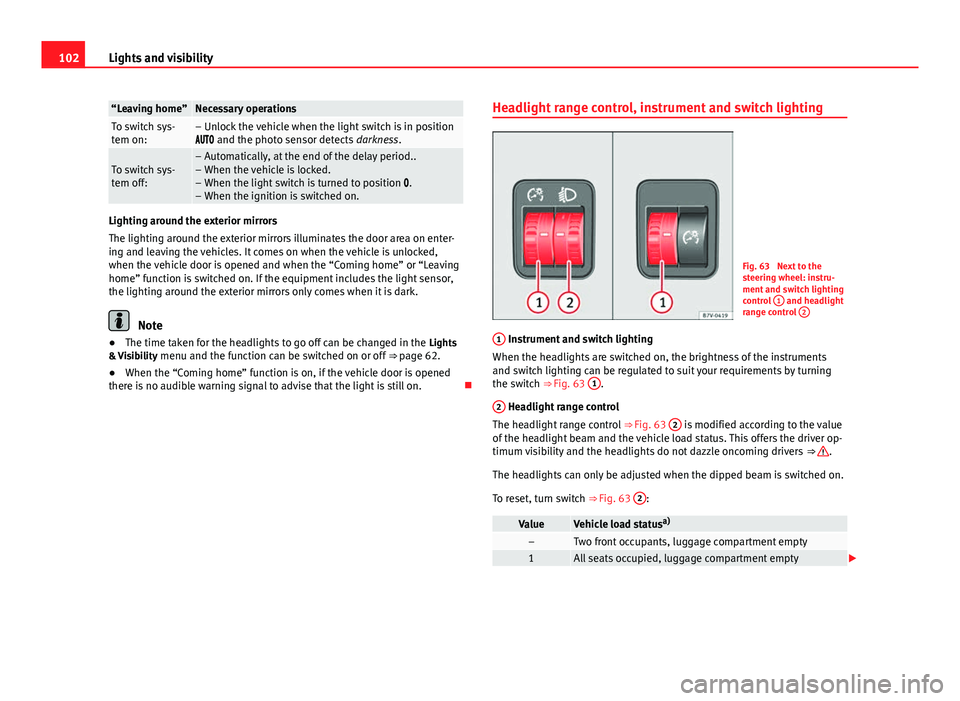
Fig. 63 Next to the
steering wheel: instru-
ment and switch lighting
control
1
and headlight
range control 2
1 Instrument and switch lighting
When the headlights are switched on, the brightness of the instruments
and switch lighting can be regulated to suit your requirements by turning
the switch ⇒ Fig. 63 1
.
2
Headlight range control
The headlight range control ⇒ Fig. 63 2 is modified according to the value
of the headlight beam and the vehicle load status. This offers the driver op-
timum visibility and the headlights do not dazzle oncoming drivers ⇒
.
The headlights can only be adjusted when the dipped beam is switched on.
To reset, turn switch ⇒ Fig. 63 2
:
ValueVehicle load statusa)–Two front occupants, luggage compartment empty1All seats occupied, luggage compartment empty
Page 105 of 381
103
Lights and visibility
ValueVehicle load status a)
2All seats occupied, luggage compartment full With trailer
and minimum drawbar load
3Driver only, luggage compartment full With trailer and
maximum drawbar load
a)
If the vehicle load does not correspond to those shown in the table, it is possible to select
intermediary positions.
Dynamic headlight range control
The control 2
is not mounted in vehicles with dynamic headlight range
control. The headlight range is automatically adjusted according to the ve-
hicle load status when the headlights are switched on.
WARNING
Heavy objects in the vehicle may mean that the headlights dazzle and
distract other drivers. This could result in a serious accident.
● Adjust the light beam to the vehicle load status so that it does not
blind other drivers.
Interior and reading lights
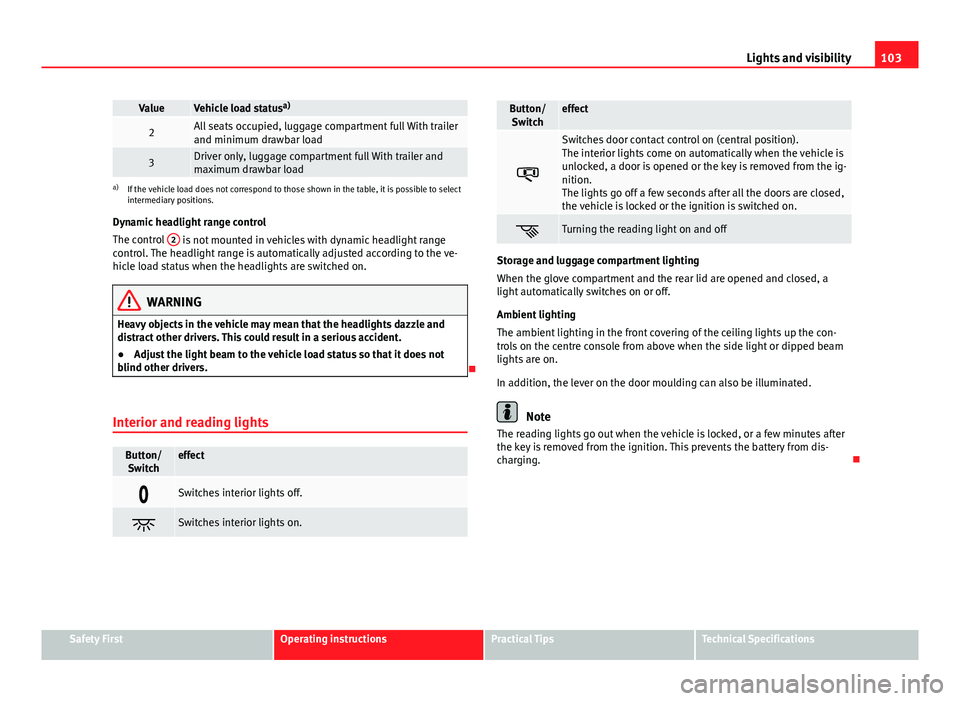
Button/ Switcheffect
Switches interior lights off.
Switches interior lights on.
Button/Switcheffect
Switches door contact control on (central position).
The interior lights come on automatically when the vehicle is
unlocked, a door is opened or the key is removed from the ig-
nition.
The lights go off a few seconds after all the doors are closed,
the vehicle is locked or the ignition is switched on.
Turning the reading light on and off
Storage and luggage compartment lighting
When the glove compartment and the rear lid are opened and closed, a
light automatically switches on or off.
Ambient lighting
The ambient lighting in the front covering of the ceiling lights up the con-
trols on the centre console from above when the side light or dipped beam
lights are on.
In addition, the lever on the door moulding can also be illuminated.
Note
The reading lights go out when the vehicle is locked, or a few minutes after
the key is removed from the ignition. This prevents the battery from dis-
charging.
Safety FirstOperating instructionsPractical TipsTechnical Specifications